
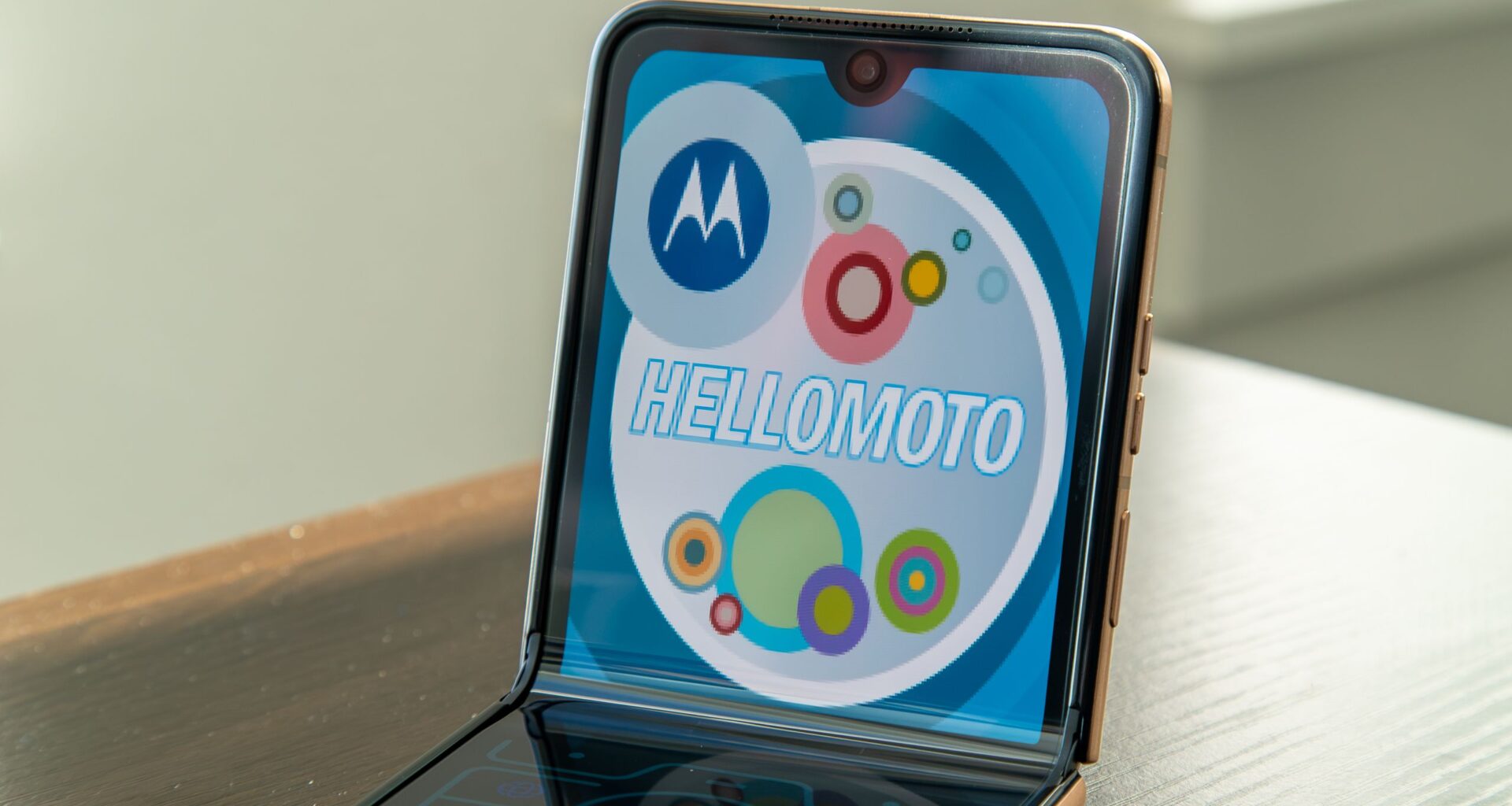
Flip phones are back in regular rotation, although today’s flip phones are much more advanced than those from the early 2000s. Samsung and Motorola are leading the charge in flip phones with the Galaxy Z Flip and Razr, but only one of those phones evokes nostalgia and plays on it well.
The Motorola Razr continues to be my favorite smartphone line; with its impressive folding display and vibrant color options, it does a fantastic job of marrying the past and present. However, there’s one hidden trick that you might not know about that transforms your modern Razr into a relic of the past.
Today’s best Motorola Razr deals
What is Retro Razr?
(Image credit: Derrek Lee / Android Central)
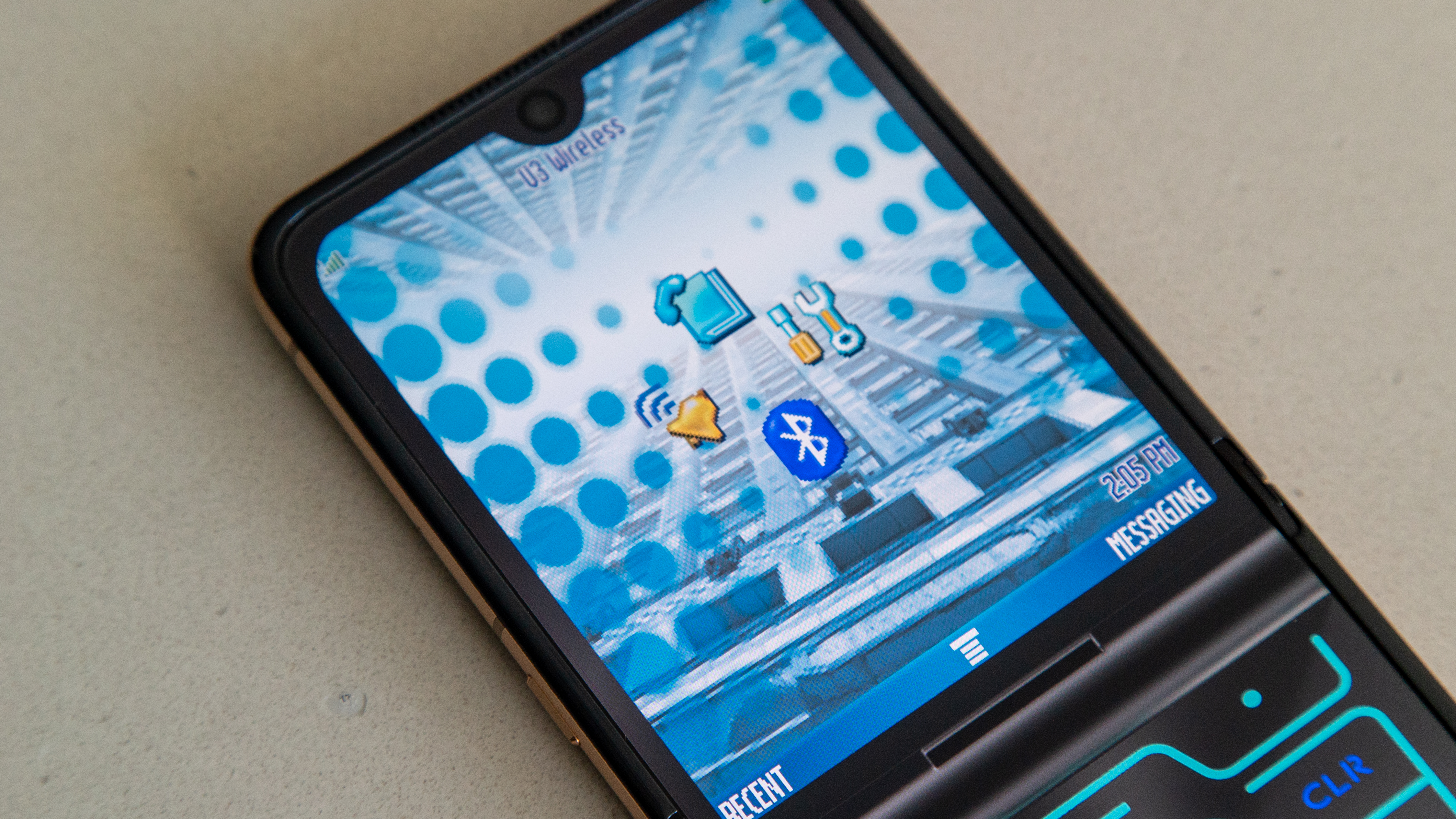
Retro Razr is a piece of software on Motorola’s recent flip phones, like the Razr Ultra 2025. When activated, it transforms your display and emulates the design and UI of the original RAZR from 2004.
You may like
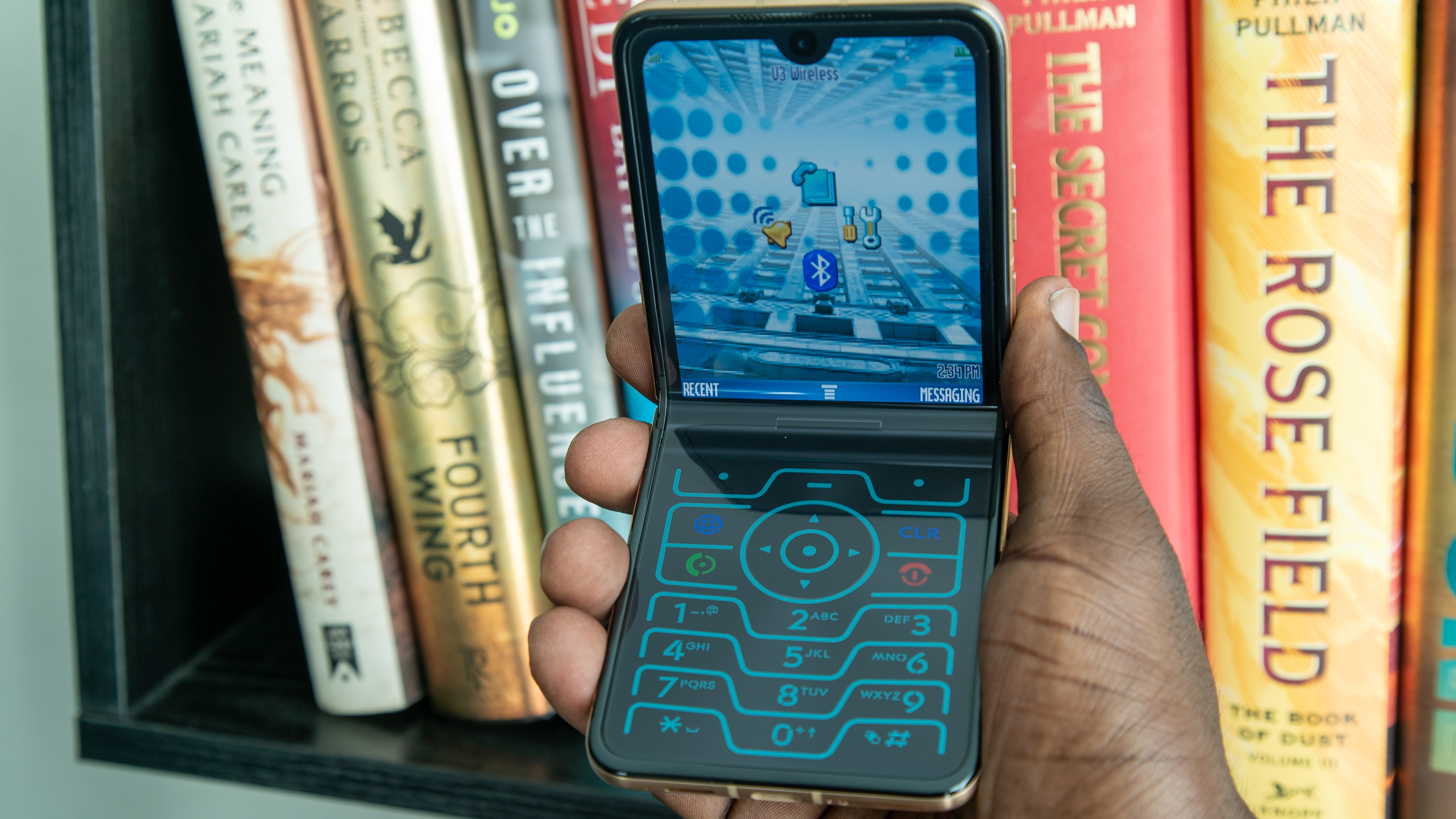
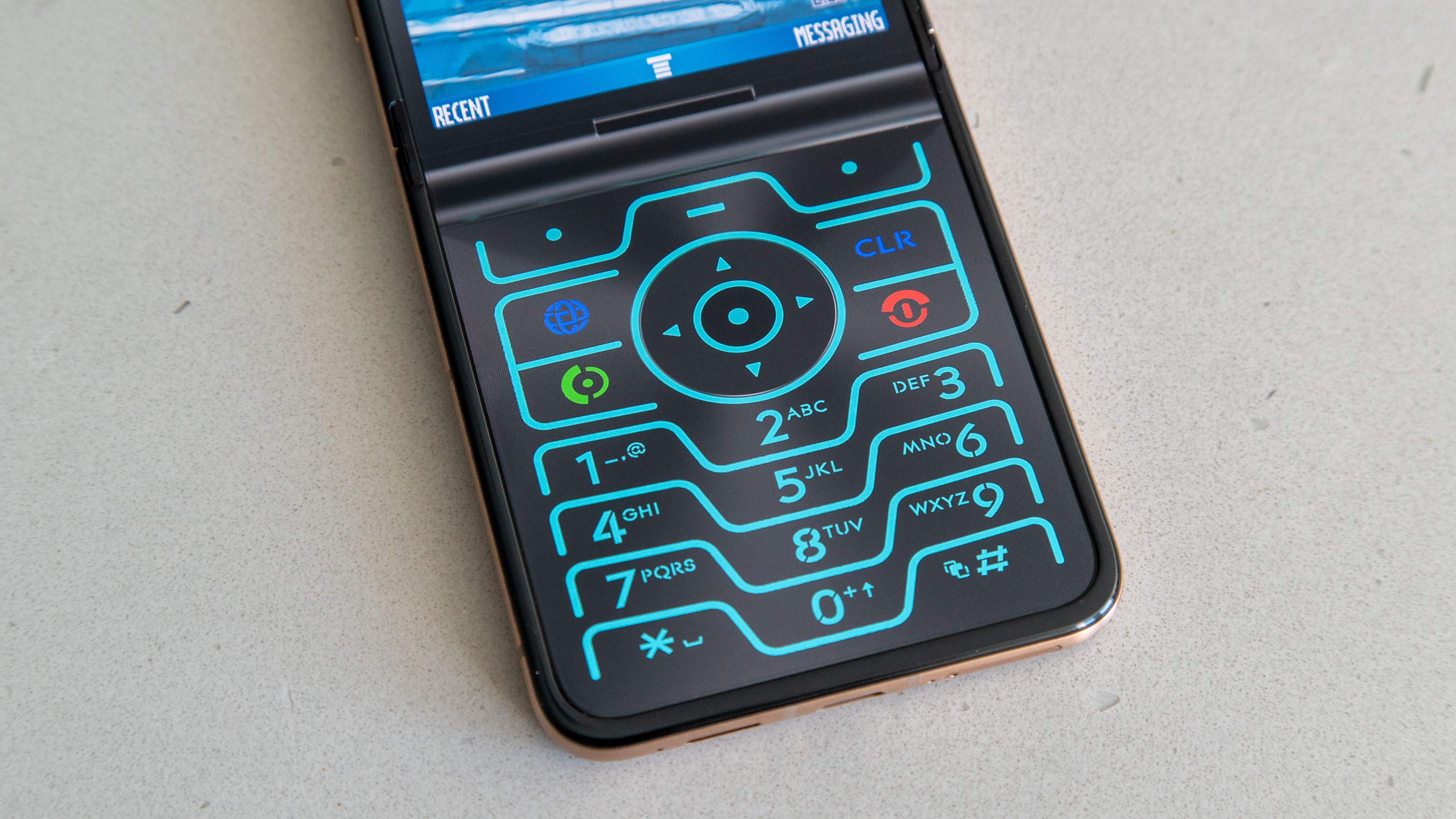
The bottom half turns into a standard number pad, complete with a circular ring with navigation buttons and a selection key, shortcut buttons, and Call/End buttons. The top half of the phone is a small rectangular “display” with shortcuts, a status bar at the top, and an old-school wallpaper. Everything is pixelated to roughly match the minimal resolution of the RAZR, really bringing the whole experience home.
Image 1 of 3
 (Image credit: Derrek Lee / Android Central)
 (Image credit: Derrek Lee / Android Central)
 (Image credit: Derrek Lee / Android Central)
If you start tapping on numbers, you’ll be met with an old-school dialing UI. What’s great about it is that if you tap on any “button,” you get haptic feedback from the phone to help emulate the feeling of actually clicking on a dial pad, not too unlike the subtle vibration you get when typing on a smartphone (vibration motors can only do so much).
That said, the Retro Razr is really just an overlay. If you tap on a shortcut, such as on the navigation pad, you’ll be sent back to the modern Razr experience for said app or setting, and there’s unfortunately no app drawer. However, if you’re looking for the Retro Razr app on your phone to activate the experience, you won’t even find that in your app drawer.
How to turn on Retro Razr
It goes without saying that Retro Razr is only available on Motorola Razr smartphones. Here’s how you find it.
1. Swipe down from the top of the display to activate the quick settings menu.
2. If you don’t find the Retro Razr icon, tap the pencil icon on the top right corner.
3. Tap Edit quick settings.
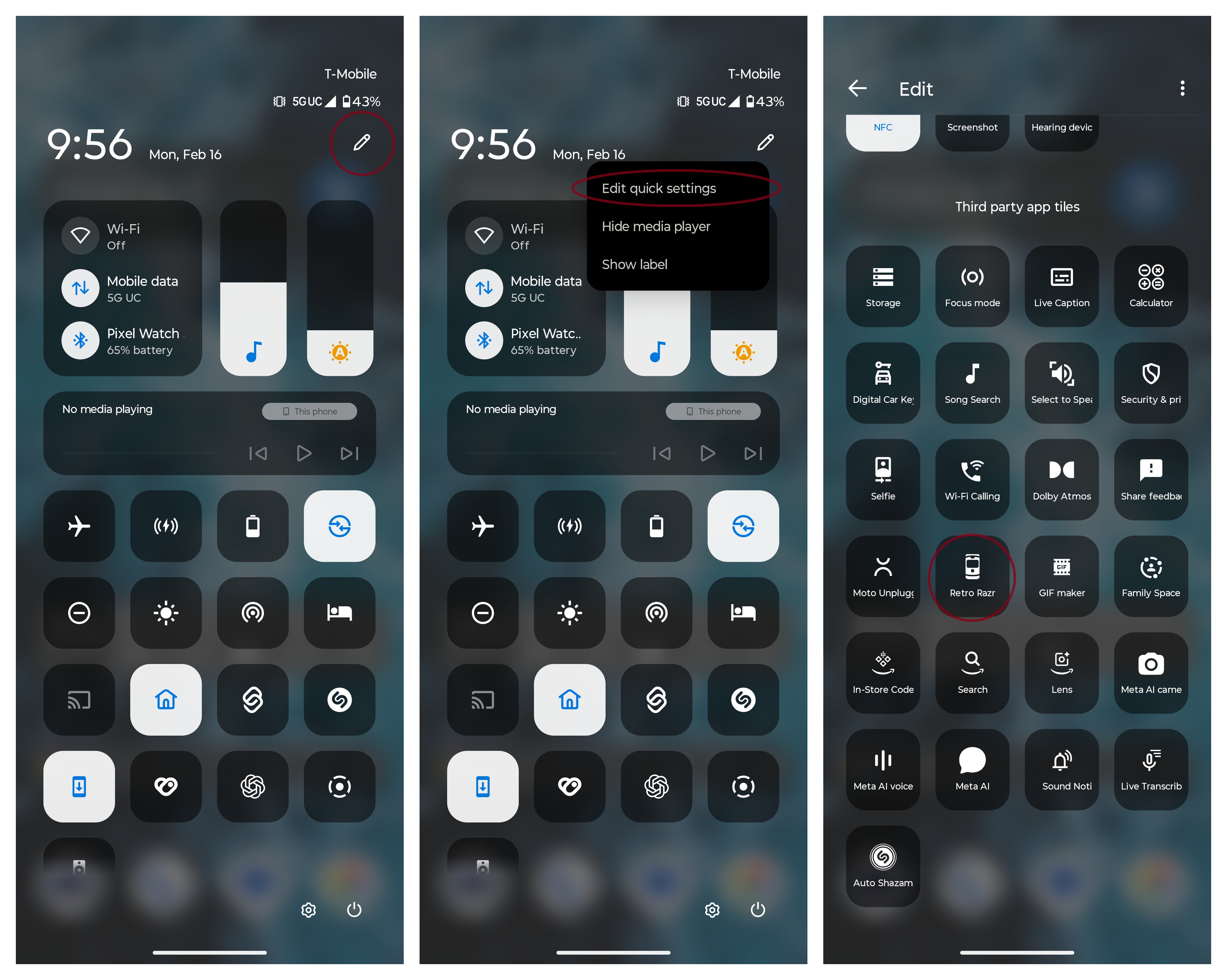
(Image credit: Android Central)
4. Scroll until you find the Retro Razr icon. It should look like a closed old-school Razr. Long-press and drag the icon to your active quick settings tiles.
5. Tap the back button or swipe back.
6. Tap the Retro Razr icon to activate the experience.
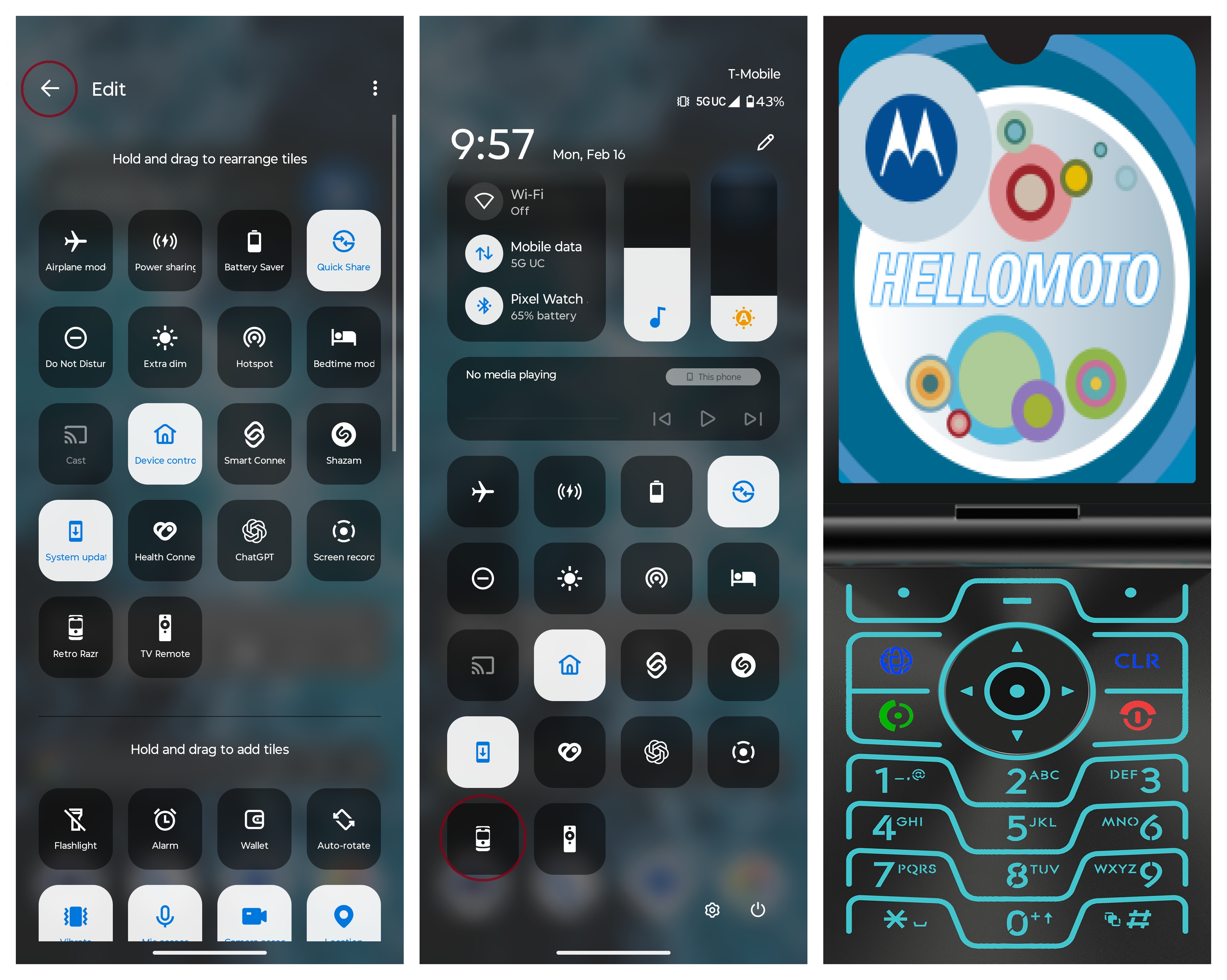
(Image credit: Android Central)
To exit the Retro Razr experience, just swipe out or tap the back button like you would any other app on the phone. You won’t find Retro Razr in the app drawer so the quick settings menu is the only way to access sit.
I wish Motorola took it further
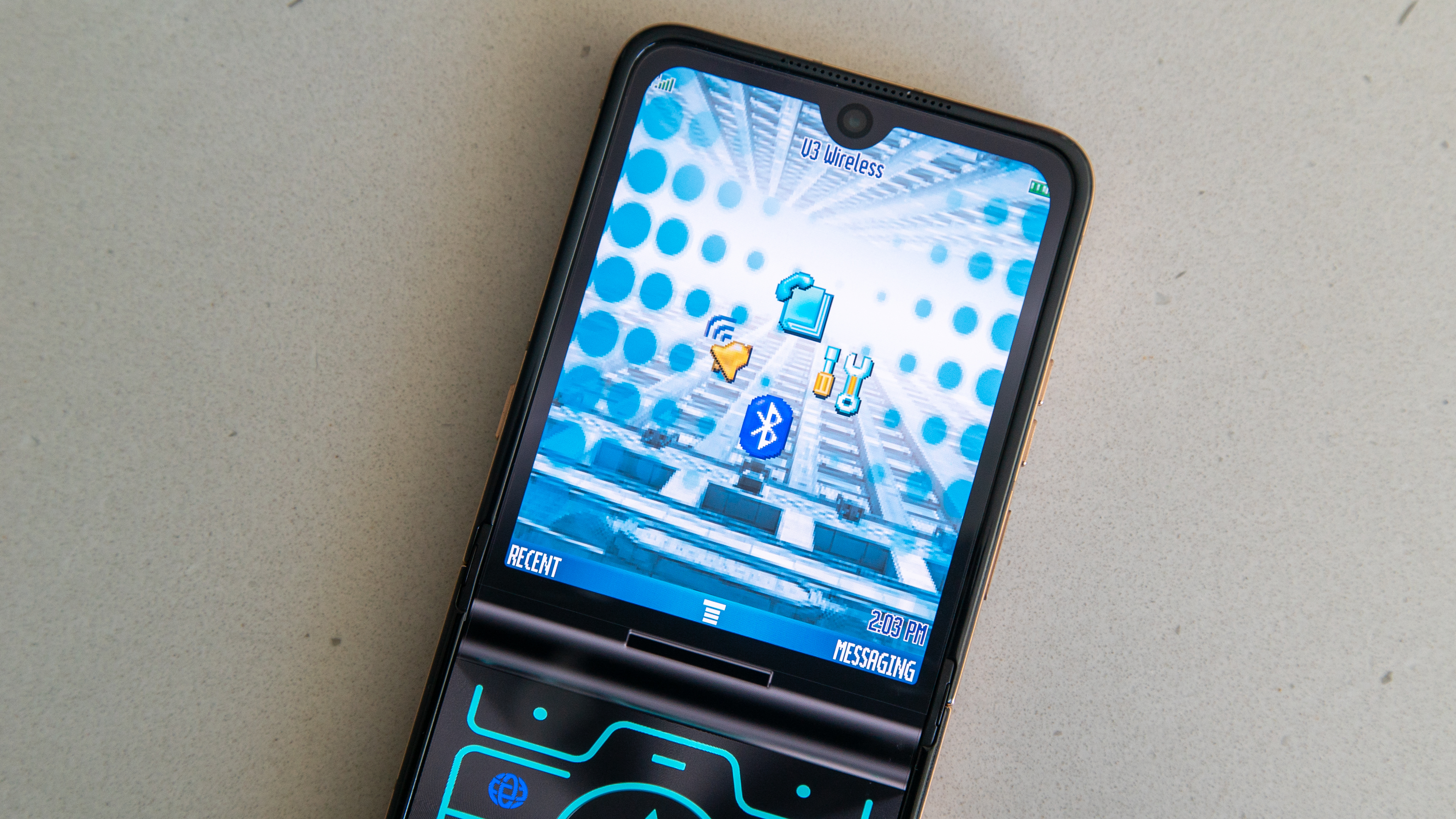
(Image credit: Derrek Lee / Android Central)
While Retro Razr doesn’t bring any additional utility to the phone, it’s a cool way to lean into the nostalgia of the Razr name and a fun way to show off the phone. However, I do wish Motorola took it ot the next level.
For example, instead of just being a simple overlay, Motorola could make this an entire theme for the phone that applies changes to the whole UI. For example, opening the app drawer could reveal a list of old-school, low-resolution icons for each app. The changes could also apply to other aspects of the UI, such as the settings menu, which could match that of the original RAZR V3, while more modern UI elements, such as the quick settings menu, could also adopt a more 2004-esque styling.
But for now, Retro Razr is just a fun party trick to pull out when you wanna show off or trick your friends into thinking you have an old-school RAZR.