
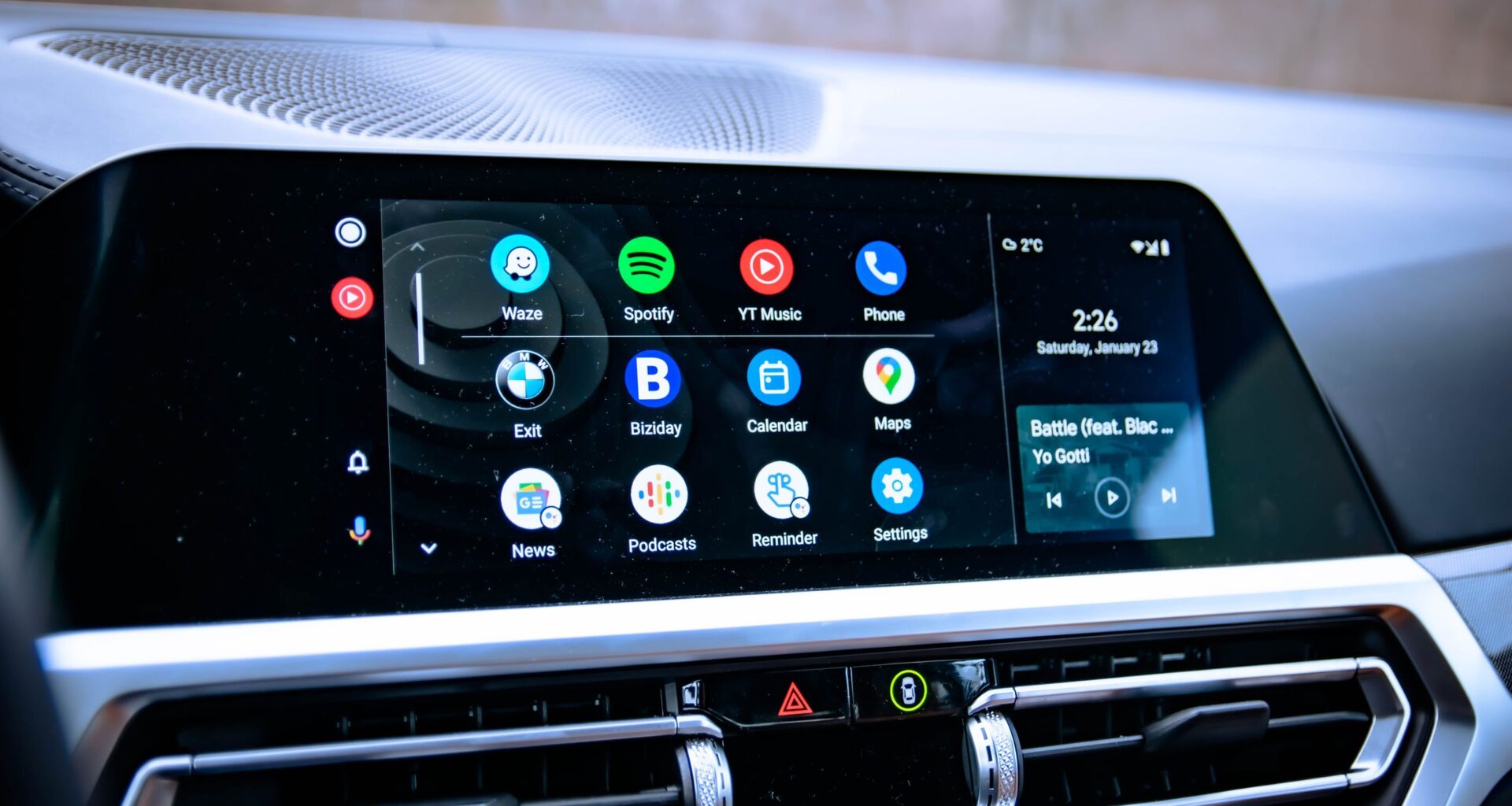
One of the great things about Android is that (for now, at least) you can install pretty much whatever you want, regardless of whether it came from Google Play or not. But that freedom has its limits, and all those sideloaded apps aren’t going to appear on Android Auto.
Or at least, that’s what Google wants you to think. There is actually a way to unlock Android Auto, and access all the apps Google doesn’t want you to be able to use in your car. It doesn’t matter what the app actually is; if you’ve ever been frustrated that you can’t access a piece of mobile software on your car screen, then you’re going to want to follow these steps. If you’re anything like me, it will absolutely change your driving experience.
Article continues below
You may like
How to unlock Android Auto’s developer settings
1. Open Android Auto settings
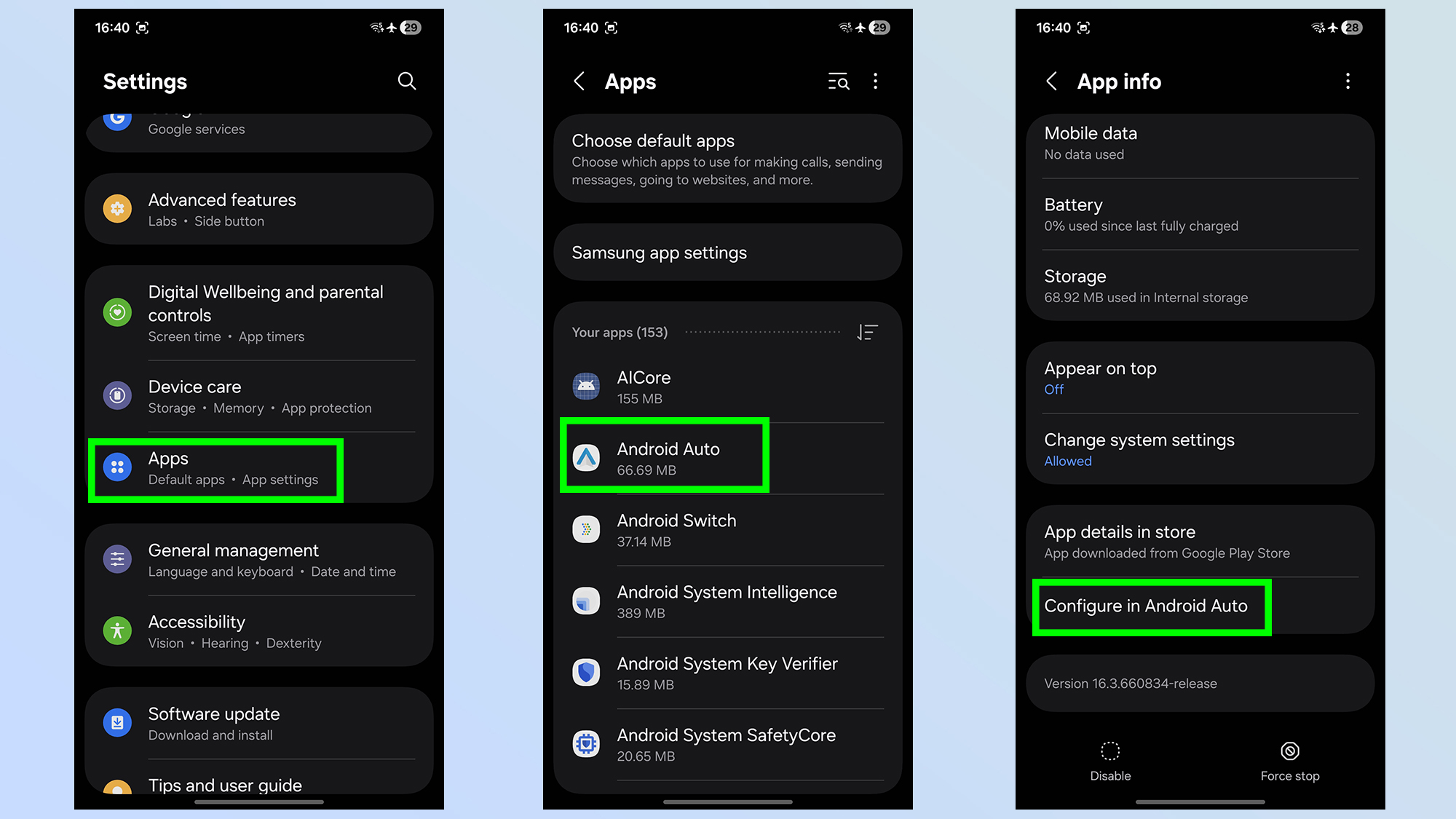
First you’ll need to open Android Auto’s settings. For most Android phones you should head to Settings > Apps > Android Auto followed by Configure in Android Auto.
1a. Open Android Auto settings on Pixel phones
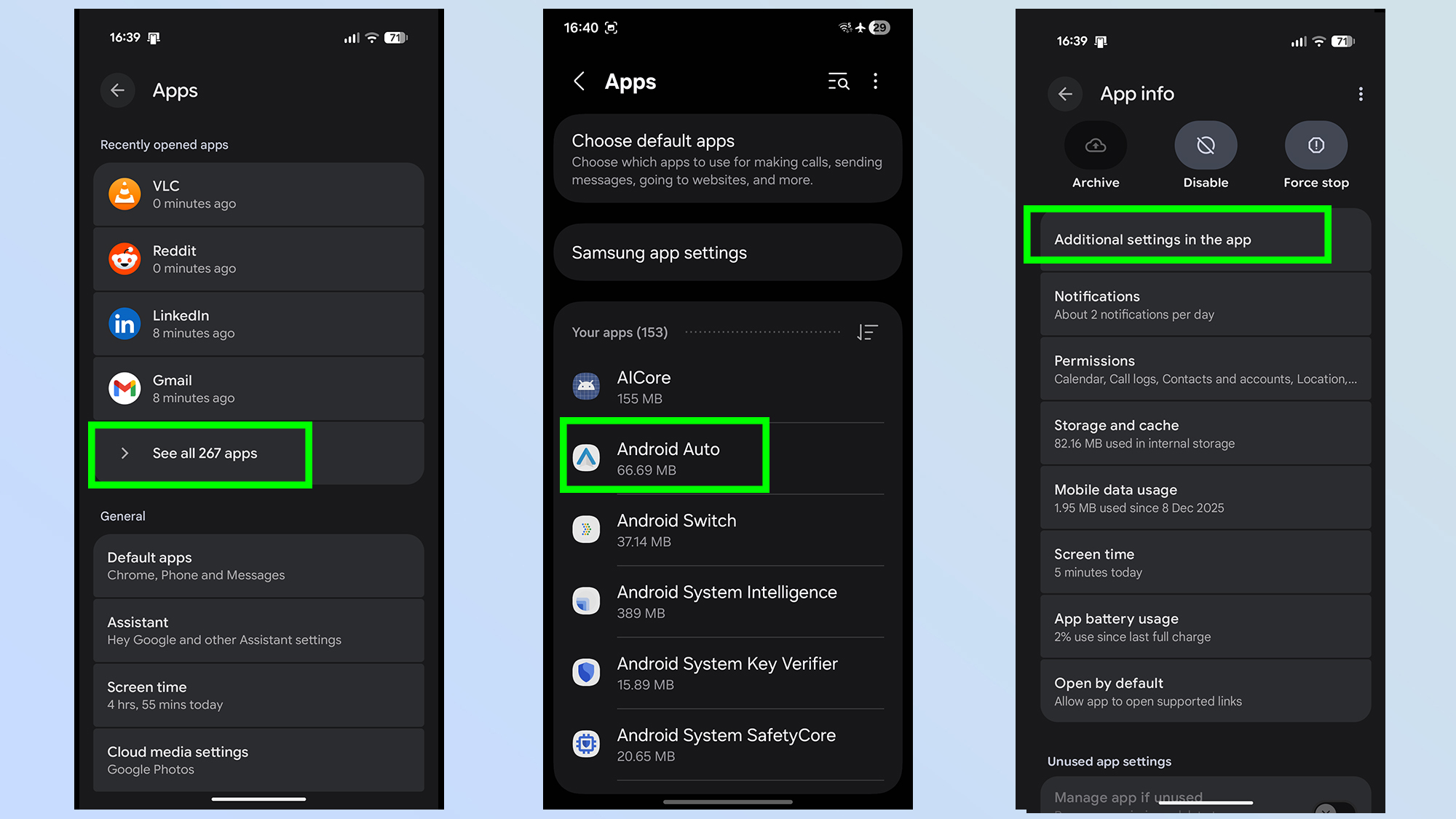
Pixel phones make this process slightly different, and Pixel owners will need to go from Settings > Apps > See All Apps > Android Auto > Additional settings in app
2. Activate developer settings
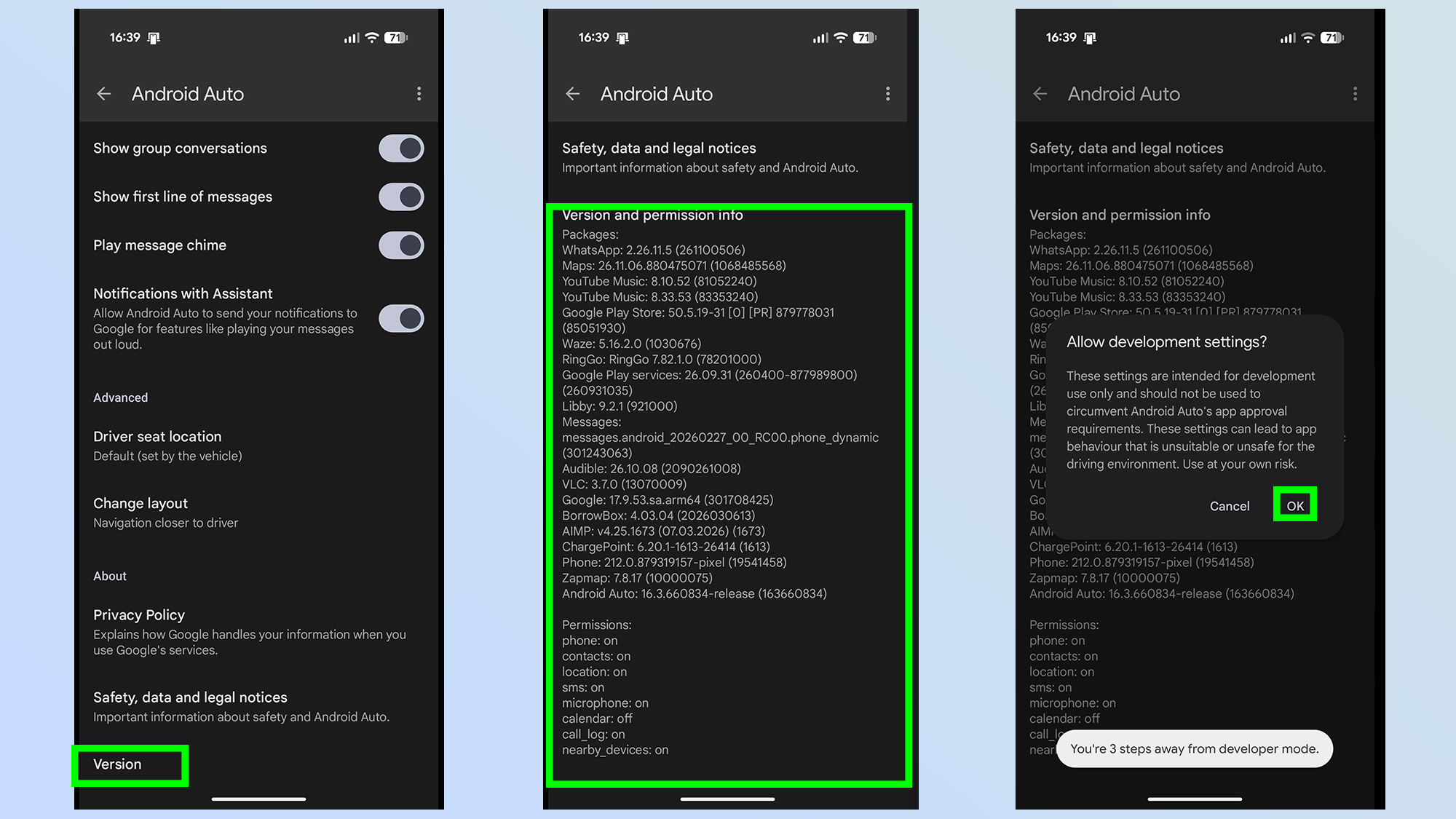
Next up you’ll need to scroll to the bottom of the page, under the About sub-heading. Then hit Version to expand the version information and repeatedly tap it several times.
When prompted to allow development settings, tap Ok
3. Open development settings
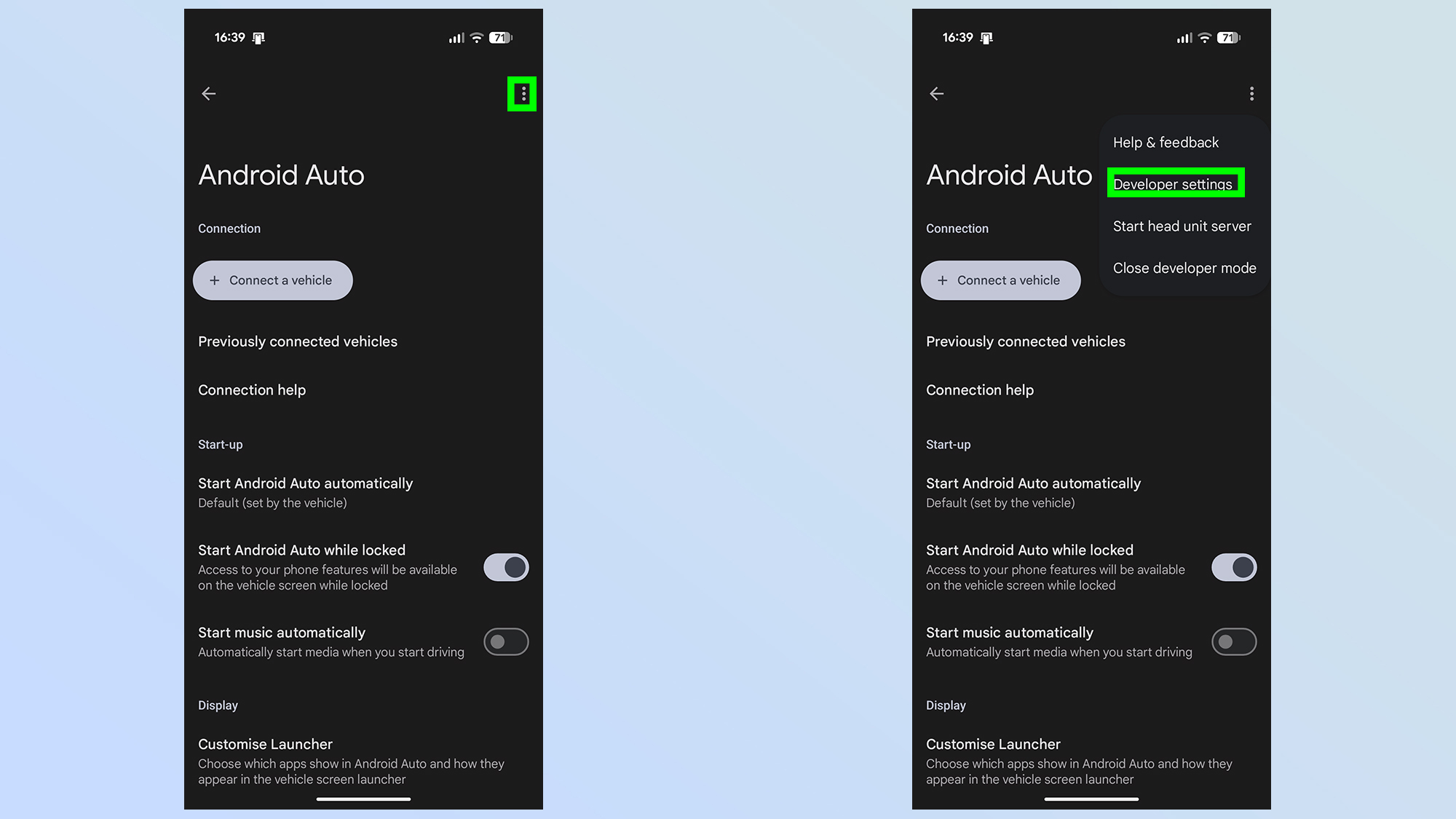
Now that developer settings are available, you need to tap the three dot menu at the top right side of the screen and select Developer settings.
4. Toggle Unknown Sources on
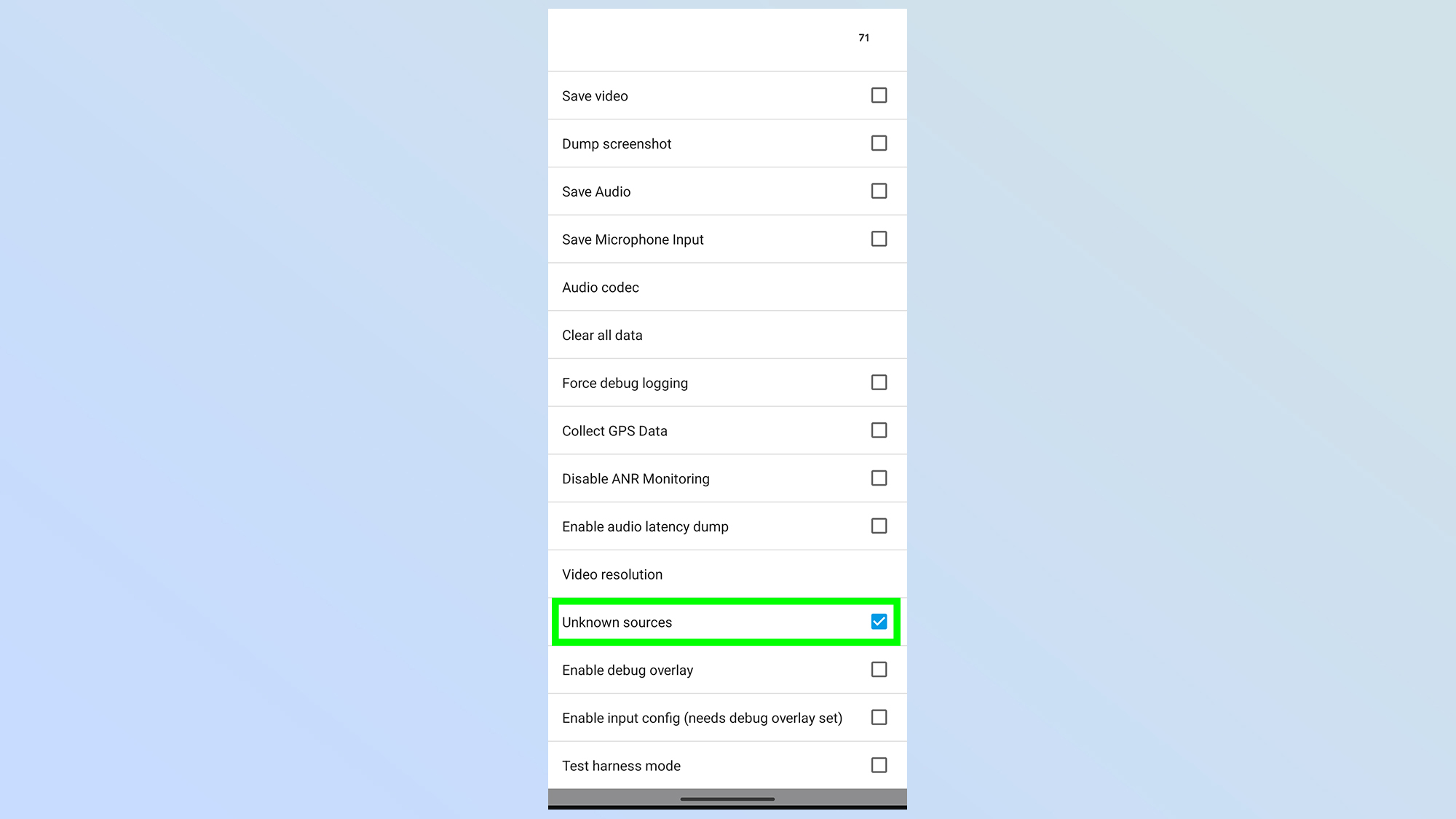
Once in the developer settings menu, scroll down to the bottom until you see the Unknown sources option. Make sure the box is ticked.
5. toggle on your sideloaded apps
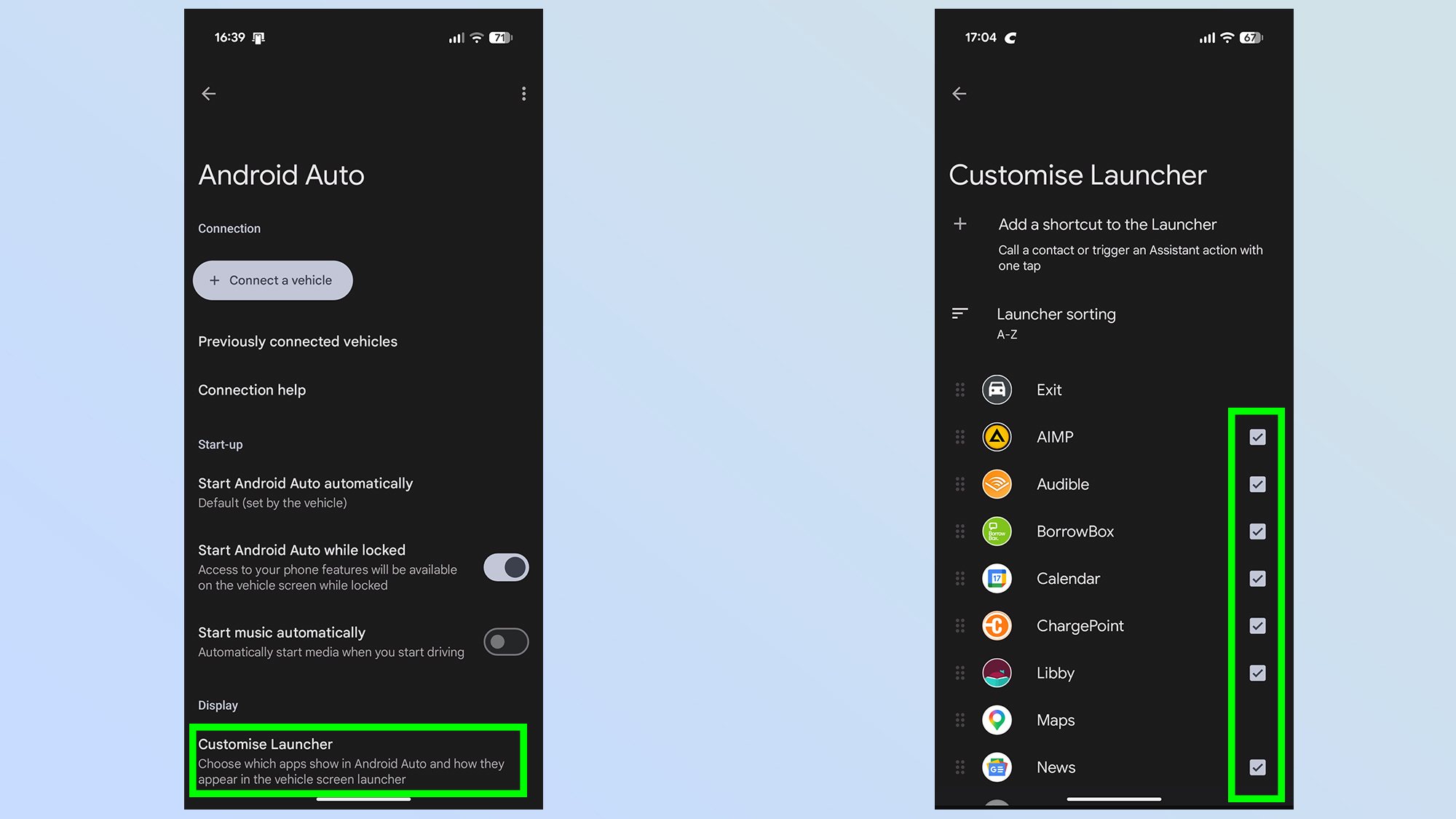
Once Unknown Sources are allowed, head back to the Android Auto settings and tap Customize Launcher at the bottom of the screen. Then you need to find the app in question and make sure the box is ticked.
Things to be aware of
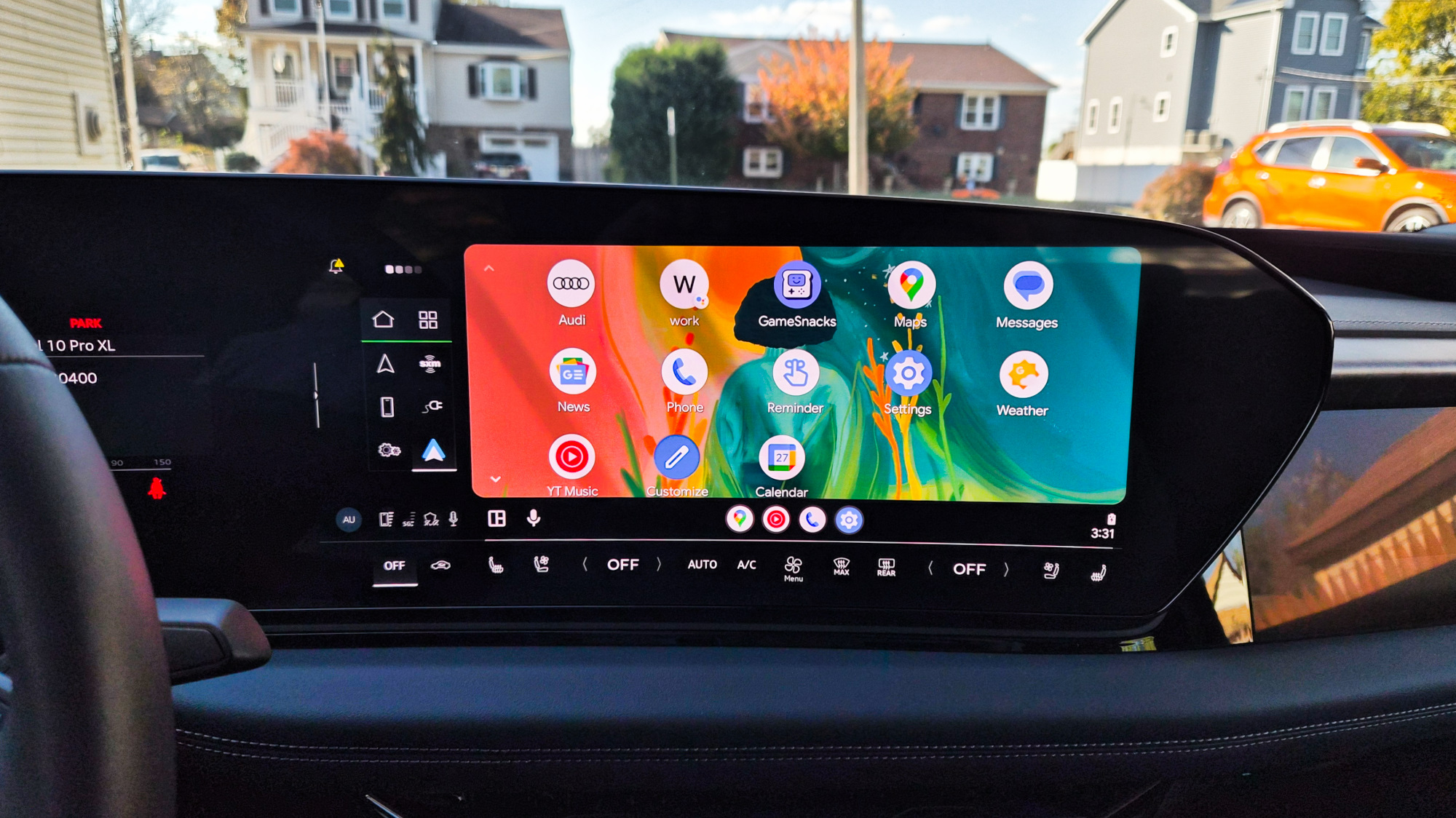
(Image credit: Tom’s Guide / John Velasco)
I should point out that allowing Unknown Sources doesn’t mean you can use whatever apps you like with Android Auto. Google has been very strict about what is and isn’t allowed to operate on your car screen, and there’s no hidden setting (that I know of) that will change that. It means you’re limited to audio, navigation and messaging, alongside select utilities and games.
You will not be allowed to tune into Netflix or YouTube using your infotainment screen, nor should you ever attempt to. The whole point of tools like Android Auto is to let you use your phone while you keep your eyes on the road.
There are also other settings you can toggle on and off as you like. For instance, if you want to disable wireless Android Auto and stick with a wired connection, that’s right at the top of the developer options menu.
Likewise, you can tell Android Auto to do a bunch of stuff like collect GPS data, alter the screen resolution, tinker with audio codecs and more. So if there’s ever been anything you particularly dislike about Android Auto, these additional hidden settings are the first place you should go.
As for me, I’m just glad that I can stream whatever songs I want while taking full advantage of my car’s media controls.
Follow Tom’s Guide on Google News and add us as a preferred source to get our up-to-date news, analysis, and reviews in your feeds.
More from Tom’s Guide