
I don’t like voice notes. Sending or receiving them feels like being handed homework, so I type nearly everything.
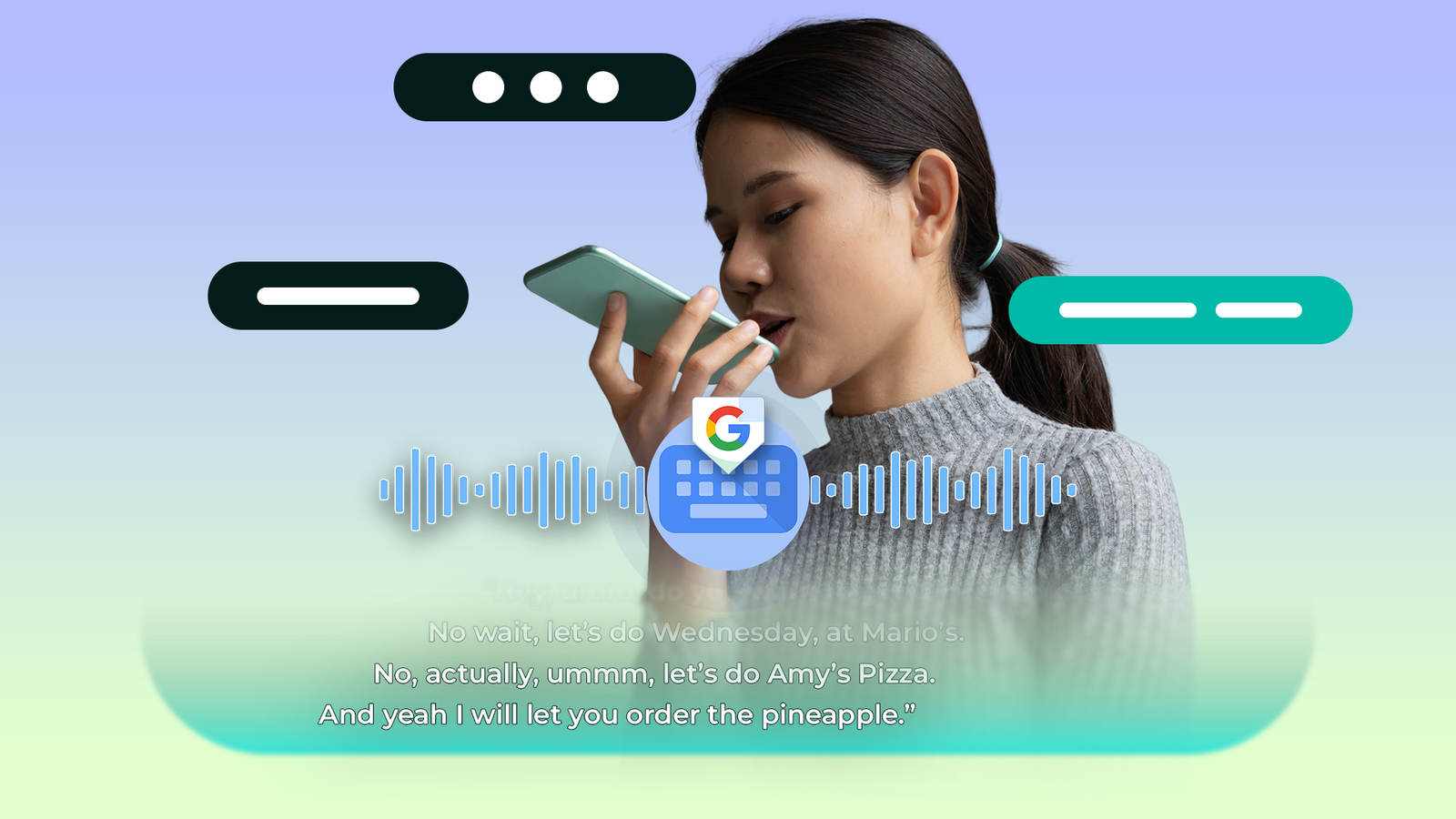
But I still tap the mic on Gboard more often than you’d think, mostly because dictation gives me text at the end instead of an audio file someone has to listen through.
Dictated text always needs work, since there are always typos, misheard words, and the usual “umms” and “ahhs” I never noticed saying.
That mess is what the Gboard upgrade called Rambler is built to clean up before it ever reaches the screen.
I spent a week fixing my dictations with the two tools already on my phone instead, and by the end I’d stopped waiting for the new one.
Related
Gboard now integrates powerful AI Writing Tools for better messaging
For Gemini-ready phones only, it seems
Detailed edits made my hands the backup plan
Precise changes without looking for a cursor
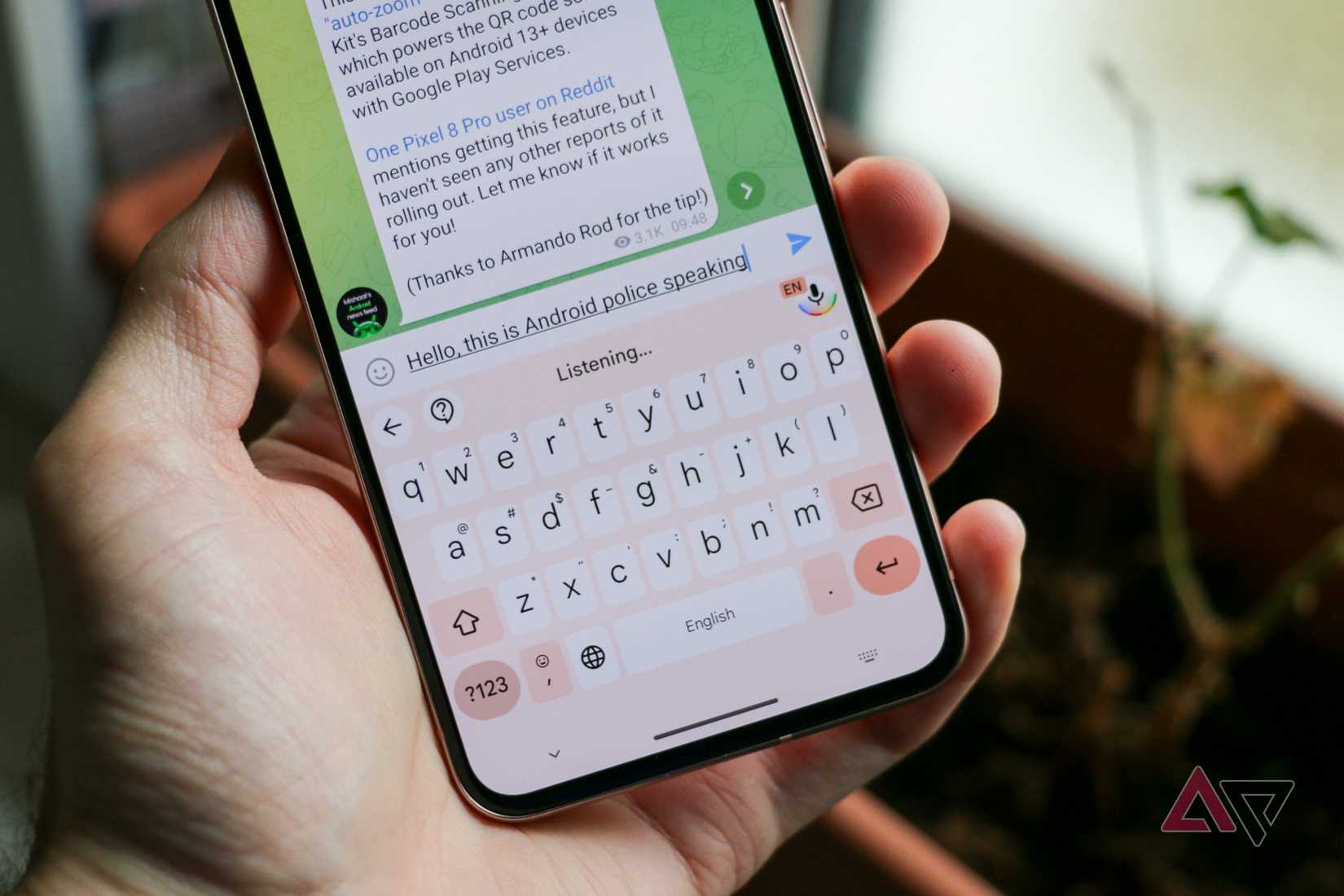
Detailed edits lets you insert, delete, and replace specific words and punctuation with voice commands, working on text already waiting in the input field.
I quickly settled into a routine. I’d dictate a paragraph, stop the session, then say “insert next week after Friday” or “change budget to forecast.”
Positioning a cursor between two short words on a small phone screen is friction you deal with several times a day. Sliding on the Gboard spacebar seems to overshoot my target every time, so that’s little help.
The commands I used weren’t really impressive. Spelling out a name after voice typing guessed wrong, and capitalizing a word that should have been a proper noun, most often came up.
It understood me most of the time, as long as there’s a brief pause between the dictated text and the command.
There’s a limit to how far detailed edits work. Gboard only edits when your cursor is within two sentences of the words you want to change, so if you want to fix anything three paragraphs up, that’s a manual job.
As a result, I learned to correct as I went along rather than dictating everything and cleaning up at the end.
It took me some time to get used to it. Early on, I kept trying to fix things by hand out of habit, which defeats the point.
Sometimes, I’d forget to end the dictation session before issuing a command, so “change budget to forecast” would end up in the message as text.
Gboard tries to learn from your speaking patterns, so I soon settled into a natural speaking rhythm with clear pauses for it to apply fixes.
Related
My Google Pixel is infinitely better since I tweaked these settings
Pixel settings you are probably ignoring
Fix it proofreads; it doesn’t rewrite
One pass over the whole thing, with the meaning intact
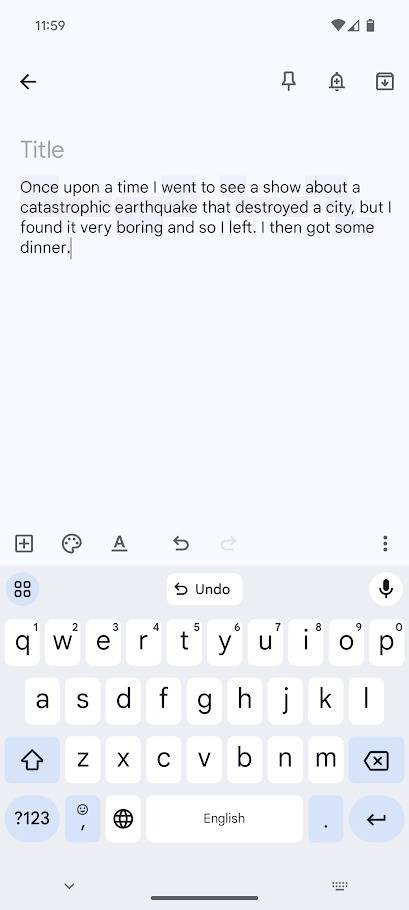
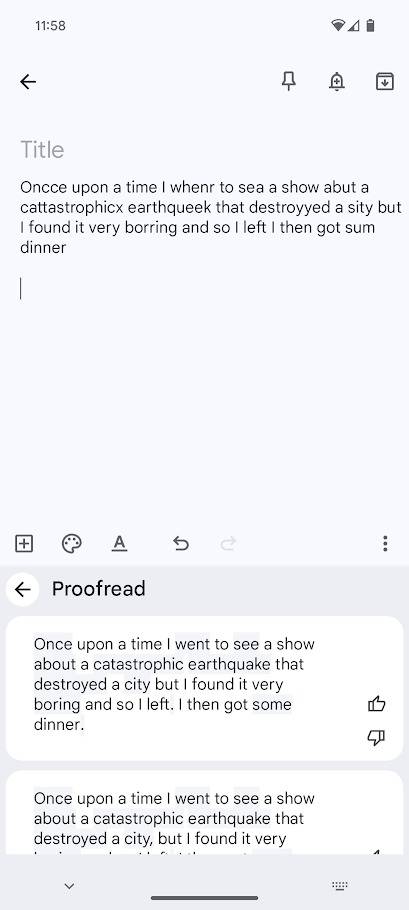
Fix it checks typed, pasted, or dictated text for grammar, punctuation, and typos. It runs on the Google Pixel 8 and later, in English (US), and it needs a network connection.
I used it as a final pass rather than an editing tool. After finishing a longer message, one tap cleaned up everything.
It found missing commas, misheard words, and the awkward sentence boundaries dictation produces when you pause mid-thought.
Sometimes it offered More fixes, but the first pass was usually enough.
What I really liked about it was that it stuck to structural fixes only, cleaning up punctuation without trying to touch my point.
If you want the full command list, there’s more to Gboard’s advanced voice editing commands than either feature’s name suggests.
 Quiz
8 Questions · Test Your Knowledge
Gboard keyboard app
Trivia challenge
Think you know Google’s keyboard inside and out? Put your Gboard knowledge
to the test.
FeaturesHistorySettingsAI ToolsTyping
Begin
In what year did Google first release Gboard for iOS?
A2014B2015C2016D2017
Correct! Gboard launched on iOS in May 2016, bringing Google Search
integration directly into the keyboard. It made its way to Android later that same year.
Not quite. Gboard first appeared on iOS in May 2016 before expanding to
Android. It was a notable move, as it brought Google’s search power directly into any app’s text field.
Continue
Which built-in Gboard feature allows users to search for and share GIFs without
leaving their keyboard?
AGoogle LensBTenor GIF searchCGiphy integrationDMotion sticker tool
Correct! Gboard uses Tenor’s GIF library to let users search and share
animated GIFs inline. Google actually acquired Tenor back in 2018, making the integration a natural fit.
Not quite. Gboard integrates Tenor’s GIF search engine to power its
animated GIF lookup. Google acquired Tenor in 2018, cementing that partnership permanently.
Continue
What is the name of the Gboard feature powered by on-device machine learning that
predicts your next word as you type?
ASmart ReplyBAutoFillCGlide TypingDNext-word prediction
Correct! Next-word prediction uses on-device machine learning to suggest
likely words based on your typing patterns and context. The model adapts over time to match your
personal writing style.
Not quite. The feature is called next-word prediction, and it uses
on-device ML to surface contextually relevant word suggestions as you type. It learns from your habits
without sending data to Google’s servers.
Continue
What is Gboard’s swipe-based typing mode officially called?
AFlow TypingBSwiftKey SwipeCGlide TypingDGesture Write
Correct! Gboard calls its swipe-to-type feature Glide Typing. Users drag
a finger across letters without lifting it, and Gboard decodes the path into words remarkably
accurately.
Not quite. Gboard’s swipe input mode is called Glide Typing. It traces
the path of your finger across the keyboard to determine the intended word, and it works surprisingly
well even on long words.
Continue
Which of the following privacy-focused options does Gboard offer to limit how your
typing data is used?
AIncognito modeBGhost typingCPrivate input shieldDSecure text layer
Correct! Gboard includes an incognito mode that prevents the keyboard
from learning from or storing what you type during that session. It’s particularly useful when entering
passwords or sensitive information.
Not quite. The correct answer is incognito mode. When enabled, Gboard
won’t learn new words or retain any data from your typing session, giving you a cleaner privacy boundary
in sensitive situations.
Continue
What does the floating keyboard mode in Gboard allow users to do?
AUse the keyboard on two devices simultaneouslyBDetach and reposition the keyboard anywhere on screenCShrink the keyboard to one-handed mode onlyDProject the keyboard onto an external display
Correct! Floating keyboard mode lets you detach Gboard from the bottom
of the screen and drag it anywhere you like. It’s especially handy on tablets or large-screen phones
where fixed placement can feel awkward.
Not quite. Floating mode lets you unpin Gboard and move it freely around
your screen. This is particularly useful on larger displays like tablets, where the standard
bottom-anchored keyboard can be hard to reach.
Continue
Gboard introduced a feature called Rambler — what does it do?
AIt translates messages into multiple languages simultaneouslyBIt generates expanded text from a short prompt directly in the keyboardCIt reads aloud whatever you have typed using text-to-speechDIt automatically corrects grammar across an entire paragraph
Correct! Rambler is an experimental Gboard feature that takes a brief
prompt or idea you type and expands it into longer, more fleshed-out text without leaving the keyboard.
It’s part of Google’s broader push to embed generative AI into everyday typing.
Not quite. Rambler is a generative AI feature built into Gboard that
expands a short prompt into longer written content on the fly. It represents Google’s effort to bring
large language model capabilities directly into the keyboard layer.
Continue
Before being rebranded as Gboard, what was the name of Google’s original keyboard
app for Android?
AGoogle KeyboardBAndroid TypeCGoogle InputDG-Type
Correct! Google’s keyboard was simply called Google Keyboard before the
Gboard name was introduced in 2016. The rebrand came alongside a major feature refresh that added
integrated Google Search to the keyboard.
Not quite. The predecessor was called Google Keyboard — a
straightforward name that predated the Gboard branding introduced in 2016. The rename signaled a
significant expansion of the keyboard’s capabilities beyond basic text input.
See My Score
Challenge Complete
Your Score
/ 8
Thanks for playing!
Try Again
Email is where the two of them really earned their place
Spoken cadence is wrong for an inbox, and that’s fixable
Credit:
Lucas Gouveia / Android Police
Email is where this stopped being a convenience and started being useful.
One message came out as “Hey just checking if you got the files i sent over yesterday. Let me knew ASAP so I know what’s going on.”
I paused and said, “replace ASAP with when you have a chance,” then “replace so I know what’s going on with so I can plan the next steps.”
Then I ran Fix it, which added the missing comma after “Hey,” capitalized the standalone “I” that dictation had dropped, and turned “knew” back into “know.”
These small changes turned the message that originally sounded like something I said while walking into something that sounds like I wrote it on purpose. And that’s the whole point, because I actually did say it while walking.
That second step is what Rambler doesn’t offer. Its stated goal is to make your message sound like you, only more polished. For a formal email, sounding like me is exactly what I’m trying to fix.
It’s worth knowing that standard voice typing stays on your device, but Detailed edits sends your command and the full contents of the input field to Google’s servers.
No audio goes with it, and Google says nothing is kept afterward.

Related
These hidden Google Messages effects finally made me enjoy texting again
Now I can’t go back to normal texts
The upgrade fixes the half I don’t need fixed
A keyboard feature shouldn’t cost a phone
Credit: Lucas Gouveia / Android Police | Google
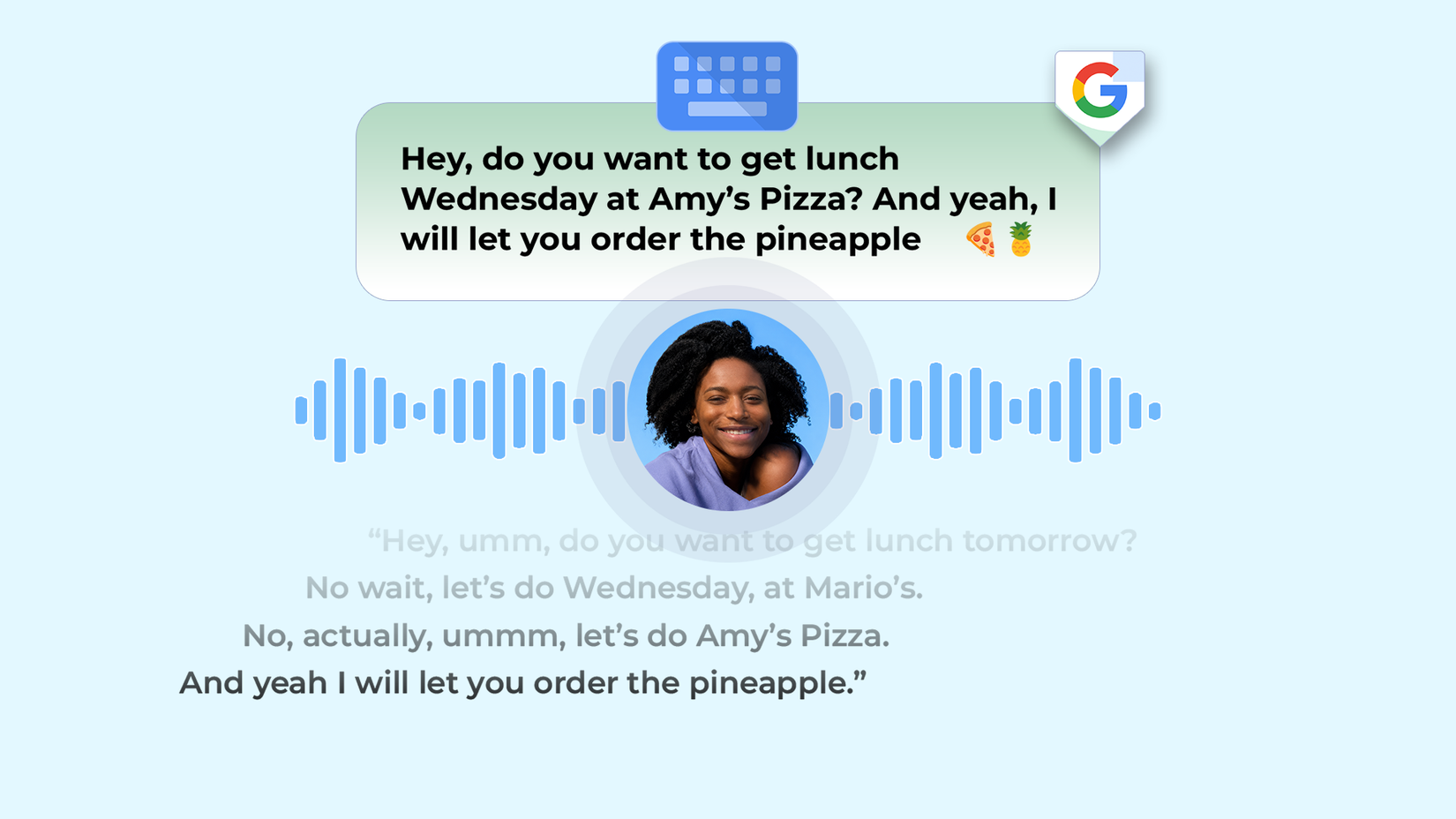
Rambler strips filler words, self-corrections, repetition, and pauses before the text even shows up on your phone.
This is upstream of everything above, and it would have spared me the initial friction getting used to those features. However, I’d still fall back to the same editing workflow.
Rambler doesn’t claim to fix a misheard name or a wrong spelling, and those are exactly why I used Detailed edits. If I’m editing, I’d rather do it in one deliberate pass I can see.
The bigger issue is the hardware gate. Rambler ships inside Gemini Intelligence, which wants 12GB of RAM, a flagship chip, and Gemini Nano v3.
The Pixel 9 Pro has 16GB of RAM and a flagship Tensor G4, and still doesn’t qualify because it runs Nano v2 with no confirmed upgrade path.
Google’s page still says coming soon, with a button to notify you, but Gemini Intelligence’s hardware requirements rule out most phones people are holding right now.
I understand why the gate is there, since local real-time processing requires capable hardware.
But what’s behind it is dictation cleanup in a keyboard, and I spent a week doing that on tools that already work.
If the answer to a keyboard feature is a new phone, I’ll keep the one I have and stick with voice typing apps like Wispr Flow if I ever outgrow what’s built in.