

A major reason users stick to the Google ecosystem is its integration. By the same logic, you’d think Gemini + Google Workspace would be a match made in heaven.
Since last week, I’ve been using a better way to bring AI to Google Workspace, and it’s not even from Google. Turns out, Claude for Google Workspace outperforms the built-in option.

Related
I added one line to my Claude prompts and stopped getting generic answers
One question from Claude was worth more than ten better prompts from me
Claude for Workspace is the official extension from Claude
Setting it up takes only a few seconds

If you have a paid Claude subscription, you might be familiar with Claude’s Microsoft add-ons, which allow you to access AI features right from Word, Excel, and PowerPoint. On October 6, Claude extended this option and released Claude for Workspace, bringing the AI assistant to Google Docs, Slides, and Sheets.
It is currently in beta, and those who have a paid Claude plan can set it up. You can install it by going to Claude’s official Google Marketplace listing, and the setup was super-fast. When you open Google Docs, you can go to Extensions > Claude > Open Claude to launch the AI sidebar interface.
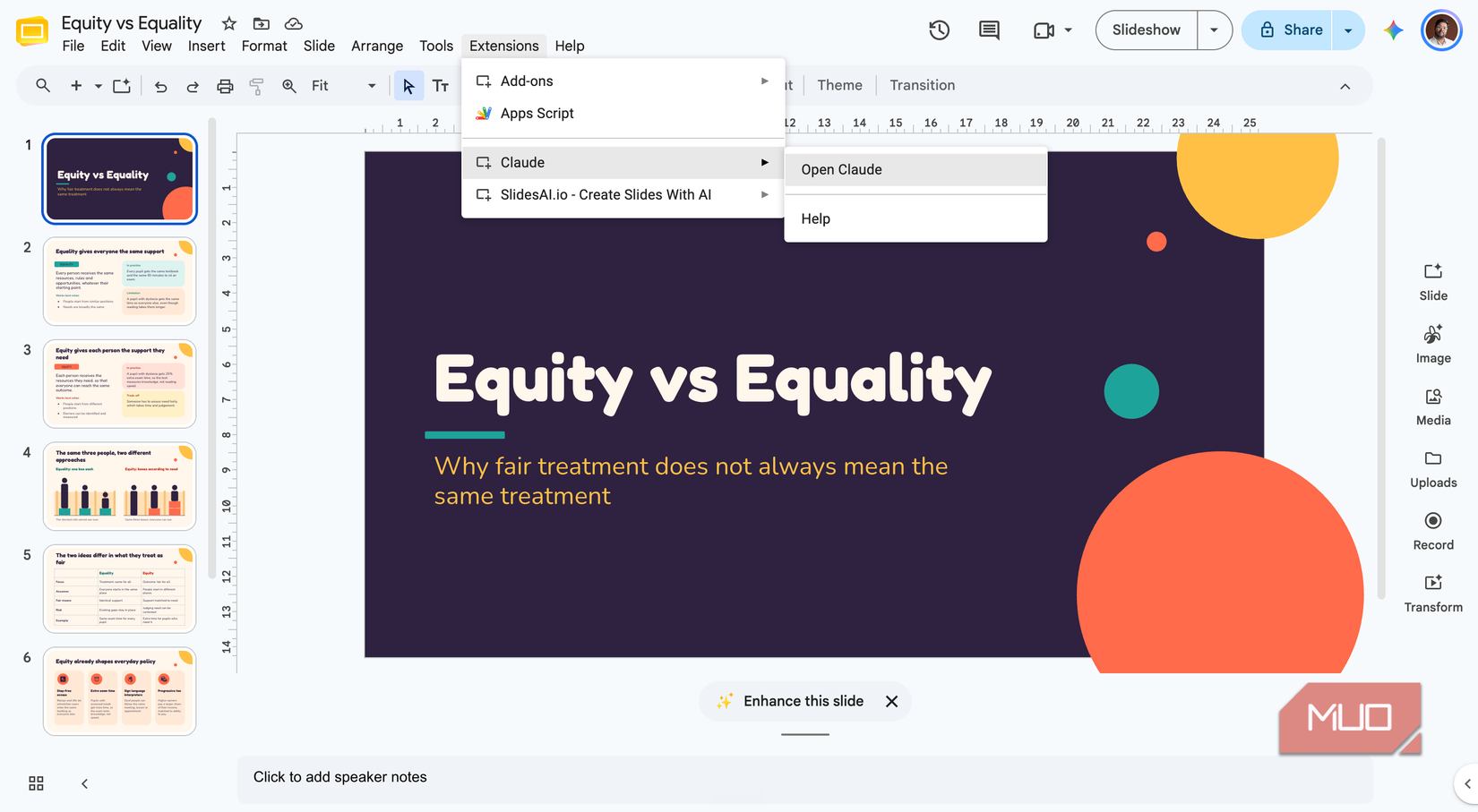
The first thing that impressed me was how quickly Claude works in Google Workspace. I noticed a boost in performance compared to Gemini in both startup and response times. It also seems to have a better understanding of formatting, as you can see when you ask Claude to create/edit a document.
My Claude skills now run inside Google Docs
Workflows I built once, reused everywhere
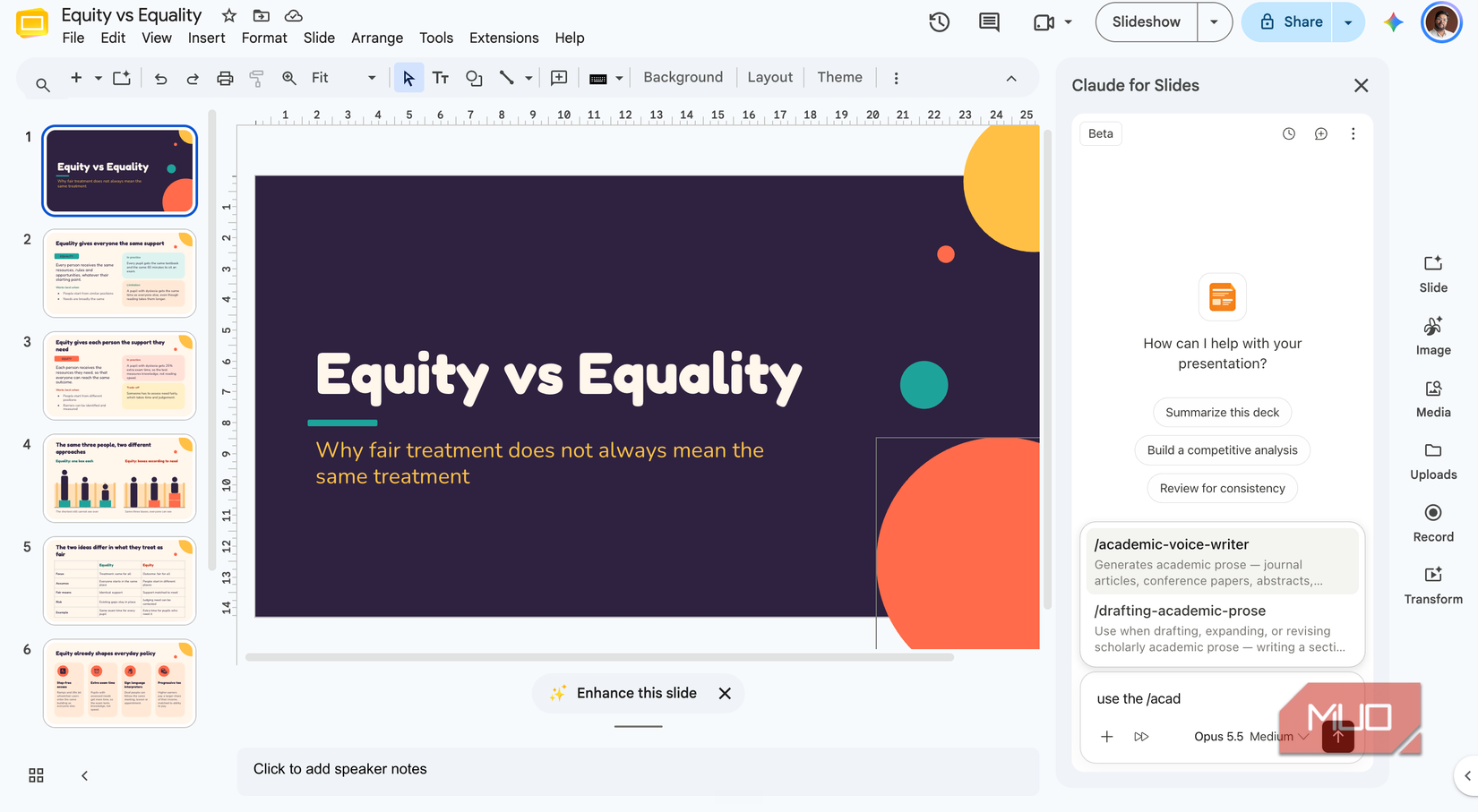
As you know, Claude’s skills are efficient workflows, and I can reuse them while creating/editing documents. It comes in handy when I want inline rewrites in a specific tone. For instance, I invoke the /academic-voice-writer skill to rewrite a description in an academic tone.
It also helps that I can choose a model that works best for the task. For instance, for detailed presentation decks, I use Sonnet or Opus, but Haiku works fine for most other tasks. In particular, the latest version of Haiku works great for line edits and other proofing needs.
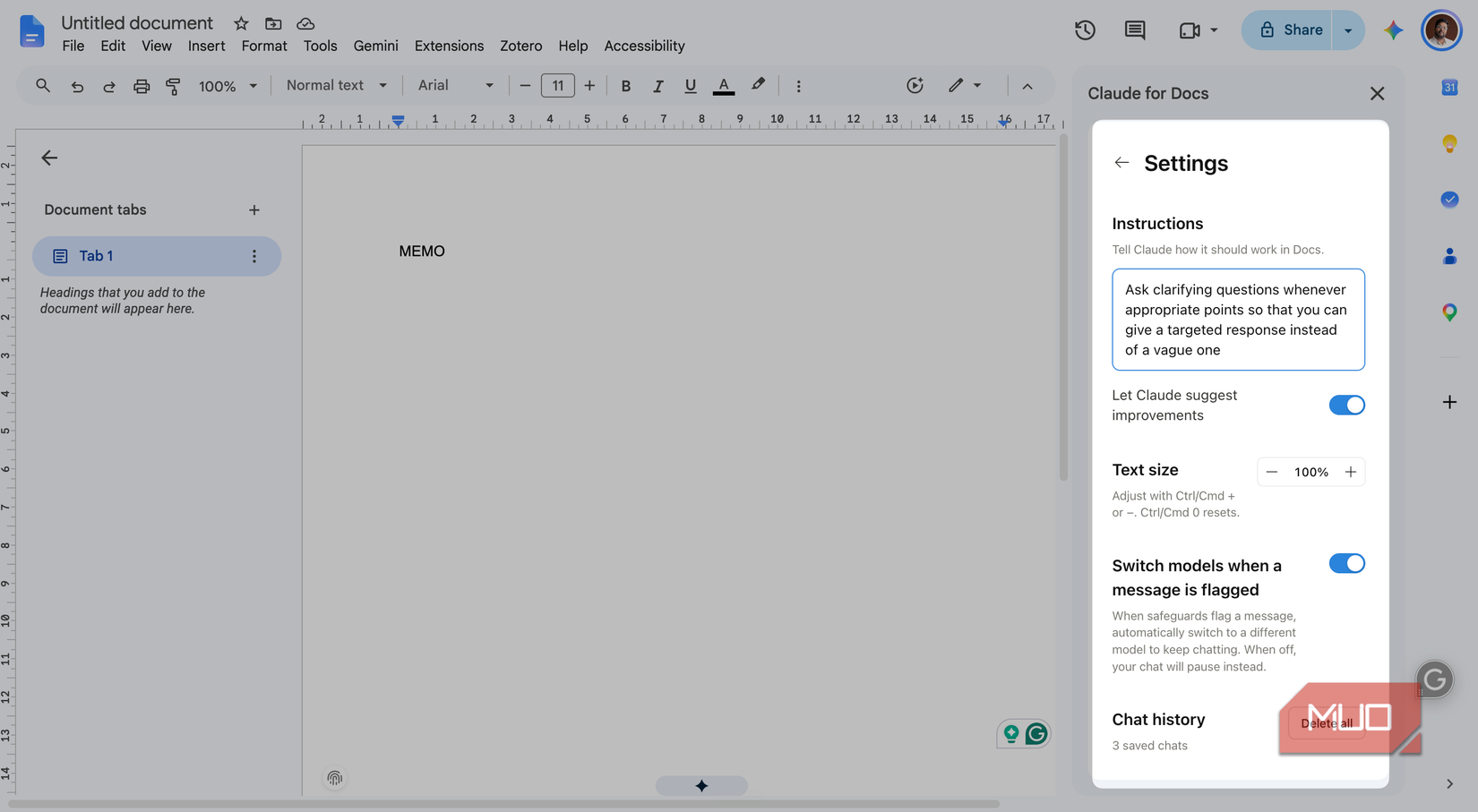
When combined with custom instructions, skills actually reduce the time I spend editing documents. A meeting report that used to take me half an hour now takes about 10 minutes because Claude handles the structure, tone, and clarity. Thanks to newer models, token consumption of these tasks is also reasonable.
It fixed my deck’s story and my sheet’s math
Narrative arcs, clean formulas, nothing hardcoded
I’ve been using the Claude for Workspace extension more to get my decks and sheets sorted than to build documents from scratch. I also feel this is where Claude shows off its document management and reasoning skills the most.
It is equally fast at building detailed decks from scratch. I can provide a basic prompt, add the necessary references, and enable Web Search while at it. In a minute or two, Claude delivers a fully-fledged deck with editable elements. I’ve also developed a couple of skills I use to build routine, report-based decks.

Related
I turned a white paper into a presentation in 5 minutes with NotebookLM
If I have to read a white paper, I’m at least getting a presentation out of it. Thankfully, that doesn’t have to be painful anymore.
Claude seems to work equally well when I ask it to edit an existing deck. I recently had to insert a couple of new slides into an existing presentation, and Claude did it while aligning them with the deck’s aesthetics. However, it still cannot help you with transitions or other native settings.
The extension does wonders with Google Sheets as well. It’s been particularly useful when I need to make sense of a spreadsheet with messy data. I’ve also reached a point where I don’t bother remembering formulas. Instead, asking it to come up with the right formula for my needs works smoothly — often better than how Gemini did.
It tightened my draft without erasing my voice
Fewer words, same author, sharper arguments
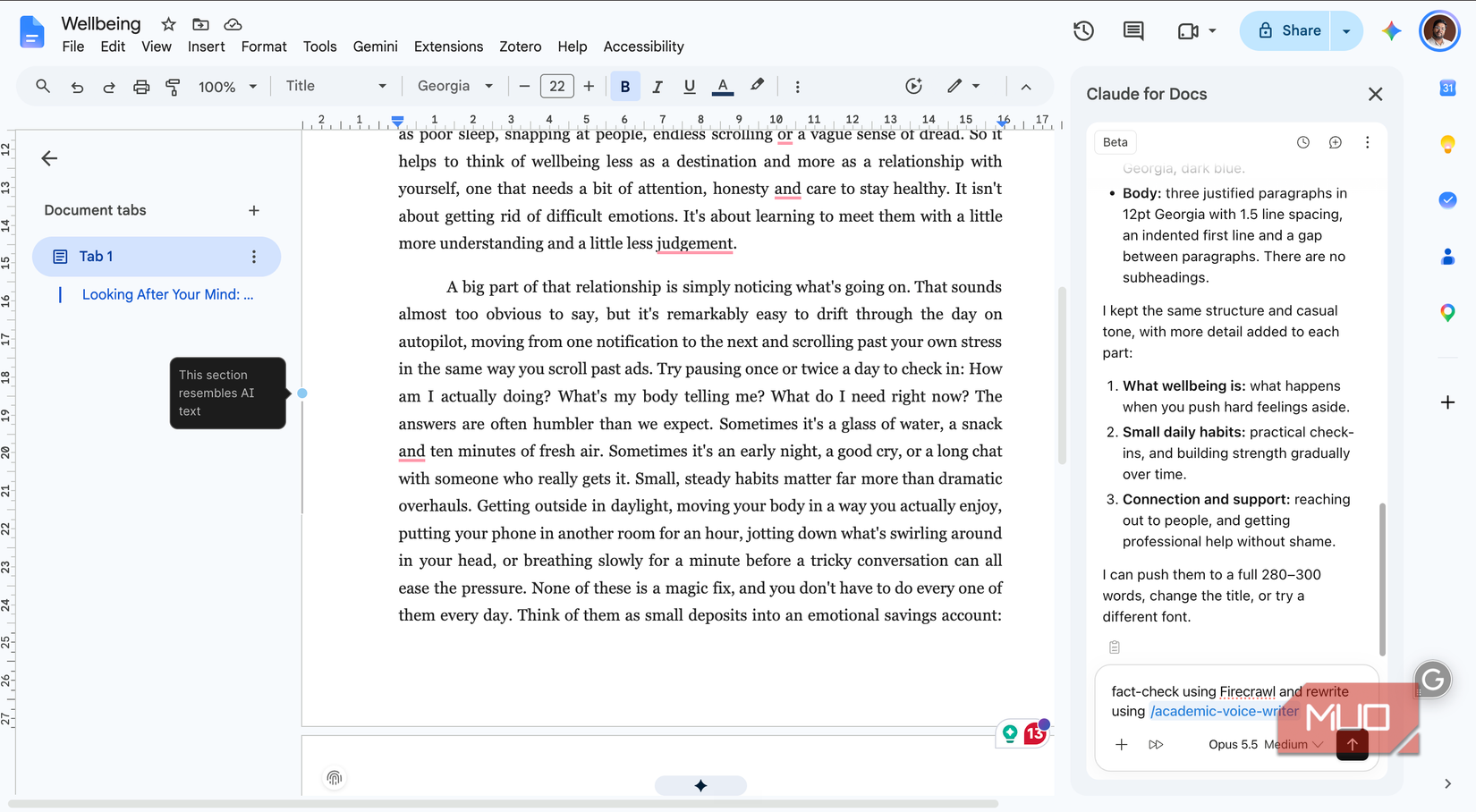
I’ve found this extension to be the most useful for improving the docs I’ve already built. Unlike Gemini and ChatGPT, Claude does so without erasing my voice from the narrative. For the same reason, I’ve been using Claude for Google Docs for complex editing needs.
Even when I provide complex instructions, the Claude extension doesn’t lose track. For instance, I recently asked it to make a document compact without losing specific elements, and the response was to the point. It’s also pretty great at adding tables and other visual elements to a document without messing up the layout.
The extension doesn’t work with DOCX, PPTX, or XLSX by default, but you can make it work by converting into a native Google Doc. You can do it by going to File > Save as Google Docs.
I make Claude preserve my original writing voice through two methods: custom instructions and a skill. This way, I can ensure that Claude follows certain conventions (such as evidence and references) and excludes AI-sounding terms from the final output. I can also use connectors like Firecrawl to improve a write-up further.
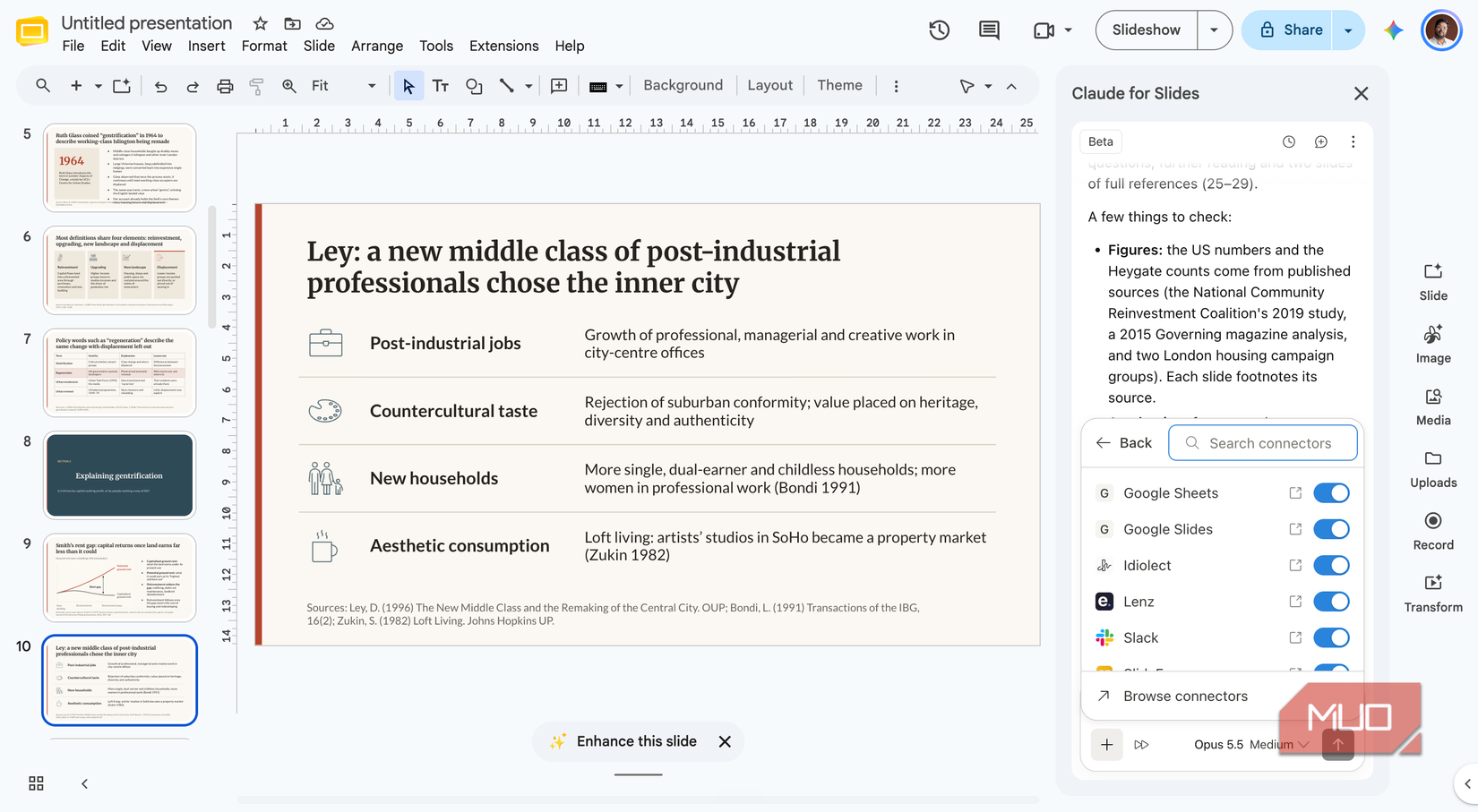
All these features work well even when I’m working with a particularly lengthy document. Gemini, on the other hand, used to struggle as documents became lengthy. With Claude, I feel confident about keeping the prompts more complex. Its critical reasoning skills also become useful while drafting important documents.

Related
I’ve paid for Claude, Gemini, and ChatGPT for months — this is the one I recommend
Three subscriptions later, I keep opening the same one.
Gemini still knows more about my Google account
While my experience with Claude for Google Workspace has been great, there are some caveats. One, unlike Gemini, Claude doesn’t have deeper integration with your Google account (but you can still use Connectors). Two, the extension doesn’t work with DOCX or PPTX files you’ve uploaded to Google Drive. Instead, you are stuck with native Google Docs. However, I don’t think these are deal-breakers, especially given that you get features like custom instructions, connectors, and best-in-class reasoning.