
Hunting for yellow-sticker items, swapping big names for own-brands, using loyalty schemes – chances are you’ve tried just about everything to save money on your weekly shop. While food inflation has slowed down in the past couple of months, prices are still stubbornly high, so I decided to try using food waste apps to see if I could cut the cost of my meals.
You may have heard of apps such as Too Good To Go and Olio. The main goal of these apps is to reduce food waste, but they also enable users to get cheap or free meals, with Too Good To Go focusing on food from restaurants and supermarkets and Olio connecting neighbours, so people can donate food they don’t need.
For years I have had these apps on my phone, but I had never properly tried them out because, honestly, they can be pretty inconvenient. You can’t just open Too Good To Go half an hour before lunch and bagsie a delicious meal – there are strict collection windows, and the good food is usually snapped up quickly.
But if I’m being honest, opting for convenience is what often causes me to overspend – I know I could save by doing a weekly supermarket trip instead of running to the corner shop, or waiting a couple of extra days to get an online order instead of paying for free delivery. So for five days, I threw convenience to the wind and bought all of my meals from food waste apps.
To be clear, I’m not recommending that anyone else do this (nor am I suggesting that most people could, as these apps are far easier to use in big cities). However, I thought it would be a good way to test these apps fully, to see if they can really help me save, and, in the process, I learnt some money-saving tricks that I think are worth sharing.
For more ways to save, join our money-saving WhatsApp channel
The food waste apps I tested
I downloaded these four food waste apps and evaluated them on how much they helped me save, whether they helped me reduce food waste and how easy they were to use.
Too Good To Go: A marketplace from which you can buy surplus food from restaurants, cafes and supermarkets. You reserve a meal or ‘surprise bag’ filled with random items and collect it within the timeframe provided. Plenty of big chains are partnered with Too Good To Go, such as Greggs, Pret and Starbucks, as well as local food vendors.Olio: A local sharing app with which you can get things you need or give away things you don’t. This includes food but also furniture, books, tech, clothes and more. Either list items you want to give away or message users in response to their listings to arrange a collection.Gander: This claims to be the first app in the world to display yellow-sticker (reduced to clear) items, so shoppers can locate cheap food. Olio recently introduced a similar feature.Supercook: A recipe search engine that lets you search by the ingredients you have at home.
How I tested
For five days, I used the app Too Good To Go to buy food, which included both meals from restaurants and ‘surprise bags’ of groceries, which I used to make meals at home. I didn’t claim any free food from Olio but I did use the app to give spare food away. Gander and Supercook were fairly unhelpful, as I’ll explain later.
There were a few things I consumed that weren’t from food waste apps:
Drinks: You don’t tend to find drinks on food waste apps, so I drank whatever I wanted.Herbs, spices and condiments: As you’re about to learn, some of the meals I ate during this week were far from flavourful, so I used seasoning and sauces I had at home to make them slightly more exciting.Snacks: I was under strict instructions from my editor (and my stomach) not to go hungry, so I also ate snacks that I already had at home. If it ever seems like I wasn’t eating enough, I promise I was.
Additionally, I’m vegetarian, and getting decent sources of protein was a significant challenge during this week. I did cheat a little here and there to make sure I was getting the nutrition I needed, but any rule breaking will be noted below.
Day one
open image in gallery
This Premier Inn breakfast was a good start to the week (Molly Greeves/The Independent)
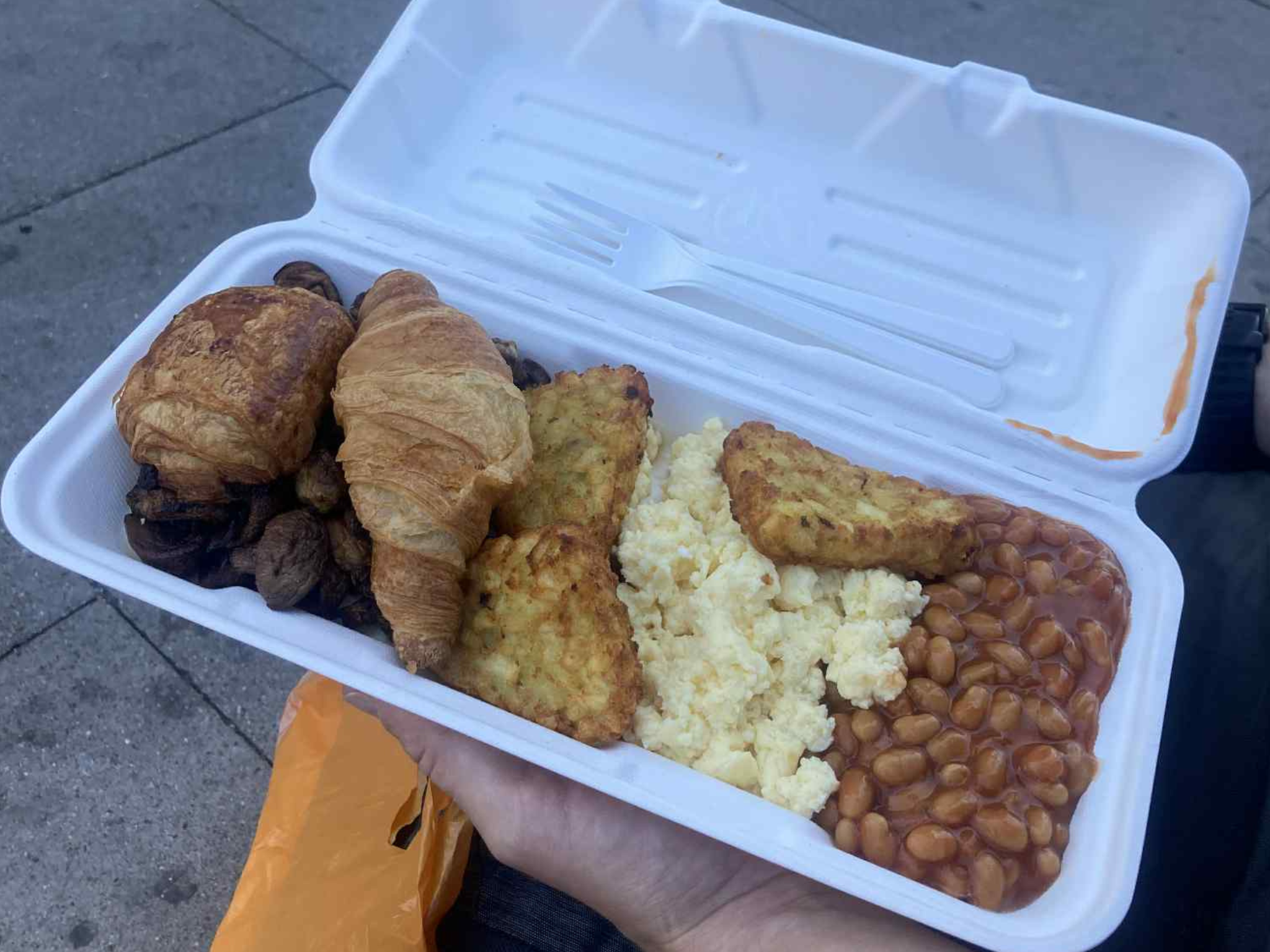
The challenge got off to a good start with a hot breakfast from Premier Inn (£3.69), which I reserved the night before (I was warned by friends who’ve used the app that I would need to plan ahead). When I got there, I showed my in-app confirmation to a member of staff and I was able to fill a polystyrene container with leftovers from the breakfast buffet.
I loaded up on scrambled eggs, hashbrowns, mushrooms, beans and pastries, as I had no idea what my next meal would have in store for me. It was a lot of food and I thought it was decent value.
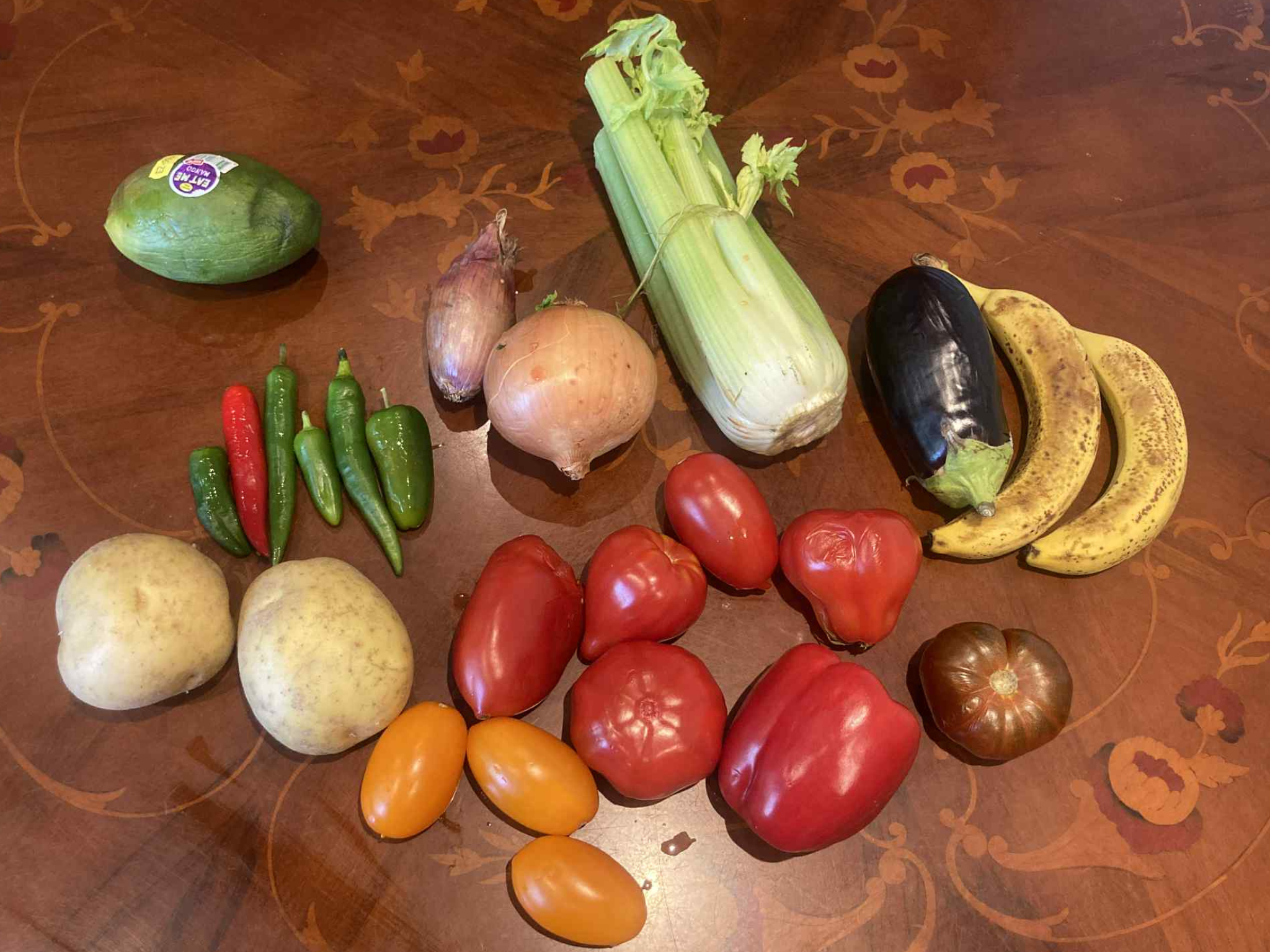
I was worried about getting enough fruit and vegetables during this challenge, so I got a Too Good To Go surprise bag from a local green grocers (£3.30). I ended up with a decent haul, and made a soup for lunch out of the vegetables. I froze the rest of the produce and, spoiler alert, it was the gift that kept on giving throughout the whole challenge.
open image in gallery
Buying surprise bags from a local green grocer is a good way to go (Molly Greeves/The Independent)
Things were going suspiciously well so far. In the hopes of sourcing some dinner, I got another surprise grocery bag, this time from Asda (£3.30). This was the first disappointing purchase of the week. I knew it would be a random selection, but I was hoping to at least nab some basics such as bread and maybe eggs. I ended up with a mix of steak bakes, shortcrust pastry, coronation chicken, apple turnovers – the list goes on.
There was a lot of meat in this surprise bag, and though I had a housemate who wanted some of it, I started to worry that I was wasting more food than I was saving. That’s when I used Olio for the first time, and within an hour, someone had turned up to take all the food I didn’t want. Not exactly a money-saving success, but I was happy the food wouldn’t go to waste nonetheless.
As I was short on ideas of what to make for dinner, I decided Supercook could come in handy. I entered in all of the ingredients I had into the app and it told me I would be able to make 112 recipes. Wow! But when I scrolled through… well, I’ll let you see for yourself.
.png)
open image in gallery
I wasn’t impressed with the recipes on the Supercook app (Molly Greeves/The Independent)
Needless to say, I didn’t want steamed broccoli and tomato for dinner, so I ate the cauliflower cheese, which was pretty good.
Daily total: £10.29
Day two
open image in gallery
This challenge was a great excuse to eat an apple turnover for breakfast (Molly Greeves/The Independent)
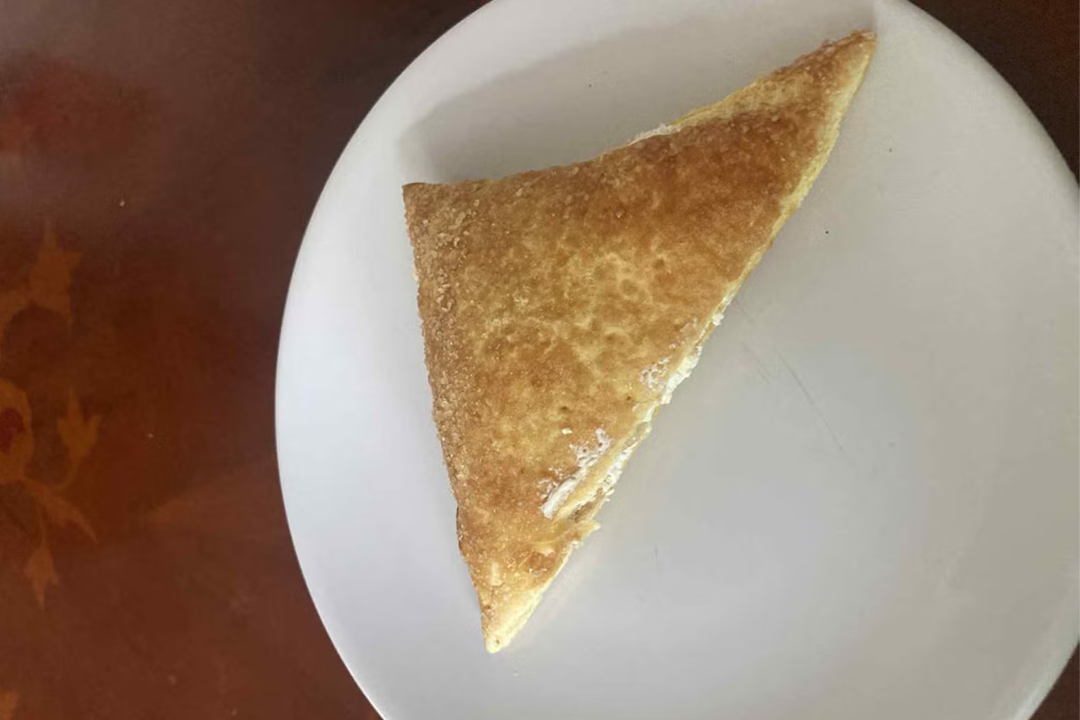
Starting the day off with an incredibly unhealthy but delicious breakfast, I ate one of the apple turnovers. For lunch, I had some leftover soup, this time with some garlic bread, also from the Asda surprise bag.
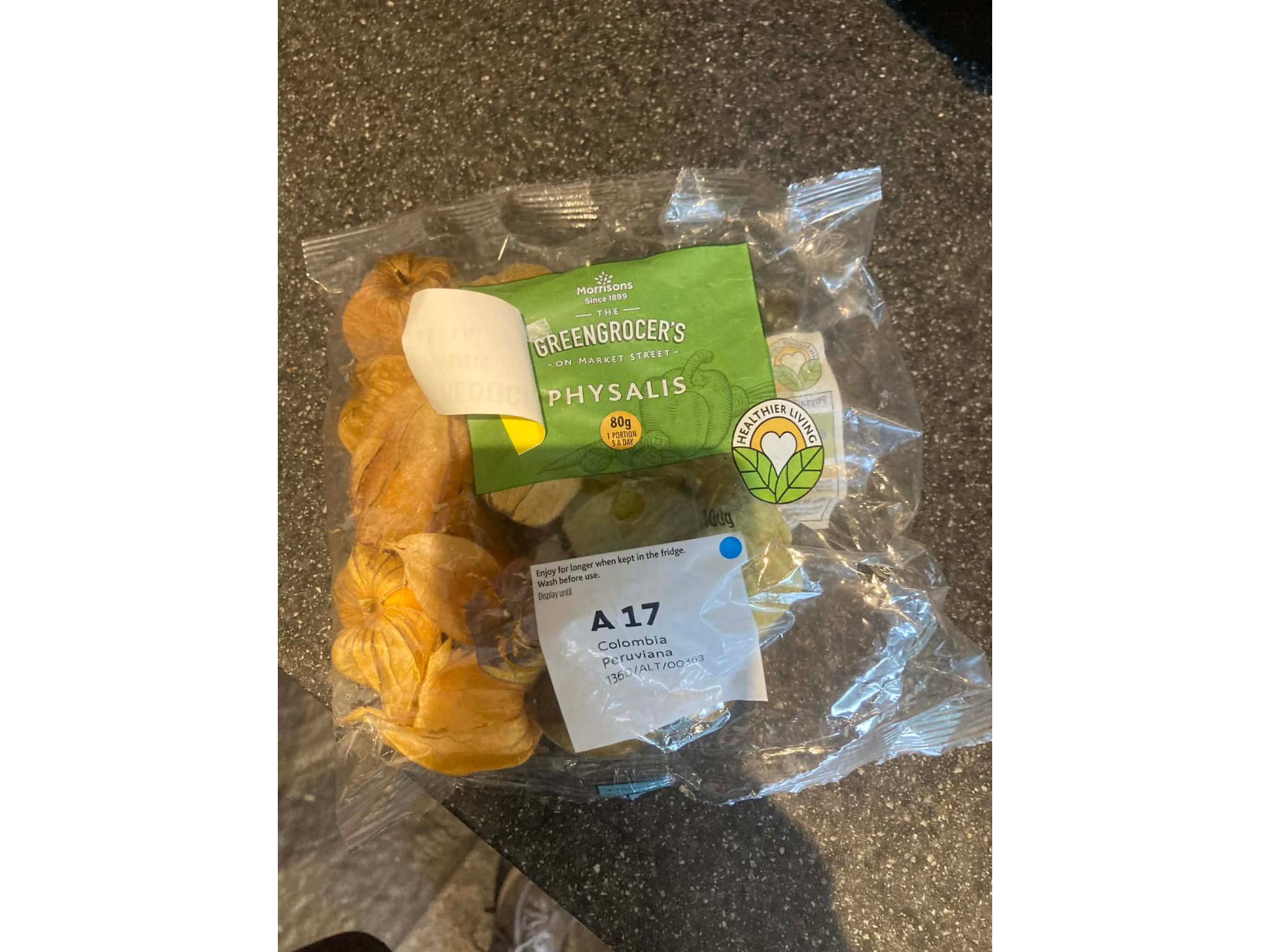
After this I was getting low on supplies, so I risked getting another supermarket surprise bag, this time from Morrisons (£4.99). It was equally as random as the Asda bag (it had physalis, a fruit I hadn’t even heard of) but I did score a nine-pack of crumpets, which was going to make breakfasts a whole lot easier going forward.
open image in gallery
Surprise grocery bags could also help you discover food you haven’t tried before (Molly Greeves/The Independent)
Unfortunately, I was still running low on any source of protein. Contrary to popular belief, vegetarians do actually eat protein, and I include a source of it in almost every meal. Going into this, I knew I was unlikely to get my hands on any lentils or chickpeas, as these don’t tend to expire very quickly. However, I dared to dream that I would score some eggs, cheese or a veggie meat substitute. No luck.
Needless to say, I had to get creative. By creative, I mean I ate a meal so undeniably ugly that I’m too embarrassed to even include a photo in this story. I cheated for the first time by using a can of kidney beans and cheese that I already owned to make some bunless ‘veggie burgers’. To go with these, I made some chips using the potato from the green grocers along with some lettuce and broccoli.
Daily total: £4.99
Day three
.png)
open image in gallery
Fortunately I love soup, because I ate a lot of it this week (Molly Greeves/The Independent)
Things were considerably easier now that I had a decent amount of food in my possession. For breakfast, I had crumpets and a banana, for lunch I had soup yet again.
After these boring but dependable meals, I wanted a dinner I would actually look forward to, so I got one of the few fully vegetarian meals you can get on Too Good To Go: Tortilla.
As always, I had to plan ahead by reserving this in the morning, but it was worth the wait. For £4.40, I got a big burrito bowl with rice, veg, plant protein, cheese, you name it. Usually this would cost upwards of £10, so it’s great value. However, I did have to wait until 10pm to get it, which is obviously very late to have dinner.
Daily total: £4.40
Day four
open image in gallery
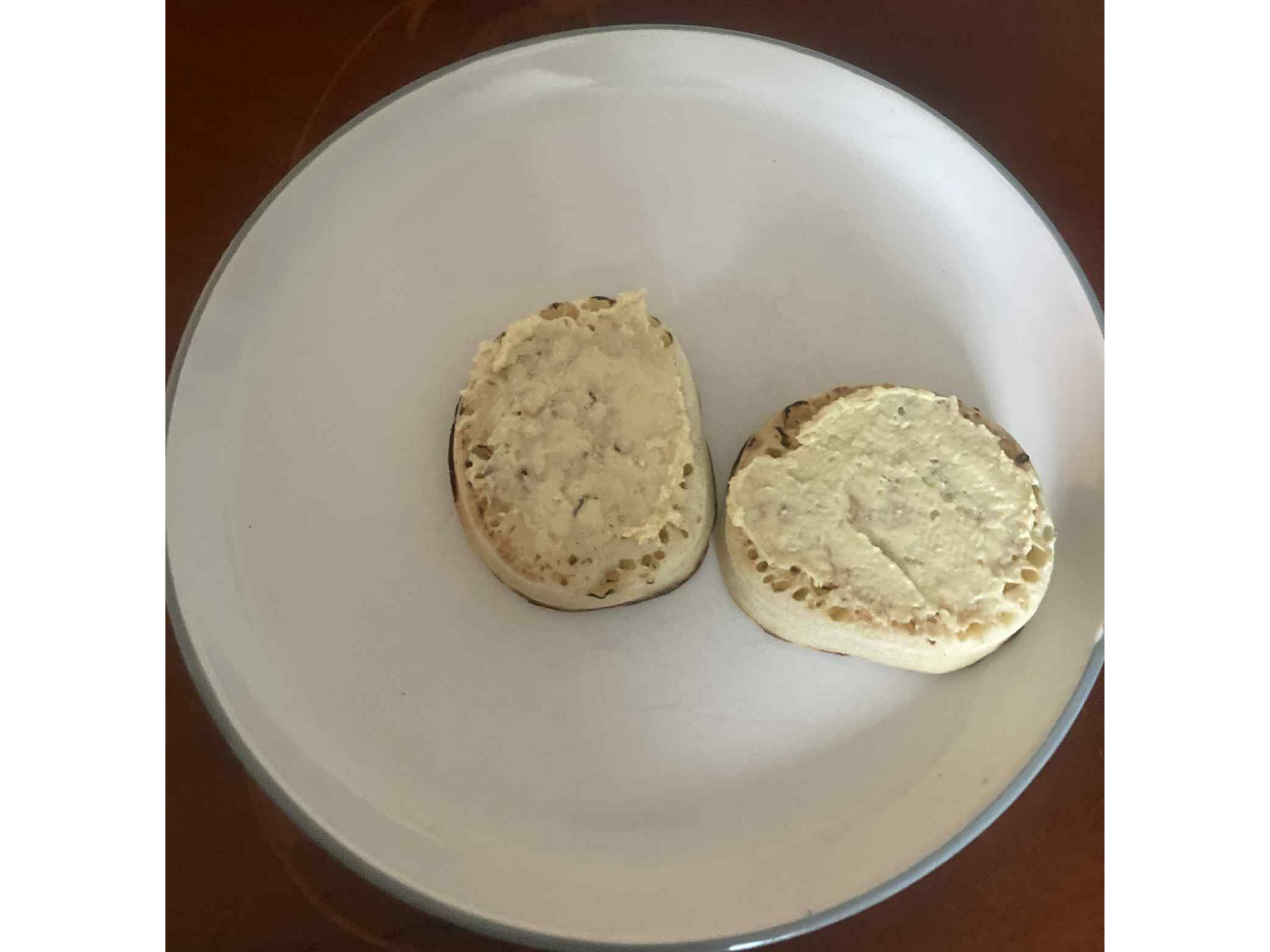
I started the day off with some crumpets and houmous (Molly Greeves/The Independent)
Day four was the most boring of the lot, so I’m going to speed through it. I had crumpets for breakfast again, and the last of my soup for lunch. I wanted to avoid another late dinner, so I got a surprise bag from a local cafe, which ended up being a cheesy bagel and a doughnut (£3). This would have been a great lunch option, but for dinner it didn’t quite cut it, so I also made a green smoothie out of – you guessed it – the fruit from the green grocers.
Daily total: £3
.png)
open image in gallery
My dinner wasn’t the healthiest, so I made a smoothie later (Molly Greeves/The Independent)
Day five
For the final day of the challenge, I had crumpets again for breakfast but I needed protein, so I cheated by adding a fried egg.
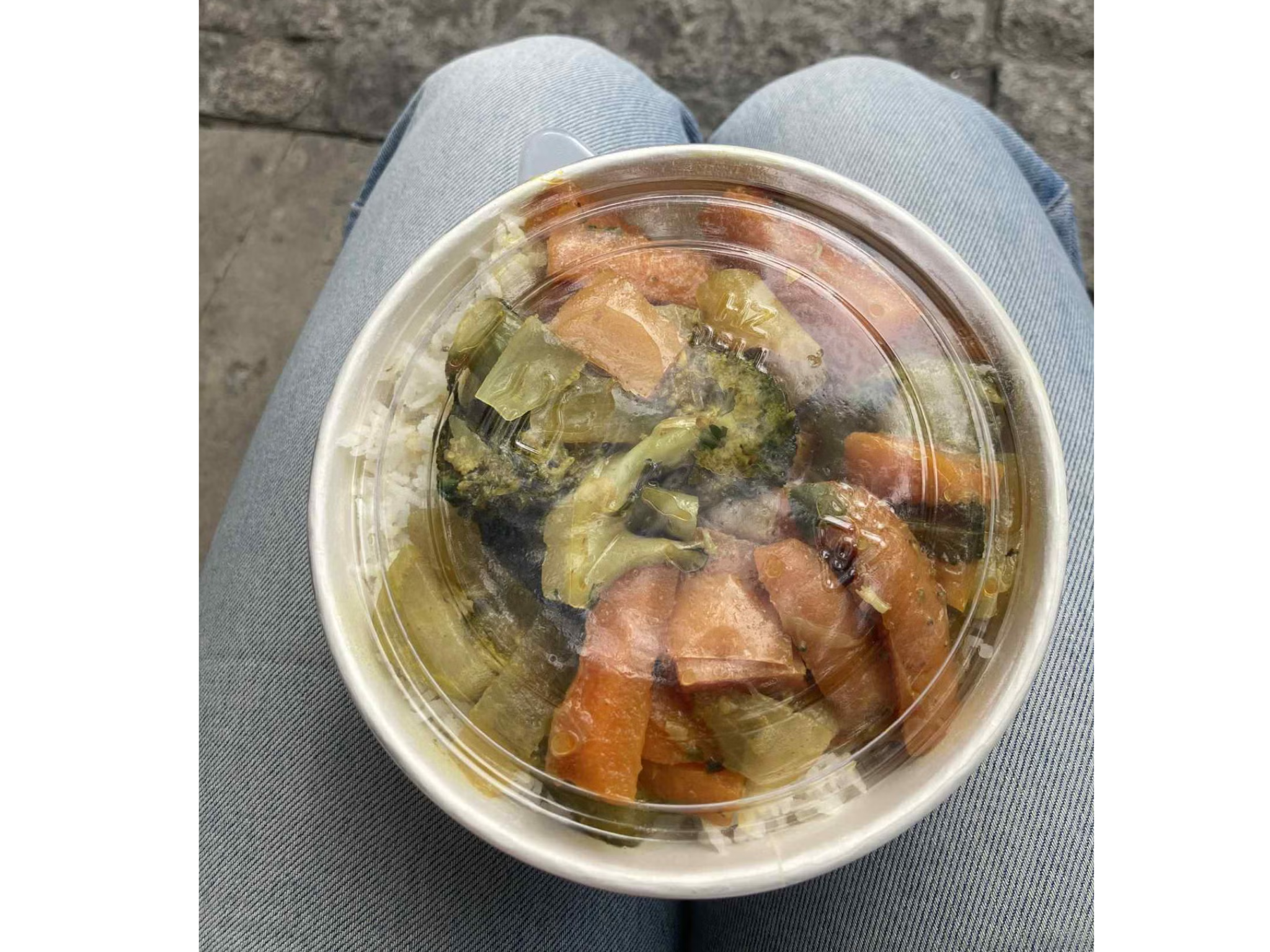
As I was in the office on this day, I planned ahead by ordering a vegetable curry to pick up from a local street food vendor (£4.99). To be completely honest, I’m really not convinced that this meal was actually going to waste as I saw them make it in front of me from the same food they were using to serve other customers. I have heard rumours of businesses that promote themselves on Too Good To Go even when the food isn’t actually leftover. Of course, I can’t verify this, but it did make me raise an eyebrow. The curry was fine, though by Too Good To Go standards, I didn’t think it was particularly good value for money.
open image in gallery
I was sceptical about whether this curry was really going to waste (Molly Greeves/The Independent)
I’m disappointed to say that my final meal of the challenge was a complete flop. I ordered a poke bowl (£5), but I left the office late and missed my collection window. Once I finally got there, the restaurant was closed. I tried to come up with a back-up option, but I didn’t manage to find anything vegetarian, so I had no choice but to cut the challenge short. The obvious lesson here is don’t miss your collection window, as you won’t be able to get your money back if you do.
Daily total: £9.99
The verdict: I saved £17 by using food waste apps, but there’s a catch
Overall, I spent £32.67 buying my meals from food waste apps, which is around £16.66 less than I would usually spend on food in an average week – but there’s an important caveat.
According to my budgeting app, I spend an average of £24.24 a week on groceries and £25.09 a week eating out (including coffee and takeaways). While using food waste apps to buy every meal helped me save money overall, it’s likely that I still spent more than I would have if I replaced lunches out and takeaways and cooked all of my food at home.
But don’t delete Too Good To Go from your phone just yet. As I said at the start, getting all of your meals from these apps is not a long-term solution, but during my experiment, I discovered some specific ways that you can use food waste apps to make genuine savings. Here’s my app-by-app breakdown.
Too Good To Go
Let me start by saying that I wouldn’t recommend Too Good To Go to anyone genuinely struggling to pay for food. You don’t want to end up wasting £5 on a surprise grocery bag containing cottage cheese, physalis and pigs in blankets.
What Too Good To Go is great for, from a money perspective, is saving money on takeaways. If you usually buy lunch when you go to the office or pick up dinner on the way home, checking what’s on Too Good To Go the night before can help you get something delicious for a fraction of the price – my burrito bowl from Tortilla, for example – but it is unlikely to be as cheap as making the food yourself.
However, if you are looking for a cheaper way to buy groceries, I would definitely recommend checking if your local green grocer is listed on Too Good To Go. My surprise bag was just £3.30, and it made me four portions of soup – that’s less than £1 a portion. That’s to say nothing of the smoothie and portion of chips the surprise haul yielded, too.
Using the app successfully requires you to be organised and flexible. Planning ahead the night or morning before you want your meal enables you to bagsie the best food at more convenient times, and, of course, you need to show up on time for your collection, to avoid missing out. That being said, it helps to be adaptable, as most food you’ll get on the app will be a surprise.
Put plainly, it’s not great for people with dietary requirements. I understand why, as restaurants are trying to get rid of whatever leftover food they have, but it’s something to be aware of. For vegetarians, if you live near a Tortilla, check if it’s listed on the app, as it was an absolute standout for me. More generally, if you do end up with something you don’t want, I would highly recommend listing it on Olio to find someone who will take it off your hands.
Olio
Though I didn’t get any free food from Olio, I was impressed with the sense of community on the app. Like any online subculture, Olio has its own customs (my apologies again to the Olio user who told me off after I forgot to respond to his message) but once I got to grips with it, I loved knowing that my unwanted food was going to someone who would make use of it.
Months after I finished this challenge, I still use Olio all the time to give away items: I’ve donated a bedside table, some henna powder and even a potted Christmas tree. Frankly, you get ghosted far less than on Facebook Marketplace, so it’s a godsend when you’re looking to get rid of stuff quickly.
While Too Good To Go enables you to save on takeaways and lunches, Olio can be a valuable resource for people facing financial difficulty. Using it isn’t a quick and easy money hack. To get the most out of it, I would suggest setting up notifications, so you know when food or items become available in your area. Make sure you answer messages promptly, show up on time and only ever list food that you would be willing to eat yourself.
Olio also has a new feature that alerts users to where they can get reduced food (the yellow sticker items in supermarkets). There weren’t many shops listed in my area when I did this challenge, but I think this could be useful for helping people save money if it’s expanded.
Gander
Unfortunately for Gander, anything it can do, Olio is currently doing better. The app is slow and not that well populated, so unless you happen to live right near one of the stores it has listed, you may find it as unhelpful as I did.
Supercook
I’ve got to be honest, the couple of times I used Supercook, I didn’t find it particularly helpful. Maybe it was because of the sparsity of the food I had available, but I didn’t need an app to tell me I could make steamed broccoli with tomatoes out of my broccoli and tomatoes. However, I feel the need to mention that Supercook has tens of thousands of positive reviews, so it seems there are plenty of people who had a more fruitful experience while using the app.
Looking for more ways to save on meals out? Check out our roundup of restaurant deals