
The Galaxy S26 Ultra auto video settings are no longer about leaving everything untouched. Instead, they are about understanding how the camera behaves and guiding it without stepping into Pro mode. Because in this generation, Auto isn’t basic anymore. It’s structured, layered, and far more predictable than it looks. And once you tune it correctly, the results stop feeling automatic.
Auto Mode Is No Longer “Basic”
On the Galaxy S26 Ultra, Auto video mode already carries a high level of intelligence. Exposure adapts smoothly, HDR processing is more stable, and motion handling is noticeably more controlled. But out of the box, the system still prioritizes safety over intent. That’s where small adjustments change everything, not by overriding the pipeline, but by aligning with it.
Start With the Right Video Format
HEVC (H.265) is not just about compression, but it’s also about how efficiently the processing pipeline preserves detail under stress. In motion-heavy scenes, it maintains structure far better, especially where older codecs begin to break apart. The advantage becomes clear when complexity increases. It’s not just saving space but protecting data where it matters.
High Bitrate Is Not Optional — It’s Essential
Enabling high bitrate video is one of the most important steps in this setup. It directly affects how much information the camera retains in complex scenes — textures, motion, gradients, and fine detail. Without it, even good footage can fall apart under pressure. With it, the pipeline has room to breathe. And that’s where quality holds.
Frame Rate Logic: Why 30fps Matters More Than It Seems
Keeping Auto FPS tied to 30fps gives the system flexibility where it matters most. It allows proper exposure adaptation in lower light while still giving you the option to manually switch to 60fps when conditions allow.
Locking into higher frame rates too early forces faster shutter speeds, and that’s where night performance starts to break. This is not about limitation. It’s about control without compromise.
Stabilization: Control Over Correction
Standard stabilization should always remain active, but the real difference comes from avoiding overcorrection. Instead of relying on Super Steady, horizontal lock delivers a more natural result, especially when walking or panning. Motion feels guided, not artificially fixed.
Super Steady tries to correct movement.
Horizontal lock understands it.
Both should only be used in good lighting conditions, and the viewfinder will tell you when the system starts struggling. That feedback matters more than the setting itself.
Audio: The Most Overlooked Feature
Audio on the Galaxy S26 Ultra is often underestimated, but it plays a critical role in how video feels. Zoom-in mic adjusts sound capture based on framing, helping isolate subjects in dynamic environments. When paired with Galaxy Buds, 360 audio recording adds spatial depth, capturing direction, distance, and environmental context.
The audio playback option ensures that what you monitor matches what you capture. This isn’t just recording sound. It’s shaping the scene.
APV + LOG: Where Auto Becomes a Creative Tool
This is where things shift from good to serious. Using APV with LOG unlocks a different level of flexibility. It allows LUT-based workflows while preserving dynamic range for post-processing.
More importantly, shooting in APV 422HQ with LOG delivers more consistent results than relying on HDR directly within APV. Because HDR locks the look, and LOG lets you build it. That difference becomes obvious the moment lighting conditions stop being perfect.
HDR10+ vs System HDR: The Unexpected Result
Turning HDR10+ off might sound counterintuitive, but on the Galaxy S26 Ultra, the internal HDR pipeline is already strong enough to stand on its own.
In many real-world scenarios, HDR10+ introduces inconsistency rather than improvement. Native processing delivers more stable highlights, better tone mapping, and fewer exposure shifts. This is where Samsung refined the pipeline.
Camera Assistant: Where Behavior Is Defined
Camera Assistant is not just a settings panel — it’s where the camera’s behavior is shaped. This is where Samsung quietly moved control away from Pro mode and into system tuning.
Keeping OIS active ensures stabilization remains optical-first. Setting video softening to high reduces aggressive digital sharpening, resulting in a more natural, cinematic output, especially on faces and fine textures.
Lens transition behavior also matters more than most realize. Setting transition speed to low, combined with fast or very fast shift sensitivity, creates smoother and more intentional switching between focal lengths. It doesn’t just change transitions. It changes how the video feels.
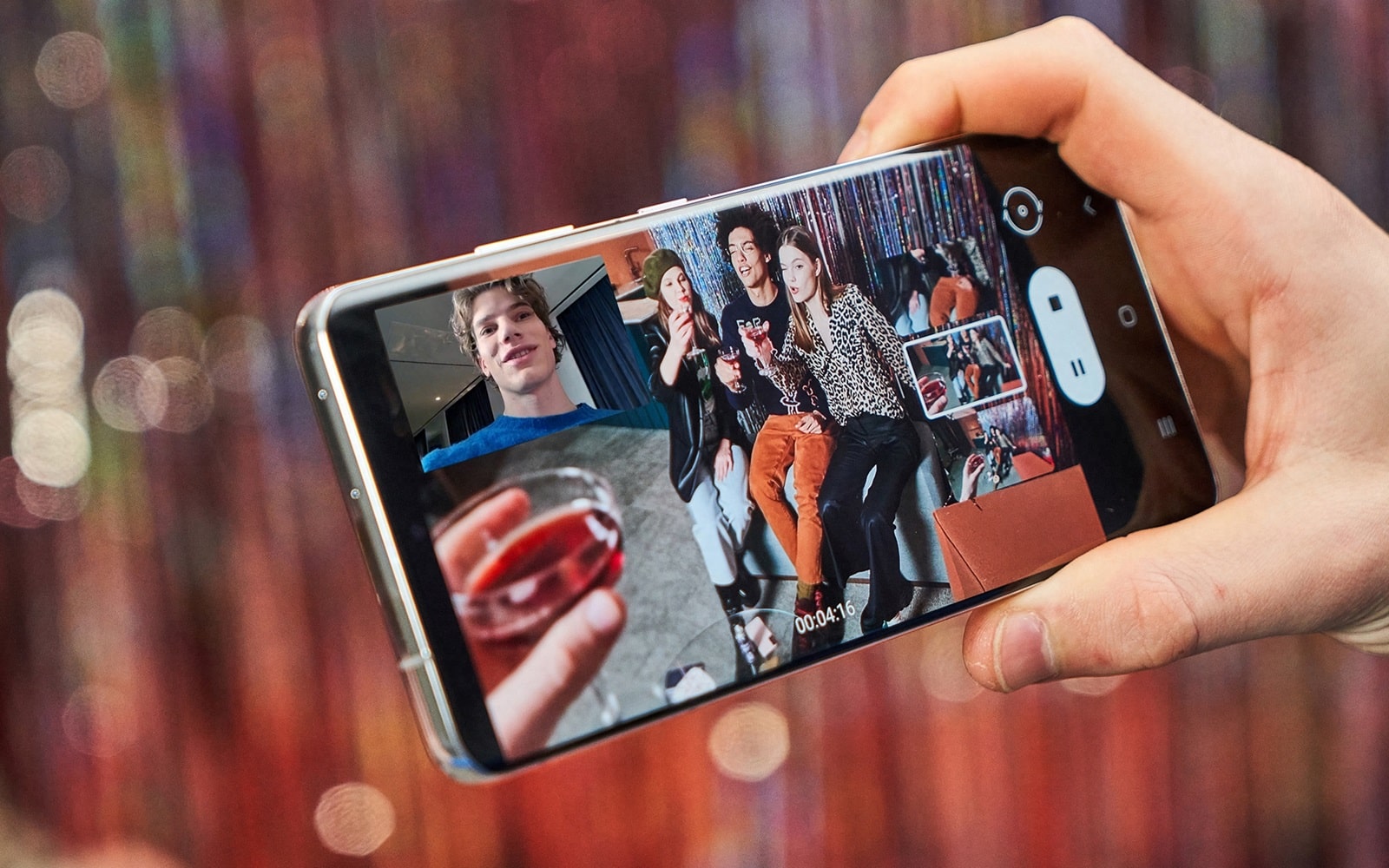
Turning on dual recording adds another layer of flexibility, allowing simultaneous front and rear capture. However, it’s important to understand its limits. The feature operates up to UHD 30, which means it prioritizes usability over maximum resolution or frame rate.
The indicator customization option plays a different role. It doesn’t change how the camera behaves — it changes how quickly you can interact with it. By selecting which controls stay visible, you reduce friction during shooting and avoid digging into menus when timing matters.
Shooting Behavior Matters More Than Settings
Even with the right configuration, results still depend on how you shoot. Using 8K only within the optical zoom range 0.6x, 1x, 5x preserves true detail instead of forcing the pipeline to compensate. Auto framing works best within its limits and should be treated as a situational tool, not a default.
Horizontal lock remains the most reliable method for maintaining natural motion, while the exposure slider allows real-time adjustments as lighting conditions shift.
When using portrait video, the exposure bar and effect strength become even more important. They allow precise control over subject brightness and separation, but like auto framing, it operates within UHD 30, reinforcing that these tools are designed for control, not maximum output.
And most importantly: Trust the viewfinder. Because what you see now reflects the final output far more accurately than before.
Understanding the System Is the Real Setting
The Galaxy S26 Ultra doesn’t need full manual control to deliver strong video. What it needs is alignment. Understanding how Auto mode balances exposure, motion, HDR, and processing allows you to guide it without fighting it. Once configured correctly, the behavior becomes predictable. And that’s where consistency begins.
The Galaxy S26 Ultra Auto video mode is no longer about simplicity. It’s about controlled automation. With the right setup, it delivers results that sit between Auto and Pro, without the friction of constant adjustments. It’s faster under pressure, more reliable in changing conditions, and in many cases, more consistent than manual shooting.
Not because it replaces Pro mode, but because for the first time, Auto understands when you don’t need it. And that changes how you shoot.