
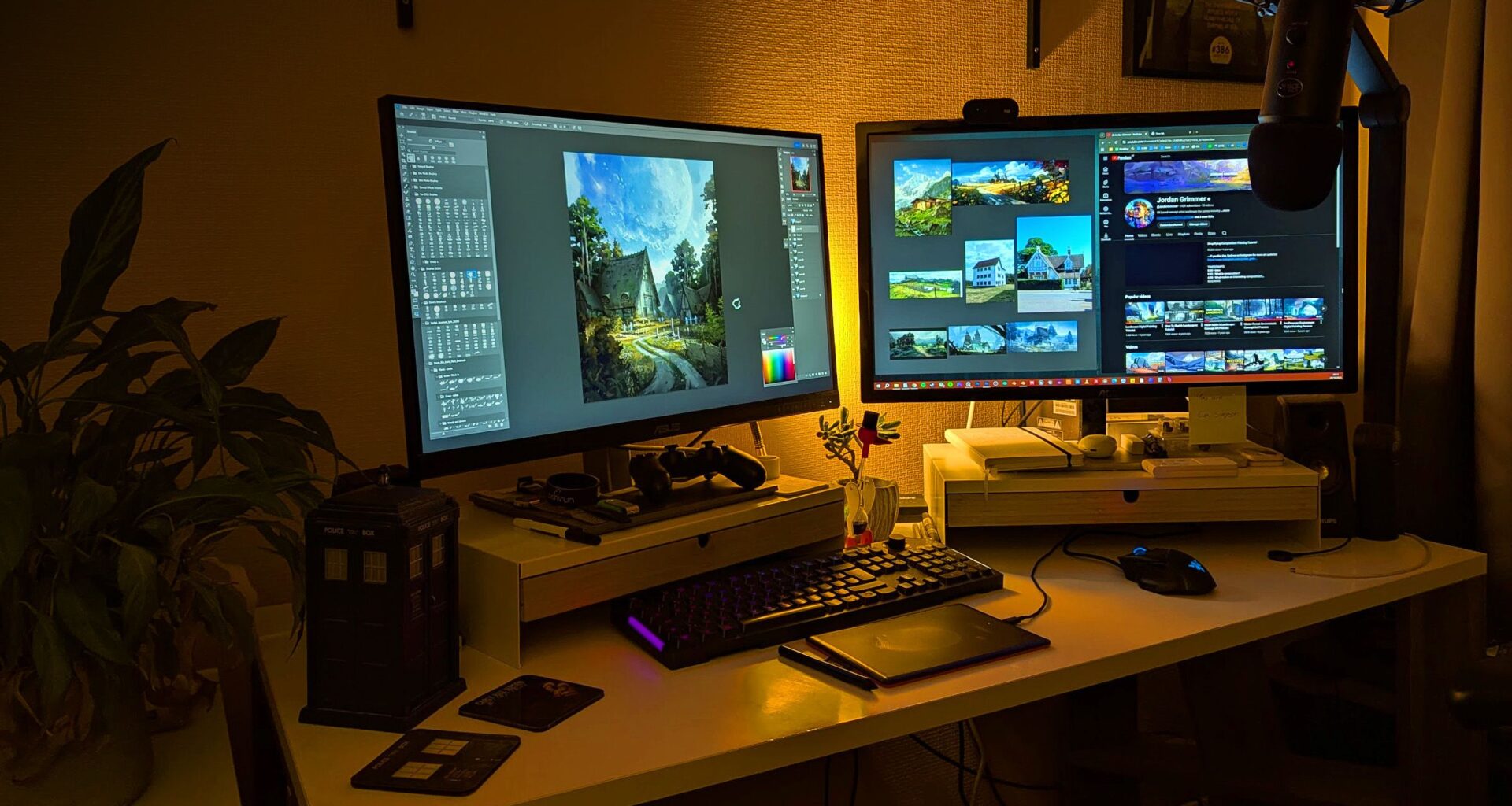
Every digital artist has some special item that helps them transition into work mode. For some, it’s some decor, furniture or lighting that helps set the tone for creativity. For others, it’s a cherished tool that enriches and makes their craft more intuitive. Either way, these bits of kit make pushing pixels more comfortable and vibrant.
Finding your perfect creative setup – whether that’s the best drawing tablet or the best office chair for back pain – can take years, and often artists discover things from each other, as well as a slow process of trial and error. To help you get there faster, I’ve asked some of the pros what their very favourite bits of stuff are – because they know best.
You may like
01. Cherry Tree Furniture high back swivel gaming chair
(Image credit: Antonio Niculae)
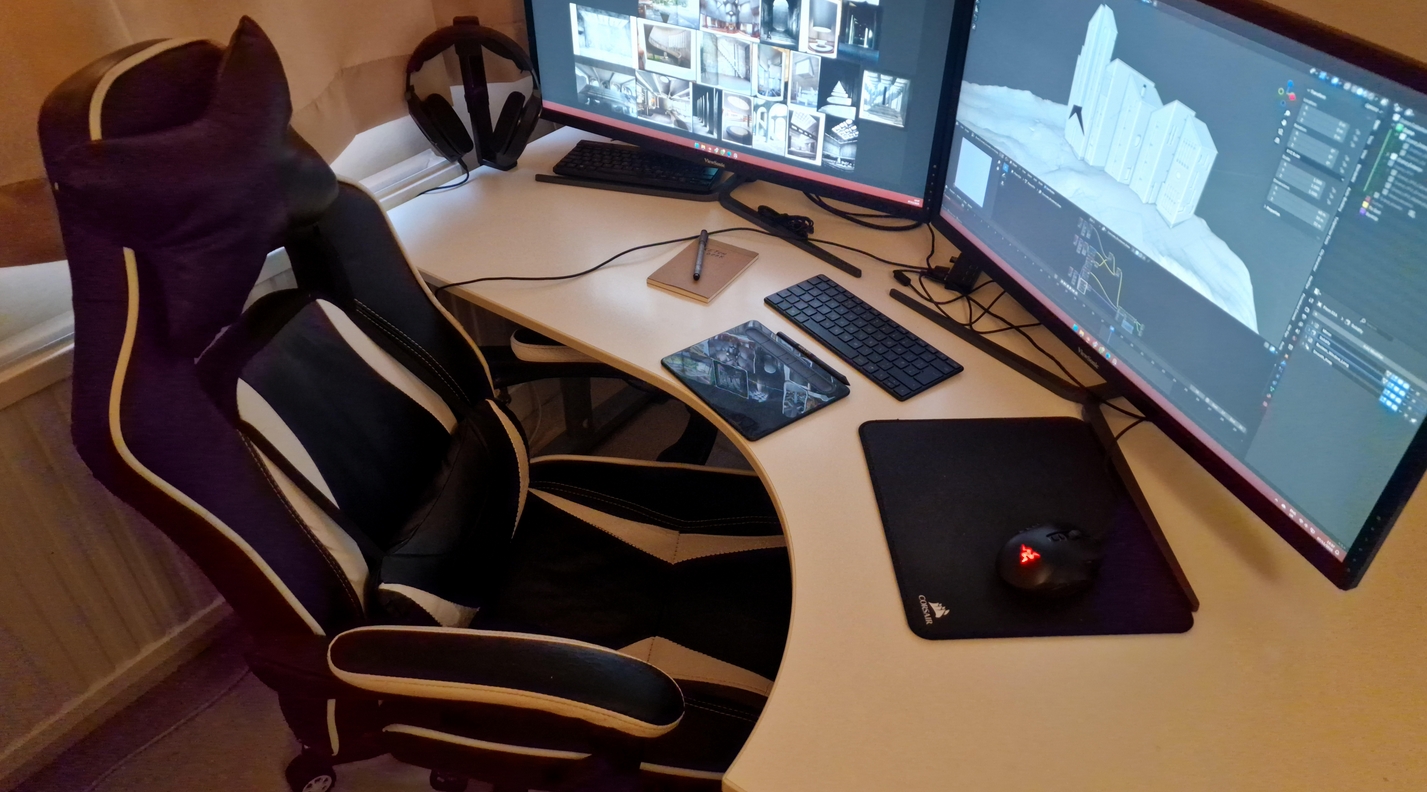
Sitting down all day is non-ideal for the body, so it’s important to get a comfy seat that will minimise the physical consequences of a sedentary job.
“Since we spend so many hours at our desks, investing in a quality chair and a large monitor was a no‑brainer for me,” says Antonio Niculae, a concept artist who works in the film industry. “Too many people underestimate how important a chair is, but neglecting it can eventually lead to serious back problems.”
The Cherry Tree Furniture swivel chair covered all the bases for Antonio: “I chose my chair specifically for its wide support, back pillow, and headrest. Everyone sits differently at their desk, but for me, staying relaxed is key.
“The back pillow is especially important because it provides proper lumbar support, which makes long hours of work much more comfortable. My chair happens to be a gaming chair – even though I don’t game much – because they’re designed for long sessions and offer the kind of ergonomic support that keeps me focused and pain‑free.”
02. Razer Tartarus Pro gaming keypad

(Image credit: Aleksandra Wojtas)
Senior concept artist and illustrator Aleksandra Wojtas is another artist who has repurposed a gaming accessory; for her, it’s the Razer Tartarus Pro gaming keypad, which she uses to control her art software. (Read our best mouse guide for more choices.)
Aleksandra tells us that the Tartarus Pro is an “absolutely indispensable” tool for her. “In my process, I rely heavily on keyboard shortcuts instead of tool icons on-screen, but I‘m also mindful to keep my posture as ergonomic as possible.
“Unlike with a regular keyboard, my hand stays in one place, and I still have access to all the keys I need. The muscle memory is so strong I feel physically uncomfortable working without it!”
You may like
03. Vintage Apple keyboard
(Image credit: Vita Shapovalenko)
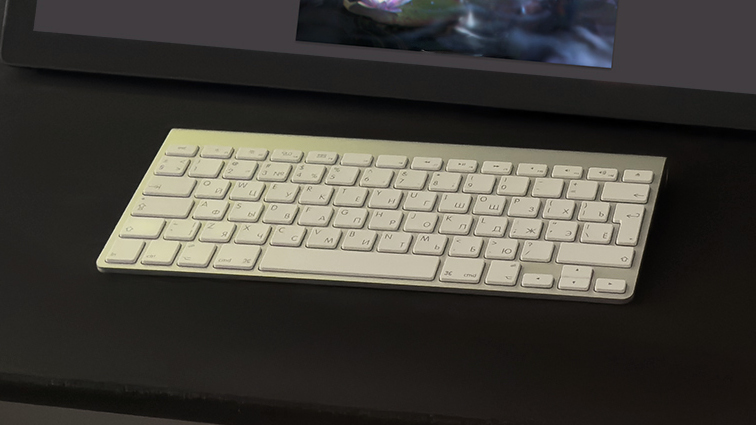
If a beloved piece of kit works well for you, why change it just because it’s old? Art director and concept artist Vita Shapovalenko loves her Apple Wireless Keyboard A1314, which came out in 2009. “I honestly think it’s the best keyboard ever made!” she enthuses.
“What I love about it is its compact size, thin profile, elegant minimalist design, and the raised base that creates a gentle slope for more comfortable typing. The keys are really satisfying to press.
“I’ve had this keyboard for years, and I’m amazed by its reliability – it feels as though nothing can break it; not spilled coffee, not daily use over many years. It runs on two AA batteries that slot into the base, which I replace roughly every six months.
“It lasts for a very long time without needing any maintenance or causing any worry. If it breaks, I’ll be hunting eBay for an identical replacement!”
You can’t buy them new anymore, but you can get refurbished ones on the Amazon Renewed Store, or elsewhere online. If you want the same feel but brand new, read our list of the best keyboards for Mac as well as our guide to the best mechanical keyboards for that pure retro feel (and sound).
04. Cable management box
(Image credit: D-Line)
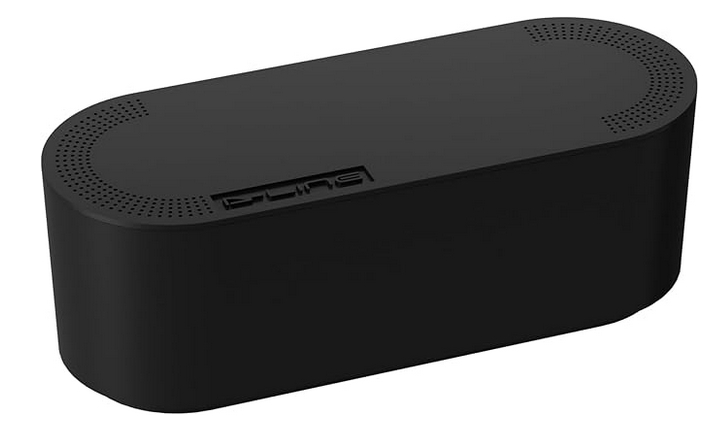
Power cables are a displeasing, unaesthetic fact of life. But you can make the best of it with a cable management box.
“I’m a big believer in minimalism and functionality,” says Vita. “I keep my workspace deliberately uncluttered with neutral tones, and this minimal setup helps me focus.
“I looked for ways to eliminate cable chaos on my desk, and an absolute game-changer has been a cable management box. It hides a power strip and all those annoying cables and chargers that used to clutter my desk.”
You can get sleek black boxes like the one pictured, or there are plenty of wood-topped models if you prefer natural materials.
05. Sinoart portable wooden easel
(Image credit: Ana Bidault)
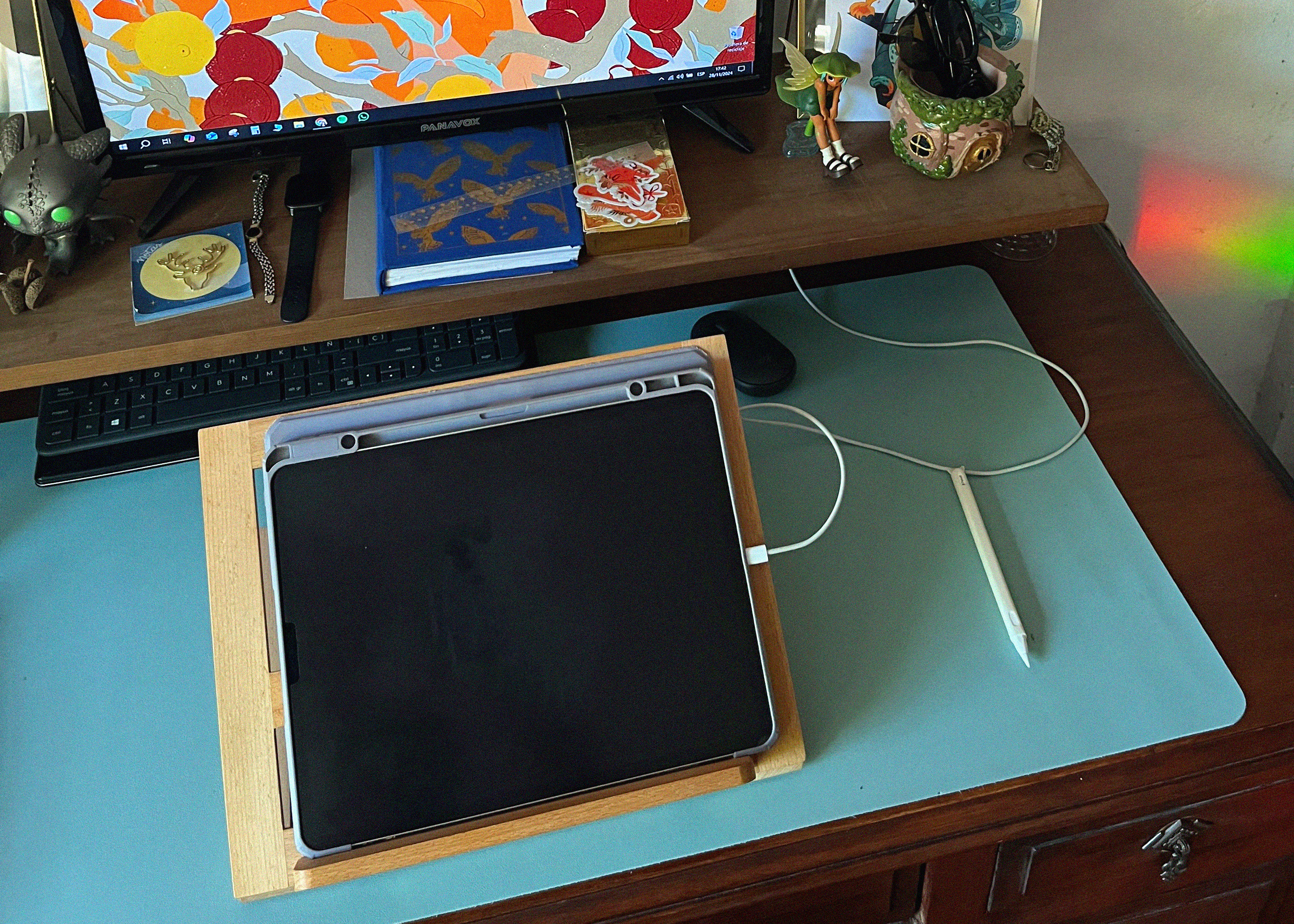
Illustrator Ana Bidault uses a small wooden stand with her iPad to set up a comfortable drawing position. (Read our list of the best iPad stands for more options.)
“It props up my iPad and lets me adjust it to different angles depending on the table I’m working at,” she says. “I love it because it’s cute, practical, and lightweight, and I can take it anywhere with me. I like carrying my iPad around, and sometimes I have to work outside my studio.”
You can find the exact one used by Ana on the Sinoart website, but you may find it easier to get a similar one on Amazon, Etsy or other broader online stores.
06. MOFT snap phone tripod stand

(Image credit: Chihiro Howe)
Manga artist Chihiro Howe loves this MagSafe phone stand from MOFT that also works as a wallet, if you choose the one with the card slot. (Read our best MagSafe wallet guide for other stands.)
“This is probably the best phone stand I’ve ever bought,” she says. “It’s magnetic, so I can easily mount my phone, and it folds up into a small card-size thing so I can take it anywhere with me.
“I use my phone a lot to photograph and Google reference pictures, and so it’s convenient to have it propped up next to my tablet to use as a third screen.”
07. TourBox

(Image credit: Kelsey Norden)
Director and storyboard artist Kelsey Norden prefers an ergonomic controller for her software, and a TourBox is her pick. (Read our TourBox Elite review for a deep dive into this controller gadget.)
“When I started to learn Blender, I had a really hard time wrapping my head around the keyboard shortcuts until I bought a TourBox to map them to instead,” she tells us. “I love this thing. It comes with premapped shortcuts for a lot of common software, and the Bluetooth model can hook up to your iPad, too.
“It made adapting to new software a lot easier since it put all the shortcuts into a space more intuitive for my hand than my keyboard. I highly recommend it for learning any new software.”
Pictured next to her TourBox is the Rainy 75 mechanical keyboard with a themed, painted set of key caps from Etsy. If you’re keen to learn Blender, read our collection of Blender tutorials.
Buy the TourBox programmable controller on Amazon
08. A second monitor
(Image credit: Jordan Grimmer)
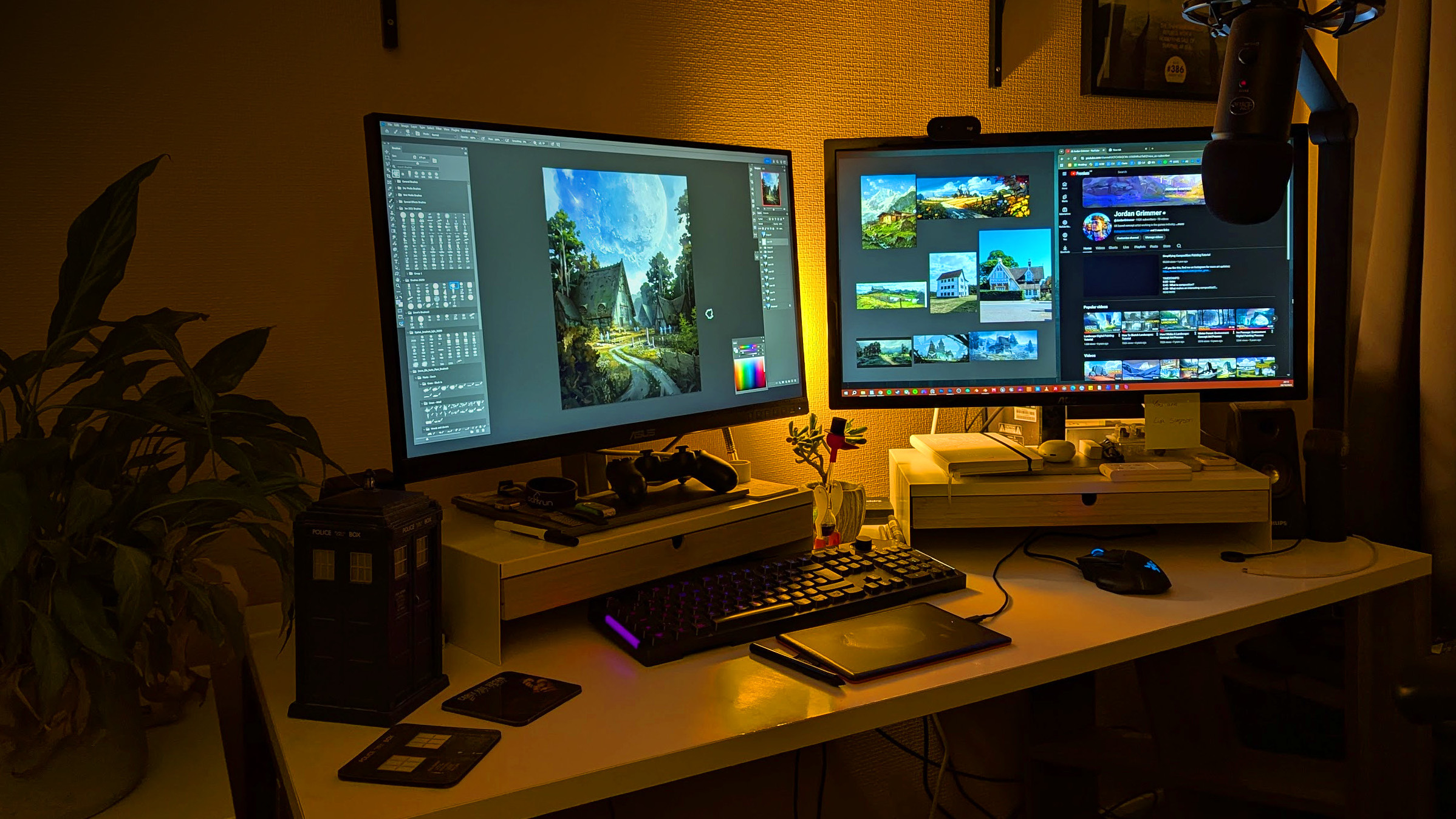
If you’re using a single-monitor setup, it can be easy to underestimate just what you’re missing out on if you’ve yet to go for a larger two or even three-monitor setup. You can even use drawing pen displays like the Wacom Movink 13 as a second display.
“It has drastically improved my overall working and painting experience,” says game industry concept artist Jordan Grimmer. “I can’t really imagine working without one now.
“Not only does it allow me to have more space to spread out my windows and applications, but mentally it gives me a lot more breathing space. I can feel pretty confined on one screen. Trying to pack in an additional screen of ref to glance at while switching between other apps becomes pretty tiresome.
“I use the extra room on my second screen for my current Pureref window while also creating a second Photoshop window of my current painting so I can see it zoomed out while I’m detailing on my main screen. Also, if you’re anything like me and need something playing in the background while working, it allows me space to have a video or Spotify going, which I can glance at when needed.”
Read our guide to the best monitors for graphic artists for a selection of recommended second displays, which can be a cheap but good monitor like the Dell 27 Plus 4K.
09. Apple Pencil Tips and Paperlike screen protector
(Image credit: Inesore)
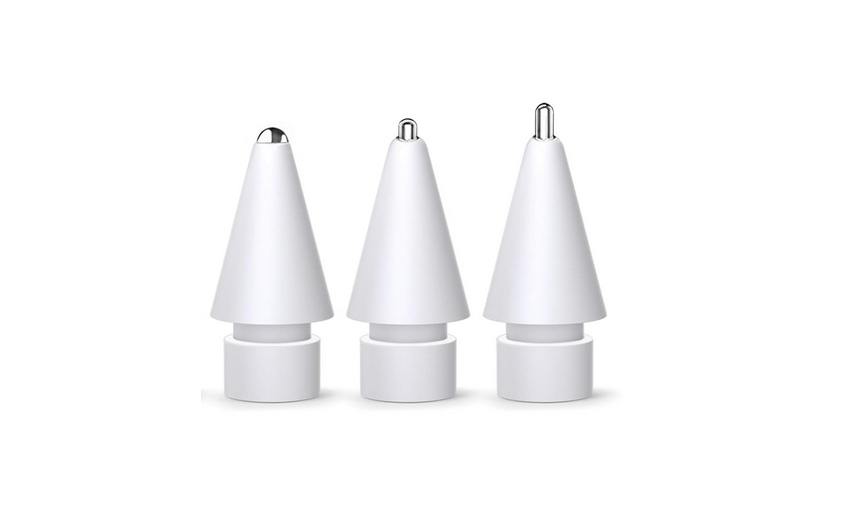
Animator Randeep Katari likes these iPad accessories that make the tablet feel more like pen and paper. The Inesore pack of Apple Pencil tips provides three types of nibs that simulate the feel of using different pens.
“I use my iPad to draw and storyboard mainly, and I don’t think I could do it without these perfect tips that mimic the Pilot pen I love using when I draw in sketchbooks,” says Randeep. “I also really enjoy the Paperlike screen protector, which makes your screen paper-textured.”
Other iPad covers for artists include the excellent Rock Paper Pencil that comes with a metal Apple Pencil nib to use on its bespoke etched cover for a close paperlike feel. Read our guide to the best iPad screen protectors for a little more choice. Buy Inesore Apple Pencil tips on Amazon
10. Coffee cup

(Image credit: Le Creuset)
Caffeine lover and concept artist Oz Ezeogu cites his coffee cup as an object in his workspace that he can’t live without. If you need more coffee, read our list of the most beautiful coffee makers in the world, or catch up with my favourite, the Ember Temperature Control Smart Mug 2.
“It might seem simple, or obvious and expected to some, but it’s become an important part of how I ease into my creative workflow each day,” he says. “I start almost every session by making a fresh cup of coffee and setting it beside my tablet. About a minute after I finish the first cup, I’m off to the second. I know, maybe I should slow down. It’s a small ritual that signals to my brain that it’s time to focus and draw.
“Even just taking a sip between brushstrokes helps me settle into a steady rhythm. It’s become part of the way I transition into ‘art mode’, especially on early mornings or late nights when I need that little anchor to stay centred. Over time, it’s become just as essential as any tool on my desk. Toss in an audiobook and the environment is perfect!”