
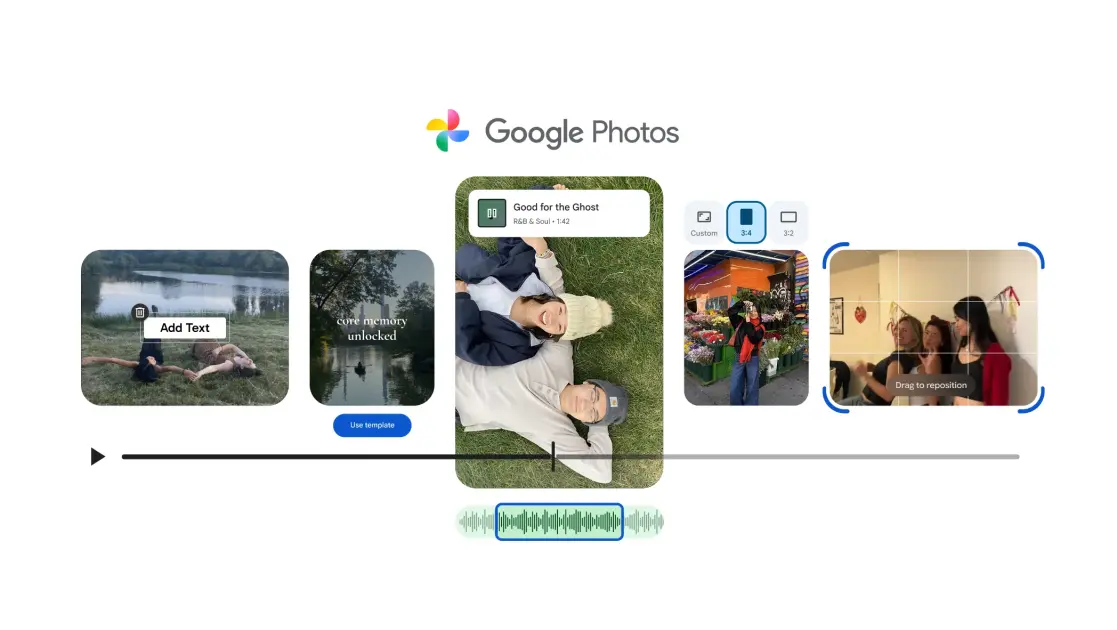
Google Photos’ built-in video editor is getting five new updates, including the ability to add soundtracks and custom text.
The most notable introduction is ready-made templates for highlight videos. Each comes with pre-set music, text, and cuts that match the music. To get started, head to the Create tab > pick Highlight video > choose a template > select the photos and videos, and wait for Photos to finish putting everything together. Once ready, you’ll be able to save the video and also share it across platforms.
Google didn’t specify the number of templates available at launch but confirmed more will be added in the future. For now, these templates are limited to the Android app.
Once your template-based video is ready, you’ll also notice that the video-editing layout has been refreshed. The tool now has a universal timeline which supports multi-clip editing on both Android and iOS. It is “faster and easier to use, so you can fine-tune your highlight videos and get creative right away,” Google says.
Support for soundtracks and custom text are two other interesting additions. They bring Google Photos’ video editor closer to what social media platforms offer.
On Android and iOS, the Audio option from the editing layout lets you add a soundtrack from Photos’ own music library. You can filter options by mood or choose a track from your own device. Unfortunately, there isn’t an option to search for an audio track, as you see on Instagram.
Once you pick a track, you can adjust the volume of both the video and the soundtrack to suit your preference.
Recommended by Our Editors
On Android, you can also swipe across the editor’s toolbar to find an option to add Text. You can customize its appearance with new fonts, colors, and backgrounds.
The final update is the ability to edit individual clips. Photos’ video editor is now the default on Android, and you can access it while browsing through videos. The tool can be used to adjust the colors and filters, aspect ratio, text overlay, and more.
All of these updates are available now or will be rolling out soon on supported devices, Google added.

Get Our Best Stories!
Your Daily Dose of Our Top Tech News

Sign up for our What’s New Now newsletter to receive the latest news, best new products, and expert advice from the editors of PCMag.
Sign up for our What’s New Now newsletter to receive the latest news, best new products, and expert advice from the editors of PCMag.
By clicking Sign Me Up, you confirm you are 16+ and agree to our Terms of Use and Privacy
Policy.
Thanks for signing up!
Your subscription has been confirmed. Keep an eye on your inbox!
About Our Expert

Experience
Jibin is a tech news writer based out of Ahmedabad, India. Previously, he served as the editor of iGeeksBlog and is a self-proclaimed tech enthusiast who loves breaking down complex information for a broader audience.