
Rita El Khoury / Android Authority
TL;DR
Google is redesigning Health Connect’s settings to place connected apps front and center while streamlining the overall menu layout.
A new grouped view for “App access” will allow you to grant or deny permissions for entire data categories with a single tap.
We also found evidence that Health Connect will soon support tracking for alcohol consumption and various medical symptoms.
Android has dozens of fitness tracking tools, giving you a wealth of options for improving your health. Managing the data collected by these apps can be tough, however, which is why Google created Health Connect. This service aggregates all your health and fitness data in one central, secure place. It also simplifies sharing between apps, meaning developers don’t have to build their own data transfer tools.
Google is clearly on a mission to make Health Connect a more useful tool, positioning it as a stronger rival to Apple’s popular Health app. To that end, the company isn’t done developing new features for the service.
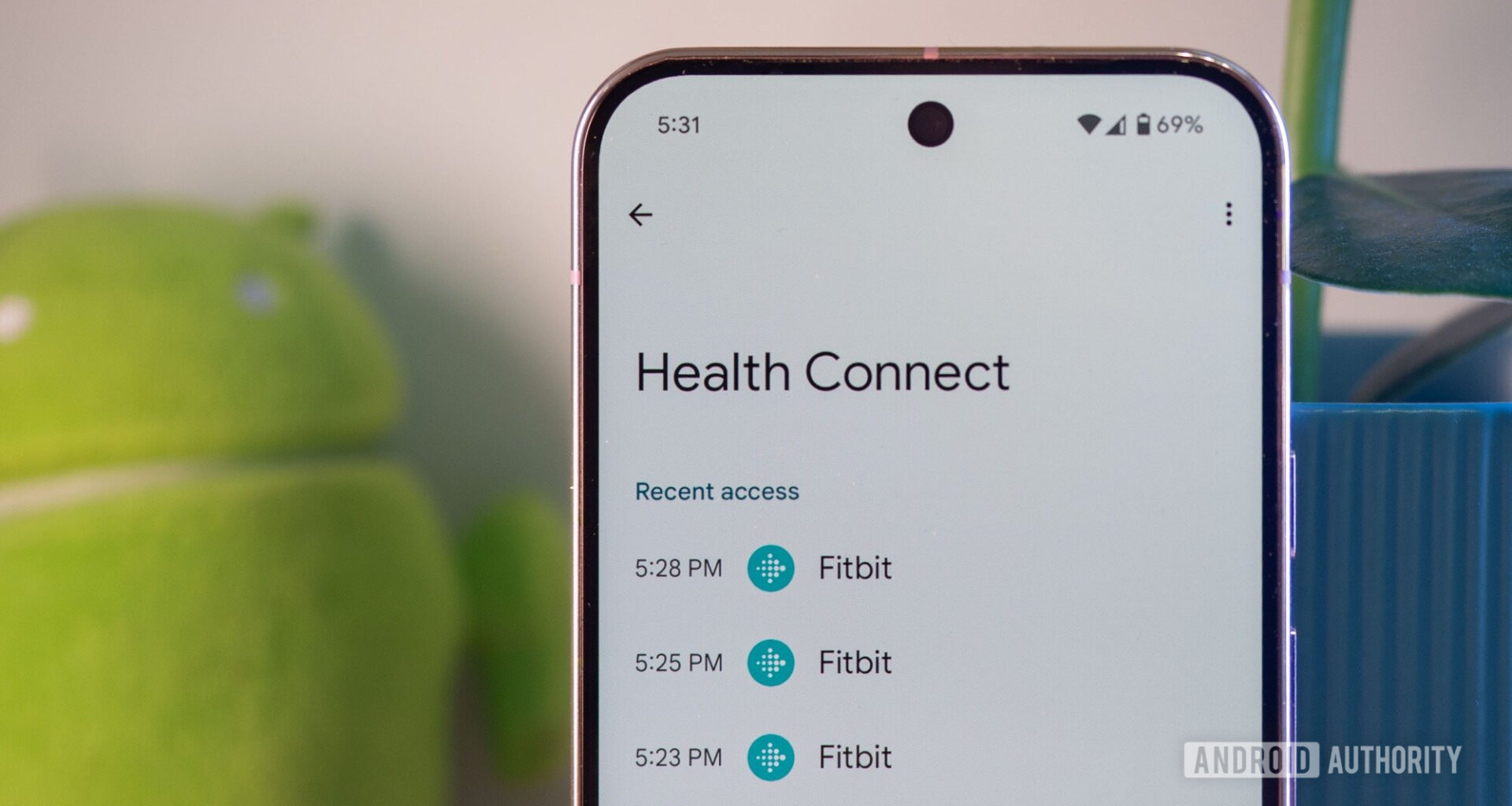
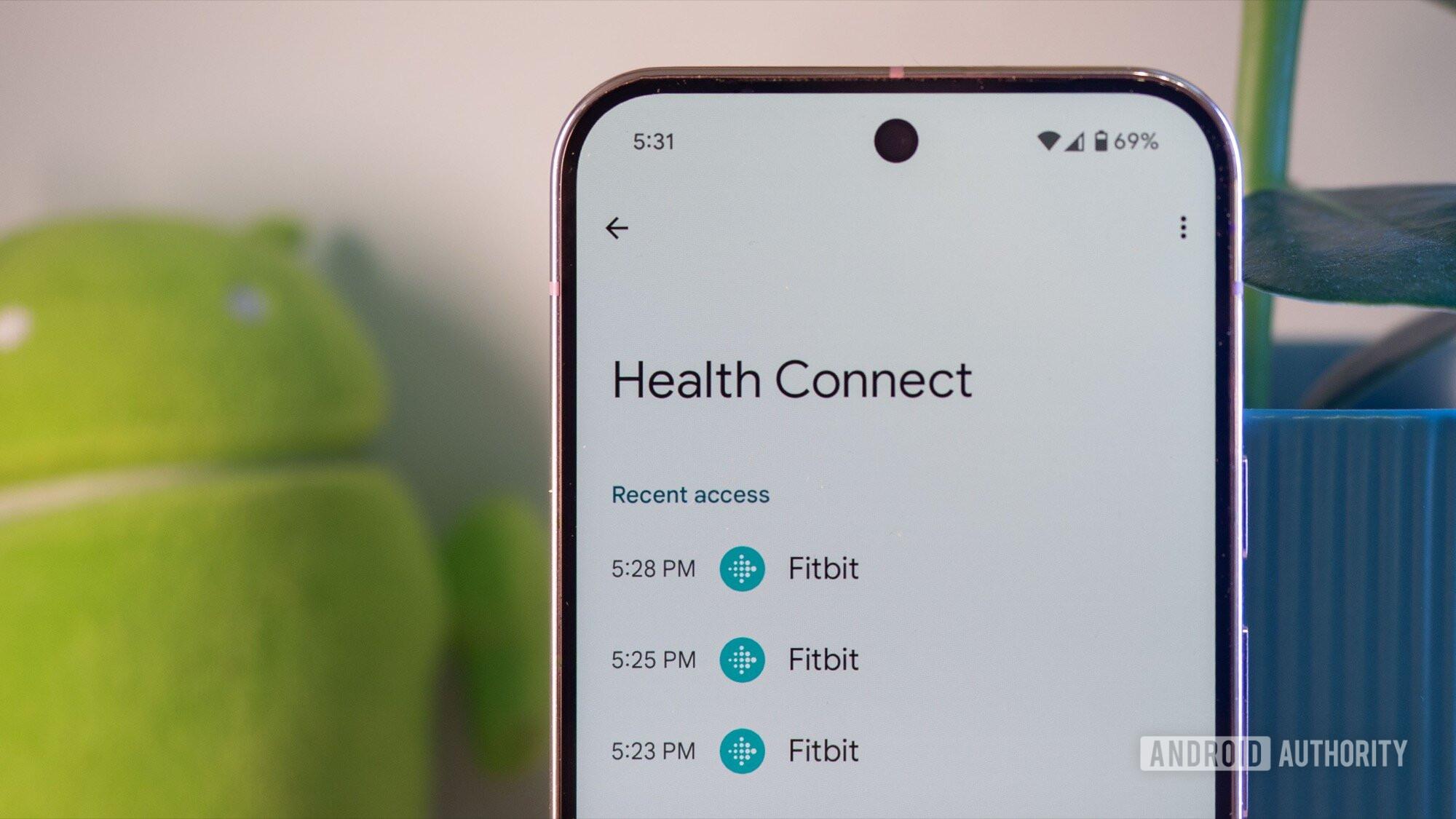
While digging through last month’s Android Canary release, I discovered that Google is tweaking the main Health Connect settings page to put your connected health apps front and center. Instead of prioritizing the apps that most recently read or wrote data, Health Connect now displays all your connected health apps at the top.
Google also removed the “App permissions” menu item, which is now accessible via the “See more health apps” button. You can still see the history of recent data access by tapping the new “Recent access” option under the “Your health data” section. The dedicated “Browse health records” page is also gone, though you can still view your records in the “Data and access” page, which remains unchanged. Additionally, a new footnote at the bottom explains Health Connect to help users who discover the feature via a notification. Lastly, the icons preceding each option on this page have been removed — the only change I believe is a straight downgrade.
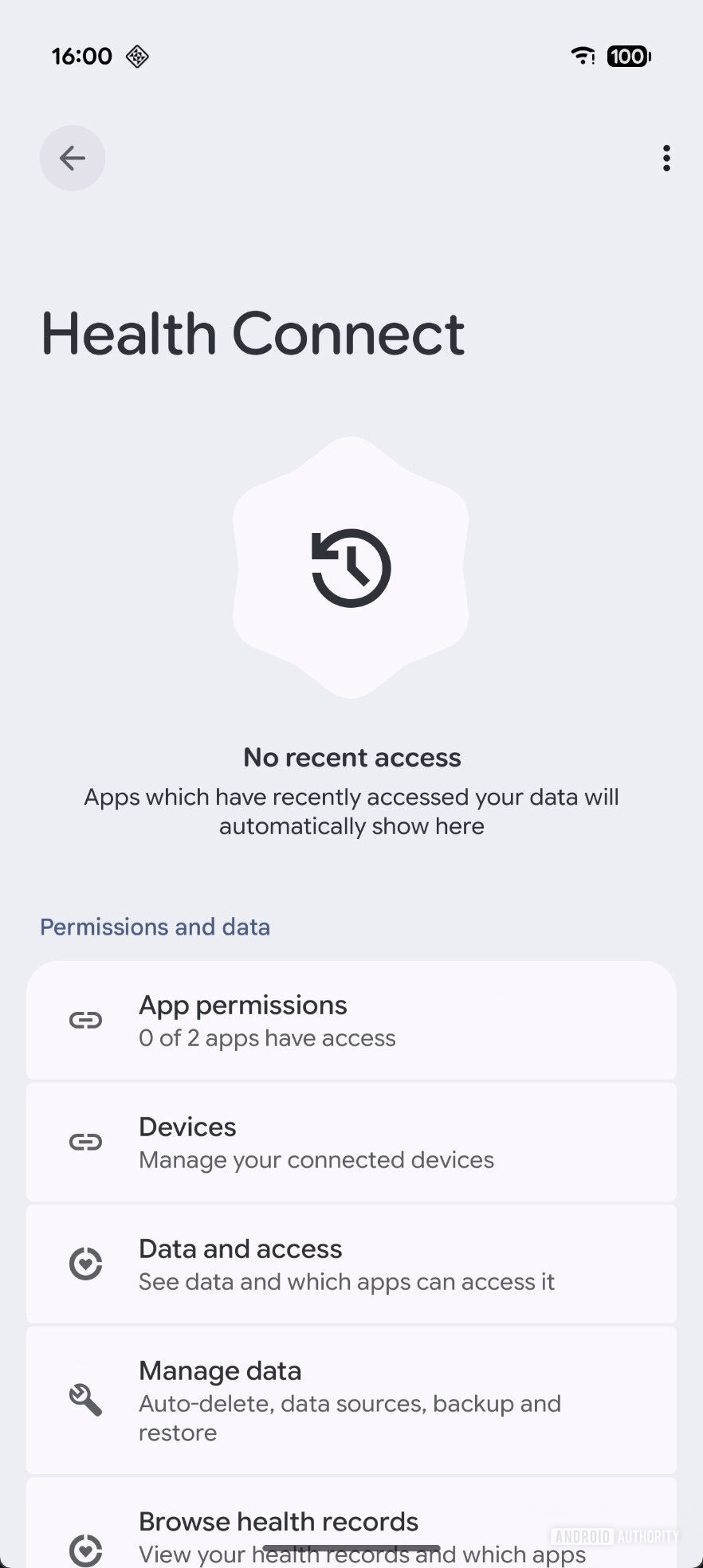 Old Health Connect settings page without recent activity
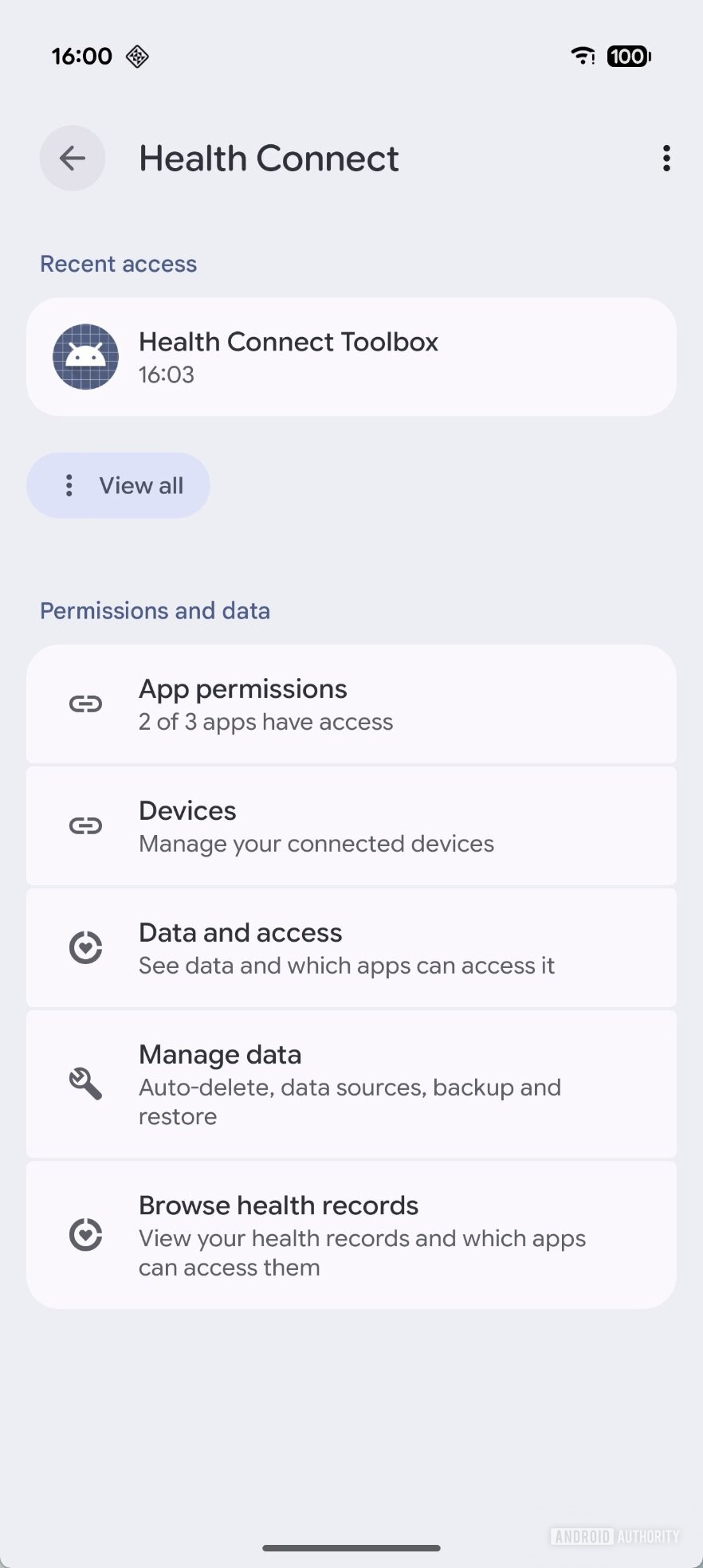 Old Health Connect settings page with recent activity
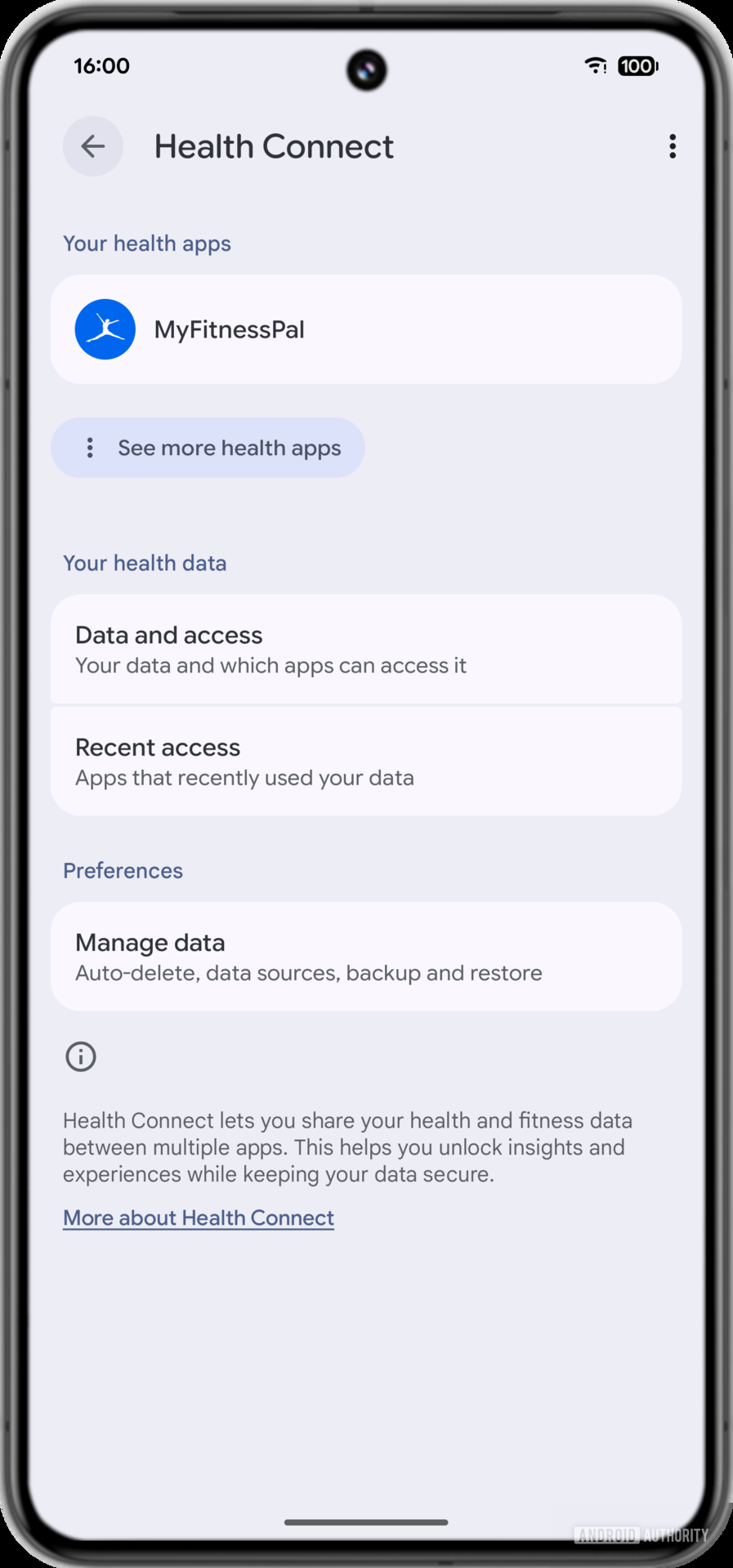 New Health Connect settings page
While most submenus remain unchanged, the “App access” screen has been updated. Data types are now grouped by category, allowing you to quickly grant or deny access to entire groups rather than toggling permissions individually. This makes the screen more organized and easier to scroll through, as specific data types aren’t shown until you expand the category by tapping the dropdown arrow.
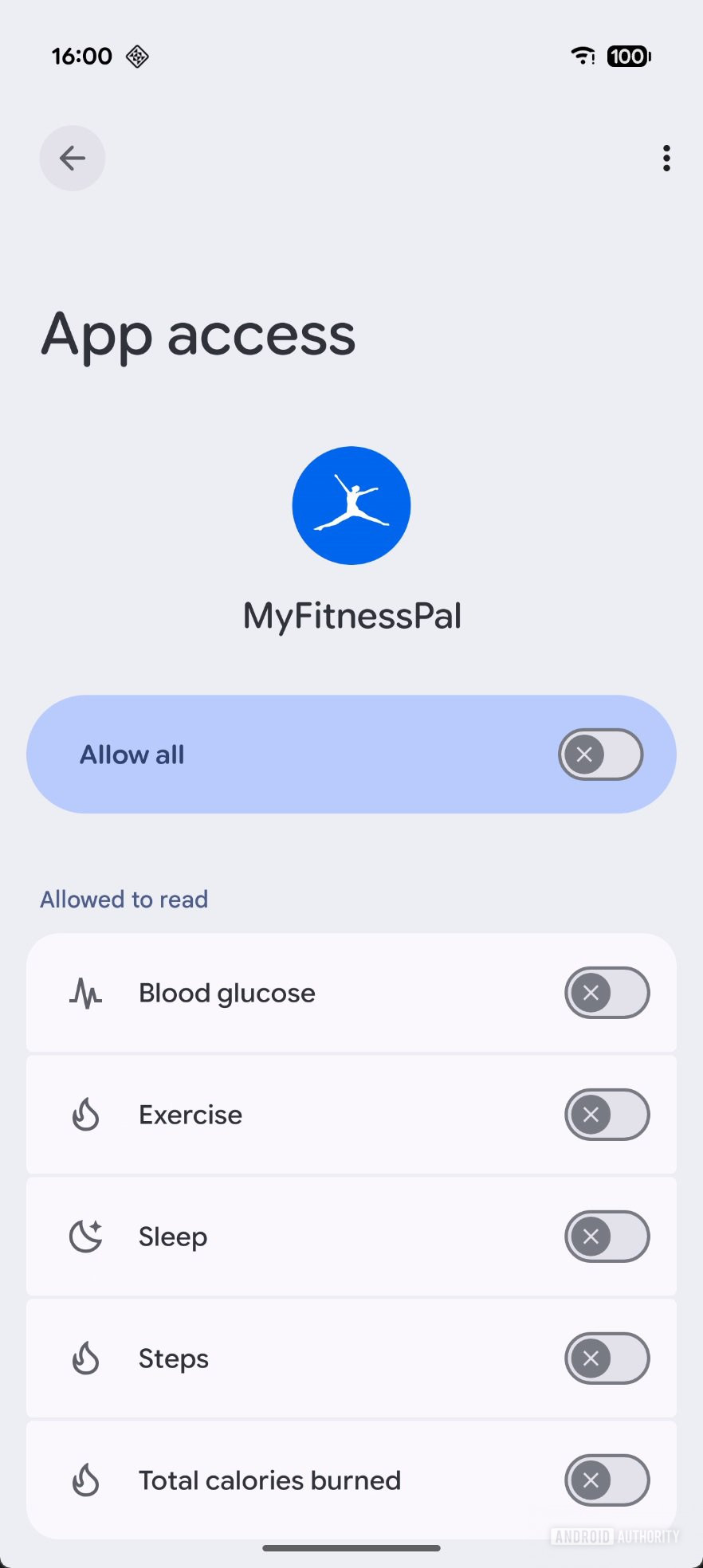 Old Health Connect app access page
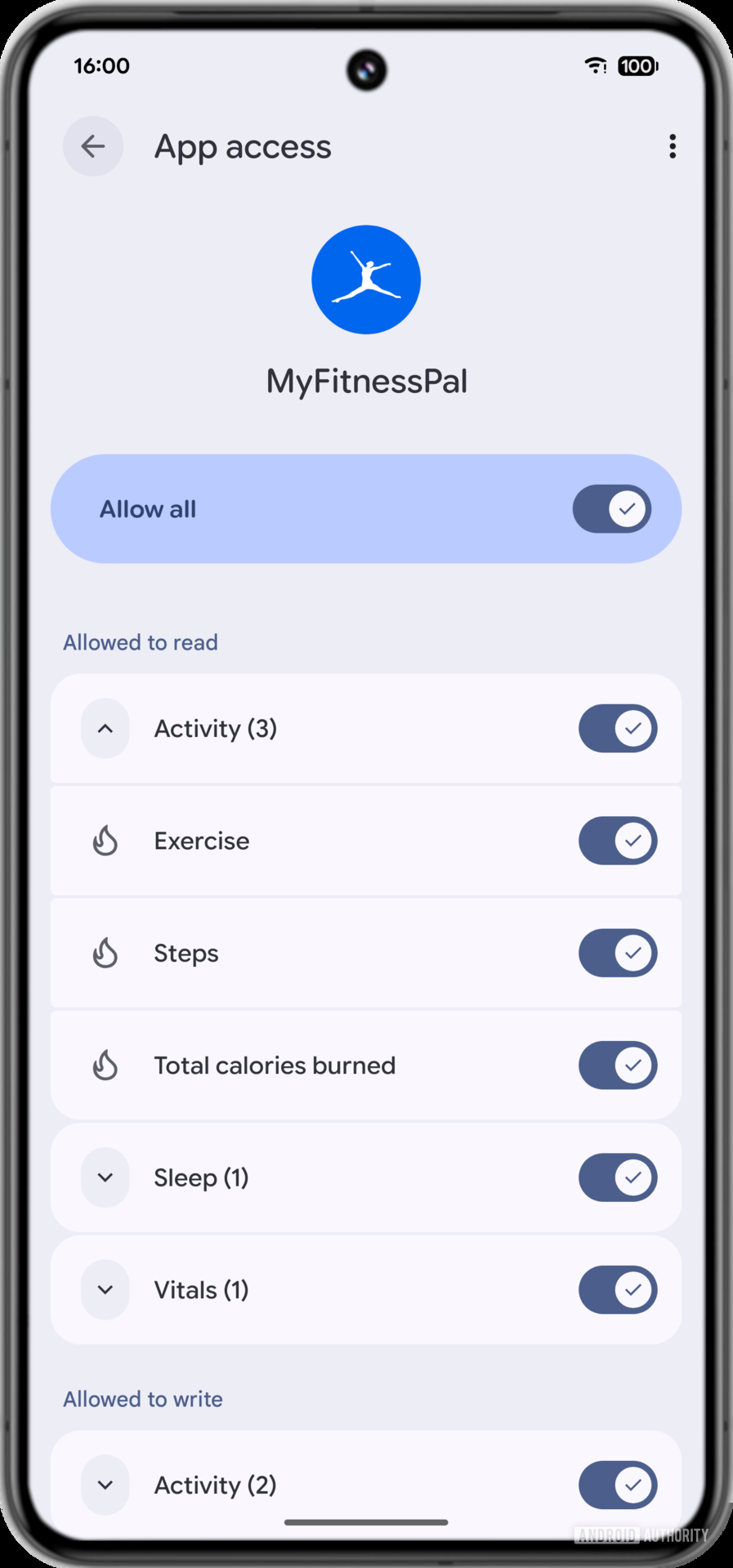 New Health Connect app access page
Under the hood, we also found clues about how Health Connect will handle alcohol consumption. Strings in the app suggest the service will recognize a wide variety of alcoholic beverages, including Absinthe, Beer, Brandy, Chuhai, Cider, Cocktail, Gin, Highball, Lager, Mead, Rum, Sake, Shochu, Soju, Tequila, Vodka, Whiskey, and Wine.
Furthermore, we spotted strings suggesting Health Connect will soon track a host of medical conditions. The list includes abdominal pain, back pain, constipation, diarrhea, earaches, fever, heart palpitations, insomnia, joint stiffness, loss of consciousness, muscle pain, nausea, pelvic pain, runny nose, shortness of breath, vomiting, wheezing, and much more. The addition of these conditions, combined with the recent support for medical records, suggests Google aims to make Health Connect an aggregator for your entire health profile — from daily exercise to doctor visits and symptoms.
The challenge is that Health Connect doesn’t track this data itself (except for steps); it relies on developers of health, fitness, wellness, and medical apps to share the information. Fortunately, because Health Connect is a modular system component, Google can quickly push these capabilities to users via Play System Updates. This means developers won’t have to wait years for devices to update to a new Android version to support these data types. However, we don’t know exactly when Google plans to roll them out, so it may still be some time before they arrive.
Don’t want to miss the best from Android Authority?
Thank you for being part of our community. Read our Comment Policy before posting.