

Apple is marking the Lunar New Year with official Year of the Horse wallpapers that you can download for your devices. Apple describes the design as a symbol of “strength and ambition,” and it positions the wallpaper as part of its seasonal Chinese New Year campaign on the Apple Store.
You get device-ready downloads for iPhone, iPad, Apple Watch, and Mac, so you do not need to crop or stretch the image yourself. Apple also offers high-resolution versions that fit newer hardware, including an iPhone 16 Pro Max file at 5280 × 11472 and a Mac option sized for Pro Display XDR at 12032 × 6768.
Download here
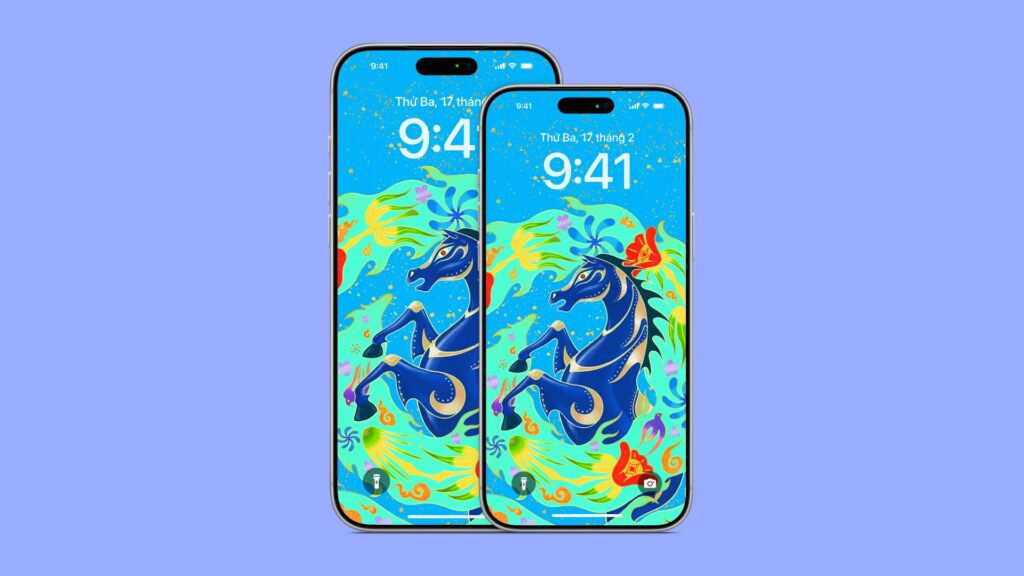
Download for iOS here.
Set it as your wallpaper
iPhone or iPad: Save the image to Photos, open it, tap Share, then choose Use as Wallpaper.
Mac: Save the image, then go to System Settings > Wallpaper and add the file.
Apple Watch: Save the image to your iPhone, then use the Watch app to add it to a Photos face, or sync it via your Photos selections.
If you want the cleanest look, pick the file made for your exact device, since Apple sized each version to fit without extra zooming.