
It isn’t one of Google’s most downloaded apps on the Play Store, but I use NotebookLM almost daily for learning.
While NotebookLM’s primary goal is to assist users with research and learning, you can also use the tool for brainstorming, content organization, and more.
You can also use NotebookLM as a personal journal, as many of my colleagues at Android Police do. It can also save you money if you know how to use NotebookLM smartly.
However, I have so far never used it for anything other than learning, because that’s where I get the most benefit from it. NotebookLM has made me twice as productive while learning since I started using it.
I’ve noticed this particularly when I pair NotebookLM with YouTube. This way, I can learn more than what I did previously through watching videos.
Here is how NotebookLM helped me learn twice as much from YouTube videos.
How I use NotebookLM to process YouTube videos
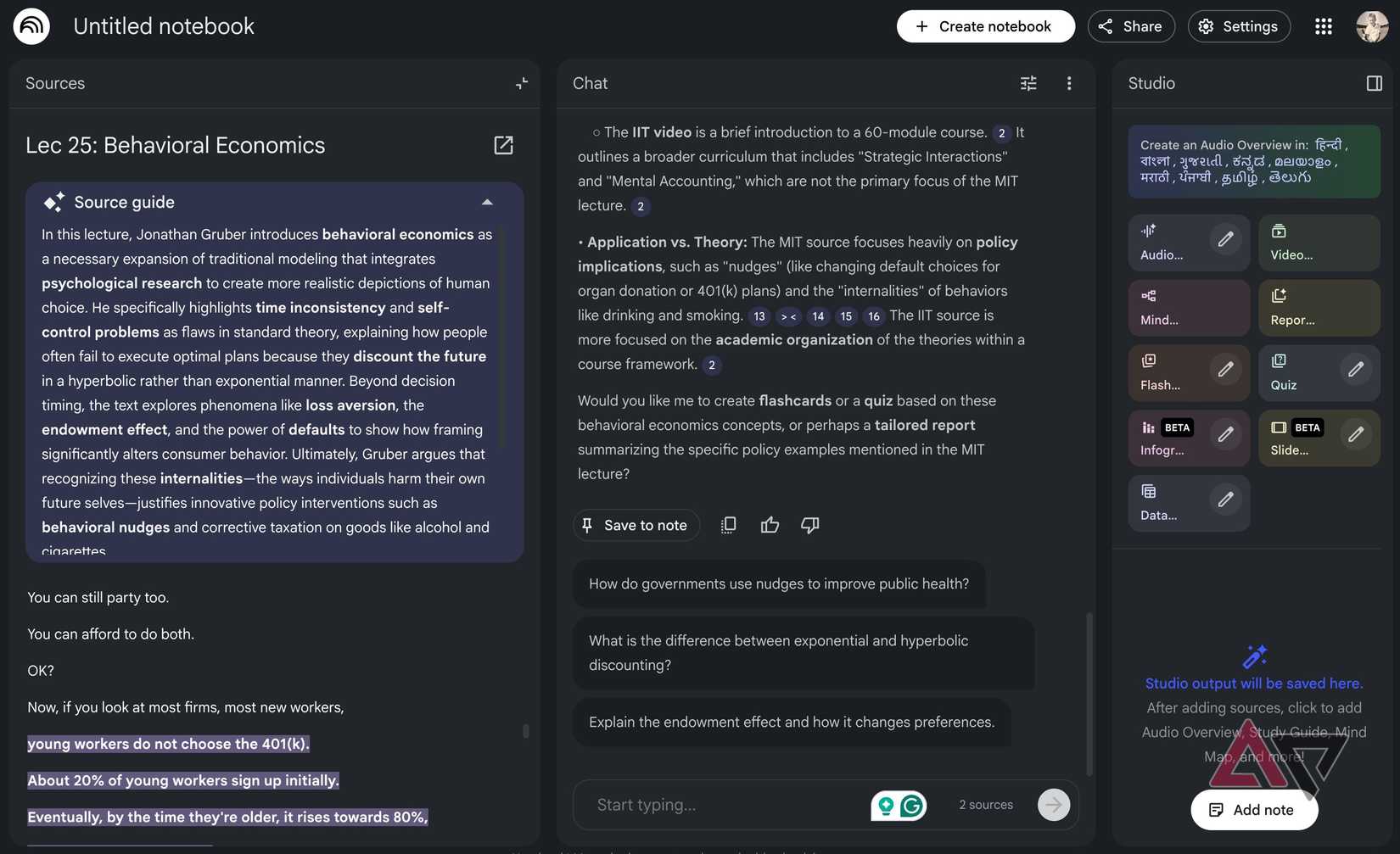
It’s been quite some time since I earned my graduation degree, but I still learn every day. My primary source for learning new topics is through YouTube.
However, since I started using NotebookLM, I no longer need to watch educational content on YouTube to learn something.
It’s easy to get started. All you do is copy the URL of the video and insert it as the source.
Even when NotebookLM didn’t exist, I used to watch multiple videos on the same topic from different sources to gain insights into the topic.
I do the same now, but instead of watching them one after the other and taking notes, I copy the links of every YouTube video I want to watch and upload them as sources on NotebookLM.
Instead of copying YouTube video links manually by switching tabs each time, I use a Chrome extension called YouTube to NotebookLM, which can send an entire YouTube playlist directly to NotebookLM.
After adding all the YouTube links, NotebookLM analyzes the transcript of the video to provide you with a summary, answers, questions, and highlights key points that you need to pay attention to.
NotebookLM answers questions from the source material, not by watching or listening to the video as we do. Instead, it relies completely on video transcripts to answer your questions.
The responses will show numbered citations, which will link back to the exact part of the transcript that NotebookLM used to support it.
While these are all helpful, to be able to learn twice as fast, I use some of NotebookLM’s best tools, all of which are free for everyone for limited use.
How NotebookLM features double my learning output
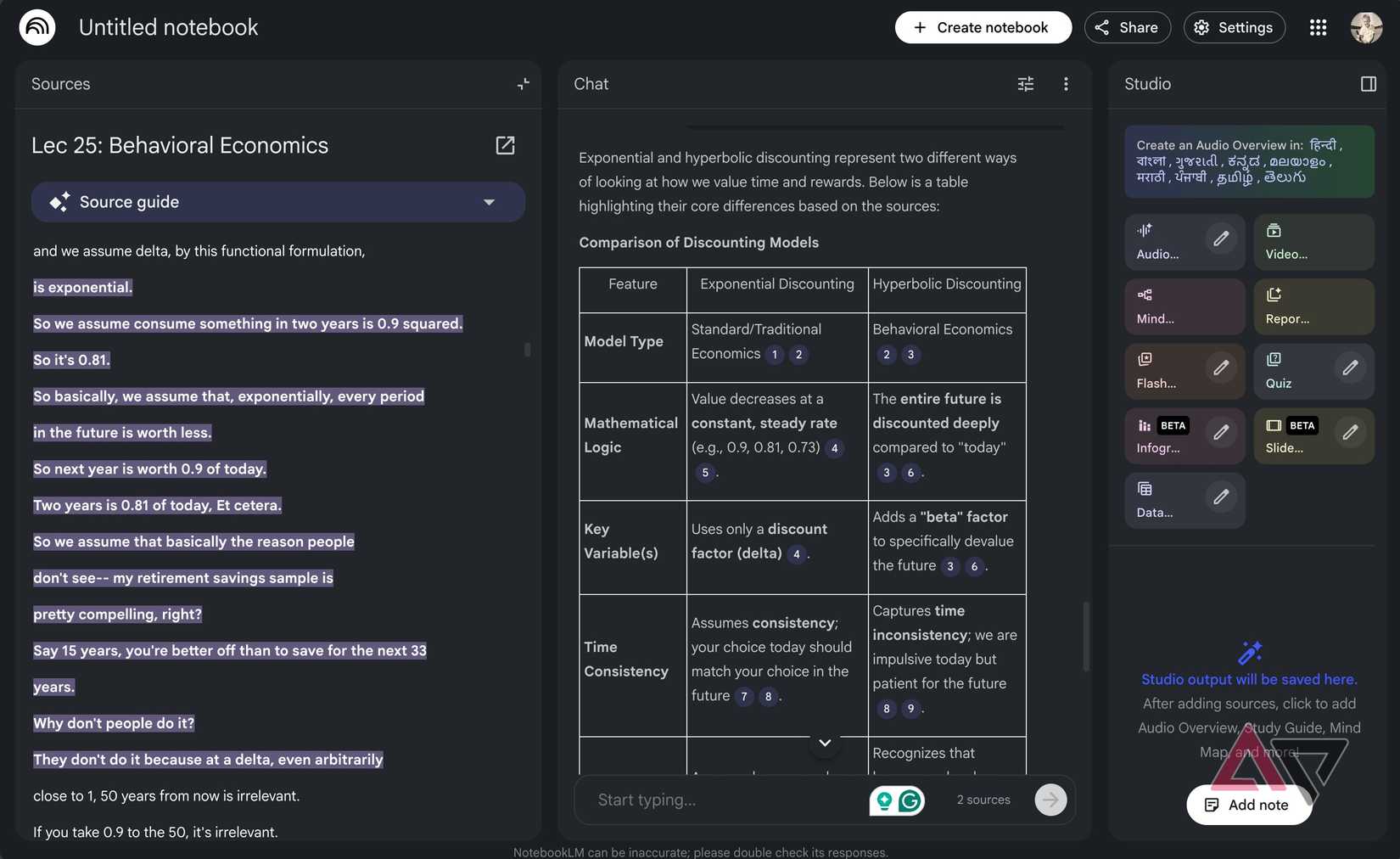
NotebookLM not only answers questions from the YouTube video transcripts, but it can also provide them in specific formats.
For example, while learning about behavioral economics, I asked NotebookLM to highlight the core differences between Exponential Discounting and Hyperbolic Discounting in a table.
It can also give you answers in bullet and numbered list formats.
However, if you want to get a comparison, the table format works the best, which is something you would otherwise have to do manually by watching or reading the entire transcript of the entire video.
However, learning isn’t always fun this way, and it can sometimes take more time to gain insights into a topic.
Instead of learning through asking questions, I use features like Infographics and Slide Decks, which visually break down everything that I need to know.
I use infographics when I need a visual summary of the topic for quick consumption, while Slide Decks is best for detailed presentations.
It feels like someone has created a nice PowerPoint presentation to help you quickly digest the topic.
For something more complex, I use the Audio or Video Overviews feature.
I can choose their length, select the language I want to consume them in, and tell NotebookLM’s AI hosts to focus on a specific topic, which are usually the ones that I find difficult to understand.
After generating the Audio and Video Overviews, I can listen to or watch them whenever I want.
Mind Maps is another handy NotebookLM feature I use, especially when I want to know the relationships between two complex topics. You can also download them as a PDF.
I don’t watch YouTube the same way anymore
I love storytelling through the visual medium, but that’s when I watch movies or TV series, or anything for entertainment. Many educational channels on YouTube try to do this, but that’s not the right approach.
YouTubers may be compelled to follow it because of how the algorithm works, but it wastes viewers’ time by telling things outside the core topic.
NotebookLM cuts the unnecessary noise and filters out the core part of the video. Not only that, it also allows users to learn more about a certain topic that the video only touched on.
NotebookLM is my smart assistant that can quickly decode long hours of complex YouTube videos, where key information is scattered throughout the video, and breaks it down into a smaller, digestible format.
I don’t watch YouTube the same old way because I get so much more incentive when NotebookLM ”watches” them for me.