
GCash has rolled out a new feature that allows users to request civil registry documents from the Philippine Statistics Authority directly inside the app.

The integration is made possible through PSAHelpline, operated by Pilipinas Teleserv, and is accessible via the GLife section of GCash. Users can apply for birth, marriage, and death certificates, as well as Certificate of No Marriage (CENOMAR) and Certificate of No Death (CENODEATH).
Applicants may choose between a digital PDF copy or physical delivery. Processing times and fees vary depending on the selected option.
For electronic copies, documents are typically available within one to three business days. Physical copies are delivered within one to three business days in Metro Manila and three to eight business days in other provinces.
The feature is available to fully verified GCash users. Orders can be placed for oneself, a parent, or a child. Users may also assign an authorized representative to receive physical deliveries, subject to ID verification.
Officials said the integration is part of broader efforts to expand digital access to essential public documents while maintaining existing walk-in and door-to-door services.
For PDF Download (Electronic Copy)
Available within 1–3 business days
• Birth Certificate – PHP 300
• Marriage Certificate – PHP 300
• Death Certificate – PHP 300
• Certificate of No Marriage (CENOMAR) – PHP 360
• Certificate of No Death (CENODEATH) – PHP 360
For Delivery (Physical/Hard Copy)
Metro Manila: 1–3 business days
Other cities/provinces: 3–8 business days
• Birth Certificate – PHP 365
• Marriage Certificate – PHP 365
• Death Certificate – PHP 365
• Certificate of No Marriage (CENOMAR) – PHP 420
• Certificate of No Death (CENODEATH) – PHP 420
How to request PSA documents in GCash
Open the GCash app and tap GLife.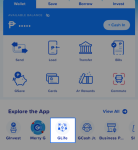
Search for PSAHelpline or go to Government Services.
Allow access to your GCash information and agree to the terms.
Verify that your name and birthday are correct.
Select the certificate type and indicate who the document is for.
Choose your preferred delivery option: PDF download or physical delivery.
Review the details, then tap Place Order and Pay via GCash.
Wait for SMS and email updates regarding your request.
React to this article:
👍
❤️
😂
😮
😢
😡