
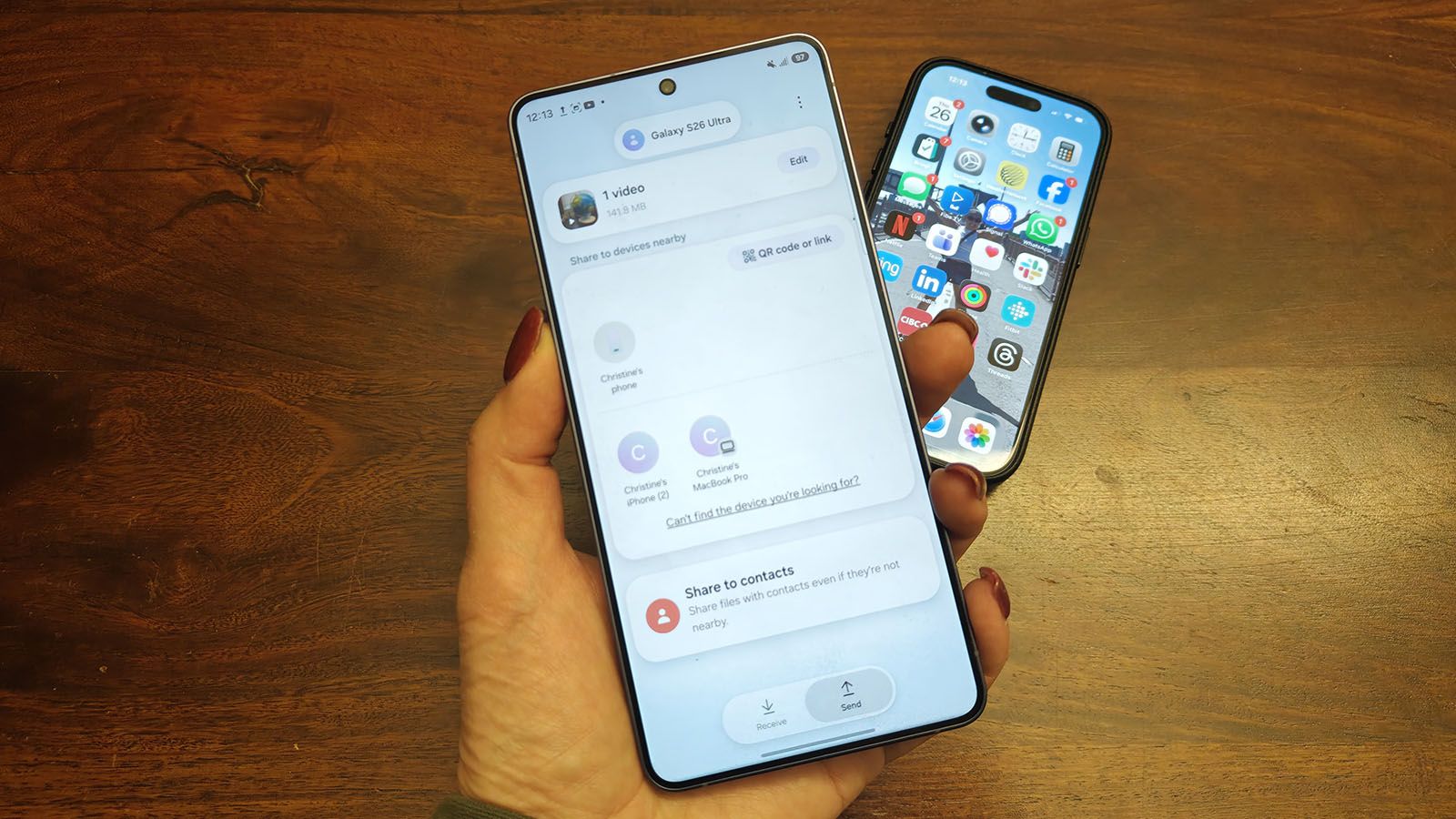
Do you have a friend, family member, or colleague who won’t give up their iPhone? It makes sharing files challenging; the only options are to use e-mail, instant messaging, or a cloud storage site for larger or multiple files.
OnePlus has its Share with iPhone tool in the O+ Connect app, which works wonderfully, though it requires opening the app first on the receiving device. Google added AirDrop to its Pixel 10 series, confirming last month that it would be coming to more devices in the line as well. Now, Samsung is joining, too.
Article continues below
You may like
How to Quick Share from Galaxy S26 to an iPhone
Quickly sharing files with Apple devices is now super simple with a Galaxy S26 device.
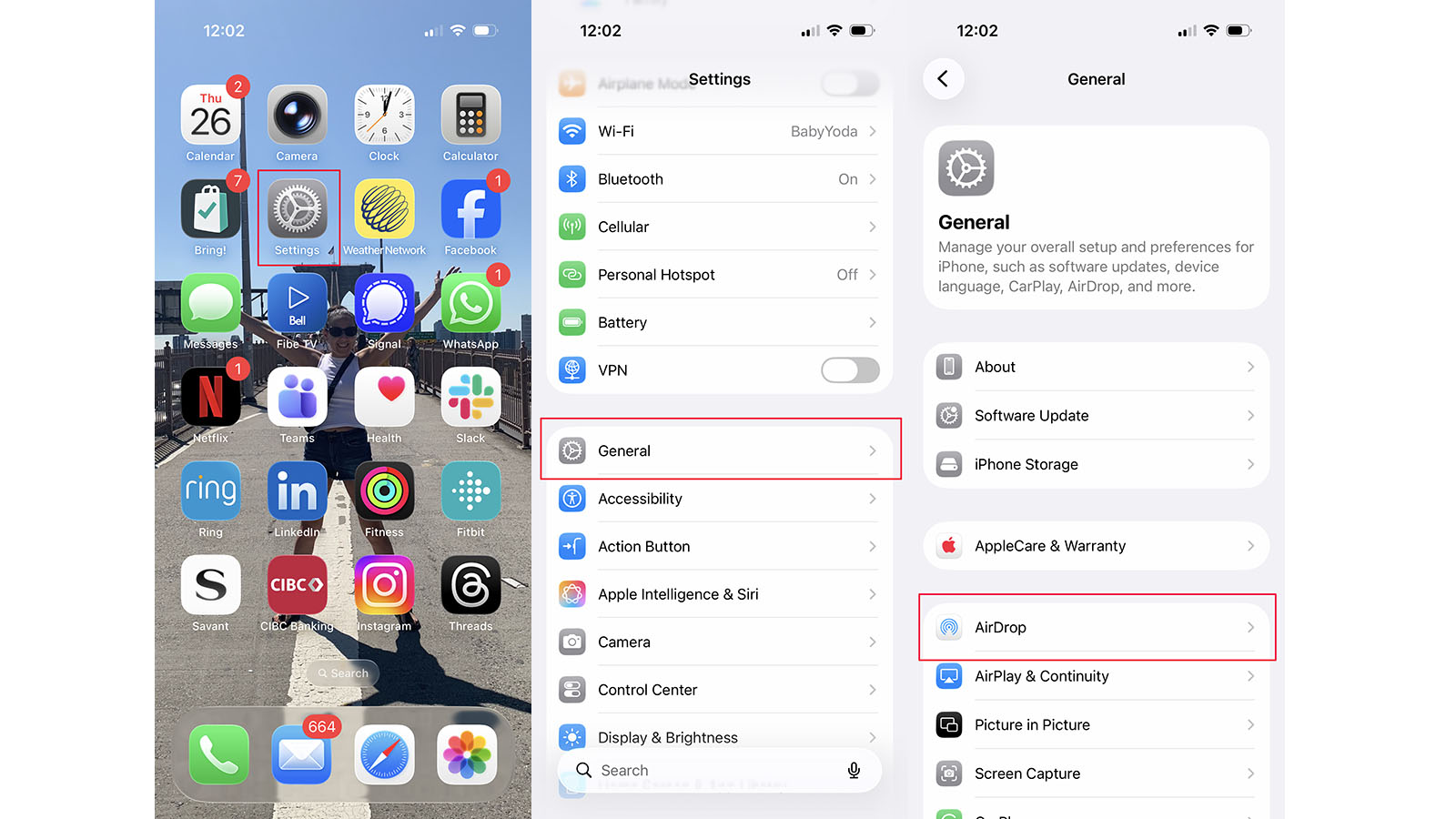
1. First, make sure the iPhone or other Apple device is ready to accept a transfer. Go to Settings on the Apple device.
2. Select General.
3. Select AirDrop.
(Image credit: Christine Persaud / Android Central)
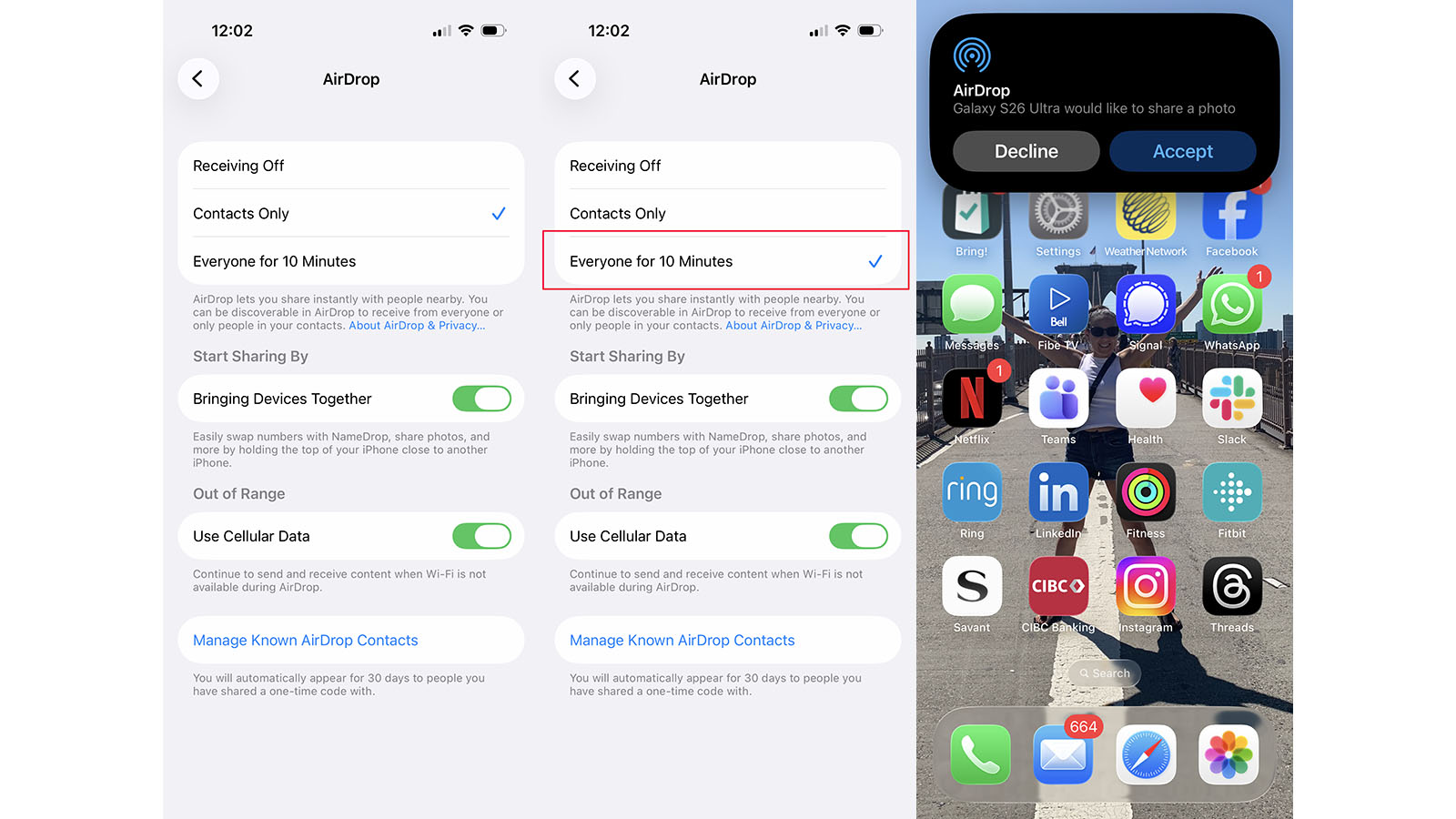
4. Change from Receiving Off or Contacts Only to Everyone for 10 Minutes.
5. Now the device is ready to accept a transfer from a Samsung Galaxy S26 device when it comes through.
(Image credit: Christine Persaud / Android Central)
6. Once the iPhone is ready to accept, make sure the Galaxy S26 is updated to the latest software (you’ll also need Google Play Services v26.11.XX). You may also need to update the Quick Share app in the Galaxy Store.
What to read next
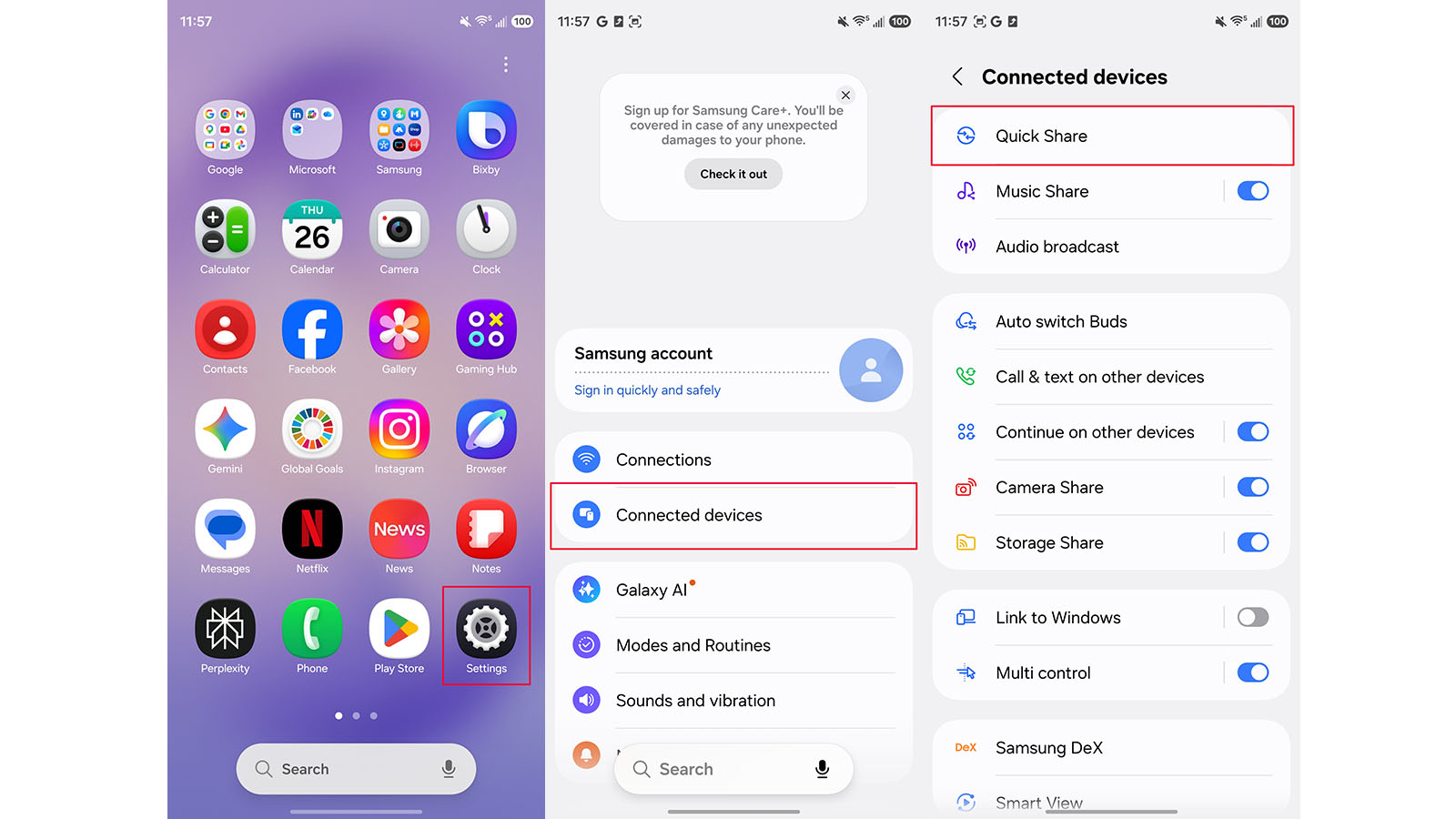
7. Go to Settings.
8. Go to Connected devices.
9. Select Quick Share.
(Image credit: Christine Persaud / Android Central)
10. Make sure Share with Apple devices is turned to the “on” position. Now, you’re ready to share with your iPhone and other Apple devices.
11. Select a photo, video, or selection of files and the Share icon.
12. Select Quick Share. A pop-up will appear the first time you do this.
13. Find your device and tap it.
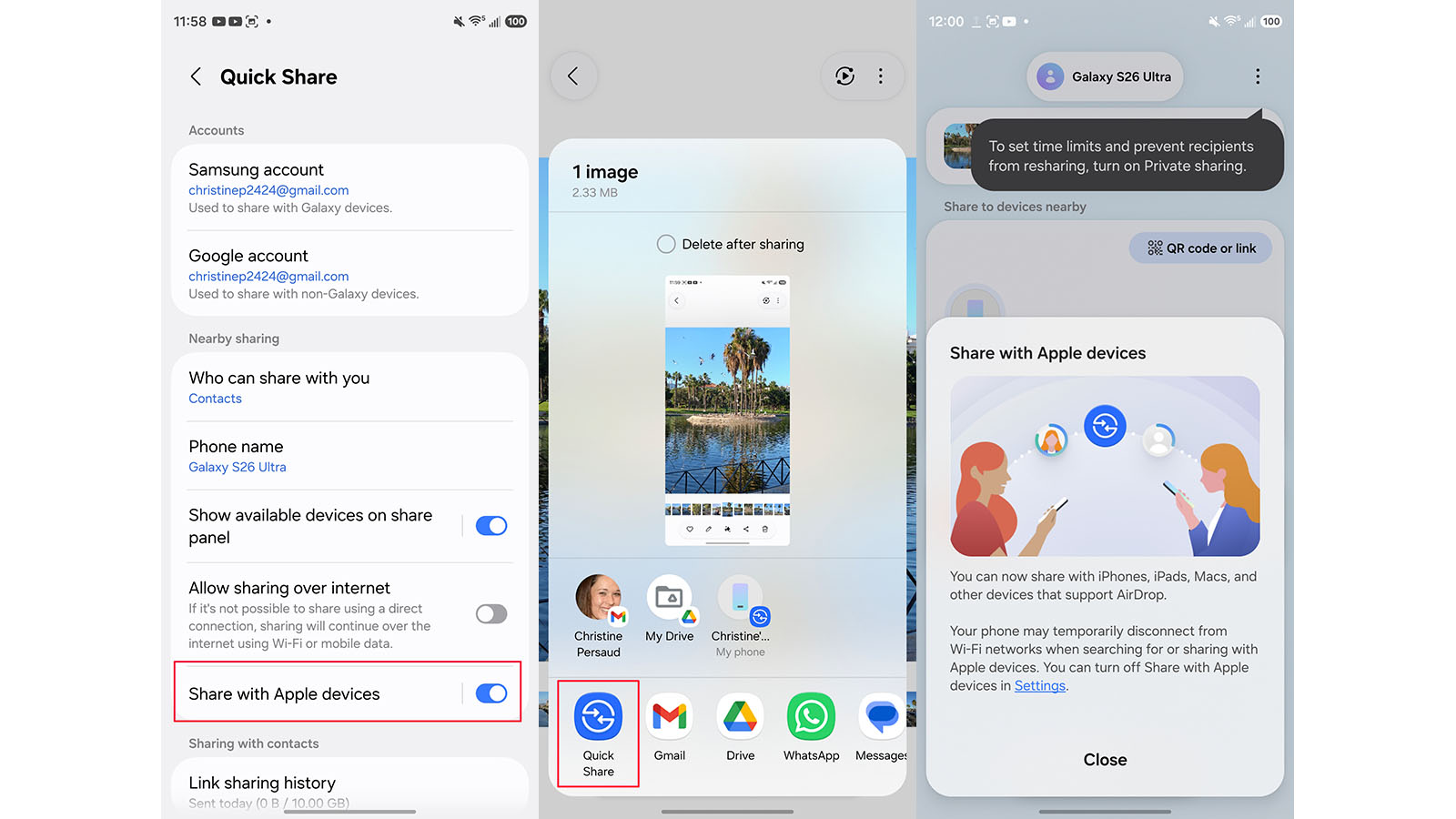
(Image credit: Christine Persaud / Android Central)
Currently, the feature is only supported on Samsung Galaxy S26 devices, but Samsung says it will be announcing support for older model phones “at a later date.”
Testing AirDrop on Samsung Galaxy S26 series
(Image credit: Christine Persaud / Android Central)
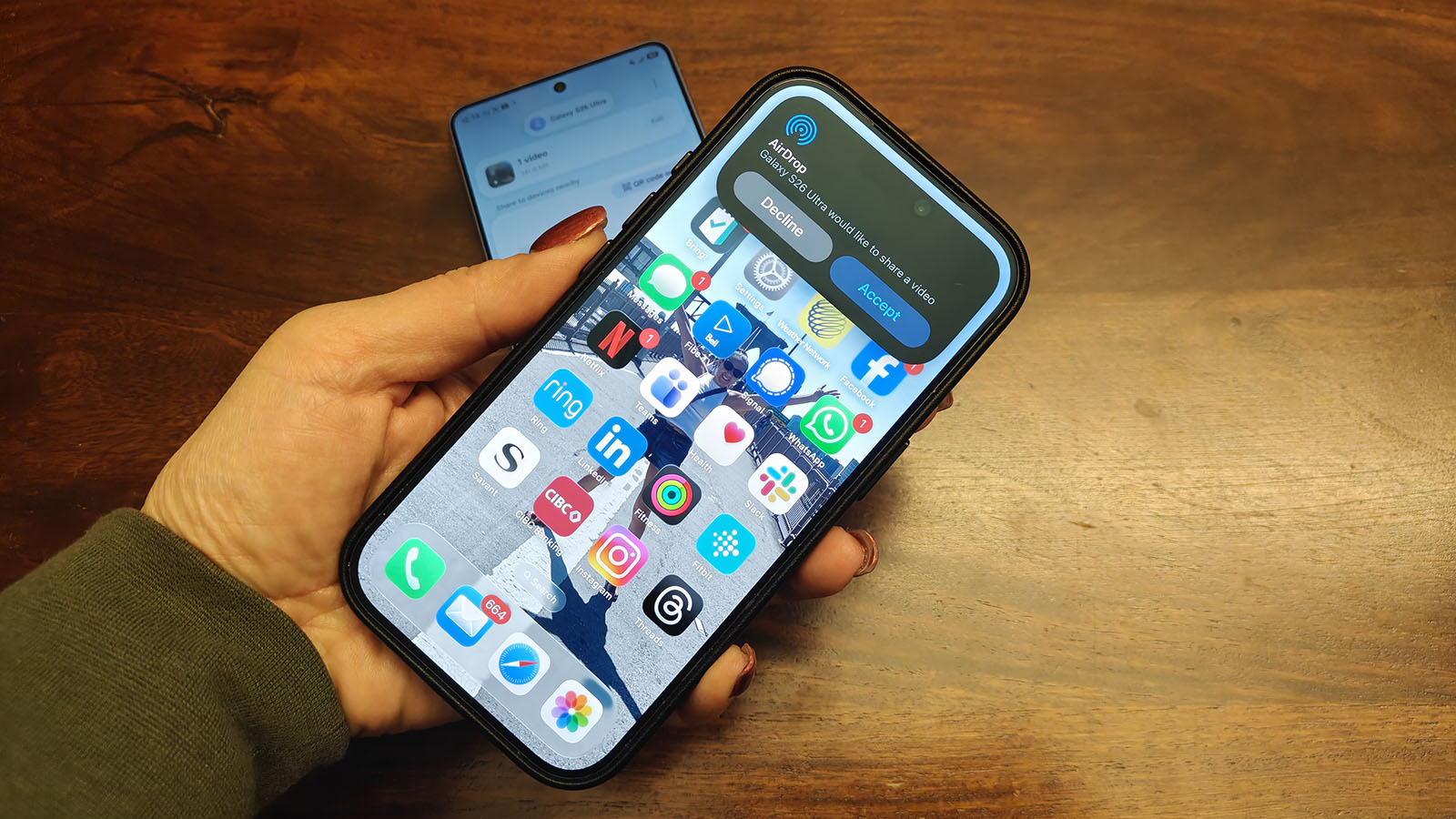
I tried this with a Samsung Galaxy S26 Ultra, an iPhone 17 Pro, and a MacBook Pro M1. After updating to the latest OS and following the steps above, including changing my iPhone and MacBook AirDrop settings to “Everyone,” I tried sending a variety of files. I started small with a single photo.
The aforementioned pop-up confirms sharing with iPhone and warns that the phone could temporarily disconnect from my Wi-Fi network while doing so. The transfer usually takes only a few seconds, so it won’t even be noticeable if it does. But it’s worth noting that if you’re transferring many large files, it could take longer.
(Note that this means you won’t be able to share with Apple devices if your mobile hotspot is turned on, and the phone will warn you when this is the case.)
It worked instantly, just as it does from one Apple device to another. A pop-up appears indicating that a Galaxy S26 Ultra would like to share a photo and offers me the option to Accept or Decline. Once I hit accept, the image arrived and was added to my Recently Saved album. I then tried with multiple photos, and while it took a bit longer, as it does with Apple devices when sending larger files, too, it went through without a hitch. It was the same with a 1.5-minute video file.
(Image credit: Christine Persaud / Android Central)
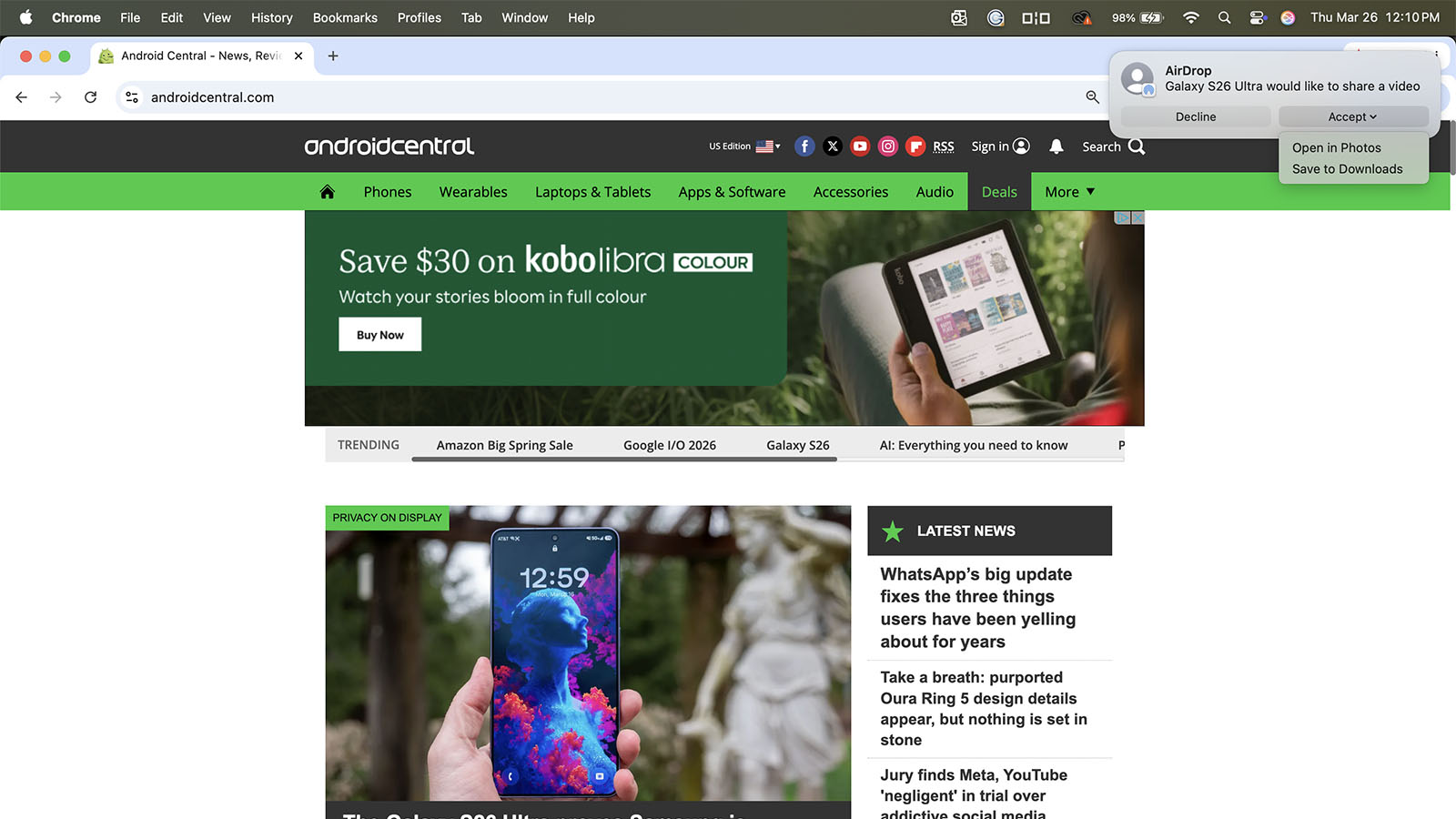
The process worked just as well from a Samsung Galaxy S26 Ultra to my MacBook Pro, with the pop-up allowing me to Accept or Decline, and, if accepted, choose either Open in Downloads or Save to Photos. And, of course, it works when sending files from Apple devices to a Galaxy S26 (or recent Pixel devices), with these devices appearing in the AirDrop flow.
As someone who often takes images from Android phones for articles and then edits them on my MacBook, this feature is invaluable. All screenshots taken from the Samsung Galaxy S26 Ultra and used in this article, for example, were AirDropped to my MacBook Pro for editing in Photoshop. Previously, I would have to upload the images to Google Drive and download them as a zip file from my computer, then unzip and copy them into Photoshop. This eliminates an extra few steps, making the process so seamless.
Why this feature is a game-changer
(Image credit: Christine Persaud / Android Central)
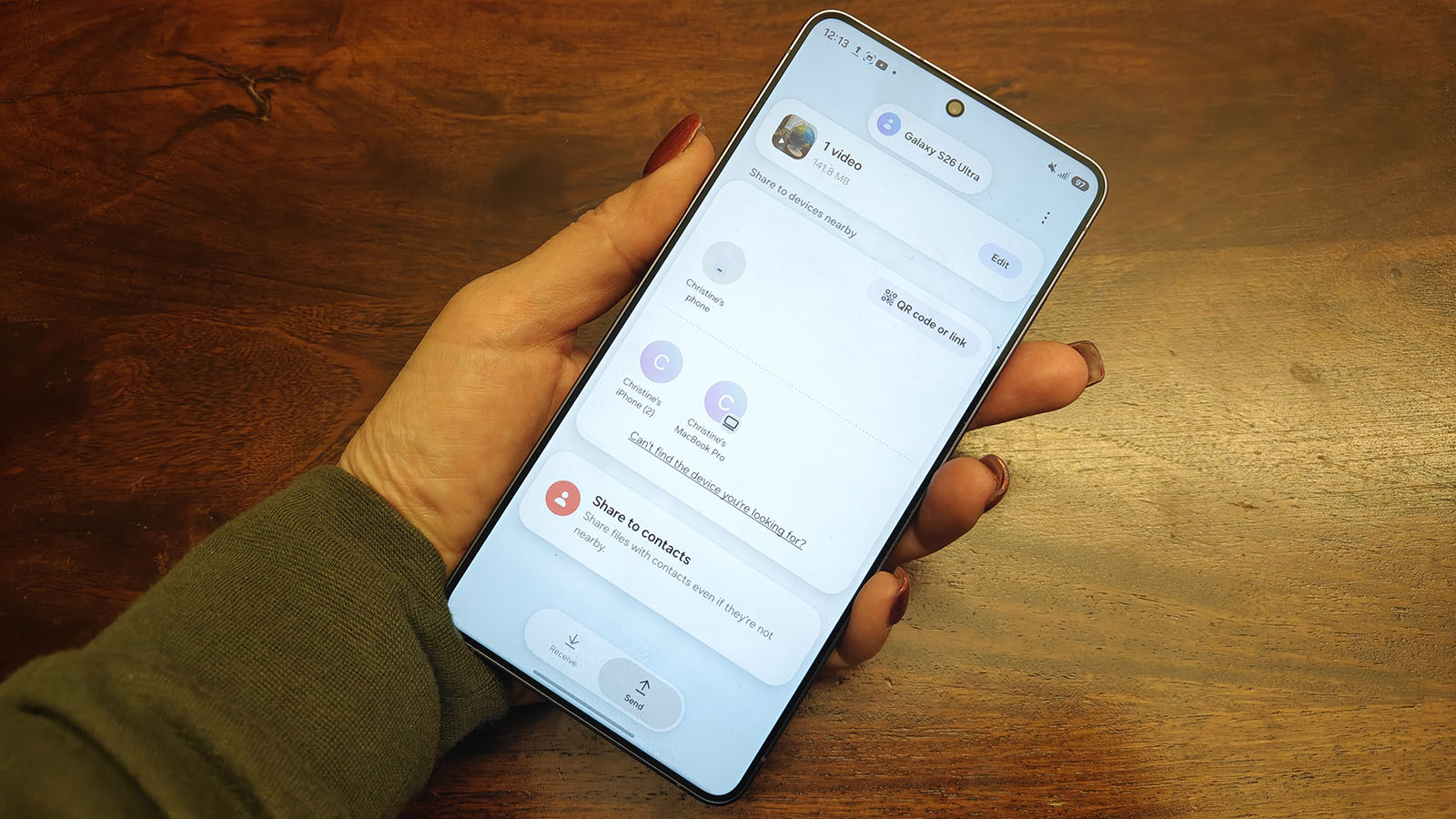
This feature bridges the two Apple and Android worlds in a way that makes sharing content simple, regardless of which OS you use. Imagine sitting at a dinner table with friends. One person hands their phone to the waiter to take a group shot, then must open an email or instant messaging thread to send the photo to everyone.
In fact, this happened to me recently at a work event when one person took a photo and had to send the image to us separately via WhatsApp since one had an iPhone and the other an Android device. He didn’t have one person loaded in WhatsApp, which took a few extra steps to add her. A quick AirDrop tap for both of us would have made it much quicker.
Like RCS messaging, AirDrop on Android devices like the Samsung Galaxy S26 series, as well as compatible Google Pixel devices, is another solution to the compatibility issues that have plagued the industry. We can probably expect to see the feature come to more Android devices in the future. For now, it’s another reason why the Samsung Galaxy S26 Ultra ranks among the best Android phones.
Make the connection
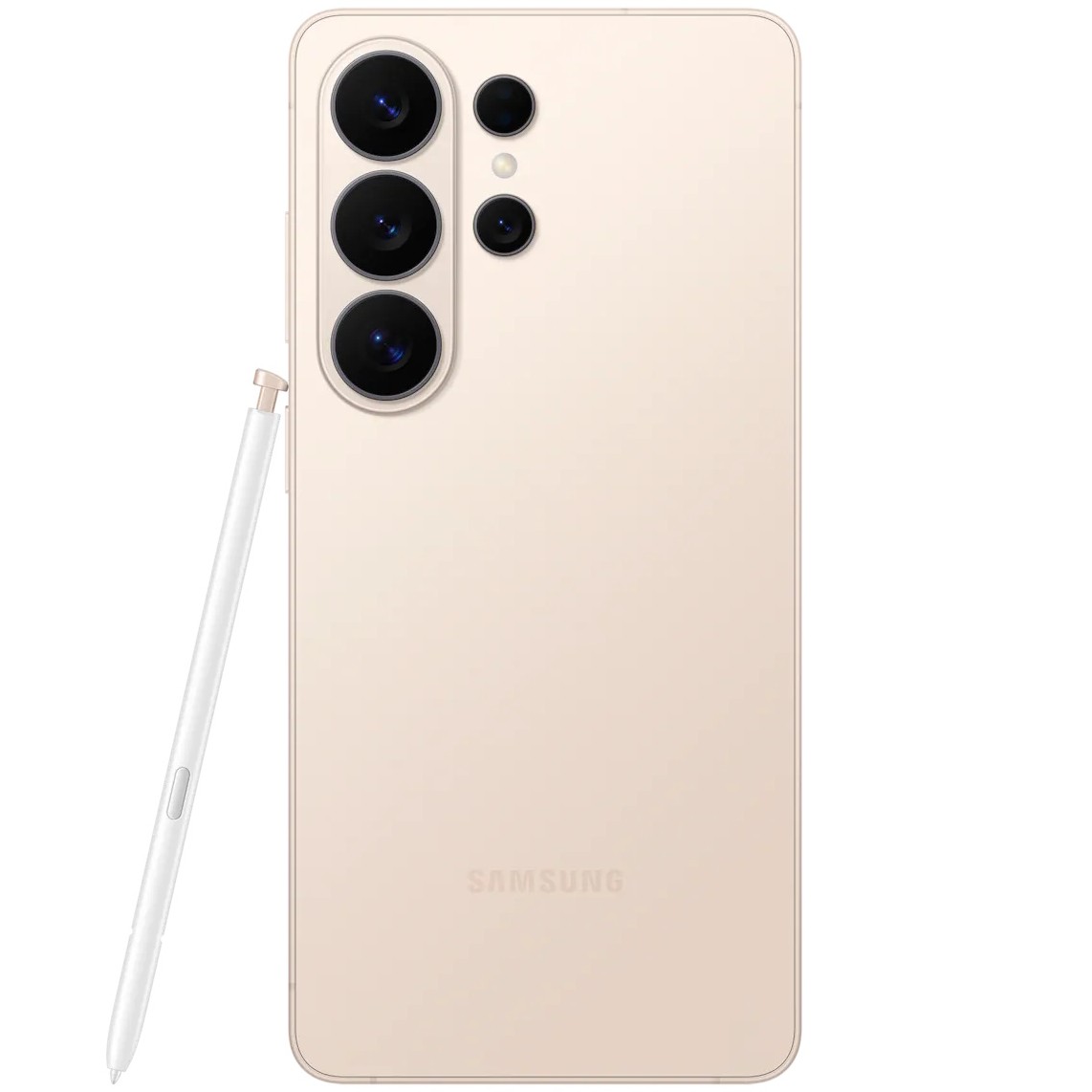
One of the latest and greatest features of the new flagship Samsung Galaxy S26 Ultra smartphone is the ability to AirDrop files from the device to a compatible Apple device, including iPhone, iPad, and MacBook, bridging the Android and Apple worlds.