
Kaitlyn Cimino / Android Authority
TL;DR
Gemini on Wear OS currently requires an active internet connection.
Google now appears to be working on making a limited set of Gemini commands available even without wireless data.
Those could include opening apps, as well as working with timers and alarms.
For as useful as virtual assistants and AI agents can be, all too often accessing them means being tethered to a data connection. On our phones, that’s not normally a deal-breaker, as cellular connectivity’s usually pretty good — and we sometimes even have options for running them locally without data at all. But smartwatches are a lot trickier, lacking the resources for local support, and often leaning on phones for data. If you’re wearing your watch but left your phone at home, you’re out of luck — or at least you have been.
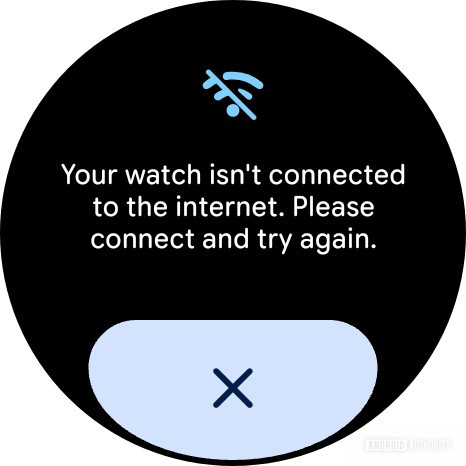
That could soon change, though, based on some developments we just spotted in Google Gemini on Wear OS. Right now, when you try to do anything with Gemini on your watch without a data connection, you’ll see an error message:
AssembleDebug / Android Authority
Don’t want to miss the best from Android Authority?


As we look through Google’s new version 1.29.343.892969432.release, though, we notice some new text strings that appear to reference offline Gemini operations:
Code
Copy TextTo cancel an alarm offline, please include the time with your command.
To remove an alarm offline, please include the time with your command.
Here, the app’s preparing to deliver messaging that communicates the extra steps necessary for offline functionality — namely, specifying a time when modifying an alarm.
Additionally, we’re finding other language that further establishes a split between Gemini features that work offline, and those that require an active internet connection:
Code
Copy Text”I can’t do that offline, but I’m still here for other things.”
So, what exactly are those “other things?” Well we’ve found a whole bunch of other text strings that similarly appear to be part of this effort, but don’t explicitly reference offline operation:
Code
Copy Text”I couldn’t find any alarms to cancel.”
“I couldn’t find any timers to pause.”
Starting stopwatch
“Sorry, I can’t set timers for that long on this device.”
Opening %1$s…
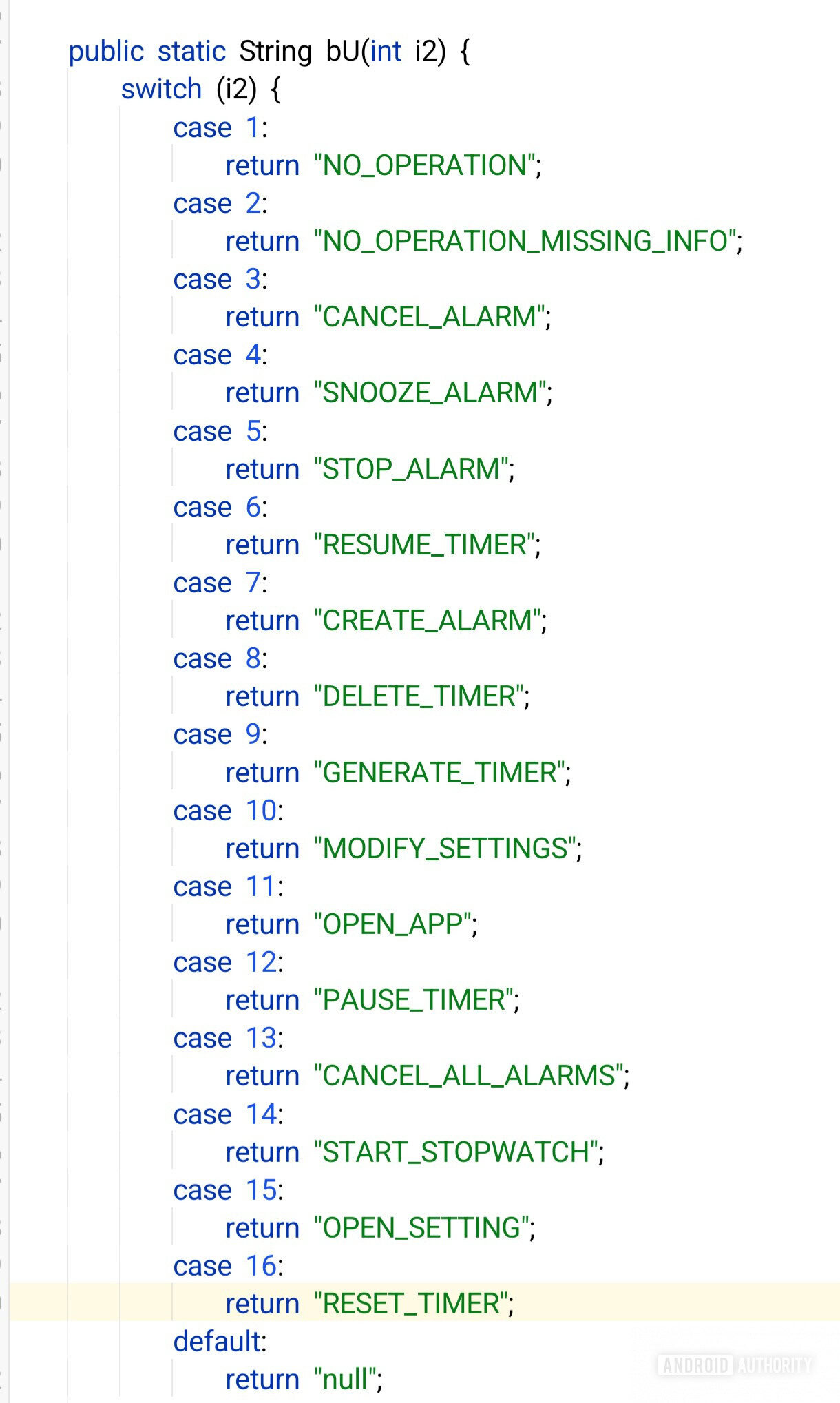
That’s just a sampling of these, though, and we’re also seeing quite a few more. But rather than iterate through all of those, here’s what looks like a much more concise grouping of all the major Gemini device-control features that appear to be getting ready for offline operation:
AssembleDebug / Android Authority
At least, that list seems to account for all the features referenced in the text strings we’ve uncovered so far — but that also doesn’t mean it’s necessarily exhaustive, and Google may well want to extend (or limit) the list before any of this goes live.
We’re also very unclear at the moment if any of this is meant to be Pixel Watch-exclusive, or if Google might be planning to otherwise restrict availability. That might involve support for only certain SoCs, or other hardware requirements that we’re just not aware of yet. We’ll keep an eye on future updates, and with any luck we might just get a more full-featured idea of where Google’s headed with this upgrade.
⚠️ An APK teardown helps predict features that may arrive on a service in the future based on work-in-progress code. However, it is possible that such predicted features may not make it to a public release.
Thank you for being part of our community. Read our Comment Policy before posting.