
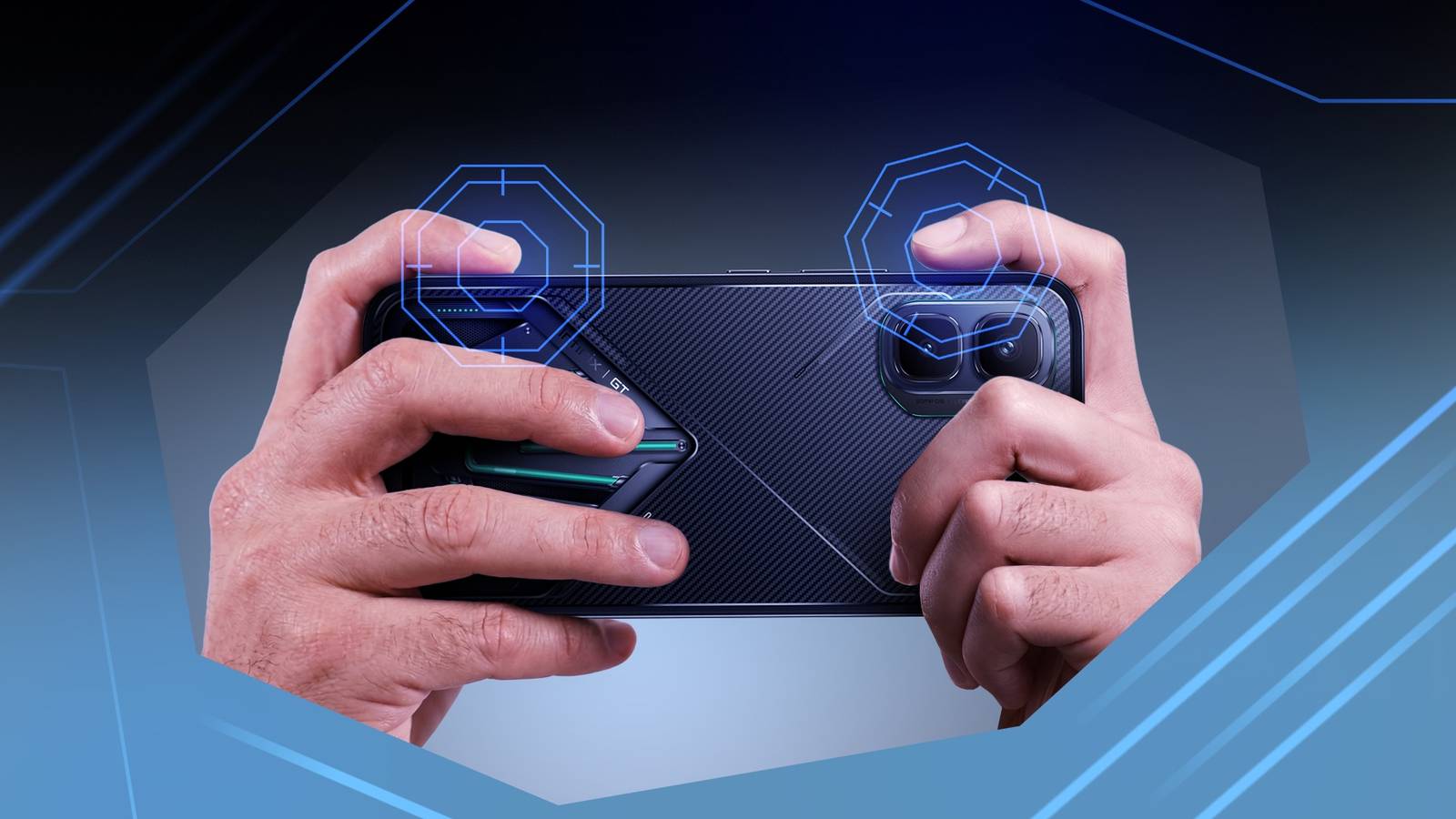
At least, it’s everything I thought before I got my hands on the Infinix GT 50 Pro. The midrange device added a tactile advantage to my in-game strategy and boosted my comfort by 40%. It’s not a number I’m throwing around lightly, considering the phone is heavy. Here’s why.
Related
I gave my Galaxy S26 Ultra extra buttons, and it’s surprisingly useful
This case adds real buttons to the S26 Ultra
My phone has built-in shoulder buttons
They fixed my biggest pain with touchscreen controls
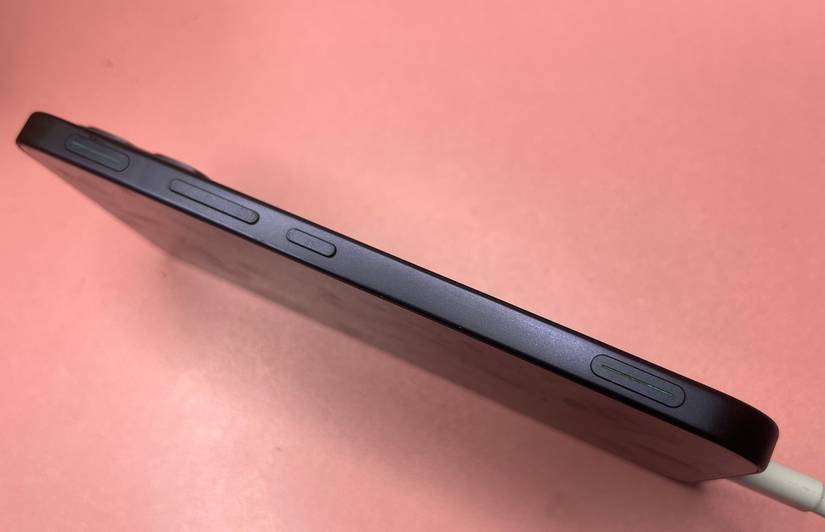
Coming from console gaming to onscreen shooters took some getting used to. A controller gave me physical feedback for everything, such that it became part of my muscle memory. After years of gameplay, your fingers know where to go without you overthinking the input.
I expected pairing my PlayStation 4 pad to my phone for a similar experience. But the Bluetooth connection caused input lag in fast-paced battle royale titles where every second counts.
It’s a problem I solved with USB-C OTG adapters and modifications to my controllers. But it doesn’t fix the bigger button-mapping issues. Most games officially support Xbox controllers, so the DualShock’s layout doesn’t map well.
Their pickiness stems from the licensing history of Microsoft and Sony.
The former has an open XInput API for PC gaming, and because Android’s own input system maps closely enough, Xbox controllers work seamlessly on mobile too. It’s also easier to code controller input without permission.
The latter has a stricter HID protocol that’s expensive. Developers may need Sony’s official software development kit (SDK) to unlock the full feature set. It’s unsurprising they go for the most convenient option.
That aside, I stuck with the touchscreen because of a shortage of options. My hands eventually adjusted until I normalized the physical strain following long sessions.
It hasn’t bothered me in years. My old Realme 12+ weighed 188 grams, while the GT 50 Pro weighs 198 grams. The 10-gram difference was barely noticeable until I fixed it into the included MagCharge case and strapped on the cooling fan.
My grip style looks like a four-finger claw. I hook both pinkies underneath the phone in landscape mode, while the three middle fingers stabilize it at the back.
Then my thumbs and index fingers stretch across the display, drawing repeated half-arcs. It’d have been a nightmare maintaining this position without the GT Trigger on the device’s sides.
I’m a better strategy planner
My stacked attack sequences tower over the enemy’s
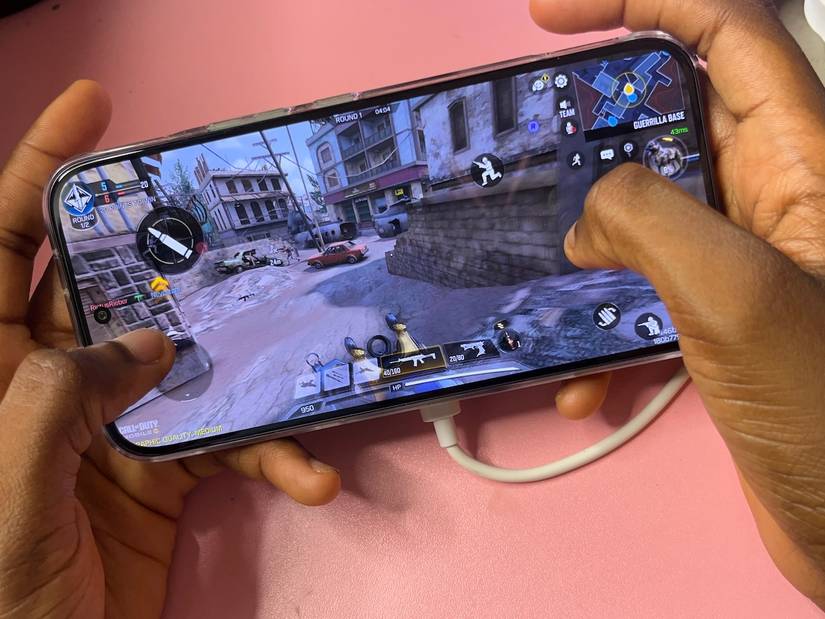
Infinix’s GT Triggers are on the top-left and top-right edges of my phone’s frame when I hold it horizontally for gaming. They work like the L1 and R1 shoulder buttons on a controller, except they don’t physically click. Instead, they’re pressure-sensitive zones that feel soft to the touch.
Because Infinix integrated them into the frame instead of letting them stick out, the phone looks normal from the front. Enabling haptic feedback helped a lot because the vibration simulated a real button press. I place my left index finger near the left trigger and my right index finger near the right one.
My hands are more balanced as my fingers have somewhere to rest. Because they’re not hovering on my screen, I can see more parts of my virtual environment than before. Infinix’s XBoost AI side panel makes it easy to remap them.
It slides out of the top left corner. Then I assign simple taps, heavy presses, swipe gestures, or even multiple actions stacked or paired together onto a single trigger.
One of my Call of Duty Mobile strategies involves linking the one-press ADS-fire button with a stance action. Whenever I press the left trigger, my skin may shoot targets while dropping low or jumping to avoid hits. Then I use my right thumb to swivel the camera and stabilize shot bursts.
The XBoost AI also lets me record multiple touchscreen actions into one sequence. Hence, one trigger chains the stunning, dashing forward, and launching an attack combo in rapid succession. I reserve this feature especially for Multiplayer Online Battle Arena (MOBA). You’ll find these settings under Quick Access Tools in the smart sidebar.
There’s a world beyond gaming
I navigate it seamlessly every day
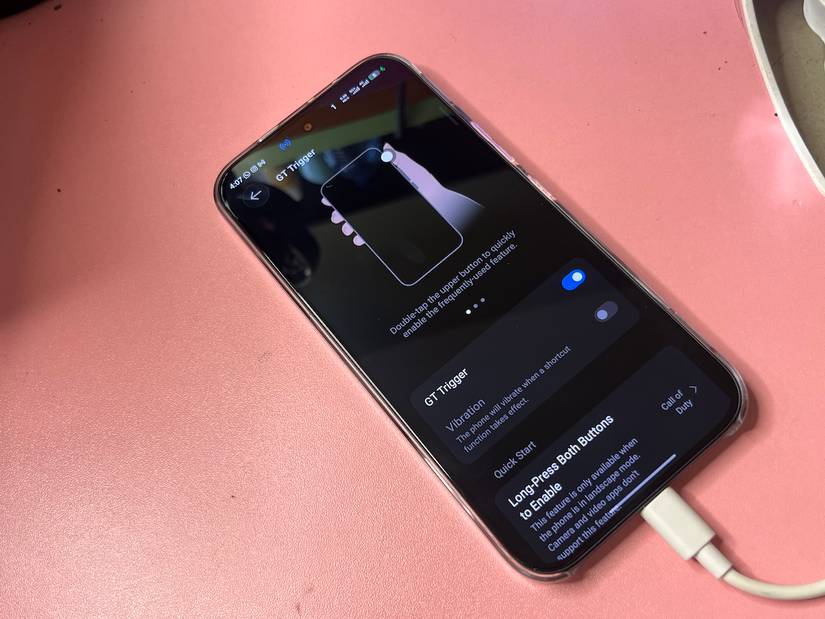
Android’s power button functions are limited to what its name implies or waking the voice assistant. On older Samsung devices, the Bixby button had the same problem. I used to experiment with Tasker in rerouting the button to Google Assistant, and even managed to restore Android 12’s smart home controls panel. It worked until the solution was patched.
The GT 50 Pro gives me the luxury of having three powerful buttons. A double-tap on the upper trigger launches a vertical carousel, which I preloaded with my most-used apps and services. Then I swipe my fingers on it to scroll and tap to select the camera, flashlight, Netflix, Notepad, Uber, or Deezer functions and apps.
More interesting is being able to pin specific chats from installed social media apps. They’re my shortcuts to reaching my favorite people while avoiding distractions from the broader software. The same button allows me to tap once to capture single shots or long-press to shoot bursts when taking pictures. Scrolling zooms in on subjects.
Again, the app drawer is an accessible grid of every installed app on most Android phones. Some people turn it off in favor of the home screen. But either preference exposes you to distractions if you don’t know what you’re looking for.
Although Google Play Games and Infinix’s XArena consolidate my game collection, I’ll navigate there to open them. Long-pressing both triggers offers quicker access through a horizontal carousel that covers the screen in landscape mode. I can swipe to select and launch preset titles.
Related
7 Google Pixel 10 accessories I’d buy again and again
These are so good you’ll come back for more
Get a grip on your phone
The GT 50 Pro makes it clear that I’ve barely scratched the surface of mobile gaming. So, I’m currently exploring various accessories. Thumb sleeves wouldn’t be bad for someone who has sweaty palms and wants better tap accuracy.
I would also get a hardshell polycarbonate case that brings the phone closer to its original density in hand. It’s a shame global availability currently means I can’t get one from top brands like Spigen or Ringke. I hope that changes soon.