Google just gave Wear OS its biggest overhaul in years. If your Pixel Watch dies before dinner, this update is for you. At Google I/O 2026, the company unveiled Wear OS 7. The new version focuses on two things: better battery life and smarter AI. Here’s what’s actually changing — and what it means for your wrist.
Battery Life Gets a Meaningful Boost
Let’s start with the most practical upgrade. Google says watches moving from Wear OS 6 to Wear OS 7 will see up to 10% better average battery life. You don’t need new hardware for this — it’s a pure software improvement.
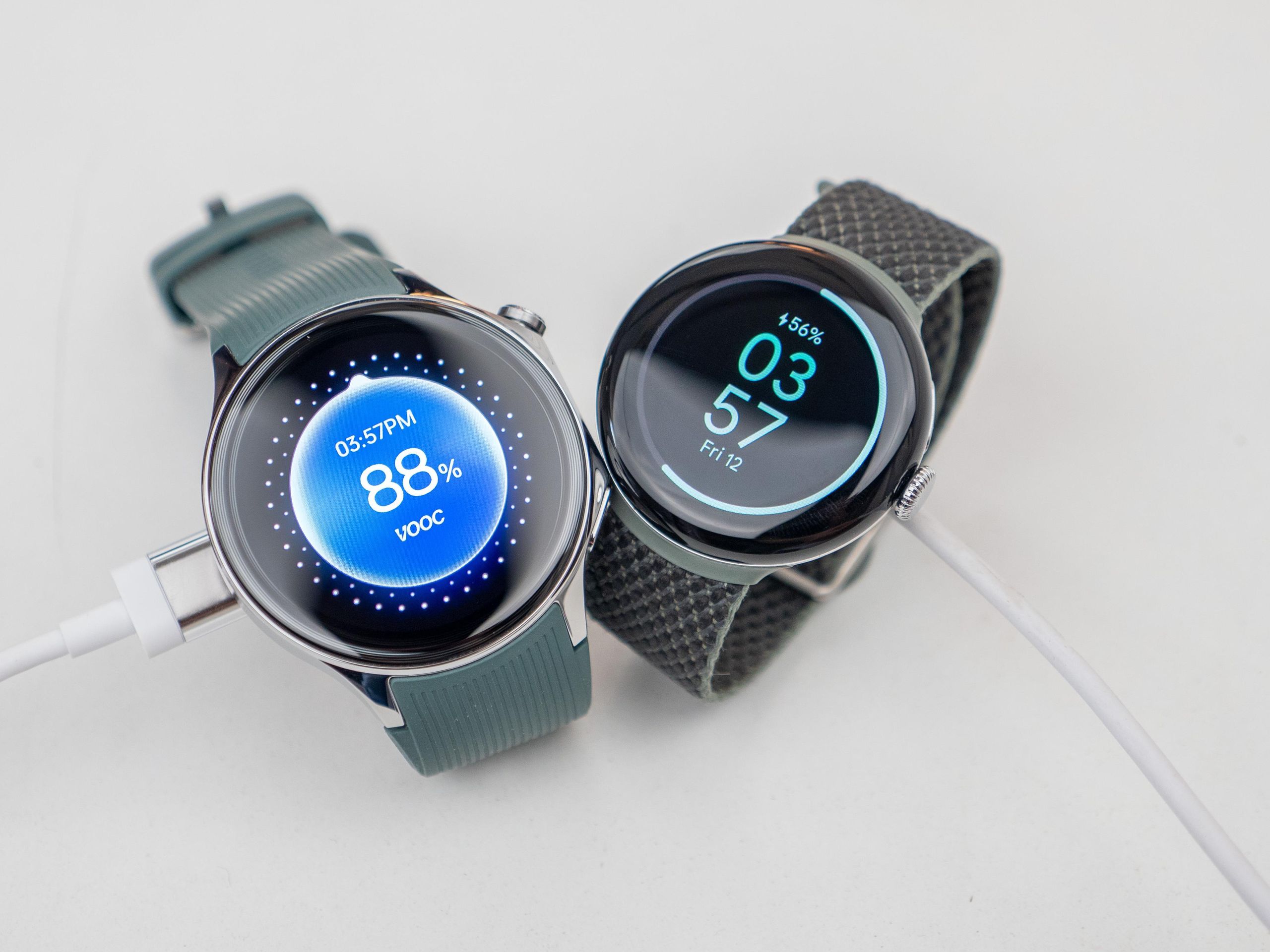
On paper, 10% might not sound dramatic. But smartwatches live and die by their battery. The difference between lasting a full day and dying at 8pm can hinge on a handful of percentage points. Every gain matters.
Wear OS 7 builds on Android 17. A Canary build — Google’s term for an early developer preview — is already live. The public rollout lands later this year.
Live Updates: Real-Time Info on Your Wrist
One of the biggest new features is Live Updates. Think of it as a smarter notification system. Instead of a static alert, your watch shows dynamic, updating information — without opening any app.
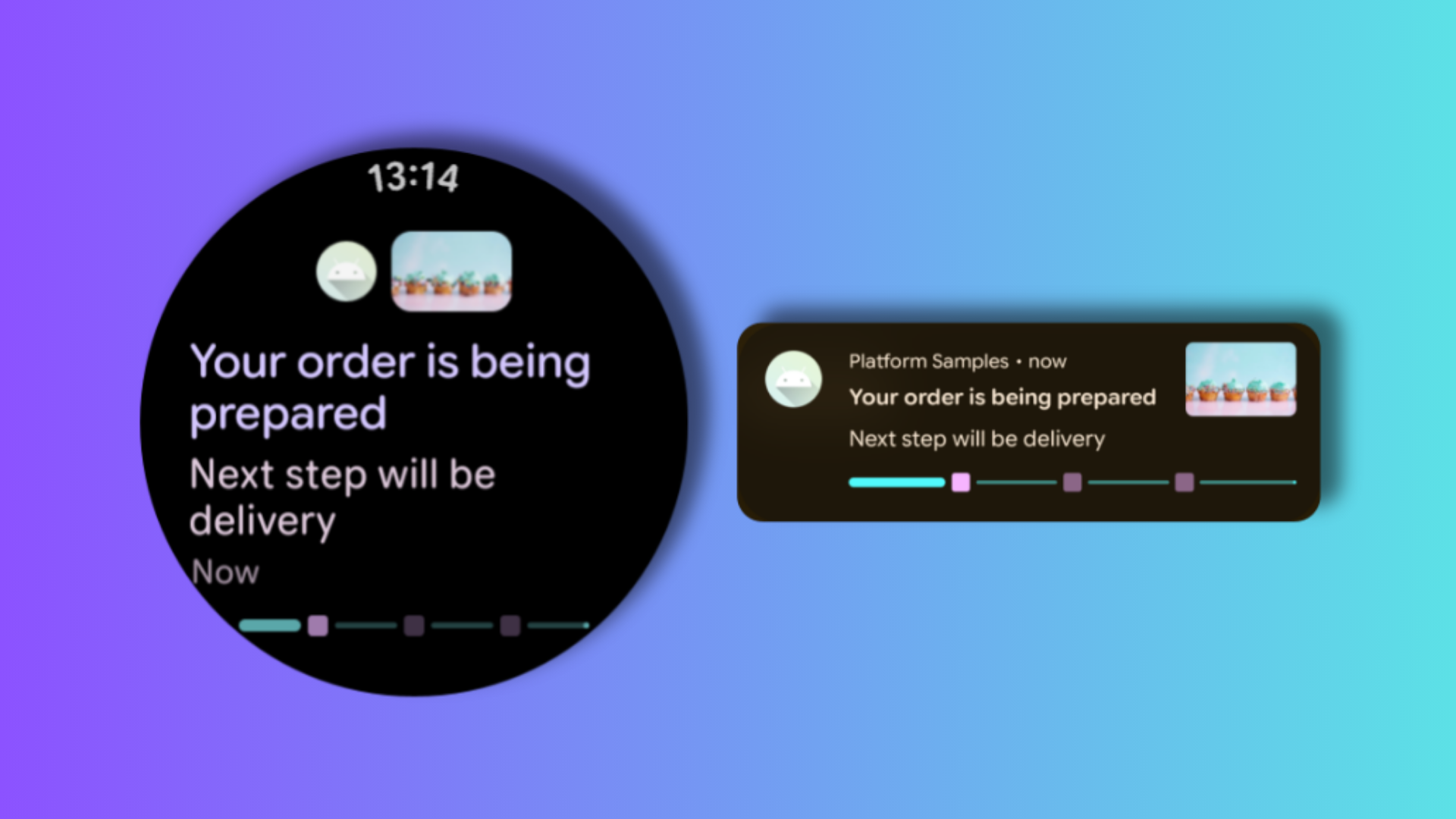
Ordered food delivery? The notification doesn’t just say “order placed.” It shows a live countdown as the driver gets closer. The same applies to ride pickups, navigation progress, or any app that tracks an ongoing task.
Notifications now work across three levels:
A small icon on the watch faceA card-style page with live infoAn expanded view with full detail
Google also confirmed that for supporting manufacturers, phone apps can bridge Live Updates directly to your watch. Developers don’t have to rebuild anything from scratch.
Widgets Replace Tiles — Here’s the Difference
If you’ve used a Wear OS watch, you’ve probably swiped through Tiles. These are full-screen panels showing quick info like step count or weather. Wear OS 7 replaces them with Wear Widgets.
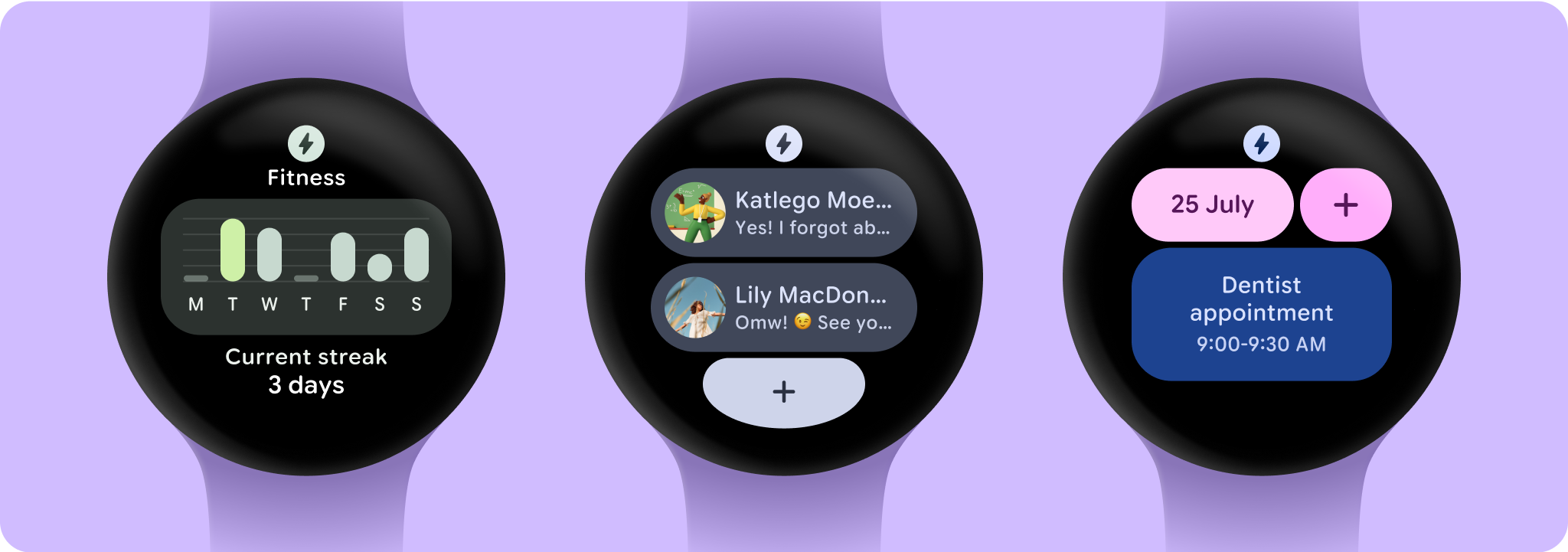
The new widgets come in two sizes: small (2×1) and large (2×2). These match the widget formats already used on Android phones. Developers who’ve built phone widgets can now apply the same design to the watch. Less duplicate work, more consistent experience.
One trade-off: you can’t stack multiple widgets on a single screen. That’s unlike Samsung’s Galaxy Watch approach. But the payoff is a cleaner, more unified interface across Android devices.
Gemini Intelligence Is Coming
Here’s where Wear OS 7 gets exciting — and where you need to manage your expectations.
Wear OS 7 brings Gemini Intelligence to smartwatches
Google is doing this through something called AppFunctions. Developers can plug their apps directly into Gemini. Users can then trigger actions using natural voice commands mid-activity. Google’s own example: start a workout, then tell your watch to place a DoorDash order — no phone needed.
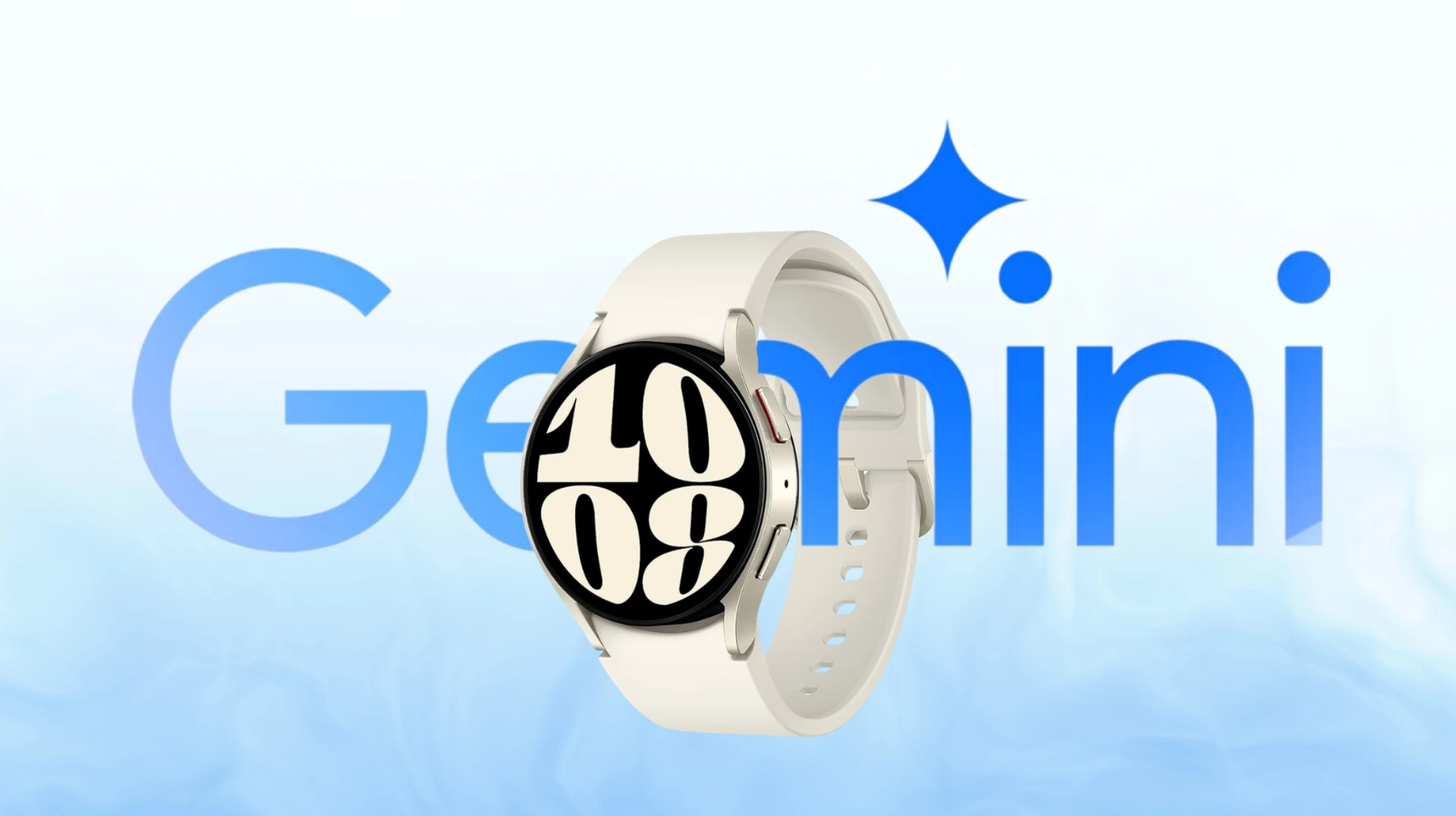
This fits into the much larger Gemini push Google unveiled at I/O 2026 — from Gemini Omni and Gemini Spark on other devices, to the Gemini-powered AI smart glasses revealed at the same event. The watch is becoming a genuine piece of that ecosystem.
But Existing Pixel Watch Owners Don’t Get It
Here’s the catch. Gemini Intelligence only arrives on select new watch models launching later in 2026. Google hasn’t confirmed it for any existing device.
The feature likely needs chipsets capable of running Google’s Nano v3 model on-device. Today’s watches don’t have that hardware. If you own a Pixel Watch 3 and hoped for an AI upgrade, this one isn’t it.
The AppFunctions API is open to developers now. The ecosystem will be ready. But the full experience requires next-gen hardware.
Media Controls Get Smarter Too
Wear OS 7 also adds per-app media auto-launch controls. You now choose — per app — whether media controls appear on your watch when audio plays on your phone. Spotify on the wrist: yes. YouTube notifications cluttering the screen: no.
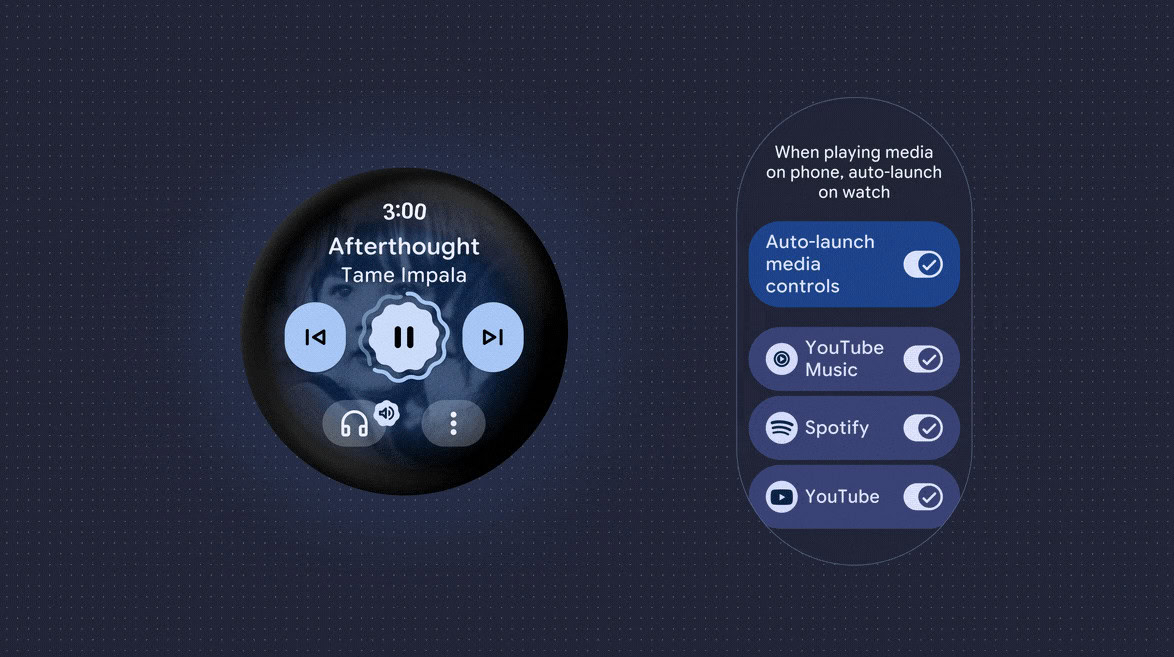
Google is also adding a Remote Output Switcher inside the system media controls. Changing where audio plays — phone speaker, earbuds, or Bluetooth device — now takes one tap instead of three.
FAQs About Wear OS 7When does Wear OS 7 launch?
The Canary developer build is live today. The full public rollout comes later in 2026. Google hasn’t announced a specific date yet.
Which watches will get Wear OS 7?
Google has confirmed Wear OS 7 for Pixel Watch and Samsung Galaxy Watch devices, among other supported models. Battery improvements and Live Updates reach most compatible watches.
Will my current Pixel Watch get Gemini Intelligence?
No — at least not yet. Gemini Intelligence is exclusive to new watch models launching later in 2026. It likely requires a more powerful chipset than what’s inside today’s Pixel Watch lineup. Existing owners get Wear OS 7, but the AI layer stays behind for now.
What happened to Tiles in Wear OS 7?
Tiles are out. Wear Widgets replace them. The new system uses two size formats — small and large — that align with Android phone widgets. It’s a cleaner, more flexible approach, though you can’t stack multiple widgets on one screen.
Does Wear OS 7 work with the Samsung Galaxy Watch?
Yes. Samsung Galaxy Watch is among the confirmed devices for the Wear OS 7 update, alongside Pixel Watch and other third-party models.
Is Wear OS 7 related to what Google announced at I/O 2026?
Yes — Wear OS 7 was one of several major announcements at Google I/O 2026, alongside new Gemini features, AI smart glasses, and broader Android updates.
Vincee Cole is a technology journalist with four years of experience covering the full spectrum of modern tech — from consumer devices, artificial intelligence, to quantum computing, blockchain, and digital assets. His reporting cuts through complexity to deliver stories that are sharp, grounded, and relevant to both general readers and industry insiders. Previously, he worked with fintech research teams across Southeast Asia, analysing how emerging technologies are reshaping financial systems at scale.