
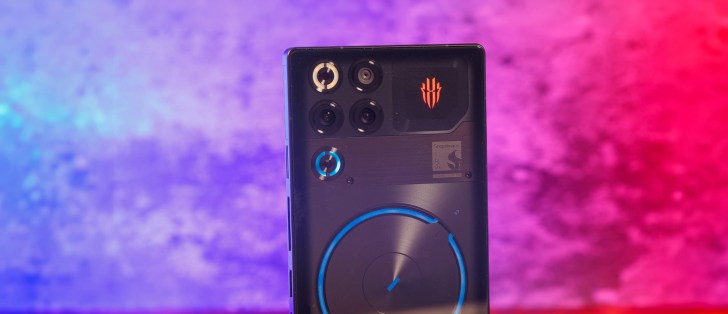
Redmagic OS 11.5 and Android 16
The RedMagic 11S Pro launches with Redmagic OS 11.5 based on Android 16, which is an incremental update over the Redmagic OS 11 that launched alongside the RedMagic 11 Pro. The underlying OS, Android 16, is still the same, though.
“RedMagic now provides 5 years of software support for customers in the European Union and the United Kingdom, including major Android OS updates and regular security patches. In other regions, RedMagic offers 3 years of support. We continuously adapt our update cycles to local laws and industry standards, balancing product lifecycle, user experience, and technical requirements to deliver stable, high-quality software support worldwide.”
Unfortunately, the five-year commitment is a bit ambiguous as it doesn’t explicitly state that you should expect 5 major OS upgrades. This remains nubia’s official statement on the matter.
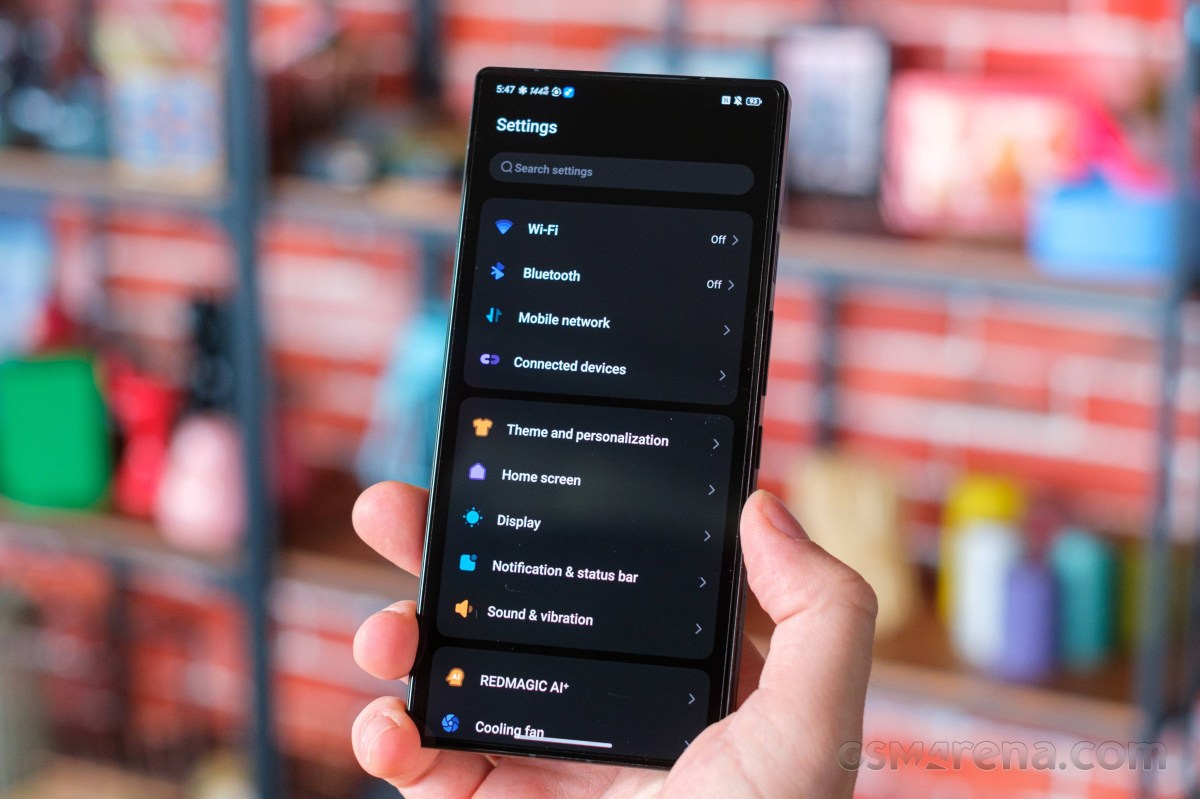
From a visual standpoint, the Redmagic OS 11.5 doesn’t differ too much from the previous iterations. It looks exactly the same as the older versions, and there aren’t any new AI features either.
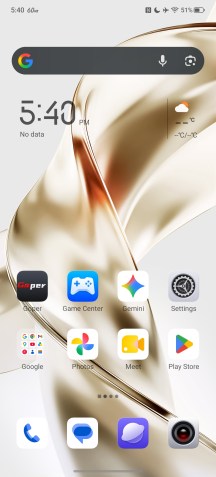
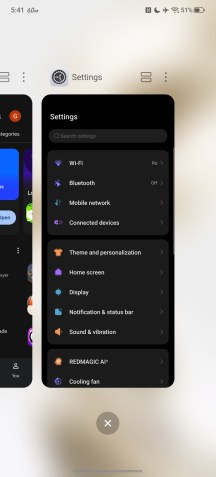
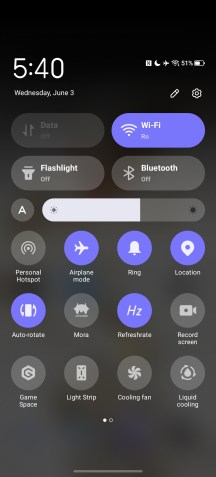
Home screen • Notification shade • Recent apps
You can still use Google’s Gemini and also use RedMagic’s virtual assistant Mora.
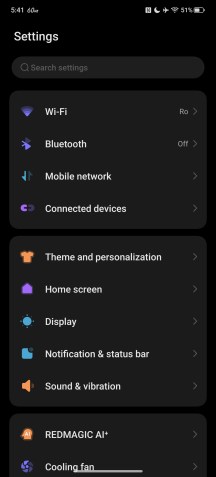
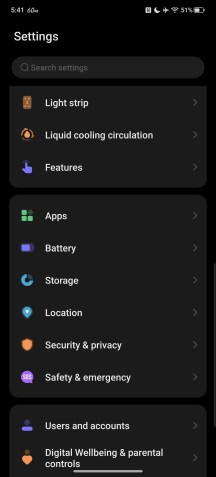
Settings menu
Under the RedMagic AI+ sub-menu, you will find standard AI-powered tools like live translation, image generation, etc.
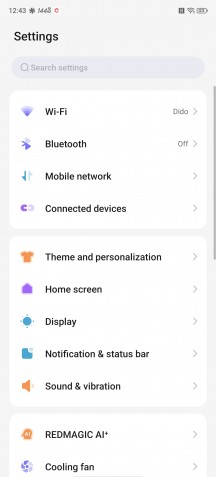
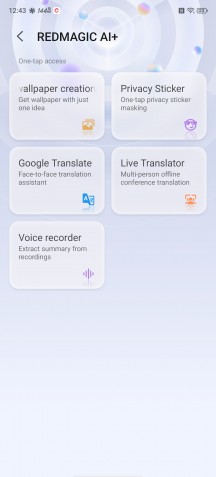
Settings menu • Redmagic AI+
Game Space and other gaming features
The Game Space is an in-game overlay and a set of tools designed to enhance the gaming experience and has been a staple of the RedMagic gaming phones since their inception. It hasn’t changed much over the past couple of generations, but this one adds a few extra features. But first, let’s go through the most notable functionalities.
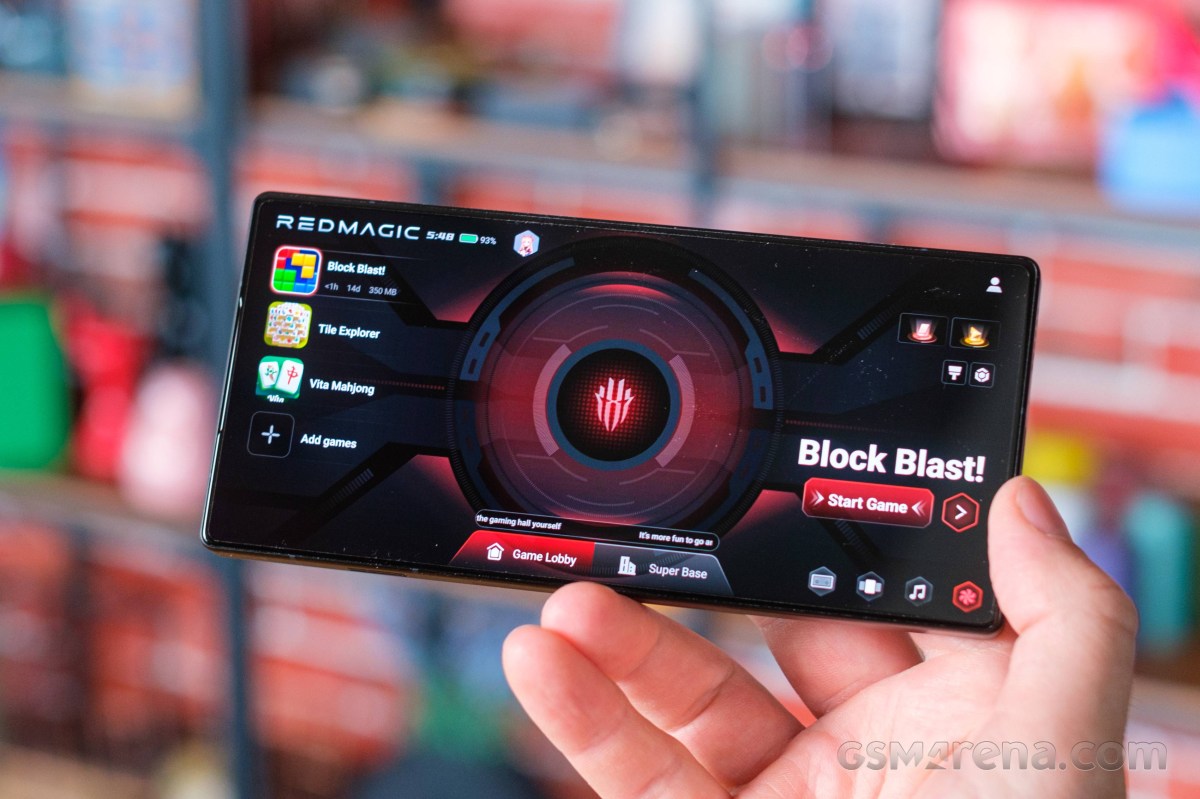
Naturally, there’s an in-game overlay that lets you track certain stats, including in-game fps, as well as CPU and GPU frequency and quick access to features. There are some quick access shortcuts for supported messenger apps as well, for more convenient window-based chatting while in the game.

In-game Game Space overlay
The more powerful settings are in their own sub-menu within the overlay. You can adjust CPU and GPU performance profiles, screen sensitivity, and sampling rate, and you can enable a particular visual profile for the display to make certain game elements more easily visible.
Plugins are a relatively new addition to the RedMagic Game Space. Unfortunately, like other parts of the UI, these suffer from poor and incomplete translations, and it could be difficult to figure out what each one does.

Plugins
Gravity X is the system nubia uses to map external devices like a controller, keyboard and mouse to on-screen controls. This is something that the RedMagic 11s Pro lets you easily do out of the box, which could give you an unfair competitive advantage when gaming. You can also use the system here to turn the phone into a controller when playing games on an external screen.
Gravity X
The phone itself offers several convenient ways to connect to peripherals. First off, there is USB alt mode. Using a supported dongle, you can easily get an HDMI or DP output from the Red Magic 11s Pro and USB inputs back into the phone. This is a great way to connect it directly to a monitor or TV.
If that seems too cumbersome for you and you would rather just use a PC to play your mobile games, then there is Redmagic Studio – a Windows app that lets you screencast over Wi-Fi or a USB cable connected directly to the PC. It works at a refresh rate of up to 120Hz. The whole pairing process with the desktop app is seamless and extremely easy. You can set up different mapping profiles for all the games you play, and the keyboard/mouse input is pretty solid.
The streaming feature works in all phone menus and apps, not just games, so it may be useful for more than just gaming. The gestures and keyboard typing feel native. You can even use the phone itself as a trackpad for touch input, or opt to have it entirely autonomously functional so you can cast one app to a TV or monitor while using your phone for something entirely different. The whole system is extremely flexible and works surprisingly well. Props to nubia for that.
While all of these features are not brand-new, there’s a host of new ones, all AI-related. However, except for the in-game conversations with Mora, the virtual assistant, during gameplay, the rest are set to be released with a future update this December. For instance, a personal AI coach offers real-time strategy advice and tips during gameplay. Win rate predictions will also be available in select games like MLBB, Free Fire and PUBG. Moreover, Game Space will enable voice command mapping, meaning you can use keywords to use certain in-game controls.
Benchmark performance
The RedMagic 11S Pro runs on a higher-clocked Snapdragon 8 Elite Gen 5 chipset. The regular version’s model number is SM8850-AC, which is the one inside the previous RedMagic 11 Pro, while this one is SM8850-1-AD. RedMagic calls it a Leading version. This is actually the same chipset that was recently exclusive to the Samsung Galaxy S26 Ultra. It’s branded as Snapdragon 8 Elite Gen 5 for Galaxy.
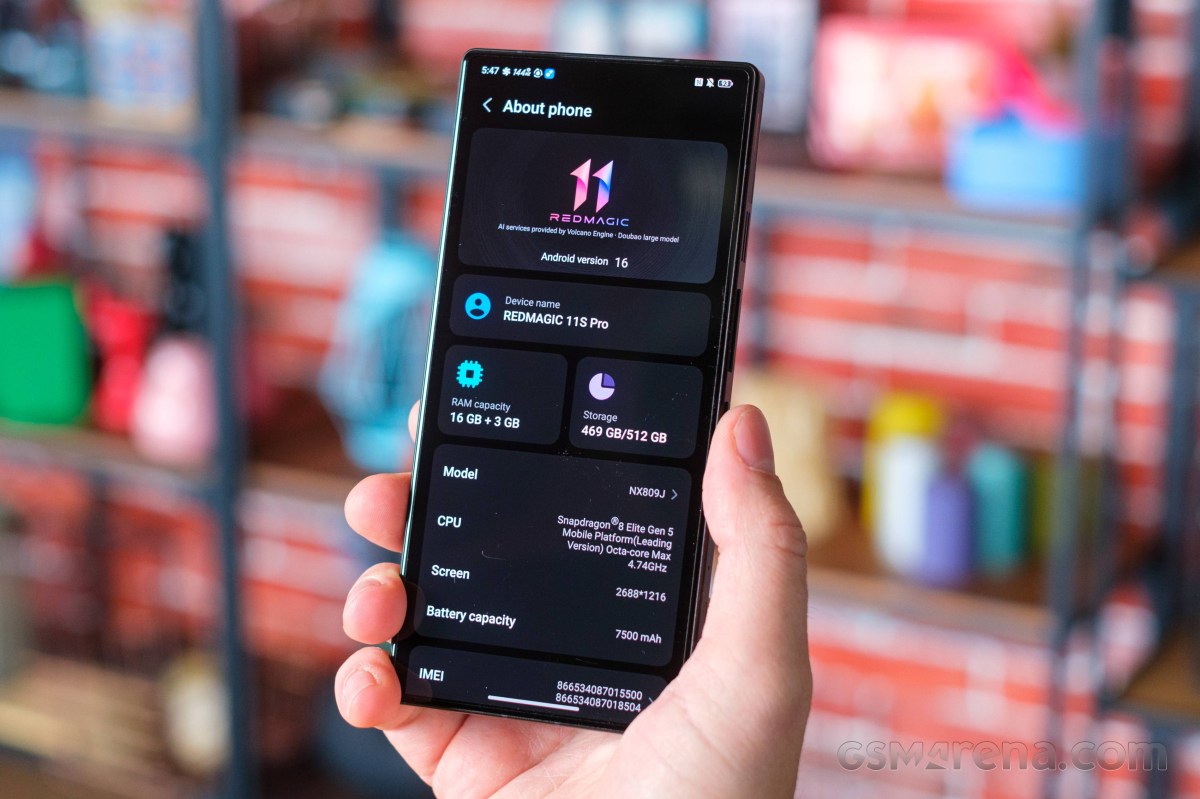
In any case, the Snapdragon 8 Elite Gen 5 (SM8850-1-AD) is based on the same 3nm manufacturing process and features the same Oryon V3 Phoenix L and Oryon V3 Phoenix M cores. However, this version’s main 2x Oryon V3 Phoenix L cores are clocked at 4.74 GHz instead of 4.6 GHz.
Additionally, the Adreno 840 GPU is clocked at 1.3 GHz as opposed to 1.2 GHz on the regular SD8 Elite Gen 5.
The available memory configurations are 12GB/256GB and 16GB/512GB. There’s no 24GB/1TB option this time around, and the Subzero (Silver Transparent) version is offered only in the 16GB/512GB configuration. All options run on UFS 4.1 storage chips.
As one would expect, the RedMagic 11S Pro not only utilizes the chipset to the fullest, at least in short benchmark tests, but it’s also a chart-topper, and in some scenarios it edges out even the Samsung Galaxy S26 Ultra with the same SoC.
Sustained performance
RedMagic phones have always been known for their advanced cooling systems, and with the last two generations, nubia stepped up its game. In addition to the cooling fan, the 11S Pro integrates actual liquid cooling. According to nubia, it’s the first liquid cooling system on a mass-production smartphone.
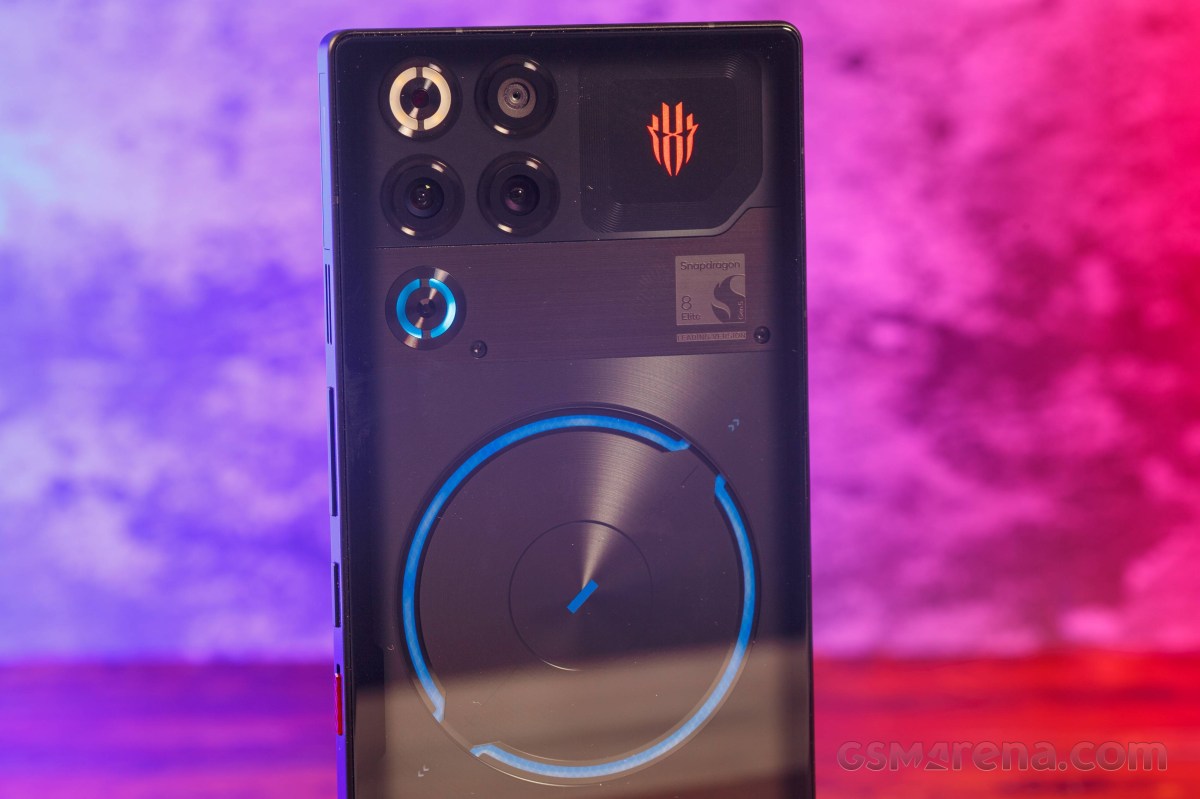
The marketing team calls it AquaCore and uses a piezoelectric ceramic pump to keep the coolant moving. After activating the cooling fan during gameplay, for example, you can see the coolant flowing at the back of the phone.
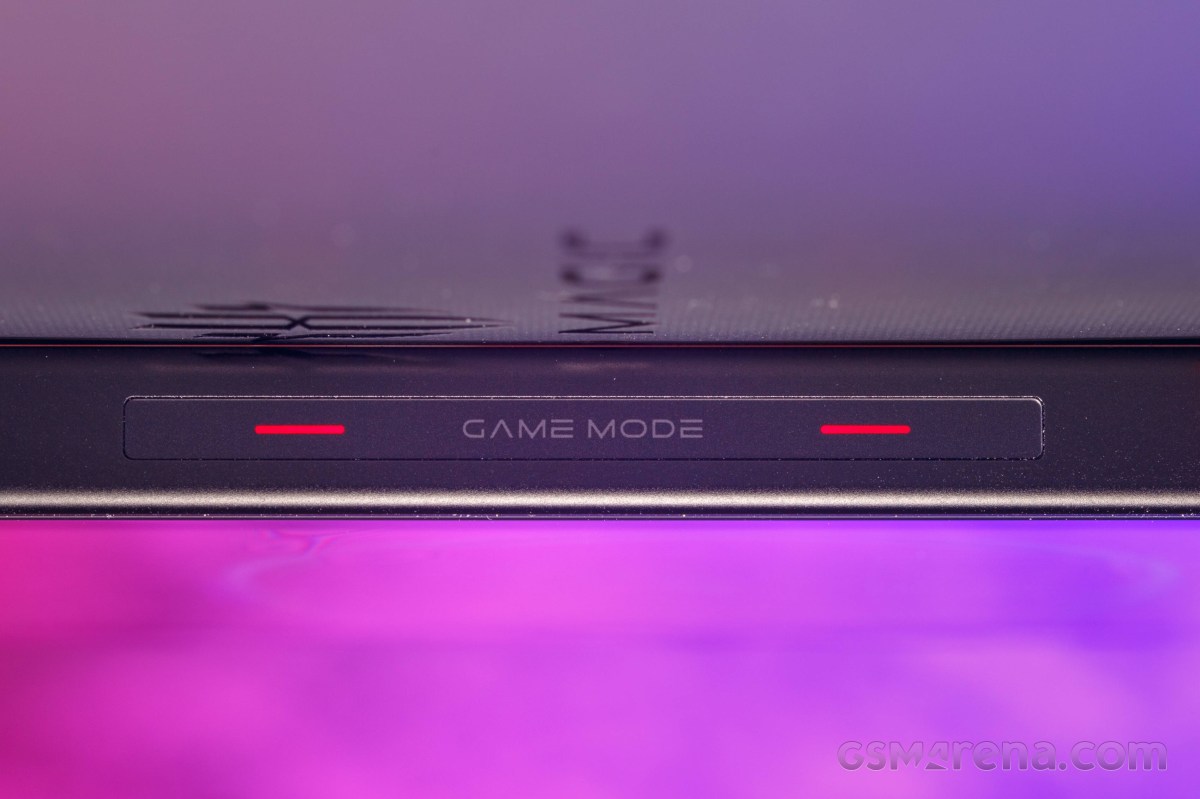
Nubia says the system is not only effective, but also quite durable. It can survive drops as it uses an anti-puncture membrane for the pipes, and the coolant is rated to sustain freezing temperatures. In fact, the RedMagic 11 Pro allegedly uses fluorinated liquid coolant traditionally used for cooling AI servers and data centers.
Aside from the liquid cooling system, the cooling fan has also received some love from the engineers. The new fan boosts the RPM from 24,000 to 25,000, a modest upgrade, yes, but it’s now rated to survive in water, too. The phone is IPX8 rated, meaning the phone can be submerged in water for 30 minutes at up to 1.5 meters.
Last but not least, the advanced cooling system also relies on a huge 13,116mm2 vapor chamber, while the chip is applied with liquid metal for better heat conductivity.
Despite the fact that the 11S Pro features almost identical hardware to the 11 Pro, the CPU stress tests show a notable change. Compared to the 11 Pro, the 11S Pro did worse in our CPU stress test, throttling shortly after start and maintaining lower clock speeds. There were no changes in the GPU throttling tests, though. For such a powerful flagship, the 11S Pro did pretty okay in the GPU stress test, though.
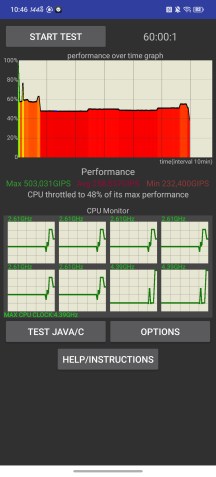
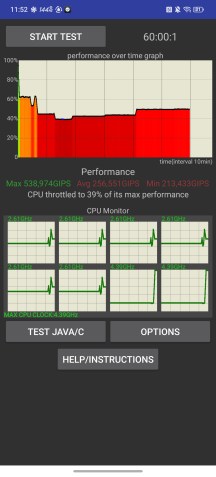
CPU throttle test: Fan Off • Fan On
Additionally, we didn’t find any meaningful difference with the cooling fan boosted to maximum. You can see the charts above look almost identical, except that the throttling with the fan appears to be slightly worse. Puzzling as that may sound, it is due to the fact that with the cooling fan on, the system allows a more powerful burst at the start. If you look at the benchmark scores below the chart, you can easily see that the lowest number is the same across the runs despite the reported higher throttling drop.
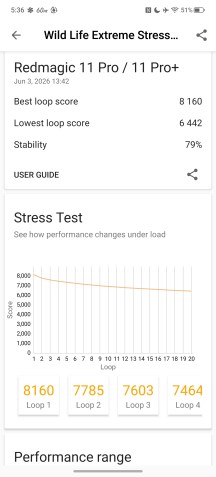
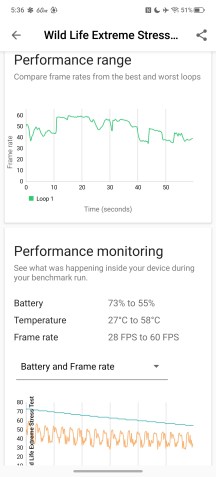
GPU stress test
In either case, the cooling fan and the liquid cooling system seem more like a gimmick than anything else. Also, the phone’s side frame was too hot to comfortably hold after the 20-minute GPU stress test.
Gaming performance
High-refresh-rate gaming on Android still has a long way to go, but nubia seems to be making steps toward improving that on its own RedMagic phones. Even though the handset doesn’t offer as wide a support for high refresh rate gaming as Asus ROG phones do, the list of supported games at 144Hz has grown a bit.
Real Racing 3
PUBG MOBILE
Brawl Stars
League of Legends: Wild Rift
Vainglory
Free Fire
Minecraft
Legends – Wrath of the Duchy
In addition to the natively supported games in 144Hz, the RedMagic 11S Pro supports some titles at 144Hz in 2K resolution using forced upscaling and frame interpolation.
Genshin Impact
PUBG Mobile
Call of Duty: Warzone Mobile
Fortnite
Honkai: Star Rail
Wuthering Waves
League of Legends: Wild Rift
GODDESS OF VICTORY: NIKKE
However, frame interpolation in-game is hard to recommend, especially in competitive games. It may give you the sense of smoothness, but it introduces latency and smearing since the additional frames generated between the real ones are entirely black.
We also tested the phone in Delta Force (2025), which uses Unreal Engine 5, and PUBG Mobile using the highest possible graphics settings. The phone achieved a comfortable 60 and 90 fps, respectively. Both were tested with the highest performance mode, “Rise”.