
The Employees’ Provident Fund Organisation (EPFO) has launched its most ambitious digital transformation in history – EPFO 3.0. Approved by the Central Board of Trustees (CBT) and backed by the Ministry of Labour and Employment, this overhaul is designed to make PF withdrawals faster, paperless, and more accessible for all of EPFO’s 30+ crore members.
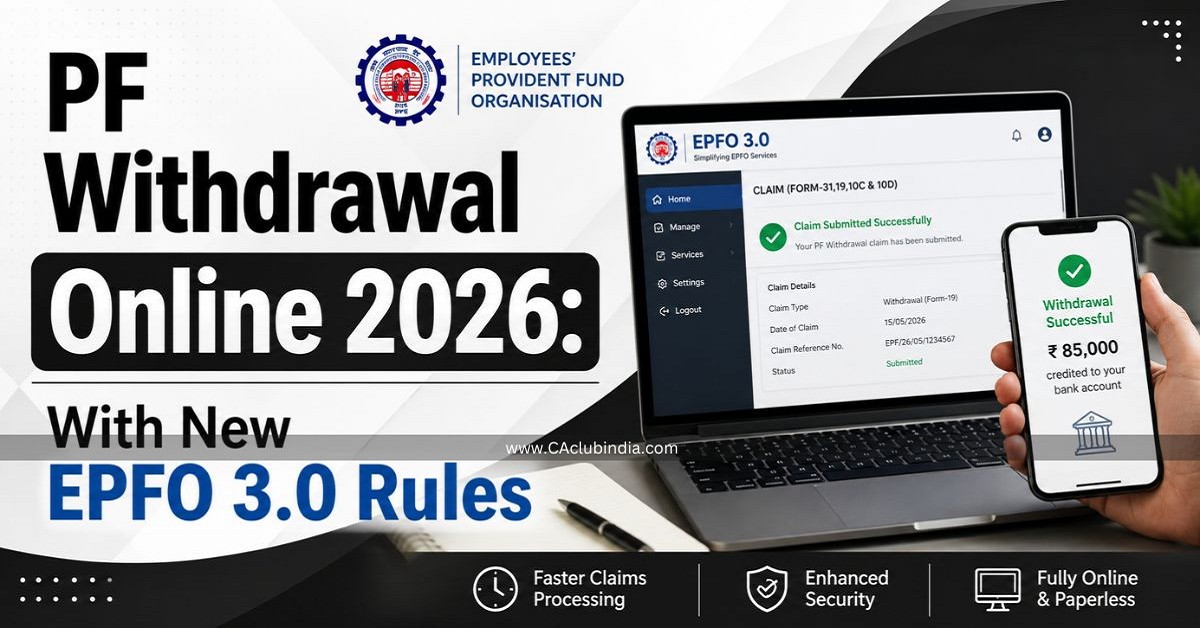
Before EPFO 3.0, withdrawing your Provident Fund meant:
Submitting physical or online claim forms
Waiting for employer digital signatures
Tracking status updates for 7-15 days
Visiting the EPFO office in case of errors
With EPFO 3.0 (rolling out through mid-2026), the process has been compressed to minutes, not weeks. Members can now withdraw funds via UPI, use a dedicated EPFO ATM card, and get claims auto-settled without any manual intervention for amounts up to ₹5 lakh.
Key Changes in EPFO 3.0 Rules 2026 – At a Glance
Feature
Before EPFO 3.0
After EPFO 3.0 (2026)
Auto-settlement limit
₹1 lakh
₹5 lakh
Processing time
7-15 working days
A few hours (for auto-settled claims)
Withdrawal method
Bank transfer only
Bank transfer + UPI + ATM card
Employer attestation
Mandatory
Not required (if KYC is Aadhaar-linked)
Partial withdrawal categories
13 complex categories
3 simplified categories
Claim tracking
EPFO portal only
Portal + UMANG app + SMS + Missed call
Tax declaration form
Form 15G / Form 15H
Form 121 (effective April 1, 2026)
Balance check
EPFO portal / SMS
Portal + UPI apps
In Details
Auto-Settlement Up to ₹5 Lakh
Claims up to ₹5 lakh are now processed automatically without manual verification , provided your UAN is KYC-compliant (Aadhaar + PAN + Bank details verified). Nearly 95% of all PF claims are now settled through this auto-settlement mechanism.
UPI and ATM-Based Withdrawals
Members can now withdraw PF funds instantly via UPI apps (like PhonePe, GPay, Paytm) or by swiping a dedicated EPFO ATM card – just like using a regular bank account.
No Employer Attestation Required
If your UAN is Aadhaar-linked and your KYC has been digitally approved by any previous employer , you no longer need your current or last employer to approve your withdrawal request.
Simplified Withdrawal Categories
The earlier 13 confusing sub-categories of partial withdrawal have been merged into 3 broad categories:
Emergency withdrawals – Medical, marriage, education
Life milestone withdrawals – Housing, home loan repayment
Unemployment withdrawals – Job loss situations
Immediate Access During Job Loss
If you lose your job, you can withdraw up to 75% of your PF balance after just one month of unemployment. The remaining 25% can be withdrawn after the second month.
Form 121 Replaces Form 15G / 15H
Effective April 1, 2026, the new Form 121 has replaced Forms 15G and 15H for tax declaration on PF withdrawals.
Who Can Withdraw PF Online? Eligibility Checklist
Before applying, confirm you meet the following conditions:
For Full PF Withdrawal:
You have retired at age 58
You have been unemployed for 2 consecutive months
You are permanently going abroad
You are a female employee retiring due to marriage
For Partial PF Withdrawal:
Medical emergency – anytime, no service minimum
Marriage – after 7 years of service (up to 50% of employee’s share)
Education – after 7 years of service (up to 50% of employee’s share)
Home purchase/construction – after 5 years of service
Home loan repayment – after 10 years of service
Unemployment (75% withdrawal) – after 1 month of job loss
Pre-retirement partial withdrawal – after attaining 54 years of age
For EPFO 3.0 UPI/ATM withdrawals specifically:
UAN must be active
Aadhaar must be seeded to UAN
PAN must be linked
Bank account must be updated and verified
Mobile number linked to Aadhaar must be active (for OTP)
Pre-Requisites Before You Apply
Experts consistently advise that most PF claim rejections happen due to KYC mismatches , not because of eligibility issues. Ensure the following before you begin:
KYC Documents to Link with UAN
Aadhaar Card – Must be seeded to your UAN. The mobile number registered with Aadhaar must be active for OTP authentication.
PAN Card – Must be linked to avoid a 30% TDS deduction on early withdrawals.
Bank Account – Account number and IFSC code must be correctly updated in EPFO records.
Service History to Check
Date of Exit – Must be updated under the Service History section. Without it, Forms 19 and 10C cannot be submitted.
No Overlapping Service Dates – Ensure there are no overlapping dates between two different employers in your service history.
UAN Activation – Your UAN must be activated on the EPFO portal.
Apps & Portals You’ll Need
EPFO Unified Member Portal: epfindia.gov.in
UMANG App (for mobile-based access and Aadhaar face authentication)
Types of PF Withdrawal in 2026
Full PF Withdrawal (Form 19 + Form 10C)
Allowed when:
Retirement at or after age 58
Two or more months of unemployment
Permanent migration abroad
Marriage (for women members)
Both the EPF corpus (Form 19) and EPS pension amount (Form 10C) can be claimed together.
Partial/Advance PF Withdrawal (Form 31)
Under EPFO 3.0’s 3 simplified categories:
Category
Purpose
When
Limit
Emergency
Medical, marriage, education
Anytime (medical); 7 yrs service (others)
Up to 50% of employee’s share
Life Milestone
Housing, home loan
5-10 years of service
Up to 90% of balance
Unemployment
Job loss
After 1 month unemployed
75% of total balance
UPI/ATM Instant Withdrawal (New Under EPFO 3.0)
Withdraw up to 50% of the eligible advance amount instantly via UPI apps or EPFO ATM card. This is in addition to regular claims.
How to Withdraw PF Online in 2026 – Step-by-Step
8 Easy Steps to File PF Withdrawal Online
Step 1: Log in to the UAN Member Portal Visit epfindia.gov.in → Click on “Member UAN/Online Services” → Log in with your UAN and password.
Step 2: Verify KYC Status Go to Manage → KYC → Confirm that Aadhaar, PAN, and bank account are linked and show “Digitally Approved” status.
Step 3: Go to Online Claims Click on Online Services → Claim (Form 31, 19, 10C & 10D).
Step 4: Verify Your Bank Account Enter the last 4 digits of your bank account number to verify. Click “Proceed for Online Claim.”
Step 5: Select the Type of Claim From the dropdown menu, choose the appropriate claim type:
Form 19 – Full PF settlement
Form 10C – EPS/Pension withdrawal
Form 31 – Partial advance/emergency withdrawal
Form 10D – Monthly pension
Step 6: Fill in Required Details Provide reason for withdrawal, address, and choose the payment method (bank transfer or UPI under EPFO 3.0).
Step 7: Upload Form 121 (if applicable) If your service is below 5 years and withdrawal exceeds ₹50,000, upload Form 121 (new replacement for Form 15G/15H effective April 2026) to avoid TDS deduction.
Step 8: Submit & Track Click “Get Aadhaar OTP” for Aadhaar-based e-sign → Enter OTP → Click “Submit Claim.”
You will receive an SMS confirmation. Use “Track Claim Status” on the portal, UMANG app, or give a missed call to 011-22901406 to check status.
Processing time: Auto-settled claims (up to ₹5 lakh) are typically credited within a few hours to 3 business days . Claims above ₹5 lakh may take 7-10 working days.
How to Withdraw PF via UPI Under EPFO 3.0
UPI-based withdrawal is the most exciting new feature under EPFO 3.0. Here’s how it works once the feature is live on your account:
Log in to the EPFO member portal or UPI-enabled app
View your eligible withdrawable balance on the dashboard
Select “Withdraw via UPI”
Enter your UPI ID (or scan the QR code generated by the portal)
Authenticate via Aadhaar OTP or face authentication
Funds are credited directly to your linked bank account instantly
UPI Withdrawal Limits:
Up to 75% of your EPF balance via UPI
At least 25% must remain in the account at all times during service
Built with NPCI (National Payments Corporation of India) with support across all major UPI apps
Important: UPI withdrawal is integrated with Aadhaar OTP-based authentication. Ensure your Aadhaar-registered mobile number is active.
How to Withdraw PF via ATM Card Under EPFO 3.0
EPFO will issue a dedicated PF withdrawal card – similar to a bank debit card – linked to your PF account.
How ATM-Based PF Withdrawal Works:
Receive your EPFO-issued ATM card (linked to your UAN/PF account)
Visit any EPFO-enabled ATM
Select the “PF Withdrawal” option from the ATM menu
Enter your UAN and desired withdrawal amount
Authenticate via OTP or PIN
Funds are dispensed or credited to your linked bank account
ATM Withdrawal Limit:
Up to 50% of your eligible PF balance via ATM card
Status: EPFO ATM cards are being rolled out in phases through mid-2026. Check the EPFO portal or UMANG app for availability in your account.
PF Withdrawal Limits in 2026
Scenario
Maximum Withdrawal
Retirement (age 58)
100% – full balance
Unemployment (after 1 month)
75% of total balance
Unemployment (after 2 months)
100% of total balance
Medical emergency
6 months’ basic salary or employee’s share, whichever is lower
Marriage / Education
50% of employee’s share (up to 3 times for marriage, up to 10 times for education during service)
Home purchase/construction
Up to 90% of total balance
Home loan repayment
90% of total balance
UPI-based withdrawal
75% of total EPF balance
ATM card withdrawal
50% of eligible advance amount
Auto-settlement (no manual check)
Up to ₹5 lakh
Universal Rule: A minimum of 25% of your total PF balance must remain in your account at all times during active service. This is designed to protect your retirement corpus.
Tax Rules on PF Withdrawal 2026 – Form 121 Explained
When Is PF Withdrawal Tax-Free?
PF withdrawal made after 5 years of continuous service is completely tax-free
Contributions + interest = exempt from income tax
When Is TDS Deducted?
Withdrawal before 5 years of service AND amount exceeds ₹50,000
TDS rate: 10% (if PAN is linked)
TDS rate: 30% (if PAN is NOT linked – avoid this!)
What Is Form 121 in 2026?
Effective April 1, 2026 , the government introduced Form 121 under the new Income Tax Act, which replaces the earlier Forms 15G and 15H . Members below 60 years with income below the taxable threshold can submit Form 121 online while filing their PF claim to declare zero tax liability and avoid TDS deduction.
How to submit Form 121: Upload it directly on the EPFO online claims portal in Step 7 of the withdrawal process (see above).
How to Track Your PF Claim Status Online
After submitting your claim, you can track the status through multiple channels:
Method
How to Use
EPFO Portal
epfindia.gov.in → Online Services → Track Claim Status
UMANG App
Login → EPFO → Track Claim
SMS
Send “EPFOHO UAN ENG” to 7738299899
Missed Call
Dial 011-22901406 from your registered mobile
WhatsApp
Send UAN to +91-9966736398
Common Reasons for PF Withdrawal Rejection & How to Avoid Them
Reason
Fix
Aadhaar details mismatch
Ensure name, DOB, and gender on EPFO portal exactly match Aadhaar
PAN not linked
Link PAN via EPFO portal under Manage → KYC
Bank account details incorrect
Update and re-verify bank account under KYC section
Date of Exit not updated
Update under Service History before applying
Overlapping service dates
Contact EPFO helpdesk (1800-118-005) to resolve
UAN not activated
Activate UAN at epfindia.gov.in using registered mobile
Mobile number not linked to Aadhaar
Update mobile at Aadhaar Seva Kendra or online at myaadhaar.uidai.gov.in
Quick Reference – Important EPFO Links & Numbers
Resource
Details
EPFO Member Portal
epfindia.gov.in
UAN Activation / KYC
unifiedportal-mem.epfindia.gov.in
Helpline
1800-118-005 (toll-free)
SMS Balance Check
“EPFOHO UAN ENG” → 7738299899
Missed Call Balance
011-22901406
WhatsApp
+91-9966736398
Grievance Portal
epfigms.gov.in
UMANG App
Available on Google Play & App Store
Aadhaar Update
myaadhaar.uidai.gov.in
FAQs
Can I withdraw my entire PF balance online in 2026?
Yes, full PF withdrawal is allowed online if you have retired, been unemployed for 2+ months, or are permanently migrating abroad. During active service, you can withdraw up to 75% (or 90% for housing) under specific partial withdrawal rules.
How long does PF withdrawal take in 2026?
For auto-settled claims up to ₹5 lakh with full KYC, it can take just a few hours to 3 business days. Claims above ₹5 lakh may take 7-10 working days.
What is the minimum balance that must remain in the PF account?
At least 25% of your total PF balance must remain in the account at all times during active service. You cannot withdraw this amount until retirement or permanent separation.
What is the ATM withdrawal limit for PF under EPFO 3.0?
One can withdraw up to 50% of the eligible advance amount via the EPFO ATM card. The universal 25% retention rule still applies.
Can I withdraw PF without Aadhaar?
It is very difficult. Without Aadhaar seeding, you lose access to auto-settlement, employer-free withdrawals, and UPI/ATM features. Employer attestation becomes mandatory. It’s strongly advisable to seed Aadhaar before applying.
What should I do if my PF withdrawal claim is rejected?
Check the rejection reason in the “Track Claim Status” section
Fix the specific KYC or service history issue
Re-submit the claim
For persistent issues, call the EPFO helpline: 1800-118-005 (toll-free) or raise a grievance at epfigms.gov.in