
At InfoComm 2026 in Las Vegas, Mavis has pushed out a substantial update to Mavis Studio, the touch-first iPad live production app it only launched at NAB a few months ago. The new release adds an NDI Preview mode that hands users five minutes of full networked-video access before subscribing, PTZ control for compatible NDI cameras, USB audio interface support for up to four channels, a redesigned multi-mode control wheel, and 3D layouts that let operators angle layers in space without a separate graphics system.
For anyone who has followed the Mavis story, the trajectory here is consistent. The Brighton-based developer first built its reputation with the Mavis Camera app on iPhone, then steadily layered on Frame.io camera-to-cloud, Atomos Ninja Phone support, and advanced NDI HX3 streaming, before adding LUT workflows and Open Gate capture through Film Kit. Mavis Studio was the logical next move, turning the iPad itself into a production room rather than just a better camera. When we met CEO Patrick Holroyd at the company’s NAB booth, the pitch was that Studio consolidates multi-camera switching, media playback, graphics, audio mixing, recording, and streaming into a single iPad application, aimed at AV teams, systems integrators, venues, educators, houses of worship, and solo content creators who want an alternative to fixed broadcast rigs. This first major update builds directly on that foundation.
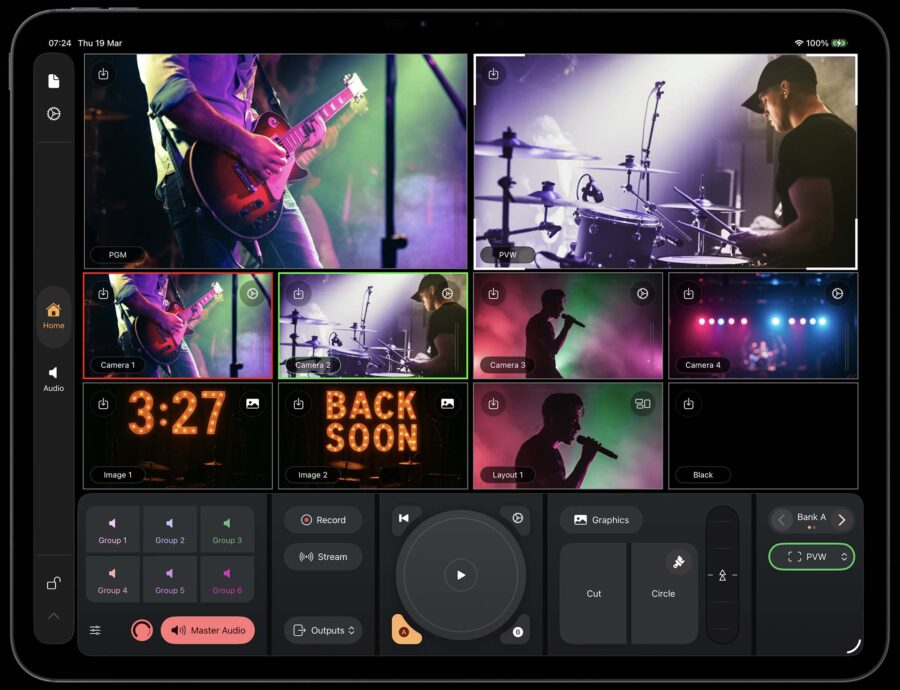 The Mavis Studio app running on iPad. Image credit: MavisNDI Preview and the networked-video angle
The headline addition is NDI Preview mode. Mavis Studio already supported NDI input and output for bringing networked cameras and sources into an iPad-based workflow, but committing to the subscription before knowing whether your network and sources behave was a real friction point. The new mode gives users five minutes of full NDI access, including camera sources, tally, and PTZ control, before any payment is required. The practical value is obvious for teams scoping out IP-based and portable production: you can confirm network performance, check that your sources are compatible, and understand how the app fits an existing setup before committing budget.
This matters because the iPad-as-switcher category lives or dies on the discipline of the IP video network behind it. NDI HX3 is bandwidth-friendly compared to full NDI, but a multi-camera live show still benefits from a properly configured wired or dedicated wireless network, and that part remains on the user rather than the app. A five-minute trial window is a sensible way to surface those network realities early, before a production day rather than during one.
PTZ control through a smarter control wheel
The update also adds PTZ control for supported NDI cameras. Operators can now pan, tilt, zoom, and focus compatible cameras directly inside Mavis Studio using a control wheel that adapts to the selected source, switching between PTZ control, media control, and 3D layout adjustment depending on what is active. Customizable buttons sit alongside the wheel for faster access to common actions. According to Mavis, this kind of soft control is especially useful in AV environments where compact multi-camera rigs are increasingly common but where space, budget, or crew size does not justify a dedicated hardware controller.
This puts Mavis Studio in the same conversation as other recent products that have folded PTZ control into NDI-aware production hubs, including RØDE’s headless RØDECaster Video Core, which supports PTZ control across its NDI inputs. The difference with Mavis is that everything runs on a touchscreen rather than a physical console, which is the design choice Holroyd has consistently argued separates Studio from a laptop-based switcher.
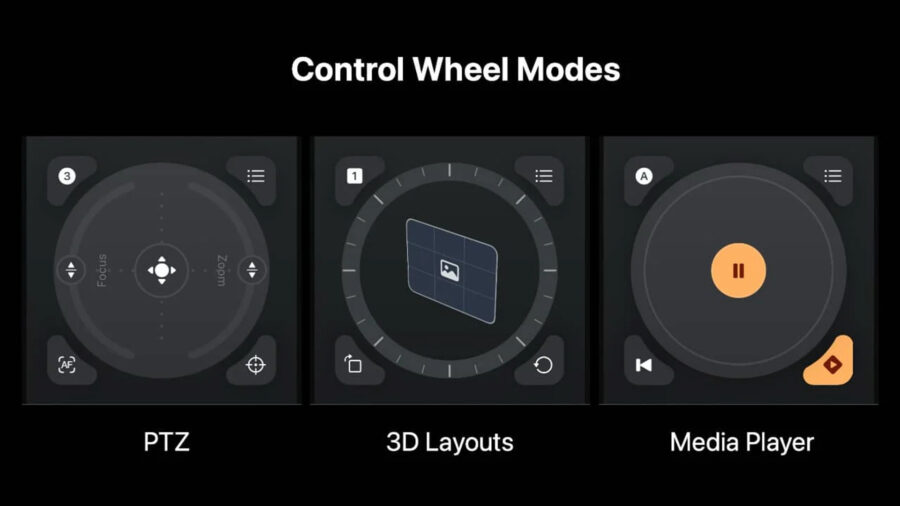 Smarter control wheels for cameras inside Mavis Studio. Image credit: MavisUSB audio support and 3D layouts
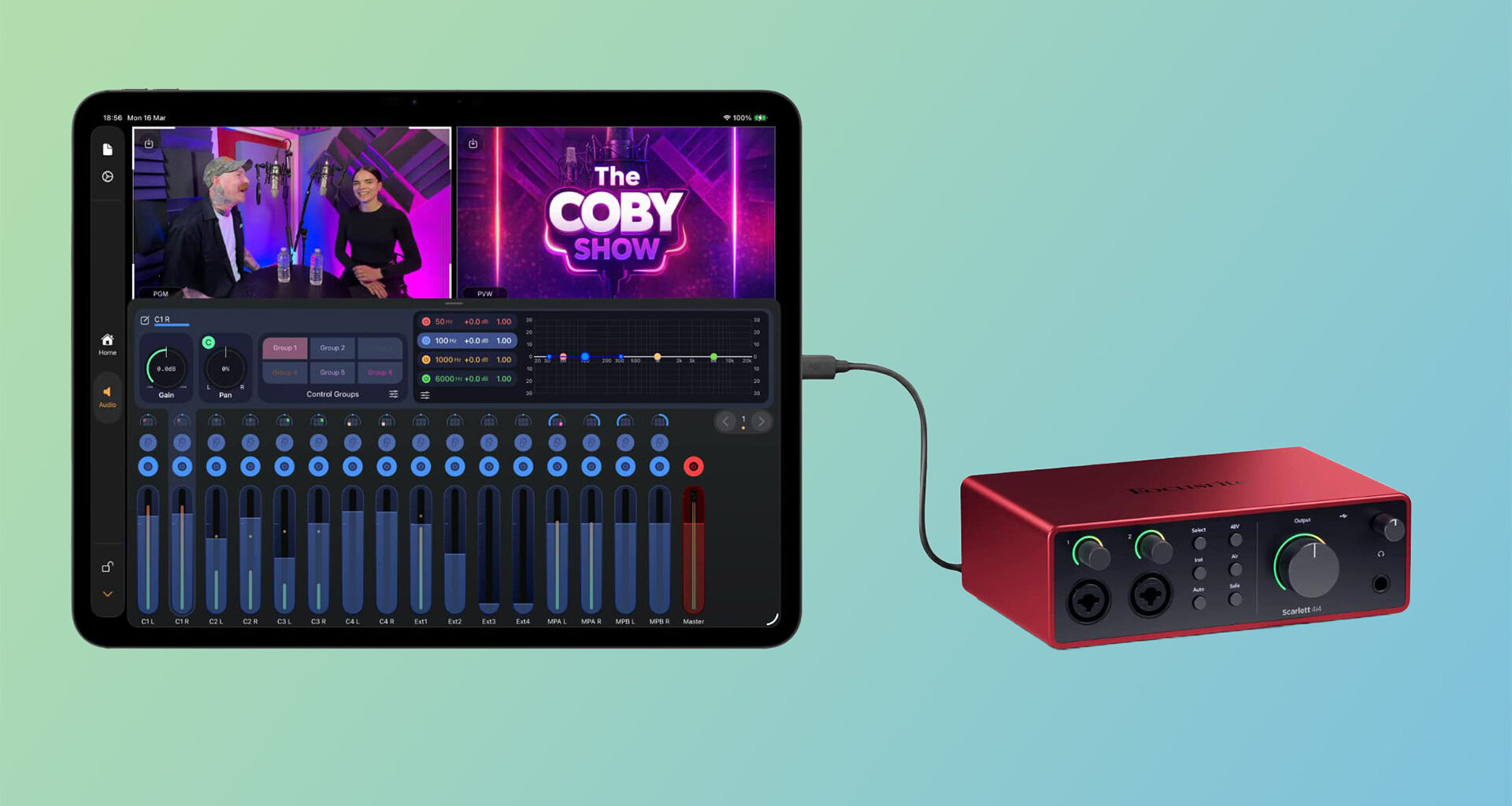
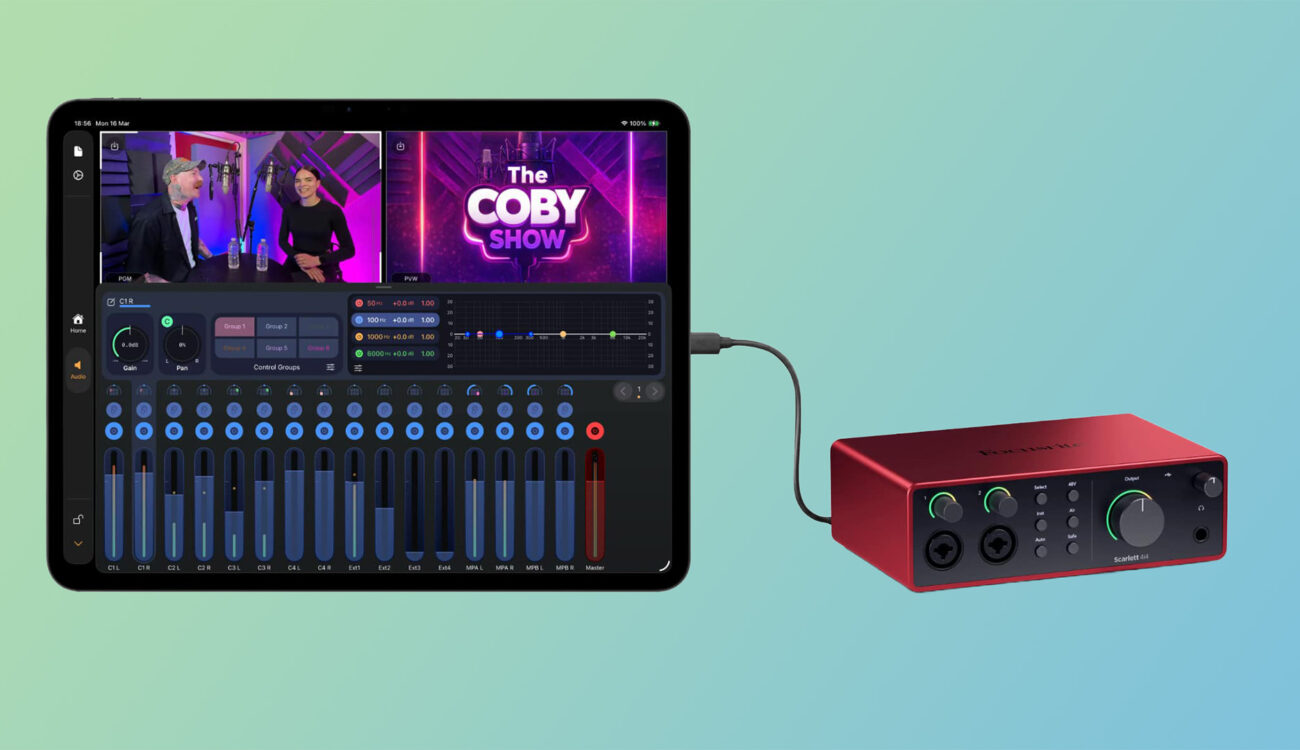
On the audio side, Mavis Studio now supports USB audio interfaces, letting users route professional audio hardware directly into the app’s integrated audio desk with up to four channels available. The same interface can also handle headphone monitoring, which keeps live sound management and source checking simple without bolting on extra gear. The promotional imagery for the update pairs an iPad running Studio with a Focusrite Scarlett interface, a fair illustration of the kind of affordable, widely owned hardware this feature is meant to accommodate.
The release rounds out with new 3D layouts. Operators can position and angle layers in 3D space for events, interviews, presentations, and branded productions, building richer visual compositions without relying on a separate graphics system. Combined with the control wheel’s 3D layout adjustment mode, this gives a single operator a way to manage motion and depth in their on-screen graphics from the same surface they use to switch cameras and ride audio.
What Mavis is saying
“Mavis Studio is about giving people the tools of a professional live production system in a format that is far more portable and accessible,” Holroyd said in the announcement. “InfoComm is the right place to show how powerful an iPad-based workflow can be for AV teams. With networked video, camera control, professional audio and flexible layouts all in one app, users can produce polished live content from a single device.”
As with any software switcher, those claims should be measured against the realities of live operation. Mixing a multi-mic performance or directing a four-camera show on glass is a different test from running a two-host podcast, and the network discipline behind an NDI rig remains the operator’s responsibility regardless of how capable the app is. We covered the broader promise of the iPad-as-switcher idea years ago when Teradek Airmix arrived, and the question of whether touch operation can fully replace physical buttons and knobs is one the category is still working through.
Pricing and availability
The new features are live now. Mavis Studio is a free download from the App Store, but the free version watermarks all outputs. Removing the watermark costs $24.99 per month or $79.99 per year, while removing the watermark and activating NDI costs $39.99 per month or $129.99 per year. Visitors to InfoComm could see the latest version of Mavis Studio on the NDI stand in Central Hall C7572. For more information, head to the Mavis Studio product page.
The wider context is a market filling up fast with portable, software-led production tools, from RØDE’s switcher range to a new wave of iPad and Mac apps for multicam recording and monitoring. Mavis is betting that the iPad, with PTZ control and professional audio now in the mix, can carry more of that load than a tablet has any right to.
Could a single iPad running Mavis Studio handle your next multicam live show, or do you still want a hardware switcher and a dedicated PTZ controller within reach? Don’t hesitate to let us know in the comments below!