
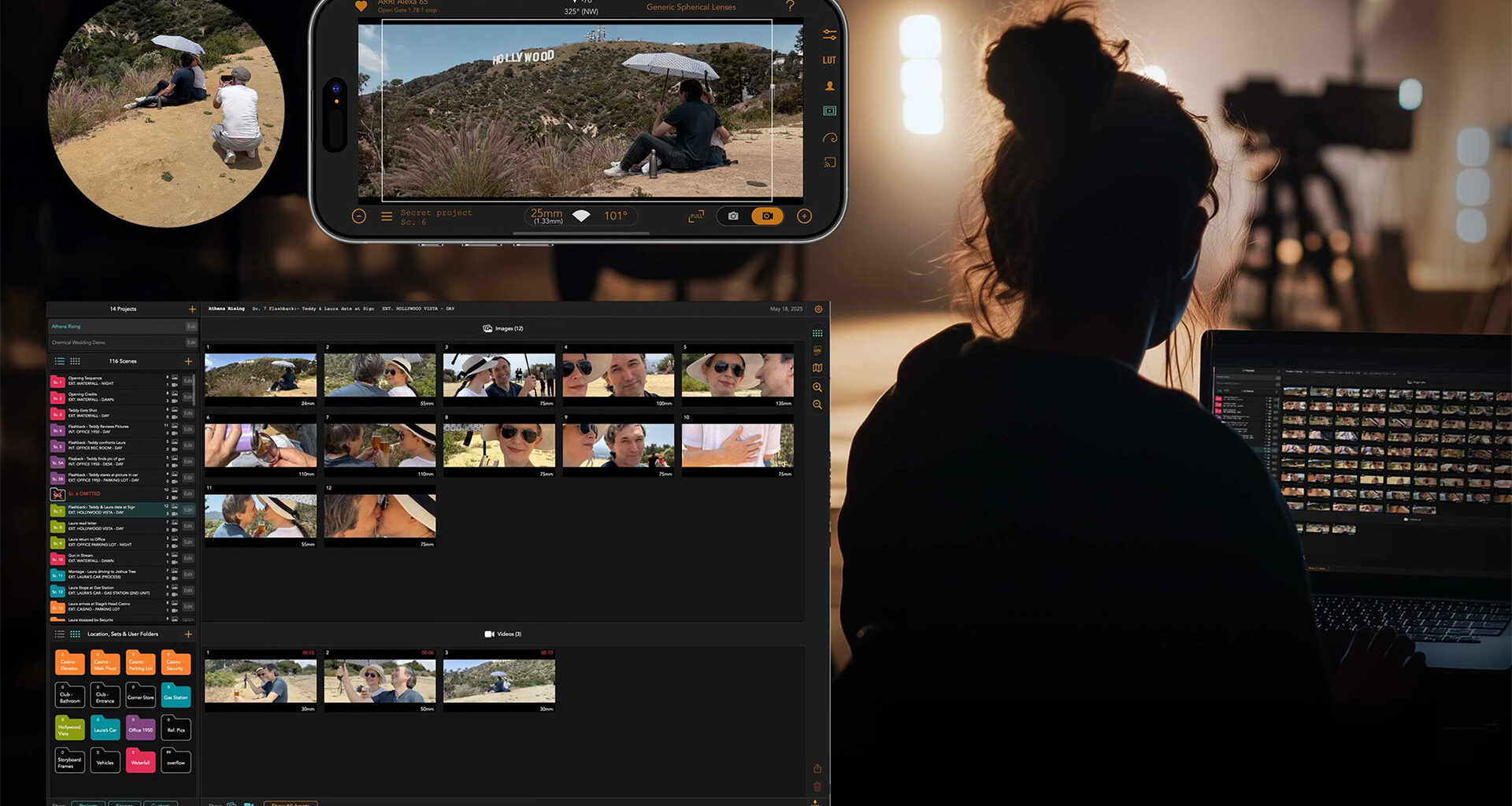
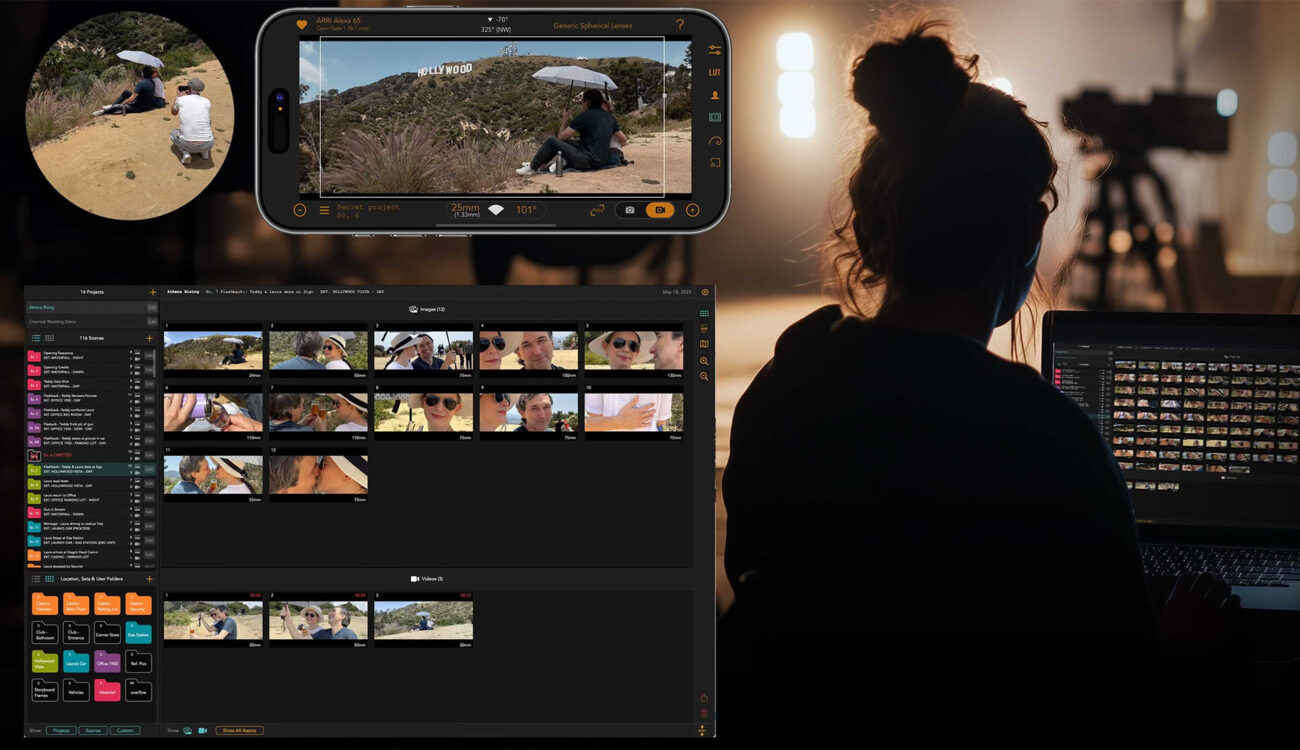
Chemical Wedding has released Artemis Studio, a macOS application that extends its widely used Artemis Director’s Viewfinder into a desktop planning platform. The app syncs shot plans, images, metadata, and project information between iPhone and Mac over iCloud, and is available now on the Mac App Store.
Directors, cinematographers, and production teams have leaned on smartphone viewfinder apps for years to preview lenses, scout locations, and frame shots before the camera package arrives. Artemis Studio takes that mobile groundwork and moves it onto the desktop, aiming to keep the growing pile of prep imagery, notes, and technical data organized in one place from scout through shoot day. It targets professionals working across commercials, television, and feature films, which places it firmly in the pre-production category we have followed closely, most recently with the introduction of Cadrage Studio and LIGHTFRAMER PRO.
From a phone viewfinder to a desktop platform
The Artemis Director’s Viewfinder app has long been one of the go-to tools for composing shots from any camera and lens combination, and Chemical Wedding also offers the Artemis Prime hardware finder that turns an iPad into a PL or Panavision mount viewing device. Artemis Studio is the desktop half of that ecosystem. Built for Mac, it gives teams a workspace to organize, plan, and share visual ideas, connecting directly to the iOS app through iCloud so that shot plans, images, metadata, and project files move between devices without manual transfers.
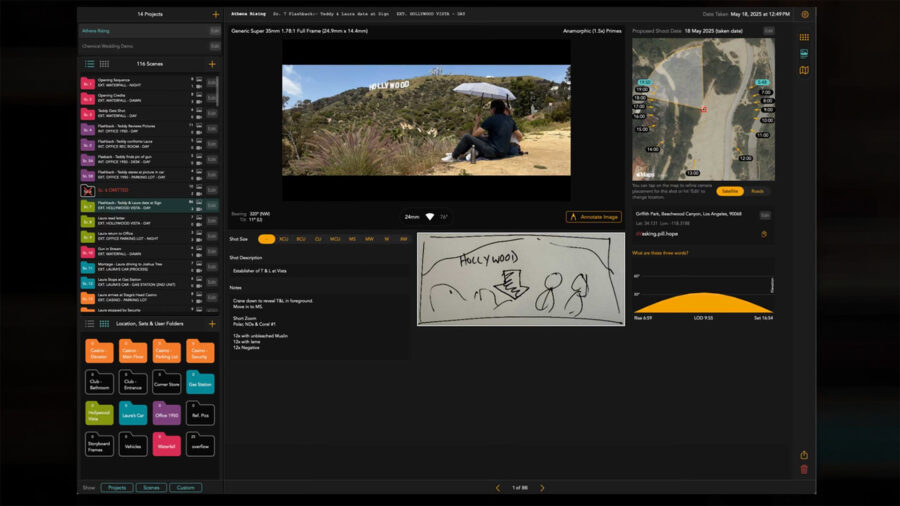 Artemis Studio, a Mac app. Image credit: Chemical Wedding
The synchronization is the core pitch. According to founder Nic Sadler, users can simply open Artemis Studio on their Mac and begin planning their shoot, with the stated goal of removing friction from pre-production so filmmakers spend more time on creative decisions. In practice, that means images captured on a phone during a scout land on the desktop ready to be sorted, annotated, and built into a plan.
Organizing scenes, folders, and shots
Artemis Studio is designed around managing the volume of visual information that accumulates during scouts, prep, and on-set planning. Images and video can be arranged into scenes or custom folders, while metadata, notes, and reference materials attach to individual shots and sequences. The interface, shown in screen grabs shared with us from a project titled Athena Rising, uses a project sidebar with nested scenes and folders (locations such as casino floors, a corner store, and a university campus in the example), a thumbnail grid for each scene, and a detailed shot view that surfaces camera, lens, bearing, shot size, and location data.
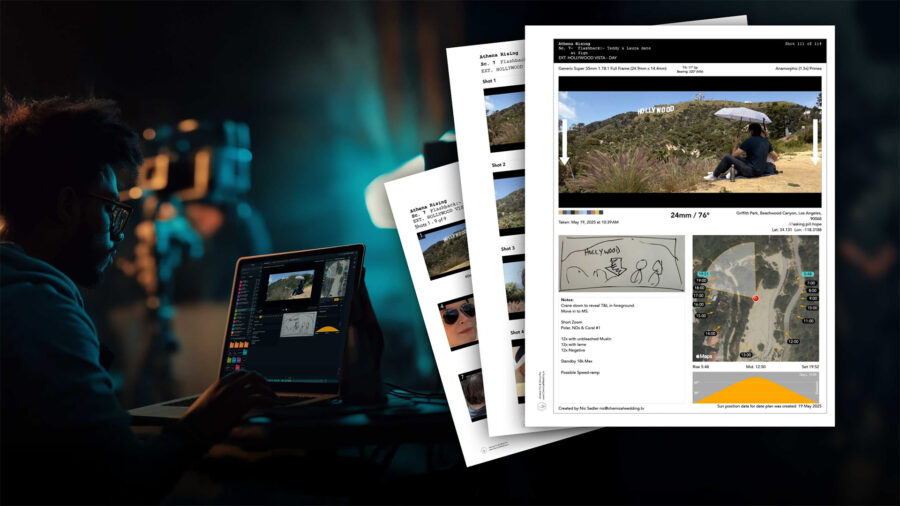 Artemis Studio allows for exporting and sharing shots with metadata, storyboards and shot-lists with camera data, and shot plans with sun data and technical notes. Image credit: Chemical Wedding
That shot detail is where the platform reaches beyond simple image sorting. Teams can build storyboards, shot lists, and technical shot plans that include location maps, sun-position data, and lens information captured through Artemis and Helios, Chemical Wedding’s companion sun and lighting tool. A single frame in the example carries a full technical read: an ALEXA 35 at 4.6K 3:2 open gate, 24mm Sumire Primes, a compass bearing, shot size, and a location tag for Universal Studios Hollywood, alongside notes for dolly and track, ND filters, a polarizer, and grip requirements like a 12 by 12 ultrabounce and 20 by 20 overhead silk.
A connected workflow for the camera department
For cinematographers, the appeal is a linked chain running from prep and location scouting through shot design and departmental planning. Shots can be exported with or without metadata and shared with directors, assistant directors, production designers, and other key collaborators, so the same organized package that informs the DP can be adapted for whichever department needs it. When a schedule shifts, as it inevitably does, the script-based folder structure is meant to make reorganizing quick rather than a manual rebuild.
Cinematographer Thomas Hardmeier used Artemis Studio while preparing a new project, Violette, with director Jean-Pierre Jeunet. He described sorting images into folders, adding data, and building a plan from his laptop, calling it quick and easy to adapt when the schedule changes and recommending the tool. Jaron Presant, ASC, director of photography on The Kellys, directed by Brad Peyton, has also used it extensively, saying it has become the backbone of their organizational approach, used in prep and on set for line-ups, with the team constantly referencing its script-based folder structure for shot planning.
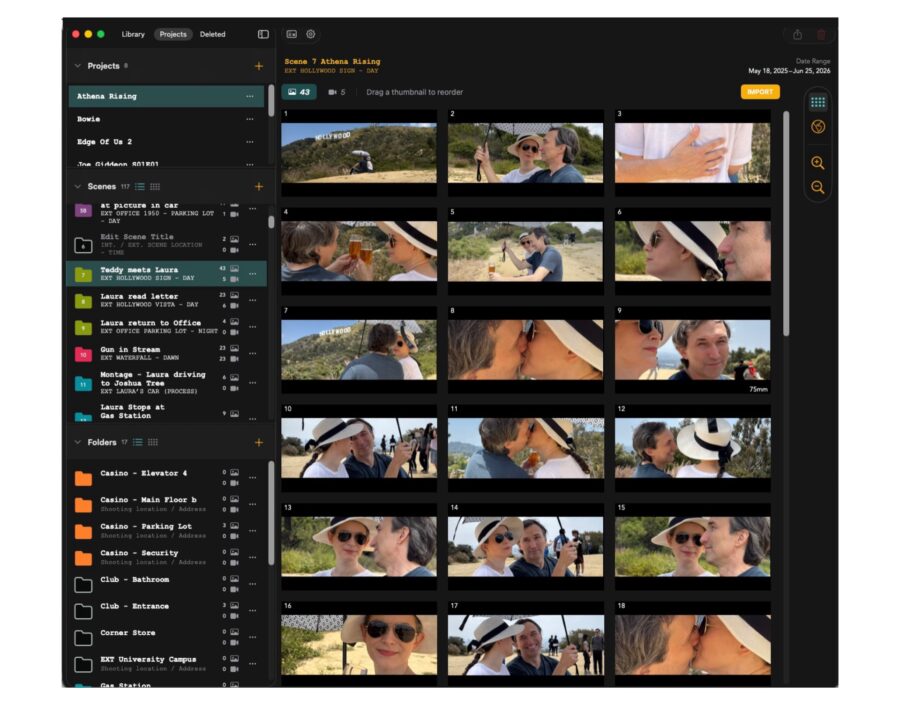 Artemis Studio. Image credit: Chemical Wedding
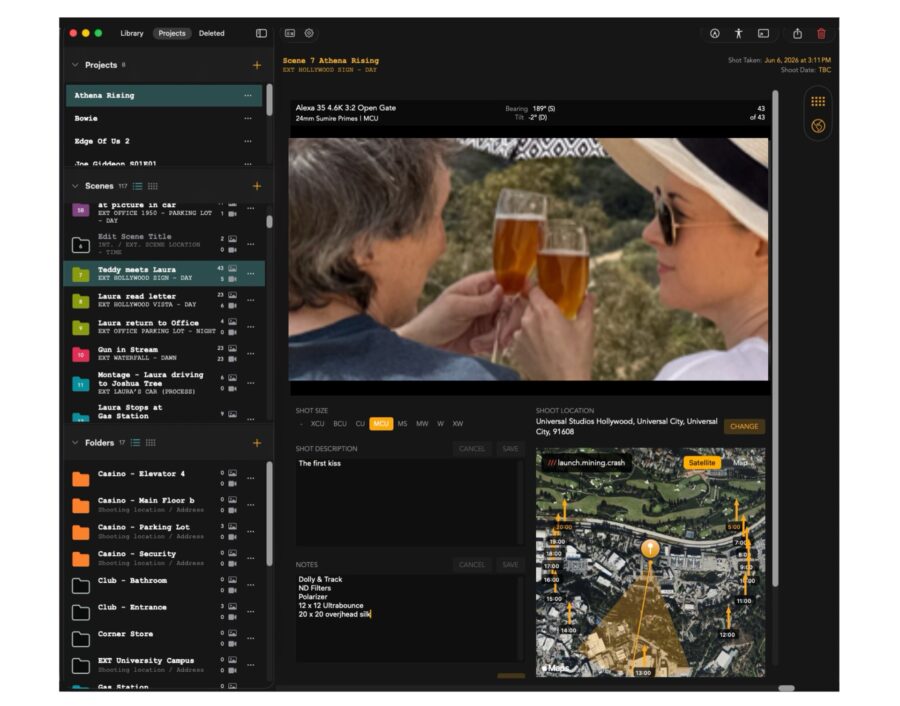 Artemis Studio. Image credit: Chemical WeddingHow it fits the current pre-production landscape
The timing is notable. Pre-production software has become a crowded and fast-moving space, with viewfinder-makers expanding into full planning suites and a wave of new apps folding sun tracking, LiDAR focus tools, and AI-assisted scouting into the same workflow. Chemical Wedding is positioning Artemis Studio as the desktop anchor for its established mobile user base rather than a standalone newcomer, which is a meaningful distinction for teams already invested in the Artemis ecosystem and its hardware. For a broader look at where these tools sit in the process, our guide to the five stages of film production covers the cinematographer’s role from prep onward, and our overview of AI tools for location scouting maps the wider category.
As with any prep tool, the real test is whether it holds up across a demanding schedule and integrates cleanly with the rest of a production’s paperwork. The endorsements from working feature cinematographers suggest it is already earning a place on real sets, though we have not yet run it through our own testing. Chemical Wedding has also signaled that further features are on the way, including work tied to vertical anamorphic lens setups, so this is likely not the last we hear of the platform this year.
Availability
Artemis Studio is available now as a download for macOS through the Apple App Store. Full details on the app and Chemical Wedding’s wider toolset are on the company’s website.
Does a synced Mac and iPhone prep workflow fit how you plan your shoots, or do you still prefer keeping shot lists and scout images in separate tools? Don’t hesitate to let us know in the comments below!