
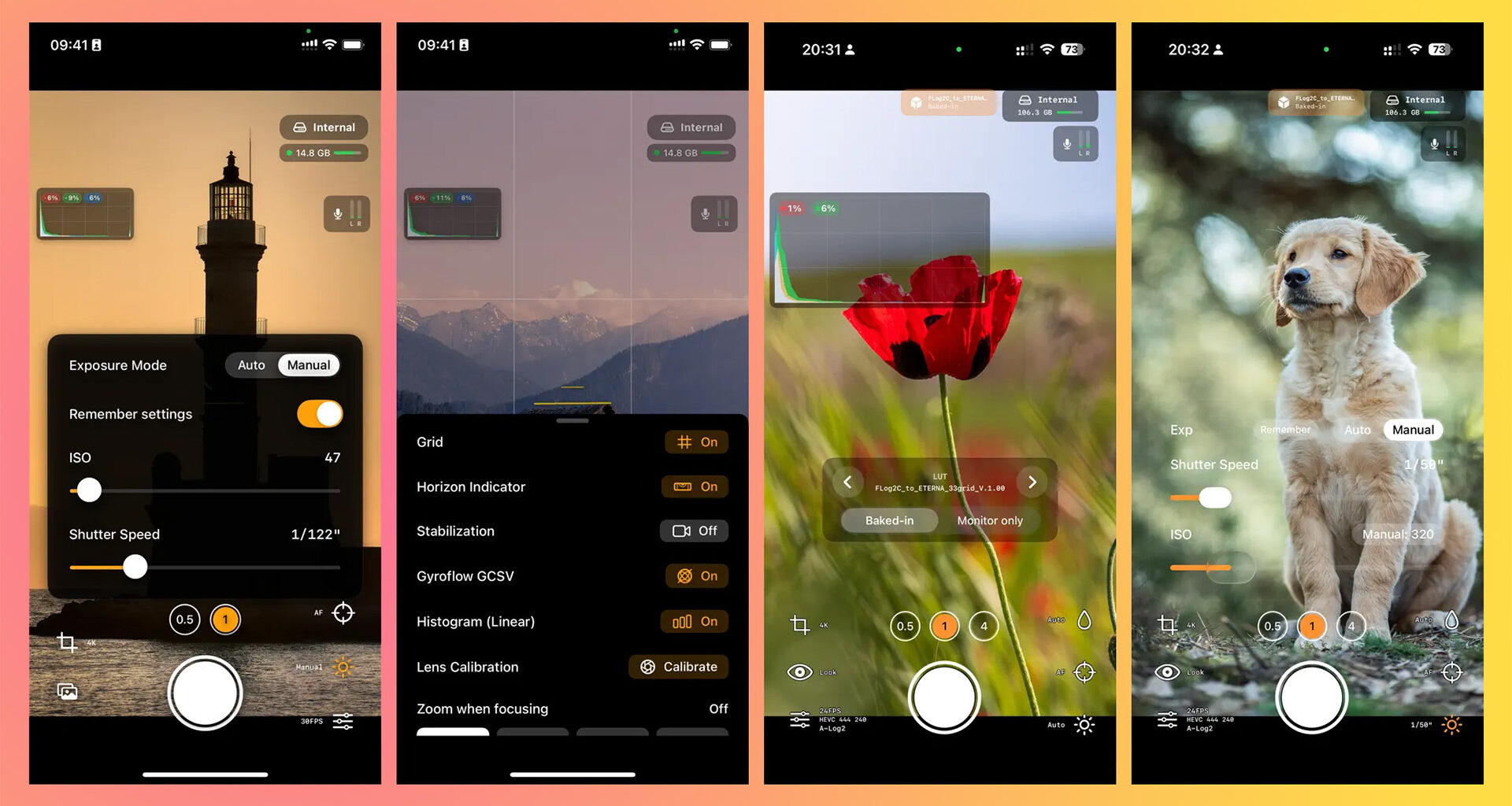
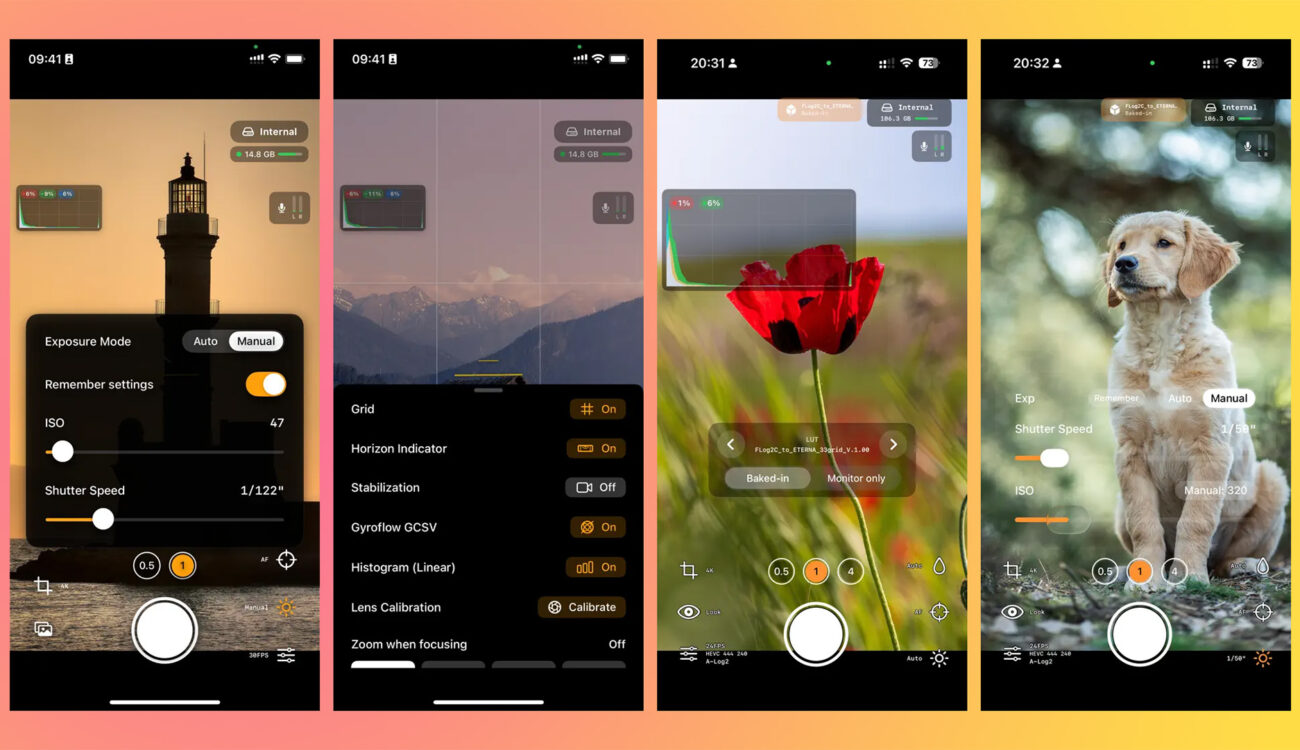
Croatian developer Sebastijan Grabar’s two iOS apps, RAW Cam: Open Gate DNG Video and Log Cam: Open Gate by RAW Cam, debayer the iPhone’s RAW sensor stream on device to record full-sensor CinemaDNG, MCRAW, ProRes and high-bitrate HEVC with industry log gammas, reaching back to non-Pro iPhones as old as the iPhone 13. Both are one-time purchases, and the developer claims they deliver “true” Apple Log 2 on hardware Apple never officially enabled for it, a claim worth examining closely.
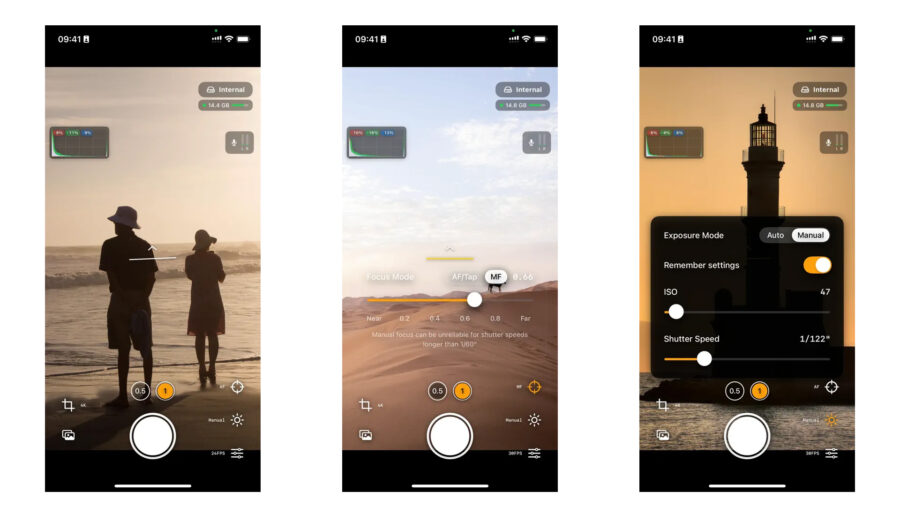
The two apps come from a one-person studio, Lead the way (leadtheway.hr), based in Zagreb, Croatia. RAW Cam is the maximalist tool, recording full-sensor RAW to CinemaDNG, plain DNG frames and MotionCam’s MCRAW container, with manual ISO, shutter, focus and white balance, external SSD recording and Gyroflow gyro-data export. Log Cam is the lighter, delivery-oriented sibling: it debayers the same RAW frames but encodes them on device to ProRes or 10-bit HEVC (4:4:4 or 4:2:0, with bitrates up to 300 Mbps) in a chosen log curve, adding monitoring assists such as false color, zebras, a RAW linear histogram and a Rec.709 gamma assist. What makes both notable is not any single feature but where they sit in the pipeline: they take Apple’s raw sensor output before the image signal processor bakes in sharpening, noise reduction and tone mapping.
 RAW Cam. Image credits: Lead the WayBypassing the pipeline, one RAW frame at a time
The technical trick is that both apps process a continuous stream of full RAW frames rather than tapping Apple’s finished video feed. That is why Log Cam can offer ProRes on standard iPhone 13, 14 and 15 models, not just the Pro variants that Apple restricts ProRes to, and why it can apply log curves including Apple Log, Apple Log 2, ARRI LogC3, Sony S-Log3, Panasonic V-Log and Fuji F-Log and F-Log2 to devices going back several generations. The cost is processing load. Transcoding up to 30 full RAW frames per second in real time is demanding, there is no autofocus while recording, manual focus is unreliable at slower shutter speeds, and early users have reported freezes and dropped-frame errors on base-model hardware. This is early software with a rough interface, and it should be described that way.
Why the MCRAW option matters
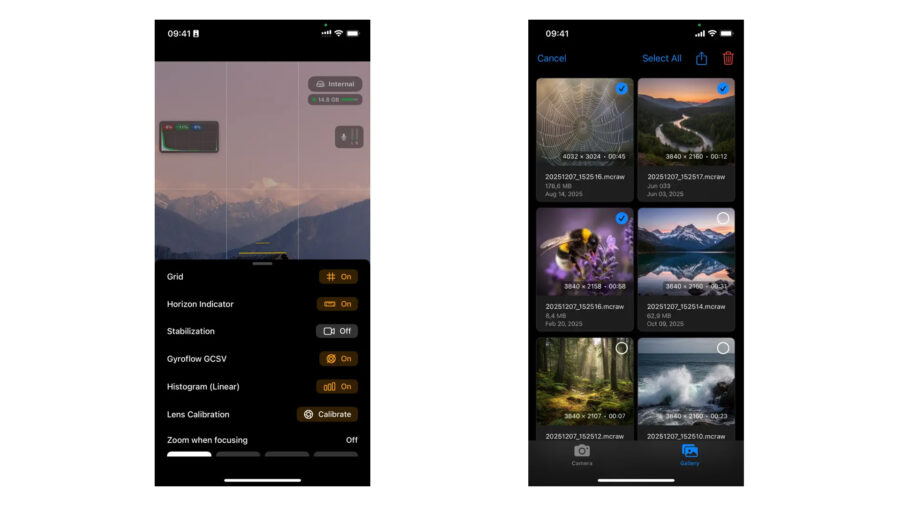
The most interesting integration is RAW Cam’s support for MCRAW, the container format originally built for the Android app MotionCam Pro by developer Mirsad Makalic. MCRAW is a single-file, losslessly compressed RAW container. According to MotionCam’s own site, “it stores lossless compressed raw data! For example: 30 frames at 4000×3000 resolution stored in mcraw container uses 234 MB, while same frames stored as Uncompressed DNGs (Stock Camera) needs 686 MB” — roughly a two-thirds reduction in that example, and MotionCam’s documentation elsewhere describes savings of up to about 50 percent versus uncompressed RAW. Crucially, that compression is lossless, which distinguishes it from ProRes RAW, whose compression is applied to the RAW data at capture. White balance is stored as metadata rather than baked in.
 RAW Cam. Image credits: Lead the Way
The practical hurdle is that most editors do not read MCRAW natively. MotionCam’s free desktop companion, MotionCam Tools (motioncamapp.com/tools), solves this by mounting .mcraw files as a virtual CinemaDNG sequence so they appear inside DaVinci Resolve, Premiere Pro and other DNG-capable editors with no conversion step or duplicate files. On macOS the mount is fully virtual; on Windows a small cache handles it, and playback is scrubbed on the GPU. The tool also lets you set frame rate, crop, exposure compensation, vignette correction and log transforms before the editor ever sees the footage, and it can generate downscaled proxies for editing before a full-quality render. A community fork adds further options. For an iPhone shooter, that means an MCRAW file from RAW Cam can drop into a Resolve RAW workflow almost as easily as CinemaDNG, at a fraction of the storage.
About that “true Apple Log 2” claim
The headline marketing claim, echoed by the developer and by third-party reviewers, is that these apps put genuine Apple Log 2 on old iPhones. Apple’s own white papers help draw the line here. Both the original Apple Log Profile White Paper (September 2023) and the Apple Log 2 White Paper (September 2025) define the exact same transfer function, a logarithmic curve smoothly transitioning into a parabola at the low end to capture negative signal values and preserve the sensor’s noise component, with identical encoding constants that place 18% gray at a 10-bit full-range code value of 500 and clip at 1200% scene reflection. Apple Log 2 does not touch the gamma at all, so it adds no stops of dynamic range, and claims of a new shadow curve or softer highlight roll-off in Log 2 are not supported by Apple’s documentation.
What changes is the gamut. Original Apple Log encodes in BT.2020 primaries with a D65 white point, while Apple Log 2 introduces Apple Wide Gamut, which Apple describes as optimized for its camera sensors in scene-referred workflows, keeping D65. The published chromaticities move the red primary out to x 0.725, y 0.301, shift the green to 0.221, 0.814, and place the blue primary at 0.068, -0.076, a negative coordinate that sits outside the visible spectrum entirely. Such imaginary primaries are the same mathematical device used by ACES and ARRI Wide Gamut to encode deeply saturated blues and violets without clipping, and they are where Log 2’s advantage under neon and stage lighting comes from.
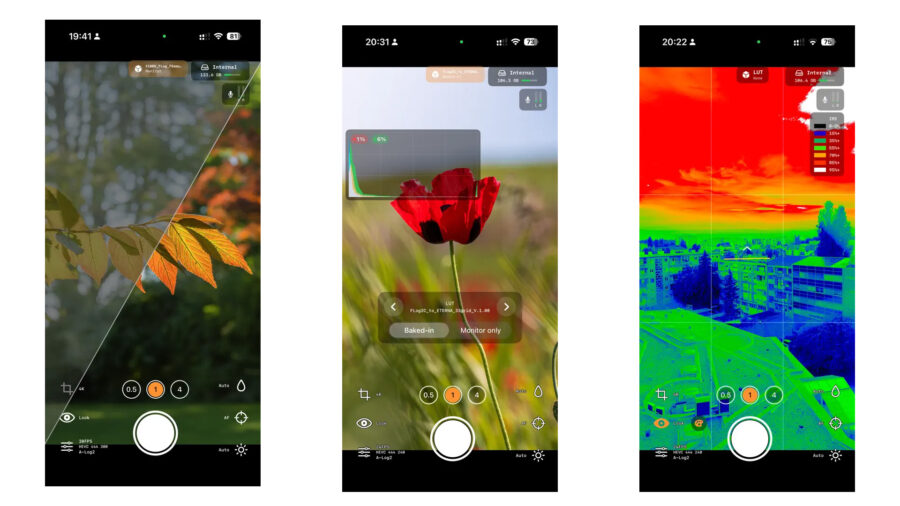 Log Cam. Image credits: Lead the Way
Because Apple publishes both the curve constants and the gamut coordinates, Log Cam’s own implementation of Apple Log 2 can, in principle, be mathematically exact. What Apple does not publish is how each iPhone sensor’s native response is characterized and transformed into that space, and that upstream color science is where differences from a genuine iPhone 17 Pro capture would arise, so treat intercutting as something to test rather than assume. Apple’s sanctioned Apple Log 2, along with internal ProRes RAW and genlock, remains an iPhone 17 Pro feature, while the original Apple Log arrived with the iPhone 15 Pro. One reviewer ran a blind test pitting a roughly four-and-a-half-year-old iPhone 13 Mini running Log Cam against an iPhone 17 Pro shooting ProRes RAW, and reported that every viewer preferred and misidentified the older phone’s footage. That is one reviewer’s single subjective test, not a controlled measurement, and should be read as such.
Open gate, and why Gyroflow likes it
Both apps record open gate, meaning the full 4:3 sensor area rather than a cropped 16:9 frame. Beyond reframing flexibility for vertical and horizontal delivery, that full readout has a specific benefit for stabilization. Gyroflow, the free open-source stabilizer (gyroflow.xyz), crops into the frame to hide the black edges that motion correction introduces, so the more sensor area you record, the more margin it has to work with before the final 16:9 crop. Gyroflow’s own guidance is to record the widest aspect ratio available for exactly this reason, and both apps export the Gyroflow GCSV gyro-data file needed to drive that post-stabilization.
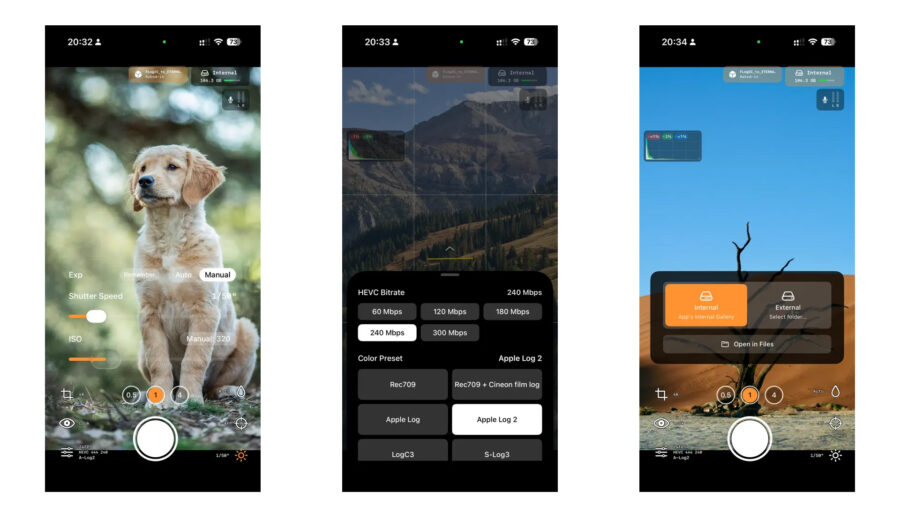 Log Cam. Image credits: Lead the WayHow it stacks up against srRAW
The closest iOS competitor is srRAW Cinema Camera from Vienna-based SWISS RIG FlexCo, which CineD has covered and which also uses a custom capture engine to write 14-bit CinemaDNG with synchronized WAV audio and no baked-in processing. The key difference for buyers is the business model. Per its launch coverage, srRAW 1.2 is sold either as a one-time lifetime purchase of 39.99 euros (about 43 US dollars) or, after a seven-day free trial, as a subscription of 3.99 euros per month or 19.99 euros per year (roughly 4.35 and 22 US dollars). RAW Cam and Log Cam, by contrast, are one-time purchases with no subscription. srRAW’s App Store build also supports a narrower device range, working with iPhone 15 and 16 Pro and Pro Max models at up to 3K, whereas Grabar’s apps reach back to the iPhone 13, including non-Pro models. Neither approach is automatically better, but the one-time pricing and wider hardware reach are the stronger arguments for Grabar’s apps, especially for shooters who resent yet another recurring fee.
RAW Cam and Log Cam are not the only apps chasing full-sensor log capture on iPhone. Apple’s own Final Cut Camera 2.0, the Blackmagic Camera app and award-winning tools such as Kino all occupy nearby ground, and enthusiasts have even found an internal ProRes RAW workaround on the 17 Pro. What Grabar’s apps add is reach onto older, cheaper hardware and a genuine RAW pipeline rather than a filter applied to Apple’s processed stream.
RAW Cam: Open Gate DNG Video is a one-time purchase of 11.99 US dollars on the App Store. Log Cam: Open Gate by RAW Cam is free to download with a 10-day trial and a single 13.49 US dollar in-app unlock, plus optional donation tiers. Both require iOS 17 or later, and full details are on the developer’s site at leadtheway.hr.
These two apps are rough but genuinely clever, and the one-time price makes them easy to try. Would you trust a solo developer’s RAW pipeline on a real shoot, or stick with Apple’s own tools? Don’t hesitate to let us know in the comments below!