
SammyGuru has affiliate and sponsored partnerships, we may earn a commission.
SammyGuru is reader-supported. We have affiliate and sponsored partnerships, so we may earn a commission when you buy through links on our site — at no extra cost to you. Learn more.
August 16, 2026 • 3 min read
Samsung has been polishing plenty of small parts of One UI 9.5. Now it looks like the fingerprint enrollment screen is finally getting some attention too.
One UI 9.5 gets a new fingerprint enrollment UI
Fahad Ali Javed shared another discovery from the CZH9 internal One UI 9.5 build running on the Galaxy S26. It shows a completely refreshed interface for registering a fingerprint. The new interface is much simpler and modern.


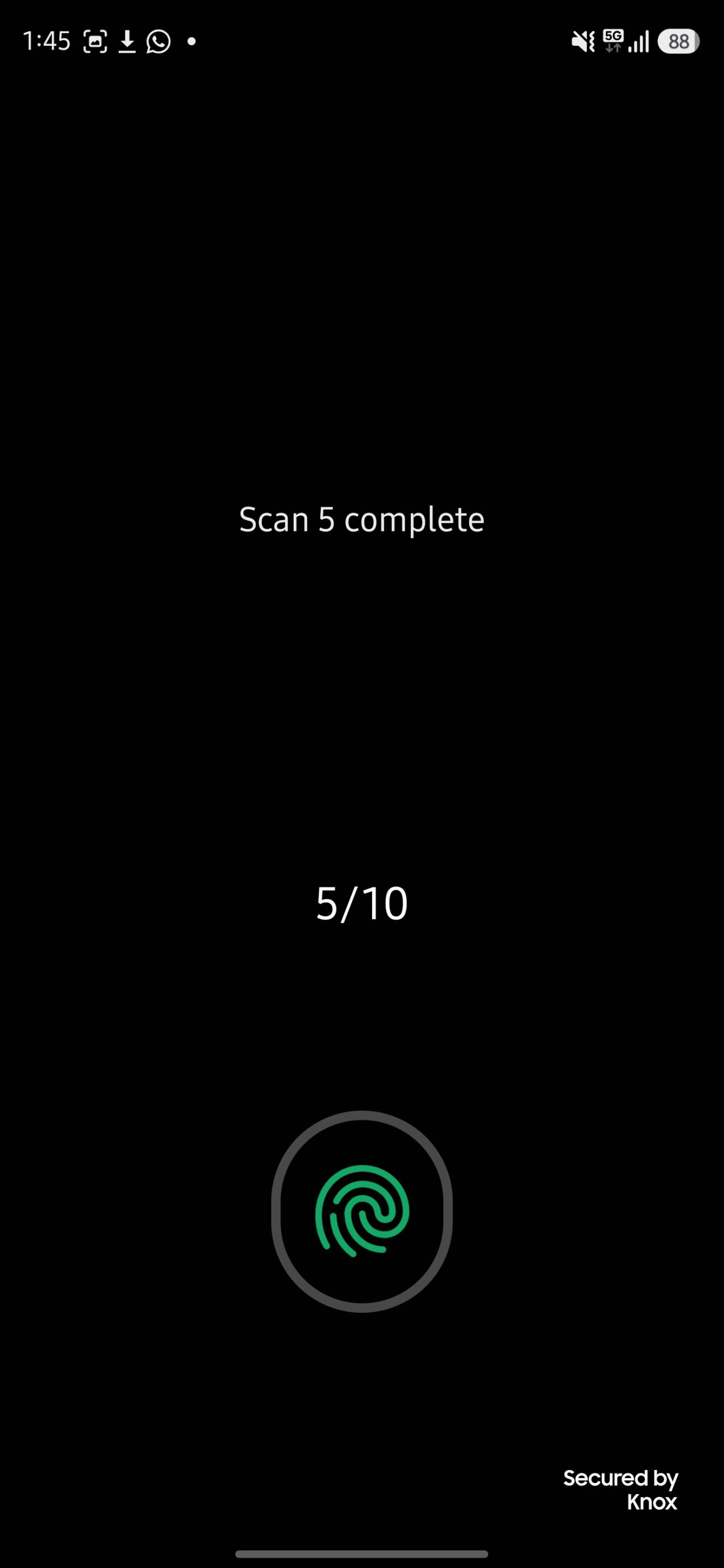
When registering a fingerprint, One UI 9.5 now shows a large fingerprint icon surrounded by a glowing blue and purple ring. The screen also clearly displays your progress, with counters such as 1/10 and 2/10. Additionally, messages confirm when each scan is complete.
As you continue scanning your finger, the fingerprint graphic itself appears to fill in, giving you a much clearer visual indication of how much of your fingerprint Samsung has captured.
🎁 SammyGuru Rewards
Get a free Mystery Box with your next Galaxy
Join SammyGuru Rewards — free. US members get a free Mystery Box of accessories when they buy a Galaxy through us, everyone earns Guru Points on everything, and you get a hand-picked wallpaper pack free every week.
Compared with One UI 8.5, the new One UI 9.5 fingerprint setup simply feels cleaner, more modern, and much more consistent with the rest of the visual changes we’ve already spotted throughout One UI 9.5. Here’s a side-by-side look between One UI 8.5 and One UI 9.5.
One UI 8.5 brought plenty of security improvements of its own, including stronger authentication protections, but Samsung is clearly paying more attention to the visual side this time around.
One UI 9.5 is shaping up to be more than just a collection of cosmetic tweaks. Samsung is refining the Camera app UI while adding new features such as App Lock and built-in App Mirroring. Of course, we’re still looking at internal software. So Samsung could make more changes before One UI 9.5 reaches Galaxy users.
Still, I like this approach. Not every update needs to completely redesign One UI. Sometimes, finally refreshing the little things we’ve been staring at for years makes just as much of a difference.
Frequently Asked QuestionsDoes One UI 9.5 change how you set up a fingerprint?⌄
Yes. In the internal CZH9 build running on the Galaxy S26, the enrollment screen has been redesigned: a large fingerprint icon sits inside a glowing blue and purple ring, a counter shows your progress such as 1/10, and the fingerprint graphic fills in as each scan completes. This is internal software, so Samsung could still change it before release.
Which Galaxy phones will get the new fingerprint setup?⌄
Samsung has not announced which devices will receive One UI 9.5 or when. So far the redesigned enrollment screen has only been seen on an internal build running on the Galaxy S26.
What else is new in One UI 9.5?⌄
Checking your own device? See our maintained list: Will Your Galaxy Phone or Tablet Get the One UI 9 Update?.

Written by
David Buliga is a Romanian writer at SammyGuru, where he covers the Samsung and Android ecosystem with a focus on apps, software features, and the trends shaping how we actually use our devices — from Galaxy Watch apps to One UI 9, plus the occasional opinion piece. He joined SammyGuru in 2026 after previously creating entertainment content on YouTube, producing animations and gameplay videos. Currently pursuing a Bachelor’s degree in Applied Electronics and Telecommunications, David is passionate about consumer technology and enjoys getting under the hood of smartphones to see what makes them tick. Outside of tech, he loves listening to music, reading books, photography, and exploring the random ideas that often inspire his next story.