
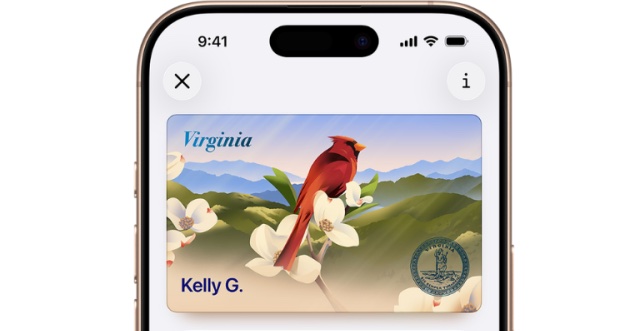
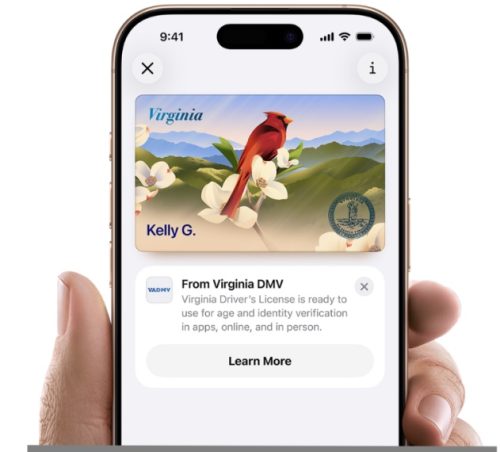
 A new digital ID option is now available to Virginia residents through Apple Wallet. (Courtesy of VDOT)
RICHMOND — Virginians can now add their state-issued driver’s licenses or identification cards to Apple Wallet, allowing them to use a digital version of their ID at participating locations.
The feature, launched this week, allows users to present their identification with an iPhone or Apple Watch without handing over the device.
Virginia residents can use IDs stored in Apple Wallet at more than 250 Transportation Security Administration security checkpoints across the country, including at Washington Dulles International Airport, Reagan Washington National Airport, Richmond International Airport and Norfolk International Airport.
The digital IDs also can be used at select businesses and apps, all Virginia Department of Motor Vehicles locations, pilot Virginia ABC stores and with Virginia State Police. Participating businesses and entertainment venues include CarMax Park in Richmond, Ocean Breeze in Virginia Beach and Apple Federal Credit Union locations in Northern Virginia.
Residents still must carry their physical driver’s license or identification card as a backup, particularly when driving.
“The introduction of ID in Apple Wallet to Virginians marks a major moment of innovation for the Commonwealth, putting Virginians ahead of the curve when it comes to both technology and protecting personal information,” Virginia Secretary of Transportation Nick Donohue said in a statement.
The digital ID can be used for identity and age verification at participating businesses. People can choose to share only the information requested. For example, when making an age-restricted purchase, persons can share their photo and verification that they are over 21 without providing their name, address or birthdate.
“We know how important it is to make identification easier to carry and use, and Virginians have been asking for more ways to do that,” DMV Commissioner Saundra M. Jack said in a statement. “So much of our everyday life is on our phone and now so is your Virginia ID in Apple Wallet.”
To add an ID, users can open Apple Wallet, tap the plus sign at the top of the screen, select “Driver’s License and ID Cards” and follow the instructions to complete the setup and verification process.
When presenting the digital ID, users hold their iPhone or Apple Watch near a reader. The device displays the information being requested, and the user must review and authorize its release using Face ID or Touch ID.
The information is transmitted through near-field communication, meaning users do not have to hand over their device.
When an ID is added to Apple Wallet, the DMV receives only the information necessary to approve or deny the request. Once added, the information is encrypted on the user’s device, and Apple cannot access it, according to the company.
Apple and the DMV do not know when or where a user presents the digital ID. A user’s presentation history is encrypted and stored on the device and is not accessible to Apple or the DMV.
More information about adding and using an ID in Apple Wallet is available on the Virginia DMV website.