

This piece is sponsored by Midco.
Before Kalyan Boinapalli handed his daughters their first devices, he and his wife started with a conversation.
Actually, many conversations.
Boinapalli, senior vice president of information technology at Midco, has spent nearly two decades working in information systems and software development.

But when it came to helping his own children safely navigate the internet, his starting point was the same as it is for many parents: Begin early, set expectations, and keep talking as technology changes.
“From an internet safety standpoint, we started early, educating them on why we need to be careful,” he said. “We made it a priority.”
His daughters, now 14 and 12, first used tablets when they were younger, and the family talked about screen time, safe clicking and why online access needed limits.

As they got older and phones entered the picture, the conversations changed.
“Once the kids started growing up, they started getting phones, and that changed the paradigm a little,” Boinapalli said. “Just like you don’t open the door to a stranger, you don’t talk to a stranger on a text message.”
That kind of practical, ongoing guidance is especially important as families have entered the start of a new school year, when more homework, activities and social connections move online.
One of the best ways to keep kids safe online is to teach them how to recognize potential risks and red flags. Starting those conversations early helps children develop good digital habits and understand family expectations around technology use.

That includes talking with kids about warning signs such as links, messages or follow requests from people they do not know; requests for passwords, personal information or payment details; offers promising free gaming currency, prizes or giveaways; and pop-ups that encourage app downloads or direct them to other websites.
Platforms such as TikTok, Snapchat and Discord can expose children to inappropriate content. Children also may face scams, cyberbullying and contact with strangers on chat apps. While the platforms can be fun, parents should stay involved and talk often with children about using them appropriately.
For Boinapalli’s family, one early step was using a free internet safety resource through Khan Academy. From there, technology tools helped support the expectations already being discussed at home.
The Midco Wi-Fi app, available for anyone with Midco Wi-Fi, includes parental control features that allow parents to assign devices to family members, manage internet access and apply content filters based on age and household preferences.
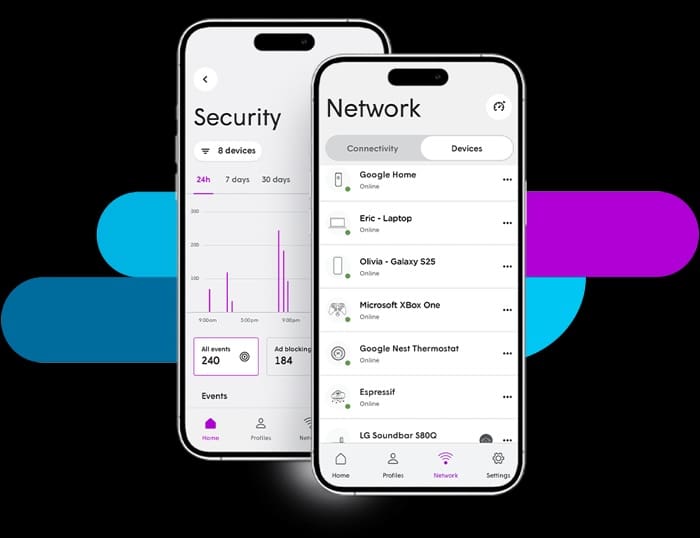
Boinapalli uses those tools in his own home.
“We use Midco Wi-Fi to set limits on each device for how much time it can use, and there’s a content filter you can set, and we use that as well,” he said. “There are some specific websites you can add to block, so we did that, and that worked.”
As children grow, though, the settings often need to change with them.
When one of his daughters started eighth grade and had more homework, the family adjusted her device limits.
“This is not a one-time set it and forget it,” Boinapalli said. “You use the technology like Midco Wi-Fi to provide the best possible safeguards, and it’s a continuous conversation.”
Those conversations now include artificial intelligence.
AI tools can be useful for learning, brainstorming and creativity, but they are not always accurate. Students should learn to verify information provided by AI tools, avoid sharing personal or sensitive information with chatbots, use AI as a learning tool rather than a replacement for critical thinking and understand that AI can edit or manipulate images and videos.
“This is nonstop, constant,” Boinapalli said. “With a connected device and with AI, it also is changing what’s fake or real, and those are real conversations we also have to talk about.”
He has noticed that the lessons are starting to stick.
“Honestly, kids are often better at spotting fake content than we are,” he said. “If you watch and something comes up on YouTube, they immediately say it looks fake, and that shows it’s working.”
Setting access
Back-to-school routines also are a good time to think about internet access during homework, activities and bedtime. Between assignments, sports practices and after-school commitments, distractions can add up quickly.
The Midco Wi-Fi app lets parents pause internet access or restrict devices during homework time. It also allows them to schedule timeouts for band practice, reading time, family activities or screen-free time before bed.
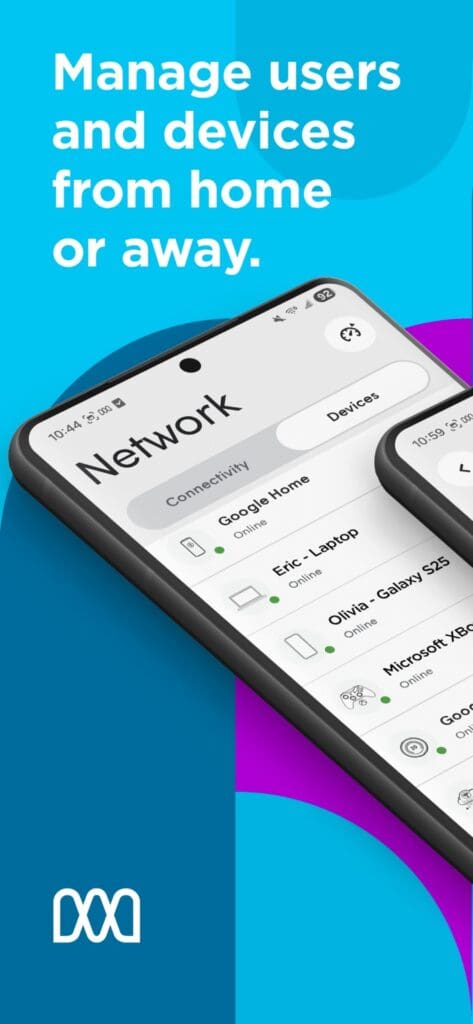
The goal is not to remove technology from children’s lives, Boinapalli said, but to create guardrails.
“It’s impossible to control everything, so it’s a combination of putting some guardrails around with continuous education,” he said.
That is especially true with gaming and chat features, which parents might overlook if they are focused only on major social media platforms.
“The biggest risk is a lot of people focus on social media in the sense of the big names like Instagram or Facebook or Snapchat, but the real danger is in the games kids play and the chats they’re having,” Boinapalli said. “They talk to other gamers, and there are group messages.”
In his family, gaming is allowed with boundaries.
“They have some access to games, but we tell them you play with people you know,” he said.
He also uses the Midco Wi-Fi app to block specific URLs when needed.
Securing your network
A secure home Wi-Fi network is another important part of protecting kids online. Before the school year gets too far along, families should take time to check that their network is protected.

That includes using a strong, unique Wi-Fi password; keeping routers and devices updated; removing unused devices from the network; and enabling antivirus software when available.
Every connected device — from phones and computers to TVs and smart home devices — can be an entry point to a network. Keeping devices updated and properly secured helps create a safer online environment for the entire family.
Boinapalli recommends setting up a guest network so visitors, including children’s friends, are not connecting to the family’s main Wi-Fi network.
“It’s like letting somebody onto your porch and not giving them access to your entire house,” he said.
That also helps avoid sharing the main Wi-Fi password with extended family and guests.
“It’s hard to change the Wi-Fi password because so many devices are connected, so that’s where guest networks and multiple networks maybe make sense too,” he said.
Families also should be careful with public Wi-Fi.
“I always tell my kids to try to avoid connecting to public Wi-Fi,” Boinapalli said. “If you absolutely have to connect to public Wi-Fi, just don’t do any financial transactions.”
Internet safety by age
As children get older, the conversations should mature with them.
For preschool and early elementary children, age 3 to 8, parents can set up parental controls to limit website and app access, help children learn when it is safe to click or download, and supervise online activity and phone use.
For elementary school children, age 9 to 11, families can set rules for downloading, purchasing and app usage; limit screen time; and talk about protecting personal information such as names, addresses and photos.
For middle school students, age 12 to 14, conversations should include social media, group chats and online friends, along with cyberbullying, peer pressure, appropriate posting, privacy policies and location sharing.
For high school students, age 15 to 18, families can focus on spotting scams, misinformation and phishing attempts, discussing AI-generated content and verifying sources, and encouraging responsible social media use while protecting a digital presence.
Boinapalli’s advice for parents is to stay involved and keep checking in.
“It doesn’t hurt to log in once in a while and see what devices are connected and how your Wi-Fi is performing,” he said.
“The Midco Wi-Fi app will show you what it’s been blocking, so you can take a look, and if you want to add or change as the kids grow, you might have to lift some restrictions. Use the technology that Midco proactively adds and then actively manage it when possible.”
Ready to learn more? Read Midco’s full internet safety study guide here.