
Pros & Cons
Display and battery are user replaceable.
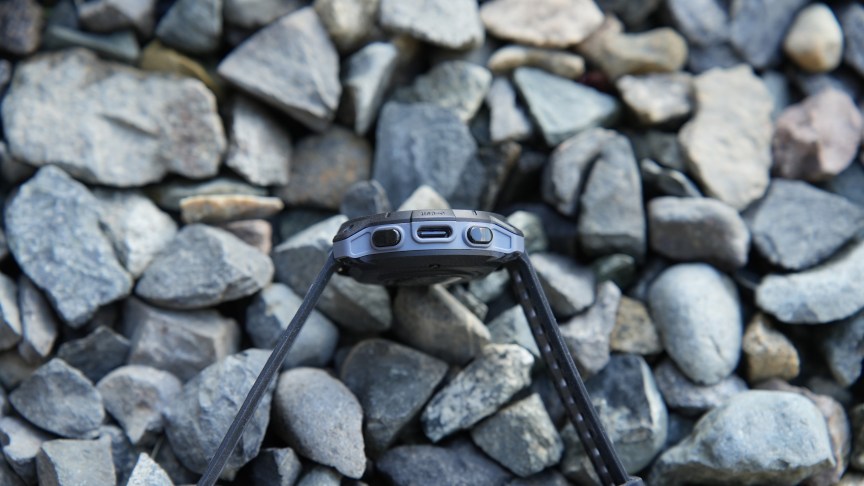
Charges via USB-C
10-day battery life
Dual-frequency, multi-satellite GNSS
Relatively affordable
The MIP display is best in direct sunlight.
No sleep tracking or HRV metric.
Not designed to track swimming with IPX5 rating.
The technology inside smartwatches has advanced significantly over the past few years. However, these devices typically have a three- to five-year lifespan, and millions of them are replaced even more often than that. In that sense, these devices are contributing a significant amount of e-waste. If that’s a concern, the Una Watch may be just what you’re looking for.
Also: The best cheap smartwatches: Expert tested
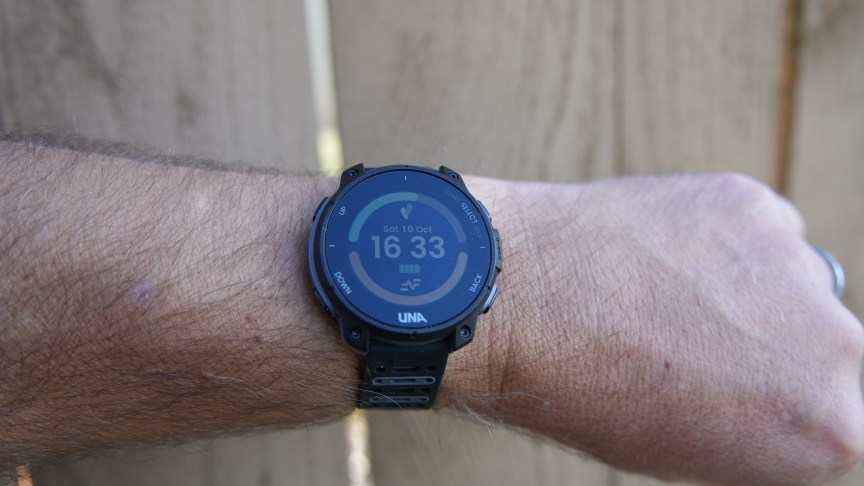
At first glance, the Una Watch looks like an entry-level Garmin with a 1.2-inch MIP display, four hardware buttons, a wrist heart rate monitor, and easily removable bands. There is a companion app, the ability to sync captured data with Strava, and even a minimal level of water resistance, so you can run in light rain and not worry too much about sweat.
 Matthew Miller/ZDNET
Repair and upgrade yourself
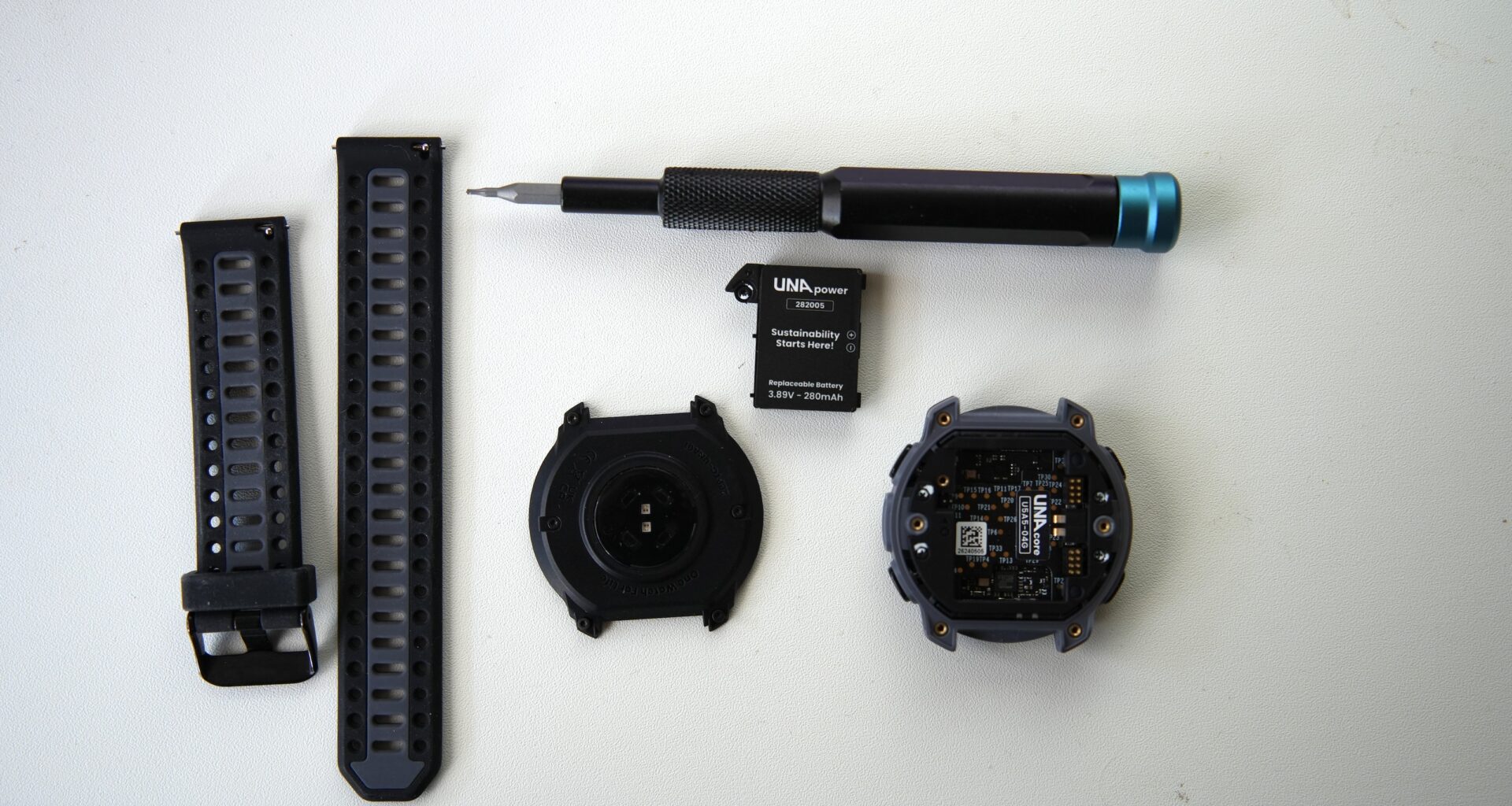
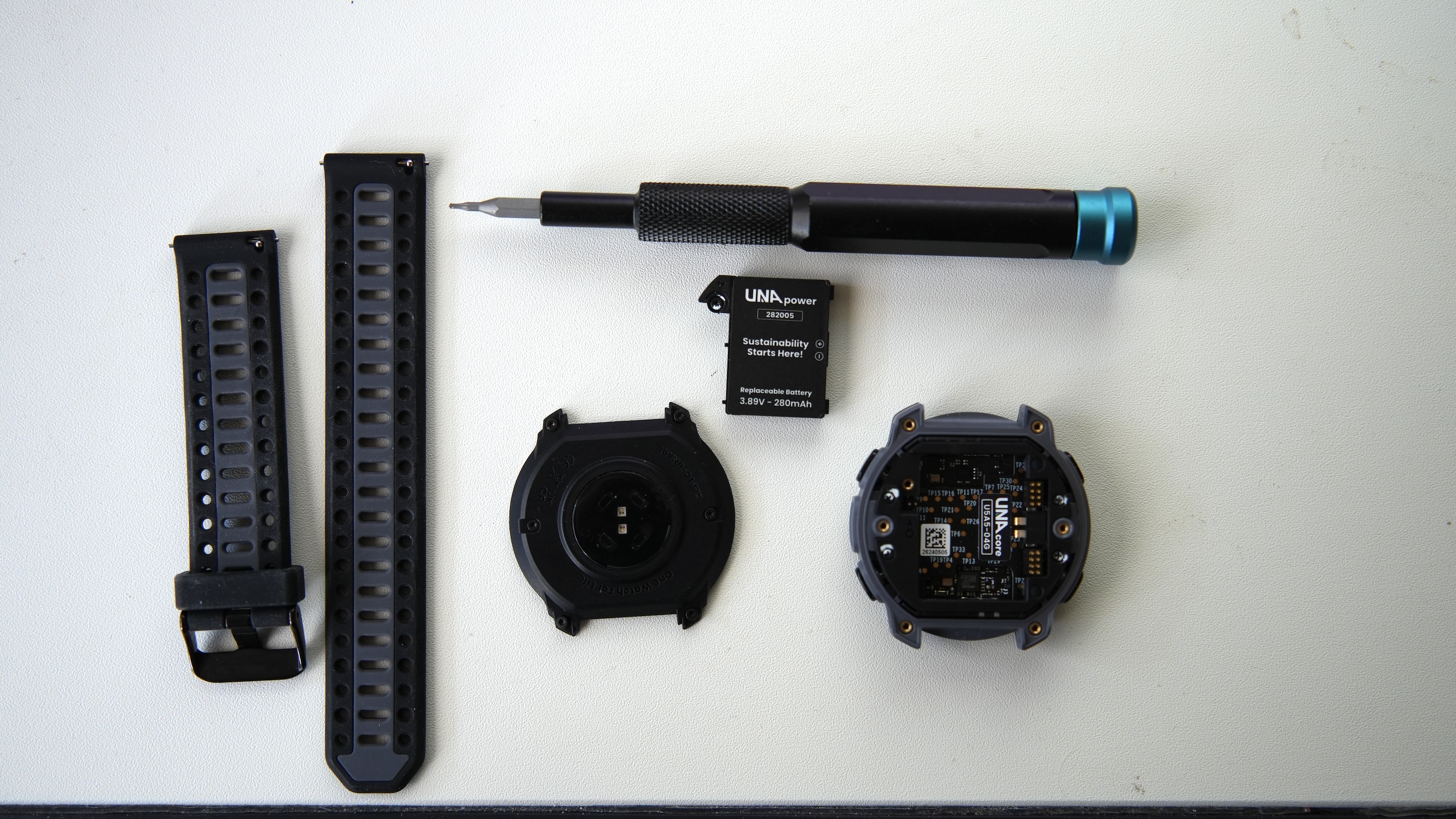
The defining aspect of this watch is its ability to be repaired or upgraded by the user with Torx and/or standard screwdrivers. Currently replaceable parts include the 280 mAh battery ($40) and the MIP display ($50). You can also purchase an Una-branded Torx tool for $10. I removed the six screws on the back panel in a few minutes, and then the one screw holding the battery, so repairs are very easy and can be done by just about anyone.
Also: The 5 most popular Garmin watches
While other components are not available yet, Una shows the other modules in the watch that could be replaced. These include the Una Link 1 which houses all of the navigation receivers, the Una Link 2 with the Bluetooth radio, the Una Body that houses the heart rate and other sensors, and the Una Core that contains the processor, storage, and other sensors.
We don’t know when these other parts may be available or what their pricing will be; there’s always a risk with a new company that they won’t be readily available in the future.
 Matthew Miller/ZDNET
I am particularly interested in upgrading the Una Body module with more advanced heart rate-tracking sensors to add more functions and features to the collected data. (Google and Apple are using such heart rate sensors and advanced algorithms for women’s health tracking, blood pressure trends, and more.)
Accurate, but basic fitness tracking
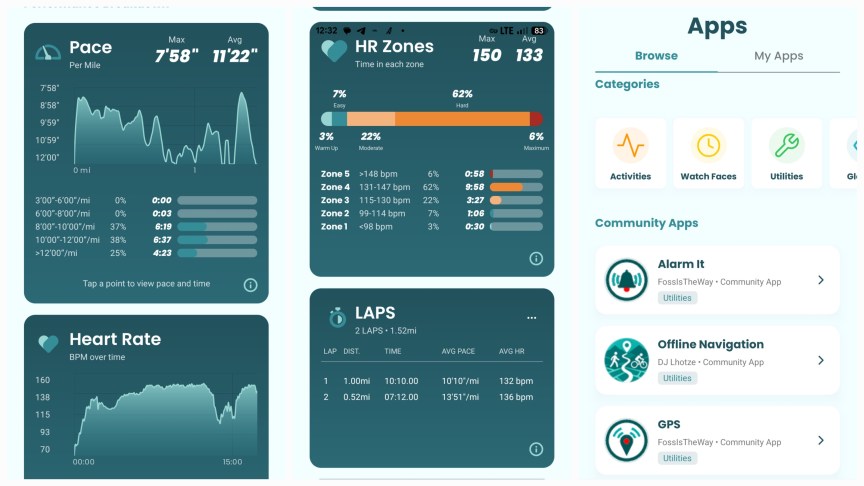
I ran with the Una Watch and a couple of other watches to compare location tracking and heart rate accuracy. I was pleasantly surprised by how close the GPS track aligned with the route I took on my runs. The heart rate sensor also tracked along well with the armband I wore, with fairly steady measurements and accurate heart rate zone results. The data is also well presented in the smartphone app with large fonts and clear visuals.
 Matthew Miller/ZDNET
There are limited activities available on the watch, including run, walk, hike, bike, treadmill, and workout. The generic workout option covers all of your activities that don’t fit into the five default options. Current pace, distance traveled, duration, heart rate, lap pace, lap distance, and lap time are presented on two screens when you run. For the other activities, the watch provides appropriate metrics so as to fit the fitness needs of typical users.
Also: Suunto’s new sports watch is a runner’s dream
Sleep tracking is not currently available on the Una Watch, and other advanced health and recovery metrics aren’t provided either. This makes the Una Watch a solid fitness tracker for the basics, with the possibility of additional support from third-party apps and utilities.
Una Watch user interface
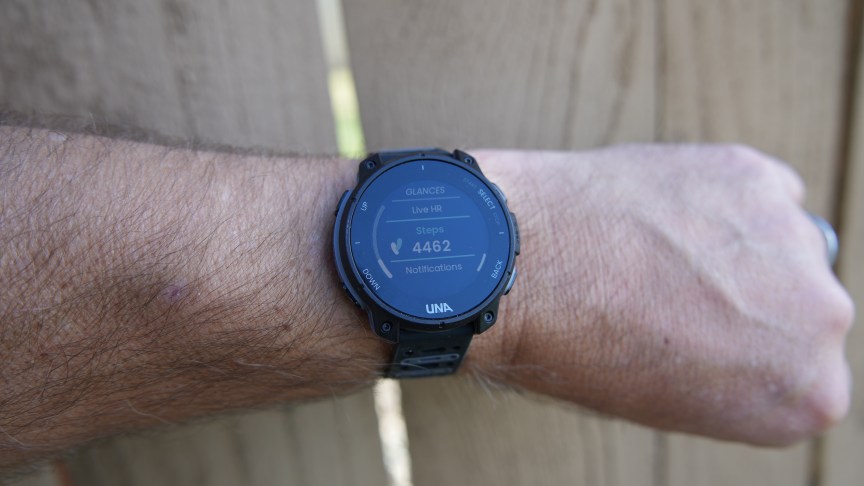
The MIP display looks good outside in well-lit environments, but is clearly not competitive with the vibrant AMOLED touchscreen displays we see on more premium models. Pressing one of the four buttons turns on backlighting for a few seconds for better illumination inside and low-light areas.
 Matthew Miller/ZDNET
The left buttons control movement through lists, and a single press of the top-left button launches access options for settings, alarm, timer, stopwatch, and alerts. The top-right button selects the option on the display, while the bottom-right button moves you back one level in the interface.
Also: The best sports watches: Expert tested
A single press of the lower-left button launches the glances on the watch face, and continuing to press it moves you through a notification status card, activity minutes, average heart rate and resting values, battery level, floors walked, live heart rate, and steps. All in all, the watch’s user interface is easy to use and responds well to button presses.
Watch faces and apps
The Una Watch companion app is available for both Apple and Android users and is simple but well-designed, with five tabs at the bottom to view your data and stats. Six watch faces are preloaded on the Una Watch, but you can also visit the store and choose from several other options. There is no complication customization, but the available faces provide everything you need.
While there aren’t thousands of apps, I was surprised by how many options there already are for the Una Watch. App categories available for free include activities, utilities, and glances. Glances are the small blocks that appear on the watch face when you press the down button on the left. I installed the weather glance since that is an important piece of information I want to see quickly and easily on the watch face.
Also: The best waterproof smartwatches: Expert tested
Some apps have configuration options, too, and in my experience, the watch restarts to fully set up the app. A configuration pop-up then appears in the Una Watch companion app, allowing you to customize the app for yourself.
Final thoughts
I like the sustainable nature of the Una Watch, and it’s certainly easy to take apart to replace the various modules. It performed better than I expected for core fitness tracking and can likely meet the tracking needs of typical recreational athletes. The watch is light, lasts for about a week, and is available in three colors. There is a lot of potential here with expanded module upgrades, software updates to expand activity options, and a growing list of available apps and watch faces.

Matthew Miller
Contributing Writer
Matthew Miller started using mobile devices in 1997 and has been writing news, reviews, and opinion pieces ever since. Matthew started using mobile devices with a US Robotics Pilot 1000 and has owned hundreds of devices running Palm, Linux, Symbian, Newton, BlackBerry, iOS, Android, webOS, Windows Mobile, and Windows Phone operating systems. His current collection includes the latest and greatest foldables, wearables, and more, along with classic devices like the Apple Newton MessagePad 2100 and Sony CLIE UX50. Matthew can be found on various social networks under the user name of “palmsolo.”
See full bio