
9 photos
Photo: Bogdan Popa/autoevolution/Google
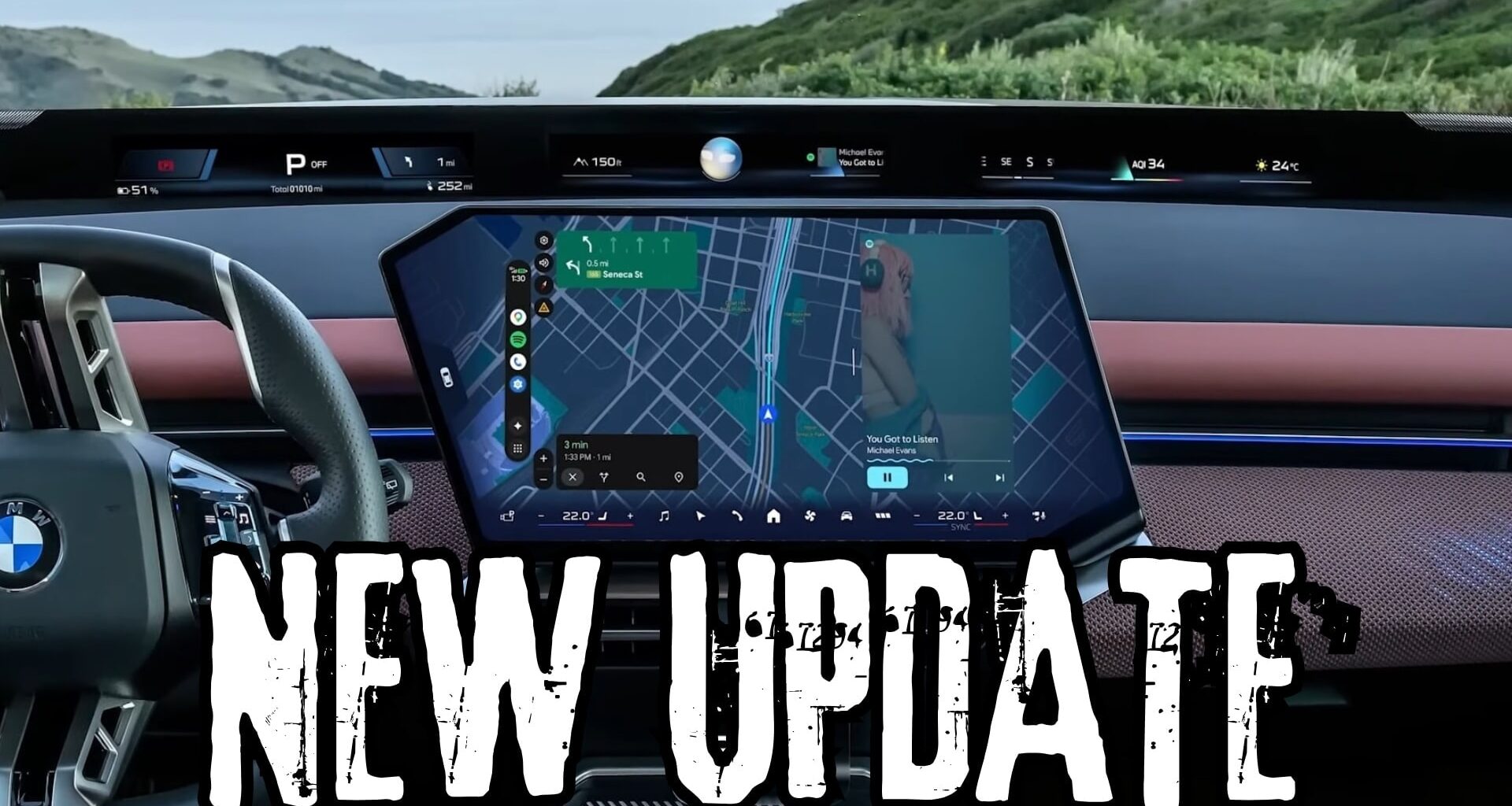
We’ve known for a while that Google was working on a major Android Auto transformation, and it now appears that we’re getting closer to the moment it presses the go-ahead button for the production release.
Android Auto 18, which has just landed in the beta program, includes more evidence that the work is making good progress. The update isn’t ready yet, so it’s unclear if we still have any chances to get it by the end of the year.
An early 2027 release looks more likely, considering this beta build doesn’t include any features that can be enabled.

Photo: Google
Cielo is comingThe new interface update is codenamed Cielo and is pretty much the first major refresh since the introduction of Coolwalk.
With the debut of Coolwalk, Google divided the main UI into multiple cards, with one card assigned to every major app category. The idea was brilliant – despite looking similar to the CarPlay Dashboard – as it allowed Android Auto users to run multiple apps side by side, regardless of their screen sizes.
The navigation app takes the largest card, whereas music apps, phone calls, and calendar entries use the remaining screen estate.
With Cielo, Google is rethinking this approach. One of the biggest feature additions that will land as part of this update is support for widgets. Compared to CarPlay, where widgets are displayed on a separate screen, which you can access by swiping right, Android Auto will display widgets side-by-side with the rest of the interface.
{fulimg2}
This also happens regardless of your screen size, so the interface will be divided into multiple panels to make sure users always get access to the apps they need, such as navigation. Furthermore, the new UI will adapt to every screen, and Google specifically highlighted Android Auto’s ability to use the entire screen estate no matter the size and shape of the display.
It’s not a secret that some cars come with unusual screen shapes, and this approach has made it more challenging for Google to make Android Auto use the entire display. MINI is just one example, where the round screen displayed Android Auto only in a rectangular panel in the middle of the display. With this update, Android Auto will use the entire screen and adapt its UI to the round unit.
Android Auto 18 includes an asset called “cielo_launcher,” which is pretty much evidence that Google has started to integrate the new UI into the app. No other strings are live right now, but I expect them to debut in the coming versions, as the work on Cielo continues.
The new version includes Google Sans Flex, a font whose main attribute is that it can adjust its settings according to the display where it’s being used. This new font will be an essential part of Google’s efforts to make Android Auto easier to use on all car screens.
An APK teardown revealed that Google is also making progress on the work regarding Work Profiles. With this update, Android Auto will allow users to enable a work profile when they connect their phones to the car. This feature is specifically aimed at people who use the same device for personal and work stuff, so when you connect to Android Auto, you can enable a dedicated profile that includes only the things that you need behind the wheel.
It’s unclear how this feature is going to work, but the most convenient approach would be for Google to allow users to configure a work profile for Android Auto and then have it enabled automatically when they start the engine and fire up the application.

Photo: Google
Gemini is already an essential part of Android Auto, especially after the complete retirement of Google Assistant, but Google is now ready for the next big update. Once Cielo is prepared, Gemini will get new capabilities powered mostly by access to data in other Google services, including Gmail. What this means is that Gemini will be able to provide answers and information that is located in your inbox.
For example, if someone sends you a text to ask about your next meeting, and that next meeting is already added to your calendar, Gemini can suggest a quick answer based on the information it can read from the calendar. The same for Gmail, where Gemini will be able to check your inbox for relevant data.
How to download Android Auto 18.0 betaIf you want to download the new beta without being part of the testing program, you can use the APK installer on this page to do it.
You’ll need to enable permissions for the installation of apps from non-Google Play Store sources. After the download is complete, navigate to the file, tap it to initiate the update, and follow the on-screen instructions to finalize the process.
Keep in mind that this is a beta, so an increased likelihood of issues is very possible, meaning that you’re not supposed to use this build as your daily driver.