
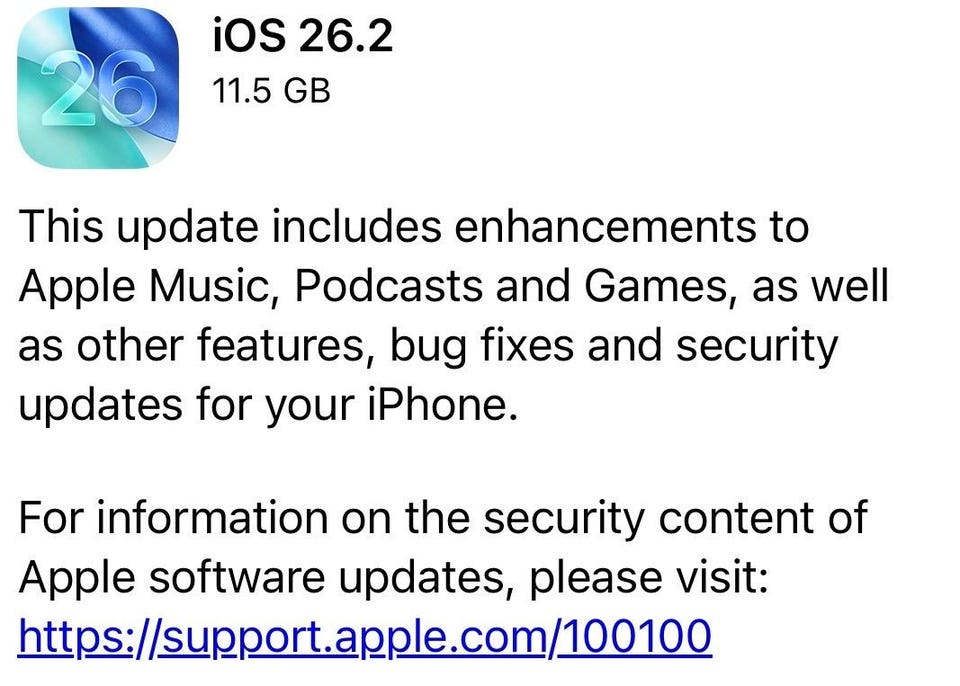
Screenshot iOS 26.2 fixes 26 flaws in Apple’s iOS software, two of which are already being used in real-life attacks.
Apple iPhone
Update Dec. 14: This article, originally published on Dec. 13, has been updated to add expert comment on the flaws fixed in iOS 26.2, other updates issued alongside it, advice on spyware mitigation, as well as detailing why there was no iOS 26.1.1.
Apple has released iOS 26.2, along with a warning to update your iPhone now. That’s because iOS 26.2 fixes 26 flaws in Apple’s iOS software, two of which are already being used in real-life attacks.
Apple doesn’t provide much detail about what’s fixed in iOS 26.2, to give iPhone users as much time as possible to update before attackers can get hold of the details. But it does reveal that iOS 26.2 fixes two flaws in WebKit, the engine that underpins the Safari browser, that “may have been exploited in an extremely sophisticated attack against specific targeted individuals on versions of iOS before iOS 26.”
Tracked as CVE-2025-43529 and CVE-2025-14174, the two already exploited issues fixed in iOS 26.2 are related. The first flaw could lead to arbitrary code execution, if a user interacts with maliciously crafted web content. “CVE-2025-14174 was also issued in response to this report,” Apple said on its support page.
Apple’s iOS 26. 2 also fixes a vulnerability in the iPhone Kernel, tracked as CVE-2025-46285, which could allow an app to gain root privileges.
If an attacker gains root access on a phone, they “effectively own it,” bypassing app sandboxes, reading messages and login codes and hijacking banking sessions, says Javvad Malik, lead CISO advisor at KnowBe4.
Criminals weaponise newly patched flaws quickly, he warns. “Users should update now from their phone’s settings — and not via links or popups — and encourage their friends and family to do the same.”
iOS 26.2 Comes As Apple Warns Of iPhone Spyware
The release of iOS 26.2 comes as Apple confirms its devices are being targeted by spyware. The iPhone maker sent out cyber threat notifications to users in at least 80 countries warning them that they are being targeted by the stealthy malware.
Spyware is extremely targeted and aimed at a certain subset of iPhone users, including dissidents, journalists and businesses operating in certain sectors. However, once it is on your device it can see and hear everything you do, even via encrypted apps such as WhatsApp.
How To Protect Yourself From Spyware
If you think you may have been hit by spyware, signs include overheating of your iPhone, a laggy device, or new apps suddenly appearing that you can’t recall downloading.
If this is the case, experts say the best thing you can do is ditch your iPhone altogether. However, the malware can be disrupted by turning your iPhone off and on again. Just know that this is temporary.
To prevent your device being hit by spyware, update first to iOS 26.2 to ensure you are on the most secure iOS version. You can also use tools such as Apple’s Lockdown Mode, while remaining vigilant of any unusual behavior on your iPhone.
iOS 26.2 Issued Alongside iOS 18.7.3 And More
Apple released iOS 26.2 alongside iOS 18.7.3, which itself fixes 22 flaws, including the two WebKit issues that have already been exploited in attacks. Apple says attacks targeted versions of iOS before iOS 26, which could mean iPhones on iOS 18.7.2 are vulnerable.
The fact that Apple has patched iOS 26 too indicates that the latest operating system is vulnerable, but attacks have not succeeded yet, perhaps because they are more difficult to perform.
Apple’s iOS 18.7.3 is available for the iPhone XS and later, iPad Pro 13-inch, iPad Pro 12.9-inch 3rd generation and later, iPad Pro 11-inch 1st generation and later, iPad Air 3rd generation and later, iPad 7th generation and later, and iPad mini 5th generation and later.
Meanwhile, Apple released macOS Tahoe 26.2, macOS Sequoia 15.7.3 and macOS Sonoma 14.8.3 for Macs. The iPhone maker also issued tvOS 26.2 for Apple TV, watchOs 26.2 for Apple Watch, visionOS 26.2 for the Apple Vison Pro and Safari 26.2 for macOS Sonoma and macOS Sequoia.
Why Apple Let The Patch Wait Until iOS 26.2
As eagled-eyed iPhone security watchers may have noticed, Apple has waited until iOS 26.2 to issue this emergency update, rather than releasing iOS 26.1.1 as a security-only upgrade.
This is because Apple has already enabled a feature in iOS 26.1. called Background Security Improvements, which performs these updates on the fly. If you have upgraded to iOS 26.1 and enabled this feature, your iPhone will already be protected from this possible spyware attack.
This also explains why Apple is pushing iOS 26.1 as the update to choose, rather than iOS 18. If you have failed to update from iOS 26 to iOS 26.1, moving straight to iOS 26.2 is therefore a no-brainer.
Flaws Fixed in iOS 26.2 Could Be Part Of Wider Attack Chain
The issues fixed in iOS 26.2 could be part of a wider attack chain, says Darren Guccione, CEO and co-founder of Keeper Security. Attackers can chain together multiple flaws to bypass layers of device security, combining zero-days or exploiting overlooked weaknesses in critical components, he says. “WebKit, which is a fundamental element of every iPhone browser, continues to be a prime target because it sits at the intersection of web content and the operating system.”
When vulnerabilities like these are disclosed and patches are issued, timing matters, Guccione warns. “Once Apple issues a fix, details about the vulnerabilities quickly become public, giving attackers a roadmap to exploit any devices that have not yet been patched. The longer users wait, the greater the risk.”
WebKit flaws like the ones fixed in iOS 26.2 are especially dangerous because they “sit at the crossroads of user interaction, browser execution and the underlying APIs,” says Glyn Morgan, UK&I manager at Salt Security. “When WebKit flaws are exploited they can bypass controls and enable deep surveillance even on encrypted apps.”
The Kernel flaw fixed in iOS 26.2 is also serious because the Kernel “sits at the very core of the operating system,” says Jake Moore, global cybersecurity advisor at ESET. “If exploited, it could allow a malicious payload to escalate privileges, effectively breaking out of the normal app boundaries to gain higher level access.”
Bugs Squashed In iOS 26.2
As usual, Apple’s iOS 26.2 fixes several bugs in the iPhone software. According to Apple, iOS 26.2 fixes an issue where pre-release albums in the Apple Music library were not immediately playable at their release time, as well as a bug where a Privacy and Security setting may incorrectly be marked as managed by an enterprise organization.
Why You Should Update Your iPhone to iOS 26.2 Now
Apple’s iOS 26.2 also comes with a number of cool new features, many of which offer a boost to your iPhone’s security. In iOS 26.2, Apple will add improvements to Enhanced Safety Alerts.
Apple’s iOS 26.2 also adds new options for the controversial Liquid Glass feature, Podcast enhancements, offline lyric support in Apple Music, sleep score revisions, alarms for reminders and AirPods Live Translation in the EU.
It is notable that both WebKit issues patched in iOS 26.2 were exploited in versions before iOS 26, making it integral that you upgrade your iPhone now. As Apple has issued iOS 18.7.3 alongside iOS 26.2, you can still update your iPhone and fix the dangerous flaws if you prefer to stay on an older version.
While turning on automatic updates helps ensure you do receive iPhone security fixes quickly, it’s far better to check for upgrades such as iOS 26.2 and apply them yourself.
“If you’re waiting for a big old pop-up to tell you you’re exposed, stop,” Rik Ferguson, VP security intelligence at Forescout advises. “’Saying, ‘I’ve got auto-updates on’ is not a guarantee of a quick resolution. The practical advice is pedestrian but effective — manually check for OS updates, manually update apps and don’t assume you’re covered just because you haven’t seen a prompt.”
Apple’s iOS 26.2 is available for the iPhone 11 and later, iPad Pro 12.9-inch 3rd generation and later, iPad Pro 11-inch 1st generation and later, iPad Air 3rd generation and later, iPad 8th generation and later, and iPad mini 5th generation and later.
So, what are you waiting for? Go to your Settings > General > Software Update and update to iOS 26.2 or iOS 18.7.3 now.