
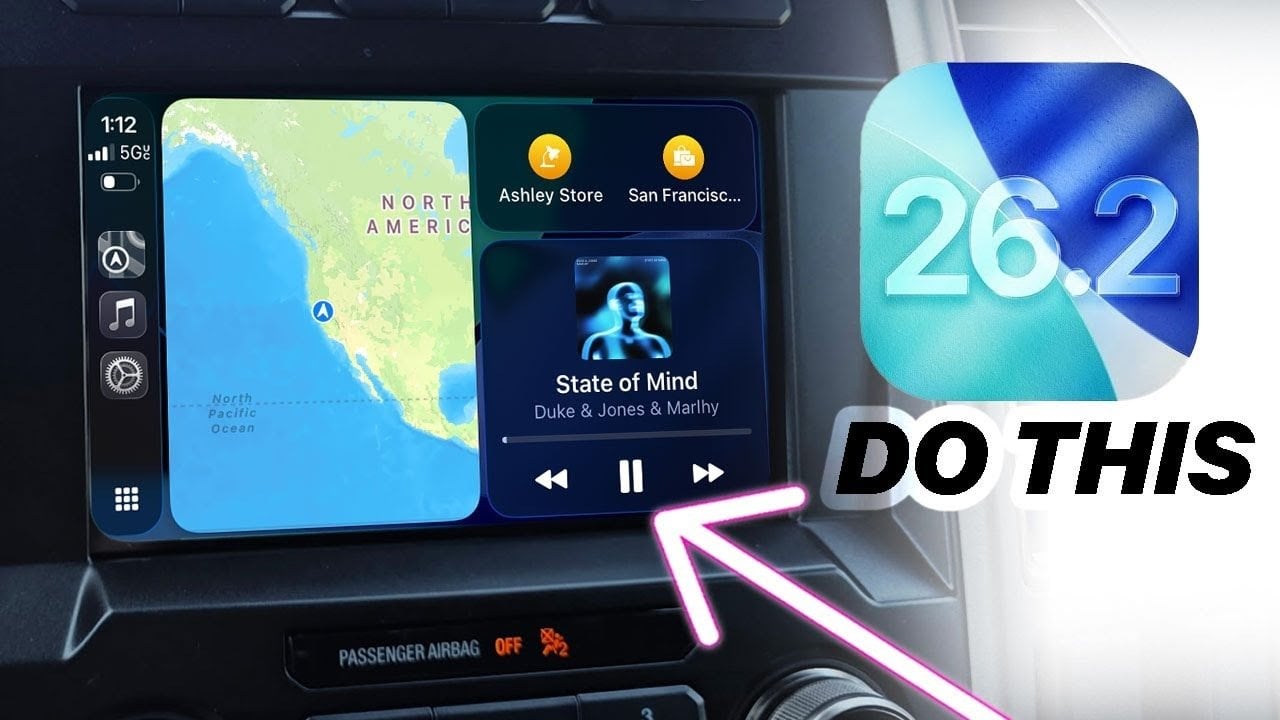
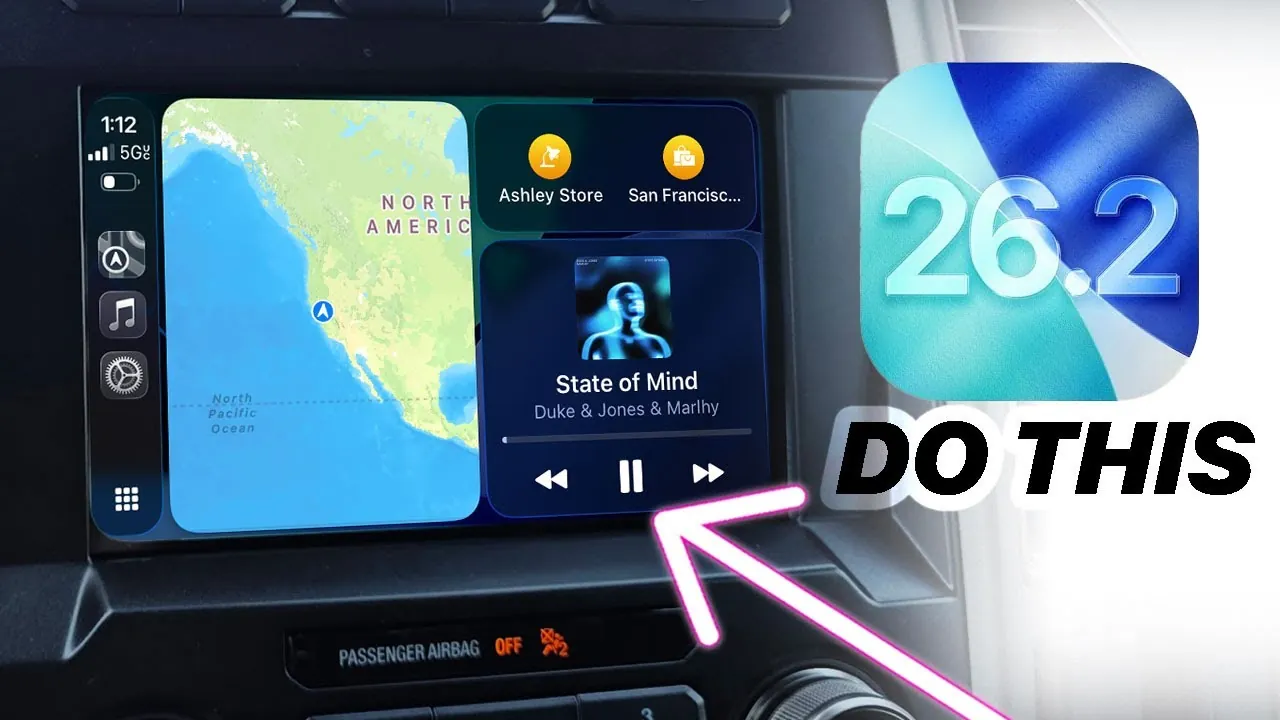
Apple’s iOS 26.2 update introduces a comprehensive suite of features and refinements, with a particular focus on enhancing Apple CarPlay functionality and improving the overall user experience. By addressing both usability and performance, this update aims to make your interactions with Apple devices more seamless, efficient, and visually appealing. The video below from HotshotTek gives us a look at Apple CarPlay and the new features in iOS 26.2.
Major CarPlay Enhancements
CarPlay takes center stage in iOS 26.2, receiving significant updates that enhance usability, customization, and reliability. These changes are designed to make your driving experience safer and more intuitive, while also addressing long-standing user feedback.
Multitasking with Active Activities: CarPlay now supports up to three active activities simultaneously, allowing you to switch between tasks like navigation, music, and calls with a simple swipe. This feature enhances multitasking efficiency without compromising safety.
Expanded Widget Support: Vehicles that were previously limited to a single widget slot can now display two widgets on the dashboard. This added flexibility allows you to customize your interface with essential information, such as weather updates and music controls, at a glance.
Persistent Zoom in Maps: CarPlay now remembers your preferred zoom level in Maps, making sure a consistent and personalized navigation experience every time you drive.
Liquid Glass Visuals: Enhanced translucency and smoother animations bring a polished, modern aesthetic to CarPlay apps like Maps. These visual upgrades improve clarity and make the interface more engaging.
Wireless Connectivity Fixes: Persistent issues with wireless CarPlay in certain vehicles have been resolved, providing a more stable and reliable connection for users who prefer cable-free setups.
These updates not only improve functionality but also address user concerns, making CarPlay more dependable, customizable, and visually appealing.
iPhone-Specific Updates
Beyond CarPlay, iOS 26.2 introduces a range of features designed to enhance the iPhone experience. These updates focus on improving design, utility, and accessibility, making sure that your device remains both functional and enjoyable to use.
Refined Liquid Glass Design: System elements such as the lock screen clock and the Shazam app now feature improved translucency, giving your device a sleek and modern appearance.
Earthquake Alerts: A new emergency alert system provides real-time earthquake warnings, offering potentially life-saving information during critical moments.
Reminders and Clock Integration: Time-based reminders now sync seamlessly with the Clock app, simplifying the process of managing your schedule and making sure you never miss an important task.
Podcast App Enhancements: Automatic chapter generation allows you to navigate podcasts more efficiently, allowing you to jump to specific sections with ease.
Flash Notifications: In addition to LED flash alerts, you can now enable screen flash notifications, providing better visibility in noisy or visually distracting environments.
Redesigned News App: The News app now features a column-based layout, improving readability and making it easier to navigate through articles and updates.
Apple TV App Redesign: Renamed from “Apple TV Plus,” the app now offers a more intuitive interface, streamlining access to your favorite shows and movies.
Secure AirDrop: A new one-time code feature enhances privacy by allowing secure file sharing with non-contacts, making sure your data remains protected.
Smoother Icon Animations: Subtle tweaks to bubble animations create a more fluid and visually cohesive experience across the system.
These updates reflect Apple’s commitment to balancing functionality with aesthetic appeal, making sure that your iPhone remains a powerful and user-friendly tool.
Performance Improvements and Bug Fixes
iOS 26.2 is not just about introducing new features—it also focuses on improving performance and resolving bugs to enhance the overall reliability of Apple devices. These updates ensure a smoother and more dependable user experience.
General Optimizations: System-wide performance enhancements have been implemented, making sure faster and more efficient operation across all compatible devices.
Wireless CarPlay Fixes: Long-standing connectivity issues with wireless CarPlay have been addressed, providing a more stable and reliable experience for users.
Battery Efficiency: Subtle optimizations in power management contribute to improved battery life, allowing you to use your device for longer periods without frequent charging.
App Stability: Updates to core apps ensure fewer crashes and smoother performance, enhancing the overall reliability of the system.
These improvements demonstrate Apple’s dedication to refining its ecosystem, addressing user-reported concerns, and making sure that devices perform at their best.
Why This Update Matters
The iOS 26.2 update represents a thoughtful and comprehensive upgrade to Apple’s ecosystem. By focusing on both functionality and aesthetics, this release enhances the way you interact with your devices, whether you rely on CarPlay for navigation, use your iPhone for productivity, or appreciate Apple’s design innovations. With improvements that range from multitasking capabilities in CarPlay to real-time earthquake alerts and refined visual elements, iOS 26.2 ensures that your devices remain intuitive, efficient, and enjoyable to use. This update underscores Apple’s commitment to delivering a seamless and reliable user experience, making it a valuable addition to the iOS lineup.
Browse through more resources below from our in-depth content covering more areas on iOS 26.2 update.
Source & Image Credit: HotshotTek
Filed Under: Apple, Apple iPhone, Guides, Top News
Latest Geeky Gadgets Deals
Disclosure: Some of our articles include affiliate links. If you buy something through one of these links, Geeky Gadgets may earn an affiliate commission. Learn about our Disclosure Policy.