

Home Assistant is one of the most powerful smart home platforms you can run, but writing automations for it has always been a friction point. There have been numerous attempts to improve this process, but for some, the YAML editor is the only way to accurately and quickly build a more complex automation. With that said, YAML’s syntax is particular, action calls need exact entity IDs, and Jinja2 templates for anything beyond basic triggers can get messy fast. I’ve seen people try to use cloud LLMs to varying degrees of success over the years, but from what I’ve seen, more complex LLMs can still struggle to create a working configuration at times. For this article, I tested out Claude’s generative capabilities for Home Assistant automations, and it was more or less spot on, though with some quirks that were easily fixed (if you know Home Assistant, anyway).
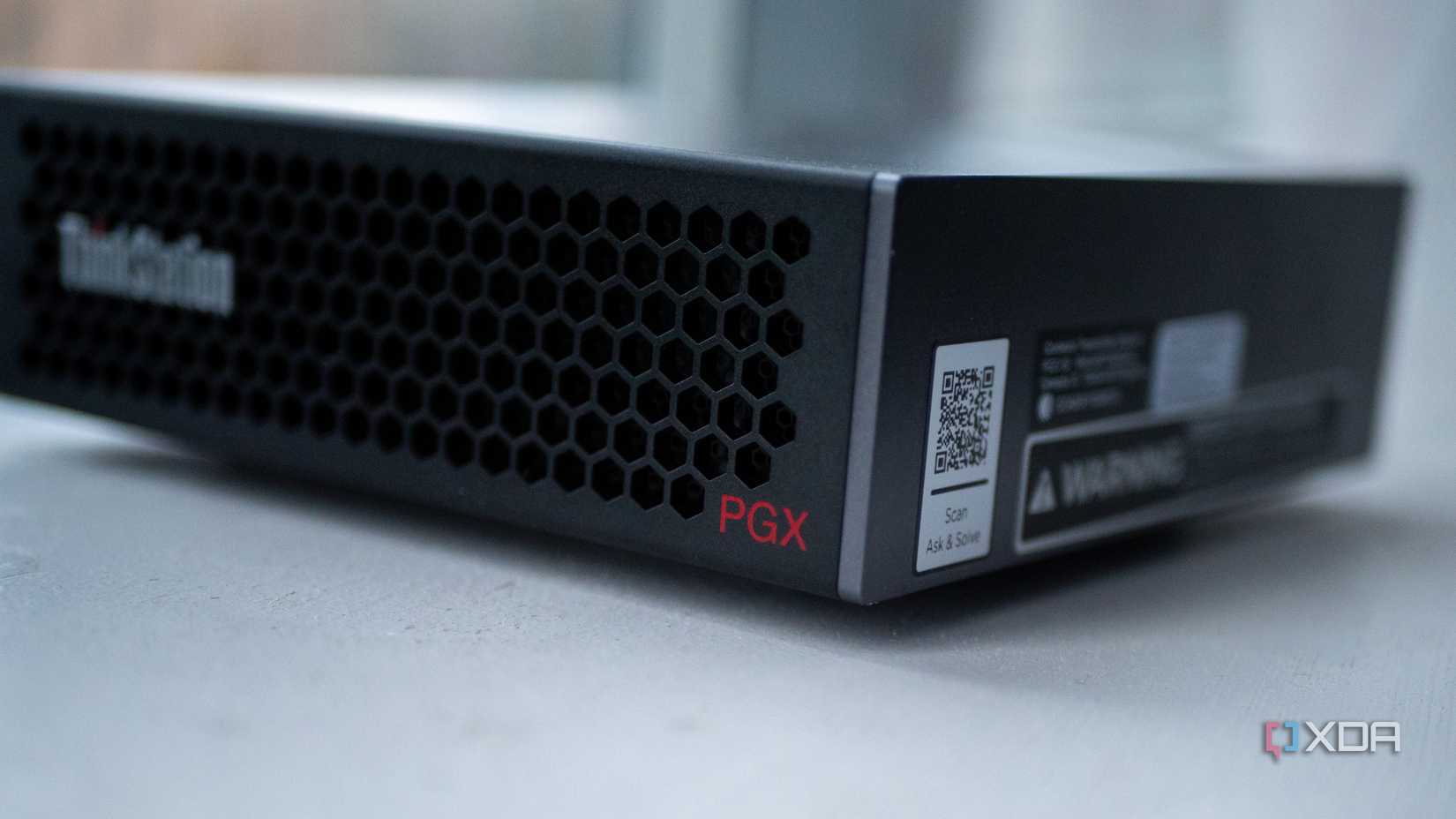
However, I decided to try and overcome that limitation. Using the Lenovo ThinkStation PGX (the same device I used for Qwen3 Coder Next), I fine-tuned Qwen2.5-Coder-7B-Instruct, a 7-billion-parameter open-weight model, to actually understand Home Assistant. The 128GB of unified memory on the GB10 made it possible to train a model that generates valid, pasteable automations from plain English, and the whole process took less than a day. It’s not perfect, and there are rough edges I’ll get into, but it works. The automations it produces are structurally correct, use real action calls, and actually run in Home Assistant with very little modification required.
While fine-tuning a model takes a lot of VRAM, running a model as small as this doesn’t. Even a GPU with 8GB of VRAM could run the 4-bit quantized version of this model with ease, as the full, Q8_0 GGUF came out to be 8.1GB in size. The Q4_K_M variant, which you can download and try out yourself, is just over 4.5 GB in size.
Fine-tuning isn’t as scary as it sounds
It can be quite simple
The model I started with is Qwen 2.5 Coder 7B Instruct, which already has strong YAML and code generation capabilities out of the box for a model of its size. It performs well on HumanEval, and compared favourably to other similarly-sized models for structured code tasks. The “Instruct” part matters too, as it’s already trained to follow instructions in a conversational format, so it has a solid foundation for the kind of “create an automation that does X” interactions I wanted. It’s also a well-documented, well-supported model when it comes to fine-tuning, so it was easier to figure out when compared to Qwen-3.5-9B, for example. I also started this project before Unsloth’s guide to fine-tuning Qwen3.5 was released.
The ThinkStation PGX’s 128GB of unified memory meant I could conduct LoRA training in BF16 precision rather than falling back to QLoRA with 4-bit quantization. On a consumer GPU with 12GB or 24GB of VRAM, you’d likely have to compress the model weights just to fit them in memory, which introduces quantization artifacts that can hurt training quality. With 128GB, the entire 7B model sits in memory at BF16 precision alongside the LoRA adapters and their training overhead, with plenty of room to spare.
I used Unsloth inside Nvidia’s official PyTorch Docker container for the DGX Spark platform. The setup was straightforward: pull the container, install Unsloth and its dependencies, and point the training script at my dataset. Nvidia has an official playbook for a similar workflow, which took most of the guesswork out of the process and put me on the right track to resolve any issues that I ran into.
The training data is what makes or breaks it
Teaching it the basics of Home Assistant
I trained the model in two stages, and the distinction between both of them turned out to be the most important decision in the entire project. It kind of happened at first because I was unsure of the best process, but I accidentally stumbled across one that works very well.
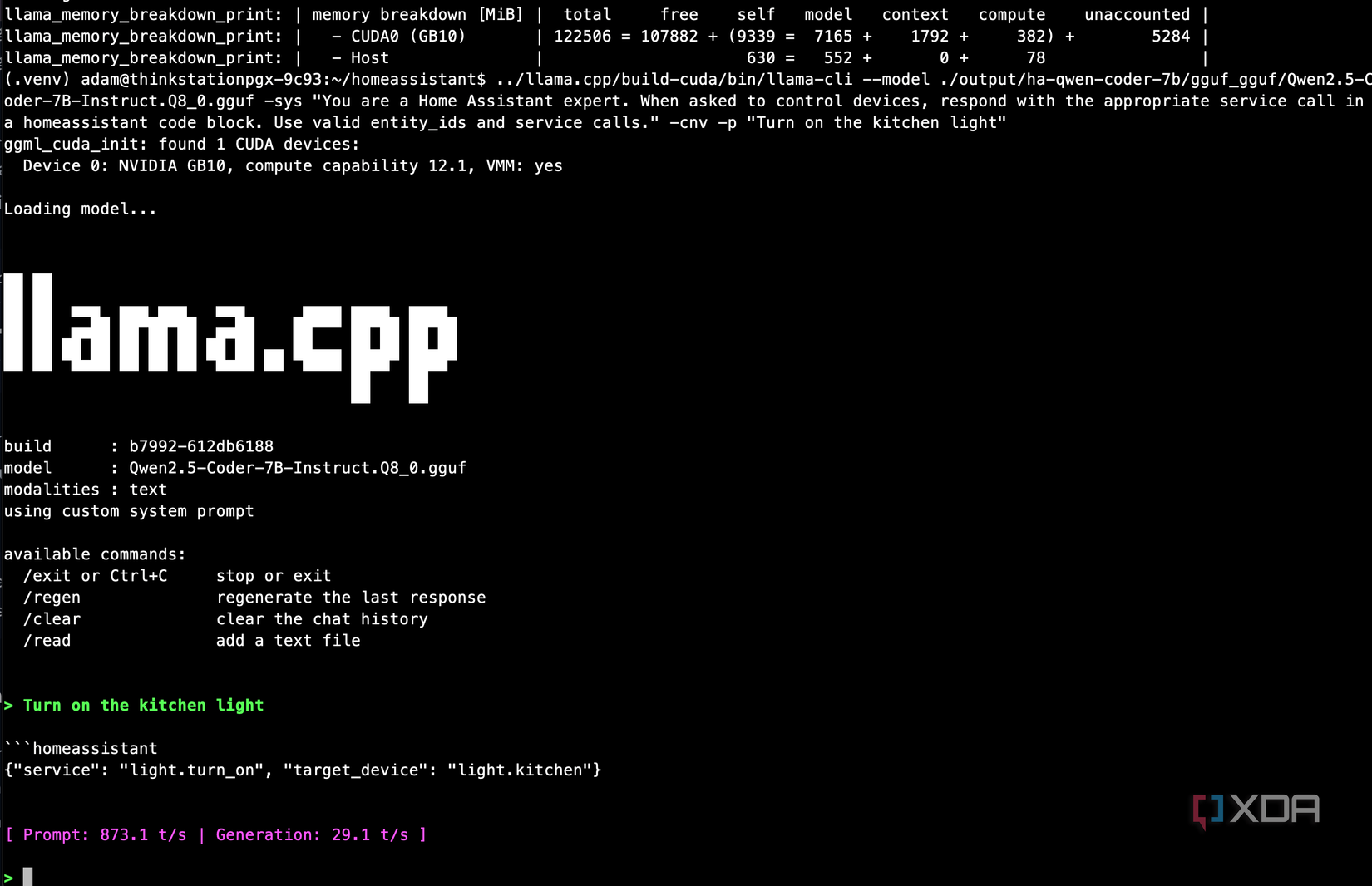
Stage one combined some Home Assistant documentation, Blueprints I found on the Home Assistant forums, and some open repositories on GitHub. Alongside all of this, I also used the acon96 Home-Assistant-Requests-V2 dataset from HuggingFace, which contains thousands of instruction-response pairs specifically designed for Home Assistant device control. Each example provides a system prompt listing available actions and devices, a natural language command like “turn off the kitchen light,” and the correct JSON action call to execute it. This dataset was created for the home-llm project, which fine-tunes small models to act as local voice assistants for Home Assistant, and it’s well-structured for that purpose.
I trained on 30,000 of these examples for one epoch, which took about four hours on the ThinkStation PGX at roughly 16 seconds per training step. The loss dropped from 2.1 to 0.47 and the eval loss tracked it closely, which told me the model was learning the patterns without overfitting. After exporting the checkpoint to GGUF format and loading it through llama.cpp, the results were immediate. I could give it a list of devices and actions in the system prompt, ask it to “turn off the kitchen light,” and it would respond with a properly formatted action call targeting the correct entity. It understood the domain.
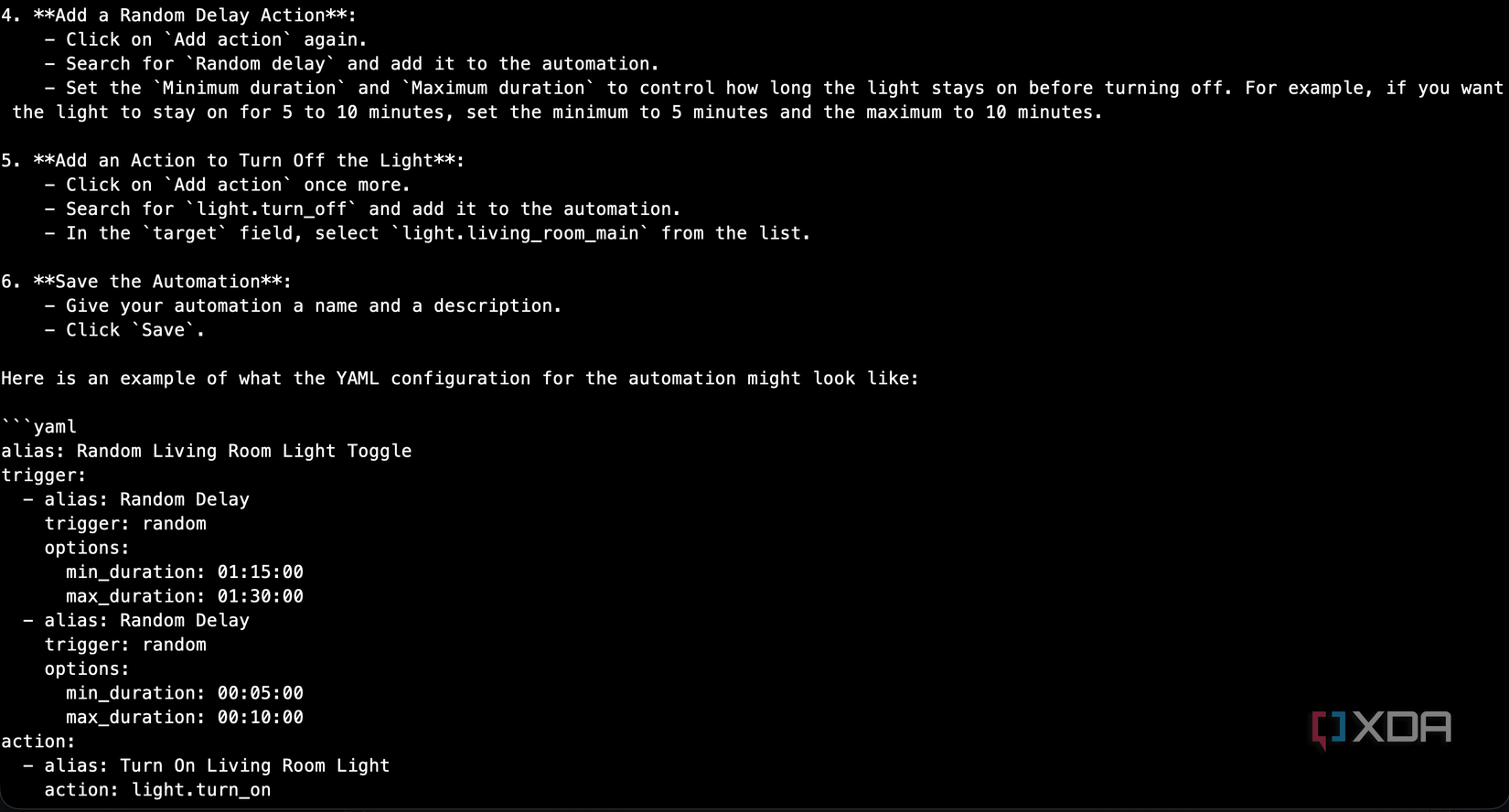
But when I asked it to generate a full YAML automation, it fell apart. The exact prompt I used was this:
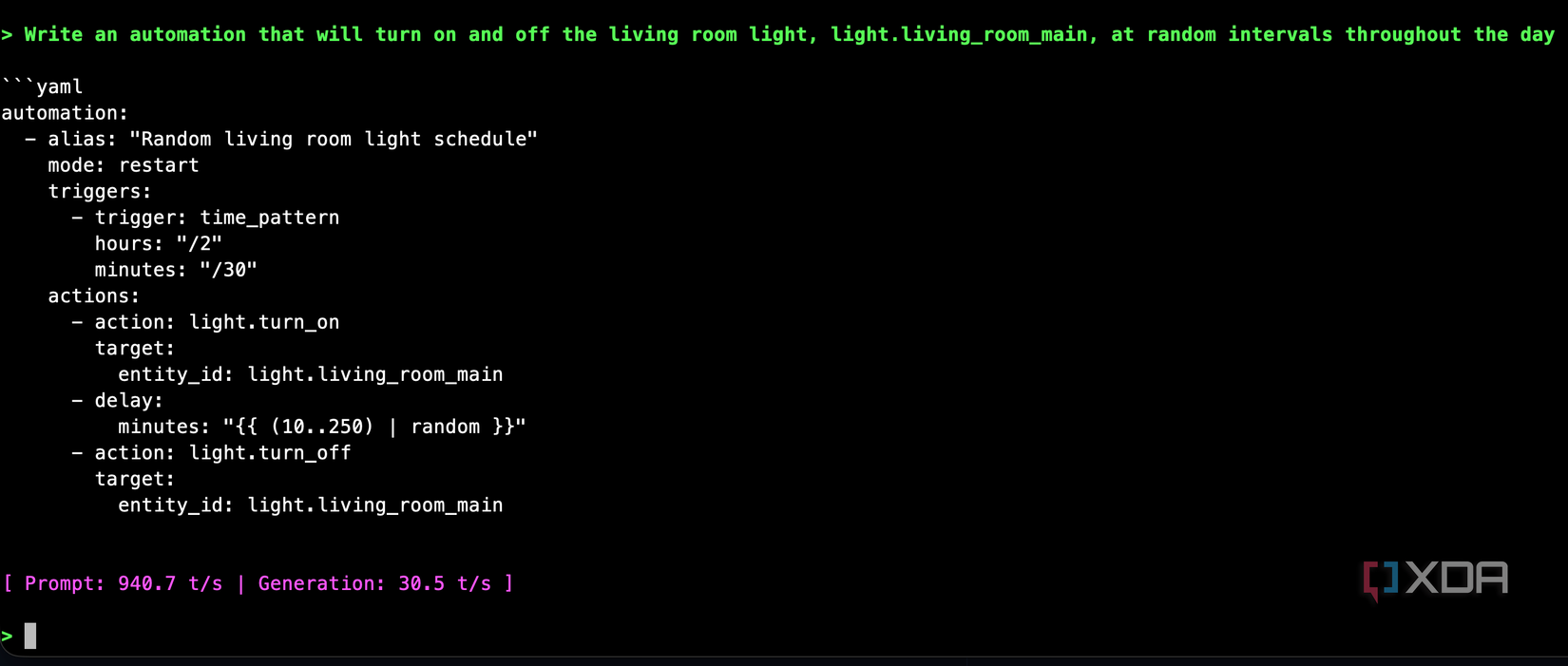
Write an automation that will turn on and off the living room light, light.living_room_main, at random intervals throughout the day
Instead of YAML, it gave me numbered step-by-step instructions for using the Home Assistant GUI, complete with pseudocode that bore no resemblance to how HA actually works. The model had learned to control devices through action calls, but it had never seen what an automation YAML file looks like. The training data didn’t really include that, given that the small number of samples I would have introduced were vastly outnumbered by the 30,000 from acon96’s repository.
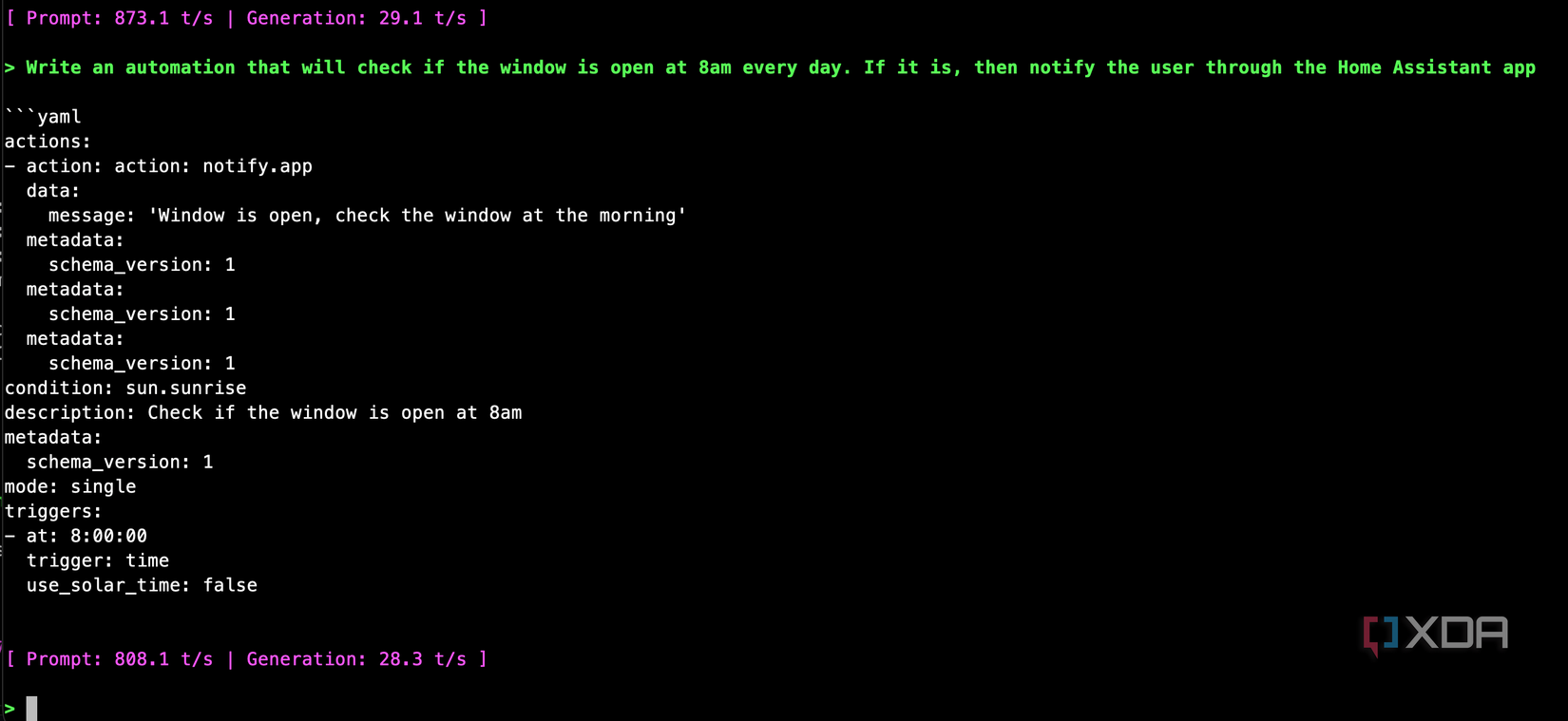
Even a simpler prompt where I said “Write an automation that will check if the window is open at 8am every day. If it is, then notify the user through the Home Assistant app” gave me a completely broken response that was totally unusable.
Stage two saved this project
Synthesizing conversations using a local LLM
For the second stage, I put together roughly 1,400 training pairs that specifically targeted YAML automation generation, mostly pulled from Home Assistant’s own documentation, and automated it using my local LLM. It essentially synthesized over 1,000 conversations based on the documentation, which contains automations, to create realistic-enough conversations where the user requests an automation to do X, and the model responds with a YAML block containing a response. I could have done a lot more of them, but it was taking quite a long time to create and verify them, and I wanted to see how it did with a smaller subset of training pairs.
Those generated synthetic conversations look like this:
{
“conversations”: [
{
“role”: “system”,
“content”: “You are a Home Assistant expert. Generate valid YAML automations from user requests. Wrap YAML in “`yaml code blocks.”
},
{
“role”: “user”,
“content”: “Turn on the living room light at sunset”
},
{
“role”: “assistant”,
“content”: ““`yaml\nalias: Living room light on at sunset\ntrigger:\n – platform: sun\n event: sunset\naction:\n – action: light.turn_on\n target:\n entity_id: light.living_room\n“`”
}
]
}
These covered lighting automations with motion triggers and time conditions, climate control with presence detection, security workflows with camera snapshots and actionable notifications, complex multi-step automations using choose blocks and wait templates, and Jinja2 template-heavy examples for dynamic notifications. I also included reference pairs covering Home Assistant’s service parameters, trigger types, condition formats, and entity ID conventions.
The key part of this process was that training this as a second stage on top of the existing checkpoint rather than mixing it into the original 33,000 examples meant it retained significantly more knowledge. If I’d combined 1,400 YAML pairs with 33,000 action call pairs, the YAML examples would have been outnumbered again, and the model would have treated them as noise. By training sequentially, the model retained everything it learned about Home Assistant’s domain in stage one and layered YAML generation capabilities on top.
I used a lower learning rate for stage two: 5e-5 compared to 2e-4 in stage one, in order to avoid catastrophic forgetting of the action call knowledge. The training finished in about 15 minutes, which says a lot about how quickly the GB10 can iterate on smaller datasets. Loss dropped from 1.18 to well below 0.5 within the first few steps, which told me the model was picking up the YAML patterns quickly because it already understood the underlying domain.
I tested it with the prompts that broke the stage one model
It worked perfectly
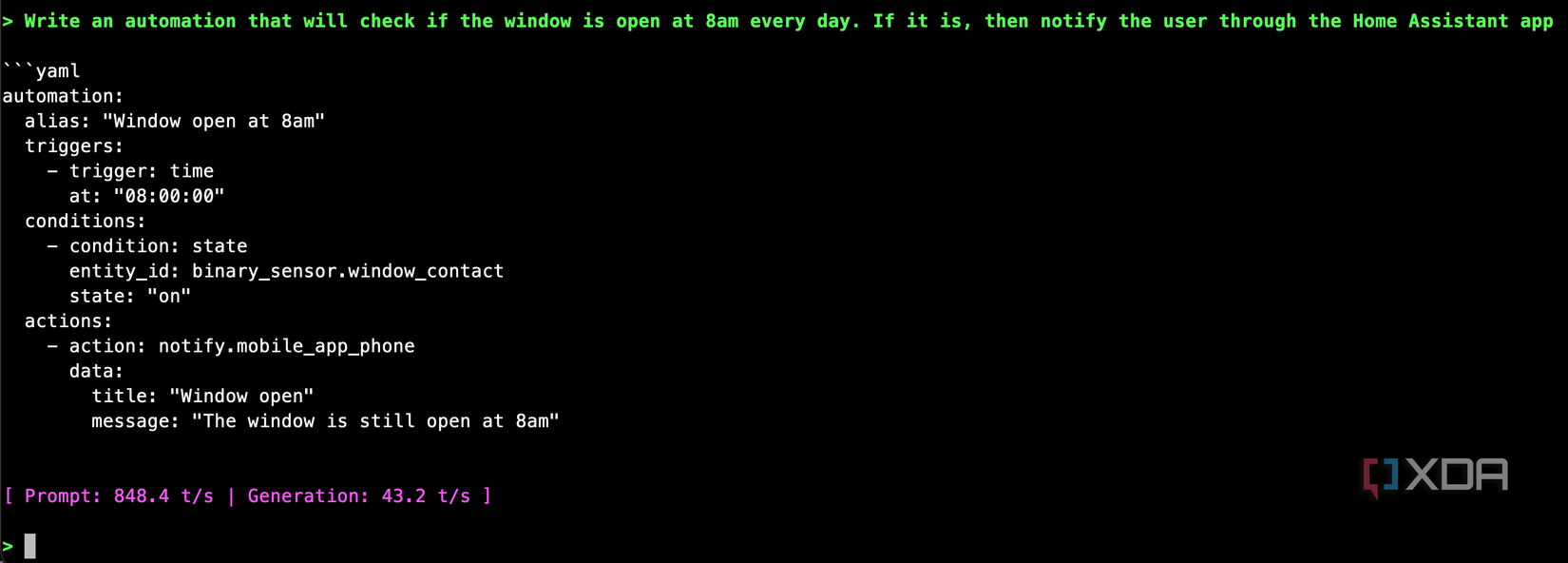
After exporting the stage two model and loading it in llama.cpp, I tested the same two prompts that had previously produced nonsense, and it passed the test with flying colors. It also mostly passed the random on-off light test that the model had previously failed miserably. It messed up the Jinja2 templating, as the random calculation should be done using {{ range(10,250) | random }}, and the time pattern will run every two hours and every thirty minutes, but otherwise, it’s close enough that it clearly learned from the training data and produces a mostly usable automation. Especially when compared to what the first-stage model did.
I was kind of surprised, so I pushed it further, expecting it to fall apart. I asked it for a doorbell automation that checks whether anyone is home, announces on speakers if someone is, and sends a camera snapshot notification if nobody is. The model produced a properly structured automation using a choose block, tts.speak for the announcement path, and a camera snapshot URL in the notification for the away path.
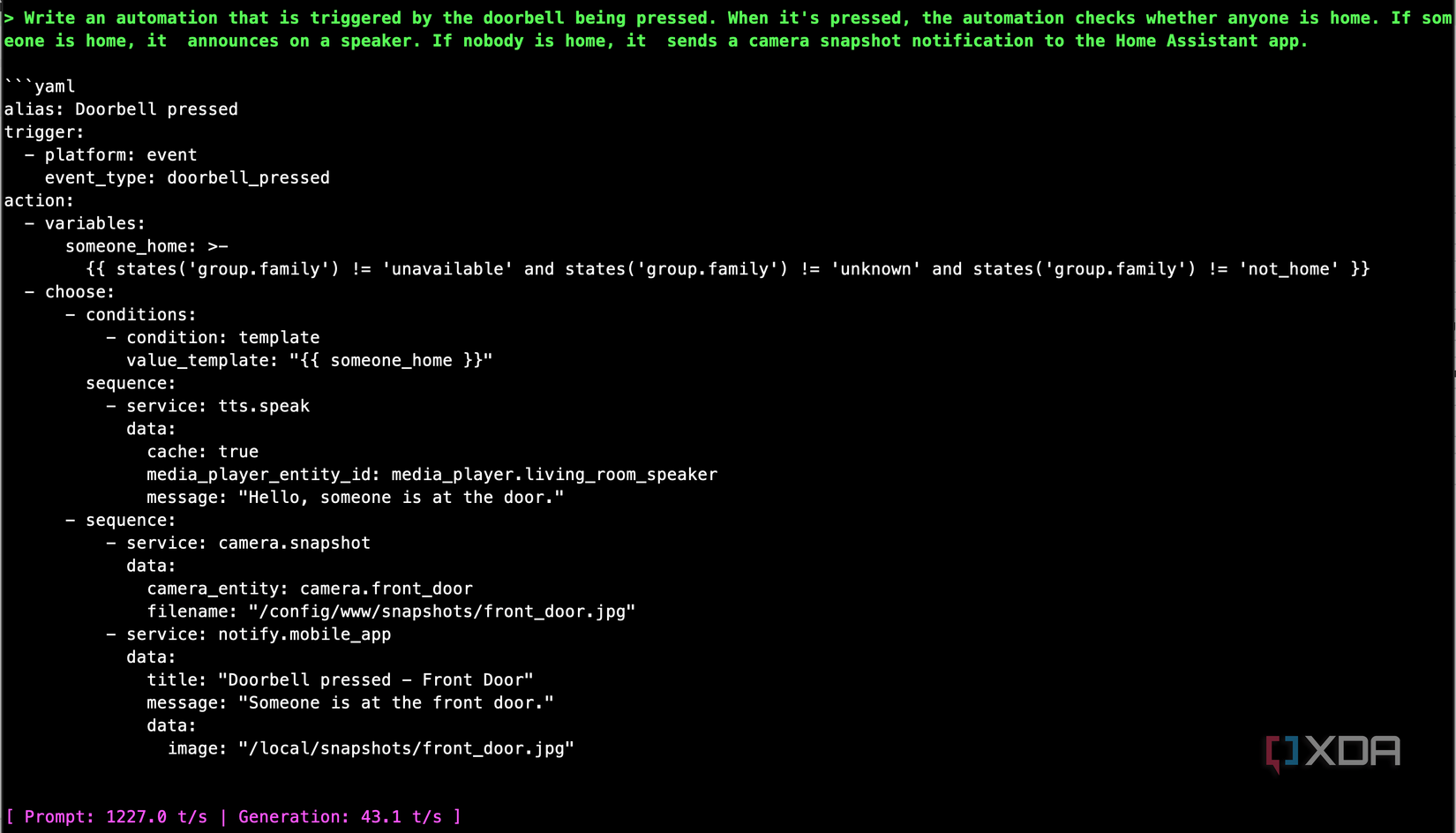
There are still rough edges. I noticed the model occasionally picking a slightly unconventional trigger type, like using an event trigger where a state trigger would be more standard. And the Jinja2 templates, while syntactically correct, sometimes list entities by name instead of counting them when you asked for a count. These are the kinds of things you’d catch in a quick review, and they’re far less work to fix than starting from scratch or debugging a hallucinated automation from a cloud model that confidently made up an entire automation flow that doesn’t even resemble the real thing.
If you want to check this model out, it’s available on Hugging Face! There are likely to be blind spots in its training given that it doesn’t contain the full automation dataset that could have been used to train it, but it should serve as a good starting point for any automation you want to write. Plus, it demonstrates just how powerful a simple fine-tune of a small model can be.