
Edgar Cervantes / Android Authority
TL;DR
Google has just started rolling out a new interface for the Wallet app.
The updated interface emphasizes better visibility for favorites.
In addition to a new home screen for the app, Google Wallet also gets a refreshed design for individual cards and passes.
For the past few months, Google has been testing a few key interface upgrades for the Wallet app to make important or most frequently used passes easier to access. While we’ve brought you early previews of these features from tinkering with the app internally, Google is now officially rolling out these visual upgrades.
Following its upgrade to version 26.14.895964528, the Google Wallet app is switching to a grid layout for the home page. The new design arranges favorites in a more palatable structure and reduces the amount of scrolling required to get to important passes.
Don’t want to miss the best from Android Authority?


As we first discovered in February, the new priority system for passes relies on marking them as favorites using a star-shaped button. Adding them to the home screen, though, is currently a multi-step process.
When you scroll to the bottom of the home screen, you will now see a new “View More” button that opens the full showing your top passes. The page also shows a search bar, as well as the options to “View more passes” and “Manage passes on home.” The former takes you through the list of all passes added to your Wallet, where you’ll see the entire list of passes you’ve saved, and this list can be sorted either alphabetically or based on how recently you’ve added these passes.
Meanwhile, when you tap the “Manage passes on home” button, you’ll be taken to another screen showing the list of already-starred passes. You can use the “Reorder” function to change the priority of the passes or tap “Add to home” to make more passes easily accessible from the home screen.
Here’s a video showcasing the redesign:
You can also arrange the passes from the home screen, simply by dragging and dropping them to a preferred position. This was also possible with the list view in previous versions of the app.
The update also brings a new interface for individual passes. The interface now gives more prominence to the graphics used for the passes, but shrinks the member ID to a small section of the card-shaped imagery, possibly trying to imitate what an actual card look like. However, Google has yet to roll out the more colorful pass UI that we spotted being tested last month.
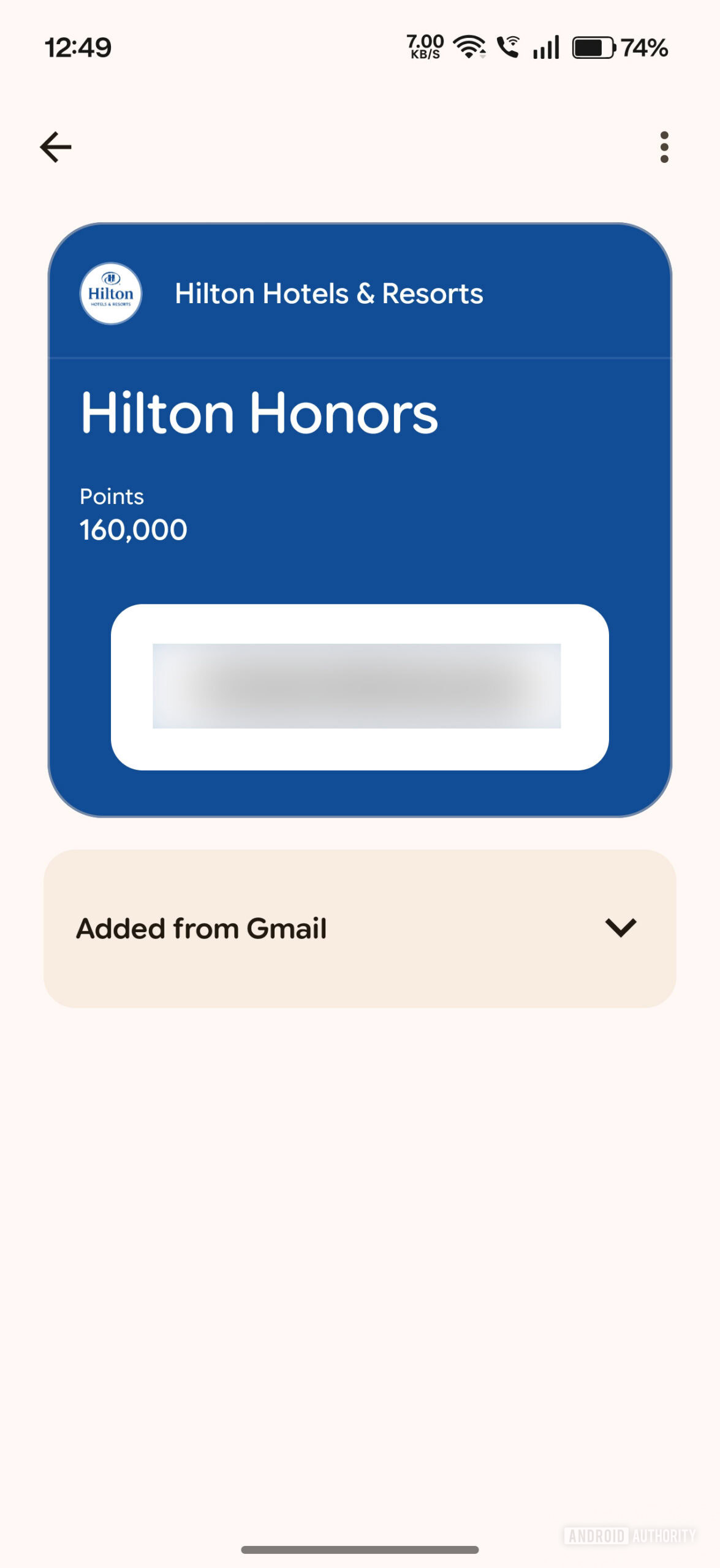 Old pass UI
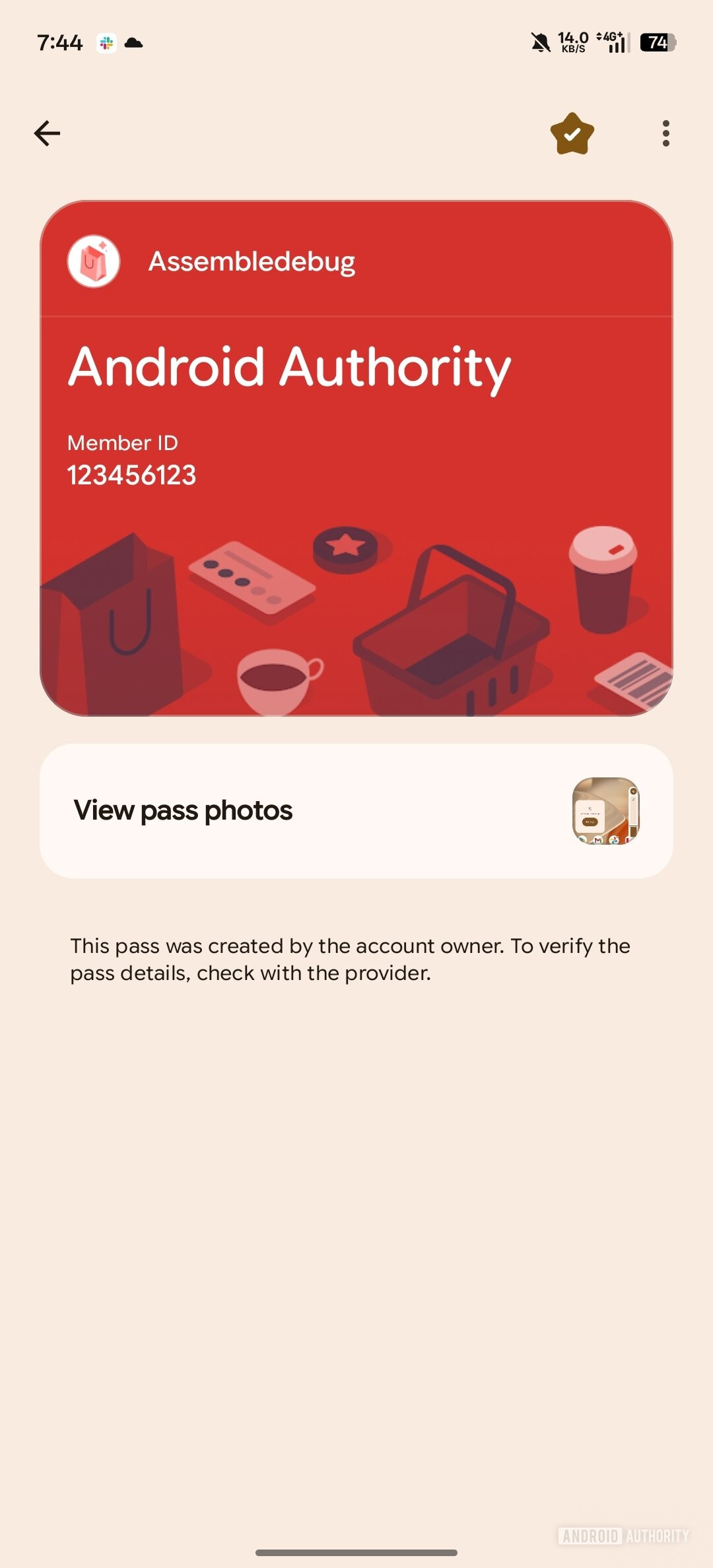 New UI
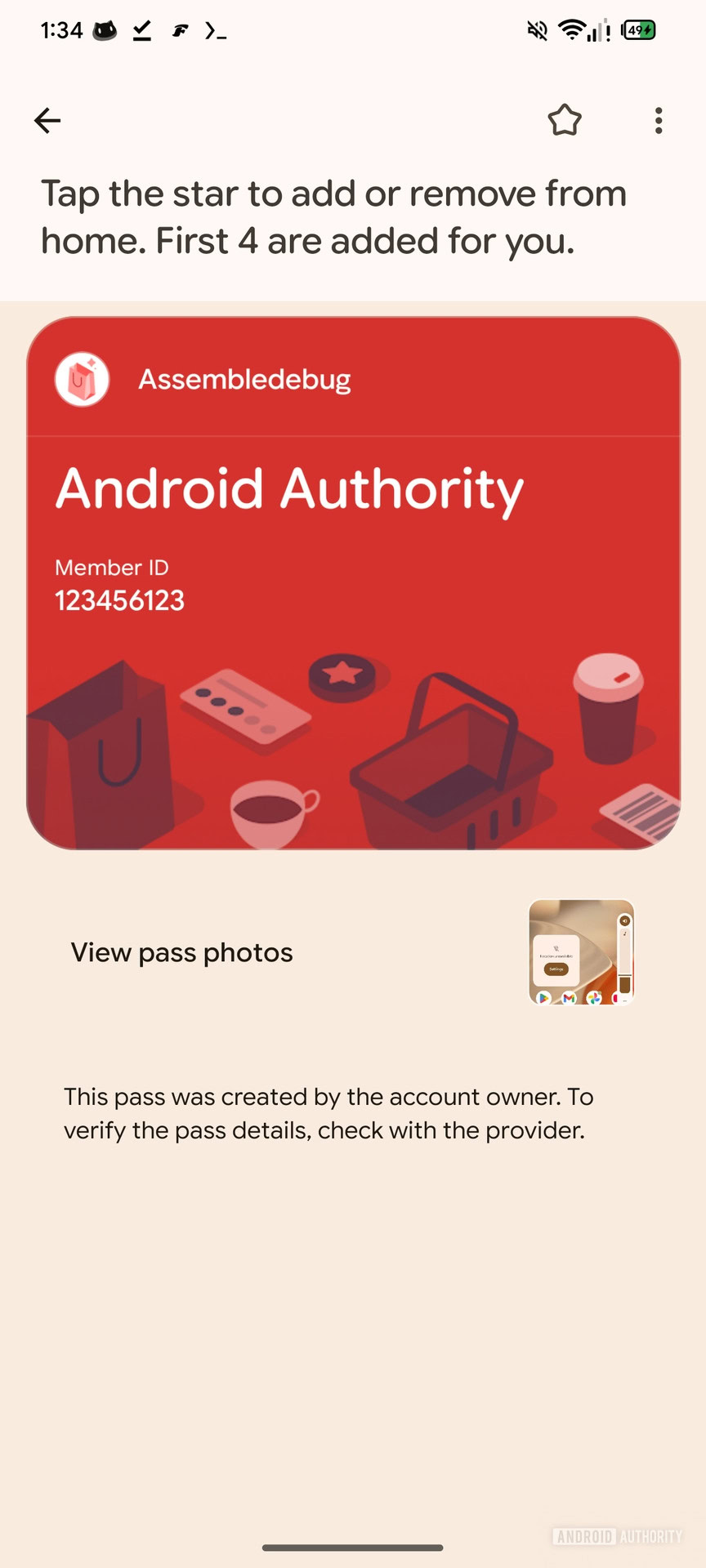 New UI with instructions for “starring” a pass
Another thing to notice here is the star icon that appears at the top of each card overview. You can also add or remove individual passes to or from the home screen by tapping this icon.
Finally, note that while the rollout has begun, it may not be immediately available on your device. We tested sideloading the app bundle for Google Wallet’s latest version, but only a few devices received the new interface, suggesting it is likely a server-side rollout. In the meantime, you can prepare your device by updating the app to its latest version from the Play Store.
Thank you for being part of our community. Read our Comment Policy before posting.