
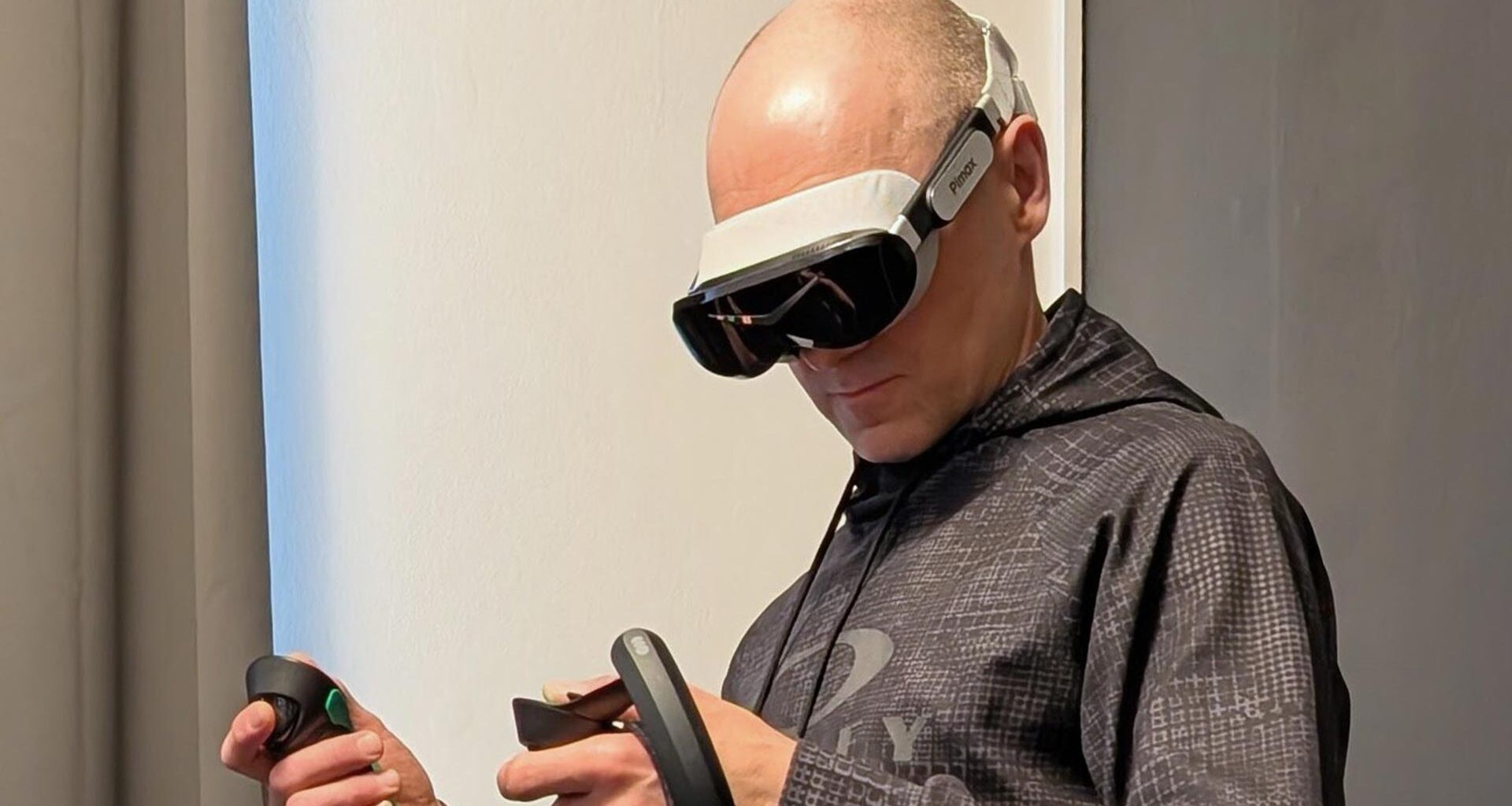
Today, I host another guest post by Rob Cole, who had the opportunity to review the Pimax Dream Air, the first compact headset by Pimax. Rob, who is a PCVR enthusiast, received the device a couple of weeks ago and stress-tested the headset to see what the potentialities are. The result is a very long article with his detailed first impressions. Keep on reading, because it is going to be very interesting!
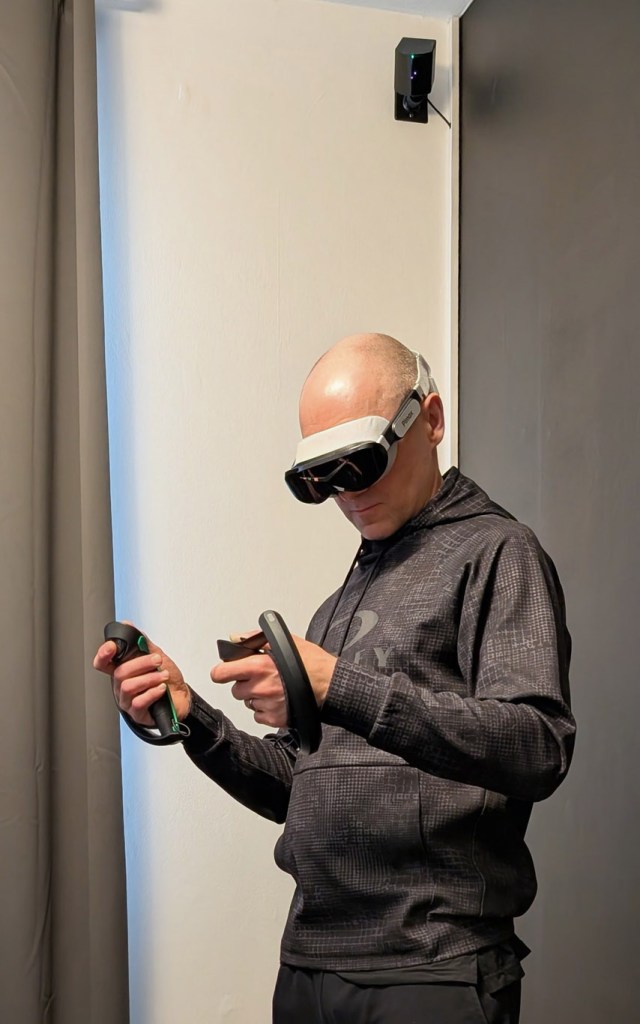 Testing the headset (Image by Rob Cole/Sara Ramos)
Disclaimer – Pimax supplied the Dream Air Lighthouse headset for this article and some longer-term testing. Note – this is a production headset but has been initially supplied with a pre-production face cushion and fabric rear harness.
INTRODUCTION
The long-awaited Pimax Dream Air has finally arrived, with Pimax moving away from their traditional “large box on the head” to something much smaller, lighter, and cooler to wear. PCVR is far from dead, with forward-thinking companies like Pimax, Bigscreen, and Shiftall working hard to move VR in this new direction.
Described by Pimax themselves as “Small form factor micro-OLED”, an inevitable comparison with their previous headsets like the Crystal and Super shows the fundamental shift now possible using tiny micro-OLED display panels and super compact pancake lenses.
Let’s start describing my experience with the unboxing.
Unboxing
A tiny box arrived, much smaller than anything I’d received before from Pimax. After discarding the outer box and bubble wrap sleeve, this is what was found, seen below.
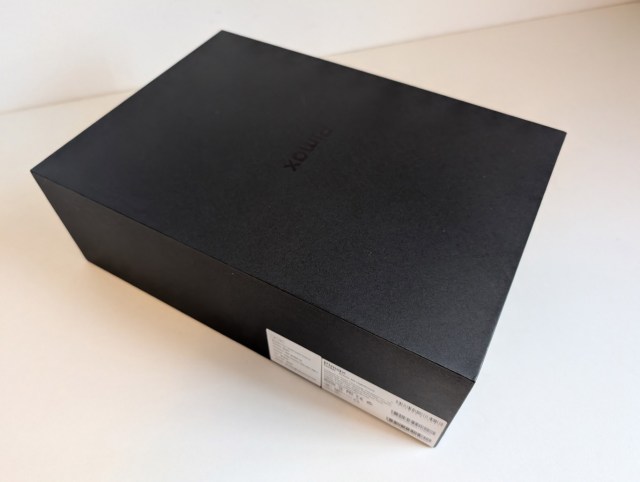 The box of the headset (Image by Rob Cole/Sara Ramos)
Opening the box revealed the tiny headset, some accessories, a mains power supply with numerous adapters, a micro fibre cleaning cloth, and some quick start instructions. As this is the Lighthouse model, it’s not supplied with any motion controllers, with a black box inside the main box containing the tether, all neatly coiled up.
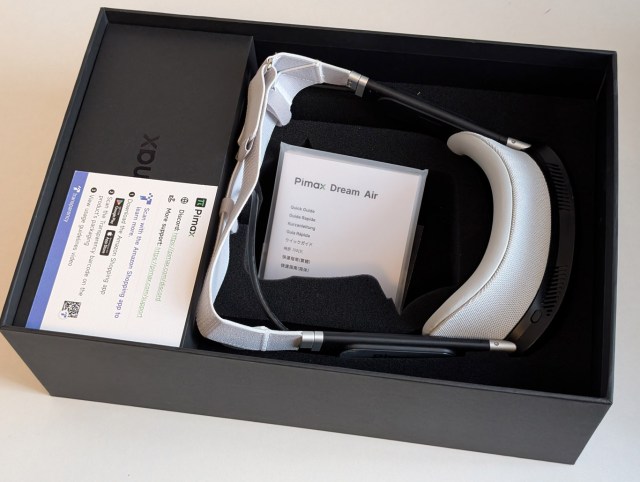 The headset inside the box (Image by Rob Cole/Sara Ramos)
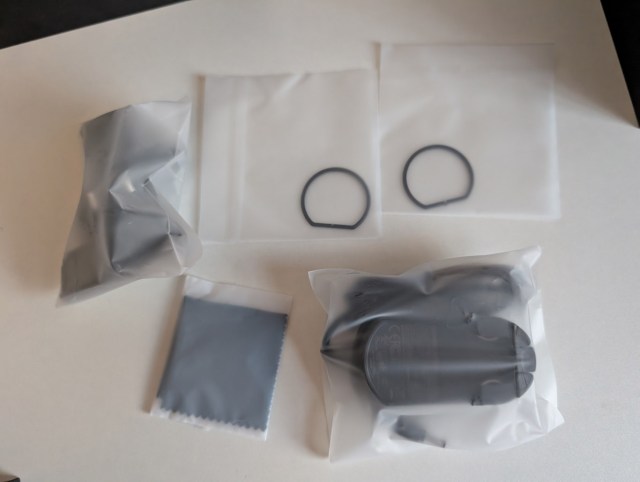 The other accessories (Image by Rob Cole/Sara Ramos)
The accessories include some lens adapters to allow corrective lenses to be fitted, with the usual VR lens suppliers already producing compatible prescription lenses for the Dream Air. Once I removed everything from the box, we were left with the scene below showing the headset and tether. I have put my Pixel smartphone (not the XL model) there for scale to give an idea of how small this new headset actually is.
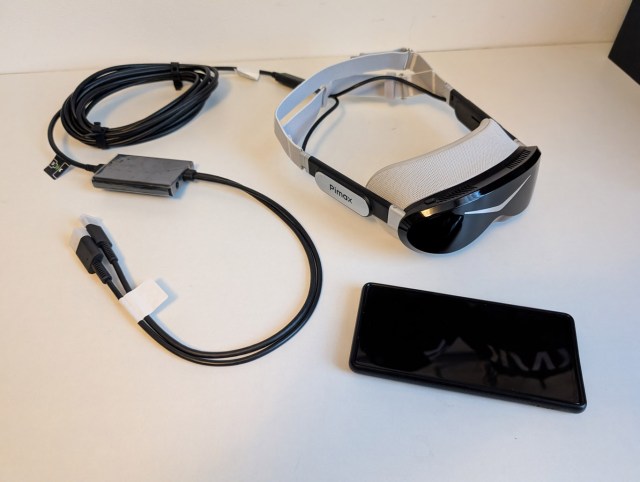 Smartphone, not banana, for scale (Image by Rob Cole/Sara Ramos)
The image below from Pimax shows some of the different features of the Dream Air, though it should be pointed out that there are 2 versions – one with Lighthouse tracking as tested here, and another version with Pimax’s SLAM tracking and 6DOF controllers coming later this year. Due to the small form factor, it’s not possible to add a lighthouse faceplate to the SLAM version, so it’s a case of choosing carefully when you purchase.
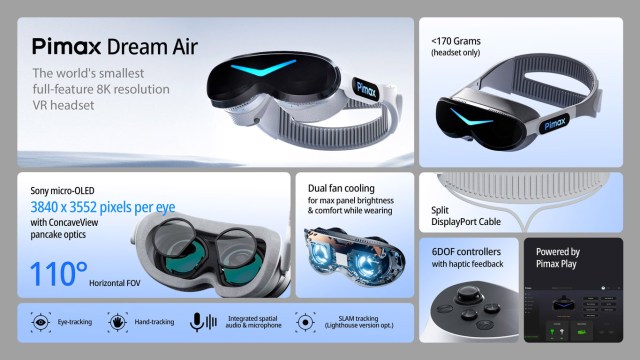 The main specs of the device (Image by Pimax)
Specifications
These are the hardware specifications as reported by Pimax on their website (please note I’ve added an asterisk (*) to indicate that the SLAM version supports hand tracking using the SLAM cameras, and also comes with the motion controllers):
Sony Micro-OLED screen (3840 x 3552 pixels per eye)
Pimax Concave View optics (horizontal field of view 110 degrees )
Weight <170 grams (headset)
Dynamic Foveated Rendering-ready eye-tracking
Integrated spatial audio
Dual fan for proper cooling
Powered by Pimax Play
Split Display Port Cable
SLAM tracking or Lighthouse tracking
Hand tracking*
6DOF controllers*
*SLAM version only
As seen at the top of the specifications, the star of the show is the Sony Micro-OLED display panels, which are also used in the $3,500 Apple Vision Pro headset. The display panels are reported to cost hundreds of dollars each, and of course, there are two here, partially explaining what seems like a high sticker price for the Dream Air. Anyway, it’s actually a great value for access to such leading technology.
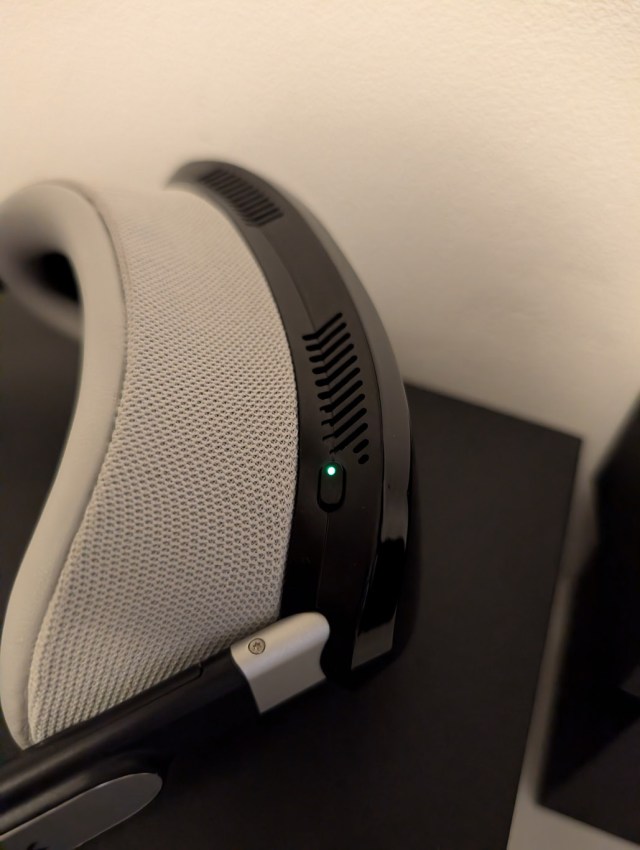 The green light is on (Image by Rob Cole/Sara Ramos)
I’m not going to get into the technical aspects of Micro-OLED and the differences between this and LCD displays, as there is a lot of information available online. However, from a practical point of view, the new technology provides true deep black, great contrast, and colour reproduction with a “vibrancy” that is often missing from LCD headsets. Though Micro-OLED sounds similar, it’s not to be confused with the older Pentile OLED displays, which were first used in the Rift CV1 and Vive PCVR headsets in 2016.
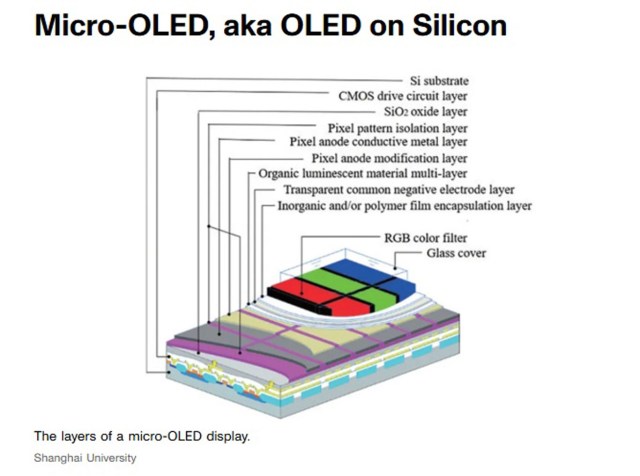 How micro OLEDs are made (Image by Shanghai University)
Great displays mean nothing without great lenses, but thankfully, Pimax has come through the tricky technical challenge of designing and building really good pancake lenses, with great clarity and minimal glare. They are not 100% perfect, though, and had some interesting optical quirks which were novel to me, after several years primarily using the excellent aspherical lenses in the Crystal series.
Concave view lenses
We go back to Pimax to read their claim, “The widest field of view of any small-form factor headset” (110 horizontal) and “Pimax’s pancake lenses achieve the widest field of view of any micro-OLED VR headset, while maintaining ultra-high clarity. This is due to the three-layer lens design, with the top layer being concave.”
It’s not immediately obvious what is going on when you look at the lens until you look very closely. You can then see something unusual, with the concave lens surface dropping away in the centre.
One small observation during testing, the concave area seems to retain some dust and human debris, which meant I found myself cleaning them quite regularly with a clean microfibre cloth.
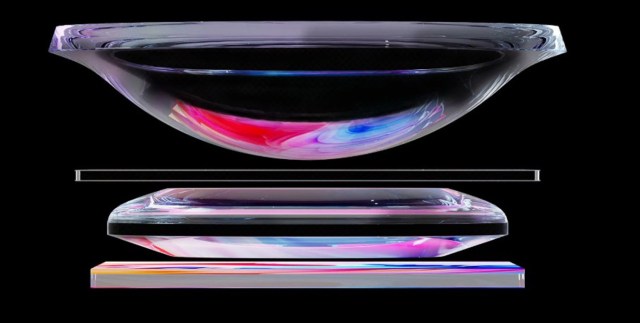 The three-layer concave lens design (Image by Pimax)
This paragraph, taken directly from the Pimax website, explains the reasons why concave lenses have been chosen:
Why Concave View Is Different
The innovation behind Concave View lies in its unique lens geometry. Unlike traditional pancake lenses, one of our elements is concave, bending inward much like a door peephole. This seemingly simple design choice unlocks something extraordinary:
A wider field of view: Concave View lenses achieve a FOV that was previously impossible with pancake designs. On the Dream Air SE, this translates into a 105° horizontal FOV, while our flagship Dream Air pushes it further to 110°, the widest of any micro-OLED VR headset on the market.
Closer eye placement: With Concave View, you can comfortably position your eyes closer to the lens without eyelash interference, enhancing immersion and maximising the visual experience.
Balanced overlap for comfort: Instead of inflating numbers with exaggerated combined FOVs, we’ve prioritised stereo overlap, a crucial factor for visual clarity and comfort during extended play.
More information can be found here: Pimax ConcaveView – Pimax Store
Eye Tracking
Pimax says: “Eye tracking at 120Hz powers Dynamic Foveated Rendering, meaning applications and games only need to render sharp where you are looking. This creates an enormous performance boost.”
This uses the Tobii eye tracking technology that was used very effectively on the original Crystal and Crystal Super series of headsets. It’s been adapted for the pancake lenses, but shares a similar ring of emitters and a tracking camera for each eye. The headset contains a small “eye chip” from Tobii, whilst the client PC receives an installation of the Tobii software during the headset setup.
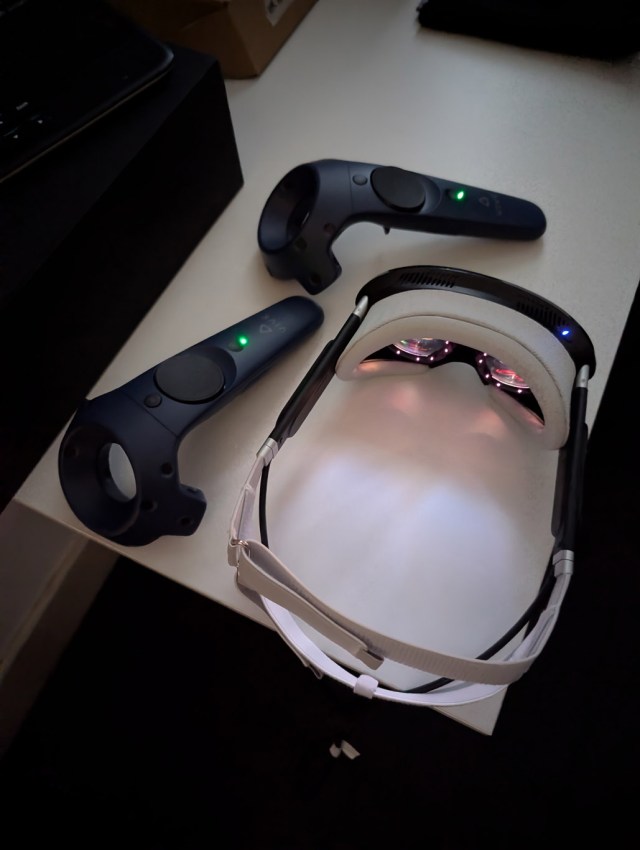 You can see here the eye-tracking LEDs casting some pink light (Image by Rob Cole/Sara Ramos)
This is the “gaming” license, which supports functions such as automatic IPD, vertical position indication, and dynamic foveated rendering. During my testing, the eye tracking and DFR (Dynamic Foveated Rendering) seemed to be working normally, though admittedly, I could not set the calibration due to an error being addressed during the next Pimax Play update.
Ergonomics
Pimax again: “So light you’ll forget you’re wearing a headset. The Pimax Dream Air weighs around 170 grams, coupled with an ergonomic facemask and back strap, both of which are easily moddable for maximum comfort.”
The face mask (cushion/gasket) is retained in the middle using a small mechanism to stop it coming loose by accident. This allows it to be removed in a second, whilst the fabric harness has clips which lock into each ear stem behind the audio section.
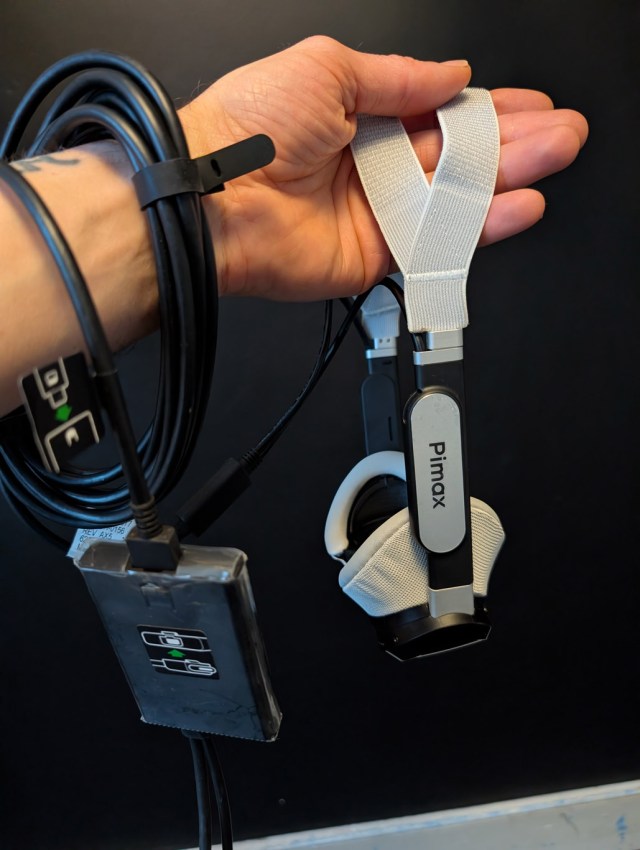 Yes, it’s definitely small (Image by Rob Cole/Sara Ramos)
It has to be said that ergonomics (human factors) are completely personal, with a surprising amount of asymmetry and variation of sizing even amongst similar-looking people. I’m considered a “sample size” person in that everything I wear is medium, including bicycle helmets, gloves, and shoes.
My head is 59cm, which is considered the upper end of medium size, and as an example of VR equipment, I used the wide face gasket on the original Vive, used a 3D printed wide face gasket on the Index, and Palm boosters for the Index controllers.
I fitted the Dream Air headset to my face, only to find the white face cushion too narrow to fit, preventing me from moving my face forward toward the lenses and leaving a sensation of pressure across my eyebrows. Of course, I tried slackening off the harness straps completely and fitting the headset at different angles, but the narrow face cushion (perhaps an Asian fit) prevented me from finding a good fitting position.
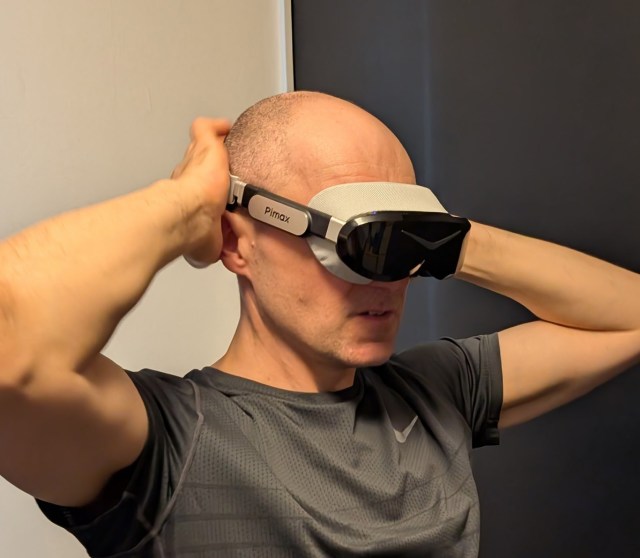 Trying to fit my headset (Image by Rob Cole/Sara Ramos)
Before removing the protective film from the lenses, I removed the white face cushion and pushed my face all the way forward, keeping my eyes closed so I would feel when my eyelids hit the lens films without causing any damage to my eyeballs.
I was surprised that there was no contact, and carefully opened my eyes to find there was still no contact; there was something quite different with these Concave View lenses – the closest comparison I had was the old Valve Index with its flattened lenses to reduce eye relief to a minimum.
Talking of eye relief, it’s something that I always bring up during my articles, and it’s a shame once again to see that there is no mechanical eye relief adjustment. Admittedly, it is not easy to implement in such a small form-factor, but it is such a critical adjustment for near eye devices, especially the micro-OLED with their tiny displays. The only practical method at the moment is to use a 3D printed face mask of a different depth, or to try stacking cushions, but I’d like to see this mechanical adjustment on the next model.
Note that Pimax mentions that the face mask and back strap are easy to mod, which is great news, as something I had quickly discovered with the small form-factor headsets is that a great fit is critical to having a great experience, both in terms of optical clarity and session comfort. With a face mask too small to fit me properly, it was difficult to make any further judgments about the field of view, so I carried on with my test.
Audio
The Dream Air comes with small speakers built into each side of the head strap, which means these sit some way above the ears. However, the audio quality is quite good, especially for a compact audio solution.
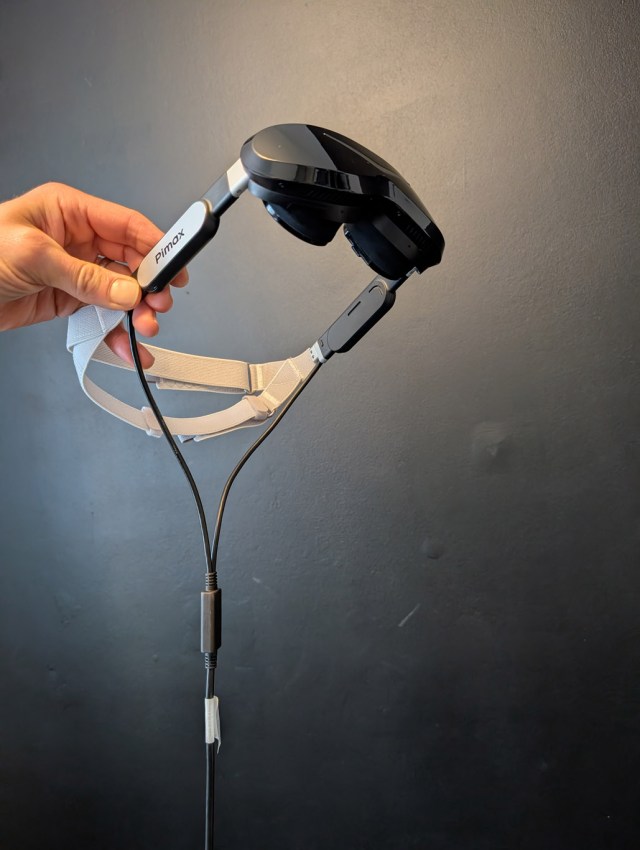 The audio pods (Image by Rob Cole/Sara Ramos)
Something I quickly discovered, though, was that the effectiveness of the audio depended on the type of game. I found the audio very effective for playing team death matches in multiplayer Pavlov. But on the flip side, I found it too quiet and too “distant” when playing Synth Riders, which really diminished the impact of the music, which is critical in a rhythm game. It almost sounded like the music was coming from the next-door room, even at 100% volume, whilst you really want to feel the impact of the music, especially the bass notes, and be surrounded by audio.
To check out this finding, I switched to a DMAS speaker equipped Crystal Light and tried the same track, which immediately felt more pleasing and immersive from having the excellent audio.
The Dream Air microphone seemed to work well enough with clear communication to teammates in Pavlov, though I tried speaking to the Skarredghost one morning through Steam VR and could not get any microphone output, switching to the Crystal Light so we could have a conversation about the Dream Air.
There is great news related to all this: there is an upgraded audio solution coming soon, with a “DMAS Hard strap” replacing the fabric strap and audio pods. More on this at the end of the article.
Pricing
Total price (Excluding tax and shipping)£1,542 – €1,783
Lighthouse version: Upfront Payment £970 + Prime Fee £572
SLAM version: Upfront Payment £1,120 + Prime Fee £654
Prime Fee: Payable after receiving the headset and a 14-day trial through Pimax Play.
Testing Notes
The Dream Air Lighthouse was tested with a Windows 11 RTX5090 desktop using the latest Nvidia GPU drivers and the latest version of Pimax Play.
Since my last article for the Ghost Howls, featuring the Super 50 PPD, I’d upgraded the core of my PC with a 9800X3D processor, X870E motherboard, and DDR5 memory combo, thankfully just before memory pricing went insane! This gave me plenty of computing power to test drive the Dream Air, able to run 100% render resolution and 90Hz in my favourite games with the DFR running.
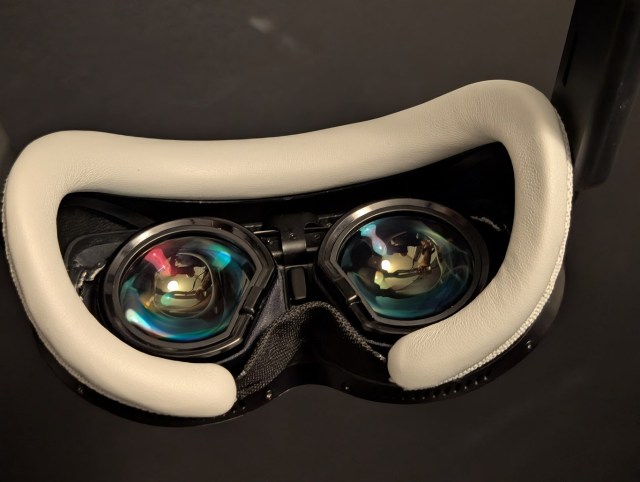 View of facemask and lenses (Image by Rob Cole/Sara Ramos)
Pimax Play was already installed on my PC, so I just connected the DP and USB leads to the back of my PC, plugged the power supply for the headset into a mains socket, and connected the power cable from the power supply to a small link box. The headset was recognised within a few seconds, announced it was using lighthouse tracking, and off I went!
I tried pairing three types of Lighthouse motion controllers, just to see what would happen. As seen in the image below, the Valve Index, HTC Vive Pro (2.0), and Pimax Sword controllers were all tested, each pairing quickly with a reliable connection and full input functionality. Using different lighthouse controllers was very desirable, letting me choose the right controller for the different games.
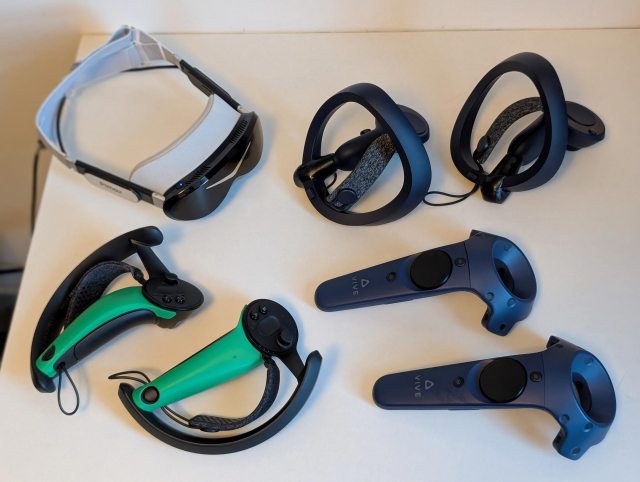 Testing the headset with all possible controllers! (Image by Rob Cole/Sara Ramos)
Something else that should be mentioned, though it was forgotten in the best possible way because it was basically transparent, was the Steam VR lighthouse tracking. Initially, when I saw the Dream Air, I was concerned about the loss of tracking due to the small form-factor, but this didn’t happen once during testing many games in my three-base-station room-scale environment. I actually found it tracked slightly better than the Lighthouse faceplates on my Crystals, despite the size difference.
First Look
I started by getting the headset running and just sticking it on my face to see what would happen, and it presented with a very limited field of view, until I realised it was set on 58mm IPD from the factory. I quickly used the Pimax Play software on the PC desktop to set this at my 63.5mm personal measurement and checked again with the width of the optics now set to suit my eyeballs. My first thought was that it was improved and had a very pretty picture, but still had a limited field of view.
The feeling was like looking through goggles, reminding me of the old Google Daydream View with its soft fabric face mask. The Dream Air had a similar rounded viewport shape to the Daydream, looking quite small compared to contemporary PCVR headsets.
Honestly, I did not find it very immersive as I was getting a slight tunnel effect from the face mask, and was more impressed going back to the Crystal Light during my testing, which seemed to boast a much larger, more open field of view with its rectangular viewport, whilst switching to the Super 50PPD exaggerated this even further. Of course, the small-form-factor headsets tend to have a smaller field of view, but I needed to look at this more closely.
As I’d already tried removing the face gasket to see how close I would get to the Dream Air lenses, I repeated this test but with the headset switched on, and after bottoming out my eyebrows on the headset body was rewarded with a substantial jump in field of view, but without any noticeable distortion, which seemed to indicate that the lenses had a generous depth allowance.
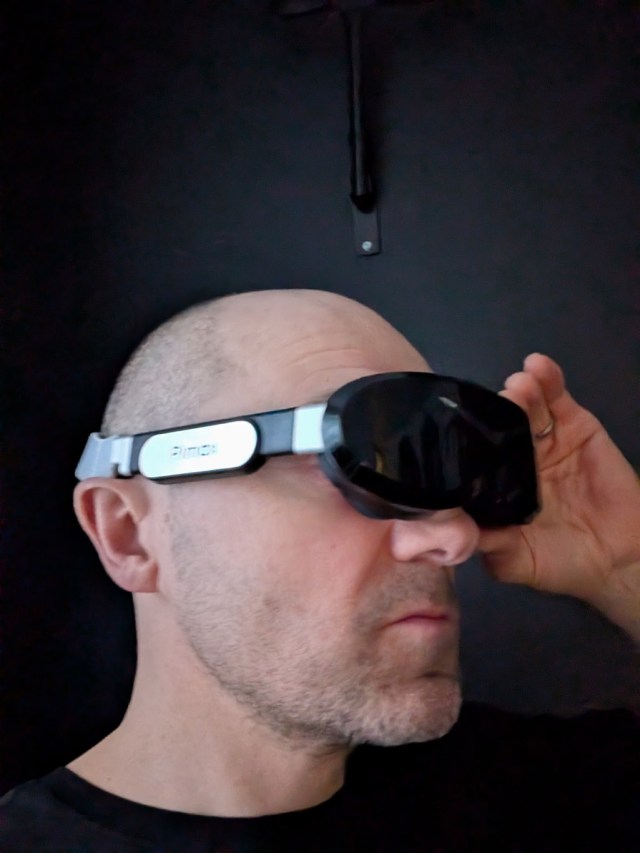 Trying the headset without the face mask (Image by Rob Cole/Sara Ramos)
If I came all the way forward, I could start to see a black strip at the bottom, which was the display edge, so it seems that being positioned slightly back from the very front would be ideal.
Typically, bringing eyes too close (below the minimum eye relief) will cause distortion or eye dominance, but I found the concave view lenses very comfortable with my cushion-less hack. This gave me the confidence to arrange a 3D printed face cushion base towards the end of this first look.
Accepting my current field of view limitations with the standard face cushion, I continued using the Dream Air and found the standard face cushion acceptable for shorter sessions, though for longer sessions, it started to make my eyebrow area feel a bit uncomfortable, partially from the poor-fitting face mask and tugging influence from the tether, causing the face mask to move on my face.
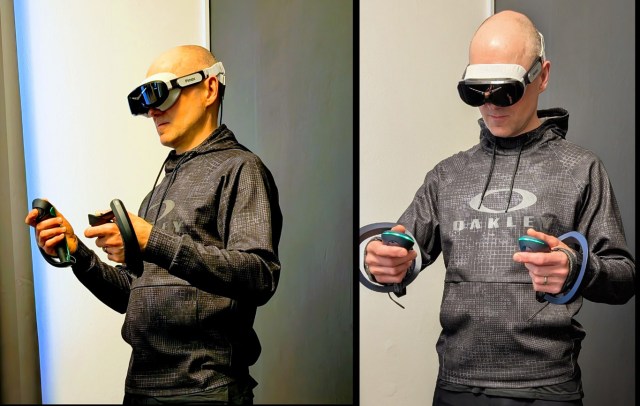 Testing the headset again (Image by Rob Cole/Sara Ramos)
The image quality was very pleasant, though, so I focused on looking forward, ignoring the fabric vignette of the face cushion.
The image quality of the Micro-OLED was different from what I had expected, especially when compared to the QLED displays used in the Crystal series. The Dream Air visuals looked a bit smoother, softer, and more natural compared to the QLED in my Crystal Light or Super 50PPD
In some ways, the Dream Air visuals did not look as “sharp” or crisp as the Super 50PPD but were very pleasing on the eyes with generous stereo overlap, and did not display the faint line Mura I’d seen on backgrounds in my Super 50PPD.
I was very interested to see what would happen with the visuals once I got a wider face mask, as this would let me bring my face forward, effectively reducing the eye relief. As Valve stated in one of their technical deep dives, every excess mm of eye relief reduces the field of view by about 3 degrees, so there was plenty to gain (up to the maximum rendered) by reducing this eye relief distance.
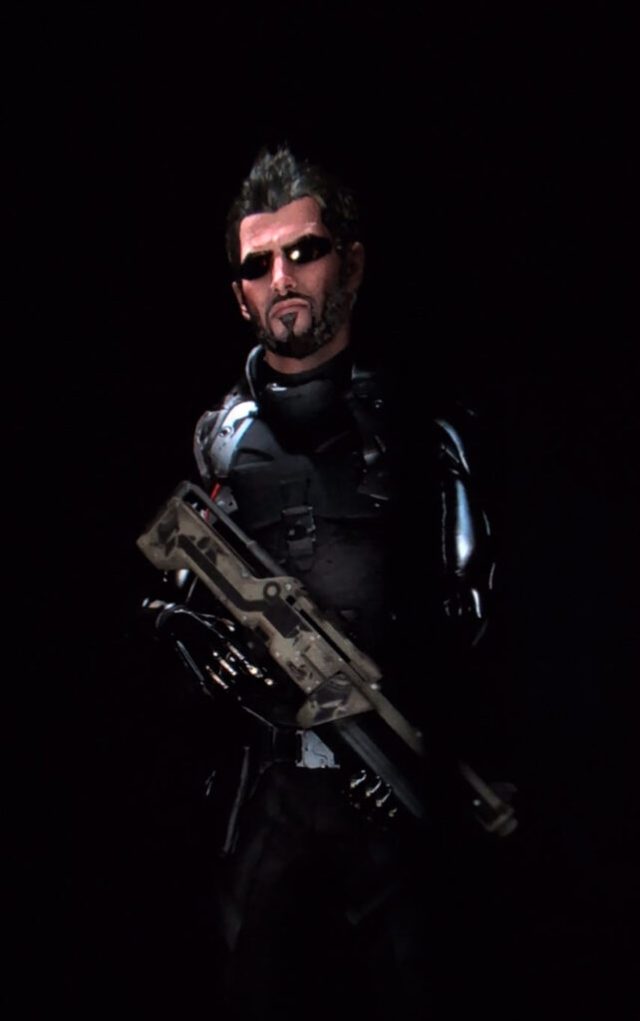 Through-the-lens inside Deus Ex (Image by Rob Cole/Sara Ramos)
To check the famous complete black levels of Micro-OLED, I played the Deus Ex VR experience that was built by Nixxes to promote the Mankind Divided game. Previously, using the Crystal headsets with their QLED displays, I would experience a good black level and control of lighting, but the Dream Air presented a completely inky black and no light bleed during the apartment scene, which has rays of light streaming through the shuttered windows. The image above, taken through the lens of this high-resolution model of protagonist JC Denton, shows the incredible black levels.
Very impressive stuff. I looked forward to revisiting many games that benefit from OLED black levels. One particular game I wanted to check out was the “Westworld VR experience,” which I found completely unplayable on a Valve Index and had to abandon.
Visual quirks?
After several years really enjoying my time with the Crystal headsets and their huge glass aspherical lenses, I was surprised to see the re-emergence of glare inside the optical stack. It’s something I had read about as a side effect of pancake lens design, with their multiple layers, polarisers, and mirrors.
Having not really used pancakes apart from quick sessions in the AVP and Quest 3, it was a little off-putting in certain scenes, normally the high contrast scenes. However, it was not an issue in many games I tried, certainly nothing to ruin the overall experience, though it seemed to offset the black level advantage, as I could see ghosting at certain angles, as seen below again from Deus Ex, where the white shoulder details, gun, and face show up to the left.
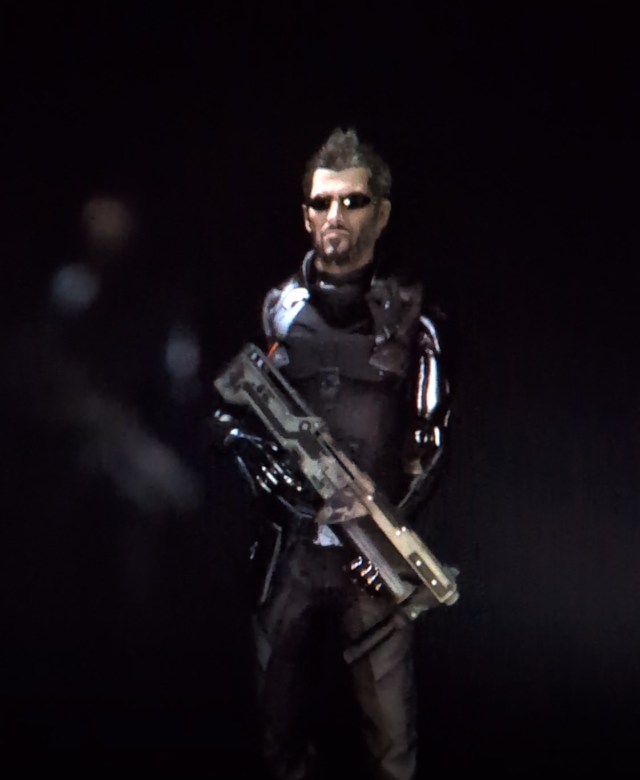 Ghosting inside Deus Ex (Image by Rob Cole/Sara Ramos)
If I compare the Dream Air pancake lenses to the aspherical glass lenses of the Crystal series, the glare becomes more obvious, as the Crystal lenses are free of any in-game visual artifacts for me, apart from mild chromatic aberration on overlays. Talking of CA (Chromatic Aberrations), I didn’t notice any in the Dream Air.
Something else I noticed, which may be related to my eyes being too far away from the lenses, was a brown circular artifact at the top of the lenses in certain scenes or lighting conditions. It wasn’t seen often, but was another quirk I noticed when moving from aspherical lenses of the Crystal Light to the pancake lenses of the Dream Air and back again. Definitely something to recheck once the 3D face cushion adjusts my eye relief position.
Tether tugging
The Dream Air has an unusual split tether of the USB style with a cable coming out of each ear stem and then joined with a rubberised connector before falling down towards the floor. This connector seems to get quite hot during use, not hot enough to burn, but I could certainly feel it through my t-shirt. This is something I’ve already read about being looked into with a revision planned.
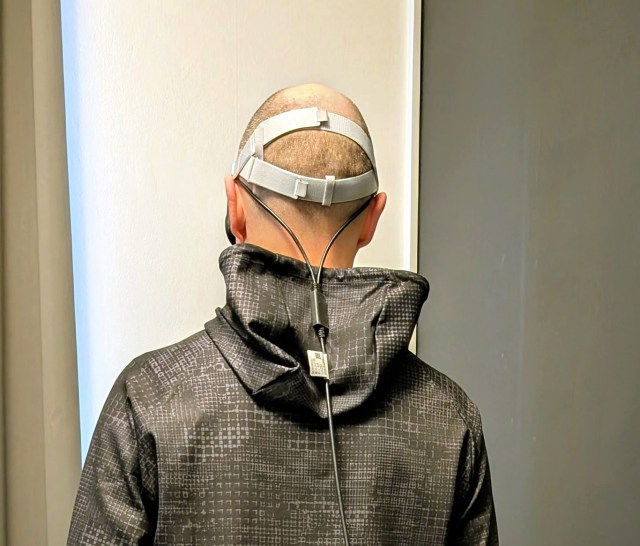 Rear view of the tether (Image by Rob Cole/Sara Ramos)
I fitted the fabric head strap as best I could. I noticed that the tether still had a bit of a tendency to tug on the rear of the headset, causing the headset to move slightly off focus on my face. The tether is a big improvement on the older Crystal headsets, which, apart from the original (with its amazing 6.5m fibre optic option), all had thick DP copper tethers which were a bit too short and stiff for anything but simulation.
Of course, you could (and I did) play room-scale VR with the Crystal copper DP tether, but it wasn’t ideal, so this new Dream Air tether felt like a good upgrade in itself. However, the extremely small and light headset meant somewhat ironically that this advantage was lost as even the improved, thinner, and lighter tether caused unwanted movement of the headset.
It seems that the fabric strap just wasn’t secure enough to prevent this movement, and the new DMAS Hard strap upgrade would be very important in terms of securely clamping the rear of the headset firmly to the rear of the head to provide a much firmer anchor not subject to tether influence. There is also a replacement production harness coming soon, which may help alleviate this issue.
The DMAS Hardstrap
As mentioned already, Pimax has a “DMAS Hard strap” coming soon for the Dream Air, which replaces the fabric harness and audio pods with something more substantial, with upgraded audio. This is similar in style to the upgrade for the Bigscreen Beyond, which many owners purchased to improve the all-important audio experience.
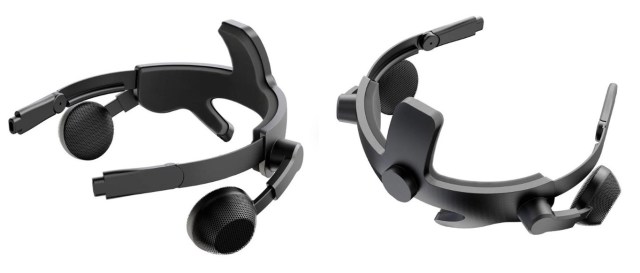 The DMAS hard strap (Image by Pimax)
The community has also already come out with custom solutions to this problem, like this 3D-printable adapter for the Vive Deluxe Audio Strap.
From my previous experience spending several hundred hours with DMAS speakers on the Crystal headsets, I know it will bring a big improvement to the audio, which is often a hugely underestimated component of the immersive experience. The DMAS are balanced mode radiator type speakers that sit “off ear” and use similar Tectonic drivers to the legendary Valve Index ear speakers.
According to video game designer Jesse Schell, “Sound is what truly convinces the mind is in a place; in other words, ‘hearing is believing’.”
3D Face cushion
Following my slight disappointment with the standard face cushion not fitting my medium-sized head (this happened with my Index, too), the community came to the rescue with 3D printing files released featuring modified plastic bases. I chose a model with nominal distance but more suited to a “western” fit.
I had this printed in carbon fibre PETG with 50% infill for stability, which came to a very reasonable £37 for printing and shipping to my UK address, including taxes. It should then be possible to enjoy a wider and taller field of view by removing the physical visual obstruction of the narrow face cushion. This should unlock the potential of the display, which is somewhat hidden behind the cushion at the moment.
Talking of the face mask, it would be great to see Pimax include the standard and a wide version “out of the box” like was supplied with the original Vive, as not everyone is comfortable with 3D printing and assembling their own solution. This was a problem with the Index, which originally was supposed to ship with both widths, until it was decided to remove the wide option, leaving many users scrambling to find a solution, or returning the headset because of poor fit.
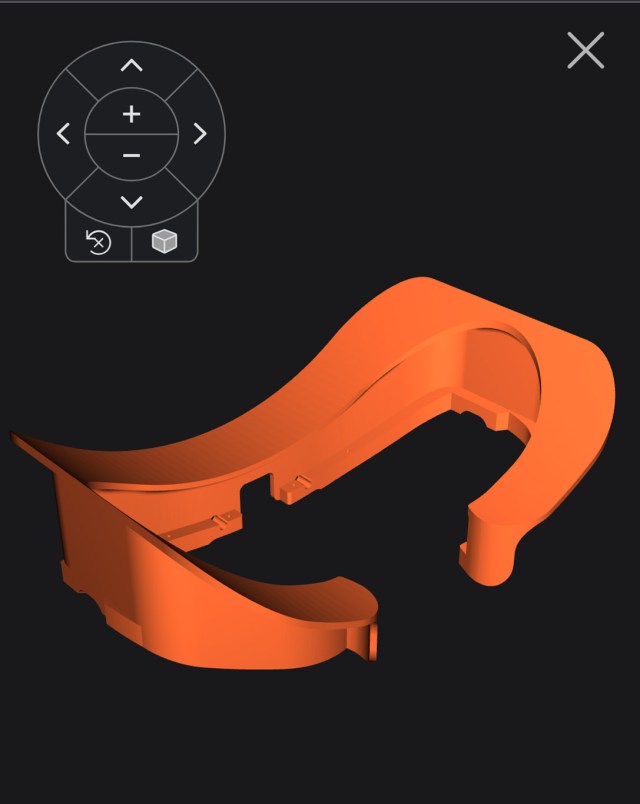 3D-printable model of the face mask (Image by Ancillary)
Conclusion
So this was my first time using a small form-factor VR headset for any length of time; in some ways, it reminded me of the original Magic Leap 1 AR headset in terms of the headset size and shape. It truly is a big change moving from the older headsets with their larger box-like structure to something much smaller, lighter, and more minimalist.
Once you remove the white face mask, you can really see just how small this new headset actually is. It looks and feels like a pair of cyberpunk goggles from a William Gibson sci-fi novel, and might be the biggest step forward for VR since the original Vive and Rift launched in 2016.
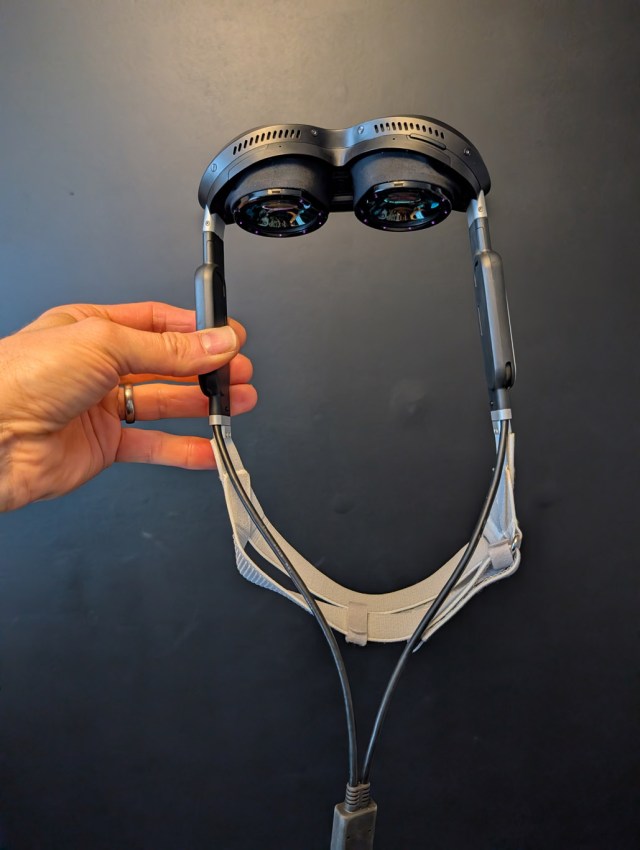 It has some very vague resemblance to Magic Leap One… (Image by Rob Cole/Sara Ramos)
It was also my first time using the Sony micro-OLED displays for longer than a few minutes, and most importantly, being able to test drive them in familiar games to check out their performance.
I remember the Sony displays in the Apple Vision Pro being very good, and they didn’t disappoint here either, with a very pleasant image quality boasting a natural representation of colours, good brightness, high contrast, and the all-important true dark black for that VR presence.
Something that was a nice surprise was that the Pimax Concave View lenses are a visual upgrade from those found in the AVP, which makes for an overall superior viewing experience, and I look forward to increasing my visible field of view with a 3D printed face mask very soon.
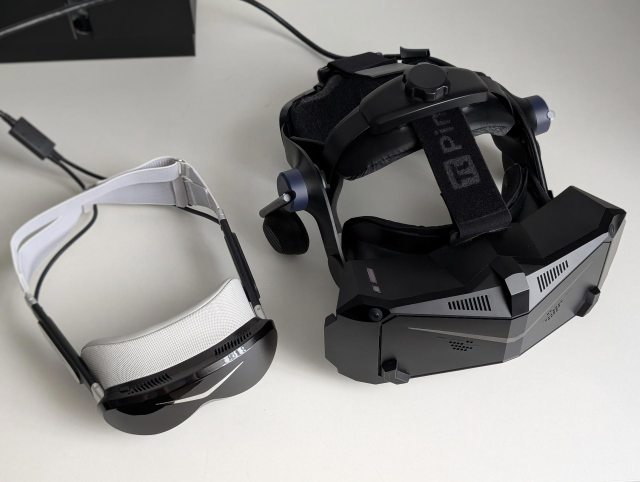 Pimax Dream Air (left) and Crystal Light (right) (Image by Rob Cole/Sara Ramos)
I was impressed with the new form factor in terms of the light weight and fitting potential, though it highlighted the critical need for supportive and personalised ergonomics to attain the correct optical presentation and physical fit, as well as minimise the unwanted influence of the tether on the tiny headset.
In some ways, the heavier Crystal Light was more stable, firmly clamped to the head with deep cushions, and due to its secure fit and heavier mass, seemed less influenced by its tether. This was quite a revelation, as it’s easy to assume the tiny headset would automatically be more comfortable and stable. I should mention, though, that the negative aspect of the Light is that extra mass and size cause inertia to be felt when moving the head quickly, which can cause the optics to become slightly misaligned with the eyes.
The super light Dream Air, in this respect, had no feeling of inertia causing the headset to try and move from my head movement (despite the narrow face mask), though tugging from tether movement tried to move the headset on my head in a different way. With my 3D printed face mask base on the way, and a new DMAS Hard strap coming soon, I expect these issues to be fully resolved.
As the market moves towards the small form-factor, Pimax has produced what seems to be a leading contender with the Dream Air Lighthouse headset, and I will report back with a second article once these important mods have been made. Well done, Pimax!
The good
Sony micro-OLED displays with pleasing visual quality
Excellent black levels, vibrant colours, and high contrast with no Mura present
Great pancake lenses with great clarity and a deep eye box
Generous stereo overlap
Very small and light = no inertia
Improved tether compared to the Crystal series
Easy to mod face mask and head strap
Excellent SteamVR lighthouse tracking
The bad
Standard face cushion didn’t fit my face
No mechanical eye relief adjustment
Physically uncomfortable during longer sessions
Visual artifacts from pancake lenses
Audio pods are too quiet or far from the ears for some games
The ugly
Tether pulls on the back of the headset
The tether connector gets hot
Special thanks to:
Daisy at Pimax
Sara Ramos for external photos
Tony Skarredghost for hosting the article
You, the reader, for getting this far!
(Header image by Rob Cole/Sara Ramos)
Disclaimer: this blog contains advertisement and affiliate links to sustain itself. If you click on an affiliate link, I’ll be very happy because I’ll earn a small commission on your purchase. You can find my boring full disclosure here.
Share this with other innovators
Related