
Sadly, too many apps fall under the radar for me — and as a privacy-conscious user, that’s unacceptable.
So, now I take the extra time to run audits every few months to check that nothing is abusing my permissions without my knowledge or draining my data.
Thus, I recently spent my June 6th weekend reviewing Android app permissions. I have done so before and have found the results rather surprising.
It’s also been a few months since then, and I decided to run another audit on my Samsung Galaxy S25+.
I have been using AI features and apps a lot more and have definitely felt a bit uneasy about some privacy practices, so I took the weekend to confirm whether my suspicions are correct or if there were any surprising new results.
Plus, I am still a bit of an app hoarder, and this would be a good time to delete apps that abuse permissions without my knowledge or use too many by default.
To review your app permission settings, go to Settings > Privacy or Security and privacy. On Google Pixel (Android 16), tap Security & privacy.
A messaging app service that spammers love to use
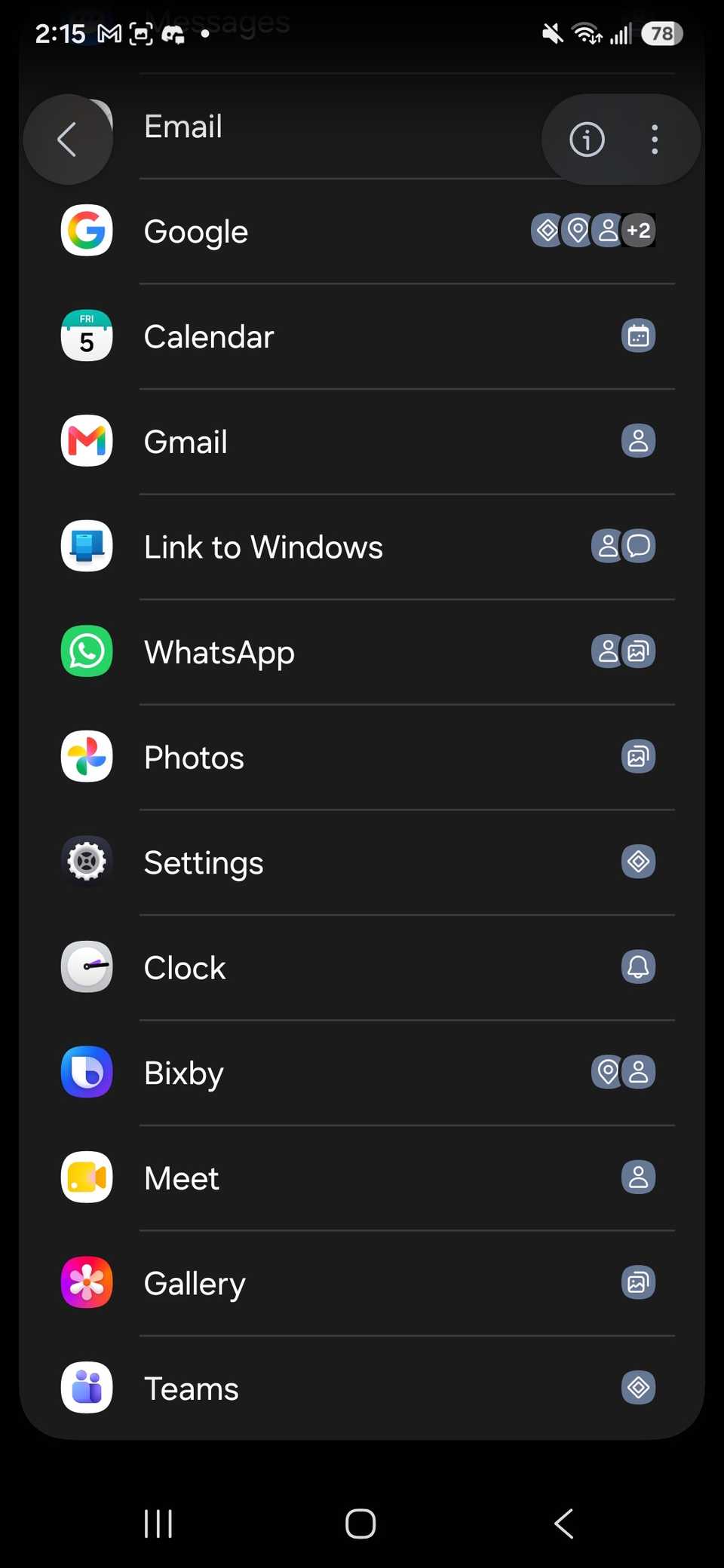
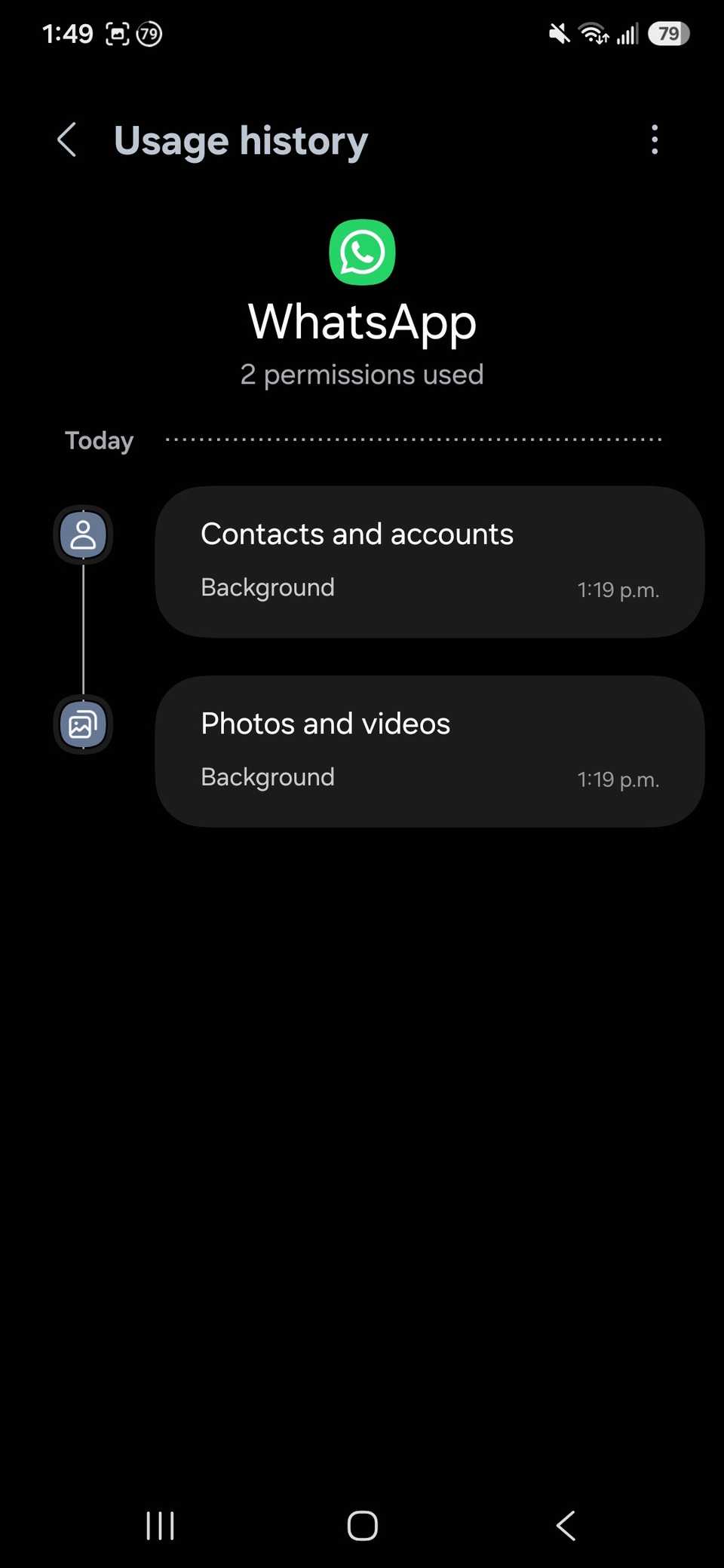
WhatsApp was the first app to go away. Mainly for two reasons. One, I rarely use it. I might use this app once, but I found that it has access to my permissions each week.
The last time I physically opened WhatsApp was months ago, maybe even half a year ago.
According to the Usage history, it used Contacts and accounts along with Photos and videos permissions in the last 24 hours.
It probably has to do with the syncing process, but on my phone, many apps go into deep sleep when they are not actively being used.
This includes freezing activities, such as permissions. Plus, I didn’t love WhatsApp to begin with. For some reason, I’m seeing a lot of fraudulent activity from strangers trying to send scam offers.
I am not necessarily blaming the platform since people or bots can contact you through Google Messages, trying to do the same thing, but I also have an easy blocklist that can filter out spam.
As a result, I uninstalled the app, but chose to retain my data.
Link to Windows
A Microsoft-based app that does nothing for me
I must quickly mention that I am not a massive fan of Microsoft products. I still use programs like Microsoft Word, Excel, and PowerPoint, but only when necessary.
My love for the ecosystem has waned over the years, so I avoid Microsoft Copilot unless it’s required for work (thankfully, there is a way to scrub off Copilot on your PC).
Link to Windows is a byproduct of old practices I used with my Samsung Galaxy S23. But since upgrading to my Galaxy S25+, I forgot this app existed.
When I first installed the app, the idea was that I would use it to check my text messages, enable app mirroring, and manage photos between my phone and computer.
But I have other services that fill those gaps, and I do not want to make calls or read text messages on my PC anymore while I am working.
As of right now, I schedule specific breaks for myself to do that.
Plus, I found that when I used it on my Galaxy S23, it caused noticeable battery drain because apps require a consistent Bluetooth connection to work properly.
Eventually, that led me to stop using it altogether.
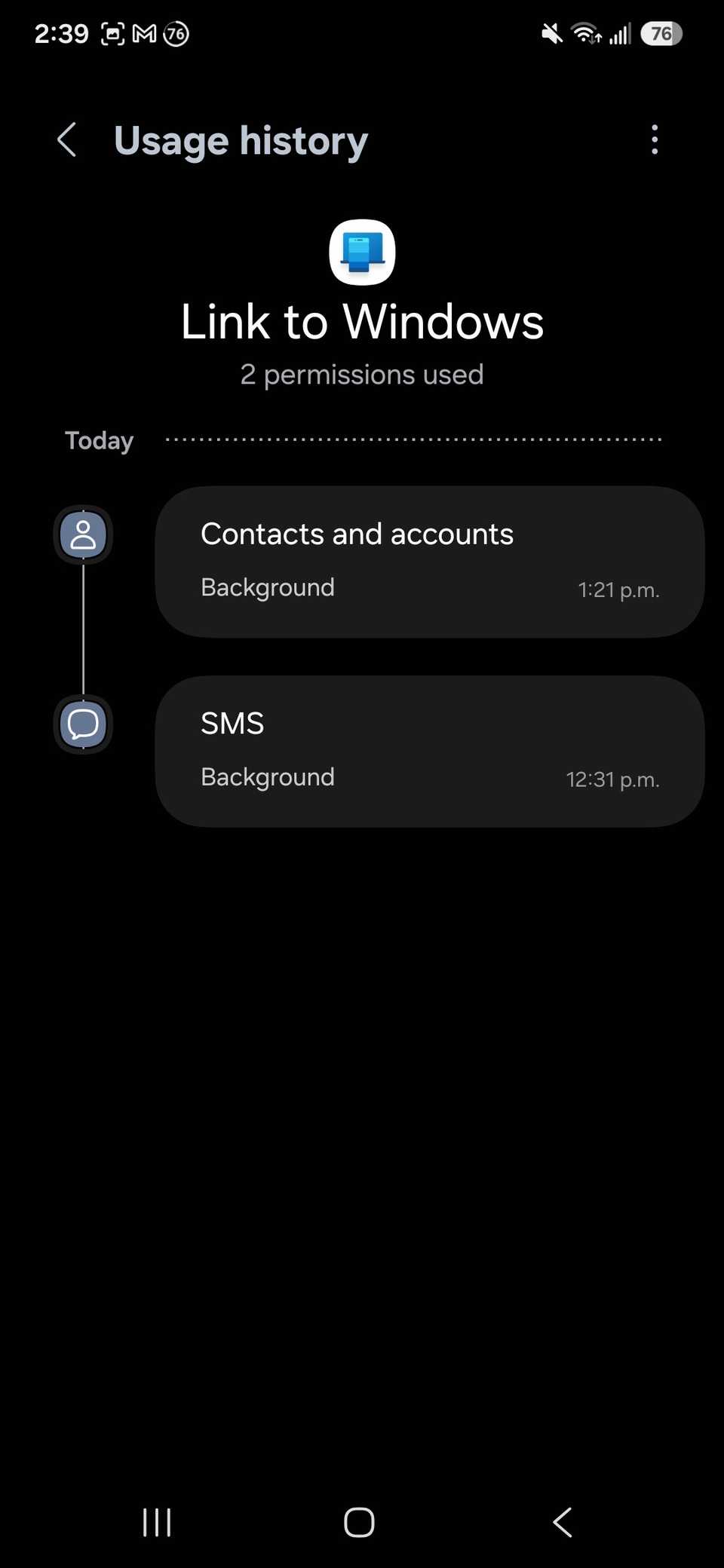
I haven’t opened the app since last summer, when I upgraded my phone, but in the last 24 hours, I still see that both Contacts and accounts and SMS permissions are being used in the background.
Thus, after seeing those results, I added it to my purge pile.
You cannot uninstall this app directly. But you can remove your account through the app’s settings and restrict its permissions.
Google Photos
A Google app that rarely stays installed on my phone
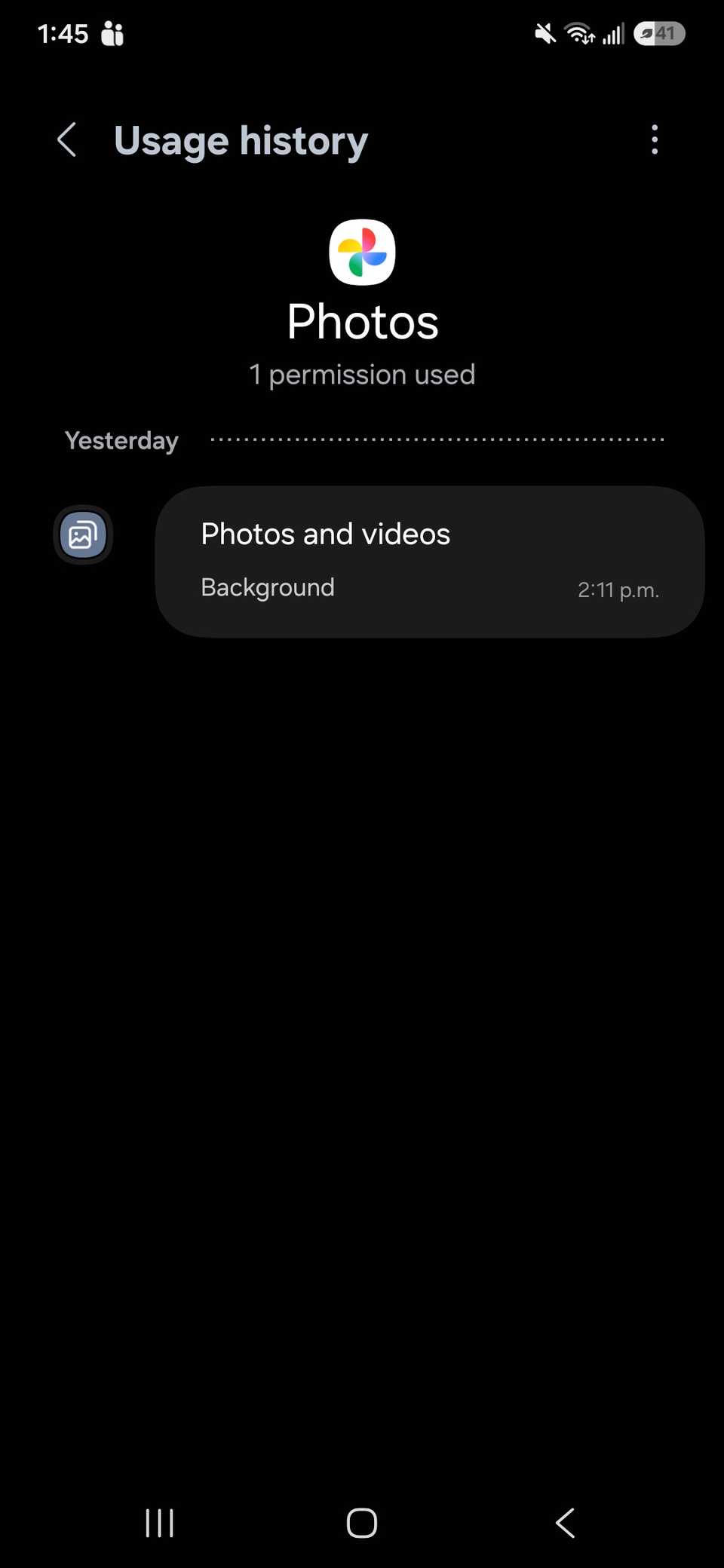
I forgot why I even left this app installed, since I tend to uninstall and reinstall it to keep it updated for work-related assignments that require the app.
But other than that, I don’t normally touch it because I can’t stand cloud-based photo management apps.
This is just a Google product rotting away on my Samsung phone, and, quite frankly, I avoid Google Photos on my Google Pixel 8.
Moreover, anything I upload is through Files by Google and sent to my Google Drive account.
After doing a quick review, I also noticed that it used permissions in the last 24 hours and uses Photos and videos permissions, which is to be expected.
This is likely used for system cache purposes, as I have Google Photos backups turned off.
Plus, I don’t really love the memory function anymore when the app notifies me, mainly because I am still grieving the pets I’ve lost over the years.
Sadly, this time the app couldn’t be fully uninstalled; I could only disable and remove its updates.

Related
6 annoying Google Photos settings you can turn off right now (and should)
The Google Photos features that drive me mad
Google Meet
Another Google app that doesn’t affect my day-to-day
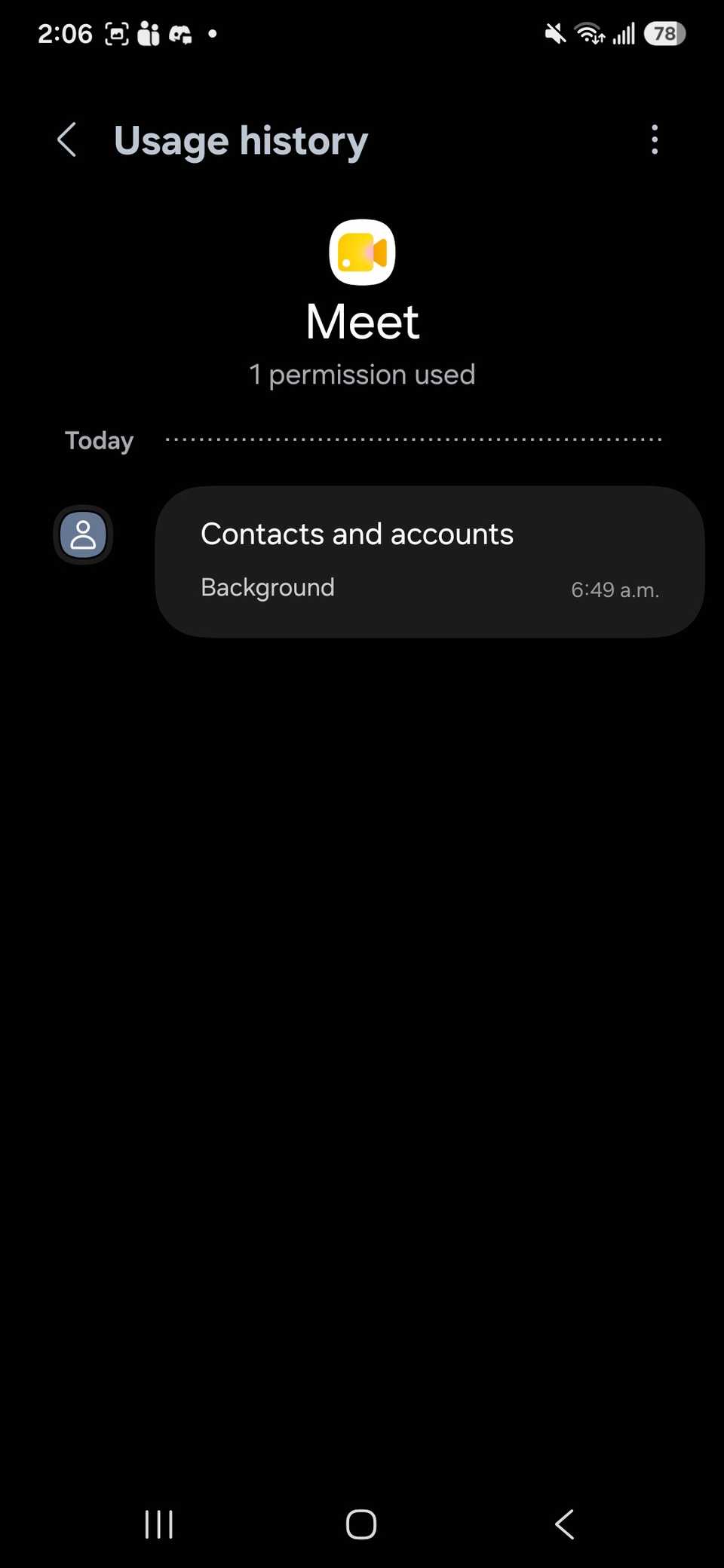
It seems like this is another Google app that I forgot existed on my device.
I have never used Google Meet on my phone, even for work. I prefer sitting at a desk and using the platform with one of my computers.
Yet I still see activity listed in the app for the last 24 hours; it uses my Contacts and accounts permissions.
So again, no reason to give free rein to Google Meet when I won’t give it to Google Photos (though I can only disable the new experience app and uninstall the old one).
Google app
An app that uses way too many permissions
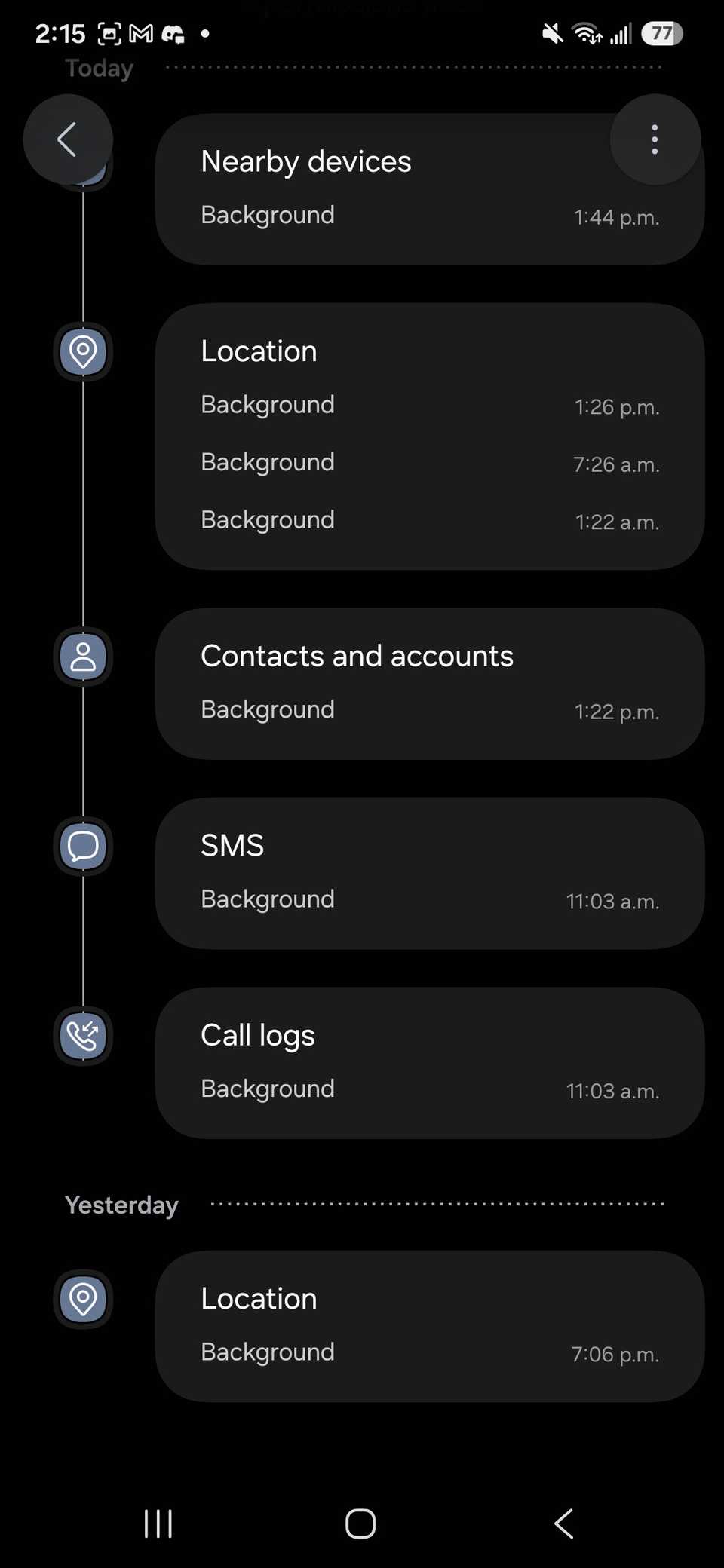
Google app made me conflicted. I have solemnly used it for Google Lens, but other than that, I don’t really ever open the app.
However, this one was a bit of a monster for how much freedom it has with my permissions (the fact that I had to scroll down to review the permissions it was using in the last 24 hours was alarming to me).
According to my settings, the Google app used five permissions: Nearby devices, Location, Contacts and accounts, SMS, and Call logs.
But instead of uninstalling the app, I decided to disable it.
The reason is that if you remove the app completely, some functions on your phone won’t work, such as the “Hey Google” voice command, which I find helpful when I need a hands-free experience.
De-bloating your phone is also worth it
As someone who buys carrier-specific phones rather than unlocked ones, I generally need to be much more conscious of the bloat on my phone.
While I am transferring over my apps, contacts, and general data from my old phone to my new one, I also normally look for any carrier-specific apps and services and disable them.
That way, you don’t have to worry about apps taking up unnecessary storage space while potentially tracking your data.
Generally speaking, my Samsung puts a lot of bloatware to sleep, but removing it from my view gives me peace of mind.
Related
I removed Samsung’s unremovable apps, and now my phone zips along
Half an hour with ADB and my Samsung finally runs clean
Don’t forget to digitally declutter your device routinely
It takes a bit of work to remove all unwanted apps, clean out junk files, and remove duplicate photos.
Plus, it’s no easy feat to know exactly what’s causing the clutter to go out of control.
I find that I run out of storage space very quickly. As a result, I normally blame the apps I install, but it turns out that I am a bit of a maniac for snapping photos.
So, sometimes, going through it systematically, one by one, in an afternoon, is worth it just to know what might be gatekeeping your storage, speed, and even your privacy.