
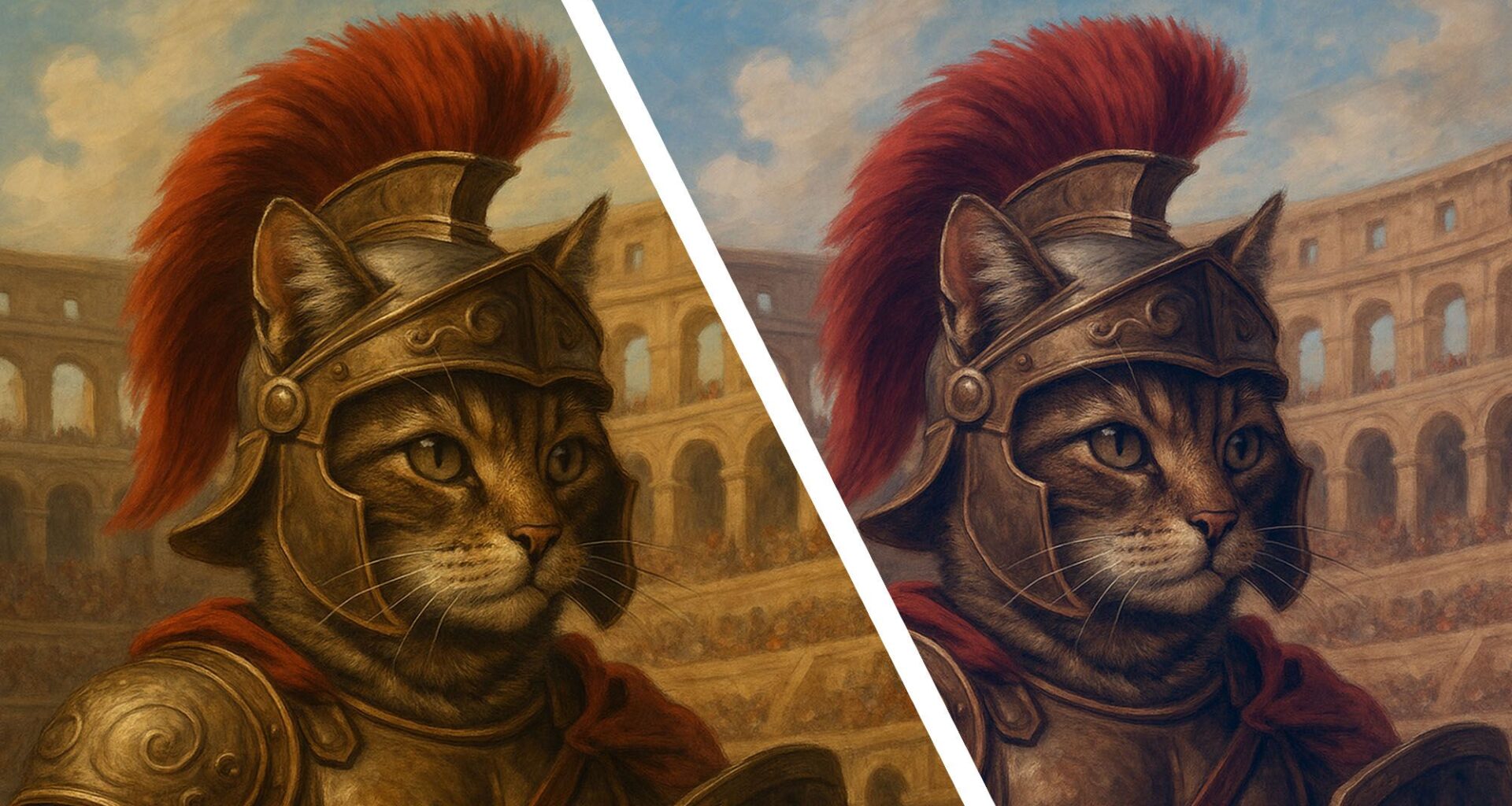
Have you noticed that AI-generated images can be easy to spot because they have a subtle yellow tint? This yellow hue is not a specific feature of all AI image generators; it’s actually very specific to one of them: ChatGPT.
For some reason, ChatGPT defaults to generating its images with a slight yellow tint. You don’t notice it at first, but the more images you generate, the more you will start to notice that they often have a sepia or yellow hue. Not only is it distracting, but it takes away from the realism of the image and makes it look dated.
You may like
Mellow Yellow
As an example, I asked ChatGPT to create a variety of images – a child’s birthday invitation, a cat as a Roman Gladiator in the Colosseum, and a conceptual image for a presentation.
I’d say that, to various degrees, you can see its default yellow tone to the background in all of the images:
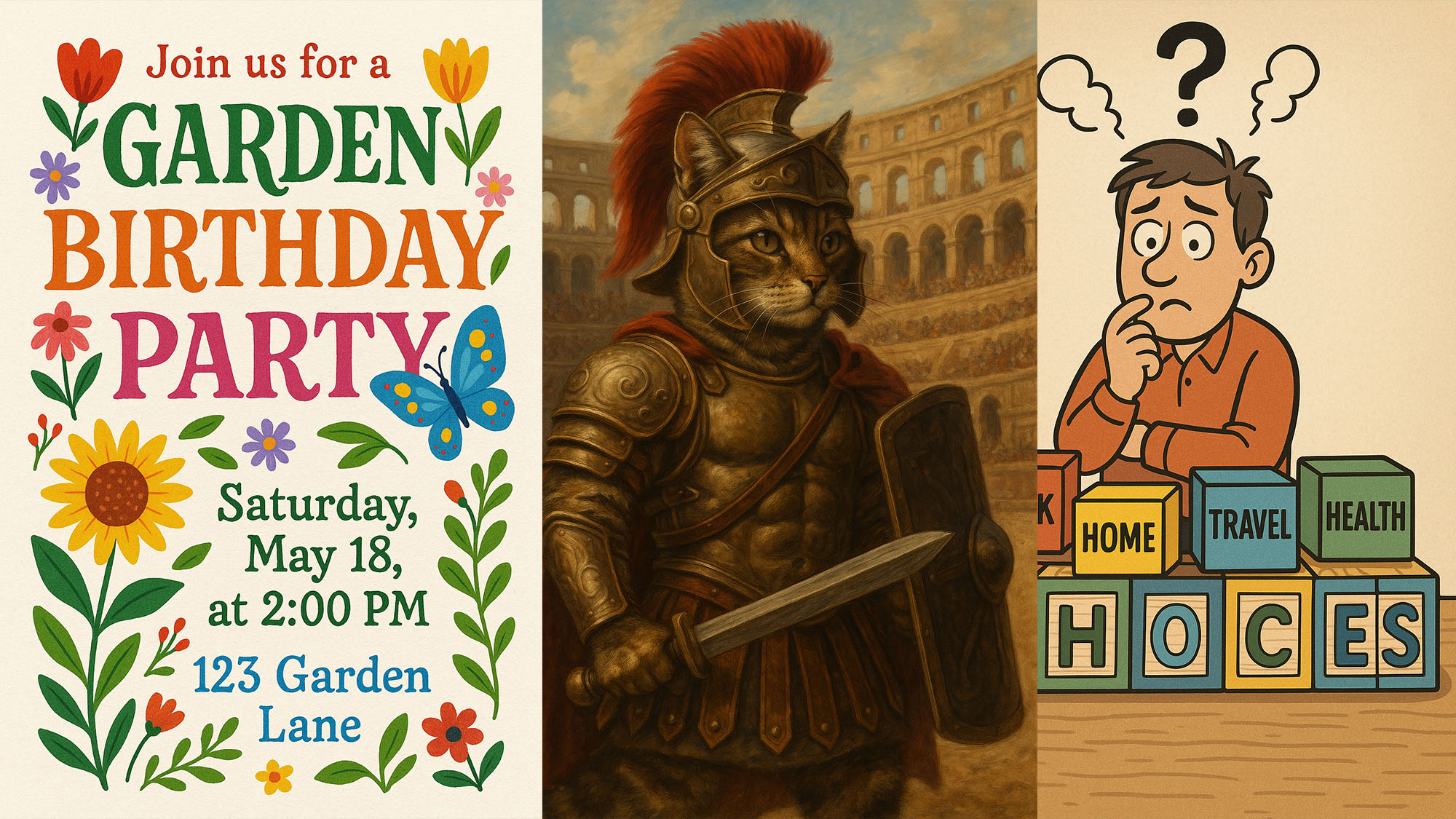
The classic Autumnal hue of ChatGPT images. (Image credit: OpenAI)
The question is, what can you do about it? Well, when you write your original image prompt, you could try including color-specific instructions such as “neutral white balance” or “no yellow cast, accurate skin tones”. This would help to stop the problem before it starts, but it means your prompts get longer and more complicated.
Another solution is to mention specific lighting conditions, such as “bright midday light,” or to use a negative prompt like “avoid yellowish or sepia tone” as part of your prompt.
What you can’t do with ChatGPT is the obvious thing – generate an image and then say something like “make this less yellow”. Because of how ChatGPT works, it will produce an image that is less yellow than before, but it will recreate the entire image in the process, so it won’t be exactly the image you started with. In fact, it will often look quite different.
Python script
If you want to simply get a color-corrected version of the same image inside ChatGPT, what you can do is cut and paste the following Python script (from Reddit user Linkpharm) into ChatGPT and ask it to run it on an image after you’ve created it.
You may like
import cv2
import numpy as np
def neutralize_yellow(image):
“””
Takes a BGR image (NumPy array) and reduces yellow tint to make colors more neutral.
Returns a new neutralized image.
“””
# Convert to LAB color space (L = lightness, A = green–red, B = blue–yellow)
lab = cv2.cvtColor(image, cv2.COLOR_BGR2LAB)
# Split into channels
L, A, B = cv2.split(lab)
# Compute how much yellow there is (positive shift in B channel)
yellow_strength = np.mean(B) – 128 # 128 = neutral midpoint
# Reduce yellow by shifting B channel toward neutral (128)
if yellow_strength > 0:
correction = np.clip(B – yellow_strength * 0.8, 0, 255)
lab = cv2.merge((L, A, correction))
else:
lab = cv2.merge((L, A, B))
# Convert back to BGR
neutral_img = cv2.cvtColor(lab, cv2.COLOR_LAB2BGR)
return neutral_img
# Example use from another script:
# from remove_yellow_tint import neutralize_yellow
# neutral_image = neutralize_yellow(image_from_other_script)
ChatGPT will have no problem running the Python script, and it will leave the image exactly as before, just color-correct it within ChatGPT.
Here’s an example of a before-and-after using the Python script:
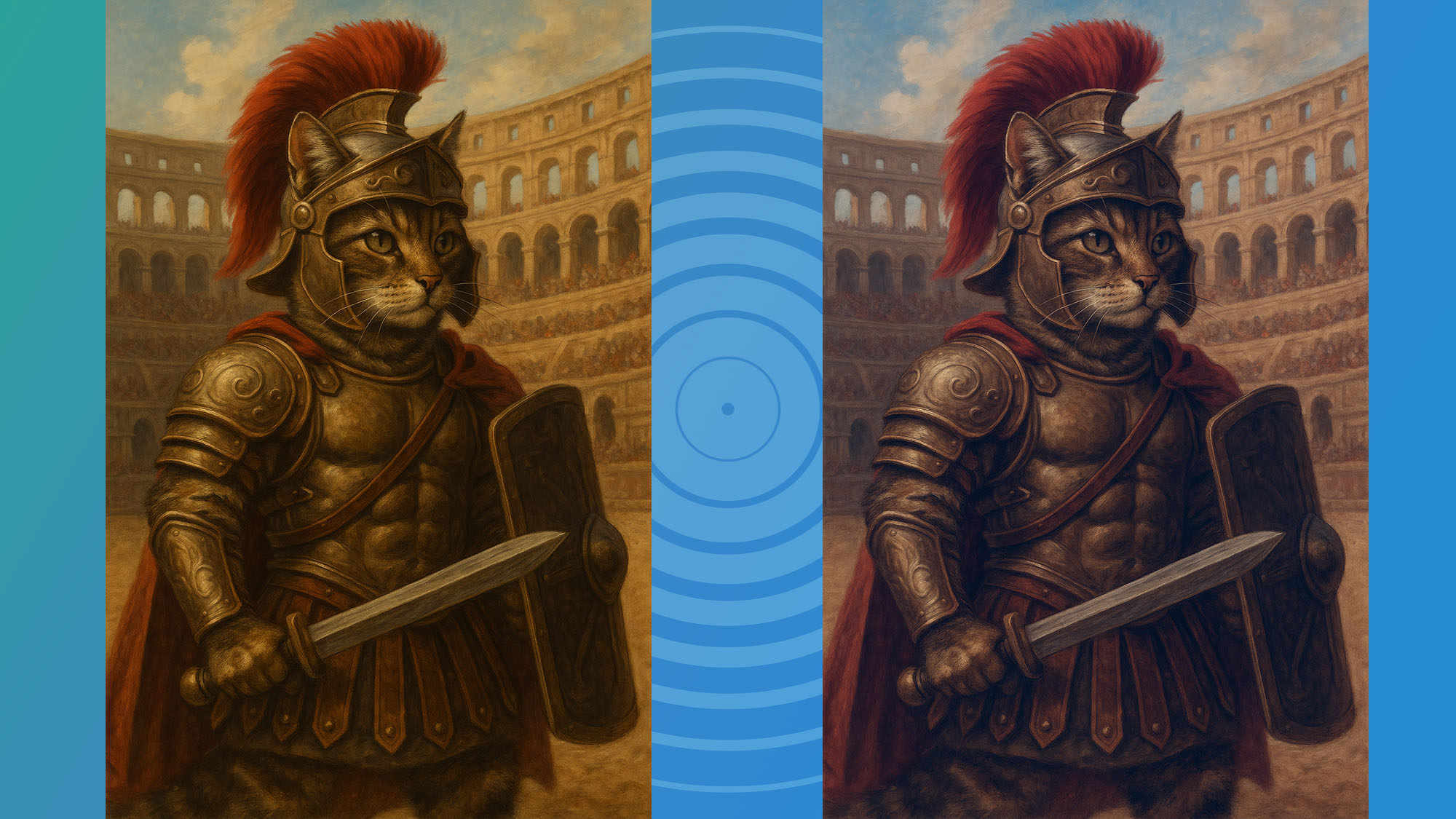
The original on the left, and the color-corrected version on the right. (Image credit: OpenAI)
It’s quite possible that future versions of ChatGPT won’t have this yellow cast when generating images, but until then, there is something you can do about it. Or you could check out the rather excellent Nano Banana image generator that comes as part of Gemini.
Follow TechRadar on Google News and add us as a preferred source to get our expert news, reviews, and opinion in your feeds. Make sure to click the Follow button!
And of course you can also follow TechRadar on TikTok for news, reviews, unboxings in video form, and get regular updates from us on WhatsApp too.

The best business laptops for all budgets
Our top picks, based on real-world testing and comparisons