
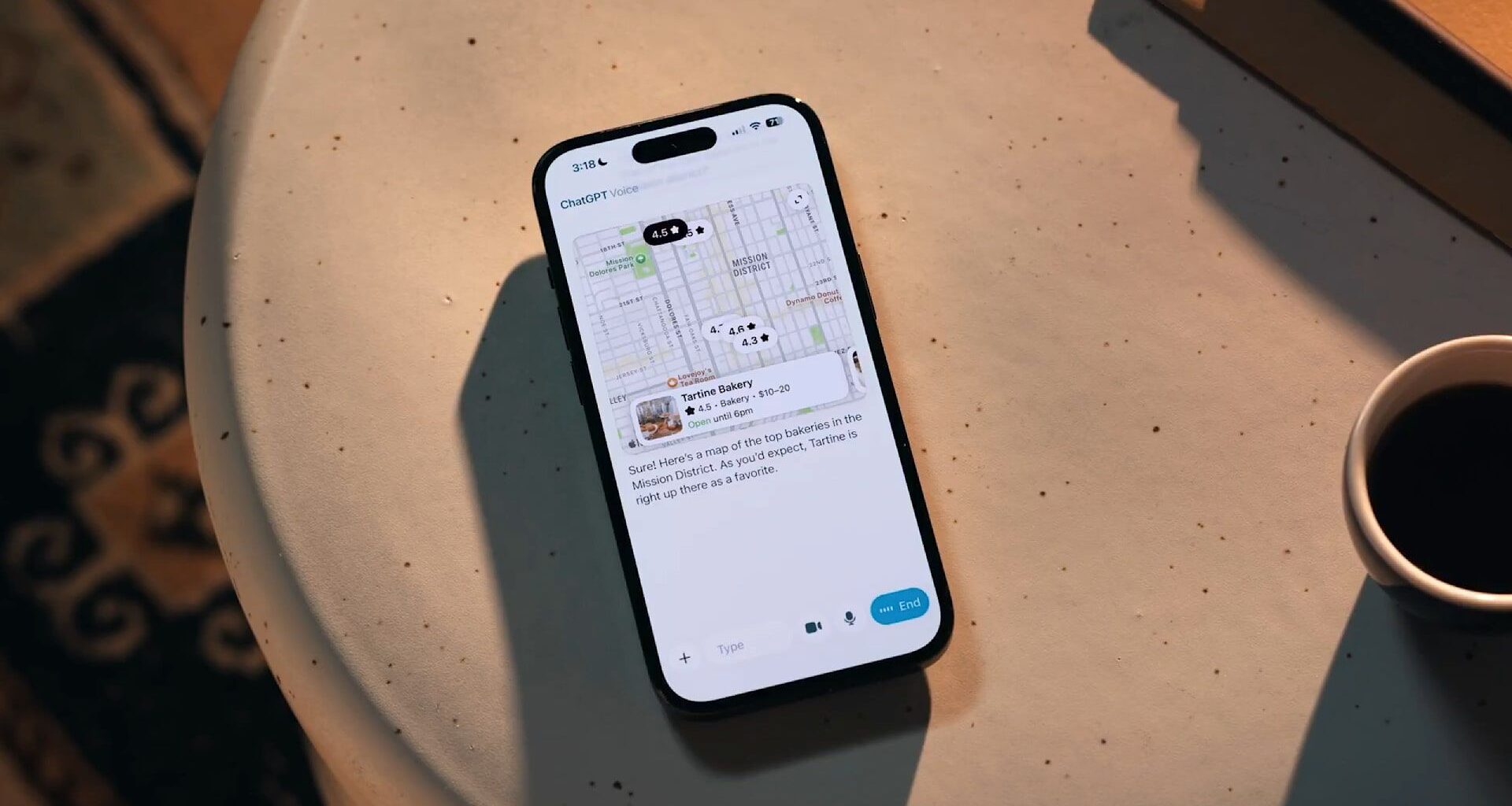
ChatGPT voice mode just got a significant new updateVoice mode conversations now take place in the main chat windowYou can also see transcribed messages, maps, weather and more
ChatGPT’s voice mode has long been a powerful way to augment your conversations with the artificial intelligence (AI) chatbot, but it’s had a few weaknesses that have held it back.
Now, though, OpenAI has updated ChatGPT to fix some of the major complaints people have had with voice mode, which should make it even more useful than before. Here’s everything you need to know:
1. It now lives inside your chat
You can now use ChatGPT Voice right inside chat—no separate mode needed.You can talk, watch answers appear, review earlier messages, and see visuals like images or maps in real time.Rolling out to all users on mobile and web. Just update your app. pic.twitter.com/emXjNpn45wNovember 25, 2025
Posting on X, OpenAI explained that you will now be able to use ChatGPT’s voice mode inside the chat module itself, with “no separate mode needed.” That could prove to be an important change that makes your experience much smoother.
Best picks for you
In previous iterations, you could start a text-based conversation with ChatGPT, but as soon as you switched to speaking, the screen would enter a separate voice mode. Now, enable voice chat during a text discussion and ChatGPT won’t miss a beat, continuing the exact same conversation without resetting or starting from scratch.
2. You can still go back to the old interface
(Image credit: OpenAI)
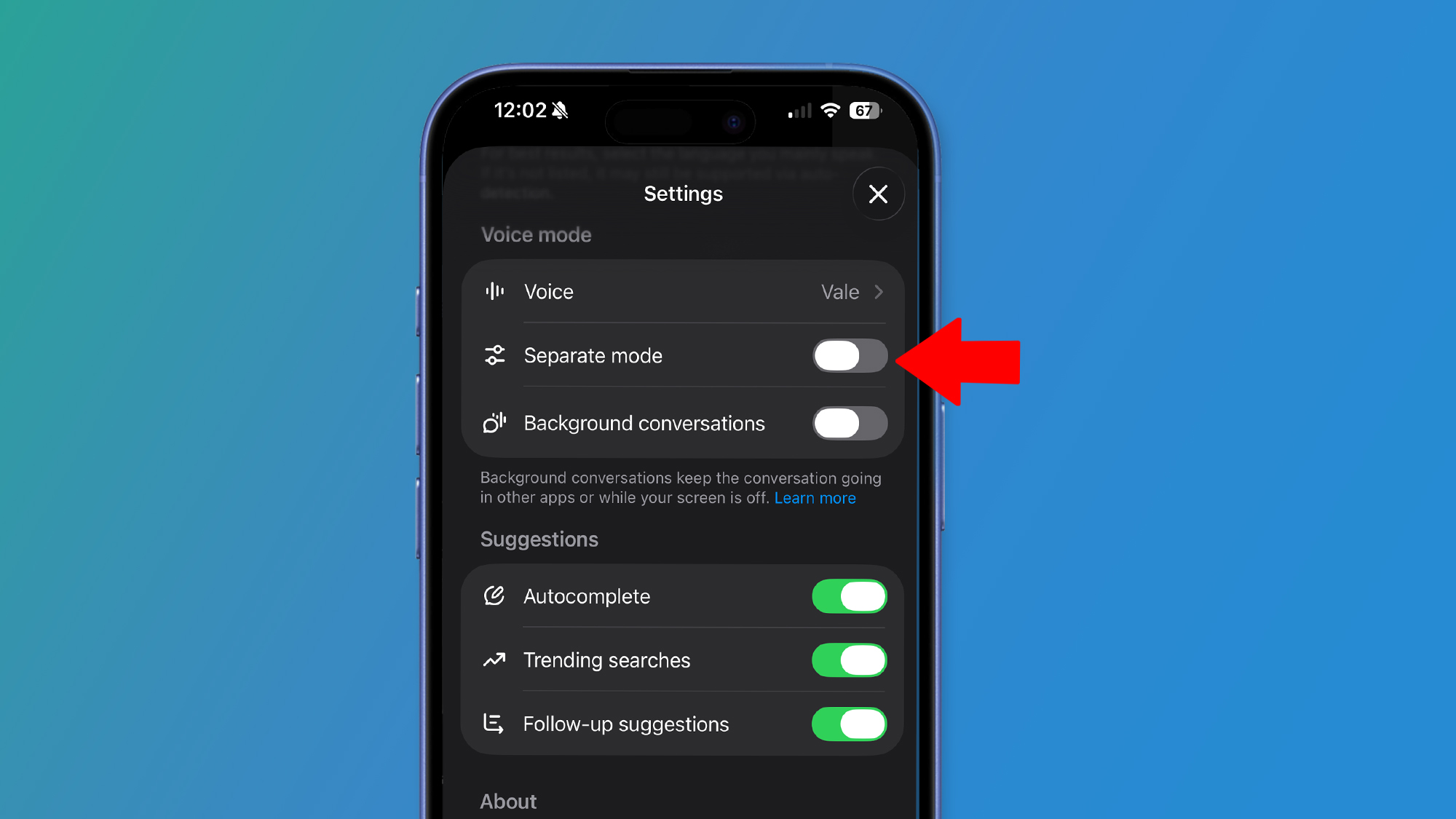
Don’t like ChatGPT’s new way of doing things? That’s OK, because you can still put things back to the way they used to be.
Despite the new interface, you can revert the interface by tapping your account in the bottom-left corner of the app to open Settings, scrolling down to the Voice mode section, and toggling ‘Separate mode’.
If the previous layout felt familiar and easier to navigate, this might be something you want to do.
3. It’ll show you maps and more
(Image credit: OpenAI)
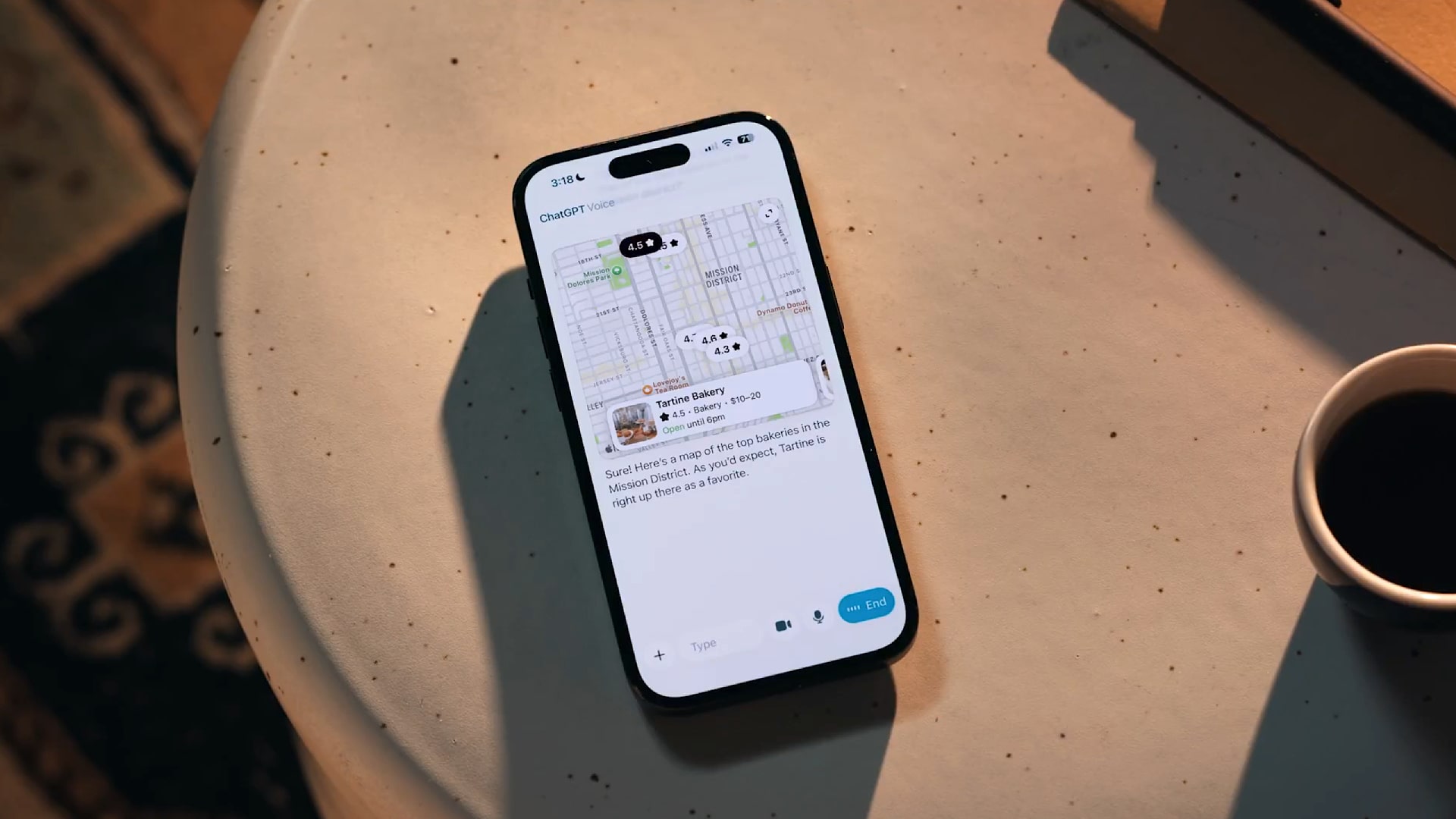
There are other benefits to the new update. Visually, you’ll get a live transcript of your discussion and can review earlier messages after they’ve been completed. Plus, ChatGPT will be able to display the local weather forecast or a requested map within the chat window.
That transforms your voice chats into a sort of hybrid mode that blends voice, text and informative widgets to give you the information you need at a glance.
4. It still uses a different model to chat
(Image credit: OpenAI)
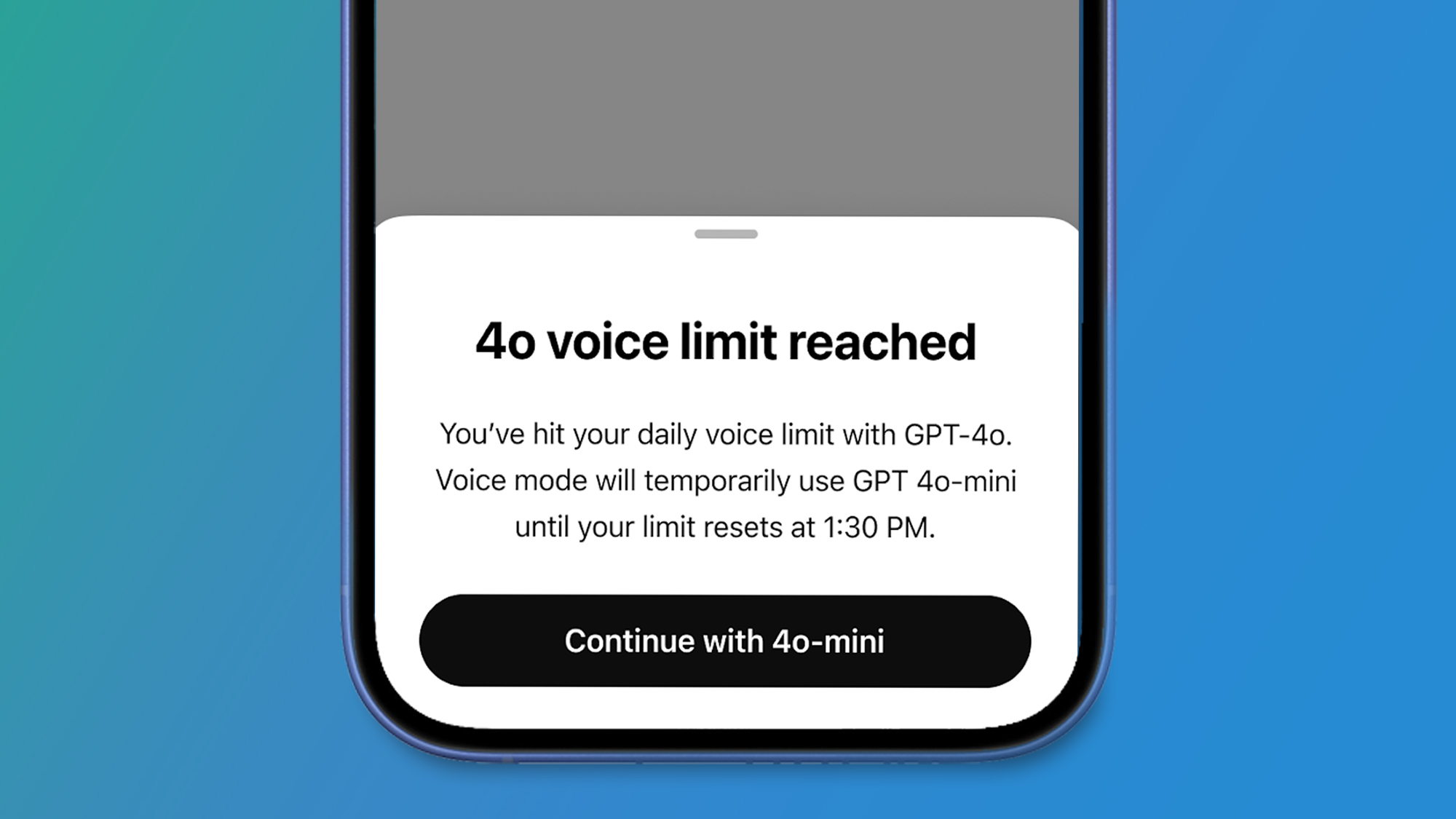
There’s something else to be aware of with the updated voice mode: the model that powers it.
Don’t miss these
While text-based chats with OpenAI’s bot can be powered using the latest GPT 5.1 model, OpenAI says that voice sessions on paid plans “automatically begin with” GPT-4o, then switch to GPT-4o mini when your GPT-4o minutes have been used up.
GPT-4o is the company’s “most advanced voice model,” but it’s an earlier and less capable model than GPT-5.1 – so even though voice now lives inside chat, you won’t get exactly the same experience or answers when using voice mode.
5. Paid subscribers get different voice models
(Image credit: Shutterstock/Koshiro K)
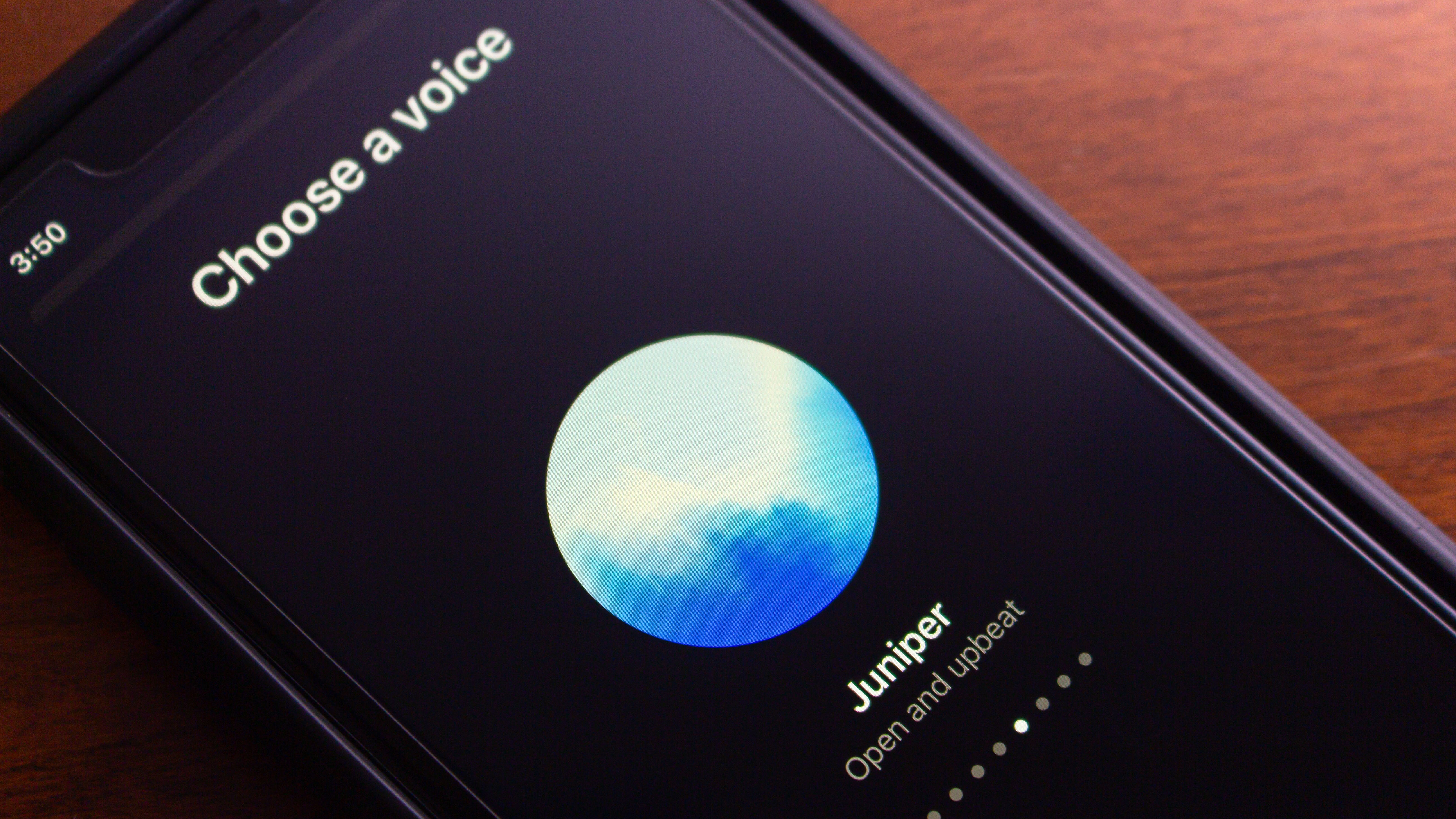
Your usage of voice mode also depends on whether you have a paid ChatGPT plan or not. OpenAI says that for subscribers, “your daily use of ChatGPT voice is nearly unlimited each day” and is powered by GPT-4o, as noted before. Free users, on the other hand, will be placed on the GPT-4o mini model from the start and have limited usage each day.
Regardless of which plan you’re on, you should feel the benefits of the new ChatGPT voice mode update. OpenAI says it’s “rolling out to all users on mobile and web,” and you just need to update your app to take advantage.
Follow TechRadar on Google News and add us as a preferred source to get our expert news, reviews, and opinion in your feeds. Make sure to click the Follow button!
And of course you can also follow TechRadar on TikTok for news, reviews, unboxings in video form, and get regular updates from us on WhatsApp too.