
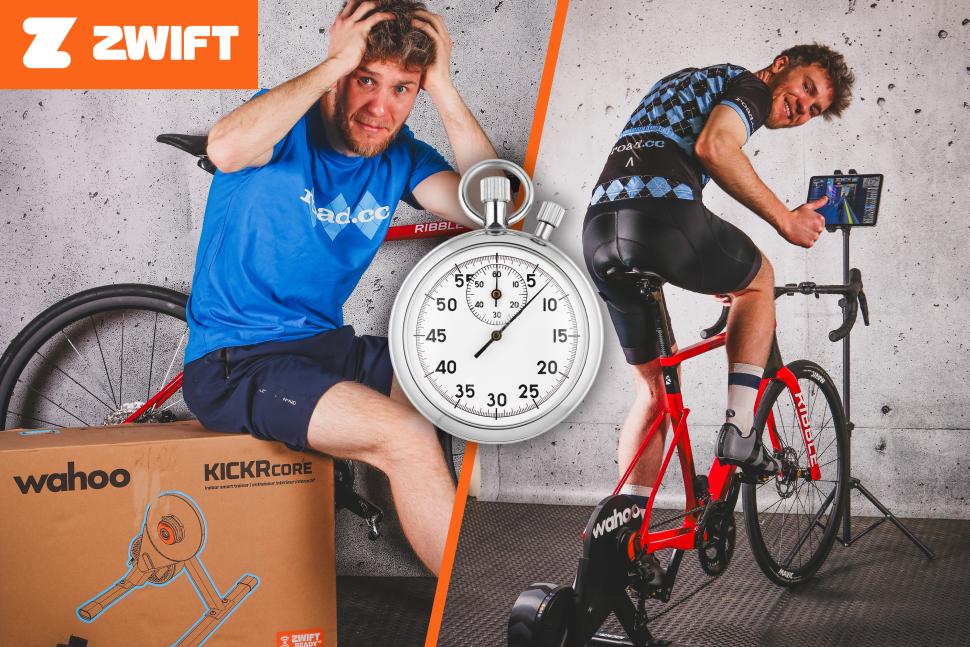
How’s your year of riding been so far? If you’ve had a great summer, then you don’t want to lose all those gains now the clocks have gone back and it’s a bit grim out. And if you haven’t really reached the heights you wanted, well: now’s a great time to get started on your goals for next season!
It’s the time of year when thoughts turn to indoor training, and Zwift is the biggest platform of the lot, with thousands of riders, multiple worlds to ride around, loads of workouts and training plans, and a full calendar of events. So you can be hitting the intervals, racing, or just enjoying the ride, whatever the weather.
If you’re new to the world of Zwifting that might all sound great, but there could be some nagging doubts at the back of your mind: isn’t this all going to be complicated to set up? Won’t it take ages to get up and running? And what if my bike won’t work with these fancy new trainers?
 Zero to Zwift – trainer-1 (credit: road.cc)
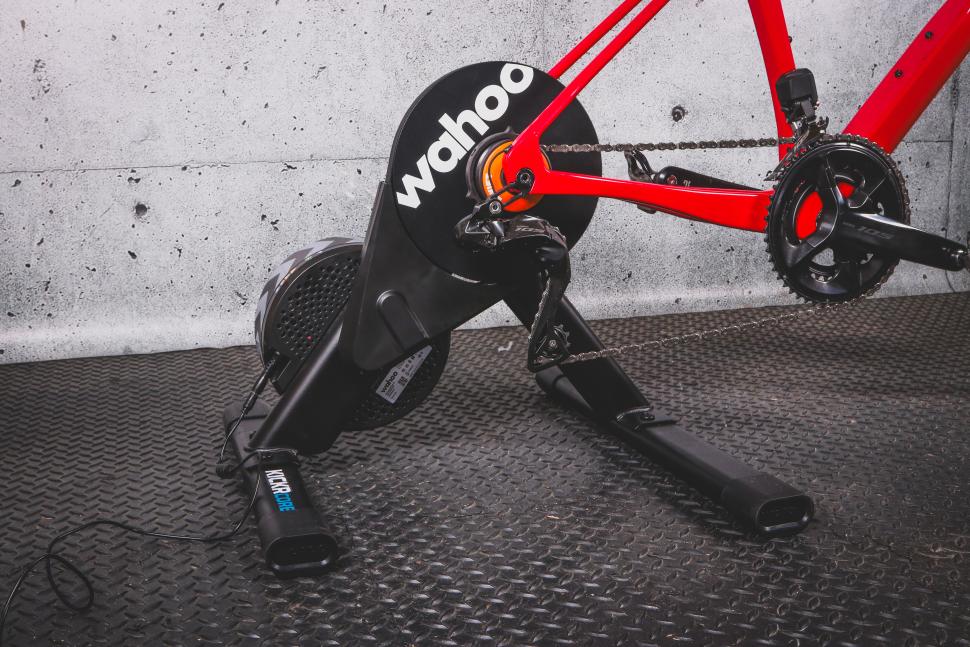
Well: worry no more! The online training world is always evolving, but one of the things that’s changed the most in the past few years is just how easy it is to get on Zwift. And that’s thanks to Zwift Ready smart trainers like the new Wahoo KICKR Core 2 with Zwift Cog and Click, which this Black Friday weekend is available for the all-time-low price of just £399.
Buy the Wahoo KICKR Core 2 with Zwift Cog and Click for £399
What’s Zwift Ready?
Zwift Ready trainers come fitted with Zwift Cog, a single sprocket that replaces the cassette on your wheel. So there’s no need to remove the cassette from your bike, or buy a second one: just drop the wheel out, attach the bike to the trainer, shift the gears until the derailleur is in the right position and you’re ready to go. It’s quiet, it’s low-maintenance and it minimises wear on your bike’s drivetrain. Zwift Cog is compatible with nearly all 8-13 speed bikes, and the latest version can also be adjusted to get the chain line just right, so you don’t have to fiddle with your mech at all: that means the next time you go outside your gears will be set up perfectly. Assuming they were before you took the wheel out…
 Zero to Zwift – Click on bars 1-1 (credit: road.cc)
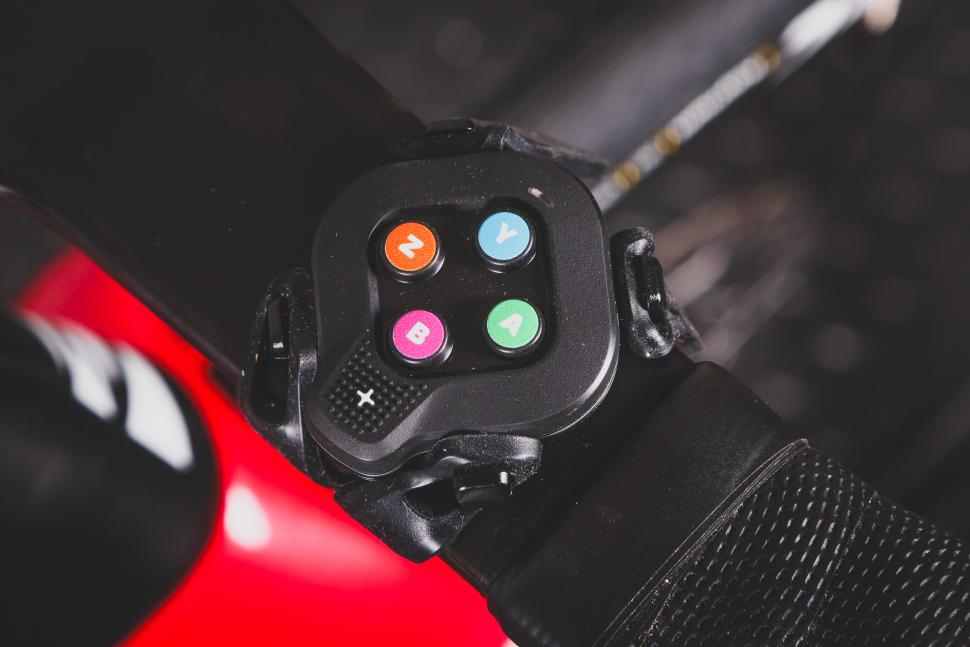
Shifting is handled electronically, and you shift up and down using the new Zwift Click, which attaches to your bike with silicone straps and gives you full control of the game directly from your handlebars: no more juggling a keyboard or reaching over to the iPad. The Zwift Ready Wahoo KICKR Core 2 comes with Zwift Cog & Click, and you can also buy Zwift Cog and Click as an upgrade for a whole range of trainers; head over to the Zwift website to see which ones are compatible. https://news.google.com/rss/articles/CBMijwFBVV95cUxOTGdGZU1MZ1dsbHUzNnNHc1ZuVE8tN2RDbEFEUnBObHhOUi1sQXFlUC04NDFxbVlDS2c1TDhhcW5VR2ZWeG1zcFc1M0xfYTUzYkZLenZuamVwcjhQeldLNWFybWJiVmNZWFpxR3A1SU1xUmZBMkNaUlVyR2ptR295ektmdFBiTXlxRTRpX2VlMA?oc=5
Wahoo KICKR Core 2: the perfect trainer for beginners, regulars and racers
Why choose the Wahoo KICKR Core 2 as the basis for your indoor setup? Well, for one thing you can get £100 off right now on the Zwift website https://news.google.com/rss/articles/CBMijwFBVV95cUxOTGdGZU1MZ1dsbHUzNnNHc1ZuVE8tN2RDbEFEUnBObHhOUi1sQXFlUC04NDFxbVlDS2c1TDhhcW5VR2ZWeG1zcFc1M0xfYTUzYkZLenZuamVwcjhQeldLNWFybWJiVmNZWFpxR3A1SU1xUmZBMkNaUlVyR2ptR295ektmdFBiTXlxRTRpX2VlMA?oc=5, but as well as that you’re getting a spec that a few years back would have been a wish list on even a top end trainer. With a maximum resistance of 1,800W and the ability to simulate a 16% gradient, it packs enough punch for everyone short of a track sprinter. It features Bluetooth, ANT+ and WiFi connectivity and the latest version even has Wahoo’s Race Mode, sending power data up to ten times as fast for an edge in the sprint. KICKR Bridge streams data from heart rate monitors and controllers through the trainer to Zwift, which is great if you’re using a device like Apple TV with limited channels: you only need one! On top of all that the robust steel frame is built to last, and there are adapters for pretty much any bike included in the box.
Buy the Wahoo KICKR Core 2 with Zwift Cog and Click for £399
And it’s easy to set up, too. But how easy? To find out we contracted the help of a new rider, who’s never been on Zwift before, and asked them to get the trainer, the bike and the app set up as quickly as possible. If you’re starting with a new trainer in a box, an iPad and a bike, how quickly could you be riding the roads of Watopia? Let’s find out!
Start the Stopwatch!
 Zero to Zwift – open box 2 (credit: road.cc)
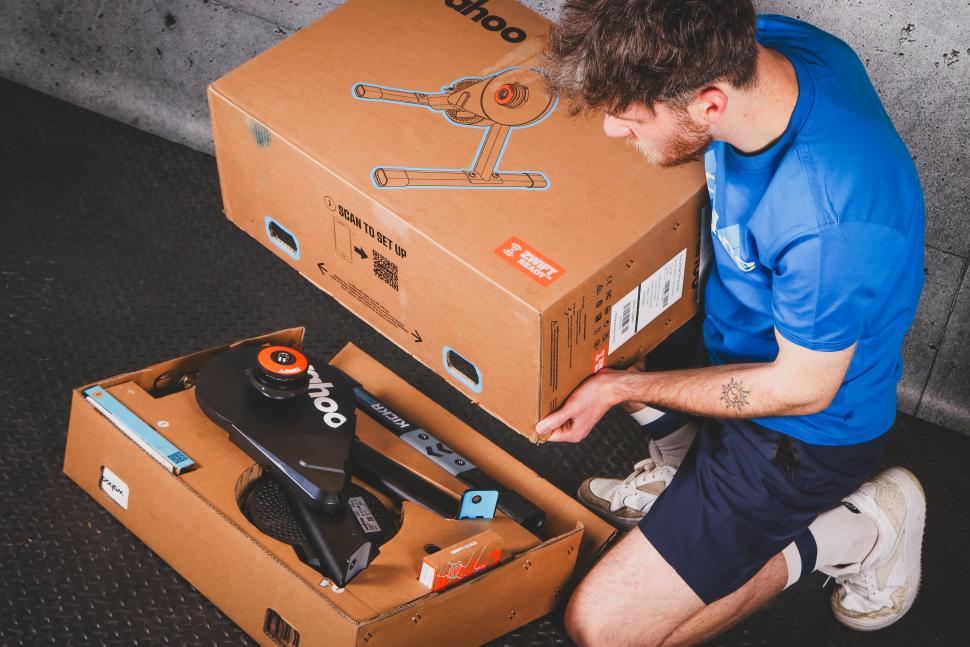
0:00 – The unboxing
Meet Harry. He’s never ridden indoors before, but he’s keen to give it a try. Getting new kit set up can be daunting but the KICKR Core 2 box is helpfully numbered so you know what to do first.
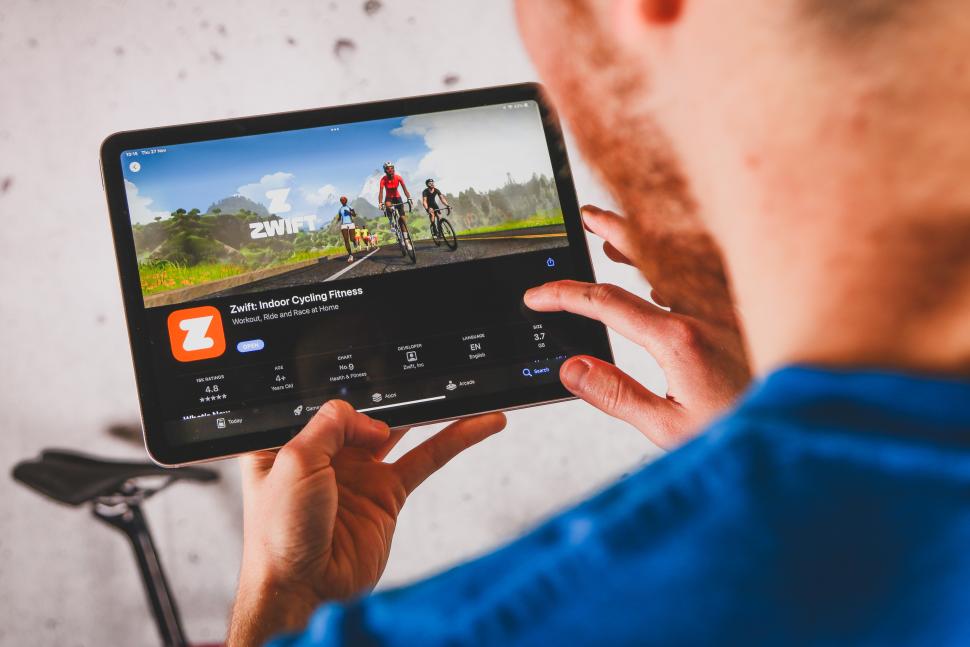 Zero to Zwift – app store (credit: road.cc)
01:45 download Zwift
While you’re setting everything up, get the app downloaded onto your device. It’s available for phones, tablets, computers and Apple TV so you should have a device that’ll run it already. And the KICKR Core 2 comes with two months free!
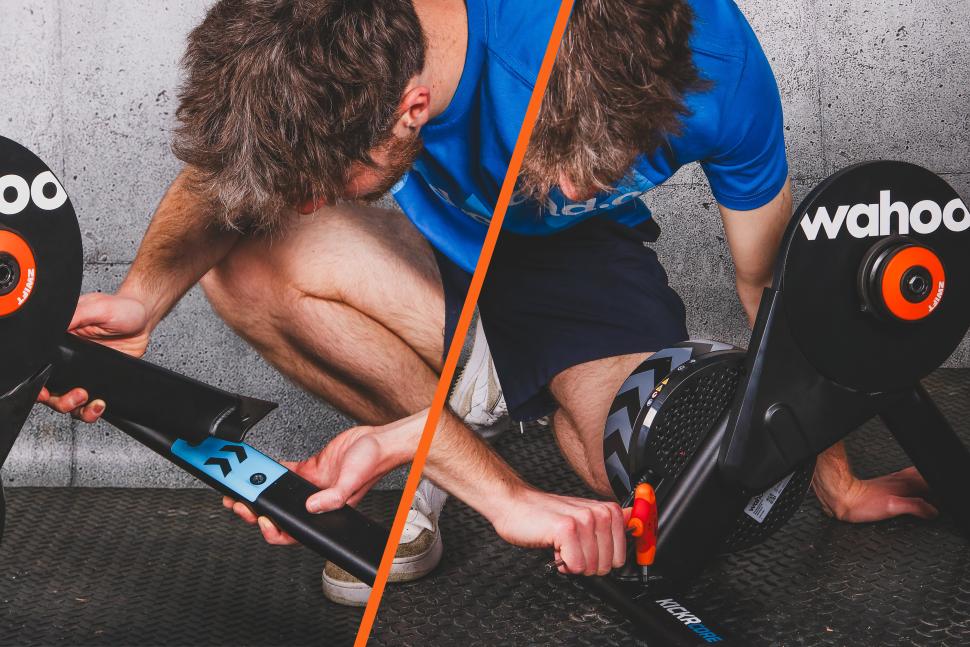 Zero to Zwift fit leg (credit: road.cc)
03:30 set up the trainer
Just four bolts and you’re pretty much ready to go, but different bikes fit in different ways. Harry’s road bike is through-axle, so…
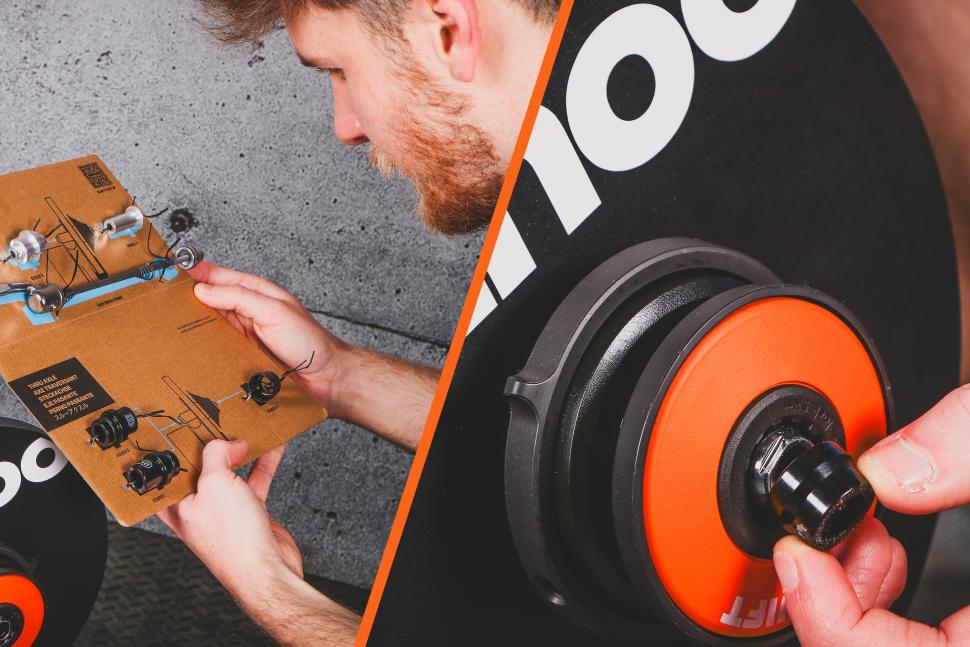 Zero to Zwift spacers (credit: road.cc)
07:45 Get it ready for your bike
Everything you need to fit to a huge range of bikes is included in the box with the trainer. It’s just a case of finding the right spacers for your frame.
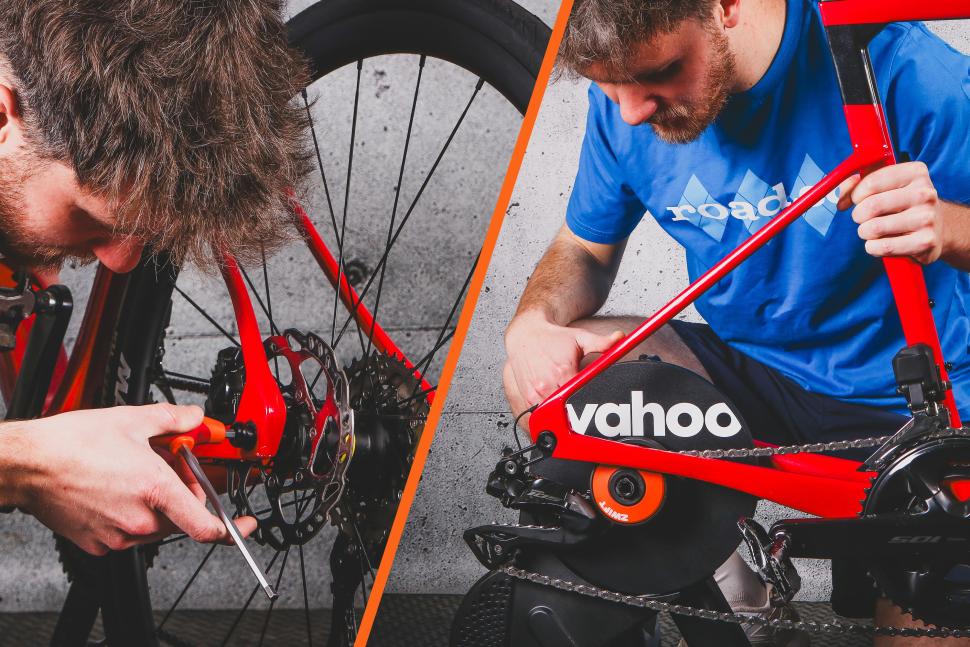 Zero to Zwift fit bike (credit: road.cc)
09:00 Get your bike on board
Fitting your bike is just a case of shifting into the middle of the cassette, removing your rear wheel, and sliding the chain down over the Zwift Cog before tightening everything up.
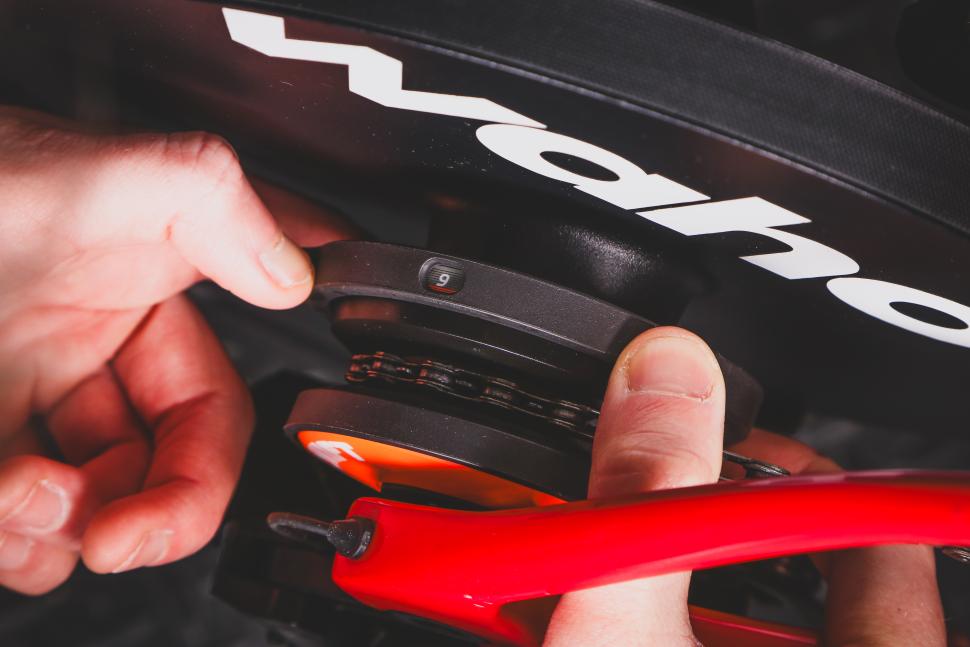 Zero to Zwift – adjust cog (credit: road.cc)
You can adjust the Zwift Cog to get your chainline spot on for a smooth and quiet ride.
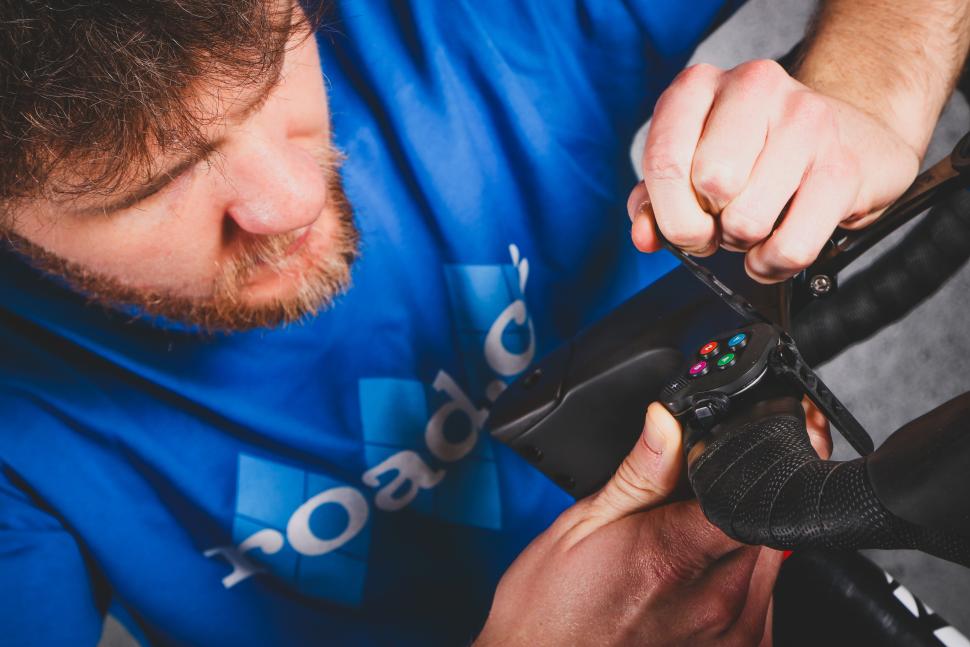 Zero to Zwift – fit click 1 (credit: road.cc)
12:30 get Zwift Click installed
Zwift Click gives you access to all the in-game controls including your virtual shifting. You can fit the controllers wherever you want; Harry opted for the tops of the bars. Four silicone straps and you’re done!
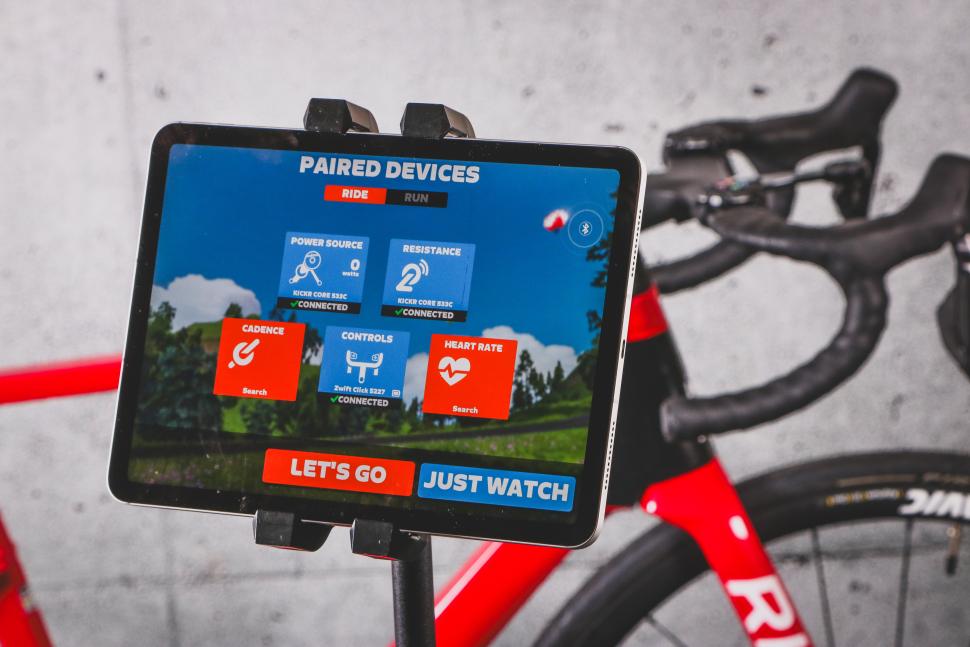 Zero to Zwift – pairing-1 (credit: road.cc)
14:30 Pair everything up
Now the Zwift app has downloaded you can log in and pair your trainer and the Zwift Click with your device. If you’re using a heart rate monitor you can use the KICKR Bridge to send that data through the same channel.
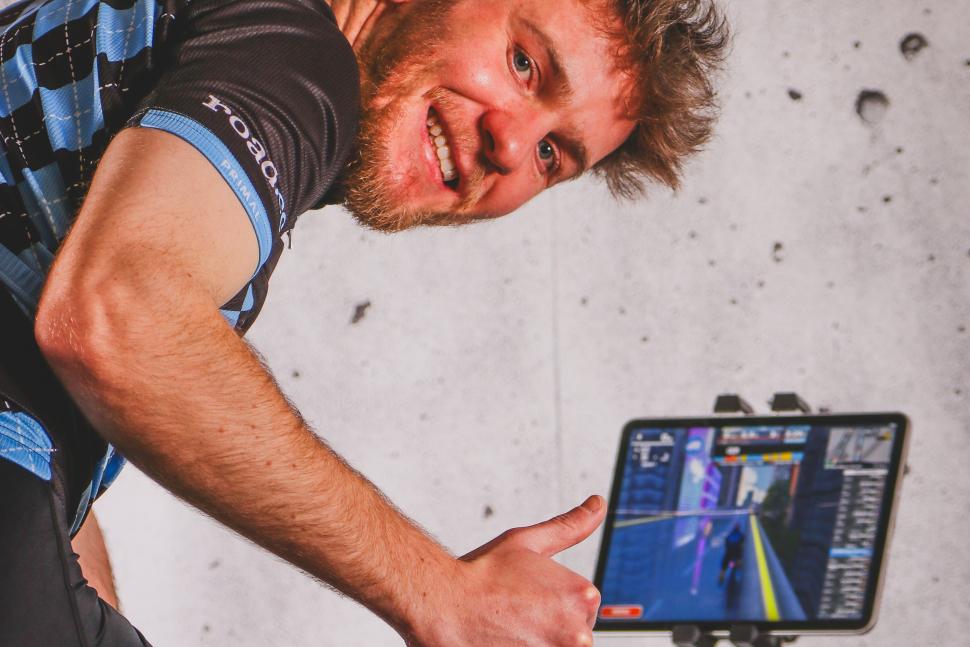 Zero to Zwift thumbs up final (credit: road.cc)
15:45 You’re up and running!
Okay, 16 minutes. But in no time you can be on your journey to better fitness, even if you’ve never touched an indoor trainer before. It’s never been easier!
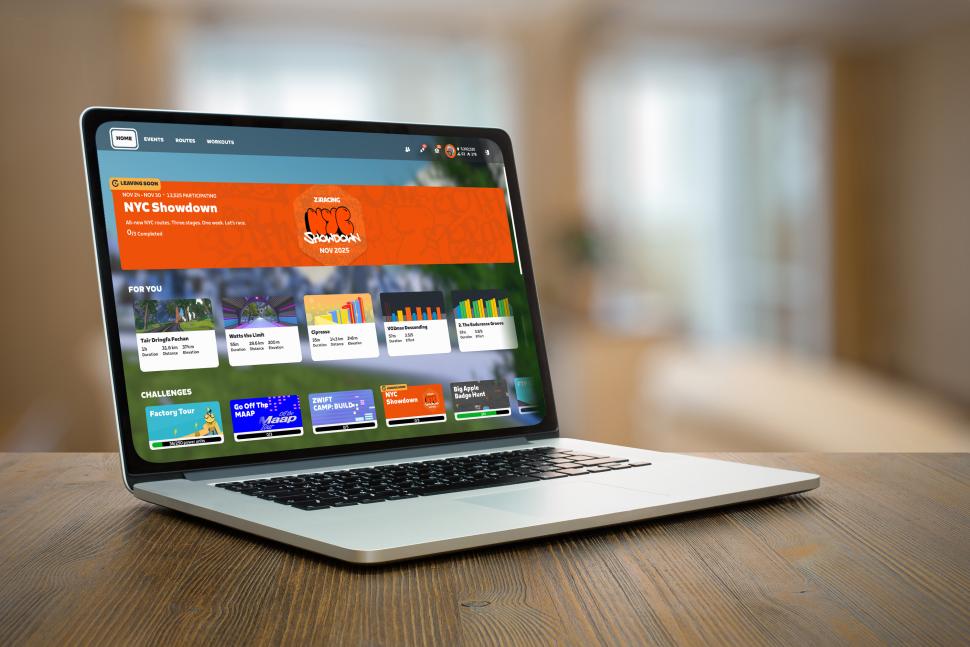 Zero to Zwift fit Computer (credit: road.cc)
Five tips to get the most out of Zwift from your first ride onwards
Now you’re up and running on Zwift there are loads of worlds to explore, and lots of different types of riding you can do. Like anything else that’s new it can be a bit daunting so here are our five top tips for getting the most out of the platform as a new rider.
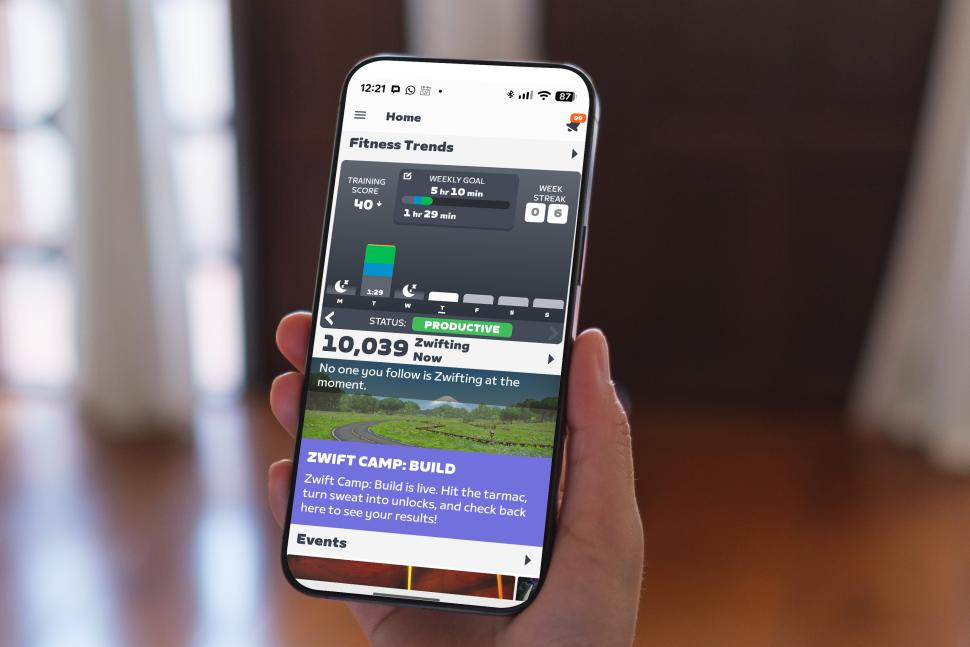 Zero to Zwift fit phone (credit: road.cc)
Use the Zwift Companion app
If you’ve got yourself acquainted with Zwift Click then you’ll know that you can access nearly all of the in-game controls directly from your handlebars. That’s great, but adding the Zwift Companion app to your setup unlocks even more. You can use it off the bike to search for events, and use the My List page to keep a note of routes and workouts that you want to do. You can also join clubs, and find your friends and famous riders: when you log on, you’ll be able to see if they’re riding, and you can join them if you like. On the bike you can message other riders, and the map screen is great when you’re racing, to see how much you’ve been dropped by on that climb. That’s what I use it for, anyway…
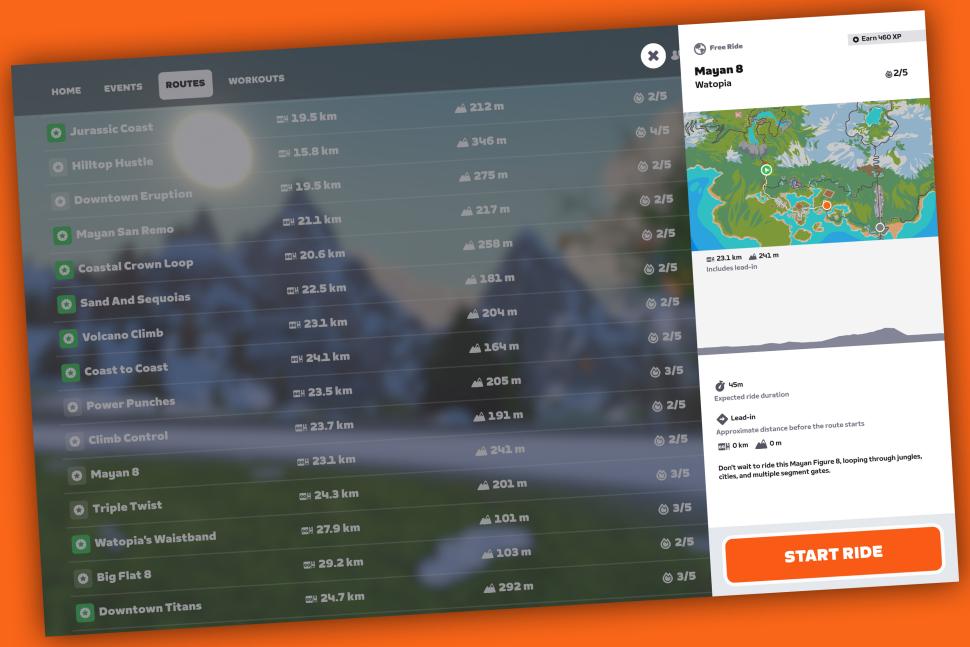 Zero to Zwift app routes (credit: road.cc)
Start route bagging
There are over 250 routes on Zwift, from the 2km Crit City laps to the London PRL Full, which is a full day’s ride. Why not start ticking them off? It can get addictive though, so don’t blame me if you end up trying to squeeze the Uber Pretzel in on a weekend you should be doing DIY. And don’t forget you can tie your route bagging into your training: if you select a workout you can do it on any route you like, so you can get your intervals done while you tick another one off the list.
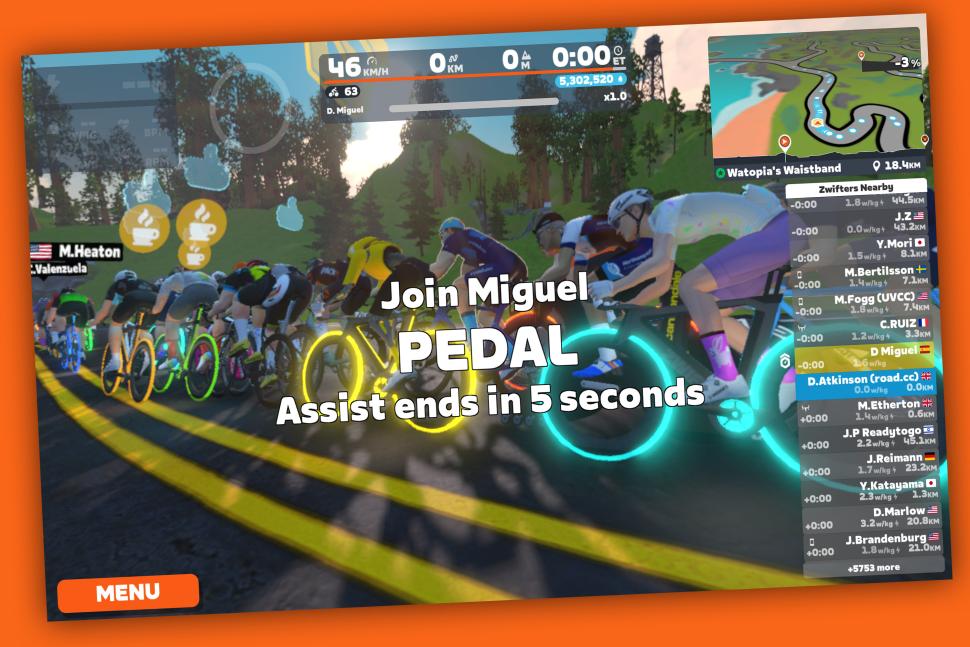 Zero to Zwift app robopacer (credit: road.cc)
Ride with robopacers
Sometimes you just want to hop on Zwift and not think too much: just spin the legs. Robopacers are perfect for that: join a group going at the pace you want, and just sit in. Or, if you’ve picked a group a bit above your pay grade, try and hang on! There are robopacers for every level of rider, and with the new teleport feature it’s easier than ever. Got dropped because you were fiddling with your shoes, or looking for your bottle? Just teleport back on!
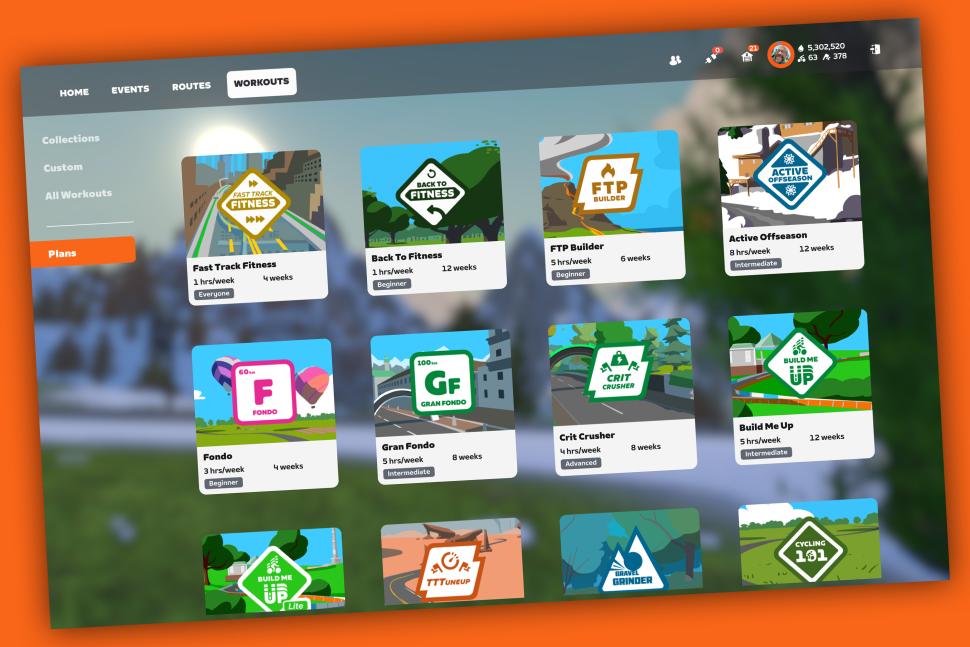 Zero to Zwift app training (credit: road.cc)
Try a training plan
Free-riding round the Zwift worlds is great fun, but there’s so much more to explore in Zwift. One thing to try early on is a training plan, to get some structure into your week. You don’t need to commit to hours and hours: the Fast Track to Fitness is less than an hour a week, and it’s an ideal place to start. If you get the training bug there are loads of others to graduate to, for general fitness or to target a specific race, or area of your riding. Head to https://www.zwift.com/uk/news/33146-zwift-cycling-training-plans to see what’s available. If you like to play a bit more fast and loose, just check out the personalised recommendations on the Zwift home screen: there’s always a workout there to try.
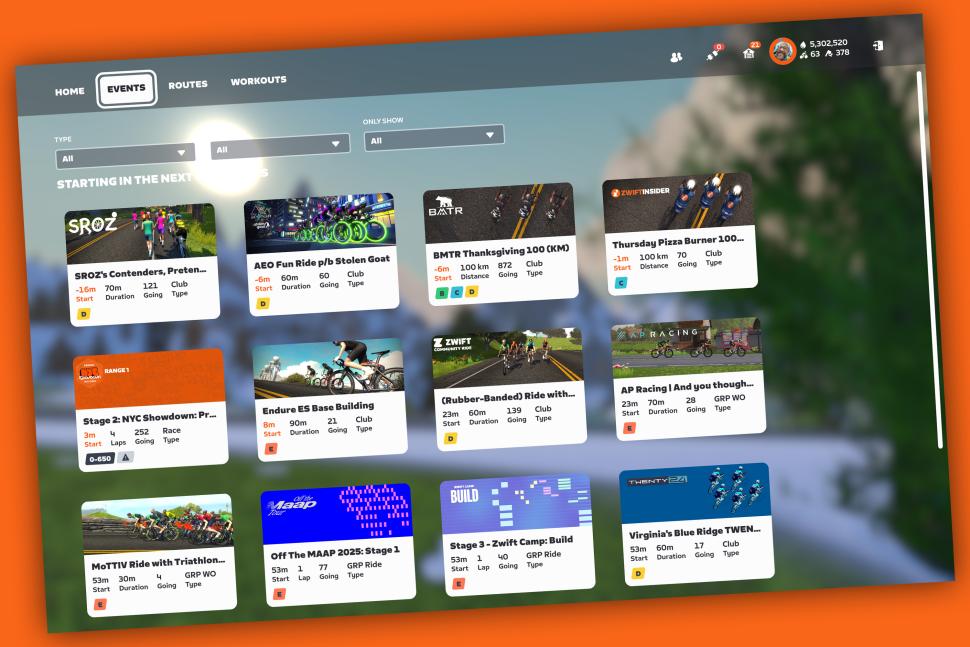 Zero to Zwift app events (credit: road.cc)
Enter an event
There’s nothing like racing to get you giving your all. Even if you’re sprinting for 39th place against a bunch of randoms from the other side of the world: in the moment, it matters. There are races happening all the time, and all sorts of different ones: crits, time trials, gran fondos and more. If racing’s not your thing then there are plenty of group rides and group workouts to join too: you still get the camaraderie of riding with a big group, and again there are loads of different ones to choose from. The Zwift Companion app is a great place to search for and enter events: you can find one and enter it any time, and when you log on it’ll be ready for you!
Buy the Wahoo KICKR Core 2 with Zwift Cog and Click for £399