
AI chatbots can provide a wealth of interesting information, but sometimes you just want a simple, clear response from ChatGPT or Gemini. This tendency arises from how the models are trained to be thorough and err on the side of maximum helpfulness. But thoroughness sometimes looks like excess.
Fortunately, there’s a little trick to getting ChatGPT or Gemini to give you the neat, focused responses you’re keen on. Think of it as a clamp for the hose of words you’d otherwise see.
Brief ChatGPT
(Image credit: Future)
Left to its own devices, ChatGPT sometimes seems to be trying to anticipate every follow-up question you might ask. The first step in fixing this is understanding how ChatGPT responds to tone and structure requests. The model listens, but not always to what you really mean.
You may like
If you say, “Be brief,” it might reduce the word count while keeping all the framing. If you say, “Keep it short,” it still hedges its bets with lead-ins like “Certainly!” or “Here are a few key points to consider.”
What works better is instruction by constraint. Tell it what format you want. Try: “Respond in one paragraph. Skip any background information. Don’t explain unless I ask.” That single line sets limits. You’re defining space, purpose, and intent. ChatGPT will honor it more reliably than vaguer commands like “concise, please.”
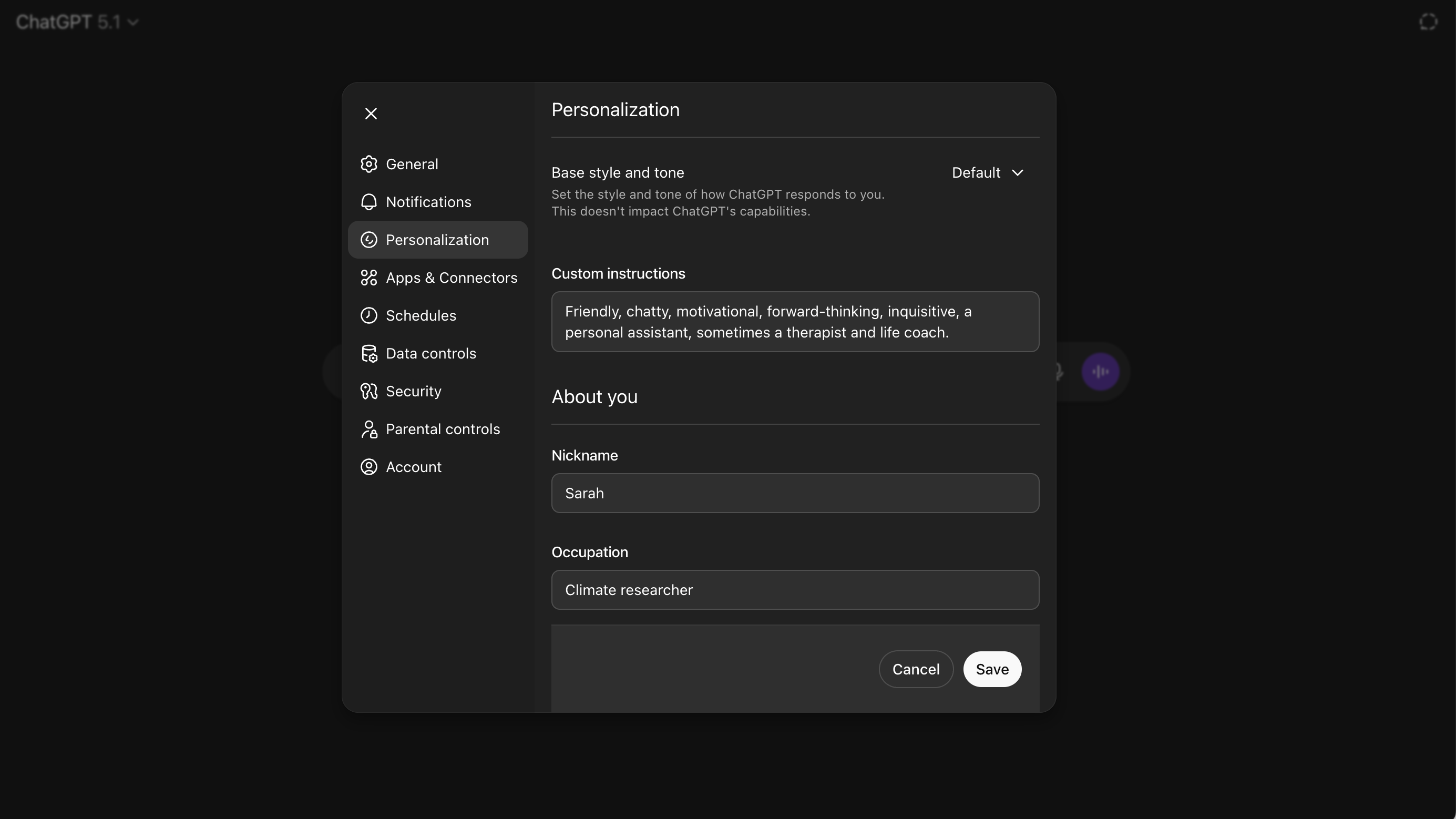
If you use custom instructions, ChatGPT’s personalization feature, you can build this into your assistant’s default behavior too. Add a line like: “When responding to questions, keep answers brief and direct unless I explicitly ask for more.” You’ll find the verbosity dials back dramatically. It’s not perfect, as the model sometimes forgets and slips into old, rambling habits, especially on complex queries. But for most daily uses, it’s a huge improvement.
Slim Gemini
Gemini’s rambling is a slightly different flavor. Even simple answers come padded in context, complete with sentences like “There are several factors to consider…” This makes sense when you remember Gemini’s roots in Google. That’s fine when you want to research. Less fine when you want, say, a quick suggestion for what to pack for a day hike.
Gemini responds best to well-phrased instructions about tone and format at the start of the prompt. The trick here is to lead with the boundaries. When you want to ask, “What’s a good portable lunch?” Start with: “In one sentence, answer this directly, with no elaboration or explanation: What’s a good portable lunch?”
That prompt tells Gemini you want brevity, signals the shape of the answer, and removes permission to philosophize. If you want to go further later, you can. But Gemini will begin with what you asked for.
You can also use phrases like “Answer only the core question” or “Respond in clean language without formatting or pros/cons.” These don’t feel natural to say, but they do shift how Gemini behaves. The model respects directness when it’s framed as a boundary rather than a preference. Once you get used to this kind of prompting, you notice how often verbosity sneaks in by default.
You may like
AI chatbots have become very powerful, but somehow brevity is an ability they struggle with. Using ChatGPT and Gemini daily reveals this pattern over and over again. The better they get, the more they want to show off.
These little prompt tricks don’t just change the answers. But it can make the answers more enlightening. You might have to use more words to get fewer words back, but not every conversation has to be a mini masterclass. AI chatbots just need to be reminded of that fact.
Follow TechRadar on Google News and add us as a preferred source to get our expert news, reviews, and opinion in your feeds. Make sure to click the Follow button!
And of course you can also follow TechRadar on TikTok for news, reviews, unboxings in video form, and get regular updates from us on WhatsApp too.