
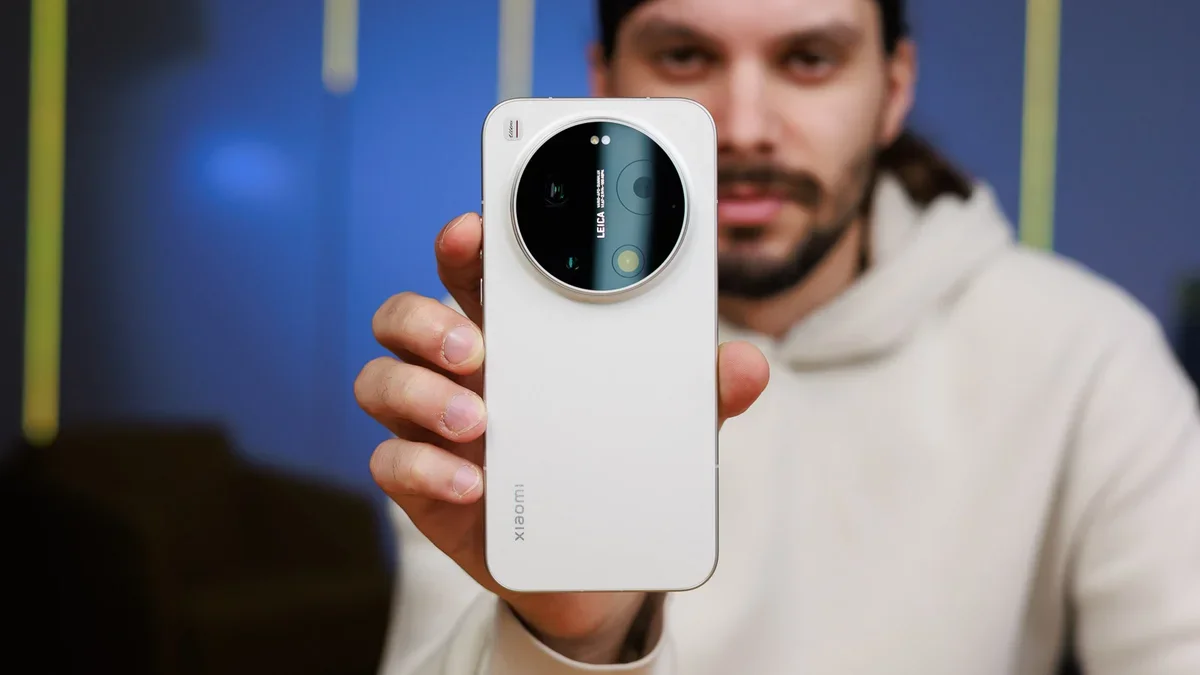
Would you tolerate a subpar software experience on a phone provided it has a remarkable camera system in the rear?
That’s precisely the question that I asked myself the other day when I was finishing my Xiaomi 17 Ultra review and had to finalize the summary. Because in its essence, the Xiaomi 17 Ultra perfectly embodies this question: it has an excellent camera at the back, but the HyperOS interface on board is seriously lagging and not up to par with the rest of the phone.
Xiaomi’s successor to MIUI is simply not fun to use and is mostly a hindrance that stays in the way of a good user experience. Xiaomi 17 Ultra: A great phone hindered by a subpar softwareWhat irked me the most with the software on the Xiaomi 17 Ultra is just how bad and undercooked everything feels. That’s especially true if you come from an arguably much superior experience you get out from Oppo’s ColorOS, Samsung’s OneUI, Vivo’s OriginOS, and, of course, Google’s stock Android on the Pixel. All of these are better than HyperOS in terms of advanced customization, overall features, navigation smoothness, intuitiveness, and utility.
But let’s cut with the general mumbo-jumbo and go with concrete examples now.
Multitasking is unnecessarily convoluted. It’s quite inconvenient to enter split-screen mode quickly, and to add insult to injury, there doesn’t seem to be a 90:10 split-screen mode. It seems 70:30 is the most extreme you can make it, and that’s just no fun.
On most other Android phones, when you go into split-screen mode and select one of the apps you’d use, your phone then takes you back to your home screen, where you can access your app drawer and open whatever app you want in split-screen. HyperOS takes an awkward approach where you can only enter split-screen mode with apps that you’ve already opened and are present in your recent apps list, which is an inconvenience to say the least. Moreover, you can’t easily switch the app in said split-screen view, and most other Android skins let you do that if you wish.
Interestingly, while most other Android forks like ColorOS or OriginOS have major issues with third-party launchers (either massive lag when returning to the home screen or inability to swipe between apps), HyperOS surprisingly works mostly well with these endangered fragments of Android history. However, there’s one massive shortcoming that also renders third-party launchers mostly unusable on HyperOS: Xiaomi wouldn’t let you use a custom launcher with full-screen gestures. Yes, you’re only limited to using the old three-button navigation, which is anything but convenient on a phone that’s as big as the Xiaomi 17 Ultra. A terrible decision that left a very sour aftertaste. Then there comes Xiaomi’s completely illogical decision to break Android’s Monet infrastructure that’s responsible for Material You color theming in all eligible apps. With most Android phones, the Pixels included, the system will automatically pick dominant colors from your current wallpaper and use them to add a splash of paint in most stock Google and Material You-enabled apps. Not only that, but you can easily head to your phone’s customization menu and choose what color palette you want to use or if you want color theming at all. HyperOS doesn’t do that. You don’t get a menu where you can select what colors your interface should be coated in; it all happens quietly in the background, giving the user zero choice. You don’t even get to decide whether you want Material You theming or not. What’s more, don’t expect the colors to change automatically when you swap your wallpaper––you actually have to reboot your phone for a simple interface color refresh to take place. And that’s if you’re lucky, because more than once I had to endure a glaring green theming with my mostly red wallpaper.
And what’s with the bloatware widgets I see when I open the widget selection menu? Instead of Android’s neat and well-organized widget picker, I’m presented with tens of low-quality rubbish widgets served by the App Vault app.
There are many bugs, too. Resizing home screen elements often fails to properly justify text in non-Xiaomi widgets. You also can’t resize many widgets that I know for a fact are resizable in other Android skins. Completely unfriendly experience.
And is it just me, or is HyperOS unnecessarily slow and tardy in most cases? Despite the Xiaomi 17 Ultra boasting exceptional performance and giving the latest iPhones and Galaxies a run for their money, I often find myself waiting for HyperOS to finish that tiny millisecond counter before the on-screen action gets completed, or that carefully rendered animation rolls out.
It’s a tiny amount of time, but it adds up, and I regularly found myself thinking of the greener pastures of ColorOS or OneUI, where you can tweak animation speeds either natively or with the help of app modules like Good Lock.
HyperOS is no fun
The Xiaomi 17 Ultra comes with the HyperOS 3 interface on board, which is the spiritual successor to the company’s popular interface from back in the day. Interestingly, at its heyday, MIUI was considered one of the more fleshed-out and customizable interfaces around, with many unique features and personalization options on board. That’s especially true if you compare it to its contemporary Android skins, like Samsung’s TouchWIz or Samsung Experience, which were all significantly less impressive and less smooth, as well as offering way less in the way of customization.
However, that was years ago, and Android skins have evolved massively since those days. Samsung, in particular, has brought its One UI to levels nearing perfection, as it excels in both personalization, smoothness, and the overall user experience.
Oppo’s ColorOS is also quickly becoming my favorite Chinese Android skin, with a ton of smart and intriguing features that you wouldn’t see on another device. Even Vivo is moving on from the gloomy days of Funtouch OS with the pretty decent Origin OS.
Xiaomi, however, is coasting with its interface. It doesn’t feel like something you’d want to use in 2026, especially on a phone like the Xiaomi 17 Ultra, which starts at north of €1,499 ($1,700)!
Even if Xiaomi’s flagship phones attract you with the hardware package, the software on board will quickly drag you down and force you to abruptly change your workflow that has stood mostly consistent between other Android manufacturers.
Eventually, you might learn to enjoy your Xiaomi device, but that will be in spite of the HyperOS software, not because of it.
Grab Mint’s 3-month 5GB plan for $10/mo!
Right now, you can take advantage of Mint Mobile’s 5GB 3-month data plan at a solid discount. This ‘last chance’ promo lets you save $5/mo on the plan, making it simply too good to resist for those looking for a reliable and affordable service.
Buy at Mint Mobile