
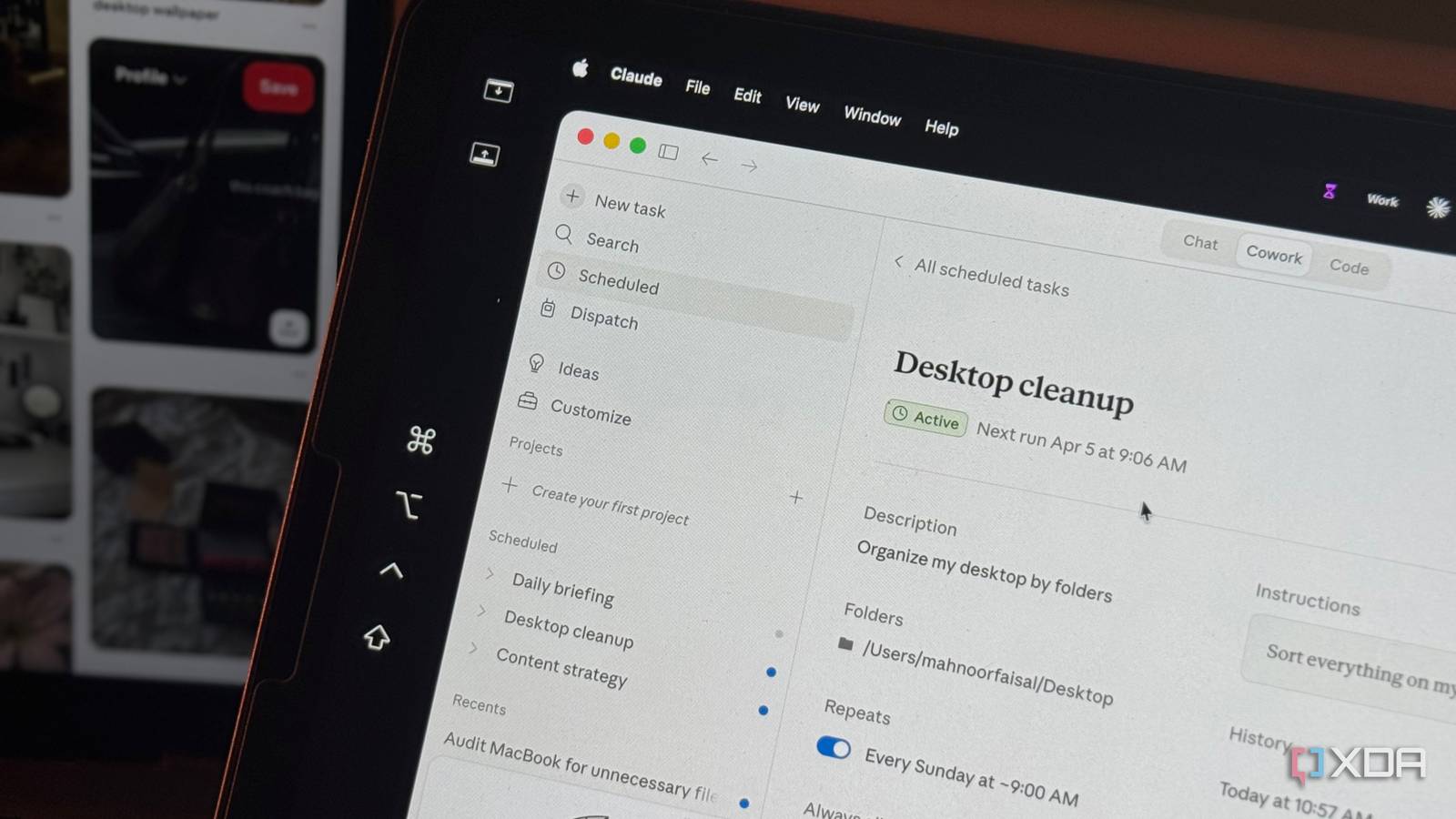
Take a minute to think about the way you use AI daily or even weekly. How many times a week do you ask it to summarize your emails or pull together a quick briefing before a meeting? If you’re anything like most users, the answer to that is: more often than you’d think. The idea is that you find yourself recycling the same prompts for the same kind of tasks on roughly the same schedule.
Every single time, you’re the one who has to open the AI tool, type the prompt, and send it off. Scheduled Tasks within AI tools exist to eliminate this by doing most of the heavy lifting for you. You tell the AI what you need and when you need it done once, and it simply handles it going forward. Simple enough in theory, right? The problem is that most implementations so far haven’t lived up to that promise.
Well, almost all of them. Anthropic launched its own take on scheduled automation a few weeks ago, and it’s the first time I’ve felt like AI can genuinely help you automate some of the repetitive tasks you do without adding more onto your plate.
Most companies’ implementation of this idea hasn’t worked
They’re just fancy alarm clocks
To understand why Claude’s version stands out, it helps to see where everyone else went wrong. For instance, OpenAI launched Tasks in beta in January 2025, and the feature ended up being a glorified reminder app. You could ask ChatGPT to send you a daily news briefing or remind you about something, and it worked just fine. But…that was about it. Why would I use ChatGPT as a reminder app or to-do list if I already have separate apps for exactly that (which I’ve been relying on for years)?
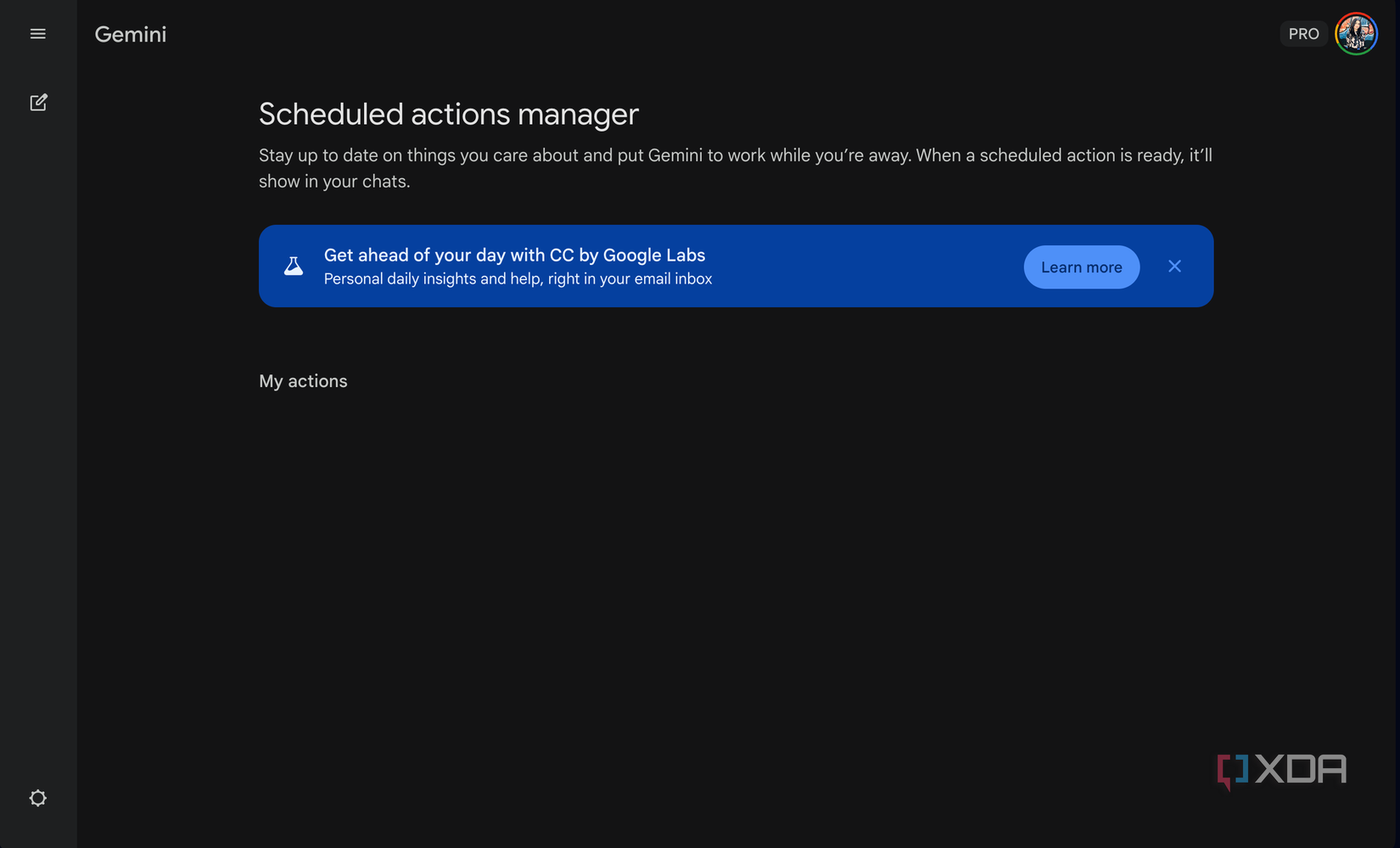
Google then launched Scheduled Actions in the Gemini app in June 2025, and despite being a fan of Google’s AI efforts, the implementation just felt half-baked! Not all the tools I use are from Google Workspace, so the integration was immediately limited. Claude’s Scheduled Tasks largely avoid these pitfalls and seem to have taken note of where others fell short.
Claude has two types of scheduled tasks most users need to know about
One needs your laptop awake, the other doesn’t care
Claude currently has three types of Scheduled Tasks: Cowork scheduled tasks within the Desktop app, Claude Code cloud scheduled tasks, and Claude Code CLI session-scoped tasks. In this article, I’m going to focus on the first two — since they’re the most relevant for the majority of users. Now, Cowork scheduled tasks is what came first and got me hooked on Claude’s implementation of this idea.
If you haven’t used Cowork yet, it’s a feature currently in Research Preview that lets you connect Claude to your local files on your system. It’s like Claude Code, but with a more user-friendly interface and is aimed at non-technical people who aren’t comfortable with the terminal. Along with your local files, you can connect it to all your daily tools through Claude Connectors or MCP servers. Cowork lets you schedule any task you’d normally run manually, and have Claude execute it automatically on the frequency you choose.
Each scheduled task runs as its own Cowork session, meaning it has access to your files, connected tools, skills, and plugins every single time. Since Cowork has direct access to your file system, it can save deliverables exactly where you need them as well. This means that once a scheduled task is done, you don’t even necessarily need to open the Claude app to see the output! I have a task that generates a .md file every morning, and I don’t remember the last time I opened the Claude app to retrieve the output of that task since it saves the file directly to a folder on my desktop. I just open it like any other file.
Related
Claude Cowork freed up 60GB on my laptop by finding files I completely forgot about
All without me opening Finder once!
That said, it does save every output as a separate thread since it runs as its own Cowork session each time. So if you ever need to go back and review a previous run or compare results across days, everything is there in the Scheduled section of the sidebar. Now, since Cowork is meant to work with your local files, it’s only available on the Claude Desktop app. Ultimately, this means you’ll find Scheduled Tasks within Cowork only on the Desktop app. This also means you’ll only be able to use this feature if you have a paid Claude plan, since free users don’t currently have access to Cowork. It’s available on Pro, Max, Team, and Enterprise plans.
The biggest complaint that users, including me, have had about the feature is that scheduled tasks only run when your computer is turned on and the Claude Desktop app is running. Otherwise, the task is skipped and runs when you next open the app. This is where Claude Code’s cloud scheduled tasks come in.
You can also schedule tasks to run automatically by heading to claude.ai/code/scheduled on the web. These tasks run on Anthropic’s cloud infrastructure, which means they don’t depend on your local machine being awake or the desktop app being open at all. While cloud scheduled tasks are seemingly focused on developers, they work with connectors you’ve connected to your Claude account. So, things like Gmail, Slack, Notion, Linear, etc., will work on both Cowork and cloud scheduled tasks. The main difference is that Cowork gives you local file access while cloud tasks give you reliability!
Here are some of the tasks I’ve automated with Claude so far
Set it once, never think about it again
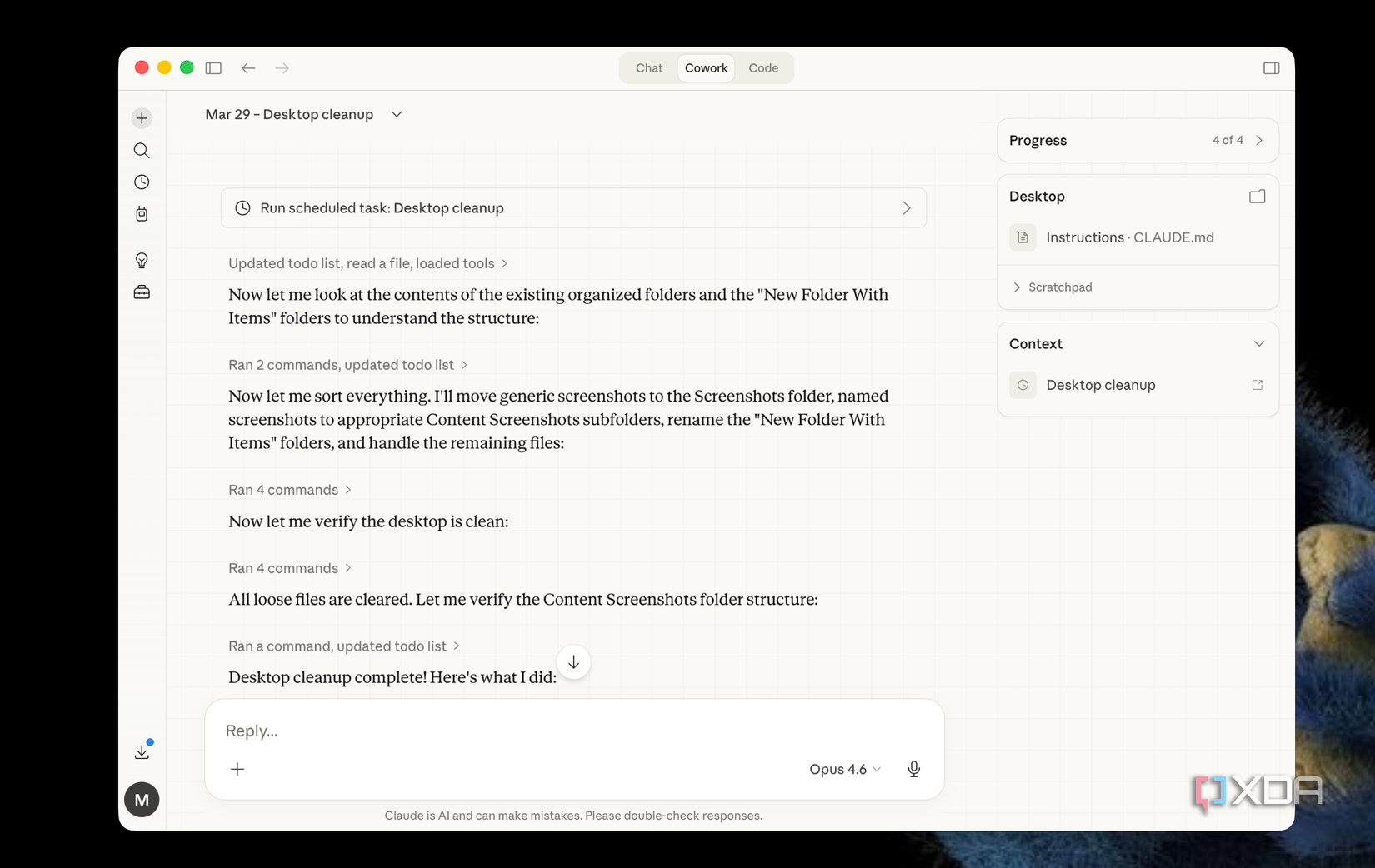
I’ve automated all sorts of tasks with Claude’s Schedule Tasks feature. One of my favorite uses of Cowork is using it to organize my very messy desktop. For example, I take a lot of screenshots for articles I write. And given just how much I write in a week, my desktop turns into a mess every few days. When Cowork launched, the first task I made it do was organize my desktop by sorting all the files into folders. I already had folders for Screenshots, University, Projects, etc. I just wouldn’t really have the disciploine to actually sort things into them.
Usually, I’d just get frustrated with how my Desktop was looking and bulk delete everything or throw them into a single folder. Claude Cowork changed that. But now, instead of pasting that prompt manually every time, I created a scheduled task that does it for me at the end of ever week!
I also have Claude connected to my Gmail, Google Calendar, and Notion. One scheduled task I have it do every morning is go through all three of these services and give me a quick summary of what’s on my plate for the day. Notion is where I track deadlines for both work and college, Google Calendar is where I time-block every second of my life, and Gmail is where everything else lands.
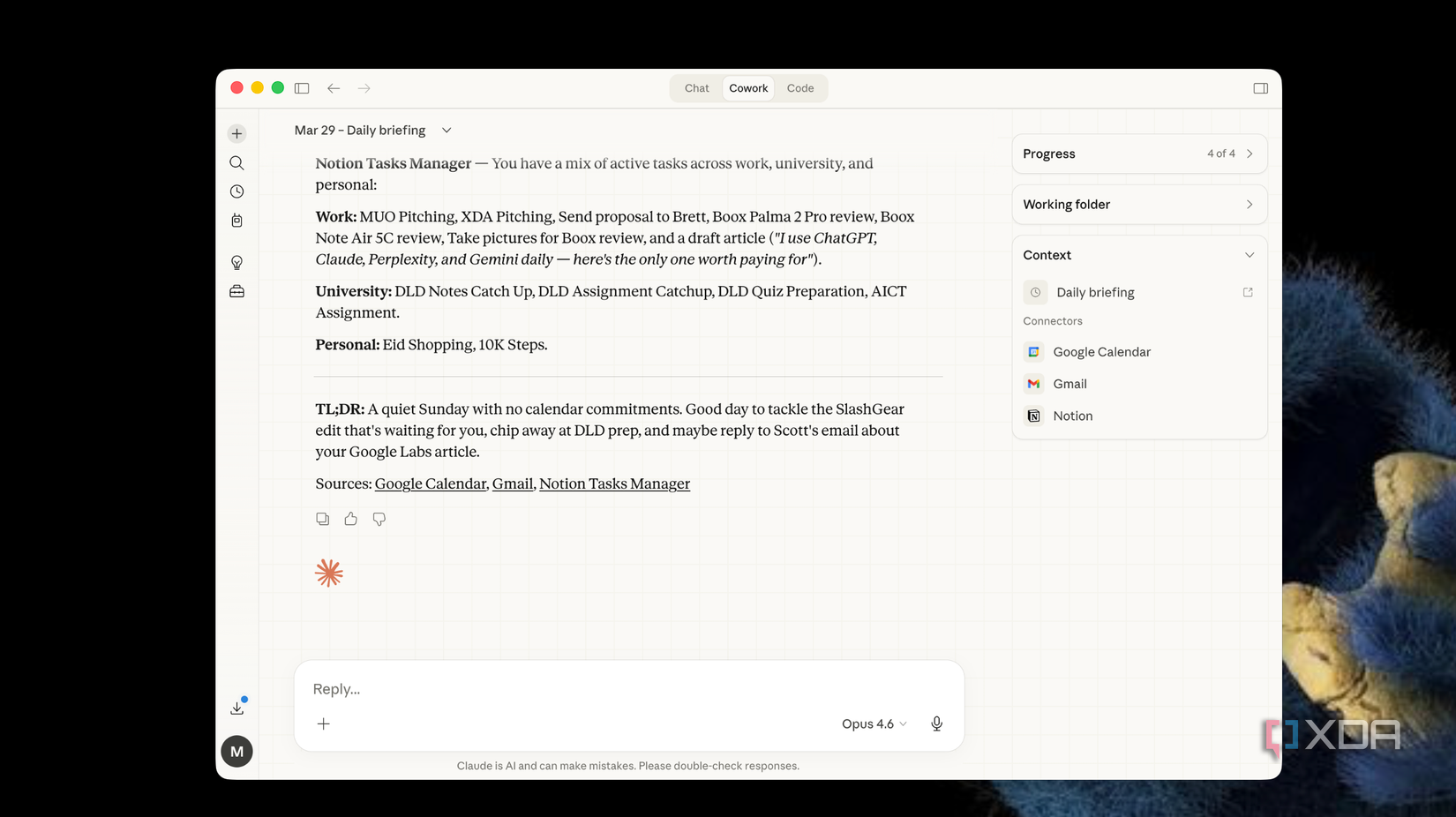
Having all three summarized into one briefing before I’ve even opened any of them is genuinely one of those things I didn’t know I needed until I had it. I also have a lot of scheduled tasks that are more specific to my workflow.
For example, I’ve been creating a lot of tech content over on Instagram lately. However, I’ve found that content that’s about my local audience yet at the intersection of tech performs best for me. But also, I don’t keep up with local tech findings because of time constraints. So, I have a Scheduled Task that runs every morning and searches for the latest local tech news, filters it for topics that would resonate with my audience, and saves a summary with potential content angles to a file on my desktop.
By the time I sit down to plan my content for the week, the research is already done. I also have a Scheduled Task for my meetings that runs every evening, checks my calendar for the next day, and prepares a brief on each attendee! These tasks might seem relatively minor, but they add up. Each one saves maybe 10 to 15 minutes on its own, but combined across a full week, that’s hours of repetitive work I simply don’t do anymore.
Claude’s scheduled tasks are the first implementation that actually works
Pretty much every conversation about AI (even from the very early days) eventually circles back to the same fantasy: using it to automate your daily tasks. The promise of AI in general has always been that it’s designed to stop you from doing the repetitive work, rather than unfortunately coming for the tasks you actually enjoy doing. With Claude’s Scheduled Tasks, it finally feels like that promise is starting to deliver.