
Dropdown Menu

Jump to a section:
Denon AVR-X2800H
First impressions
Build and design
Controls
Connectivity
Format support
Channels and speakers
Setup and menus
Performance testing
Overall sound
Who is it for?
Verdict
Other options
How we tested it
We believe in genuine research and hands-on testing. If you do too, click here to add Empire as a preferred source on Google.
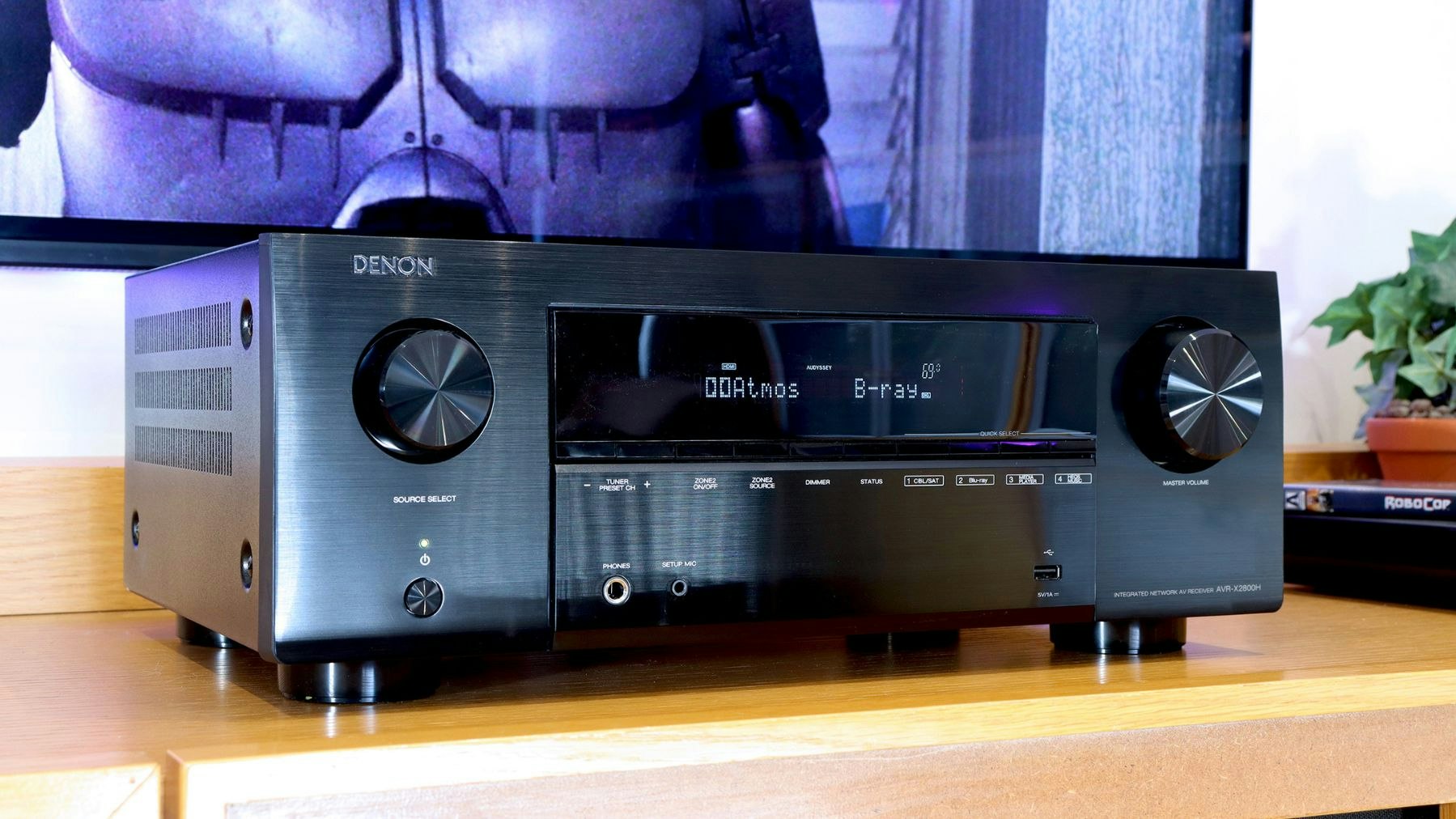
Drop enough dough on a top soundbar and you’ll get something part amp, part speaker, all audio. They’re an excellent low-fuss TV upgrade, enhancing all of your movies, shows and games. More compact than a normal amp and speaker combo, they slot right into place without complicated wiring. Plus, you won’t need to start playing Tetris with all of the devices in your TV stand to fit one into your setup. What’s not to love? Well, perhaps plenty. And, on paper at least, the Denon AVR-X2800H is out to prove it (Denon AVR-X2800H if searching from the US).
If you’re new to AVRs (Audio/Video Receivers) the key benefits to using one as the heart of any surround sound system are clear. Unlike a regular hi-fi amplifier that simply handles audio, AVRs also accept video signals. It’s an audio-visual hub that sits between your equipment and any quality TV or decent projector. As anyone reaching behind a 65-inch TV to juggle HDMI cables will tell you, more is more when it comes to connectivity. With this AVR-X2800H’s grand total of fourteen inputs, you can switch between multiple consoles, a Blu-ray player or record player, all at the press of a button. Whatever your choice, it’ll pass any video through to the TV and decode the audio before piping it out to the speakers. The result is cinema-worthy surround sound for all of your entertainment.
 Denon
Denon
Available from the US priced at $1,299: Denon AVR-X2800H.
This revision of the previous model (the Denon AVR-X2700H), this one provides more HDMI ports, 4K/120Hz and 8K/60Hz video support, a better interface, and superior audio performance. The broad format support and wide range of inputs make the X2800H a powerful and flexible entertainment hub.
Pros & ConsRatingsSpecifications
ProsA wide range of inputs and support for various playback devices, including eight HDMI portsExcellent support for ultra high definition video and surround sound formats, including Atmos and DTS: XClassic Denon design and solid build – the high-quality hub of your home entertainment systemLow latency and VRR support for connected game consolesConsThe display could do with a modern refresh such as an OLED display for artwork when streaming musicHas a more restrained bass response, particularly in the midrange (but it could be claimed that this offers a more natural sound than other, more bombastic systems)
Design
Build
Connectivity
Performance
Value
Channels7.2 (5.1, 5.1.2, and 7.1 compatible)Audio power95W per channel at 8 ohms, 125W at 6 ohmsConnectivity (audio only)4 x RCA, 2 x Digital optical, 2 x subwoofer output, 7 x speaker terminals, 1 x Phono (MM), 1 x USB, FM aerial inputConnectivity (audio/video/network)HDMI 2.1 (with HDCP2.3 support): 6 x HDMI in (three 4K, three 8K resolution), 2 x HDMI out (one ARC, eARC). Wi-Fi (2.4/5GHz). Ethernet. Bluetooth 4.2.Speaker impedance4 – 16 Ω/ohmsFormat supportVideo: 8K/60Hz AB, 4K/120Hz. HDR, HLG, Dolby Vision, HDR10+, Dynamic HDR. 8K Signal Pass-Through, Scaling, GUI Overlay. Surround audio: DTS HD Master, DTS:X, DTS Neural: X, DTS Virtual:X, Dolby TrueHD, Dolby Atmos, Dolby Atmos Height Virtualisation, Dolby Atmos Music, Dolby Surround. Audio files: MP3, WMA, AAC, FLAC, FLAC HD, ALAC, WAV. Gaming: ALLM pass through, VRR, Quick Frame TransportSmart featuresAirPlay 2, TuneIn, Spotify Connect, Roon, HEOS app support. Alexa / Google Voice Assistant / Apple HomePod compatible. HEOS app and Remote APP compatible. Audyssey Dynamic EQ, Dynamic VolumeDimensions (excluding antennas)344 x167 x 341 mmWeight9.5 kg
Taking the plunge and moving away from all-in-one soundbars (or those that come with extra surround satellites and external subwoofers – like the Samsung Q930F we tested) isn’t just about more power. Yes, this AVR is a sizeable beast that’s capable of blasting out 95 to 125 watts per channel depending on what your speakers can handle, but it’s also better equipped when it comes to audio processing, customisable sound, and its range of inputs. The ability to use it as a hub for all of your connected devices in a more complex setup is invaluable. If you often find yourself plugging and unplugging kit from your soundbar’s limited number of inputs, this Denon AVR could be for you.
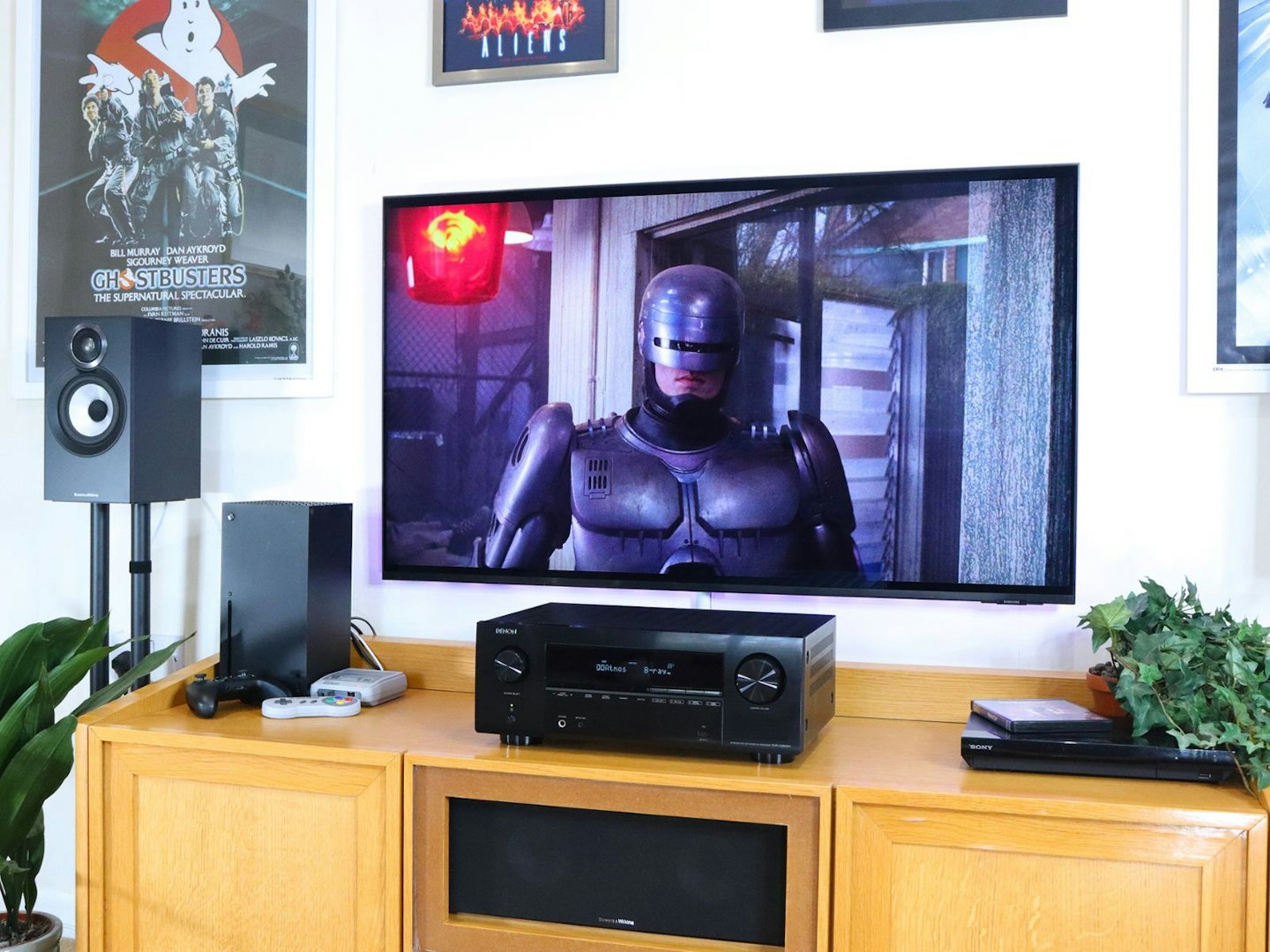
The Denon AVR-X2800H is part decor, part machine, all amp ©Chris Duffill, Empire
So, AVRs are a clear step up from soundbars, but this Denon AVR-X2800H has even more going on inside than your standard amp. First and foremost are the home cinema credentials. The ARV-X2800H has full support for both Dolby Atmos and DTS: X for super-realistic 3D surround sound – your Blu-ray collection and streaming box sets should gain a whole new level of immersion. It’s a 7.2 channel machine. That means up to seven main speakers – one centre speaker, six more as front channels and rear surrounds – plus two dedicated subwoofer channels. But it can be configured with various speaker setups, such a standard 5.1 or 5.1.2 Dolby Atmos or DTS: X arrangement – with that second and third digit representing a subwoofer plus two height channel speakers for overhead effects. Another huge plus with this amp is streaming audio from platforms like Spotify and Tidal, as well as via Denon’s HEOS app. Throw in HDMI support for upscaling to 8K, plus gamer-friendly video processing such as variable refresh rates and 4K at 120Hz, and you should have a seriously adept piece of kit.
If all of this advice and jargon sounds like being trapped between the pages of a technical manual, don’t worry – we’ll be summarising these key audio concepts later on. So, let’s review this Denon and fire-up some movies, shows and games.
First impressions of the Denon AVR-X2800H
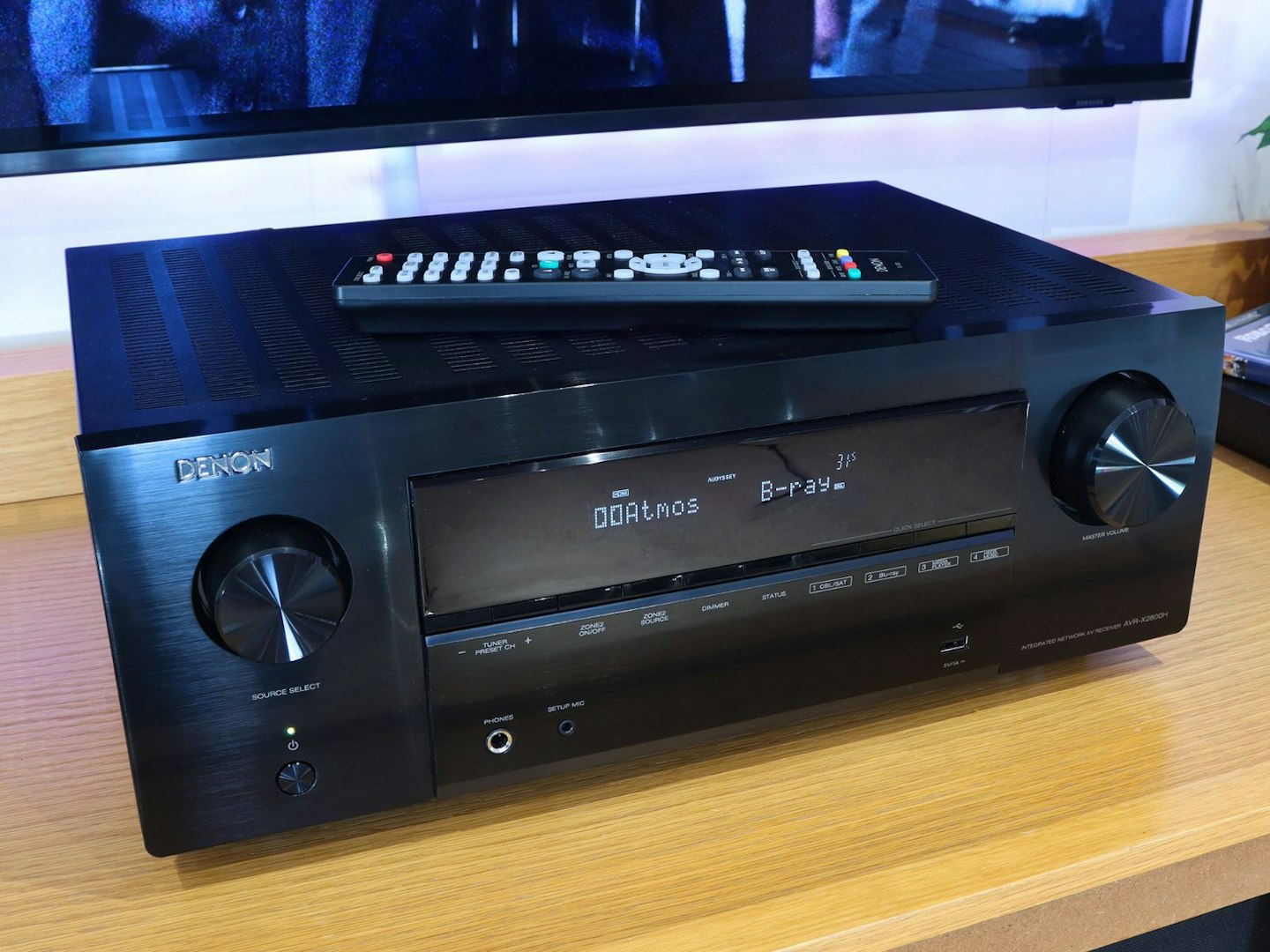
Brushed black metal is the order of business here – so we recommend using the remote and avoiding fingerprints ©Chris Duffill, Empire
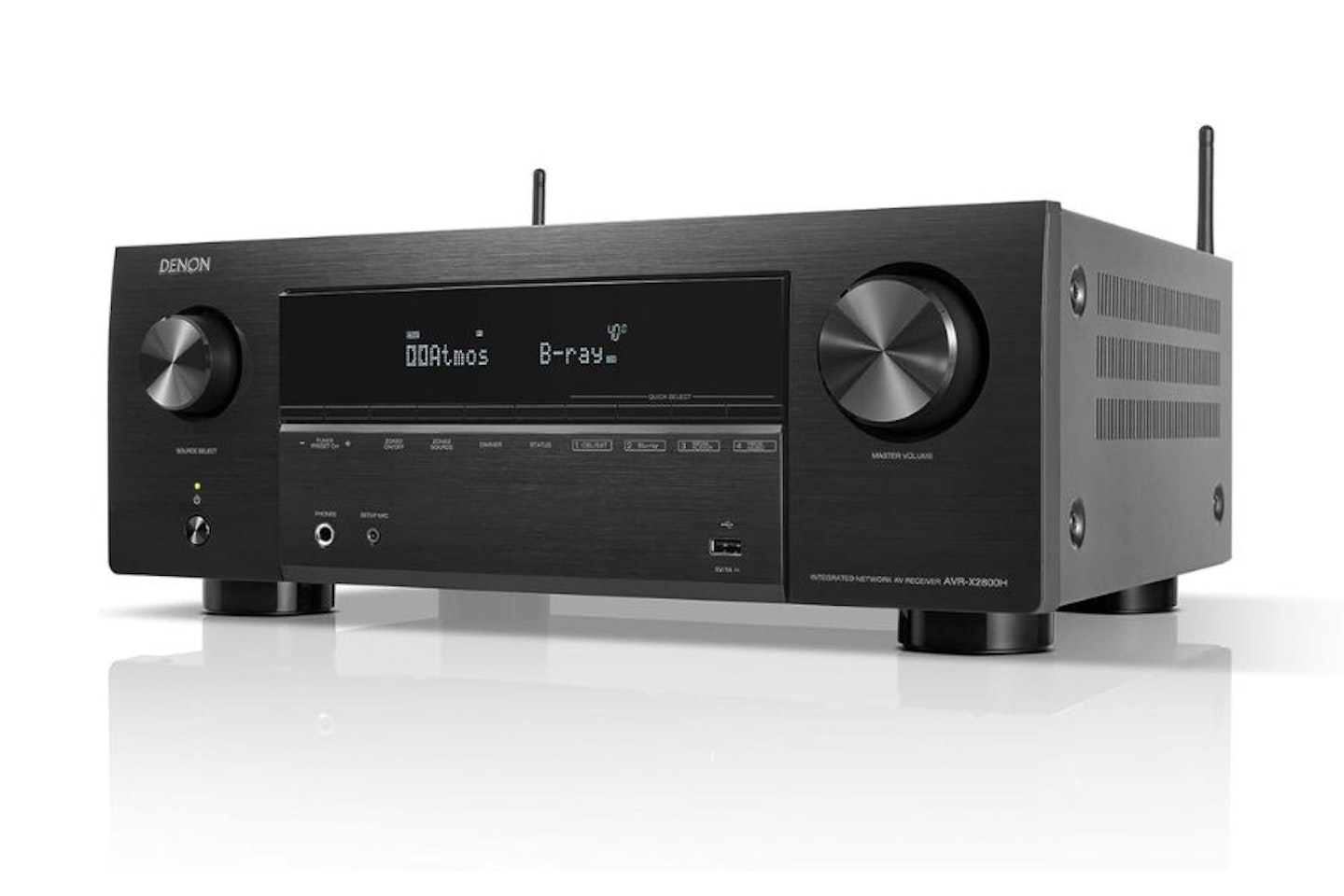
Lifting this 9.5kg block of power from its box is no mean feat. We opted for the black version in the interests of helping it keep a low profile on our AV unit during movie nights (it’s also available in silver). There’s a range of accessories included, such as an FM radio aerial and cable, antennas for Wi-Fi and Bluetooth reception, and of course the remote control. There’s also a microphone and stand used for calibration during the setup process.
Build and design: Classic Denon
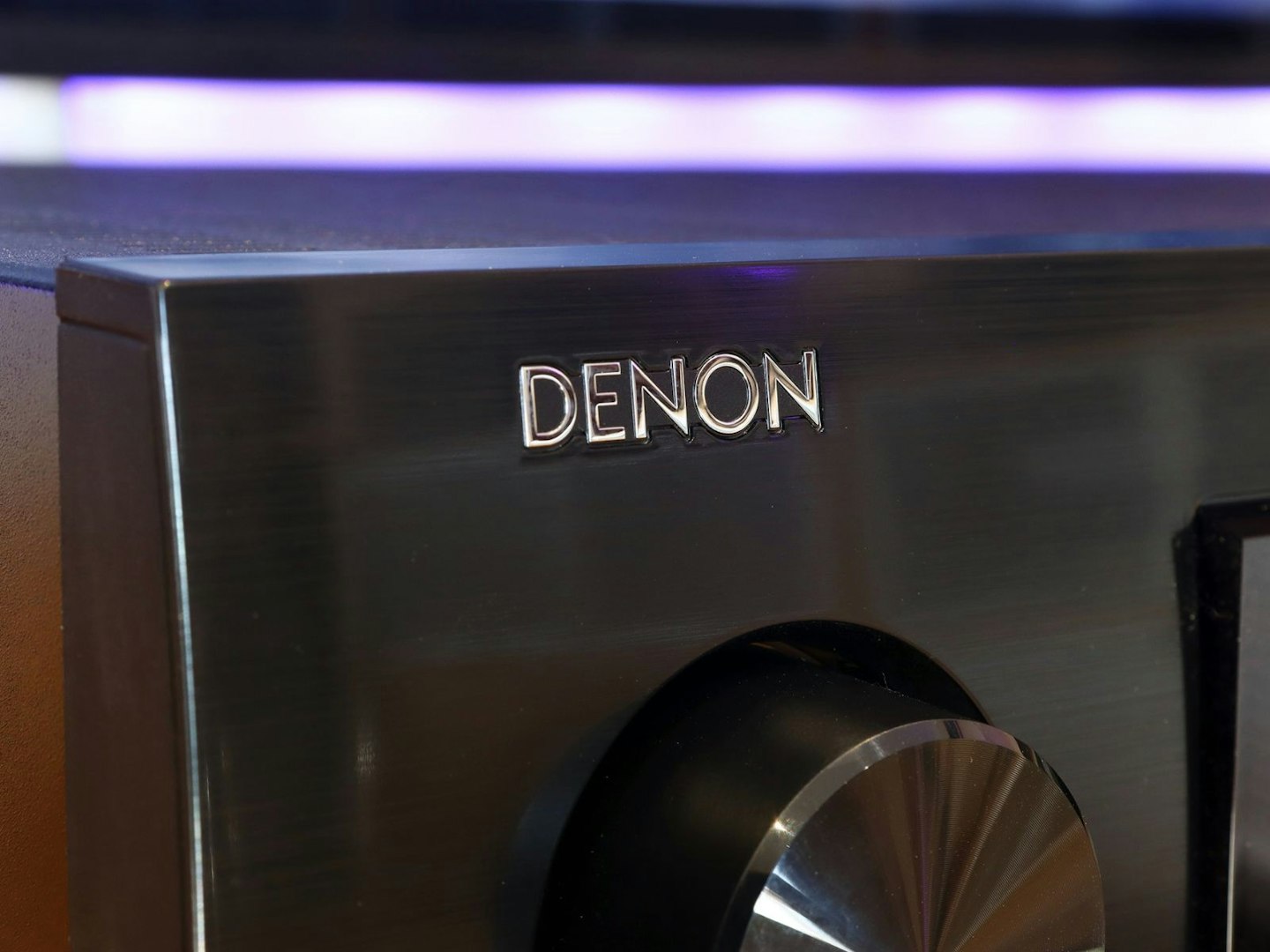
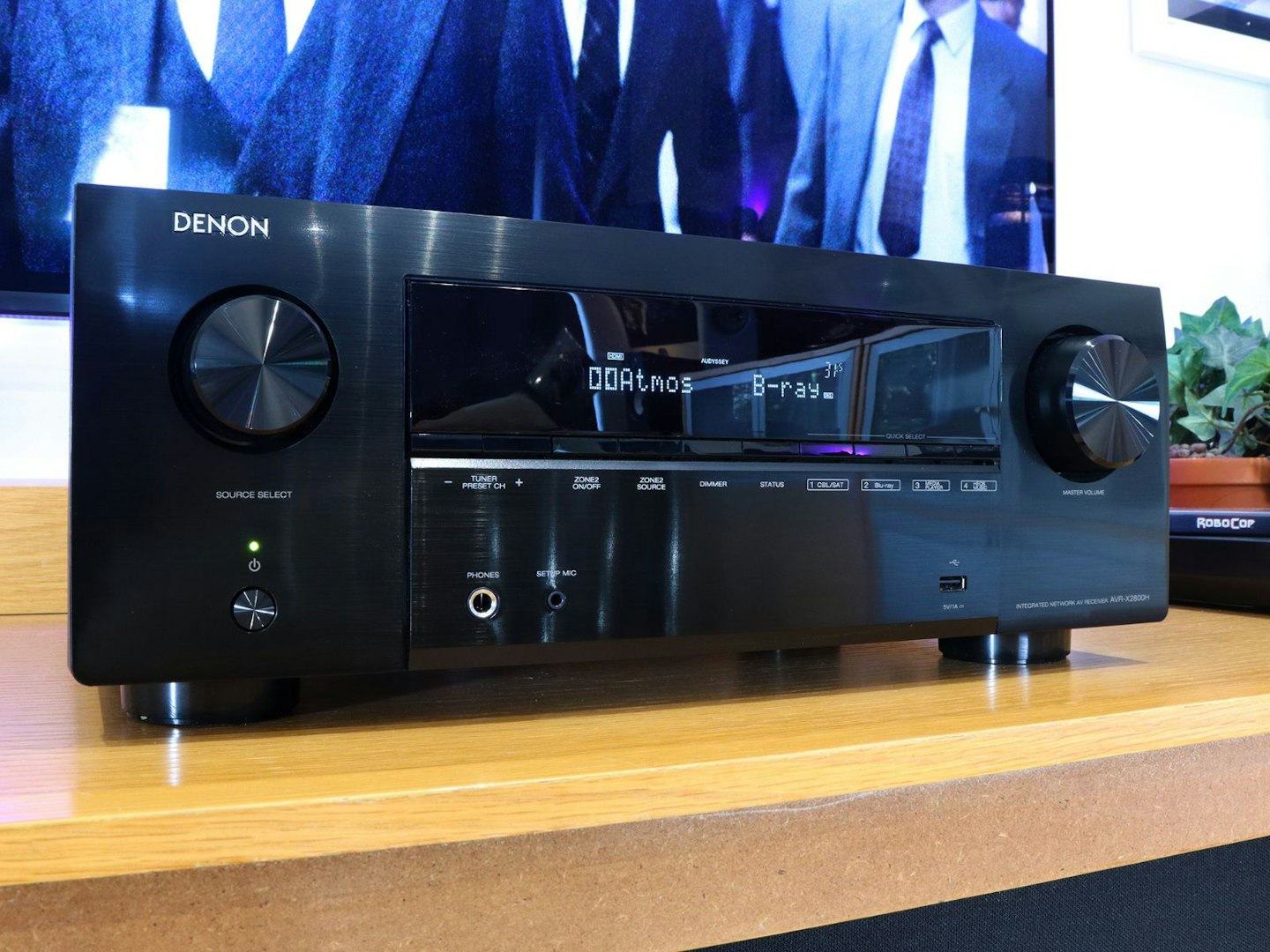
We’ve owned a number of Denon AVRs over the years, with high-end (but now retired) models like the AVR-3806 having pride of place in a full home cinema setup. Nearly 20 years later, we have a look and feel that’s hardly changed at all – depending on your view of it, that’s either a positive reflection of the Denon design ethos, or a little long in the tooth. As for us, we’re fans of Denon’s no nonsense front panel layout. In many ways it fulfils what most of us have in mind when we hear the word ‘amplifier’. The brushed metal black finish certainly adds a touch of class too.
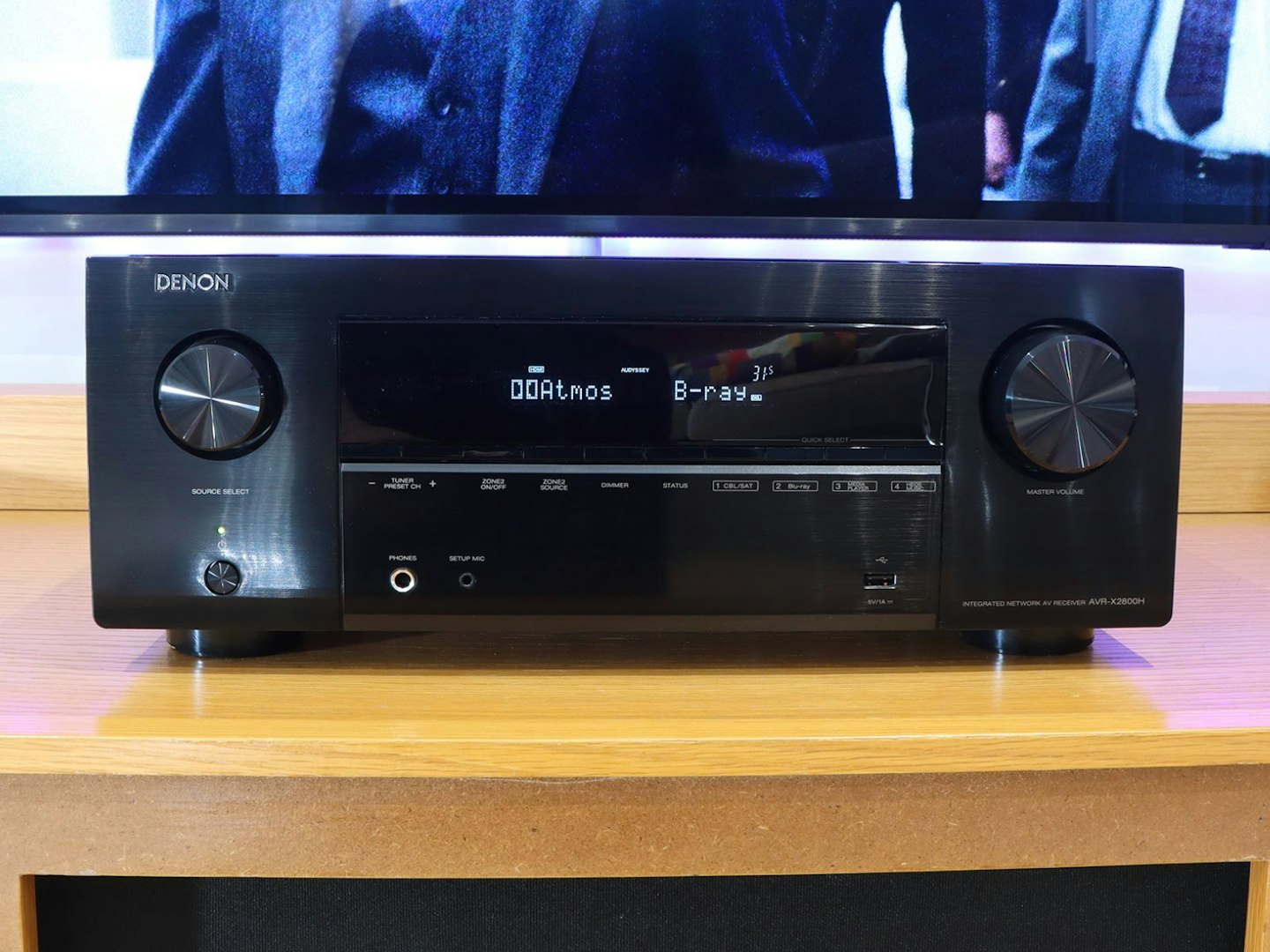
Classic Denon design: Clean lines and pleasing symmetry ©Chris Duffill, Empire
All that said, for us the only thing that dates this 2800H is the dot matrix style LED display. Many modern streamers and amps – including the Cambridge Audio Evo One we reviewed – have taken the plunge into IPS or even OLED displays that use cleanly rendered fonts with flexible layouts, not to mention bringing full colour to the proceedings. A relatively small refresh in this area might make this look a little more suited to 2026 – especially when using it for streaming your favourite Spotify tunes. As a piece of kit on the AV stand, the AVR-X2800H looks exactly as a Denon should. The display is dimmable too, something we find essential for those movie nights in a darkened room. It’s also reassuringly solid to handle, and the buttons and controls have the solid and reliable feel we’re used to with this brand.
Controls
Front panel
Denon ticks the simplicity box while still providing a useful range of controls. Given that most will use the remote to switch between sources and more besides, the slim row of buttons that run below the display are suitably low-key. The choice to provide the bare essentials here (including some handy quick-select buttons for four sources) maintains the clean lines that we like so much on this panel layout.
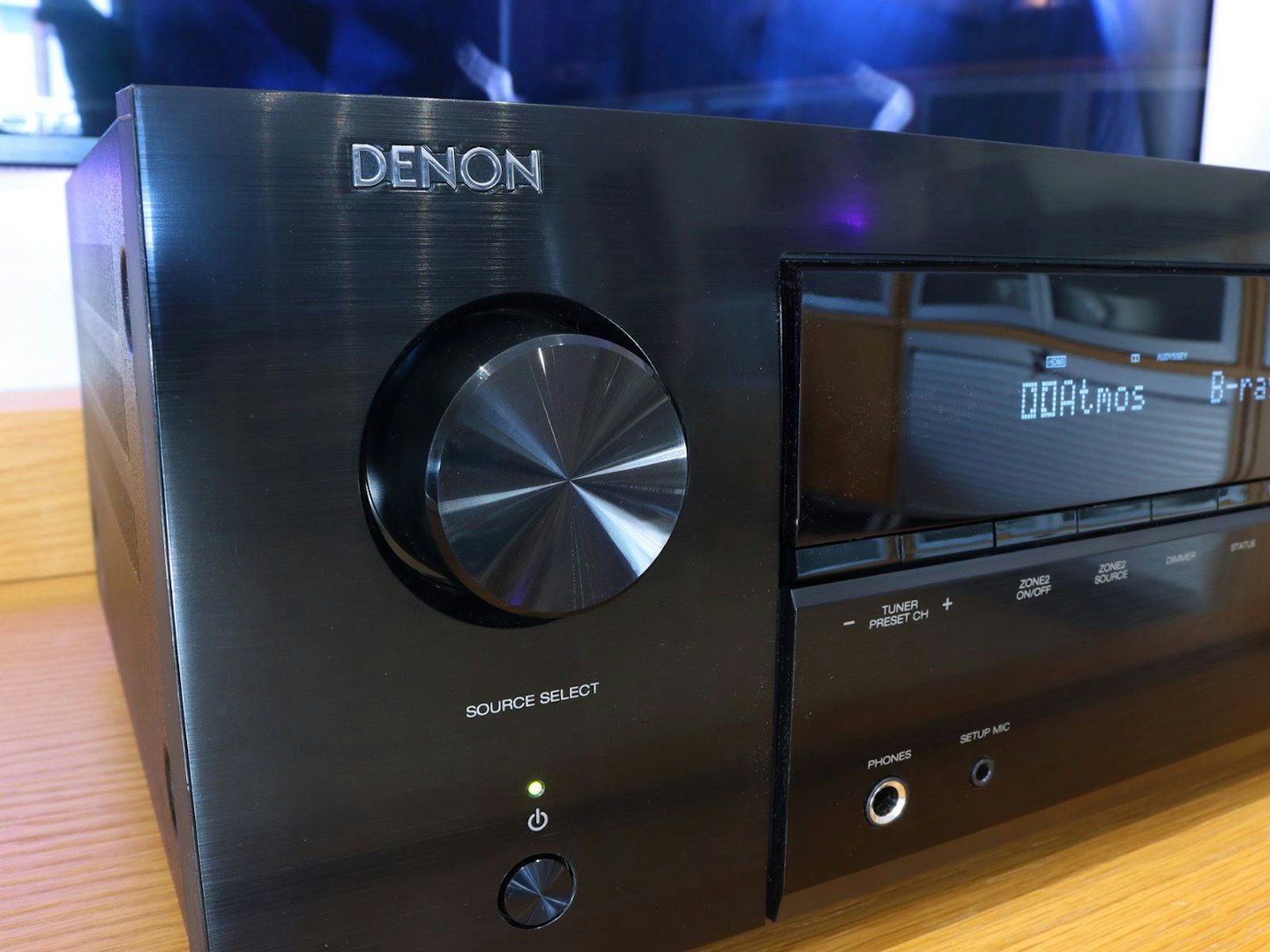
©Chris Duffill, Empire
Flanking that large central display and row of buttons are the Source Select and Master Volume controls. They’re beautifully finished, the former with smooth action and clear detents. There’s a reassuring weight to both, the larger volume control a function-led departure from that front panel symmetry.
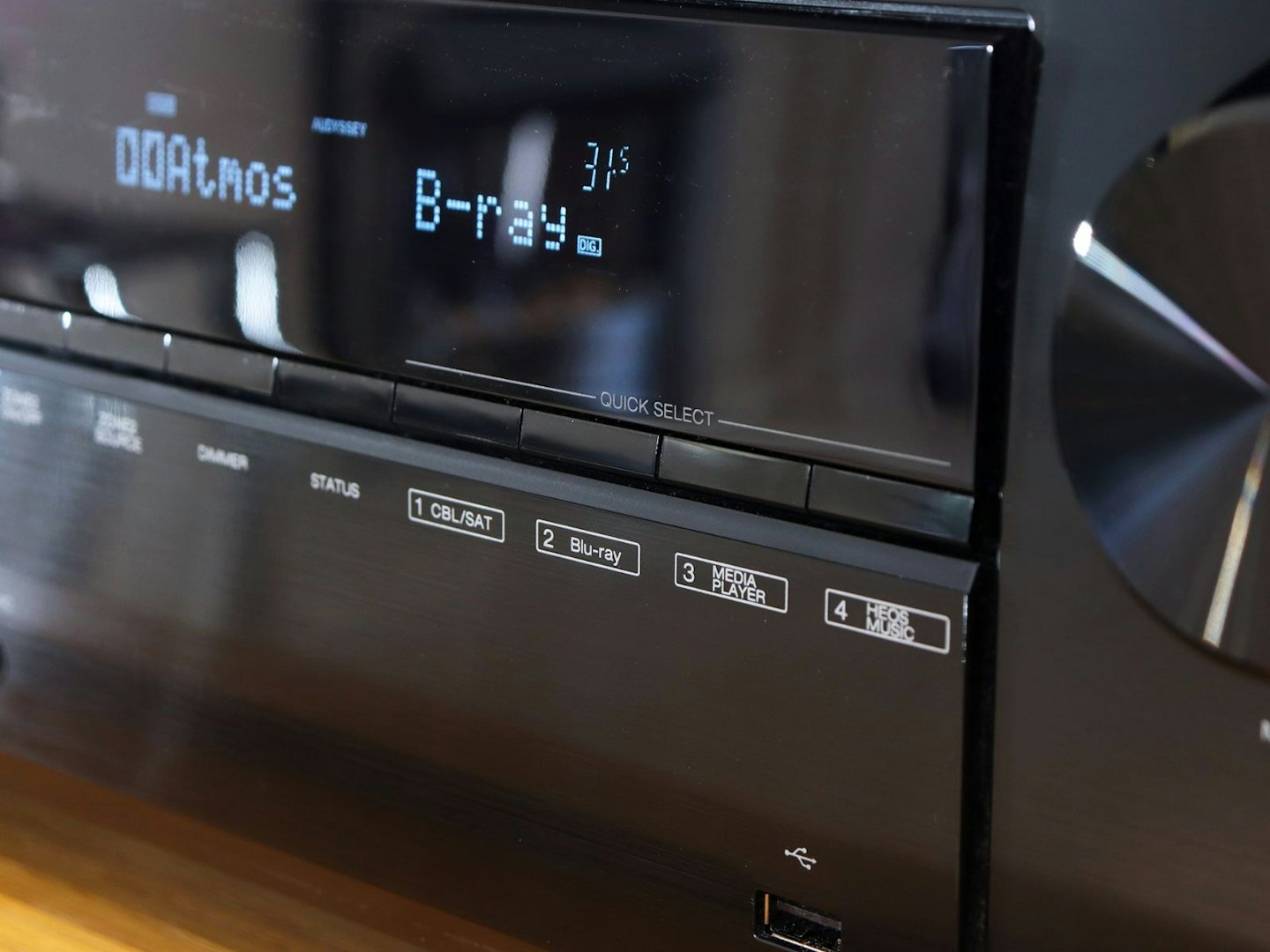
Four source shortcut buttons on the front are handy at times ©Chris Duffill, Empire
Remote
We like a comprehensive remote control and amplifiers tend to have ones that are more capable than most. Our favourite feature on this one are the four dedicated Quick Select buttons that you can assign your favourite functions to. For us they became shortcuts to our favourite inputs, so – despite the large grid of input buttons at the top – these were a lot easier to navigate when switching between two game consoles, Blu-ray and TV.
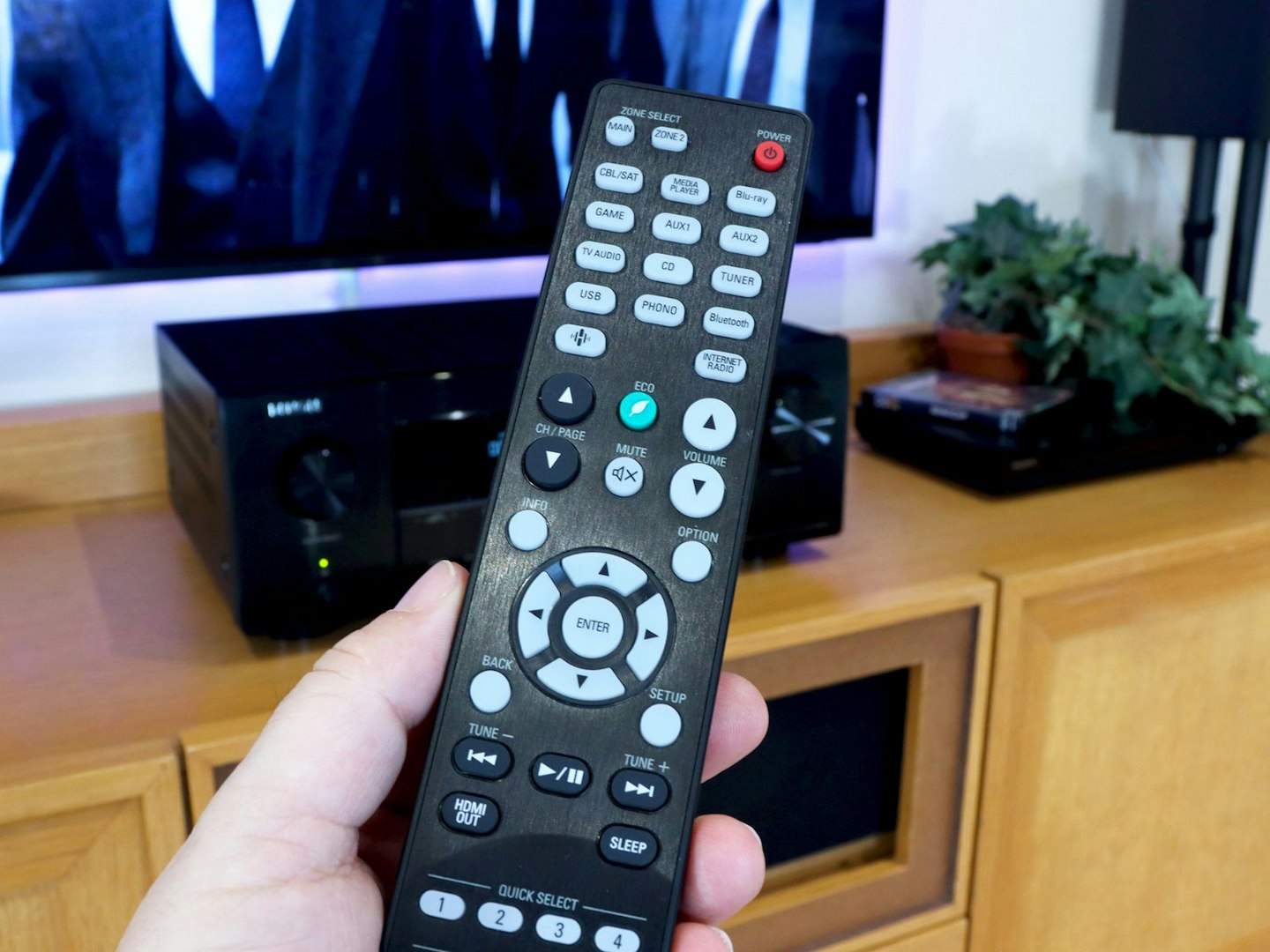
Denon’s remote control design and button layout are more intuitive than many others. ©Chris Duffill, Empire
Although the remote isn’t backlit, we’re not too bothered by this since the layout is well-spaced and intuitive. That said, we think it would have been handy to include some basic learning remote functionality so that it could be used to control a wider range of devices. As it is, the track skip and play/pause buttons will work with players that are connected via HDMI – providing they can use the HDMI-CEC feature that allows it. Those buttons will also work with Wi-Fi connected streaming content and any attached USB drives. Other than that we think it’s best to keep your current collection of remotes handy.
Voice control
Given that the average modern living room is likely to have several devices already equipped with Alexa or Google Assistant, it’s really a question of whether you prefer hitting a button on your remote over talking to Alexa for volume changes, muting or switching inputs. If you do want this feature, the manual isn’t much help – but you’ll need to enable the HEOS skill in your Alexa app and similar for the Google version. As handy as it is, and despite having an Alexa smart home, we’ll opt for the simplicity of the remote.
Ports and connections: A place for everything
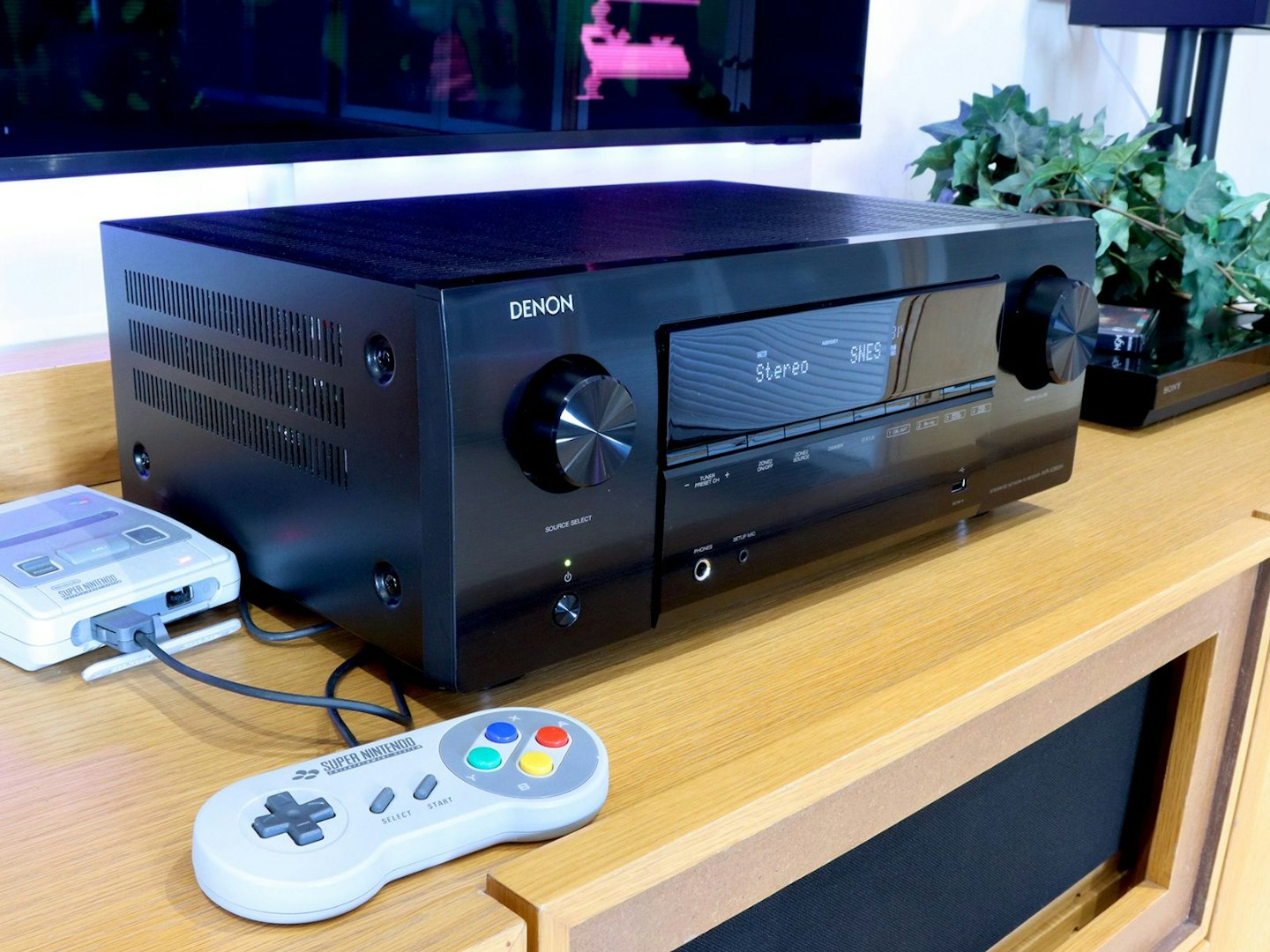
Connecting a SNES Mini and Blu-Ray player is the bare minimum when it comes to port options. ©Chris Duffill, Empire
The front panel is largely free from input clutter, but we like the front-mounted USB port for quick and easy playback if you need it, and this one supports high-resolution file formats amongst others. There’s also a convenient port to connect a pair of headphones.
Welcome to connectivity central
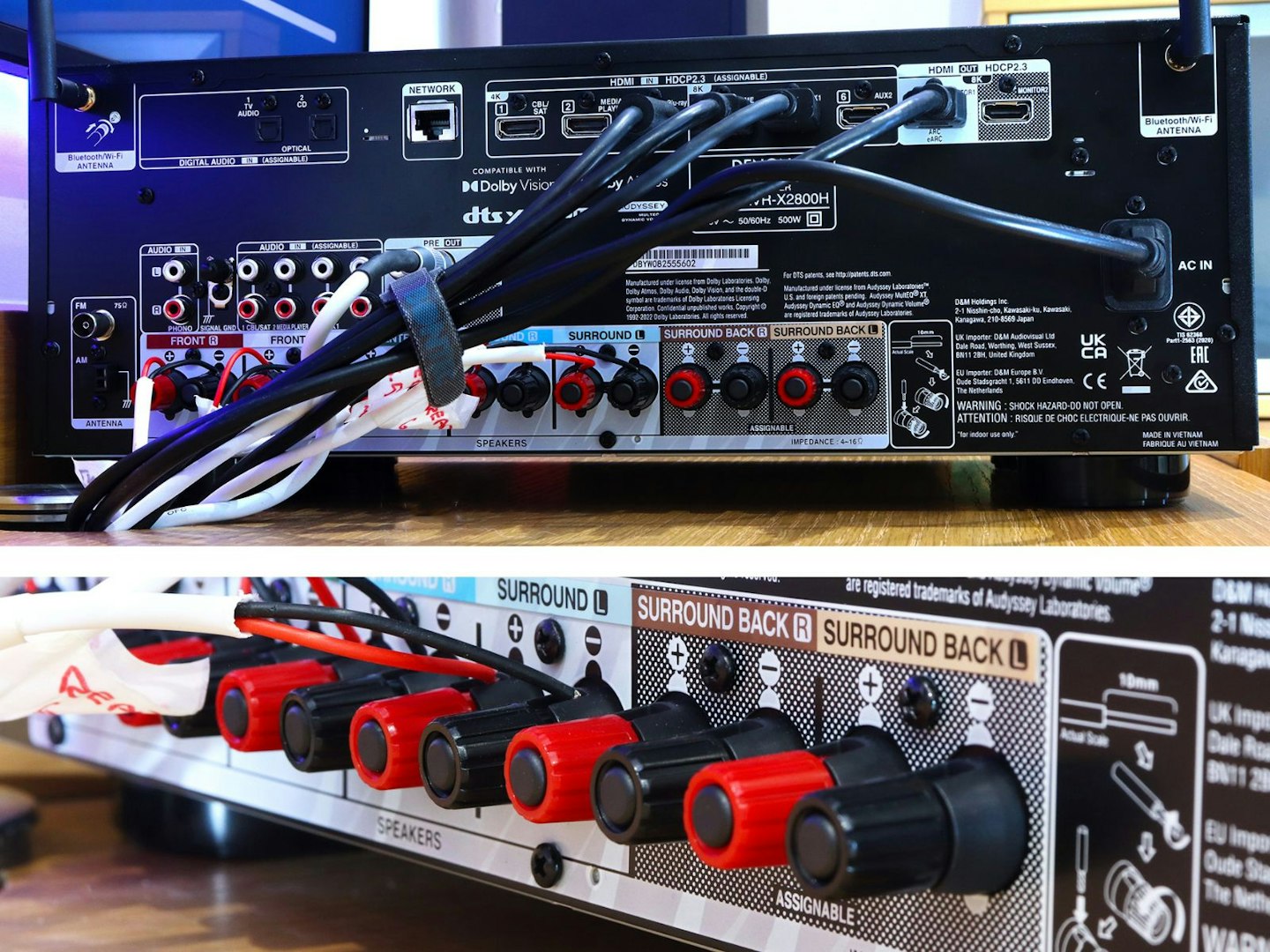
©Chris Duffill, Empire
The back panel of this amp is something of a masterclass in neat and logically arranged inputs and outputs. We particularly like the high placement of the eight HDMI ports which takes some of the neck-ache out of hooking up new devices.
HDMI
Three of the six HDMI inputs support 4K and the other three (if you can actually make use of it) also supports up to 8K resolution. The two HDMI outputs mean that you could have a 4K projector on the go in another room at the same time as a TV. For us the main port with the eARC feature is all we need to get sound and vision to and from our TV.
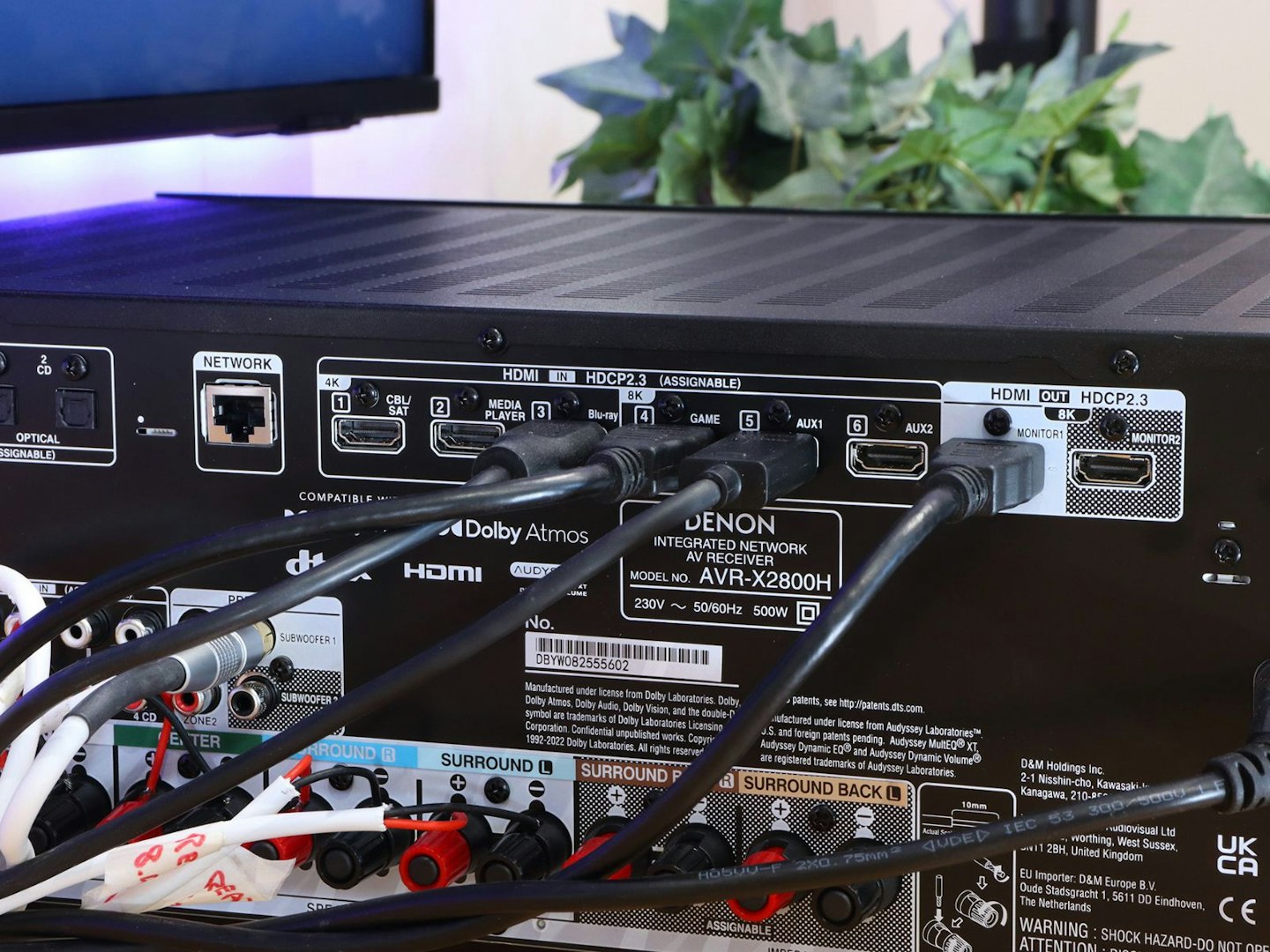
With six HDMI inputs and two outputs, the X2800H is better connected than many other AVRs. ©Chris Duffill, Empire
Other connection types
We’ll cover the bank of speaker terminals later, but they’re very clearly labelled and colour-coded to make one of the most fiddly parts of the installation easier. Elsewhere there are enough inputs and outputs to keep even the most teched-up movie and music lover happy.
A couple of digital optical inputs will suit CD players and music streamers, as well as provide TV audio for those whose set isn’t equipped with HDMI eARC. A phono input plus ground terminal reveals that this amp has an internal phono stage for turntables, and another three pairs of RCA inputs are present for the rest of your analogue audio kit.
A couple of subwoofer outputs are available for those who just can’t get enough low-end rumble for their blockbusters, but we’ll only be using one of these with our B&W sub. FM input is present for radio fans too. There’s a wired ethernet port for those who need it, but we’re going to look at Denon’s most user-friendly connectivity features next.
Wireless Connections: Wi-Fi 6 and Bluetooth
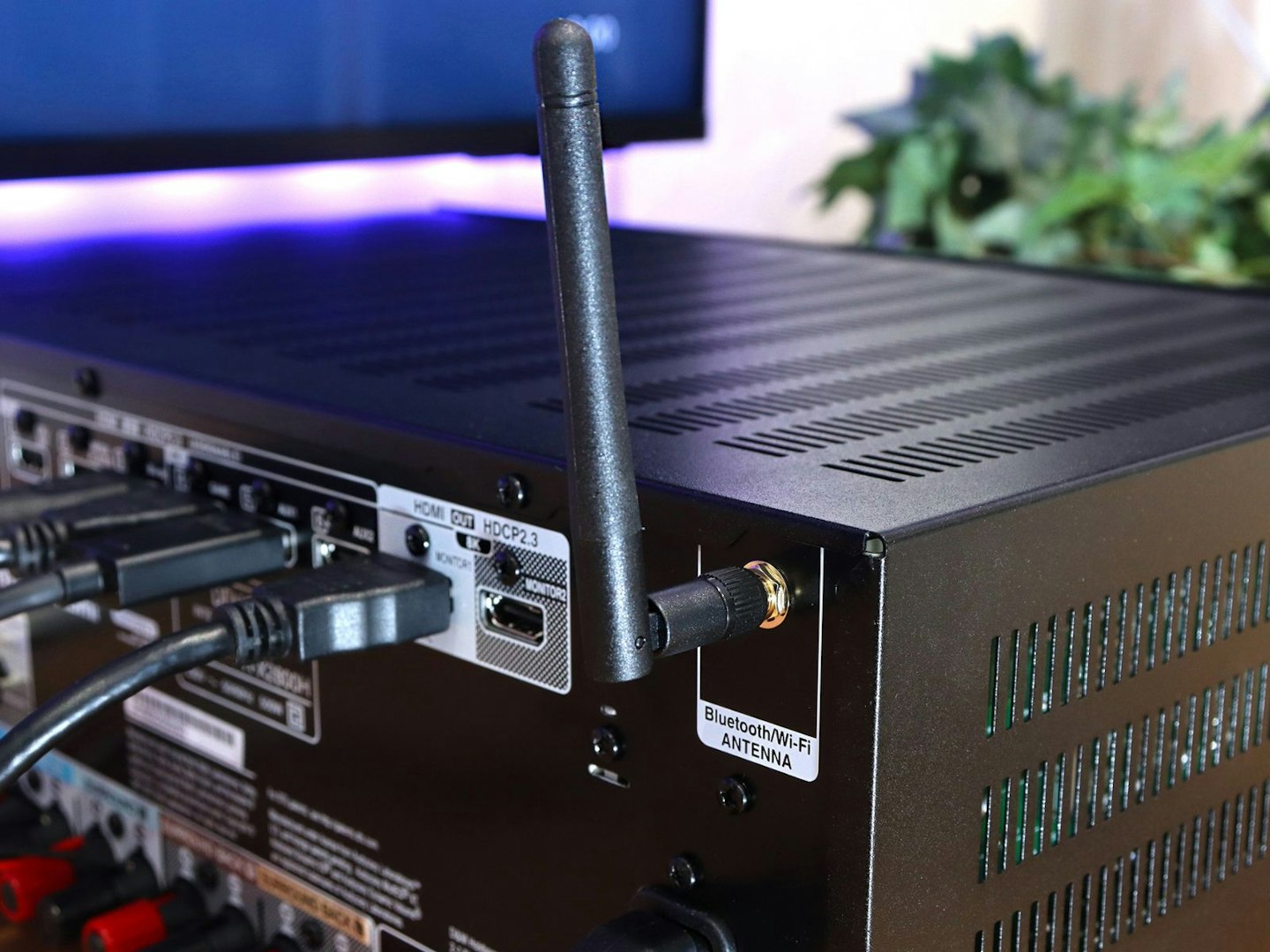
Two antennas screw into place for reliable Wi-Fi and Bluetooth. ©Chris Duffill, Empire
Home cinema surround sound aside, streaming audio has become something of a bonus feature of many amplifiers. The AVR-X2800H works with Spotify, Apple Airplay 2, Roon and of course Denon’s own HEOS app. Again, the latter is less useful for cinephiles, TV or console fans as its job is to detect other HEOS compatible devices around the home and allow you to control them for multi-room audio. To that end, the app incorporates streaming services like Deezer and Tidal. And let’s not forget that controlling the AVR using voice commands will rely on Wi-Fi, too.
The Bluetooth version here is 4.2 rather than 5.4 with no hi-res audio streaming format support. Then again, Bluetooth is a lossy connection method – so it’s advisable to use the Denon’s Wi-Fi based connectivity for high-end streaming.
Format support: Audio
As you’d hope from any AVR, this one has its fair share of supported audio and video formats. Music lovers have everything from FLAC and HiRes to good old mp3, but top of our list of prime directives are the home cinema related ones.
Spatial audio and more
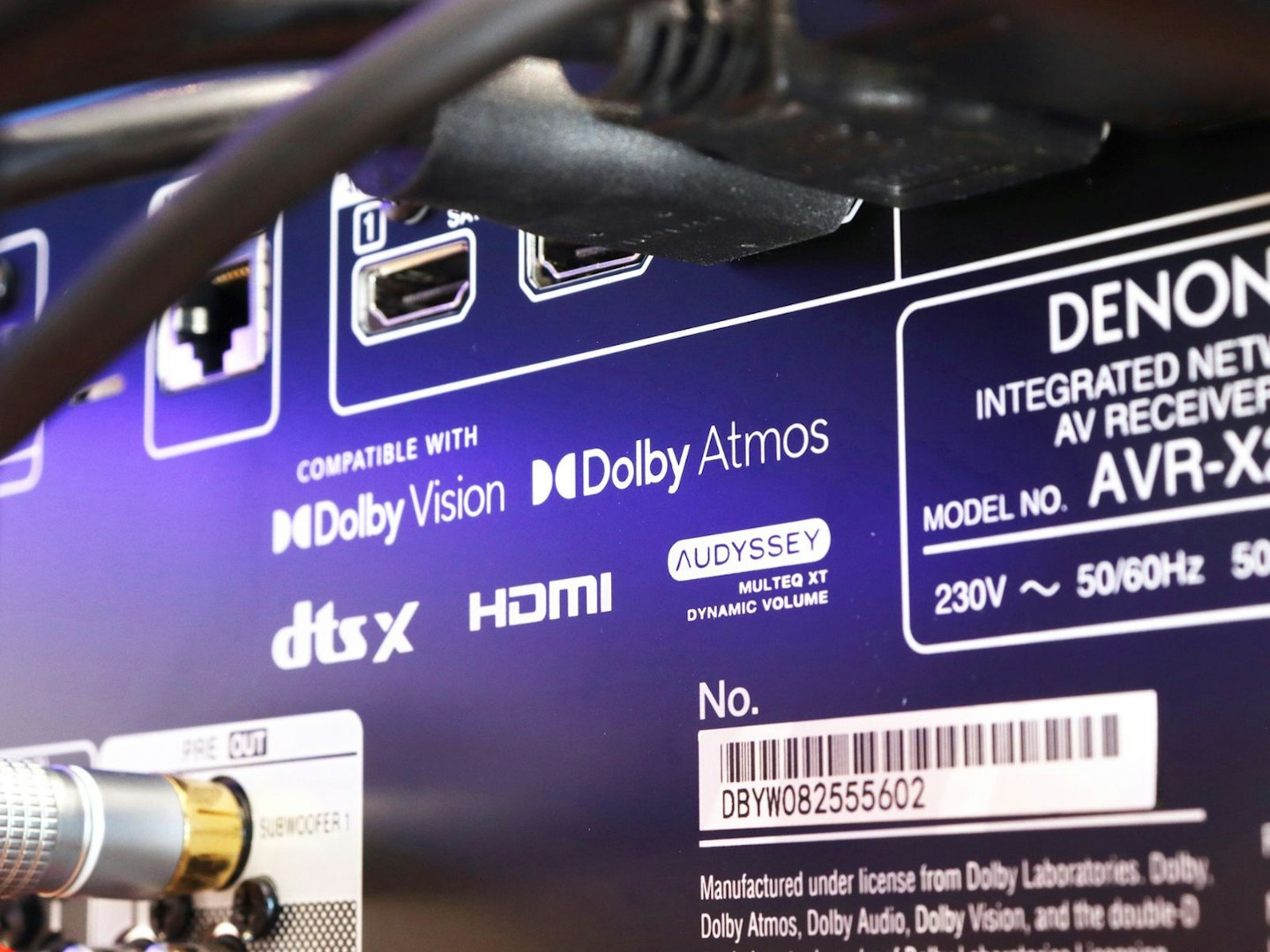
Just a few of the high-end audio formats that the X2800H supports. ©Chris Duffill, Empire
Perhaps the largest draw for movie fans will be those all-important spatial audio formats. Considering that modern entertainment comes with a dizzying mix of surround options, the inclusion of both of the top 3D surround sound formats – Dolby Atmos and DTS: X – is a huge plus for this Denon. Other Dolby formats are present too, like standard Surround and Dolby TrueHD, plus DTS (including DTS: X and Virtual X).
Lastly, the amp uses a 32-bit DAC (Digital to Analogue Converter) to process high-resolution formats and online and Bluetooth streaming for a more organic sound with your digital music.
Format support: Video and HDR
As mentioned, not only does this support 4K and 8K resolution video, it’ll upscale to 8K too if needed. As far as refresh rates go, it’ll handle 4K at 120Hz and 8K at 60Hz. Gamers will also love the inclusion of VRR (Variable Refresh Rate) and ALLM (Auto Low Latency Mode) – both promising smooth and detailed visuals free from judder or screen-tearing.
Red Box H3 – Corrected
Setup note: eARC and 120Hz gaming
The features of the rest of your kit will of course be relevant here. Some of the latest TVs have more than one eARC port, but many older sets don’t. Likewise, for gamers, if your TVs eARC port doesn’t support 120Hz you’ll be stuck with 4K at 60Hz. Thankfully our TV’s HDMI 4 port was marked for gaming and does indeed support 4K at 120Hz. So, for testing, we’re going to use that.
HDR
Even some of the best TVs are lacking when it comes to High Dynamic Range support. For the uninitiated, HDR vastly expands the colour palette of movies, shows and games. As long as they’re provided in HDR, and your TV supports the same version, you’re all set for a beautifully enhanced and vibrant picture with added realism and tonal range. However, there’s more than one flavour of HDR – and that’s normally where the trouble starts. But not here.
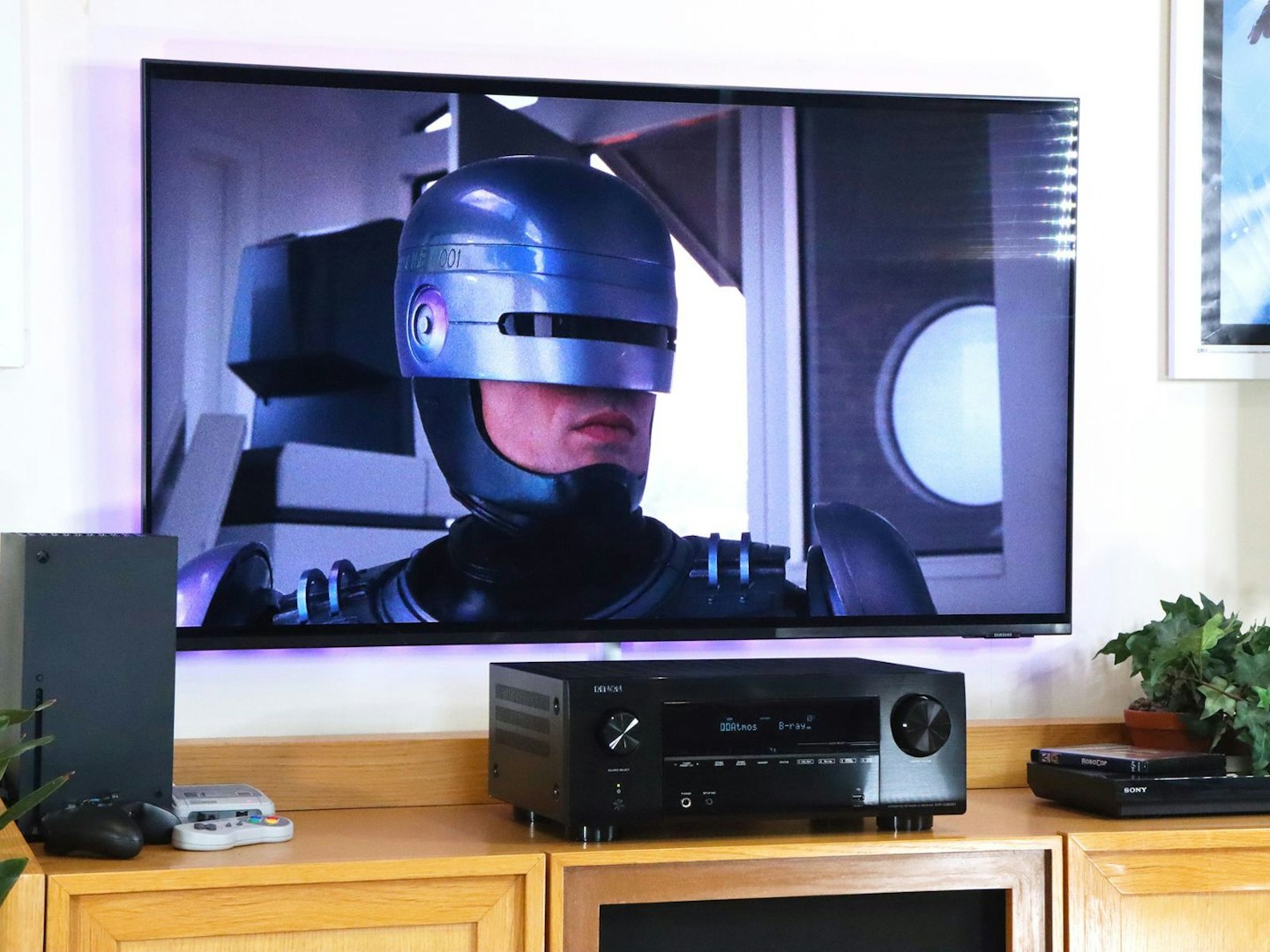
Robocop in 4K comes with HDR10 colour. ©Chris Duffill, Empire
Some TV manufacturers will opt for HDR10+ over its competitor, Dolby Vision – but the Denon AVR-X2800H embraces the lot. It has both of those (the joint cutting edge of HDR), but there’s also HDR10, HLG, and even Dynamic HDR for boosting non-HDR content. So, if like us your movie library contains titles encoded exclusively with HDR10+ or Dolby Vision, you’re all set.
Channels
This Denon is a 7.2-channel receiver – which translates to seven main speakers plus two independent subwoofer channels. However, in practice it’s more likely to be used as a 7.1 or 5.1.2 Atmos/DTS setup – the latter utilising a single subwoofer channel and two upward-firing (or ceiling mounted) overhead channels. We’ll be using it in 5.1 channel configuration to match our speaker package. And if you’re new to spatial audio formats you can find out more about them in our guide to Dolby Atmos.
Speaker choice
Denon and high-end audio brand Bowers & Wilkins are part of the Harmon/Samsung corporate family, so we’re pairing the X2800H with the B&W 607 S3 5.1 speaker package – the same setup we used for testing a Marantz Cinema 70s amp (Marantz being another brand owned and developed by the same parent company). You can read more about the excellent range and finesse that these speakers are capable of in our Marantz Cinema 70s and B&W 607 review.
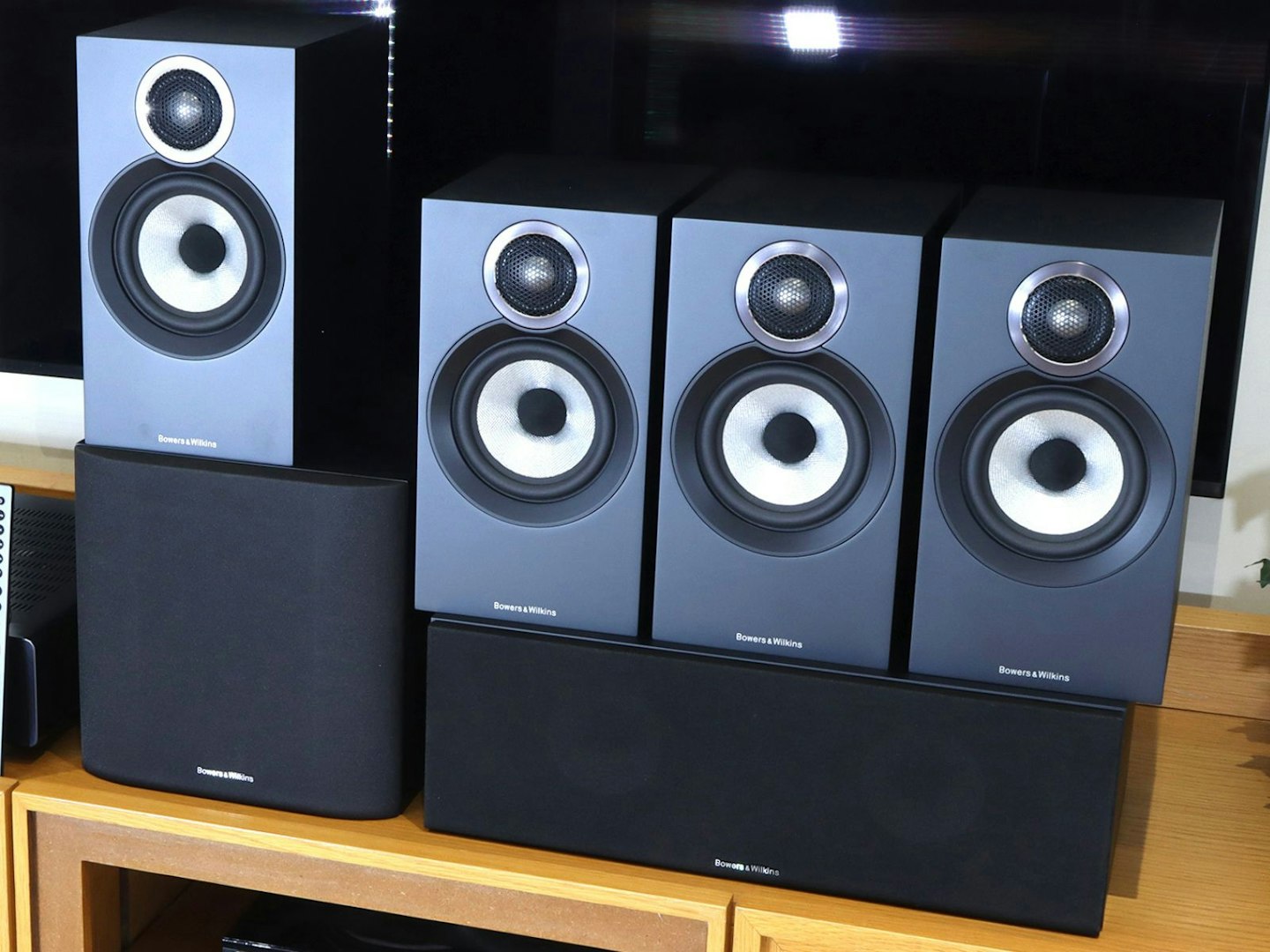
Perfect partners: The B&W 607 speakers with centre speaker and sub. ©Chris Duffill, Empire
Red Box H3 – Corrected
Setup note: Speaker impedance
These speakers are rated at 8 ohms impedance. Thankfully the Denon is set for 8 ohms by default. But, if we were to connect a 6 or 4 ohm speakers there’s an amp setting we would need to change to avoid potential damage.
For those new to speaker impedance, it’s measured in ohms and describes the resistance to the power provided to it by the amp via the speaker wire. The higher the resistance, the less power will be needed – so the 125 watts per channel maximum of this Denon is reduced by around 55 watts due to that 8 Ohm impedance. So, if your speakers of choice are 6 ohm, that 95W per channel rises to 125 watts. However, more power doesn’t mean more volume or superior quality. With the B&W 607’s rated for peak performance at anywhere between 30W to 100W, this Denon is an excellent match. In short, more wattage doesn’t necessarily equate to better sound.
Speaker inputs
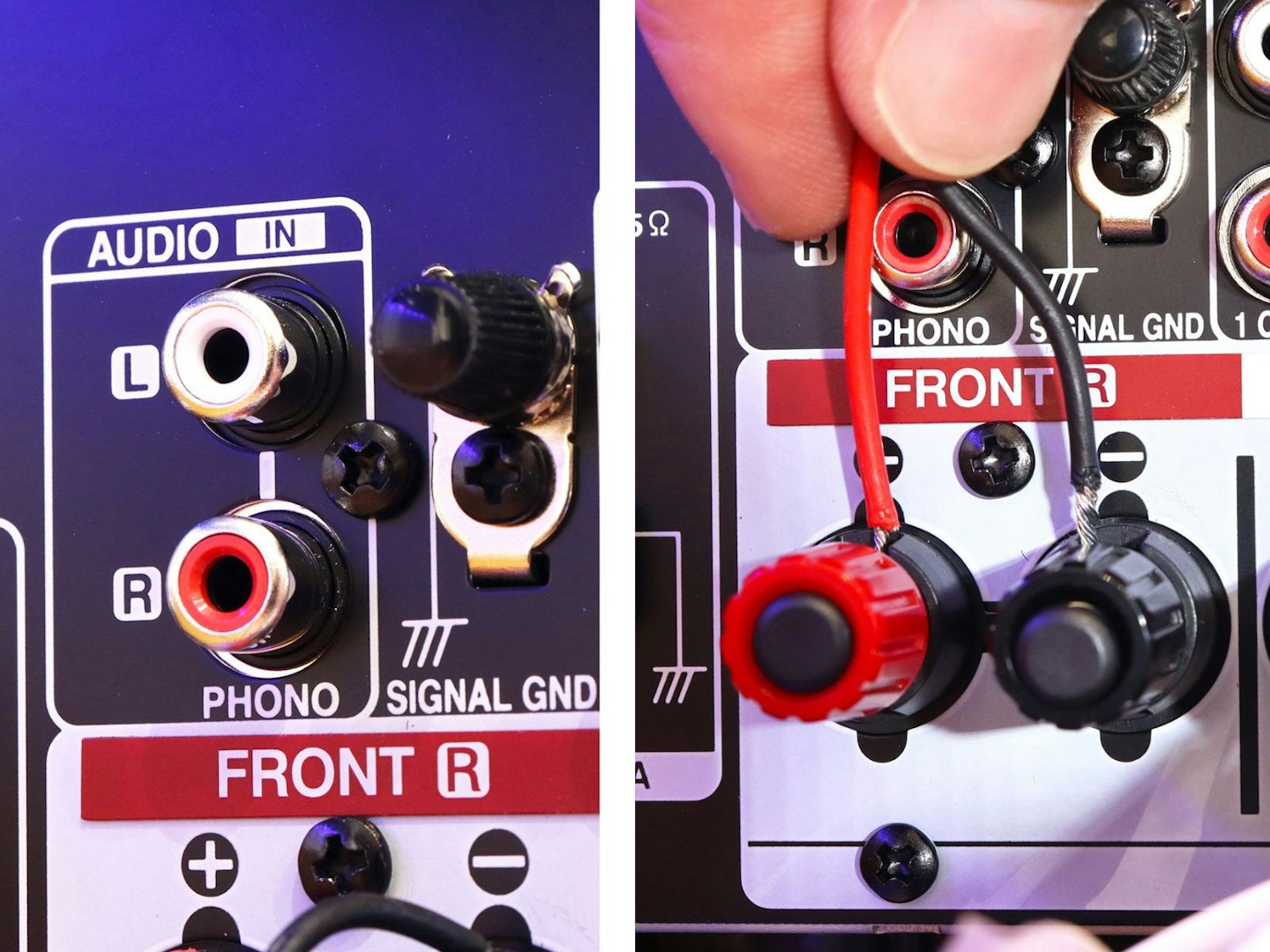
The phono stage with ground terminal. Plus: inserting speaker wires can be fiddly but provides the most secure connection. ©Chris Duffill, Empire
We’re huge fans of the clearly labelled and well-spaced speaker terminals here. They’ll accept banana plugs for those who prefer plug and play, but we opted for the standard (if extremely fiddly) bare wire approach. Although requiring some care to not leave stray strands of wire in danger of touching another terminal, once screwed into place they’re not going anywhere. We hooked up our five B&Ws plus the subwoofer easily enough using quality speaker cable.
Red Box H3 – Corrected
Setup note: Adding height speakers?
As we were testing with a 5.1 speaker config, we’d be relying on the height virtualisation feature of the Denon to mimic two overhead channels. But, if you were to expand this to a 5.1.2 configuration, the terminals for those two extra height channels are marked as Surround Back on the rear panel. The amplifier settings menu will allow you to assign those terminals as either ceiling mounted or up-firing.
Setup and menus
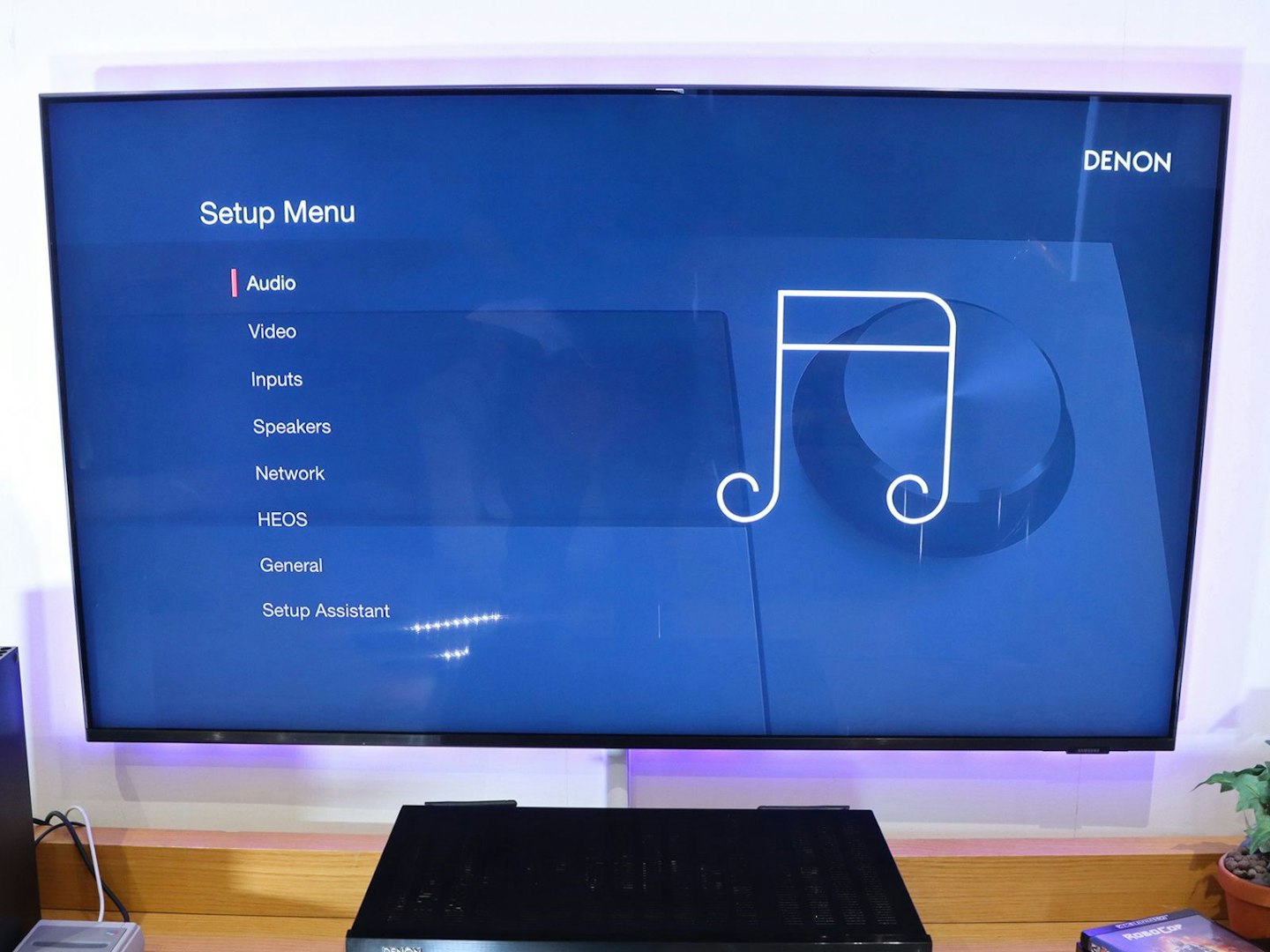
The Denon AVR-X2800H menu screens look better than ever. ©Chris Duffill, Empire
With our previous experience of Denon AVRs in mind, we were glad to see the new TV-based graphical interface here. It’s a refreshing change from the built-in menus of old – thanks in part to being in Full HD resolution. It also looks nicely updated, having more in common with a DVD-style menu. Other welcome additions are colour coded graphics, photographic wallpaper, and clear fonts. The menu structure itself is logical, grouping submenus by category – making it one of the few amplifiers that doesn’t have you immediately reaching for the manual. Following the helpful prompts in the initial setup we were all wired for 5.1 audio.
Elsewhere, we were also able to assign our own custom names to our various inputs, making the displayed source a match for our kit.
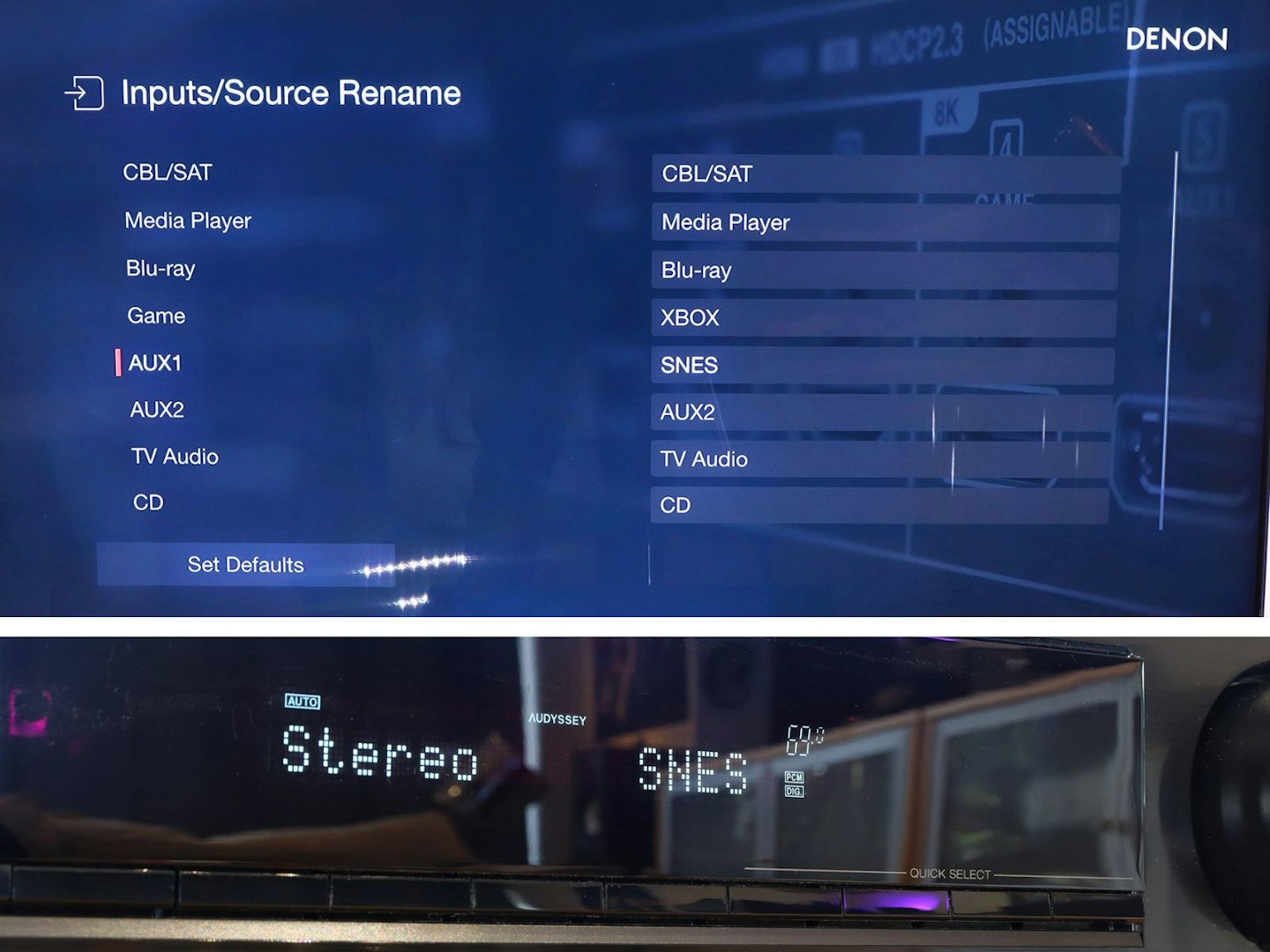
Renaming inputs to match our kit takes seconds. ©Chris Duffill, Empire
Red Box H3 – Corrected
Setup note: Maximise bass
Once that’s all done, its worth checking the speaker setup to make sure that the bass crossover is set correctly. If, like us, your chosen speakers aren’t classed as ‘full range’, that setting will need to change. We checked the frequency range specs for the B&W 607 speakers and they’re 40hz – 33kHz. Denon recommend setting the crossover to match the lowest frequency of the speaker. That ensures that the 607s are handling as much as they can for a fuller sound, while still piping that all-important bass out to the sub once it dips below that frequency.
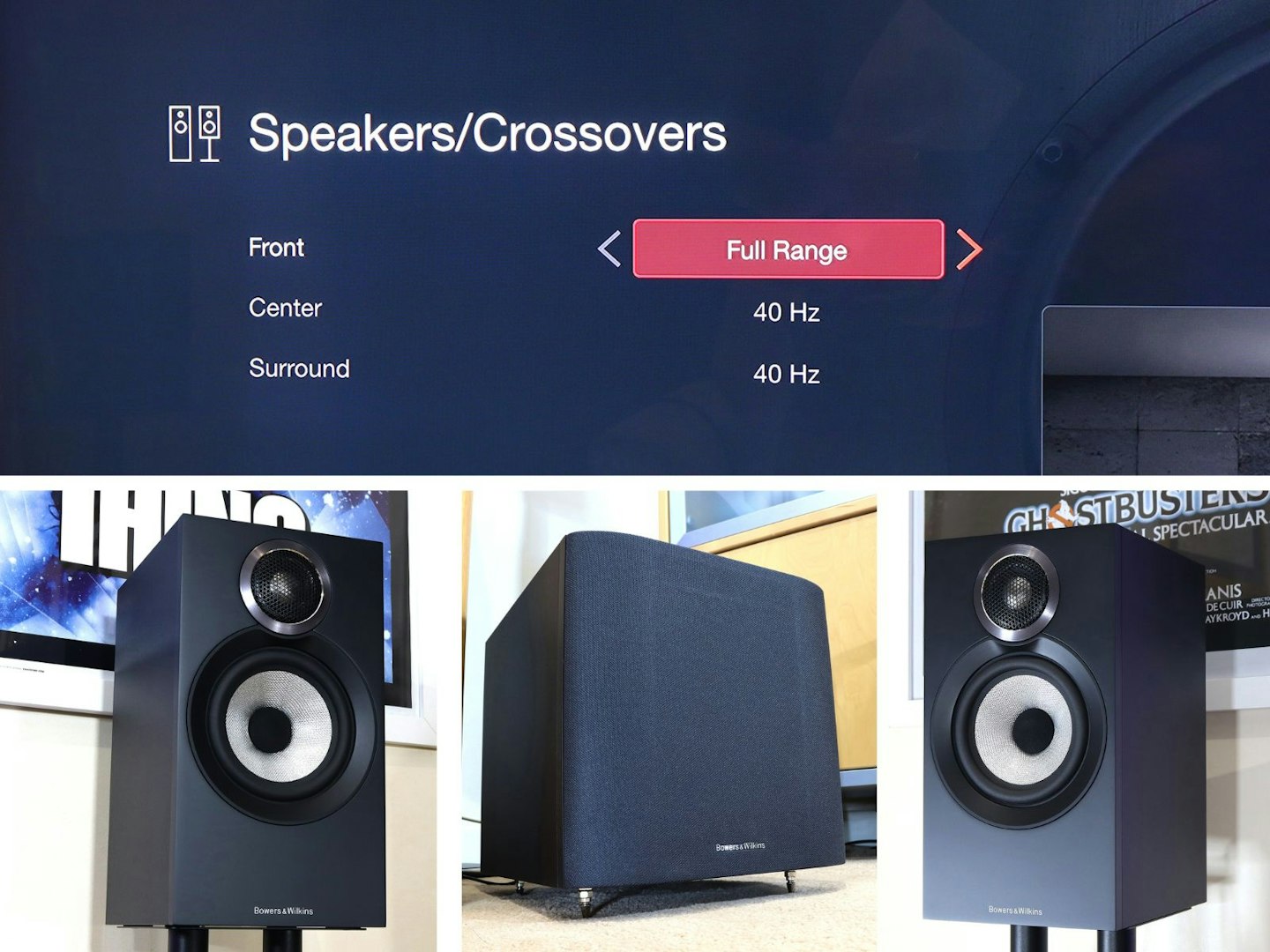
Setting the crossover frequency to match the lowest range of your speakers is recommended. ©Chris Duffill, Empire
For our B&W sub setup we also found that we needed to go into the Denon’s manual settings and set the bass output to LFE+Main. This bumps a copy of the main channel bass out to the sub as alongside the standard low-frequency effects. These tweaks we’re essential to get a fuller bass out of our setup, something that was lacking out of the box.
EQ and room calibration
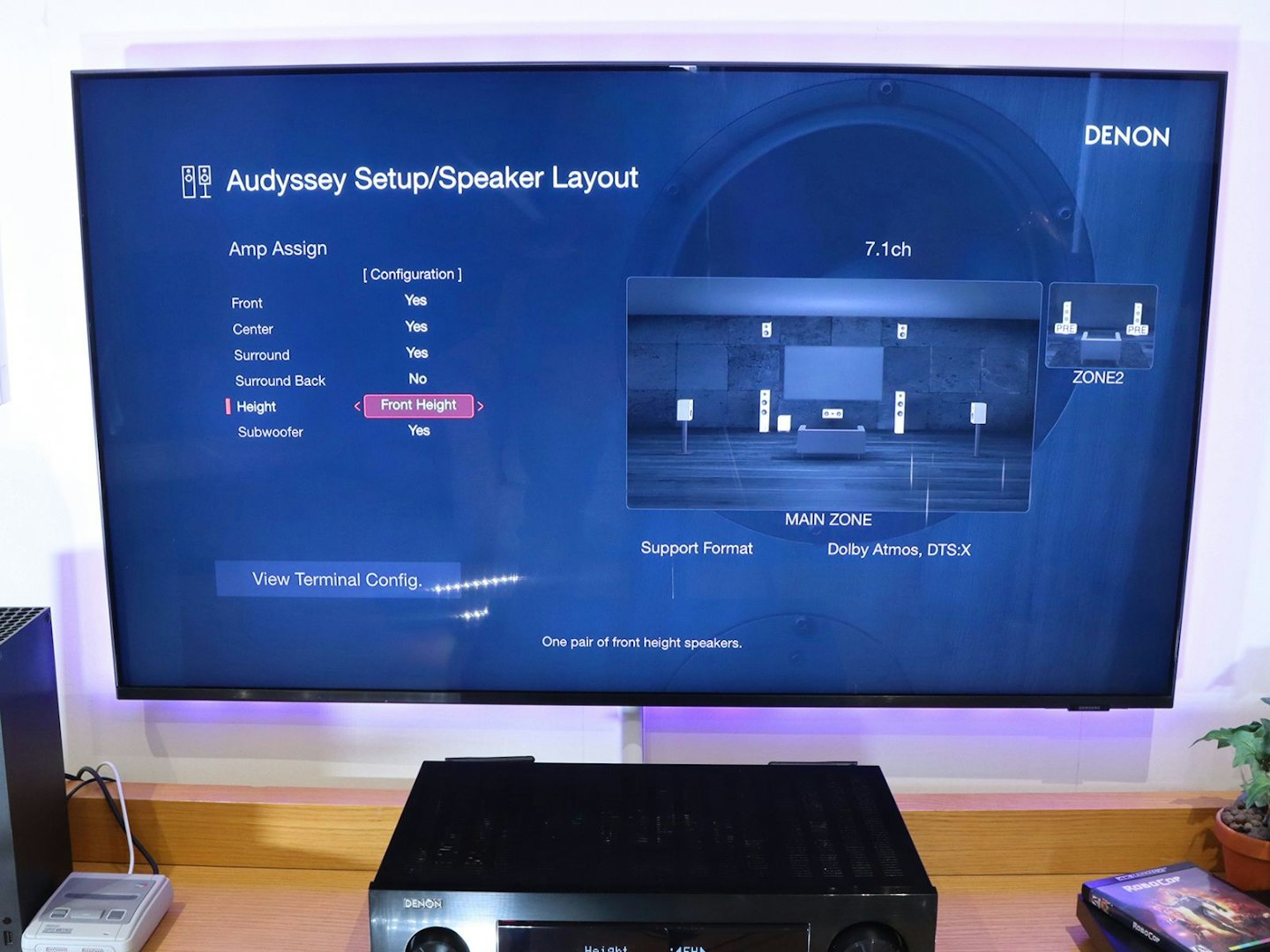
Audyssey setup and speaker layout make adding extra height speakers easy. ©Chris Duffill, Empire
Those who have owned an amp in recent years may be familiar with Audyssey – a way to automatically calibrate audio to suit your room’s acoustics. It measures test tones via a mic to fine tune the amp’s sound output. It’s become an essential step in most mid to high-end AVRs to help get the best out of your system. We mounted the included mic on its stand and placed it in a range of typical sitting positions. A few sonic chirps later and we were fully optimised. All that said, if you deactivate Audyssey, you can adjust the whole setup yourself – something we’ve occasionally had better results with in the past as it allows for more tweaks, right down to the graphic equaliser for each individual speaker.
Red Box H3 – Corrected
Setup note: Audyssey
If you run the Audyssey calibration as part of the initial setup routine, but then the AVR performs a firmware update, we recommend running Audyssey again after the update. More importantly, Audyssey really is best for getting a bass line from which to make your own manual adjustments to suit. For us, doing that delivered the best results over simply trusting the automatic calibration.
Performance testing
We may happen to like the Denon aesthetic, but – as with all home cinema and audio kit – the proof is in the listening. So, with our 5.1 B&W 607 speakers all warmed up, we hit the play button on some top-tier entertainment.
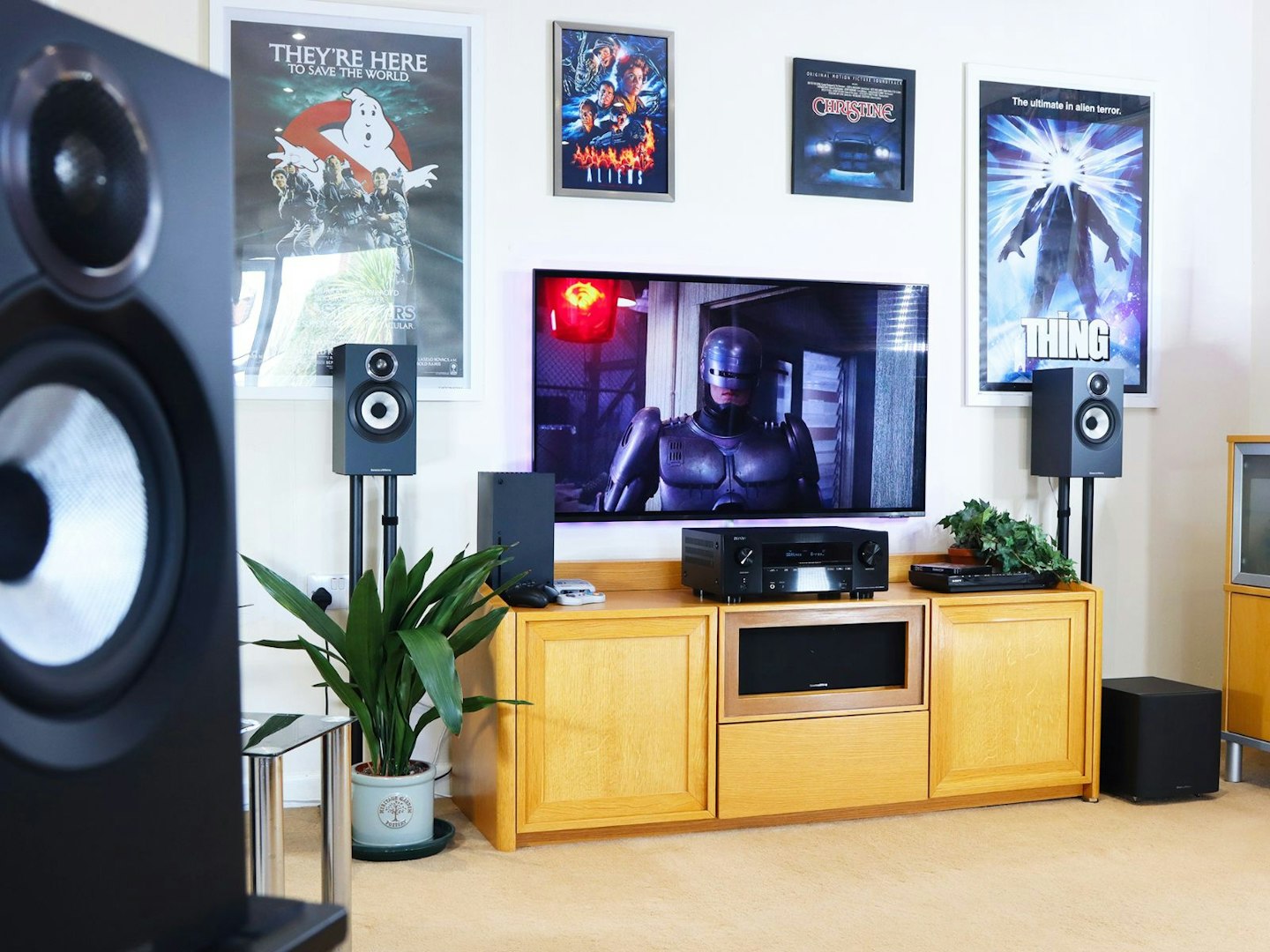
©Chris Duffill, Empire
Dolby Atmos test
Robocop – 4K Blu-ray, Dolby Atmos, HDR10/Dolby Vision
The Dolby Atmos mix provided in the 4K Blu-ray edition of Paul Verhoeven’s titanium-plated corporate dystopia was reportedly based on the original four-channel theatrical mix. It’s well-regarded as staying faithful to the original while still bringing that 3D surround sound plus a well isolated score. There are plenty of movies natively mixed in Atmos that couldn’t fail to blow us away – but we’ve chosen something with more restraint. Less a bullish Atmos demo, more the realism enhancement all of us would have wanted for a home theatre experience back in the day.
Our favourite feature of this movie over the Denon was, as Clarence Boddicker succinctly puts it: “Guns, guns, guns!”. From the roar of Robo’s unique hand cannon and beeps of his targeting system to the wall-to-wall SMGs and 12-bores in the warehouse scene – this was an explosive spatial treat.
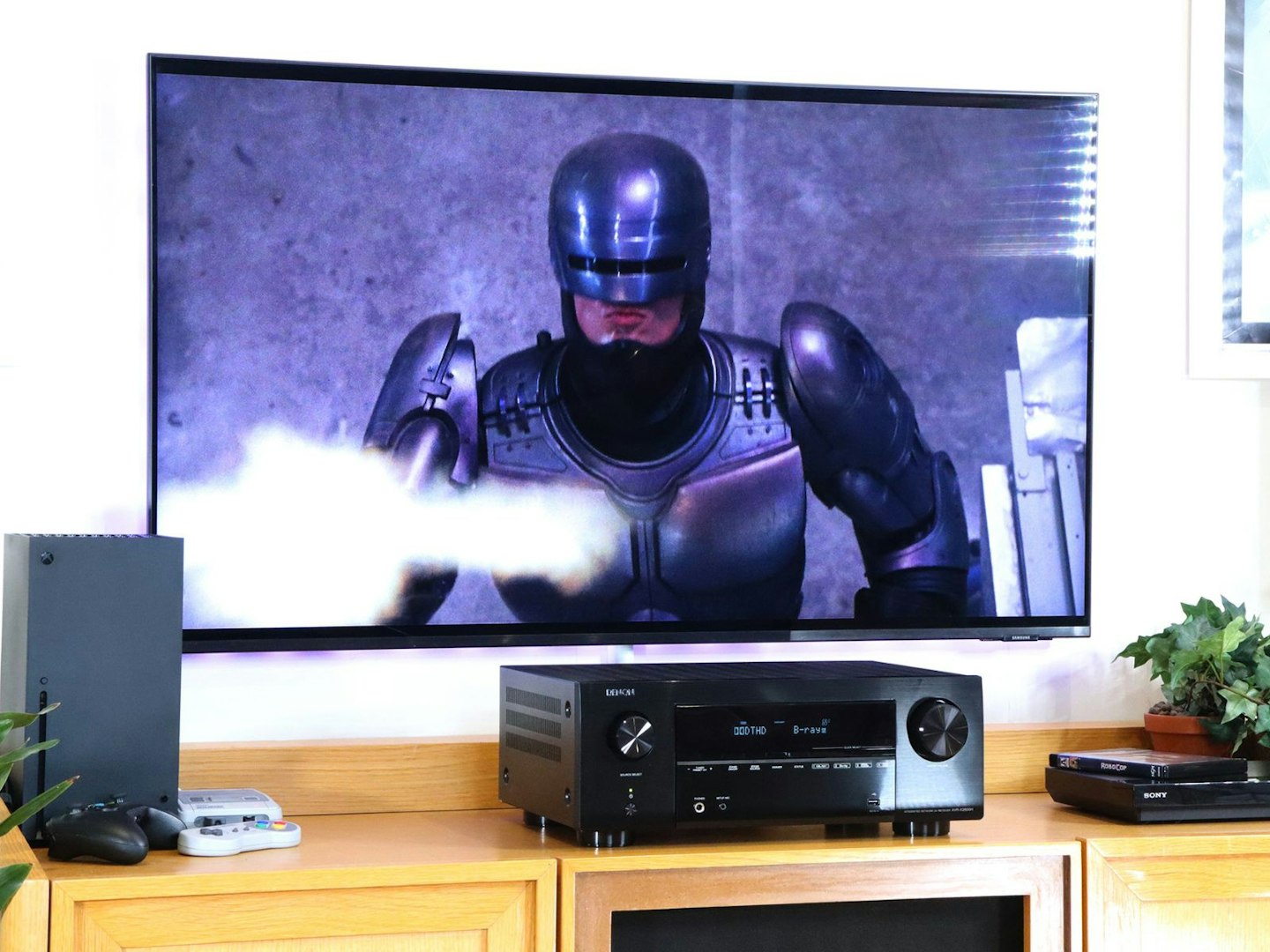
Listen to this movie in Atmos, or there will be… trouble. ©Chris Duffill, Empire
As you might expect from a lesser Atmos mix, such a wall of noise could be just that – but here we had massive amounts of spatial separation, with firing coming from various corners of the room. Thanks to some of that Height Virtualisation coming through, there was even the suggestion of footsteps and blasts from above as Boddicker’s henchmen opened fire from gantries. That alone would make us consider investing in some ceiling-mounted Atmos speakers as a future upgrade. Voices remained clear and defined, as was the exhilarating score which served as a well-separated backdrop to the action with plenty of musicality and range.
All in all, we found the Denon had the power and range to do this sort of soundtrack justice. For us, this movie’s Atmos mix adds realism in a way that’s faithful to the original theatrical presentation without resorting to overt Atmos parlour tricks. The Denon delivered it all with huge dynamism, managing quieter scenes in the OCP offices with finesse, but bringing the full breadth of the soundstage to bear when needed. I’d buy that for a dollar.
5.1 surround test
Fallout – Season 2, Episode 8 – Amazon Prime, 1080p, 5.1 Surround Sound
Minor spoilers (and Deathclaws) lie ahead…
Unless you pay for Amazon Prime Video‘s extended audio and video quality, you’re going to get 1080p resolution and 5.1 surround sound as standard. And that’s fine for our testing, as we wanted to see what the Denon could do with a non-spatial 5.1 setup.
Mixes do of course vary, but as an example of a modern show with a basic surround soundtrack Fallout’s season 2 finale – The Strip – was a powerful reminder of how much of a soundstage you get with five speakers plus a sub. While there’s no doubt that the Atmos version would have beamed every ricochet, Radroach flutter and ghoulish footstep around the room, what we got was a solid and satisfying old-school surround experience. Bass response was driven home in the scene where a power armour clad Maximus faces off against one Deathclaw after another as they invade the New Vegas Strip.
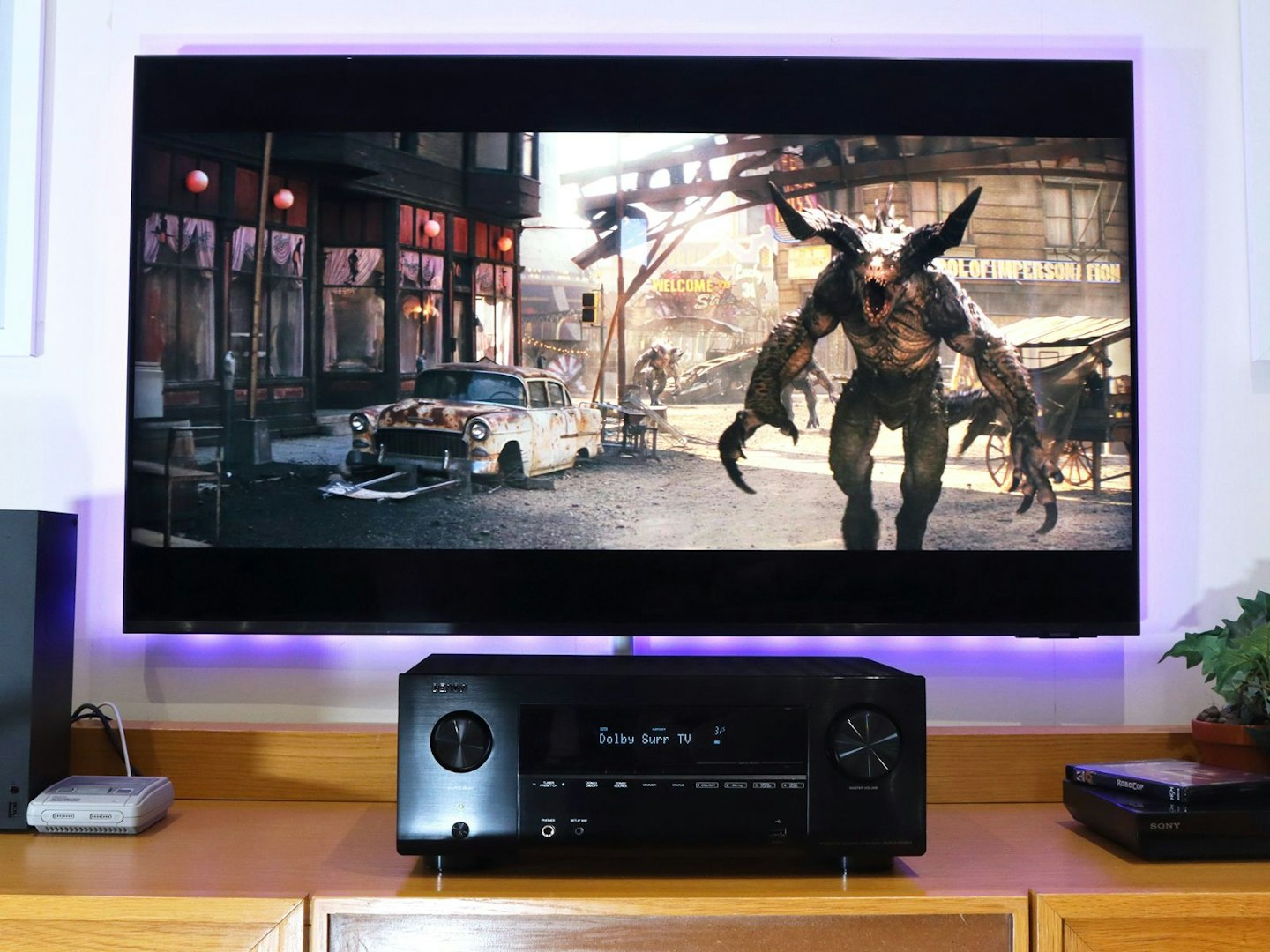
Deathclaws on The Strip gives the X2800H a 5.1 channel workout. ©Chris Duffill, Empire
Their thunderous steps resonated across the floor thanks to the sub, and the sound of claw-meets-metal was particularly elevated above the midrange with lots of highlights. Dialogue was predictably clear, tonally natural and well isolated thanks to the centre channel. More gentle atmospherics made their way to the two rear channels too, adding immersion to the unforgiving and often bustling corners of the Wasteland.
Hitting the Movie sound mode button on the remote gave us a few more options, if a little less true to the original – such as DTS: Virtual X for faux spatial effects. It works fine, but purists may want to stick with the source audio format.
Gaming tests
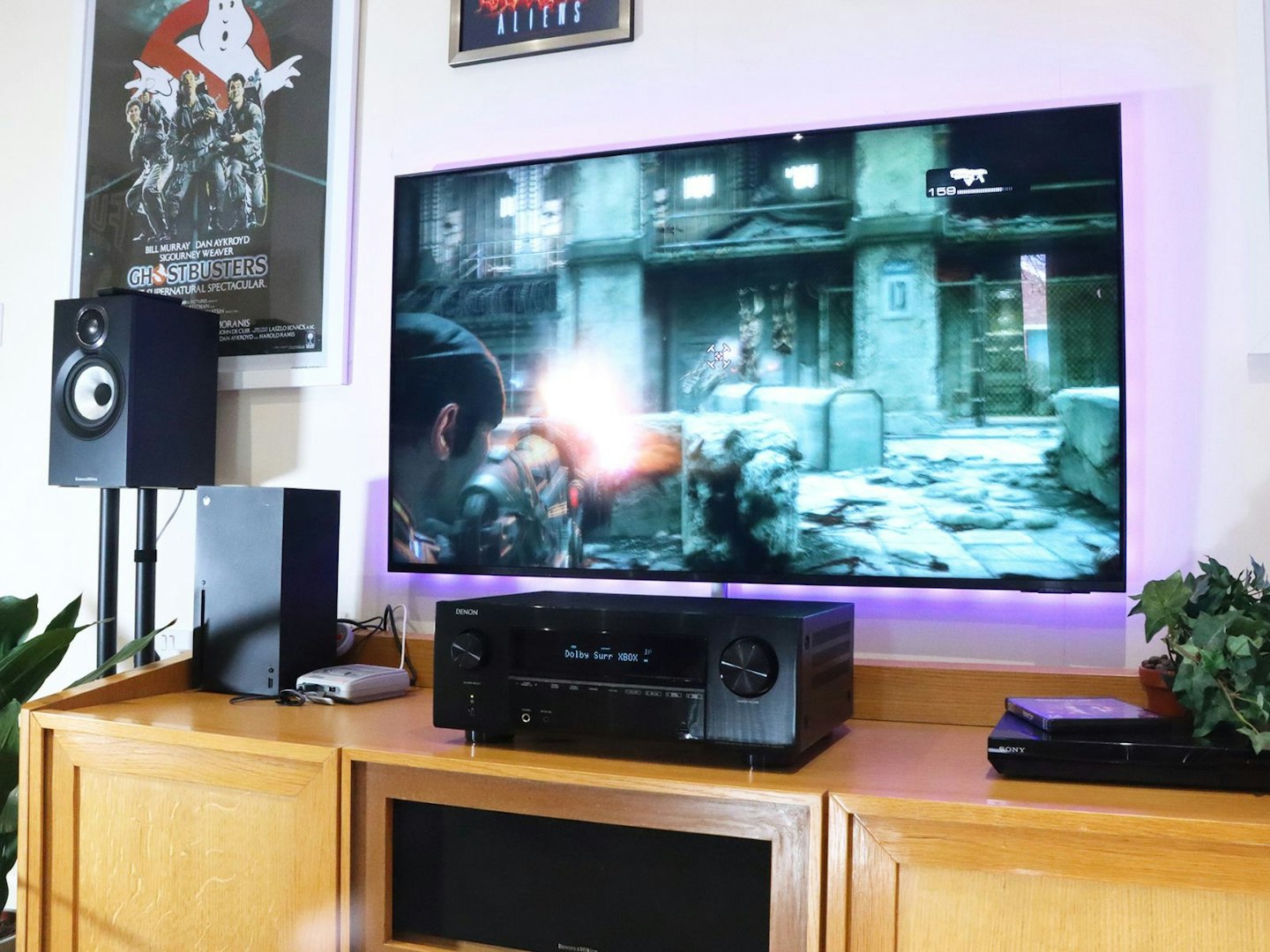
©Chris Duffill, Empire
Gears of War: Reloaded – Dolby Surround, HDR, 1080p/120 FPS
It’s been a decade or two since we last donned the battle-scarred COG armour of Sergeant Fenix, but we jumped at the chance to rev-up our Chainsaw Bayonet and go up against the Locust horde again. The Xbox Series X outputs 4K at 120Hz – just what this game is optimised for. The Denon handled this flawlessly. Our Samsung TV also has VRR and ALLM, so we’re well accustomed to unhindered gaming without using an amp as a middle man. The standard Dolby Surround 5.1 audio was more than enough to give away the position of enemies while paying, not to mention sound effects immersive enough to make your skin crawl.
We found that routing the console’s HDMI via the Denon introduced no issues for our gameplay, which remained smooth, detailed and free from tearing or skipped frames. Latency was also undetectable. Denon doesn’t specify the latency range in milliseconds that we can find, but from experience it has to be in the sub 1ms range – more than responsive enough for gaming, no matter what gaming setup you have.
Surround SNES? Let’s-a go!
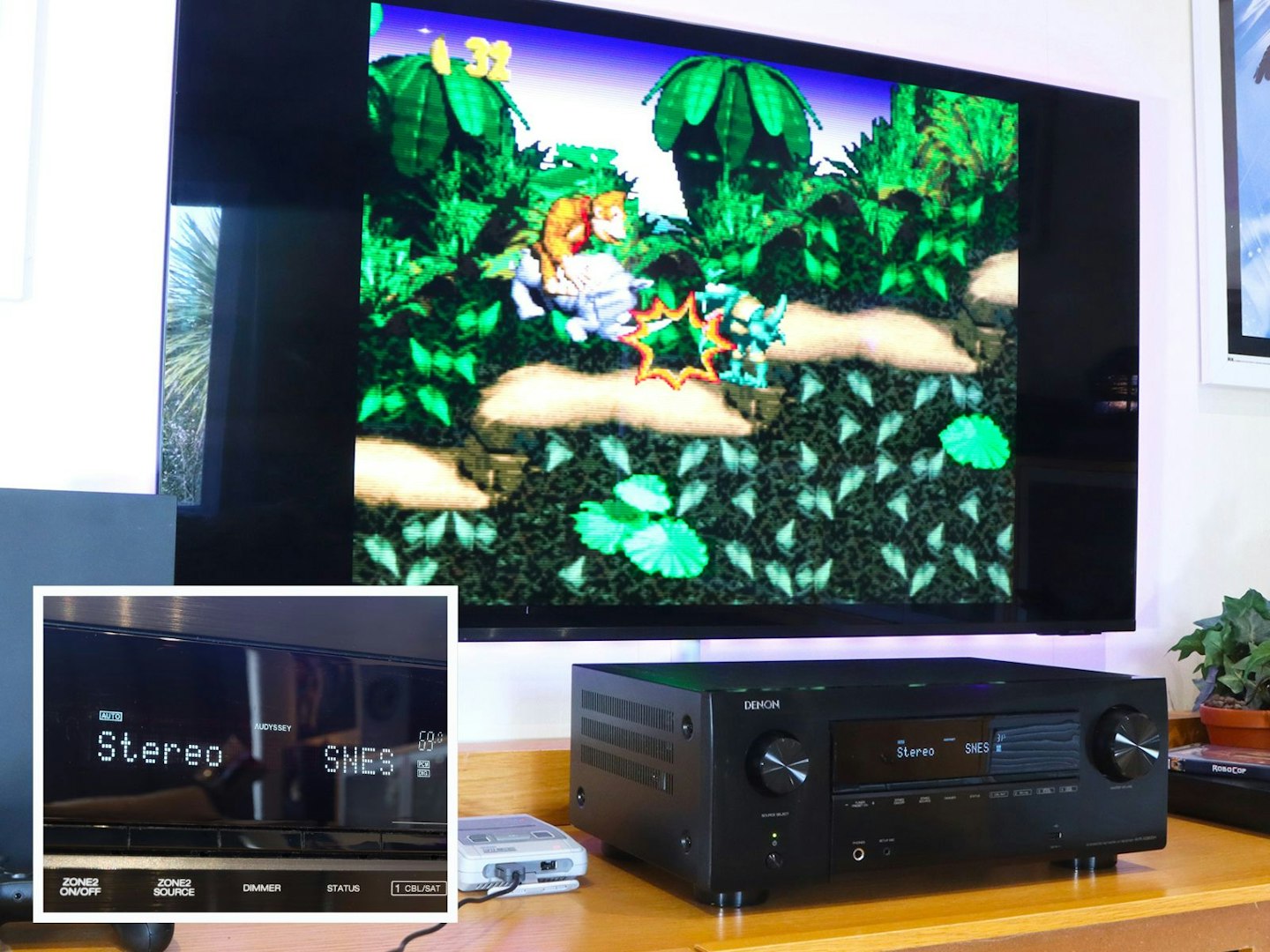
Other modes are available, but we stuck to stereo for our retro gaming with Donkey Kong. ©Chris Duffill, Empire
You can’t beat a bit of old-school retro gaming, and there’s been plenty of new mini consoles on the market to scratch that 8 or 16-bit itch. As a retro console, the classic mini SNES may connect via HDMI but it outputs good old fashioned stereo. Good to know that flipping the AVR over to stereo mode rendered things as faithfully as we remember – albeit with more oomph. 5.1 surround mode was a novelty, but somewhat incongruous when set against 4:3 ratio 1990s classics like the (recently updated) Donkey Kong Country and Super Mario World.
Music test
Turntable test: Natural sounding analogue
Returning to OCP’s finest with Basil Poledouris’ Robocop OST on vinyl, side A’s Van Chase delivered the sort of detail, depth and warmth we’d expect from an orchestral soundtrack on wax. We really pushed the volume to the limit here, as the extra bass kick of the B&W sub plus the low brass section of the chase segment were powerfully rendered with a tonne of range and separation.
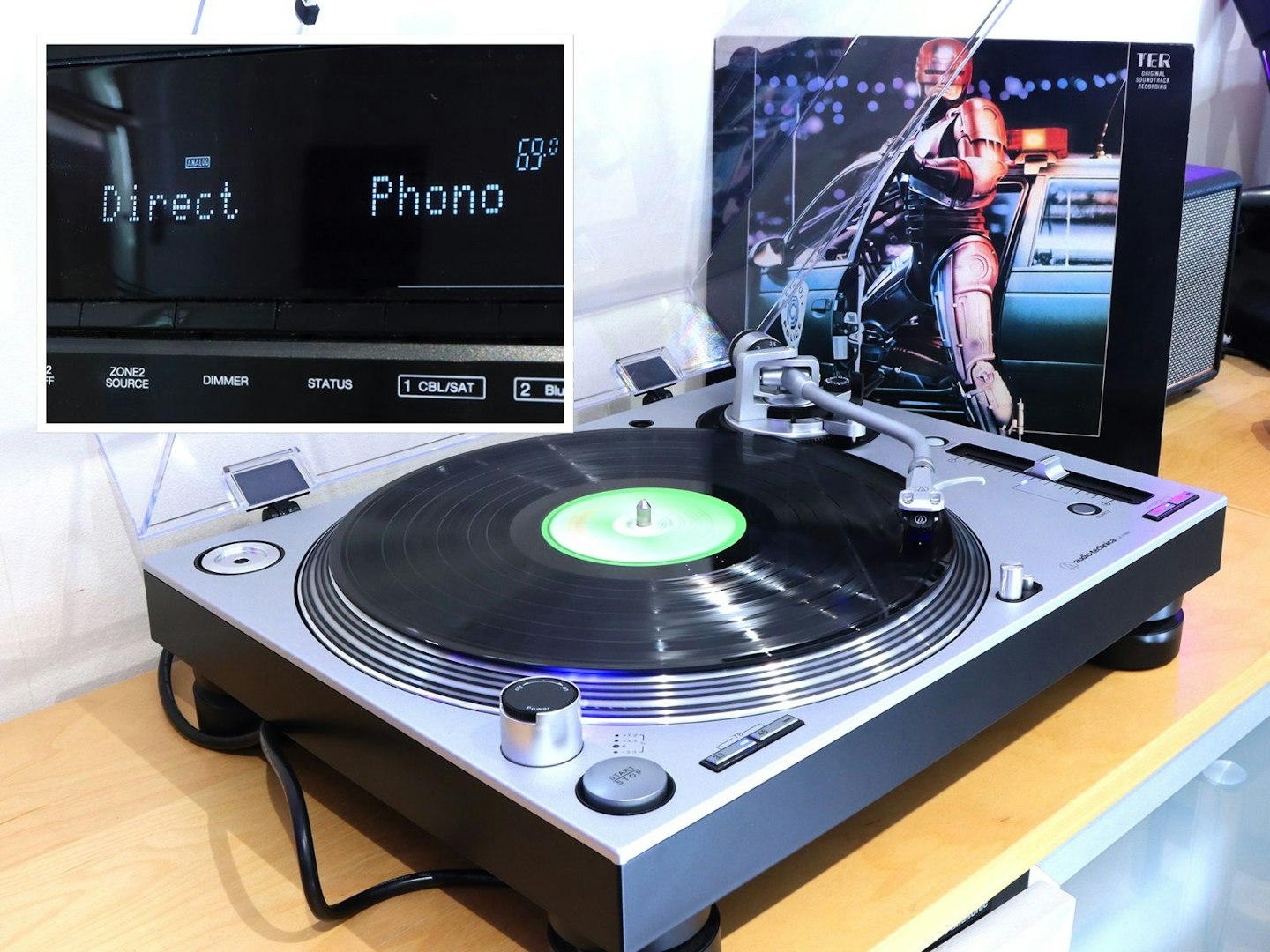
Listening to vinyl using the Direct audio mode provided an unadulterated analogue sound. ©Chris Duffill, Empire
This track also has more delicate dreamlike sections with plenty of strings, flutes and highlights – again well-separated and airy, with lots of detail at higher frequencies without becoming overly sibilant. Selecting the Source Direct option for the phono input bypasses any internal audio processing, which did sound more lively and a little warmer to our ears.
Red Box H3 – Corrected
Setup note: Phono stage
The deck was connected via phono cables but with its own internal phono stage switched off. That’s because the Denon AVR X2800H has its own MM phono stage (Moving Magnet being the most common cartridge type). It’s important not to use two phono stages at once to avoid unlistenable distortion and even amp or speaker damage.
Streaming test
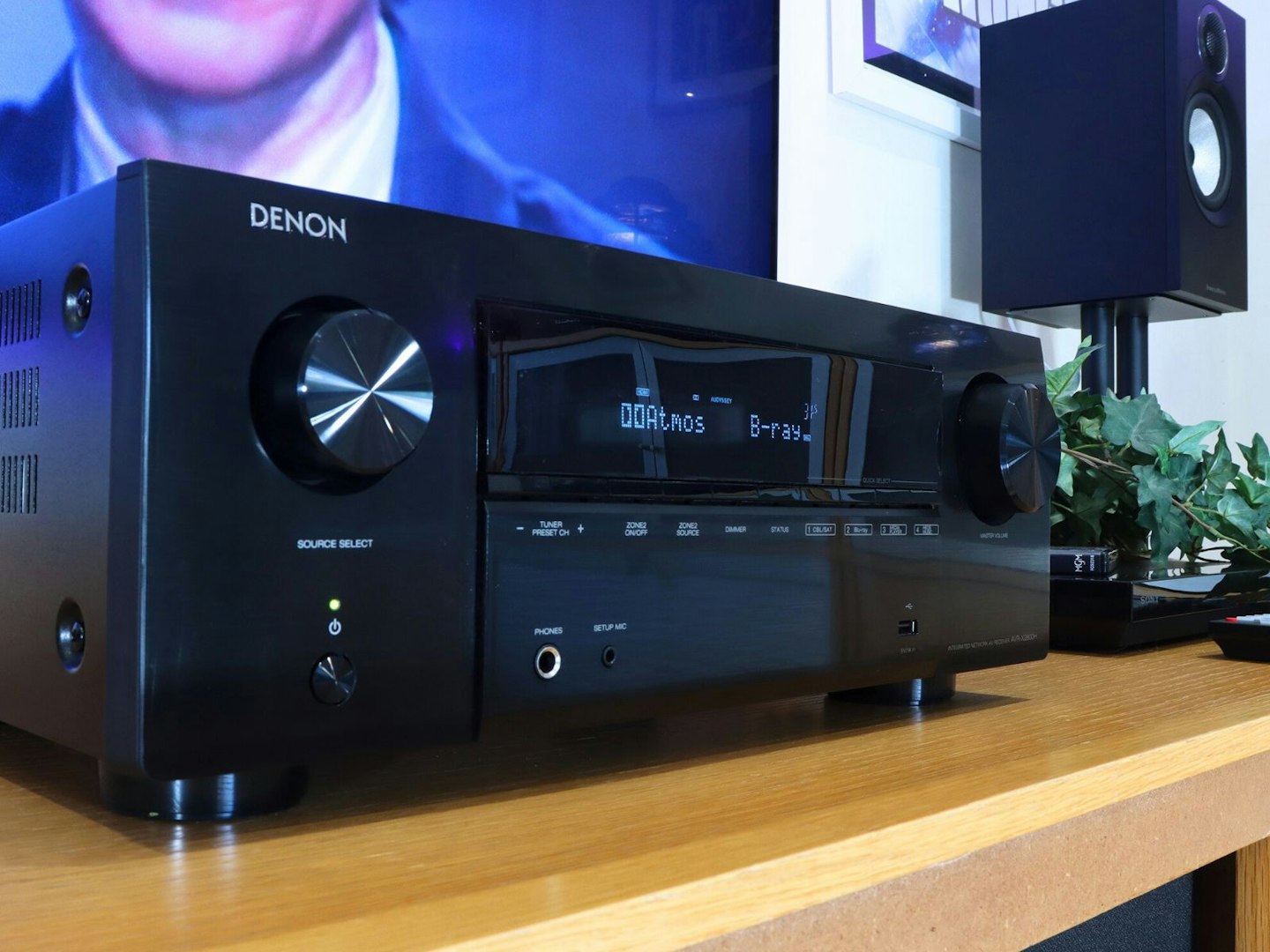
We’re usually all about the visuals, but the music offering here is just too good to pass up. We streamed our favourite rock anthems from Spotify via the HEOS app, and Tidal which supports lossless audio. The Denon would prove that it’s a true AVR and not just a home cinema powerhouse. Listening to the live recording of I Would Die 4 U by Prince and The Revolution in the Atmos Music format was like being plunged headfirst into Purple Rain’s First Avenue club compared to the standard stereo experience. If you’re intrigued by music mixed for Dolby Atmos setups, we fully recommend giving it a spin.
As expected, the sound was a little more restrained and lighter on bass for music compressed for internet streaming, with the quality seeing an uptick across the board for lossless or local streaming.
The overall sound
©Chris Duffill, Empire
All things considered, we do think that this Denon’s strongest suit is movies and TV – as the bass response and overall sound profile is clearly tailored for multi-channel surround content over stereo music – even when played in other surround modes. Given that we’ve only tested the X2800H with B&W 607 speakers, our findings are based on that pairing. But, having also tested these speakers with the Marantz Cinema 70s, there’s a slight difference in the bass profile of the Denon.
Fine-tuning the crossover (the point at which bass frequencies are passed though to the sub) delivered the best low-end range and sub kick, but the rest of the speakers render lower frequencies with a slightly lighter touch than the Marantz. Other than that, we found the overall sound to be well balanced with lots of separation across a broad soundstage, creating crisp and naturalistic dialogue.
Who is it for?
Those who are on the hunt for superior surround sound to elevate their TV (or even amp-up their budget projector) may well be taking a long hard look at affordable Dolby Atmos soundbars – and that’s a completely valid choice. As we mentioned in the intro, soundbars have evolved into some stunningly capable systems that over-deliver for their size, even in the budget soundbar category. But it’s only size and space that should steer your decision here. Considering that bars like the Marshall Heston 120 we reviewed (or the Sonos Arc Ultra) clock in close to the £1000 mark, it’s important to consider the AVR option if you have the space for it.
Yes you’ll need to add quality speakers to achieve a full system, but for our money a soundbar (even one with separate surround speakers) can’t compete with the sheer audio power, range and engineering of a larger amp-plus-speakers setup. Just considering the larger cones and drivers of proper home cinema speakers, the smaller ones crammed into a soundbar aren’t going to outperform a decent AVR-based setup.
©Chris Duffill, Empire
So, if you’re on the fence (and have the space for a larger amp and speaker setup over a soundbar) we think that the X2800H is a wiser choice. That’s especially true if you find yourself continually swapping HDMI cables around just to get between consoles and players. With plenty of inputs for multiple pieces of home entertainment kit, an AVR like this one will simplify more complex setups – another feat that even the best LG or Samsung soundbars can’t perform. If you’re all about massive bass, this Denon might provide a more refined and less punchy experience in the midrange than you’d like – but the tone controls and subwoofer have plenty of play in them to be able to tweak things to suit.
Verdict
©Chris Duffill, Empire
We might be long-standing fans of the Denon brand, but that doesn’t mean we cut the AVR-X2800H any slack when putting it through its paces. Did it disappoint? Absolutely not.
By contrast, the AVR-3800 we used in 2006 was a high-end Denon model costing over £1100 at the time. For the price we only got around 30 watts more per channel than the X2800H delivers, half as many HDMI ports and, of course, no streaming and no support for 4K or advanced surround formats like Dolby Atmos. All of that makes the X2800H a serious step forward in quality and utility – all while coming in well under the £900 mark.
As with all speaker and amp combos, there will be some variation in performance based on your speaker choice. But, we were thoroughly impressed by the detailed soundstage on offer here. The Denon manages to harness the power and volume it has at its disposal, creating distinct Atmos effects with precision while still managing to project an integrated cinematic soundscape. The bass response in the midrange was undoubtedly more measured in comparison to the same speakers tested with the Marantz Cinema 70s – some might call this ‘less cinematic’, while others may say it sounds more natural than overcooking the bass for raw impact. Higher frequencies had plenty of detail and that midrange was particularly dialogue-friendly. Overall, there’s plenty of range, power and separation over lesser amps that muddy those waters.
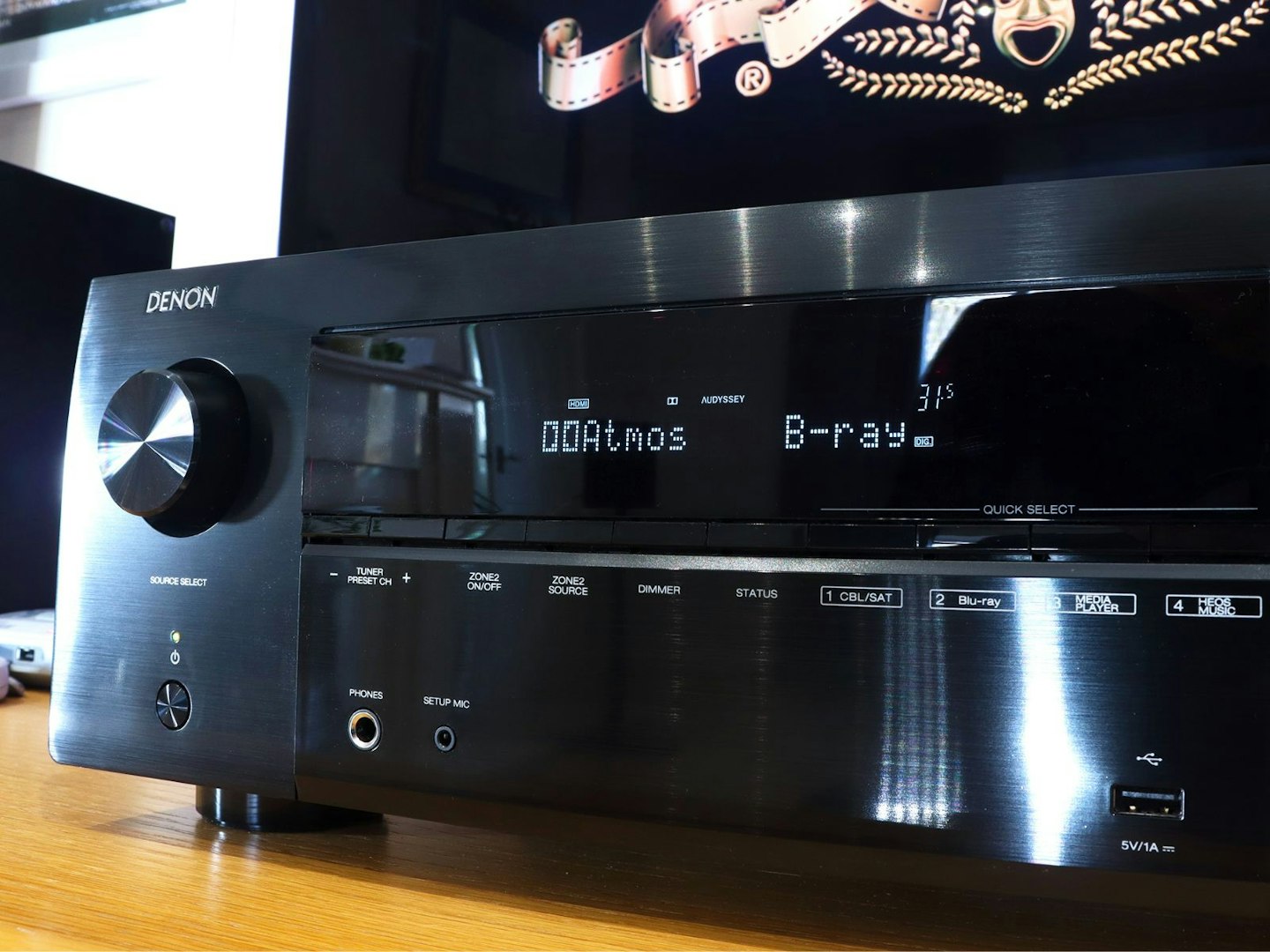
Dolby Atmos is where this AVR amp excels. ©Chris Duffill, Empire
But the real superstar here is the Atmos performance. Having all of those speakers dotted around created a broad soundstage all of their own – but throwing cinematic spatial 3D sound into the mix absolutely brought the room to life. Consider the price for a moment: this has the same tag as several high-end all-in-one soundbars. But, what you gain from this AVR is a plethora of inputs, multiple speaker configurations and vast support for audio and video formats. For our money upgrading to the Denon AVR-X2800H from any premium soundbar (or skipping a soundbar altogether) is something of a no-brainer. It’s an extremely user-friendly step into the world of serious home cinema setups, and – despite the dot matrix display not making way for an IPS or OLED screen – we think that the classic Denon design and layout make it something of a looker too.
©Chris Duffill, Empire
Other home cinema receiver and speaker options
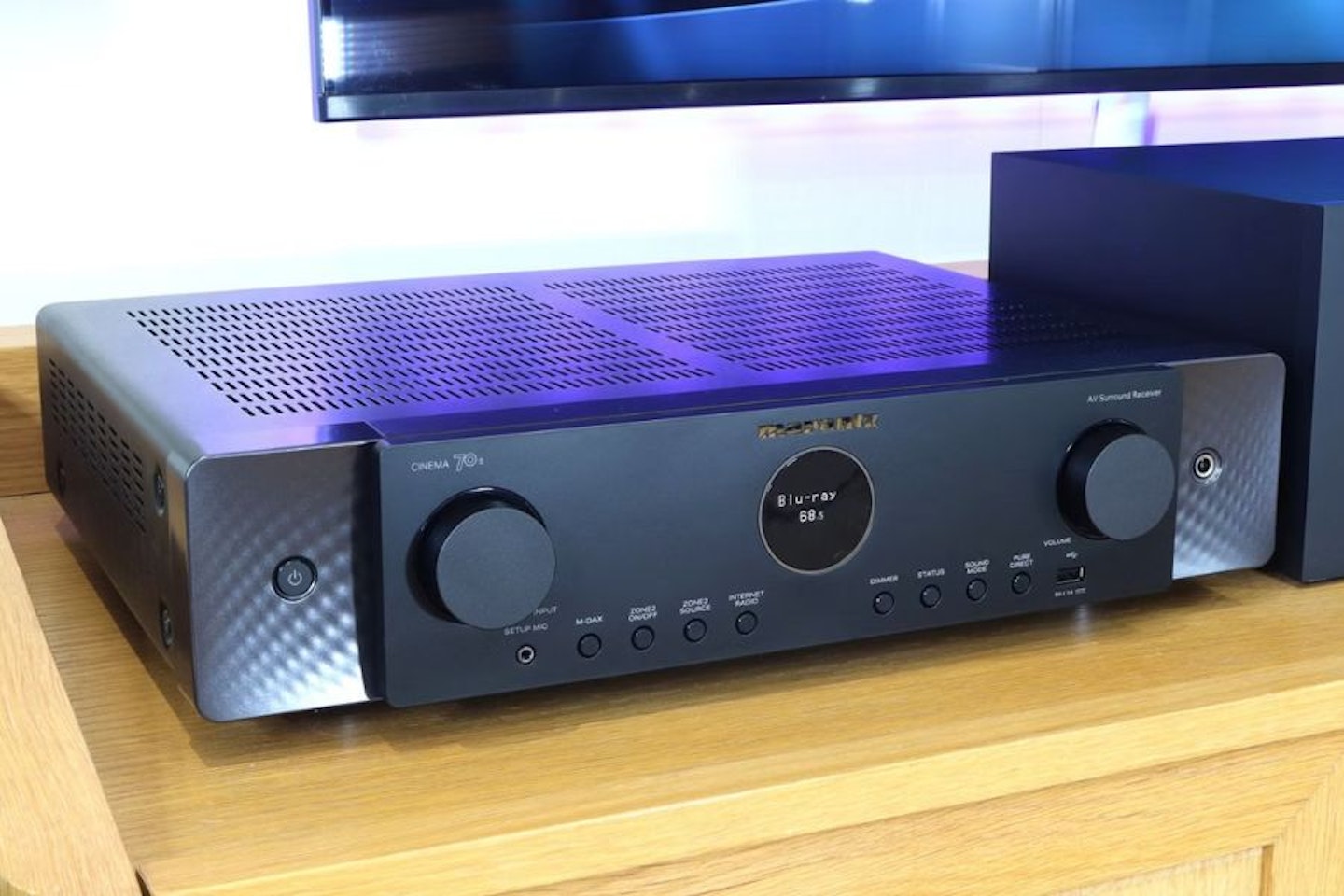
The Marantz Cinema 70s AVR is our top alternative choice to the Denon. In our review of the 70s we found it to be a highly capable AV receiver with a wide array of inputs and lots of format support. Its a more compact option, with only a few less inputs and the same 7.2 channel and Atmos/DTS: X spatial surround support. It’s also a similar price to the X2800H and punches well above its weight with its warm, cinematic sound and excellent bass response.
If you want something more compact (and a little cheaper, once you factor in speakers), the Denon Home cinema kit that we reviewed is a solid, quality option. Comprised of the Denon Home 550 soundbar, two Denon Home 150 Smart Speakers as rear surrounds, and a Denon Home Subwoofer, this Denon Home package is a premium compact option. It’s not as capable or powerful, but then again it is a soundbar-based system. All that said, the subwoofer is actually larger than the B&W one, but as it’s wireless you have a lot more freedom with its placement.
 Marantz
We found the Marantz Cinema 70s to be a remarkably capable AV receiver offering an impressive range of inputs and broad format compatibility. It’s a more compact alternative to the Denon AVR-X2800H, sacrificing only a small number of inputs while retaining the same 7.2-channel configuration and full support for Dolby Atmos and DTS
immersive audio. Priced similarly to the X2800H, the Cinema 70s may have fewer watts-per-channel (50 versus the X2800H’s 95 watts), but still delivers performance that exceeds expectations, combining a warm, cinematic sound signature with powerful, well-controlled bass.
Read our full review of the Marantz Cinema 70s.
Pros & ConsSpecifications
ProsA serious amount of power and finesseWide surround sound cinema audio format support, including Atmos, DTS: X and othersExcellent warmth and full-bodied soundstage with separation and rangeConsSome competitors offer AVRs with more channels at around the same priceNo backlit remoteChannels7.2 channelsAudio power70s AVR: 50W per channelConnectivityx 6 HDMI In (x3 eARC/4K/8K), x 1 Phono, optical, coaxial, LAN, USB, Bluetooth, Wi-FiCompatibilityDolby Atmos, DTS:XDimensions44 x 10.9 x 37.8 cmWeight8.7 kg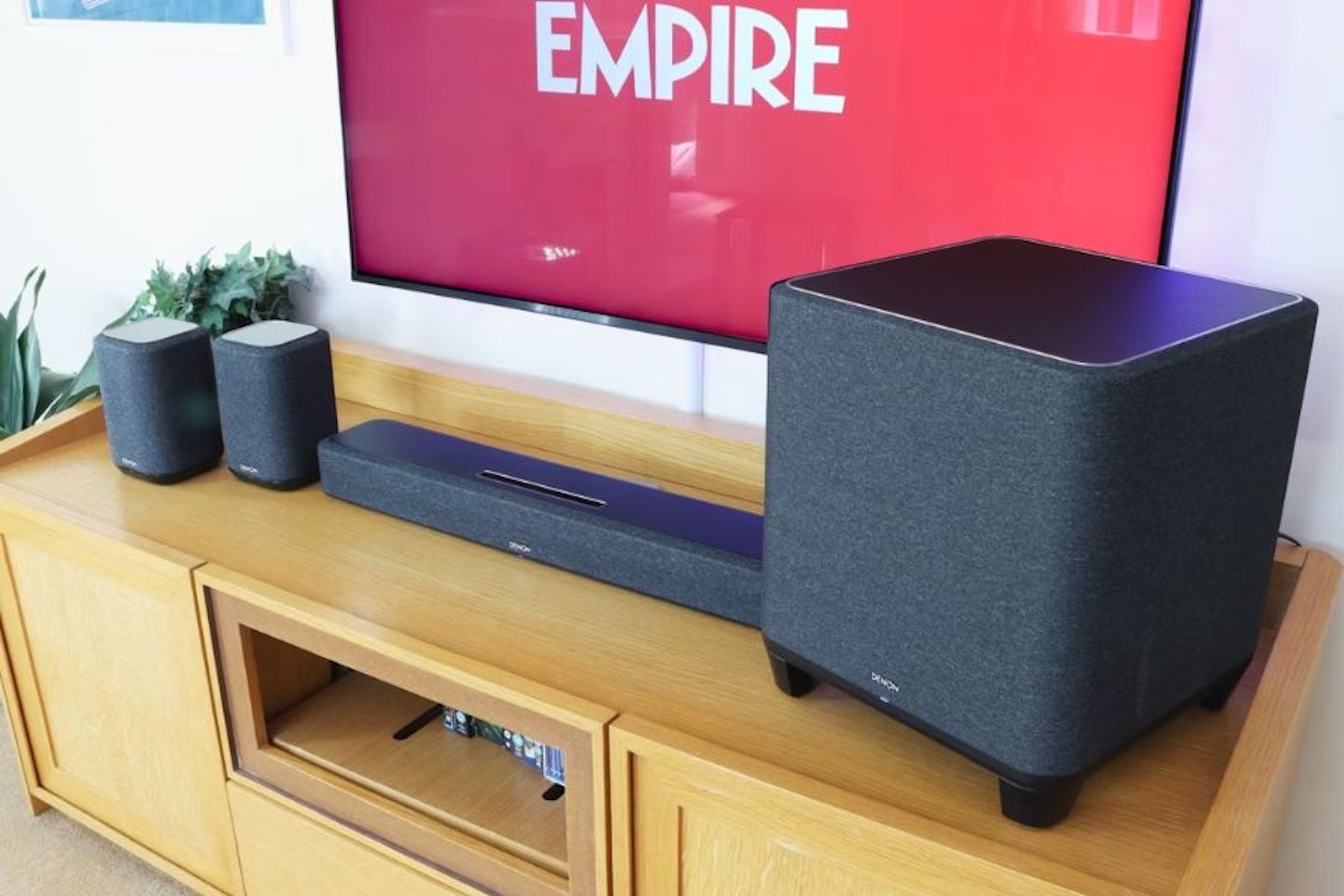 Chris Duffill, Empire
Price: $699.00

Our testing of the Denon Home Cinema kit revealed a stylish cable-free surround sound alternative to larger AVRs. We liked the fabric-wrapped living room friendly design of by the Denon Home 550 Soundbar in combination with Denon Home 150 Smart Speakers and sub. As a soundbar option you get limited inputs, 4.1 channels and none of the AVR functionality – but you do get Dolby Atmos and DTS: X support.
Read our full review of the Denon Home Cinema kit.
Looking to buy this system? We’ve included a link to the Home 550 Soundbar here, but you’ll need to follow these links to the Denon DSW-1H subwoofer and Denon Home 150 surround smart speaker to purchase them separately.
How We Tested The Denon AVR-X2800H
The Denon AVR-X2800H was installed in a living room measuring around 21 x 16 ft. It was connected to a Samsung QLED 55-inch TV via HDMI eARC, an Xbox Series X, a CD player, an Audio-Technica turntable, a SNES Classic Mini console, and a Sony 4K Blu-ray player. Streaming content was provided via the TV, with audio routed back to the AVR-X2800H via the eARC port. Sound formats tested included stereo, 5.1 surround sound (Dolby and DTS versions), Dolby Atmos, and DTS: X. B&W 607 speakers were placed on floor stands with carpet spikes, the centre speaker was placed on a Blok AV unit, and the subwoofer was fitted with the included carpet spikes. Testing took place in the daytime and evening with no or low levels of environmental noise.
All of the items in this review were loaned to us by a PR agency. Neither the PR agency or Denon had any editorial control over the content of this review.
Latest Updates
This review was first published in March 2026. Any further notable additions or amendments will be mentioned here.
Chris Duffill is a senior tech reviewer, writing for Empire, What’s The Best, Yours and other brands. He specialises in home entertainment and audiovisual tech, including speakers, amplifiers, TVs, projectors, turntables and more.
Having worked in video production, photography and graphic design, he has decades of professional experience with a wide range of audio visual equipment, software and technologies. He’s owned and installed several home cinema systems of various sizes and specs, including cinema projectors and surround sound setups, including Dolby Atmos. He’s a lifelong TV and movie fanatic with a Masters in Screenwriting from the UEA.