
Why you can trust TechRadar
We spend hours testing every product or service we review, so you can be sure you’re buying the best. Find out more about how we test.
LG G6 OLED TV: Two minute review
The LG G6 OLED TV is the successor to the excellent LG G5 elite OLED, and it’s a worthy follow-up. It uses a new-gen Primary RGB Tandem 2.0 OLED panel with a new Alpha 11 AI Gen 3 processor to help it deliver better picture quality and performance. Feature packed and able to handle anything thrown at it, the G6 sets the standard for OLED in 2026, in more ways than one.
The real game changer is its reflection handling, which does a fantastic job of limiting mirror-like reflections while maintaining better black levels than the Samsung S95F, which we rated as the best OLED TV for bright-room viewing… until now.
Detail is exceptional, with crisp textures, while motion handling is smooth and natural. The G6 is a truly impressive TV to look at.
The G6’s built-in sound has had some big changes, with a drop in the number of sound modes available for the 4.2-channel speaker system. I preferred using the AI Sound Pro mode, which has had its sound profile altered compared to the G5’s version of this mode.
It’s more direct, punchier and more accurate now. But ultimately, while the G6’s sound is solid, I’d still add one of the best soundbars for the full cinematic experience.
LG’s OLEDs are always among the best gaming TVs on the market and the G6 is no different. With four HDMI 2.1 ports supporting a full suite of features — 4K 165Hz, FreeSync and G-Sync variable refresh rate certification, HGiG HDR, Dolby Vision gaming — plus a new ultra-low measured input lag of 8.9ms, the G6 is a fantastic gaming set.
LG’s webOS continues to be one of the better smart TV platforms available, and webOS 26, the latest iteration, is another great instalment. There’s a rich suite of picture settings, the navigation and layout is intuitive, and actually useful AI tools for content recommendations and user quality-of-life. It’s not perfect, with bulky ad space on the home screen, but there’s little else to complain about here.
At $3,399 / £2,999 / AU$4,999 for the 65-inch model I tested, the G6 is a premium-priced TV. Its US launch pricing is consistent with the G5’s launch pricing last year in the US, and is a little cheaper in the UK — and I don’t expect it will stay at these prices for long, because TVs always start dropping soon after launch. It delivers good overall value thanks to the performance you’re getting for the price, but it remains at the top end of the TV market.
If your priority is having the deep cinematic dark tones that OLED is known for, but viewable in as many lighting conditions as possible, the LG G6 is elite.
LG OLED evo AI G6 4K Smart TV 2026 (65-inch OLED) at Best Buy for $3,399.99LG G6 review: Prices & release date
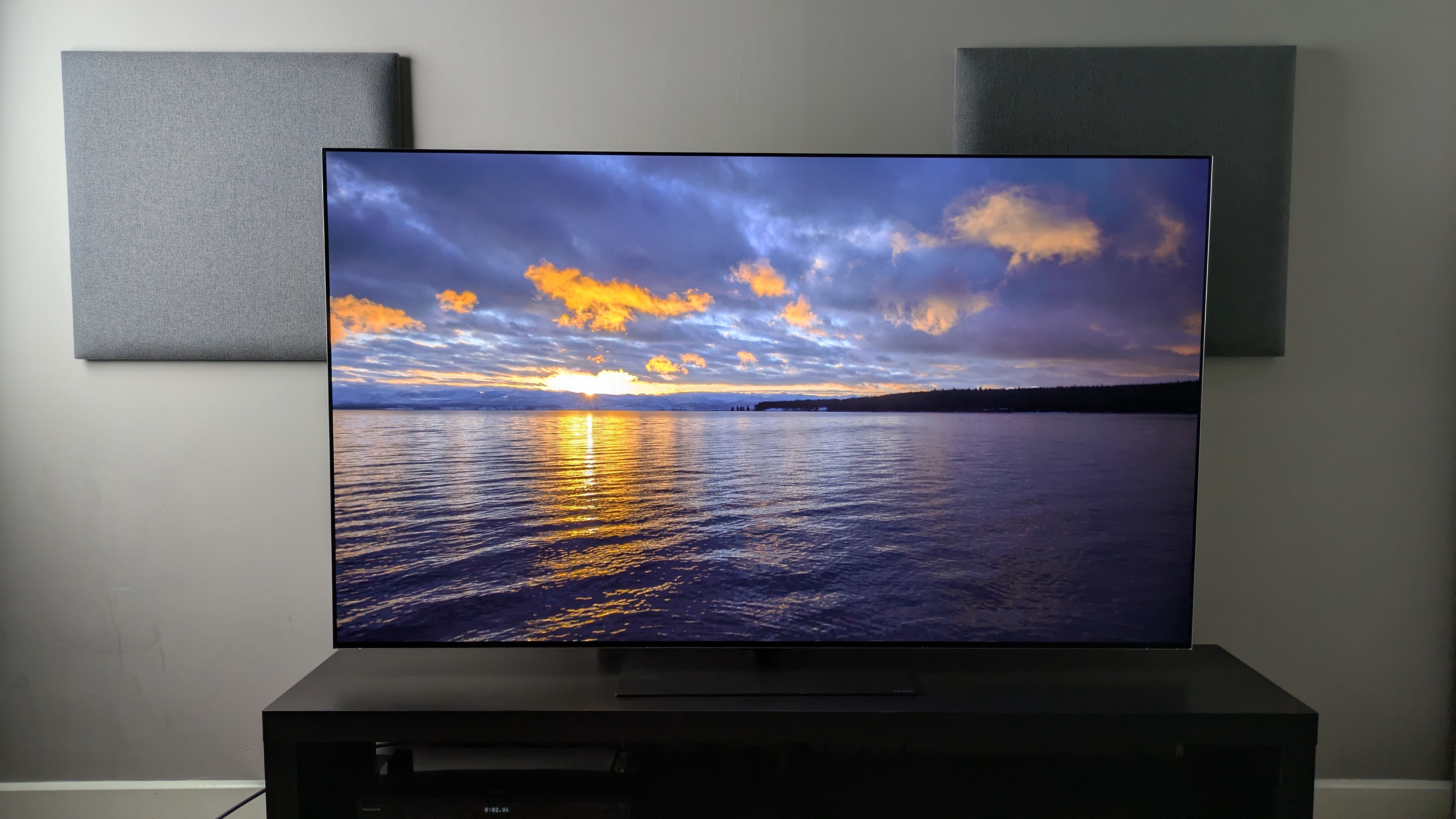
(Image credit: Future)Release date: March 2026 (US/Aus) / May 2026 (UK)48-inch price: $N/A / £TBC / AU$N/A55-inch price: $2,499.99 / £2,199 / AU$3,99965-inch price: $3,399.99 / £2,999 / AU$4,99977-inch price: $4,499.99 / £3,999 / AU$7,49983-inch price: $6,499.99 / £TBC / AU$9,99997-inch price : $24,999.99 / £TBC / AU$29,999
The LG G6 is one of LG’s flagship OLED TVs for 2026, alongside the ‘Wallpaper’ LG W6. It sits above the mid-range LG C6 (and new LG C6H, which is the version of the C6 at larger sizes) and entry-level LG B6. It is widely available in 55, 65, 77 and 83-inch sizes.
There is also a smaller 48-inch model in the UK, and a larger 97-inch model in the US and Australia (though you should expect different performance results from these panels — especially the 97-inch model, which uses a much older OLED panel rather than the Primary RGB Tandem 2.0 panel in the other sizes).
Prices have remained consistent with the G6’s predecessor, the G5, in the US and Australia, but in a surprising turn of events, the G6’s launch prices in the UK are cheaper than the G5’s were in three key models: 55, 65 and 77-inches, with all three coming in £200-500 cheaper than their predecessors.
LG G6 review: Specs Swipe to scroll horizontally
Screen type:
OLED
Refresh rate:
Up to 165Hz
HDR support:
Dolby Vision, HDR10, HLG
Audio support:
Dolby Atmos
Smart TV:
webOS 26
HDMI ports:
4x HDMI 2.1
Built-in tuner:
ATSC 1.0 (USA)
LG G6 review: Benchmark results
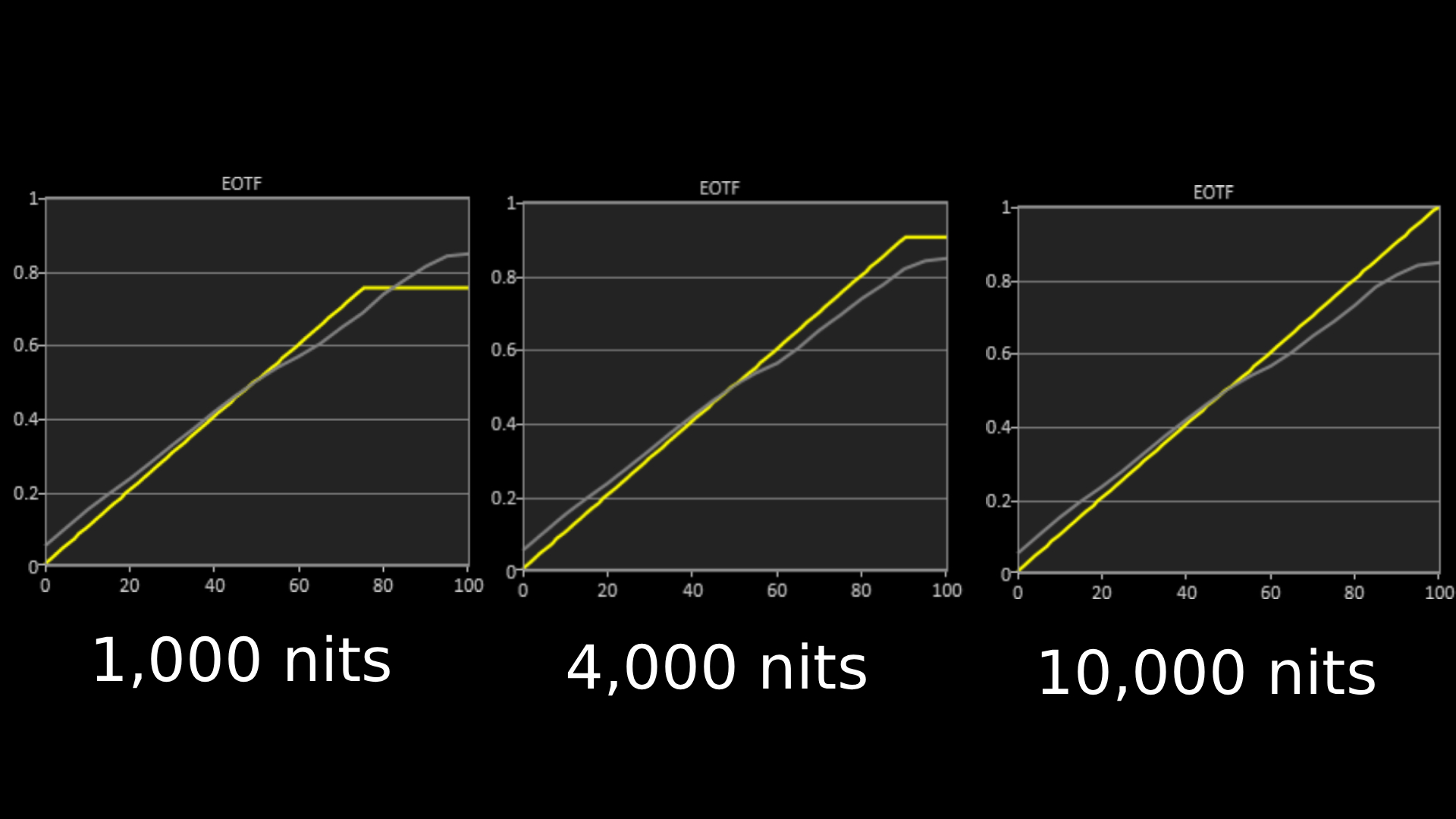
The above EOTF graphs show the accuracy of the LG G6 for hitting different HDR brightness levels in grayscale. The closer to the yellow line, the more accurate a TV is. As with all our tests, these results are out of the box, without calibration, to demonstrate the performance most people will see. (Image credit: Future)
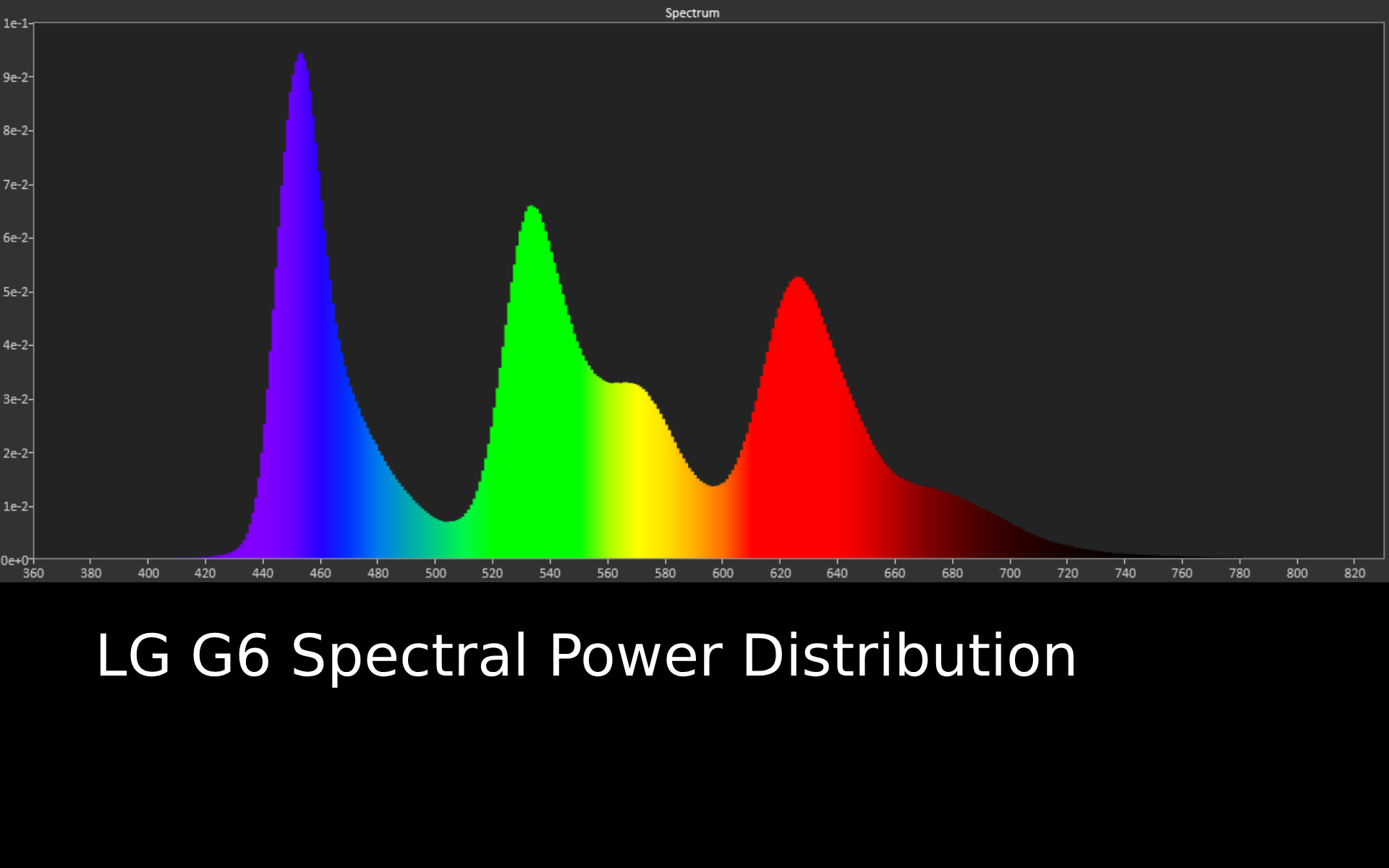
Spectral power distribution refers to the intensity of light that a source will display at various wavelengths of color. It can reveal how accurate a source can show color at different light levels, and can be instructive to understand how a TV is handling color. (Image credit: Future)LG G6 review: FeaturesPrimary Tandem RGB OLED 2.0 panel and Alpha 11 Gen 3 AI Processor 4K 165Hz for PC gaming with full VRR supportNew LG webOS adds more AI features and tweaks some settings
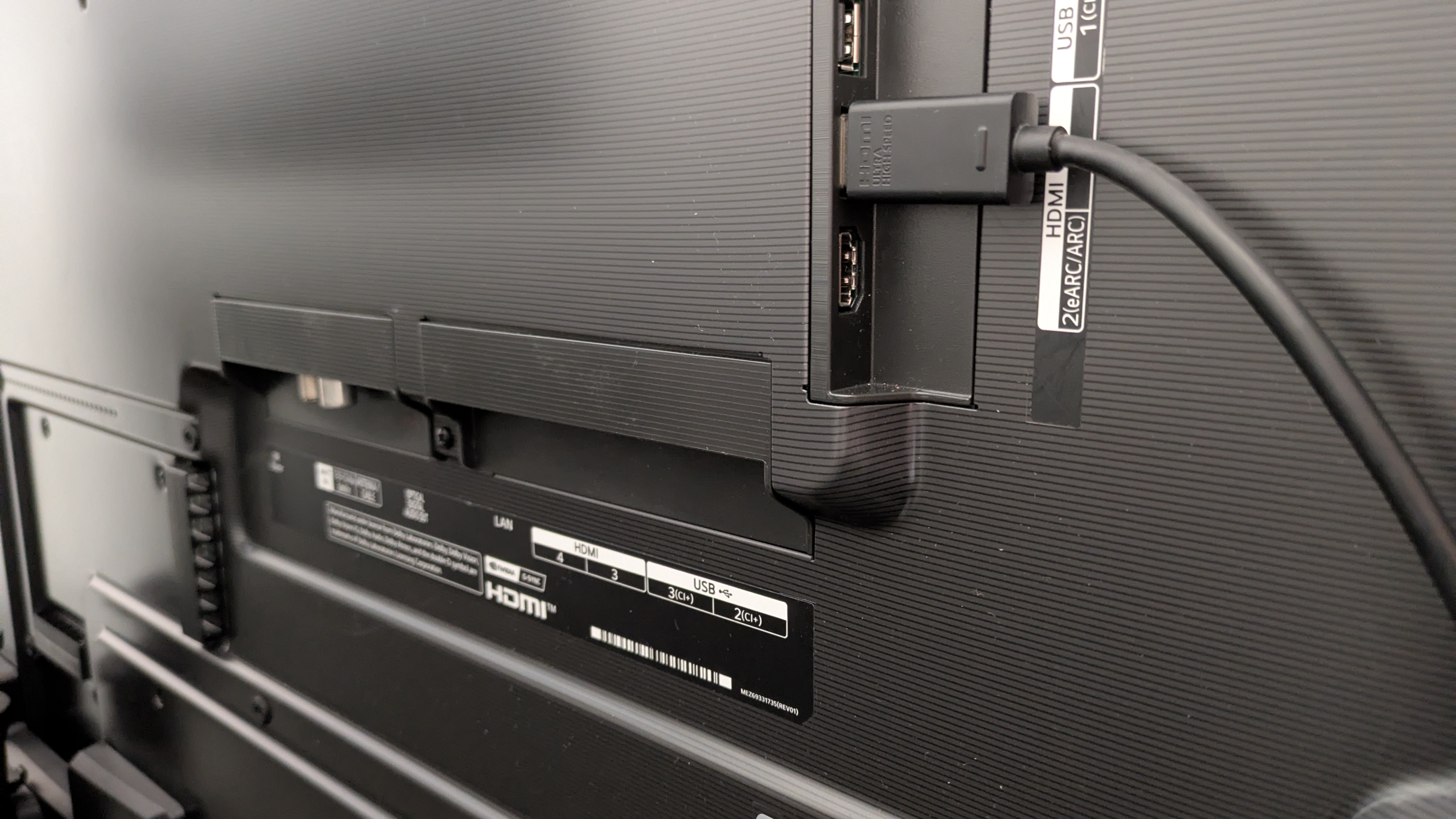
The G6 comes with four HDMI 2.1 ports, perfect for those with multiple gaming devices and a soundbar (Image credit: Future)
The LG G6 is equipped with the Primary RGB Tandem 2.0 OLED panel, the second generation of the redesigned OLED panel first introduced in the G6’s predecessor, the G5. It delivers higher brightness, and LG has added better reflection handling on top of that.
The G6 also features the new Alpha 11 Gen 3 AI Processor, which features Brightness Booster Ultimate, a ton of AI features including AI Search and AI Chatbot, and faster processing speeds.
New features also include 12-bit color processing and 13-bit output (the final 1-bit is a brightness boost), Dual AI Super Resolution, Dynamic Tone Mapping Ultra and enhanced AI Sound features including Object Enhancement.
The G6 supports Dolby Vision HDR, but as usual does not support HDR10+. It also supports Dolby Atmos sound, but again there is no DTS support. It also supports Chromecast and Apple AirPlay 2. LG says there are currently no plans for Dolby Vision 2 support.
Gaming is well supported on the G6, with 4K 165Hz, full variable refresh rate options including AMD FreeSync and Nvidia G-Sync, HGiG HDR, auto low latency mode, and Dolby Vision Gaming all supported across four HDMI 2.1 ports. Game Optimizer mode features as usual with plenty of settings available to tailor the gaming experience.
For audio, the biggest change is the reduction of available sound modes — from eight to four — with more of a focus on AI sound modes. The TV comes with the same 4.2 channel speaker system as last year’s G5 and again supports the AI Sound Wizard first debuted in last year’s Alpha 11 Gen 2 processor.
As before, there’s no support for DTS decoding in the TV, so it’s best if your source device or soundbar can handle this.
As for the latest iteration of LG’s own smart TV platform, webOS 26, there have been alterations to the AI features from last year, such as a more refined AI Concierge which can use Generative AI as well as a new layout for major settings in menus that prioritize users more.
The Quick Menu can also be customized to add more personal features such as Game Optimizer. Quick Cards return, and more have been added such as Home Office and Music.
LG G6 review: Picture quality Rich and especially natural color reproductionExcellent contrast and shadow detail, even by OLED’s standardsSurprisingly effective reflection handling that’s a big step up
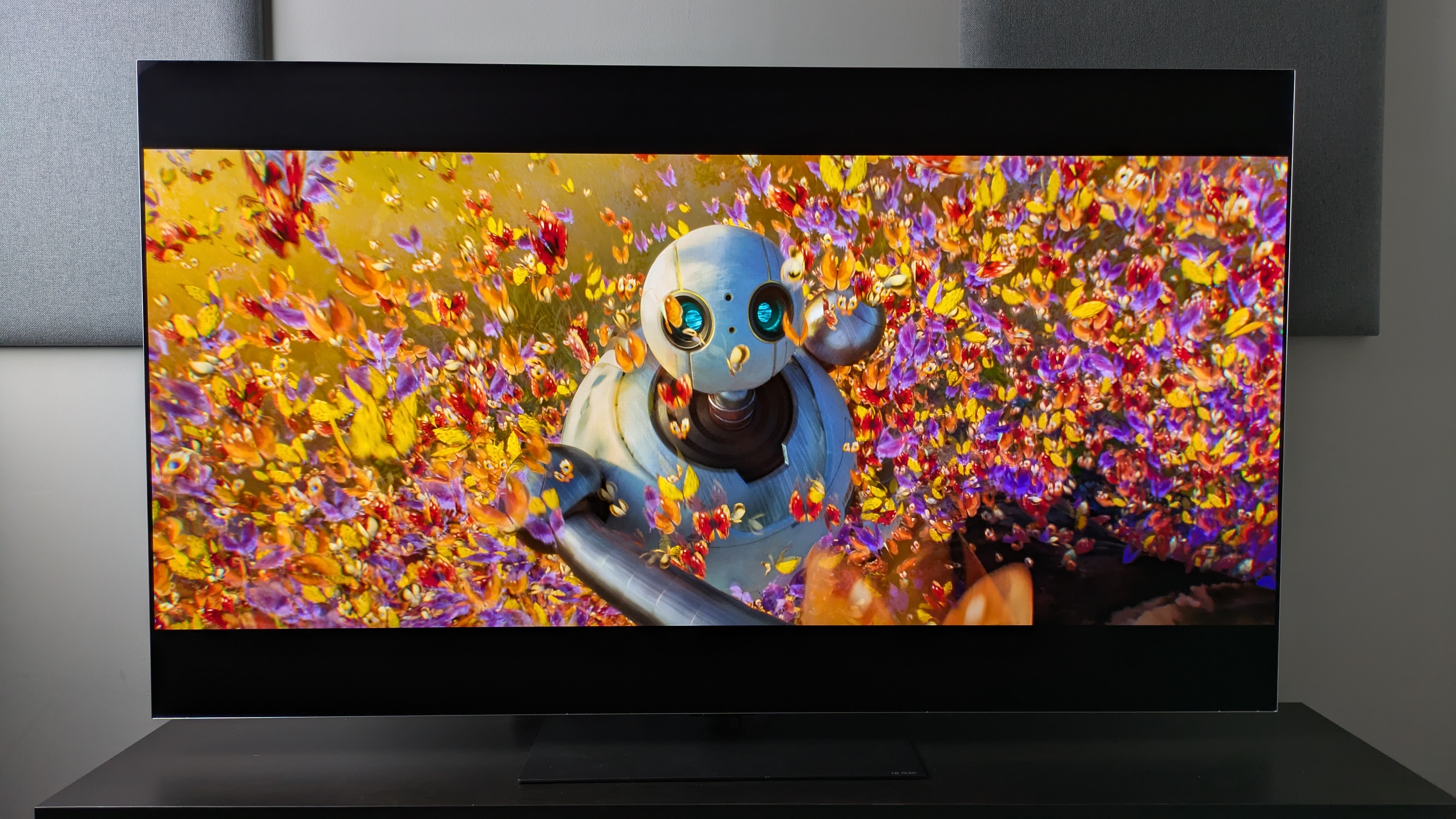
The G6 delivers excellent colors which appear both rich and accurate, shown here in The Wild Robot (Image credit: Universal Pictures / Future)
Beginning with some brightness measurements, the LG G6 hit 2,471 nits HDR peak brightness in Filmmaker Mode and 2,454 nits in Standard mode. While the Filmmaker Mode number is roughly a 200-nit increase from the G5, the Standard mode figure is a massive 604 nits increase (the G5 measured 1,850 nits), which is far higher than the 20% increase LG had promised.
Fullscreen HDR brightness has received the most meaningful boost, with the G6 hitting a measured 455 nits in Filmmaker Mode compared to the G5’s 331 nits. In Standard mode, it measured in at 373 nits, again a nice jump from the G5’s 297 nits in the same mode, meaning pictures should appear far brighter overall.
Color reproduction is arguably the G6’s greatest strength, though. Although colors don’t appear as ‘bright’ on the G6 compared to its predecessor, the LG G5, LG told me this was “by design” and I think the tweak has paid off: colors are simply stunning on the G6 while looking totally natural.
Watching the market scene from The Sound of Music, where orange, yellow and fruits sit front and center on screen, all these colors looked rich, refined and still packed plenty of punch, while also appearing true-to-life. Other scenes which feature green hills and blue skies, such as the ‘Do Re Mi’ scene, also demonstrate the G6’s excellent color accuracy.
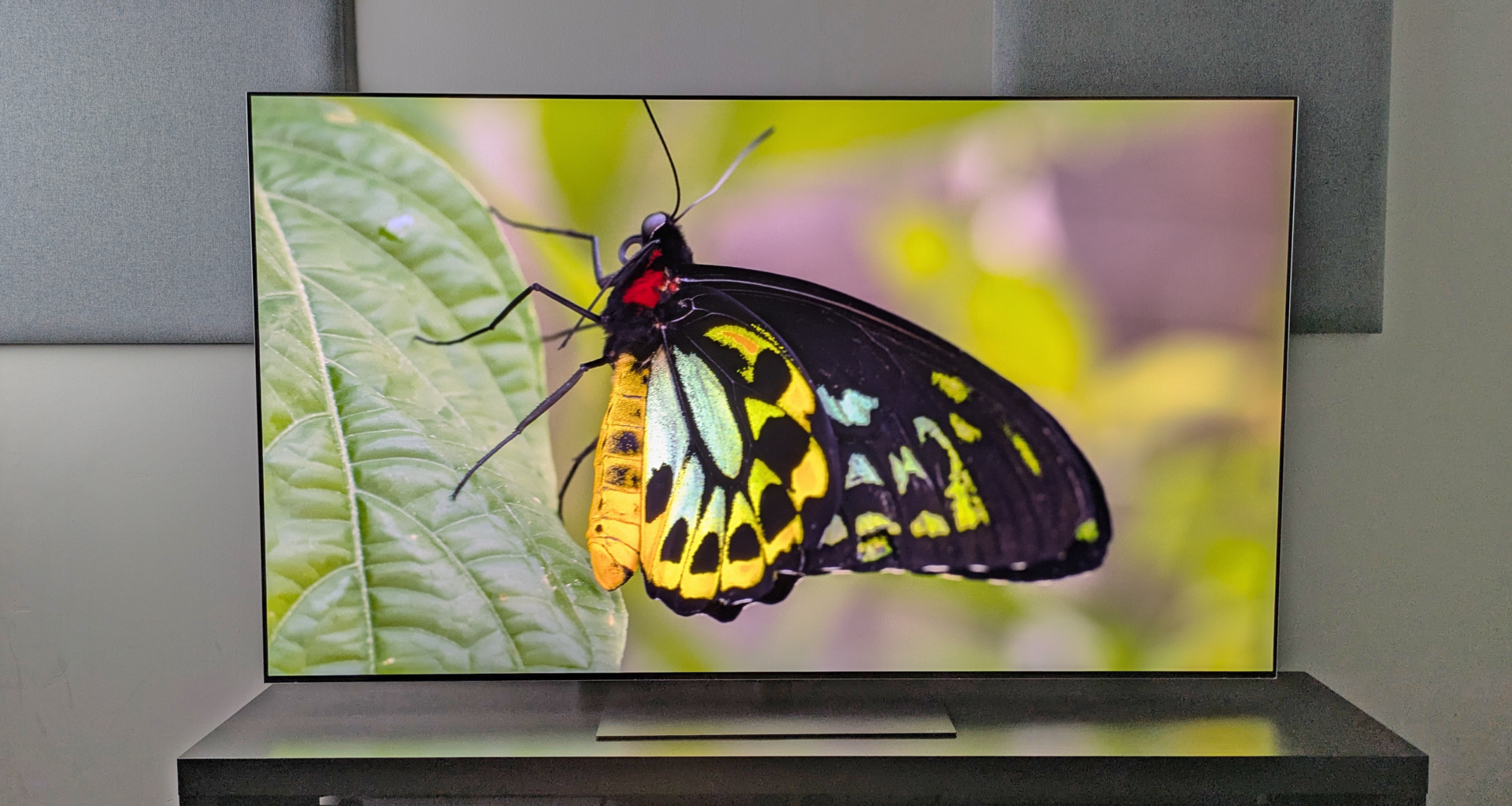
Switching to an animated movie, The Wild Robot, the G6 again delivers gorgeous hues. A scene where Roz is surrounded by multi-colored butterflies shows excellent color balance between neutral and bolder colors, but crucially still delivers the richness you’d want from an animated movie.
Measuring the G6’s HDR color gamut coverage, it hit 99.3% of the DCI-P3 color space and 82.7% of the BT.2020 color space. These are both superb results and help explain why the G6’s color reproduction stands out — it’s capable of showing pretty much everything that HDR video has to offer. It also registered a 1.4 delta-E SDR color accuracy in Filmmaker Mode: another brilliant result, meaning its colors are indistinguishable from ‘perfect’ to the human eye out of the box.
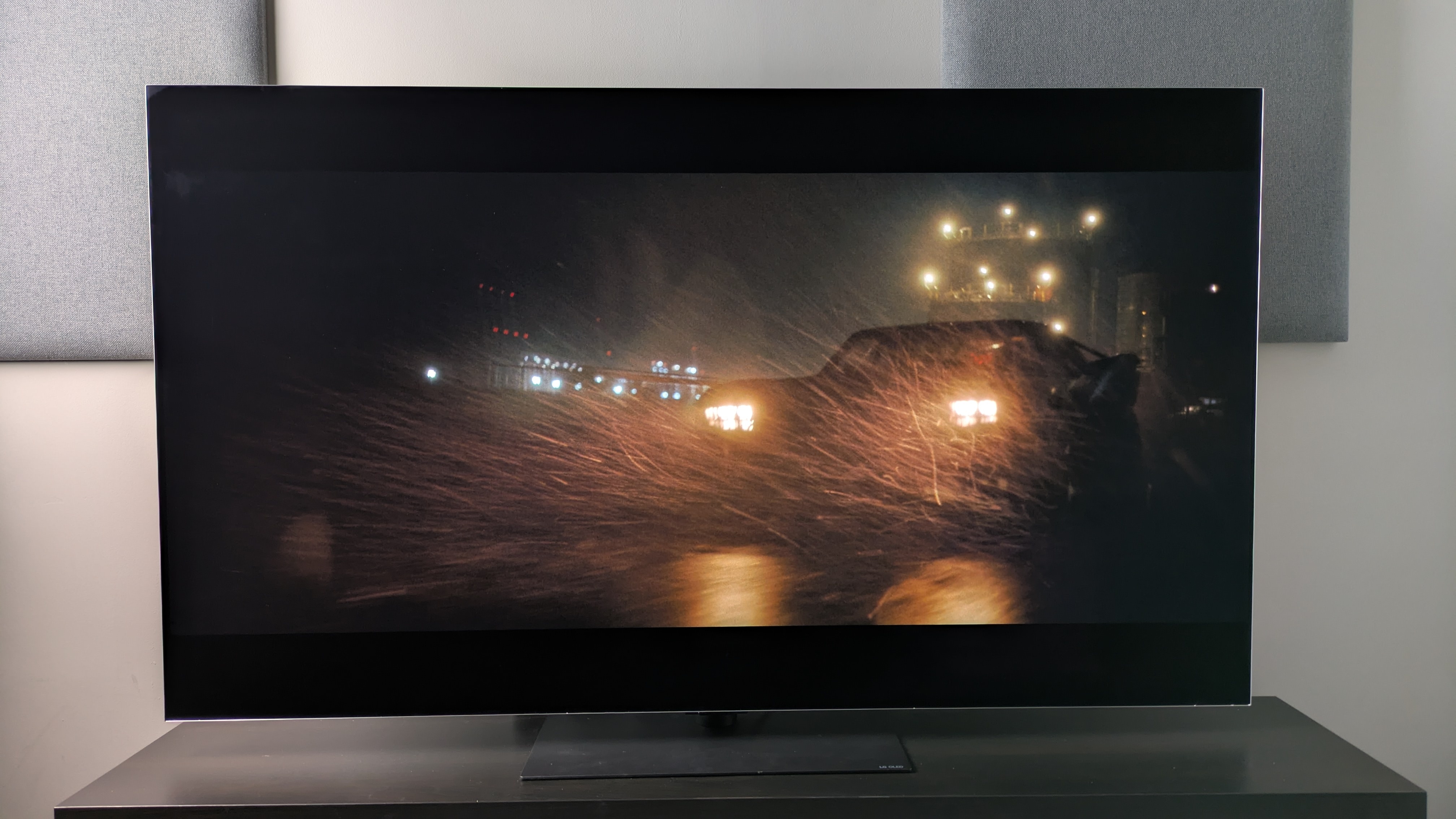
The G6 delivers strong contrast, with a good balance between dark and light tones, allowing subtle shadow detail to still break through (Image credit: Future / Warner Bros. Discovery)
The G6’s contrast is another high point. Watching various high-contrast scenes from The Batman, such as the investigation in Mayor Mitchell’s house and the subway fight scene, the G6 delivers powerful contrast with deep, rich dark tones of the dark wood surroundings balancing with punchy highlights from light sources.
This is also true in Alien: Romulus, where shots of space show ‘perfect’ blacks mixed with refined highlights of stars and suns. Next to the G5, these shots are not only more balanced but more controlled, demonstrating minimal clipping in the lights.
Shadow detail is also excellent on the G6. In The Batman’s many dark scenes, details such as Batman’s armor, the panelling of a column on the subway platform, and even the portraits on the walls of Mitchell’s house are all visible without the need for raised brightness.
One area where the G6 really impressed was its reflection handling. Playing dark movies such as The Batman, Nosferatu and Alien: Romulus with overhead lights in our testing lab turned on, I was surprised by how much of the picture was visible and even how few mirror-like reflections there were. Not even the ‘torture test’ of The Batman was muddied on the G6.
It’s the black retention that also impresses, as I found when testing the G6 next to the Samsung S95F, with its anti-glare matte screen. While the S95F can cut out mirror-like reflections totally, its black tones can end up looking gray compared to the G6 in some lighting conditions, while the G6 manages to balance both reflections and black accuracy.
The G6’s motion handling is fantastic. Testing various sports including basketball, tennis and football, pictures are smooth and responsive throughout with no signs of motion artefacts such as ghosting. Either the Cinematic Movement or Natural motion settings, located in the TruMotion menu, worked well during my testing, though I did find motion settings necessary as some mild judder would occur with these settings turned off.
Motion handling for movies was also great. I personally found that my preferred setting was the Cinematic Movement setting, which did a good job reproducing a panning scene of a rocky hillside from No Time To Die with only minimal judder (which is expected). Throughout the succeeding chase scene, fast motion camera shots appeared smooth.
A DVD of The Amazing Spider-Man shows just how impressive the G6’s upscaling is. The picture on the 65-inch model was bright, clean and had crisp textures compared to some cheaper TVs I’d seen. I already knew how impressive LG’s OLEDs were at upscaling based on the G5’s performance in this area in last year’s four-way OLED showdown I did, but the G6 took it a step further, adding even more detail.
Picture quality score: 5 / 5LG G6 review: Sound quality
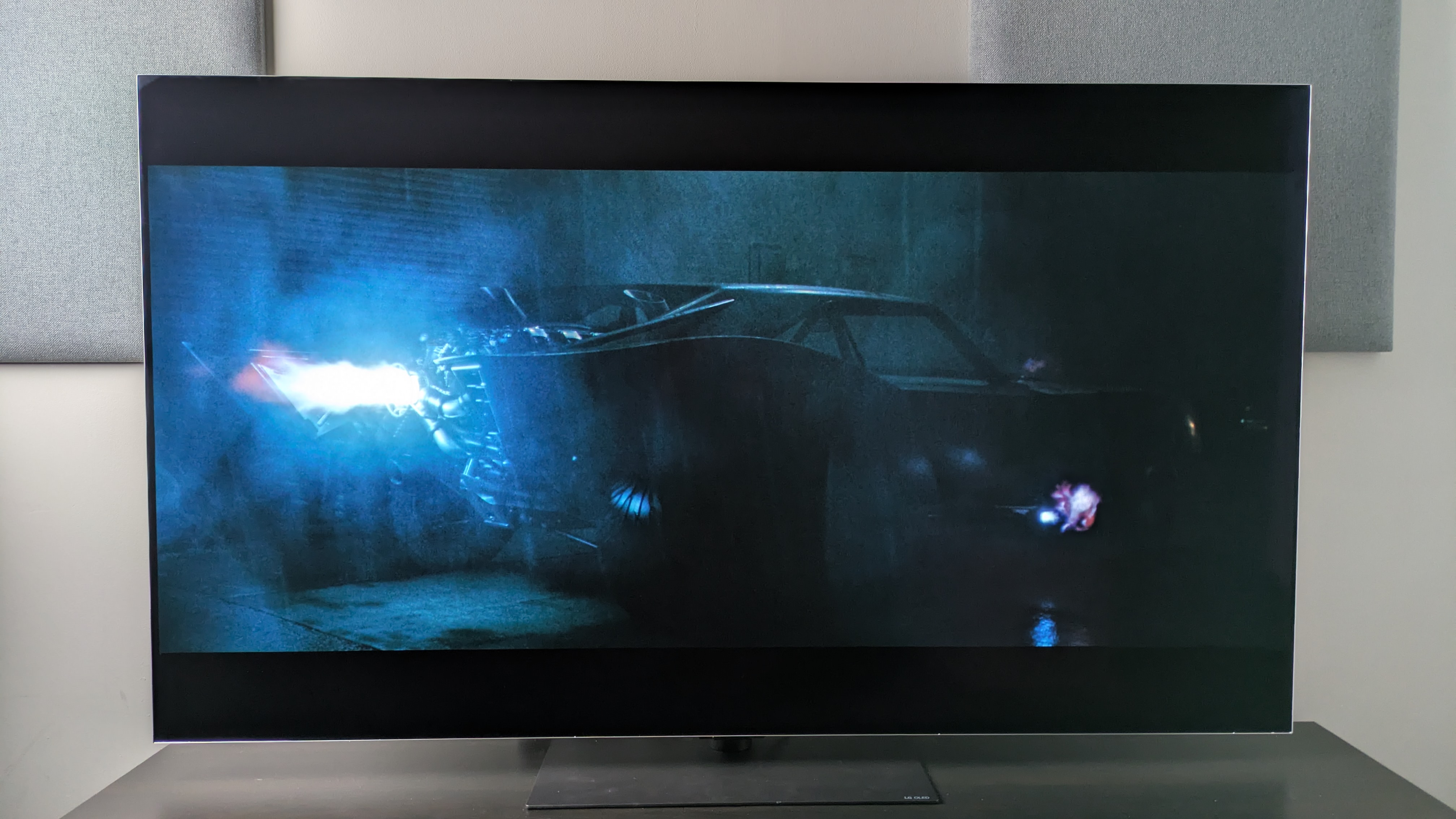
The G6’s built-in speakers deliver accurate, punchy sound but ultimately a TV with this picture deserves a soundbar. Perfect for scenes like the Batmobile chase from The Batman (pictured). (Image credit: Warner Bros. / Future)4.2 channel speaker array with four sound more optionsGreat accuracy, good detail and solid power Soundstage isn’t that wide compared to a soundbar
Testing the G5 last year I found myself drawn to the AI Sound Pro mode as well as the Cinema setting. With the removal of the latter in the G6 this year, I settled on AI Sound Pro as my favorite after testing the G6’s built-in 4.2 channel speaker system. AI Sound Pro upmixes sound to an 11.1.2-channel configuration with the aid of the Alpha 11 Gen 3 Processor. Dolby Atmos is supported, but there’s no DTS support of any kind.
LG has altered the AI Sound Pro profile for the G6 and it results in a more direct, bassier sound than last year’s G5. The sound profile itself also focuses on more mid-range tones, which I found more appealing than last year’s brighter G5.
Using the Batmobile scene from The Batman, the G6’s speakers deliver punchy bass, capturing the rumble of the Batmobile’s engine during ignition accurately. Mapping between sound and the action on screen is precise, with the swerving tyres and car horns of passing cars sounding authentic. This is also true during The Mask. As The Mask himself tornadoes around, the G6 does a good job with the directionality of the sound.
While the G6 also delivers a respectable soundstage, with sound sometimes extending beyond the screen, it all still feels quite contained. The speakers don’t have the punch of a soundbar or of TVs with larger speaker systems such as the Sony Bravia 8 II or Panasonic Z95B. The G6 is good for general movie and TV viewing, but its sound doesn’t match the sheer brilliance of its picture.
Sound quality score: 4 / 5LG G6 review: Design

The LG G6 has both a stand (pictured) and wall-mounting options for some sizes in some regions (Image credit: Future)Wall-mount and stand options for some sizesPremium, sturdy build on the whole TV setRemote still feels cheap in comparison
The LG G6 carries a lot of the same design over from the G5. It still has a metal frame that looks premium and feels reassuringly sturdy, along with a heavy, gray and metal pedestal stand that can be placed at two heights to make room for a soundbar. There’s a cable-tidy option at the back of the TV as well.
The G6 also comes with a slim-fit wall-mount in the box in some sizes (depending on region) for those that want to wall-mount their TV. The G6’s screen itself has a near-bezelless design, meaning the picture takes up basically all of the front — something that’s not so true with Samsung‘s new 2026 flagship OLED TV.
LG’s Magic Remote returns here, and while the US remote benefits from a somewhat slimmer build with a more streamlined button layout, the UK is stuck with the old-style magic remote with a wheel.
The latter still feels light and cheap: not something you want for a TV at this price. LG could take some lessons from brands such as Philips and Hisense, whose remotes feel far more premium.
LG G6 review: Smart TV & menus
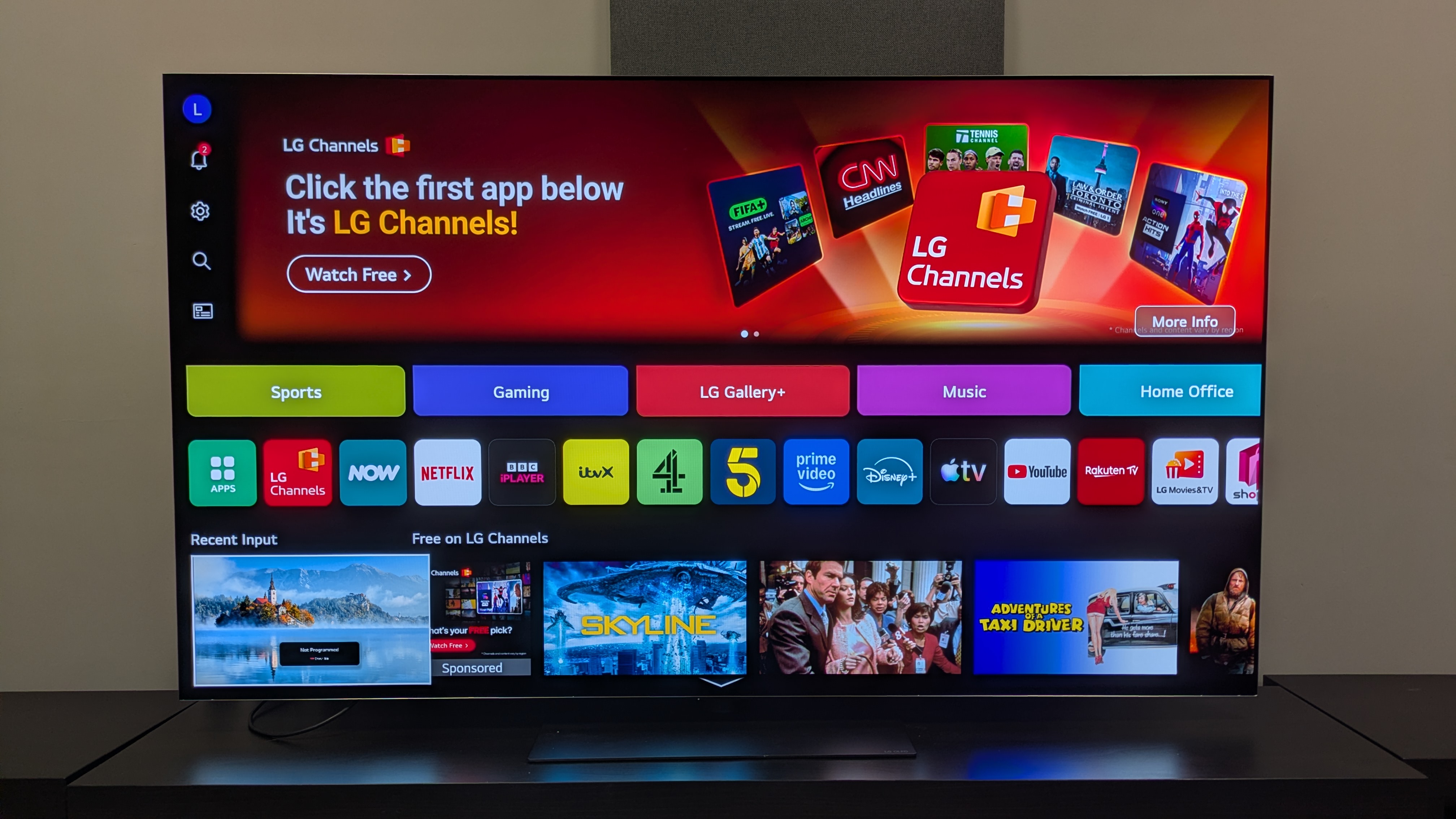
LG’s webOS 26 is still one of the best smart TV platforms available, with excellent quick card options and menu navigation. The large banner ad is a frustration however (Image credit: Future)Uses LG’s webOS 26 smart TV platform Expanded Quick Cards and customizable Quick Menu are usefulMore and enhanced AI features are actually welcome
The G6 comes with webOS 26 as its smart TV platform, which is the latest iteration of LG’s own smart TV. Some of the returning highlights features include the Quick Menu, which is a handy tool for easily changing picture and sound presets, and the Quick Cards feature, where apps can be organized into a relevant category ‘card’ on the home screen. For 2026, these cards have been expanded to include even more options.
The system also has an excellent array of accessibility options, which are also in their own quick card.
The AI Concierge, which previously helped you find tailored content recommendations based on searches and watch history, can now use Generative AI for other tasks, such as making travel plans.
Other AI tools introduced last year, such as Voice ID (which can activate a person’s profile with their customized settings simply by recognizing a voice), AI Search (for AI-assisted content search) and AI Chatbot (for troubleshooting) all return. There’s also an AI Art feature, where artworks can be generated, though you’ll have a limited number of credits.
As for menus, webOS 26 is easy to navigate, clearly laid out and has enough options to customize picture and sound settings without being overwhelming. One downside is that the webOS 26 homepage has over a third of its top space taken up by banner ads, which can be an eyesore, but it’s far from alone in this. It still remains one of the best smart TV platforms on the market.
Smart TV & menus score: 5 / 5LG G6 review: Gaming
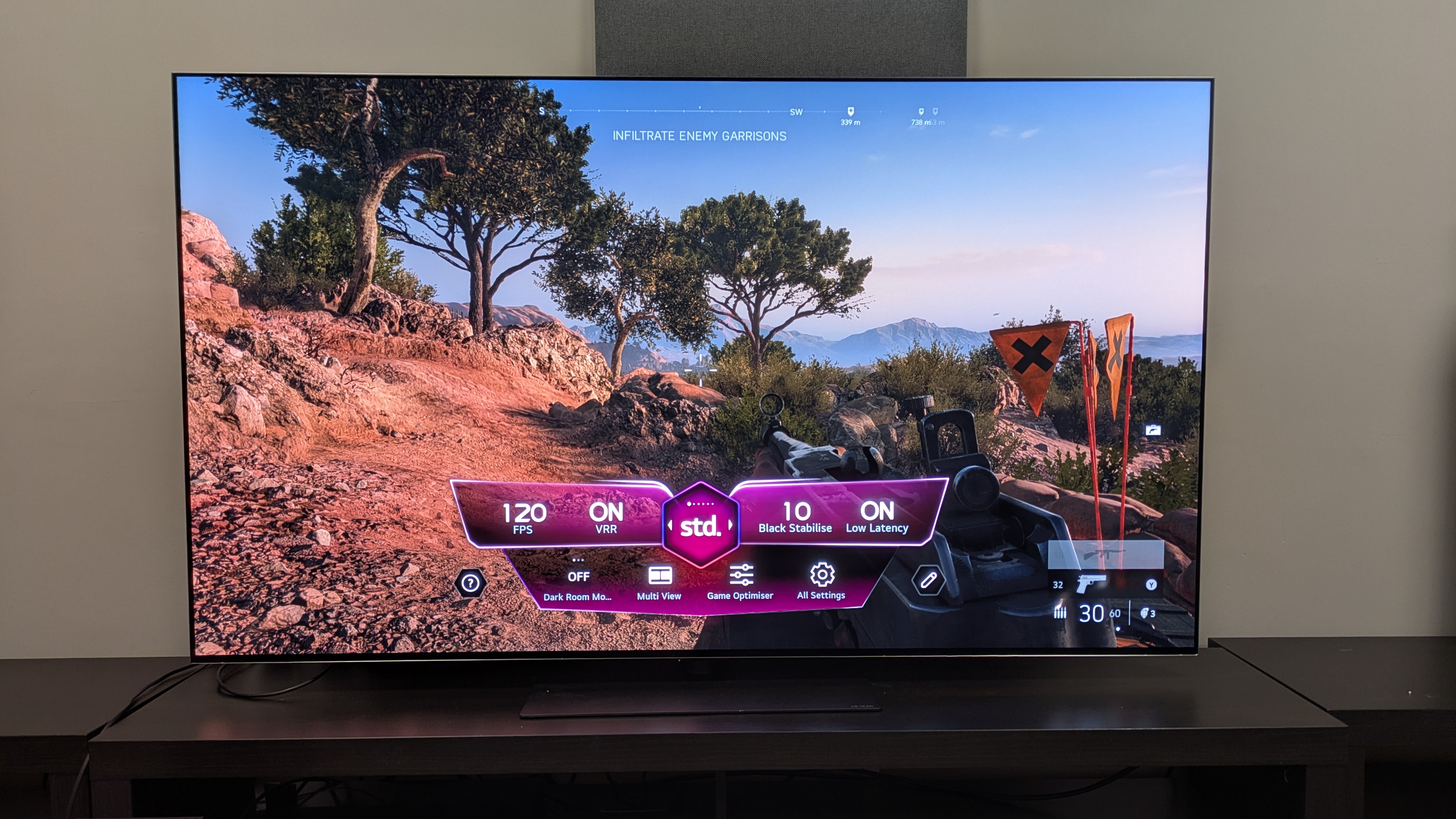
The G6 is a superb gaming display, expertly handling fast-paced games such as Battlefield V (pictured) and offering a full suite of features (Image credit: Future)4K 165Hz, AMD FreeSync and Nvidia G-Sync all supportedUltra-low 8.9ms input lag time measured using a Leo Bodnar 4K meterFour HDMI 2.1 ports with full support for all gaming features
Following in the footsteps of LG’s previous OLEDs, the G6 is a phenomenal gaming TV. It comes with four HDMI 2.1 ports that have all the features gamers will be looking for: 4K 165Hz, VRR with both AMD FreeSync and Nvidia G-Sync supported, HGiG, Dolby Vision Gaming and auto low latency mode.
It also features the Game Optimizer menu where settings can be tweaked, including an ‘Input delay’ option. Activating Boost mode (for lower input lag), the G6 registered an 8.9ms measured input lag, beating the years of 9.2ms in its predecessors.
Playing Battlefield V, gaming performance on the G6 is razor-sharp and responsive. Whether it was a fast-paced mission driving a tank around war-torn Berlin or running from enemies in France, movement felt smooth and targeting was snappy and easy. There was never any stutter or delay during the most chaotic moments.
Gaming also looks gorgeous on the G6, with the rich contrast, bold colors and crisp detail it delivered for movies translated over to gaming. Once again, the G6 has set the bar for a gaming TV in 2026.
LG G6 review: Value
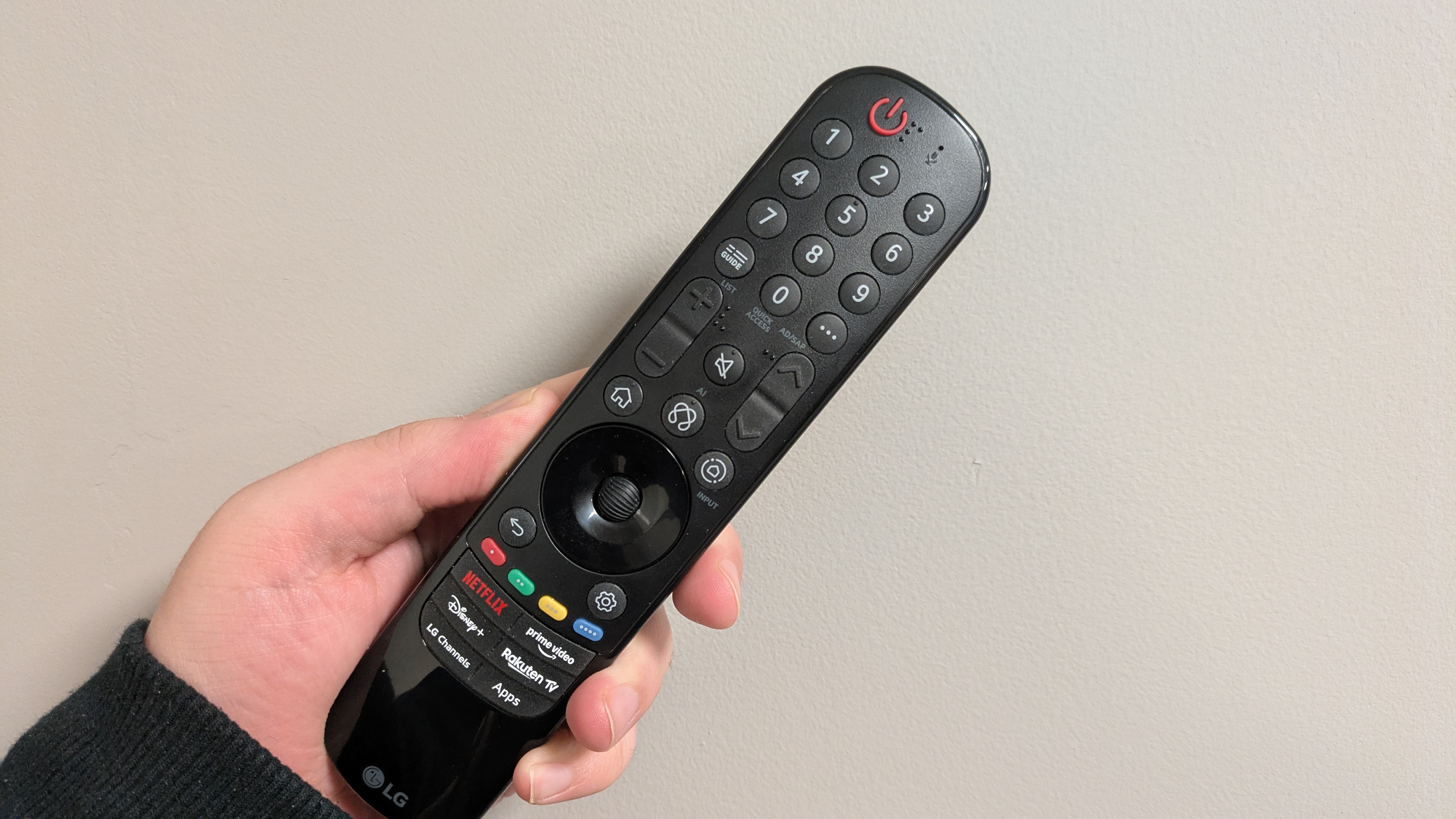
LG’s 2026 Magic Remote for the UK — fine, but should be more premium at this price (Image credit: Future)Good overall value compared to other flagship OLED TVsConsistent pricing with predecessor in the US, and cheaper in the UKStill very much a premium TV
The LG G6 is a premium-priced OLED TV, with the 65-inch version I tested costing $3,399 / £2,999 / AU$4,999 at launch. It delivers the premium experience OLED fans will want, with excellent picture quality and superb gaming performance, but it is undoubtedly a top-end TV.
While it also is an improvement over the G5 in terms of picture quality, the G5 is better value at the time of writing, as it nears the end of its first year of life. You can pick up a 65-inch G5 for $2,199 / £2,249 / AU$3,199, so if you’re desperate for a new G-series, the G5 is your best bet in terms of value for money. If you can wait, the G6 is the better TV to go for once prices drop.
Still, the G6 is a fantastic TV, really showing what flagship OLED can do. If you have the budget, the G6 is worth the investment.
Should you buy the LG G6 OLED TV?

(Image credit: Future)Swipe to scroll horizontallyLG G6 OLED TV scorecard
Attributes
Notes
Rating
Features
A full suite of smart and gaming features that cover all the bases you could need.
5 / 5
Picture quality
Superb picture quality with accurate colors and contrast, plus improved reflection handling for bright room viewing
5 / 5
Sound quality
Solid built-in sound with a more direct and punchy AI Sound Pro mode, but can feel limited in its width at times. Fewer sound modes than last year too.
4 / 5
Design
Premium design with wall-mounting and stand options, Uk remote could feel more premium though…
4.5 / 5
Smart TV and menus
Intuitive smart TV platform with easy to navigate menus, Quick Cards and AI tools. Fewer quirks and ads than most platforms.
5 / 5
Gaming
A complete suite of gaming features including 4K 165Hz and full VRR support. with very low input lag. A gaming powerhouse.
5 / 5
Value
Delivers good performance and features for the money, but is at the pricey end of the market.
4 / 5
Buy it if…Don’t buy it if…LG G6 review: Also consider…Swipe to scroll horizontallyHeader Cell – Column 0
LG G6 OLED TV
LG G5
Samsung S95F
Price (65-inch at launch)
65-inch price: $3,399.99 / £2,999 / AU$4,999
$3.399 / £3,399 / AU$5,299
$3,399 / £3,399 / AU$5,295
Screen type
OLED (Primary Tandem RGB 2.0)
OLED (Primary Tandem RGB 1.0)
OLED
Refresh rate
165Hz
165Hz
144Hz
HDR support
Dolby Vision/HDR10/HLG
Dolby Vision/HDR10/HLG
HDR10+/HDR10/HLG
Smart TV
webOS26
webOS25
Tizen
HDMI ports
4 x HDMI 2.1
4 x HDMI 2.1
4 x HDMI 2.1
How I tested the LG G6 OLED TV
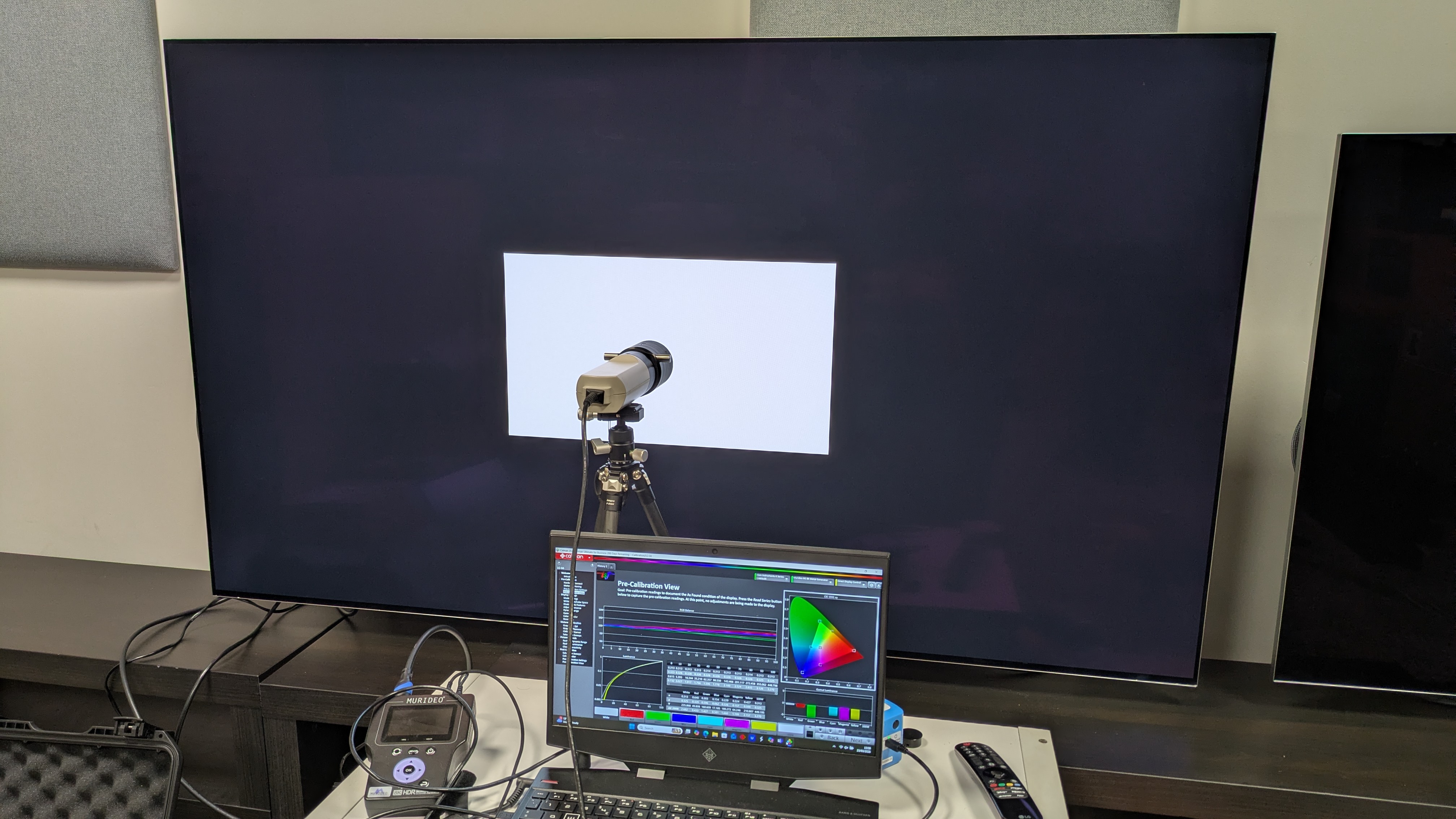
The testing setup for the G6, with Klein K-10A colorimeter, Murideo Six G 8K Metal test pattern generator and laptop with Portrait Displays Calman software connected (Image credit: Future)I tested the LG G6 over three weeks, watching streaming, 4K Blu-ray, regular Blu-ray, and DVDTested in various lighting conditions in our TV testing labsMeasurements taken using Portrait Displays Calman color calibration software
I first tested the LG G6 OLED TV with some casual viewing to establish its best picture modes, settling on Filmmaker Mode for SDR, HDR and Dolby Vision sources.
I then conducted real-world viewing tests using both SDR (DVD and broadcast TV) and HDR (4K Blu-ray and 4K streaming) where I analyzed the G6’s picture quality. I focused on color, contrast, shadow detail, motion and upscaling (for lower resolution sources such as DVD).
I also tested the G6’s built-in sound by using reference scenes to test its sound performance, such as The Batman and The Mask, on top of other viewing.
Once these subjective tests were completed, I did some objective testing by taking measurements suing specialized equipment. I used the Klein K-10A colorimeter (after meter profiling with the Jeti 15VA spectroradiometer), Murideo Six G 8K Metal test pattern generator and recorded results using Portrait Displays Calman color calibration software.
I measured the G6’s brightness in both Filmmaker Mode (its most accurate mode) and Standard picture modes, in both SDR and HDR. I used white window test patterns ranging 1-100%, focusing on 10% (peak brightness) and 100% (fullscreen brightness).
I also measured its HDR color gamut coverage, using both BT.2020 and UHDA-P3 color spaces, hoping for a result of over 95%. I also measured its SDR color and grayscale accuracy by taking the average of the Delta-E results (the margin for error between the test pattern signal and what’s shown on screen), hoping for results below 3 (anything below can’t be distinguished by the human eye).
I then measured the G6’s EOTF in 1,000, 4,000 and 10,000 nits brightness, which shows the accuracy at which the G6 displays in both dark and light areas.
I also measured the G6’s Spectral Power Distribution using the Jeti spectroradiometer, which shows the G6’s color performance.
Finally, I measured the G6’s input lag using a Leo Bodnar 4K HDMI Input Lag Tester, measuring this is milliseconds (ms).
LG OLED evo AI G6 4K Smart TV 2026: Price Comparison