
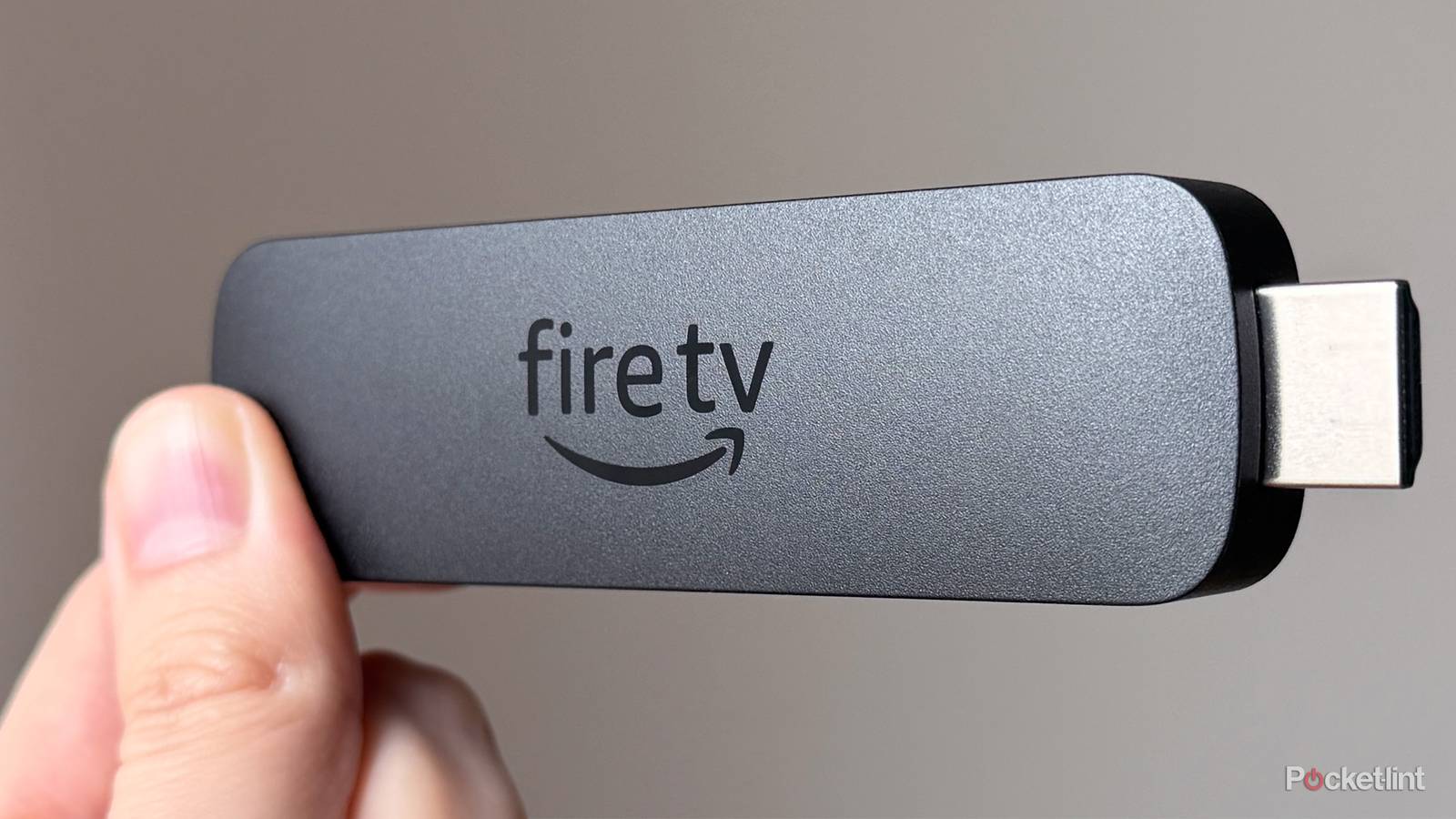
Amazon recently announced the new Fire TV Stick HD, an updated take on its entry-level 1080p streaming stick. It brings a refreshed design, a USB-C port, and improved performance — but the real headline is the software it’s running: Vega OS, Amazon’s new Linux-based streaming platform.
In terms of design, Vega OS is identical to Fire OS, the Android-based platform that Fire TV Sticks have been running for well over a decade. Though its biggest drawback? It can’t sideload third-party Android apps. That means you’re limited to apps only from Amazon’s Appstore, which the company says is “for enhanced security” and is likely also part of its broader push to curb piracy, which it’s been cracking down on with its Android-based Fire TV Sticks.
On top of that, Amazon also made another major announcement recently: going forward, all new Fire TV Sticks will run Vega OS. That means if you’re using a Fire TV Stick 4K Plus or 4K Max with Fire OS, don’t expect refreshed versions with Android. Those days are over — Amazon has made it clear that Vega OS is the future for Fire Sticks.
With all that in mind, as someone who uses a Fire TV Stick 4K Max every day for streaming, it got me wondering: how much longer will it last? Fortunately, for the Fire TV Stick 4K Max and other Android Fire TV Sticks, the answer is still quite a while.

Quiz
8 Questions · Test Your KnowledgeFire TV Stick history
Trivia challenge
From its 2014 debut to 4K streaming dominance — how well do you really know Amazon’s Fire TV Stick?
HistoryHardwareStreamingFeaturesAmazon
Begin
In what year did Amazon first release the original Fire TV Stick?
A2013B2014C2015D2016
Correct! Amazon launched the original Fire TV Stick in November 2014, initially as an invitation-only product before making it widely available. It was designed as a budget-friendly alternative to the full Fire TV box released earlier that same year.
Not quite. Amazon launched the Fire TV Stick in November 2014, following the debut of the larger Fire TV set-top box earlier that year. It quickly became one of the best-selling streaming devices on the market.
Continue
Which port does the Fire TV Stick plug into on your television?
AUSB-ABDisplayPortCHDMIDUSB-C
Correct! The Fire TV Stick connects directly into an HDMI port on your TV, making it incredibly simple to set up. A separate USB cable is also included to provide power to the device.
Not quite. The Fire TV Stick uses an HDMI connection to plug directly into your television. This design keeps the device compact and ensures compatibility with virtually any modern TV.
Continue
Which Fire TV Stick model was the first to support 4K Ultra HD streaming?
AFire TV Stick (2nd Gen)BFire TV Stick 4KCFire TV Stick LiteDFire TV Cube (1st Gen)
Correct! The Fire TV Stick 4K, released in October 2018, was the first stick-form-factor Fire TV device to support 4K Ultra HD, HDR10, Dolby Vision, and Dolby Atmos. It was a significant upgrade over the standard stick lineup.
Not quite. The Fire TV Stick 4K, launched in 2018, was the first in the stick lineup to offer 4K Ultra HD support along with HDR10, Dolby Vision, and Dolby Atmos audio. Earlier stick models were capped at 1080p Full HD.
Continue
What is the name of Amazon’s voice assistant built into the Fire TV Stick remote?
ACortanaBGoogle AssistantCSiriDAlexa
Correct! Amazon’s own voice assistant, Alexa, is integrated into the Fire TV Stick remote, allowing users to search for content, control smart home devices, check the weather, and more using just their voice.
Not quite. Amazon built its own voice assistant, Alexa, into the Fire TV Stick remote. Alexa lets you search for content hands-free, control compatible smart home devices, and access a wide range of skills beyond just streaming.
Continue
What is the name of Amazon’s own free streaming service that comes pre-installed on Fire TV Sticks?
AAmazon Prime VideoBFreeveeCAmazon ChannelsDFire TV Plus
Correct! Amazon Freevee (previously known as IMDb TV) is Amazon’s free, ad-supported streaming service that comes pre-loaded on Fire TV devices. It offers a wide library of movies and TV shows at no subscription cost.
Not quite. Amazon Freevee, formerly called IMDb TV, is Amazon’s free ad-supported streaming service that comes built into Fire TV Sticks. While Prime Video requires a subscription, Freevee is completely free to watch with ads.
Continue
Which budget-focused Fire TV Stick model was introduced in 2020, featuring a simplified remote without TV controls?
AFire TV Stick Basic EditionBFire TV Stick MiniCFire TV Stick LiteDFire TV Stick SE
Correct! The Fire TV Stick Lite launched in 2020 as Amazon’s most affordable streaming stick. Its remote omits the dedicated TV power and volume buttons found on standard Fire TV remotes, keeping costs down for budget-conscious buyers.
Not quite. Amazon introduced the Fire TV Stick Lite in 2020 as its entry-level streaming stick. The Lite version’s remote drops the TV control buttons to reduce the price, making it an attractive option for first-time streamers.
Continue
Before being rebranded, what was the original name of the Fire TV Stick’s operating system?
AFire OSBAndroid TVCKindle OSDAmazon OS
Correct! The Fire TV Stick runs Fire OS, Amazon’s own operating system that is based on Android but heavily customised with Amazon’s own apps, services, and interface. It has been the backbone of all Fire TV devices since launch.
Not quite. Fire TV Sticks have always run Fire OS, Amazon’s forked version of Android that replaces Google’s services with Amazon’s own ecosystem. Despite its Android roots, Fire OS looks and behaves quite differently from standard Android TV.
Continue
Which connectivity standard did the Fire TV Stick 4K Max (1st Gen, 2021) introduce to the Fire TV Stick lineup for the first time?
ABluetooth 5.0BWi-Fi 6CThreadDZigbee
Correct! The Fire TV Stick 4K Max launched in 2021 as the first Fire TV Stick to support Wi-Fi 6 (802.11ax), offering faster and more reliable wireless connectivity compared to previous models. It also featured a more powerful processor than the standard 4K stick.
Not quite. The Fire TV Stick 4K Max, released in 2021, made history as the first Fire TV Stick to include Wi-Fi 6 support. This newer wireless standard delivers improved speeds and better performance in homes with many connected devices.
See My Score
Challenge CompleteYour Score
/ 8
Thanks for playing!
Try Again
How much longer will your Fire TV Stick last?
Amazon plans to support most models until late 2030
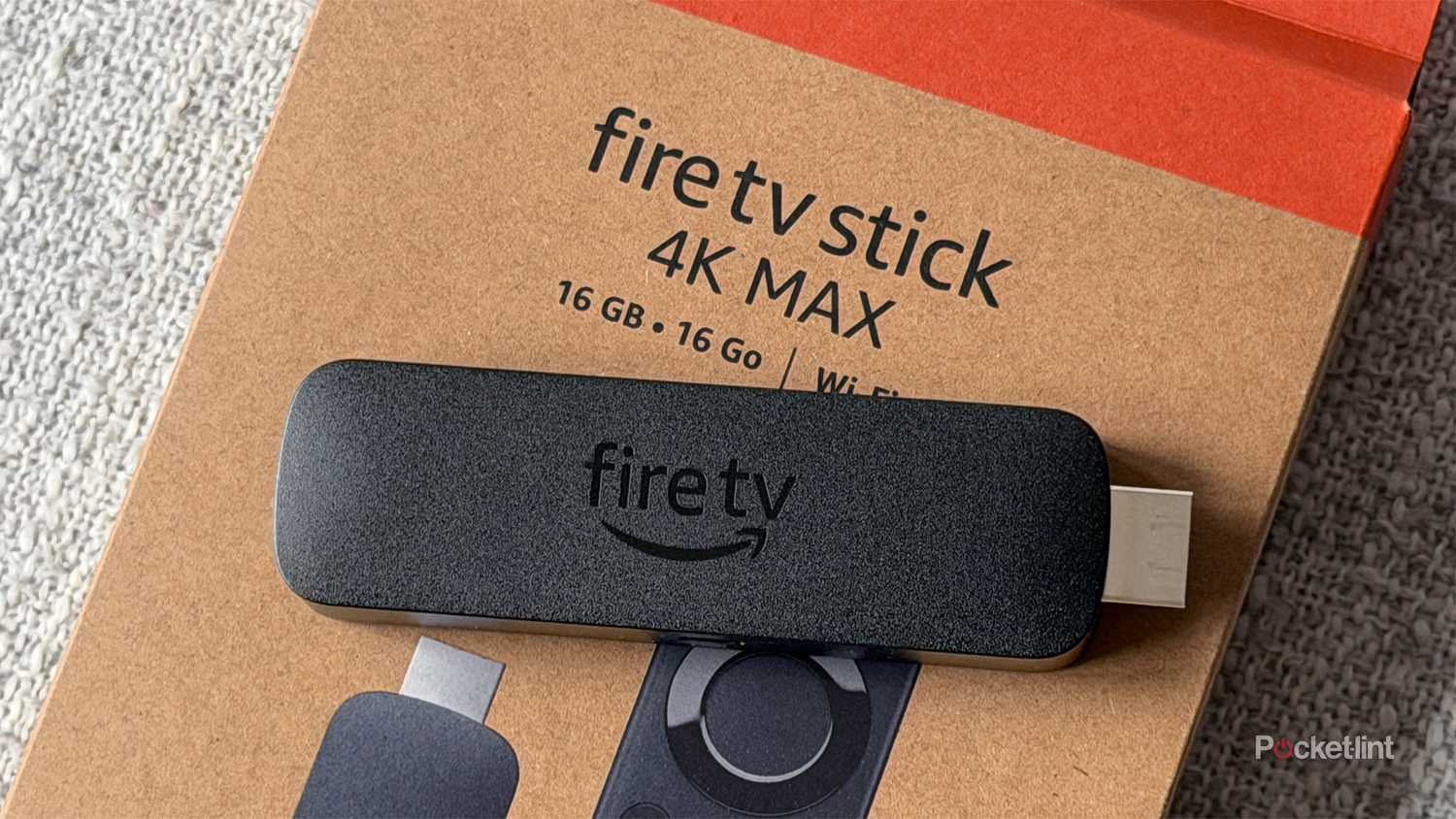
Amazon says it plans to keep supporting Fire OS despite the shift to Vega OS, positioning itself as a “multi-OS company.” Still, with Vega OS clearly becoming the priority and the Fire TV Stick 4K Max now pushing three years old, I think it’s fair to wonder if its best days are behind it. Luckily, that’s not the case. If you already own an Android Fire TV Stick, as I do, you’ll still be able to use it for a long time.
This comes straight from Amazon’s support page for “Amazon Fire TV Software Security Updates,” which lists all supported Fire TV Stick models. Nearly every model sold in the past few years is slated to receive software and security updates through December 31, 2030. In other words, Amazon is committed to updating all its current Fire TV Sticks until then. So if you’re worried your Android-based Fire TV Stick is about to become obsolete, you’ve still got a long runway.
There’s just one exception: the Fire TV Stick 4K (1st Generation) from 2018. Its support runs through December 31, 2029 — one year shorter than the rest of Amazon’s currently supported lineup.
Here is the full list of Fire TV Sticks that are supported until December 31, 2030:
Fire TV Stick 4K Select
Fire TV Stick 4K Plus
Fire TV Stick 4K Max (2nd Generation)
Fire TV Stick 4K (2nd Generation)
Fire TV Stick HD (2nd Generation)
Fire TV Stick HD (1st Generation)
Fire TV Stick Lite
Fire TV Stick (3rd Generation)
Fire TV Stick 4K Max (1st Generation)
Fire TV Cube (3rd Generation)
Fire TV Stick 4K (1st Generation)
Amazon is currently facing a lawsuit over the longevity of its older-generation Fire TV Sticks, so if you’re wondering why it’s being so transparent about how long its devices will receive support, that could be one reason.
How to find out which Fire TV Stick you have
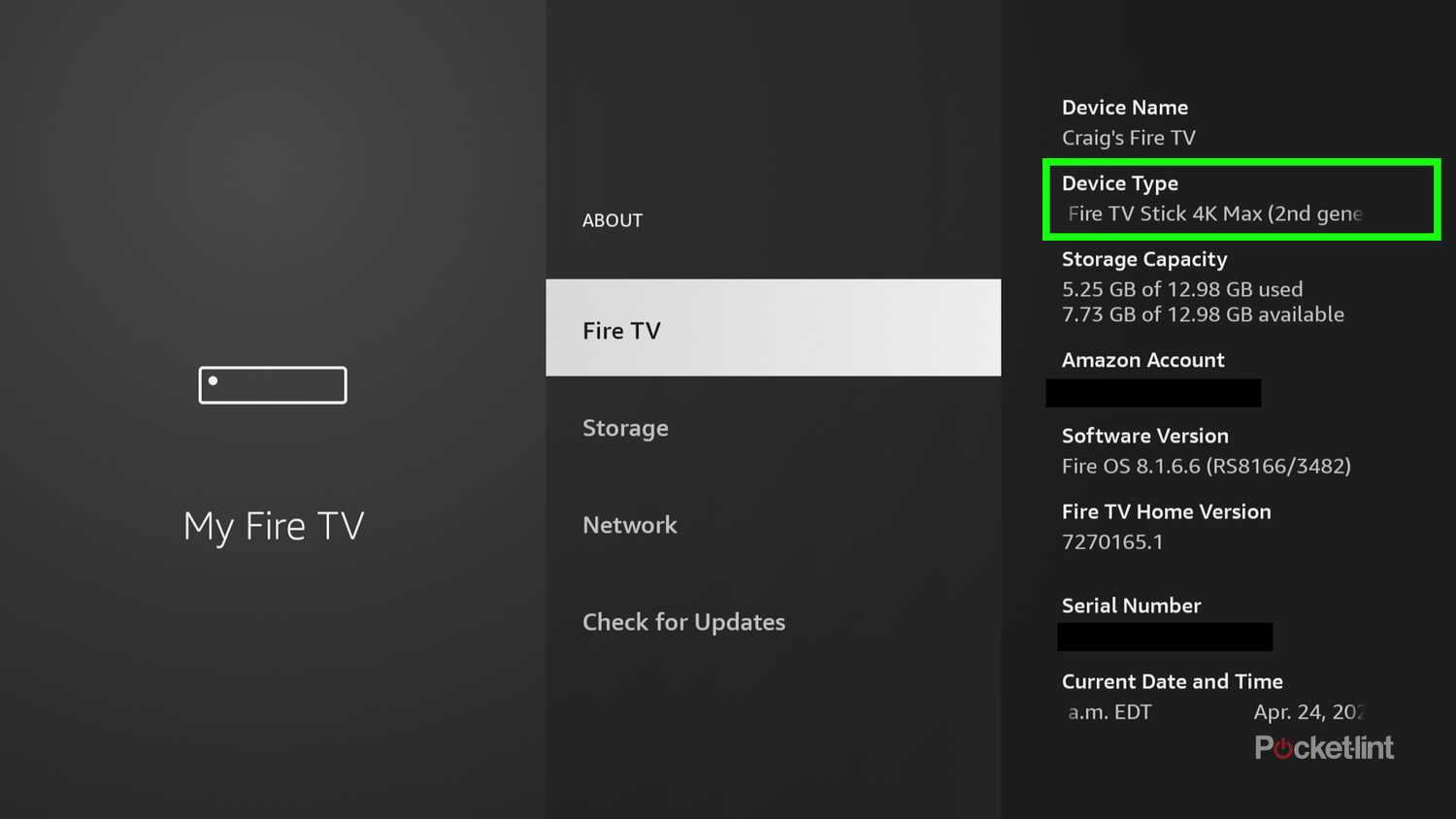
If you’re scratching your head, wondering which Fire TV Stick model you have, don’t worry. There’s an easy way to check in your device’s settings menu. Here’s how, step by step:
1. Open the Settings menu on your Fire TV Stick.
2. Go to My Fire TV > About.
3. Select Fire TV. On the right side of your screen, you’ll see all the information about your Fire TV Stick.
5. You can see which model you have by checking Device Type (as shown in the image above).
To quickly get to Settings using the new Fire TV user interface, press the menu button on your remote (the three horizontal lines), then select Settings at the bottom of the side menu that pops up. If you’re on the older Fire TV user interface, press and hold the Home button on your remote, then select Settings.
As long as your Fire TV Stick is one of the devices listed earlier in this story, it will remain supported until December 31, 2030, with the exception, again, of the Fire TV Stick 4K (1st Generation), which will remain supported until December 31, 2029.
I like my Fire TV Stick 4K Max and want to keep using it, so I’m glad Amazon is committed to updates through late 2030. I imagine there are many people in the same boat who want to keep using their Android-based Fire TV Sticks for the foreseeable future and avoid Vega OS. At least devices like the Fire TV Stick HD (2nd Generation), Fire TV Stick 4K (2nd Generation), and the Fire TV Stick 4K Max (2nd Generation) will continue to receive updates and support into the start of the next decade. Unfortunately, support for Android-based Fire TV Sticks will end once and for all in 2031. Though at least that’s still four and a half years away.
Brand
Amazon
Resolution
4K
Audio codecs
Dolby Atmos