
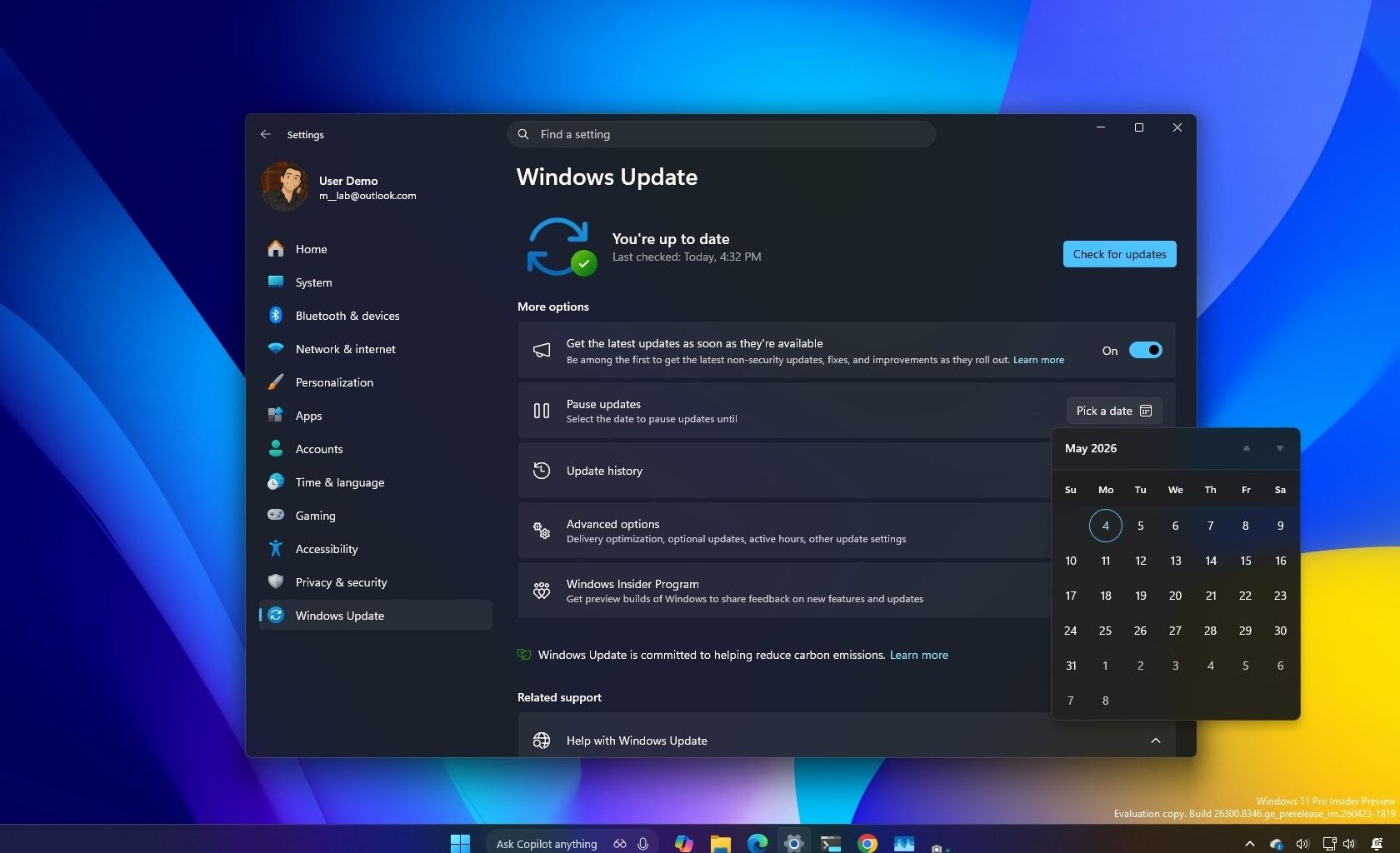
Windows Update has easily been one of the most frustrating parts of using Windows for years, and from what I’m seeing now, Microsoft finally seems to be acknowledging it. In the latest changes coming to Windows 11, it’s clear the company is trying to find a better balance between keeping devices secure and giving us more say over when and how updates happen.
I’ve gone through what’s changing, and on paper, there are some significant improvements. We’re getting new pause controls, a redesigned Power menu, fewer forced restarts, and even smarter recovery features when updates fail (so you don’t have to go through all these steps). All of these point to a more transparent and less disruptive experience, at least in theory.
Latest Videos From
You may like
These changes are now available in the Experimental channel for version 25H2, but it’s still unclear when they will arrive for everyone outside the Windows Insider Program.
1. Windows Update controls for pausing updates
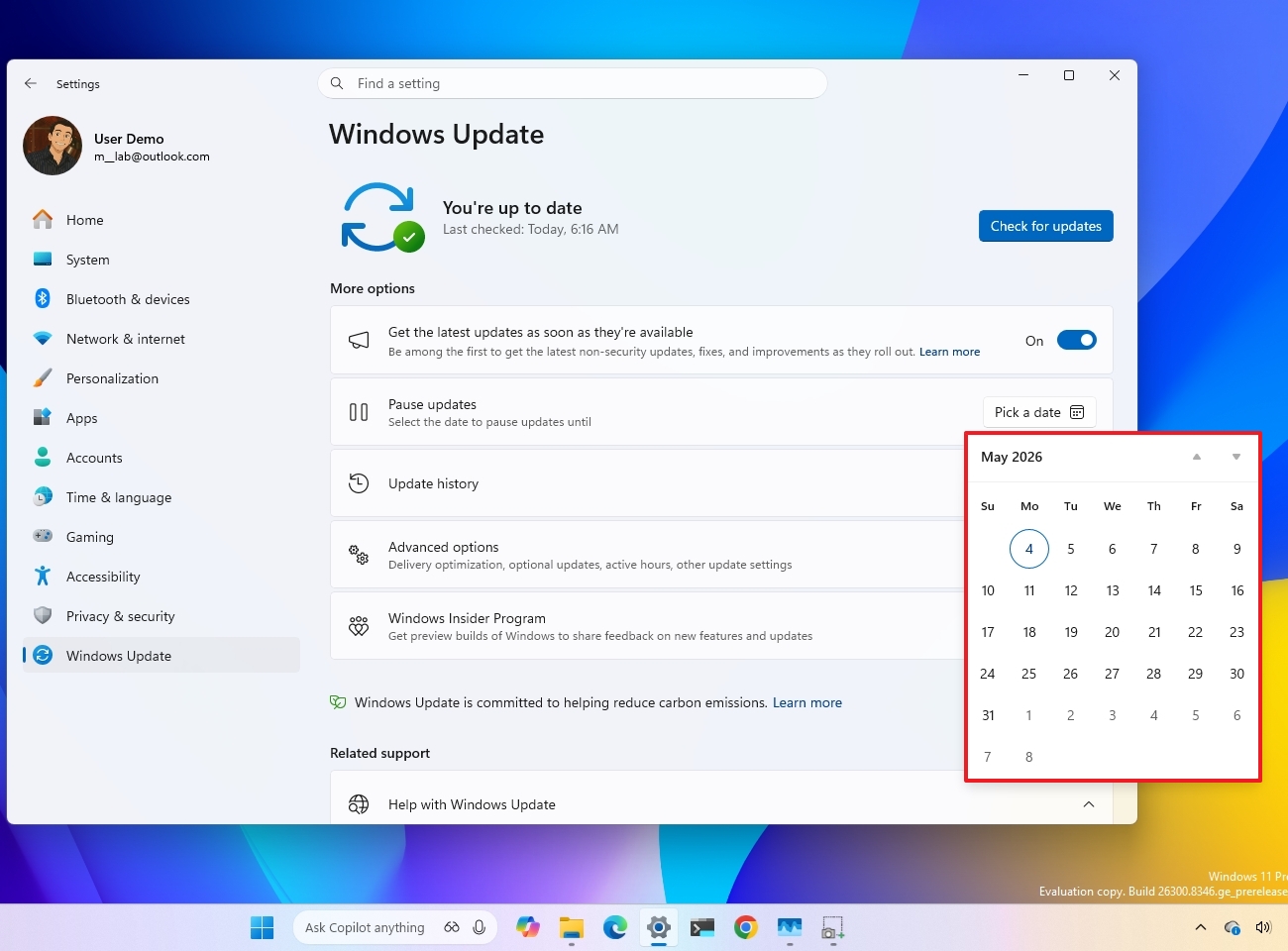
Microsoft is making changes to give you more granular control over system updates, including the ability to pause automatic updates indefinitely.
The Windows Update system continues to use the 35-day limit, but you can reschedule the pause for as long as you want.
The catch is that you’ll have to repeat the steps each time before the pause expires, and if the schedule expires, the system will automatically install updates as usual.
(Image credit: Mauro Huculak)
The steps to pause updates are straightforward. Open Settings > Windows Update, and use the new calendar picker to prevent your device from installing updates automatically.
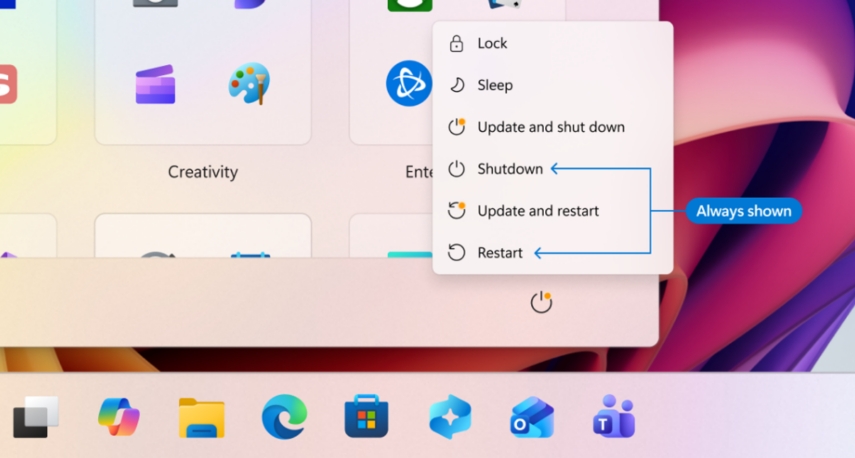
The Power menu is also getting updated to improve the system update experience by separating update actions from the restart and shut down options.
In the updated menu, the system will show the “Update and shut down” and “Update and restart” options as well as the “Shutdown” and “Restart” options.
(Image credit: Microsoft)
This means that if an update has a reboot pending, if you use the standard options, the computer will perform the power action without installing updates.
What to read next
3. System updates insights and fewer disruptions
In addition, the development team is making changes to improve update visibility.
For example, drivers now include more detailed labels. Instead of the generic names, driver updates will now include information to make it easier to find out if they apply to battery, audio, display, or other hardware components.
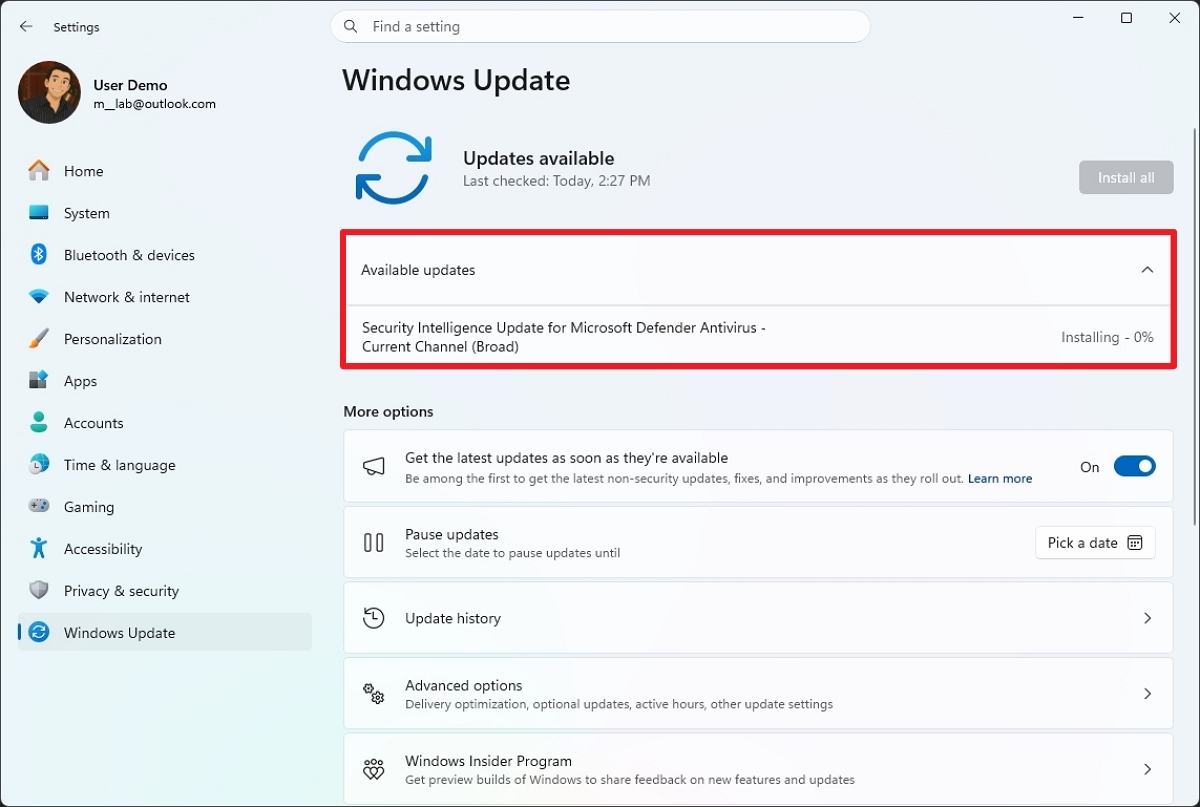
Furthermore, the Windows Update page features a new collapsible “Available updates” view that shows system updates, firmware, and drivers in the queue for installation.
(Image credit: Mauro Huculak)
Microsoft has also realized that updates have been a source of disruption, especially when you have to reboot the system multiple times in a short period.
According to the company, the system will bundle firmware, drivers, and other product updates into the monthly system update cycle, requiring only one restart per month and significantly reducing the number of reboots.
4. Automatic recovery during updates
For a long time, users have been concerned about updates failing to install and having to use troubleshooting steps to force-install a specific patch.
Usually, when an update fails to install via Windows Update, I end up downloading and installing the package manually from the Microsoft Update Catalog. However, the company is now implementing a system that will automatically fix installation issues in the background.
This approach aims to avoid having to spend time troubleshooting and repeating the installation steps.
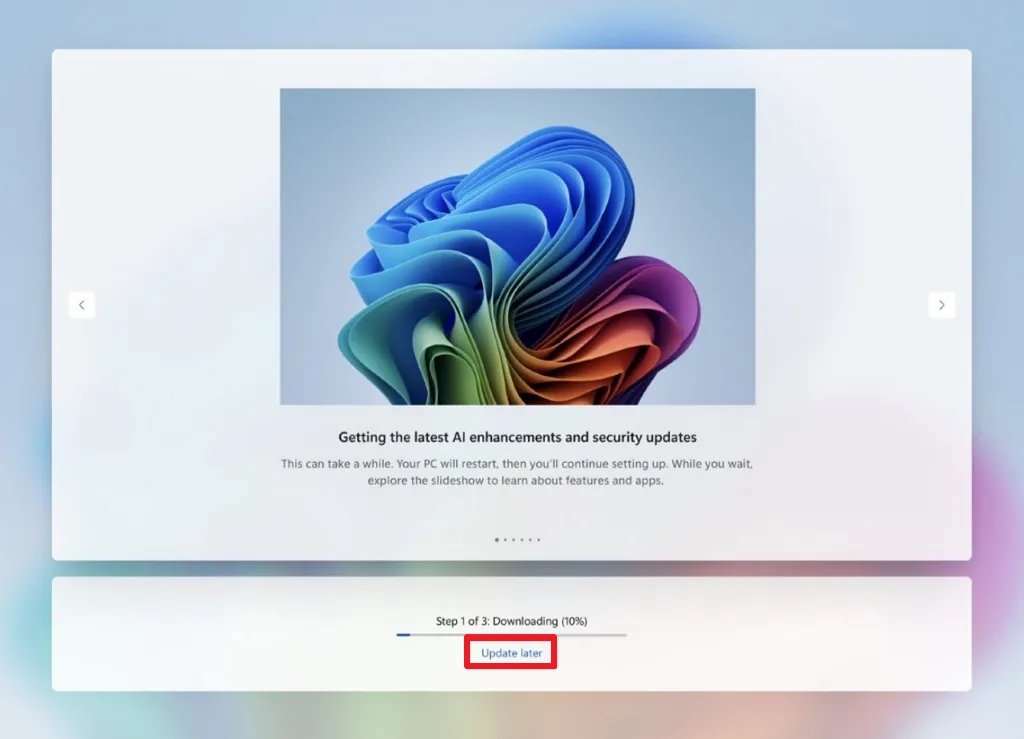
5. Windows Update controls during setup
Finally, as part of the effort to make the updates a little less annoying, Windows 11 now allows you to skip system updates during the Out-of-box Experience (OOBE).
(Image credit: Mauro Huculak)
One thing to note here is that if you skip updates, the computer won’t download the latest drivers, features, and security patches until either you manually trigger a download or the system resumes updating automatically.
Windows Central’s Take
I’ve been writing about the operating system for a long time, and I have an idea of what Microsoft is trying to do here. These changes are clearly meant to reduce friction, but they still feel like incremental fixes rather than a real shift in control.
Personally, I like the direction. The improved Power menu alone fixes a long-standing annoyance, and it’s the kind of small change that will make a real difference in everyday use.
The push to reduce restarts is also overdue. Bundling updates into a single monthly reboot is something the company should have done years ago, and it addresses one of the most common complaints I’ve heard from users.
That said, I’m still not totally convinced the company is ready to completely loosen its grip on updates. The option to pause updates indefinitely sounds better than it actually is. You still have to keep extending it manually, and if you forget, the system jumps right back into automatic updates. In my experience, that’s exactly the kind of behavior that frustrates people.
I also find the setup experience telling. If you have to confirm skipping updates twice, it’s clear Microsoft still prefers users to stay on the default path. That’s consistent with what I’ve seen over the years. The company prioritizes keeping systems updated, even if it means adding friction to user choice.
If I had to sum it up, I’d say these changes make Windows Update less annoying, but not completely flexible. I’d recommend most users take advantage of the new controls and visibility improvements, but I’d still be cautious about relying on them for full control.
Are these changes enough to improve your experience dealing with updates? Let me know in the comments.
More resources
Explore more in-depth how-to guides, troubleshooting advice, and essential tips to get the most out of Windows 11 and 10. Start browsing here:

Join us on Reddit at r/WindowsCentral to share your insights and discuss our latest news, reviews, and more.