
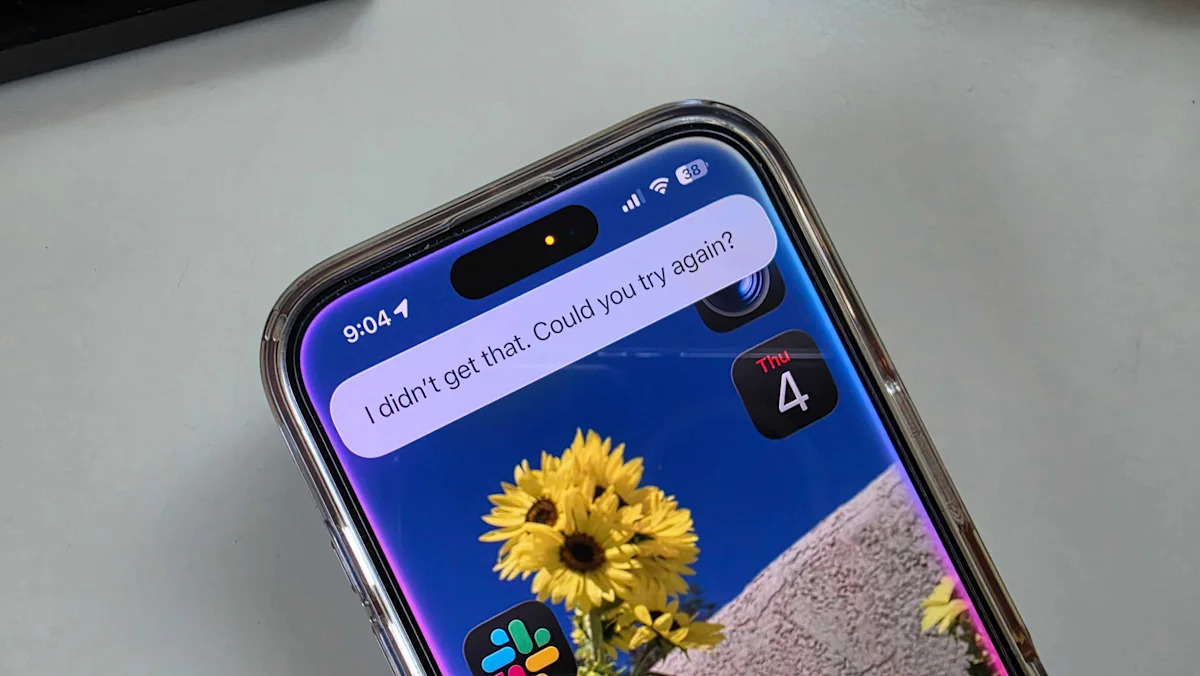
Last week, driving east out of New Mexico on I-40, I asked Siri how long until we reached Amarillo. I was told: “You can look that up on your iPhone once you’re done driving.” Siri had just given me directions an hour earlier, so it knew where I was. Determining an arrival time based on distance and speed is third grade math. And telling me I could “look it up” followed by a sniffy comment about road safety is just plain hostile. It was not the first time the assistant has made me want to pitch my phone onto the highway.
Next week, the world will see if Apple can finally deliver on the AI promises it made way back at WWDC 2024. Ahead of that event, Yahoo Finance’s Dan Howley said it could “serve as the launch point for [Apple’s] big push into generative AI.” Lawsuits and two years of the same old Siri have proven Apple most assuredly did not fulfill those AI expectations.
But now, there’s real evidence that we’ll get something substantial on the Siri front at WWDC 2026. An agreement between Google and Apple, announced earlier this year, lets Apple incorporate Gemini into Siri and Apple Intelligence features. This is good news. Gemini’s competence as an AI assistant is next-level — and was the whole reason I ditched my iPhone for a while. If Apple can combine its solid hardware and user-friendly software with a capable AI, the company will have something beautiful on its hands. But here’s what needs to happen before we can forgive Siri for its years-long record of sins.
1. Answer my damn question
“You can look that up on your iPhone” is not an acceptable answer anymore. Many people I’ve talked to have cited this bizarre, self-referential ploy Siri uses after hearing a verbal request. We know we can look it up on our iPhones, Siri, but we’re asking you for a reason. Answering questions is the foundation of an AI assistant. Every other chatbot out there can handle this bedrock task. We might not always get the right answer, but at least we get something better than the worst buck-passing tactic since “Go ask your mother.”
2. If you’re not sure, just ask
In Seattle, I wanted directions to the lovely Discovery Park — but I asked for Discovery Playground instead. It wasn’t until I was on the interstate that I realized Siri was sending me to a location with that exact name — in New York City. A little more intelligence, including the contextual awareness that Google has given to Gemini, could have led the AI to (correctly) assume I meant the park a few miles away (that does indeed have a playground) rather than a place two thousand miles to the east. I would have appreciated a quick check-in or follow-up question before launching me onto an unnecessary roadtrip.
3. Make Siri a capable iPhone agent
Many of Google’s Android phone integrations are still works-in-progress, but the company is aiming high, giving Gemini the ability to carry out tasks across multiple apps. I tried an early example of this skill on Samsung’s latest phone. I asked Gemini to look at a text thread about lunch, extract our sandwich requests and order the food from Cheba Hut through Doordash. It was surprisingly seamless. I can’t even imagine asking Siri to do anything remotely similar in its current state.
Advertisement
Advertisement
As it stands, Siri is perfectly fine for iPhone basics, like opening apps or reading and sending texts — but anything more complicated sends the AI into odd convulsions. I asked Siri to identify a plant from one of my photos and it asked if I wanted to set up a Shortcut from my plant ID app. Another time, I asked it to answer a question based on an image, it displayed an Apple Support link for a page titled How to use Siri on iPhone. Siri needs to be more in-tune with your iPhone and how you use it, and better at executing multi-step tasks.
4. Make Siri easier to use around the house
The AI I talk to most often is Alexa. We don’t have deep conversations (in fact, I asked the assistant to keep its personality brief), but I talk to my Echo Dot daily for smart home control, weather updates and grocery list maintenance. Apple’s rumored smart home display and the likely HomePod mini speaker update will have to overcome two hurdles before it can challenge Amazon’s bot.
First, Apple needs to make Siri smart enough to respond from the right device in your home. The way Apple has that configured right now isn’t working. Instead of having the various Siris battle it out across our living rooms, just let us decide the parameters. For example, when I’m home and not on my phone, I want my HomePod mini on the counter to answer my Siri inquiries — not my kid’s iPad in the other room.
The second obstacle is obvious: the AI has to get better at answering questions with sufficient detail. Apple acknowledged it was delaying the launch of the new Siri, because it just wasn’t ready. (And the Apple rumor mill speculates the delay has also put new smart home hardware on hold. )
Advertisement
Advertisement
Currently, when I ask my HomePod mini, “Hey Siri, when is it going to rain?” I get: “There’s no chance of rain today.” Rude. Alexa, by contrast, tells me that there’s a 51% chance of rain on Friday, followed by scattered thunderstorms on Saturday. Now that we have Alexa+, it can answer fact-based queries with reasonable answers, too. Asking Siri for information comes back with long-winded summaries from obscure websites that don’t really answer my question.
5. Expand on Workout Buddy, because Google’s Health Coach is a beast
I know the Workout Buddy isn’t Siri, per se, but it’s an area Apple needs to channel some of its AI upgrades to keep pace. Workout Buddy looked like an impressive addition to that lineup when Apple announced it at last year’s WWDC. The AI helper draws on your personal data and stats to pipe pep talks, status check-ins and summaries into your earbuds during your runs, walks and bike rides.
I’ve used it on and off since it first came out and, initially, I loved that it could pick appropriate running music for me. I also thought the AI voices, modeled after Fitness+ instructors, were nicely done. The stats it fed me were usually helpful, though no different than just reading my stats in the app. Some factoids could be a little odd, though. For example, I’m not sure what to do with the information, “You’ve run a total of 235 minutes this year.” Is that good? Is it a lot? Then, after a while, it just stopped automatically playing music.
Now that I’ve tried Google’s new Health Coach, the Workout Buddy feels quaint in comparison. When I mentioned to the Google Health Coach that I had a sore neck from driving, the AI reminded me to be cognizant about the lymphadenopathy I had checked out at my last doctor’s appointment. The Workout Buddy, on the other hand, called an abandoned two-minute run “inspiring.”
Advertisement
Advertisement
WWDC 2026: What to expect at WWDC | How to watch WWDC | iOS 27 preview