
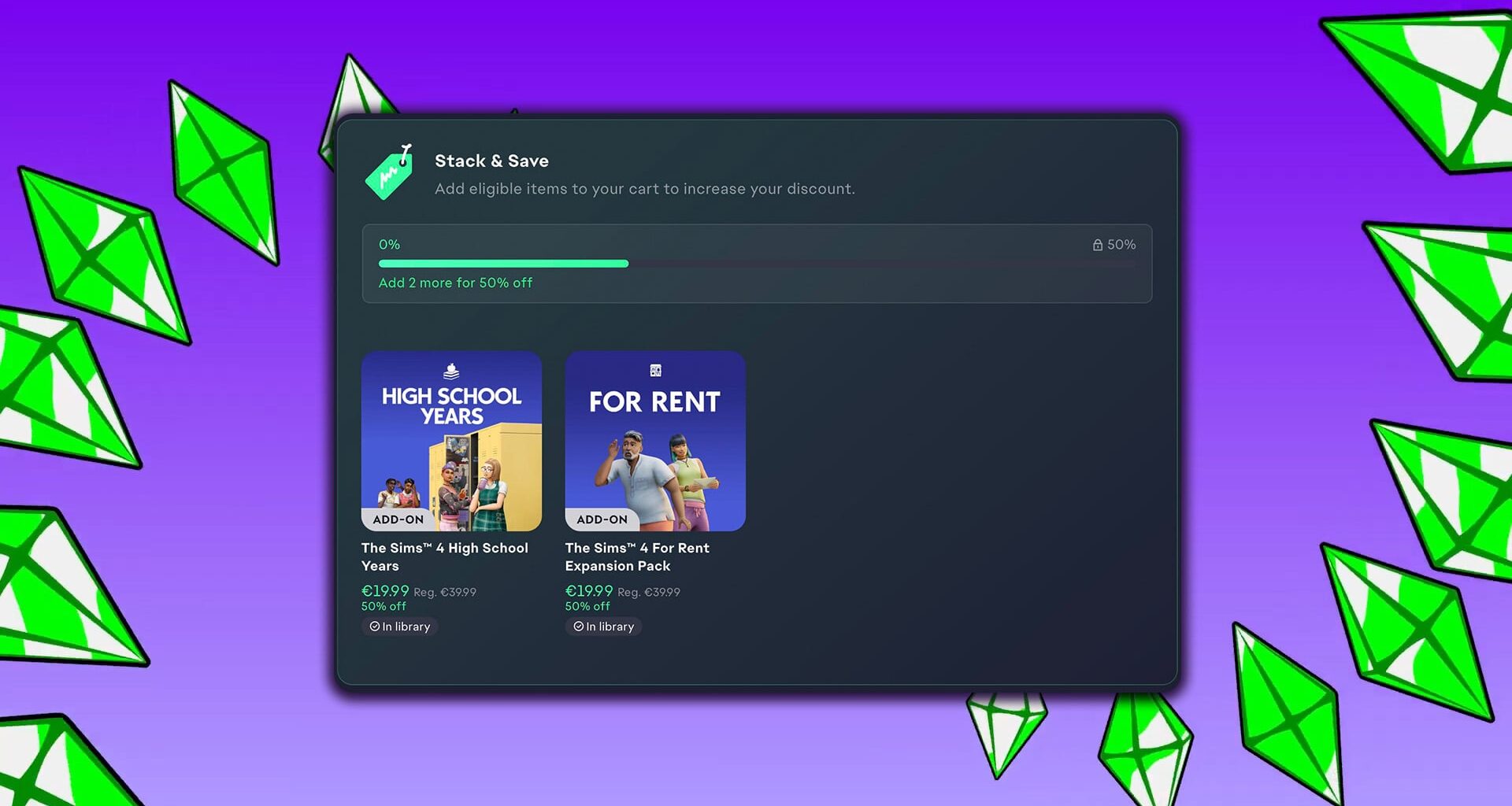
Electronic Arts and Maxis are announcing today the final farewell to The Sims 4 Build Your Bundle, with the introduction of another new feature titled The Sims 4 Stack & Save. Currently exclusive for the EA App launcher on PC and Mac.
The Stack & Save feature lets you add an additional discount by choosing DLC content from a EA-curated list. Letting you add a discount on top of a possibly another availble discount, or just giving a bigger discount by choosing to purchase more recommended content.
The Stack & Save Feature was first shown in the EA App today, letting you add an extra 50% off if you choose to purchase select Expansion Packs. The current offer for me shows the High School Years + For Rent Expansions combination, which will give you additional 50% off if you choose to purchase both:
Read more what the EA team has to say about The Sims 4 Stack & Save in their official info release on EA Help:

The Build Your Own Bundle feature for The Sims 4 Packs has been replaced by Stack & Save on the EA app, making it easier to choose a combination of The Sims 4 Expansion, Game, and Stuff Packs to unlock bigger discounts. Learn which Packs are eligible, what content isn’t, and how to get discounted prices when you buy.
Stack & Save is available only to PC and Mac players that use the EA app to play The Sims 4. It’s not available on any other platforms or storefronts.
How does Stack & Save work on the EA app?
The Build Your Own Bundle feature for The Sims 4 Packs has been replaced by Stack & Save on the EA app, giving you more flexibility to choose a custom stack of packs that fit your playstyle.Instead of choosing a specific combination of Packs, you can add eligible Packs to your cart and get a discount based on how many qualifying items you buy.The more eligible Packs you add to your cart, the more you can save compared to buying each Pack separately.Stack & Save is only available to PC and Mac players that use the EA app to play The Sims 4. Here’s an example of how Stack & Save works compared to Build Your Own Bundle.
Build Your Own Bundle
Restricted to choosing one of each Pack type:
1 x Expansion Pack
1 x Stuff Pack
1 x Game Pack
Stack & Save
Create any combination of Packs. For example:
multiple Expansion Packs
a mix of Expansion Packs, Game Packs, and Stuff Packs
several Packs from the same category
What Packs can I get discounts on?
The following downloadable content may qualify for Pack discounts on the EA app:
The Sims 4 Expansion Packs, with the following exclusions:
Enchanted by Nature
Adventure Awaits
Royalty & Legacy
The Sims 4 Game Packs
The Sims 4 Stuff Packs
What The Sims 4 content isn’t eligible for discounts?
Some downloadable content may not qualify for Pack discounts, including:
Kits
Creator Kits
Moola
Maker Packs
existing bundles
other promotional offers.
Some downloadable content may not be eligible for discount if other promotions are available at the same time. For example, if you’re buying an eligible Pack that’s included in another promotion, the best available discount will be applied automatically when you checkout.
Pack discounts can’t be combined with sale discounts or EA Play membership discounts.
The Sims 4 Base Game is free to play, so it isn’t eligible for a discount.
How do I get Pack discounts on the EA app?
Here’s how to use Stack & Save to get The Sims 4 Pack discounts on the EA app.
Open the EA app.
Go to your Library and select The Sims 4.
Select the Stack & Save tab and add eligible Packs to your Cart.
When you’ve finished choosing Packs, select the Cart button (shopping cart icon) to review your discounts and complete your purchase.
Eligible discounts are applied automatically in your cart and at checkout.In your Cart, you can check:
the discount applied to each Pack
the total discount on your overall purchase
how many more Packs are needed to reach the next discount tier.
You need to download The Sims 4 Base Game to get Stack & Save discounts on the EA app.
What happened to Build Your Own Bundle?
The Build Your Own Bundle feature for The Sims 4 Packs has been replaced by Stack & Save on the EA app. This gives you more flexibility to choose your own combination of eligible Packs and a discount based on the number of items in your cart.
To get a discount, do I need to choose a specific combination of Packs?
No. Eligible discounts are based on the number of eligible Packs in your cart, not on a required combination of Pack types.
Can I buy multiple Expansion Packs and still get a discount?
Yes, you can mix and match eligible Expansion Packs, Game Packs, and Stuff Packs in any combination.
What are the requirements for getting a discount?
To get Stack & Save discounts, you need to use the EA app to play The Sims 4 on PC or Mac.
Can I gift discounted Packs?
No, you can’t give a discounted Pack as a gift.
Will the discount appear automatically?
Yes. If your cart contains eligible Packs, the discount is applied automatically and displayed in your cart before checkout.
Is Stack & Save available on Steam, Epic Games, Playstation®, or Xbox?
No, the updated Sims 4 Pack discount system is only available to PC and Mac players on the EA app.
What are your thoughts on the latest Sims 4 Stack & Save feature on EA App? Let us know in the comments down below and stay tuned for more news on Sims Community!