
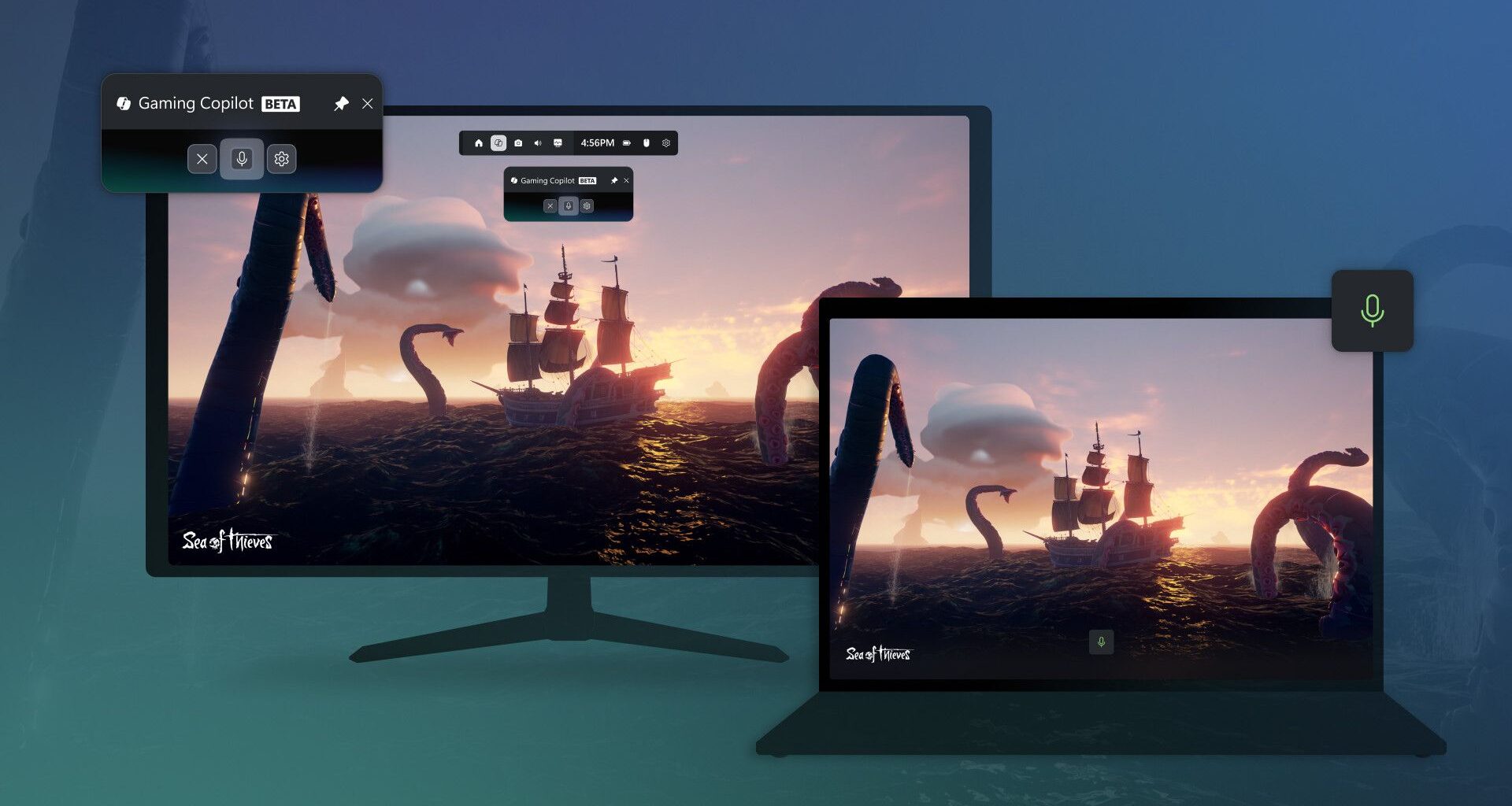
A claim has been made that Windows 11’s Gaming Copilot AI might be capturing gameplay and sending it back to MicrosoftGaming Copilot is a beta AI feature in the Game BarThere’s confusion about whether this privacy concern is valid or not, but it’s clear that Gaming Copilot can impact your frame rates (slightly) in games
While Microsoft is continuously making efforts to improve gaming on Windows 11, most recently with a new ‘full-screen experience’ mode for handhelds, and also an AI gaming assistant, the latter is currently mired in some controversy.
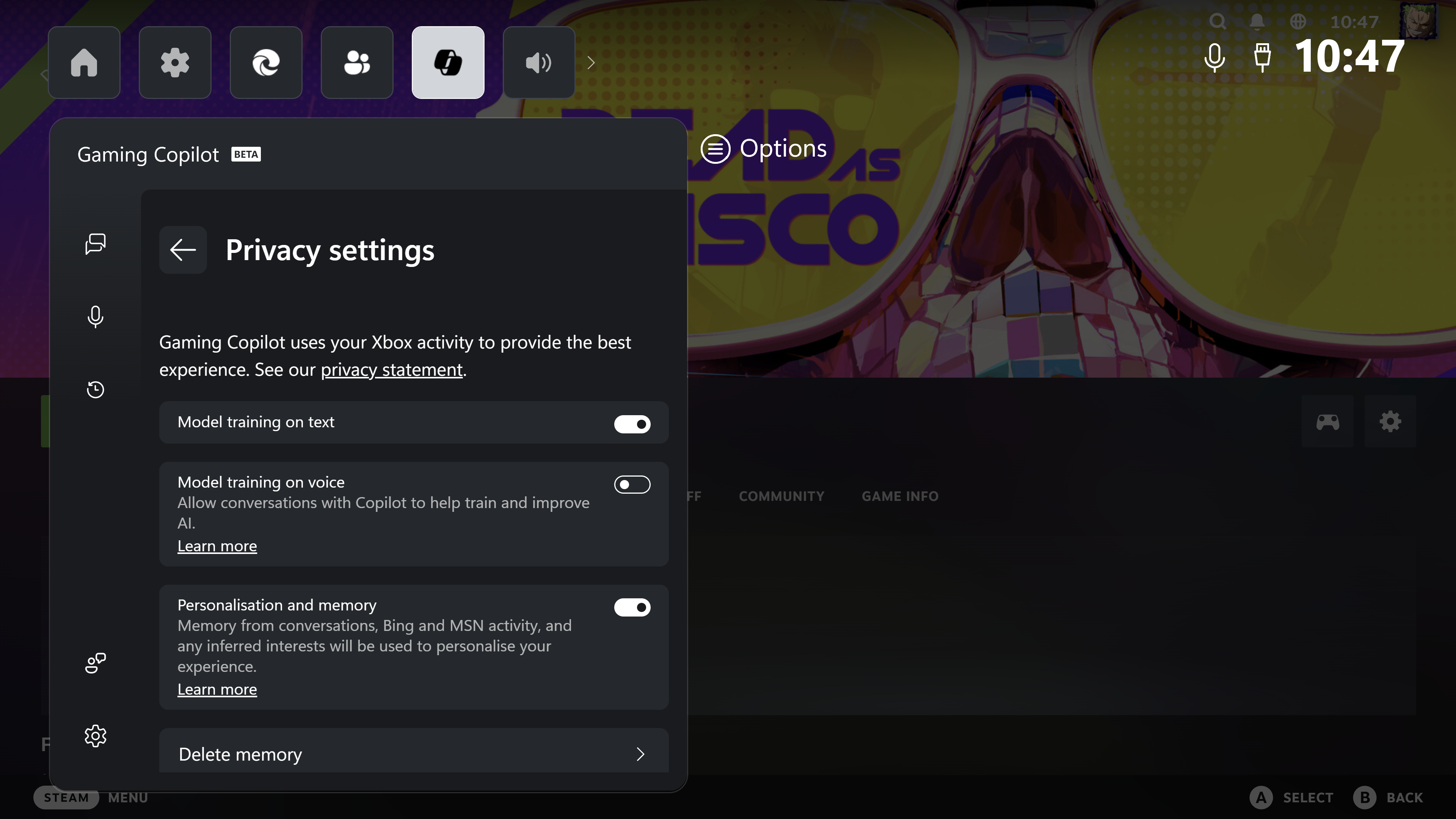
As Wccftech spotted, according to a poster on the ResetEra forum, Windows 11’s Gaming Copilot may be actively monitoring and capturing gameplay and sending this back to Microsoft for ‘model training’ (of the AI) by default. The poster shares a screenshot of the ‘model training on text’ option being enabled by default, raising concerns over privacy therein.
However, there seems to be some disagreement as to whether this is a valid accusation being levelled at Microsoft, or not – so much so that the admins have locked the thread on the forum.
You may like
For now, then, we have to take this assertion with a good deal of caution – and presume that any training data is only being sent back to Microsoft if you’re actually using Gaming Copilot (with the relevant options enabled). Or that this is some kind of an error perhaps (remember, Gaming Copilot is still in beta).
As pointed out by another denizen of ResetEra, Microsoft’s FAQ for Gaming Copilot clearly states that ‘screenshots are not stored or used for model training’ and that grabs are only taken when you’re actually using Copilot in Windows 11’s Game Bar.
All this has raised privacy fears for some gamers, as noted, and hopefully Microsoft will be able to cut through the confusion and clear this up. I’ve contacted the company to this end, and will update this story if I hear anything back.
(Image credit: Future / Isaiah Williams)
Privacy controversy aside, what’s clear enough about Gaming Copilot is the impact it has on performance. I tested the Dead As Disco demo on Steam and noticed that Gaming Copilot is reducing frame rates, although the AI feature doesn’t have a major impact.
With Gaming Copilot’s model training settings turned on in the game’s ‘Infinite Disco’ mode, the frame rate often dipped into the 70s, although it mostly stayed within the 80 to 85 fps range.
With Gaming Copilot’s model training settings switched off, the game kept within an 84 to 89 fps range, while reaching 90 fps or more occasionally, without any dips into the high 70s range.
Microsoft’s Edge browser is also required to view and export the data that is captured (via ‘Game Assist’), and having that in the background isn’t going to help gaming frame rates.
You may like
Now, while this doesn’t sound like a significant frame rate loss, when you stack this up with the rest of Windows 11’s bloatware that’s limiting performance levels (even with the new handheld mode), it all adds up. Speaking of handhelds, Gaming Copilot will likely have a worse impact on lower-end systems like these gaming portables, where every frame counts due to weaker hardware specs.
Analysis: I’ve never wanted to abandon Windows 11 more than I do now…
(Image credit: Valve / Microsoft)
I’ve now gotten to a point where I feel as though Microsoft is trying to drive gamers away from its operating system, even if it believes additions like Gaming Copilot are helpful.
I’m willing to bet that a decent portion of gamers don’t need an AI assistant for game help, and don’t want anything that holds back performance (or causes any possible privacy worries for some folks, even if we don’t yet know how valid those concerns are).
For me, it’s just such a shame that seemingly nothing will be done to provide Linux compatibility for games with anti-cheat tools like Battlefield 6 and Call of Duty, because as tempted as I am to switch to SteamOS on my main desktop PC, I’d miss out on some great gaming experiences. (And no, I don’t mean Call of Duty, but I’m sure you get my point).
I guess my only option at this point is to endure the issues I have with Windows 11 for gaming, and pray that things start to change for Linux regarding anti-cheat tools.
Follow TechRadar on Google News and add us as a preferred source to get our expert news, reviews, and opinion in your feeds. Make sure to click the Follow button!
And of course you can also follow TechRadar on TikTok for news, reviews, unboxings in video form, and get regular updates from us on WhatsApp too.