
TechRadar AI Week 2025
(Image credit: OpenAI/Microsoft/Google)
This article is part of TechRadar’s AI Week 2025. Covering the basics of artificial intelligence, we’ll show you how to get the most from the likes of ChatGPT, Gemini, or Claude, alongside in-depth features, news, and the main talking points in the world of AI.
Most people’s AI journey began with ChatGPT. It was the first big, widely accessible AI chatbot, the one everyone talked about and it fast became the default place to experiment with AI.
The good news is that if you want to try Claude, switch to it and use it exclusively or use both ChatGPT and Claude side by side, you absolutely can. In fact, switching from ChatGPT to Claude is easier than you might think.
Best picks for you
Before you make the switch
Claude now has a Memory feature if you have one of the paid Pro or Max plans, which means it can remember how you work, what you care about and the context you choose to give it. This is similar to ChatGPT’s approach to memory and makes it much easier to transition if you’ve built up a lot of personalized context in ChatGPT over time.
If you haven’t used ChatGPT’s memory or custom instructions much, your switch can be instant. Simply open Claude and begin. Some people actually find that refreshing.
But if ChatGPT has been quietly accumulating months of personalized information about you, your projects, work style, tone, preferences, goals and routines, you might want to bring some, or all, of that with you.
If you’re not sure what it knows and what it doesn’t, head to Settings > Personalization. There you’ll see your custom instructions and memory settings. If those things are filled out and switched on, ChatGPT probably knows a lot about you.
The good news is you can move the useful parts of that context from ChatGPT to Claude. You don’t need a technical process or a data transfer too. A simple prompt is all you need.
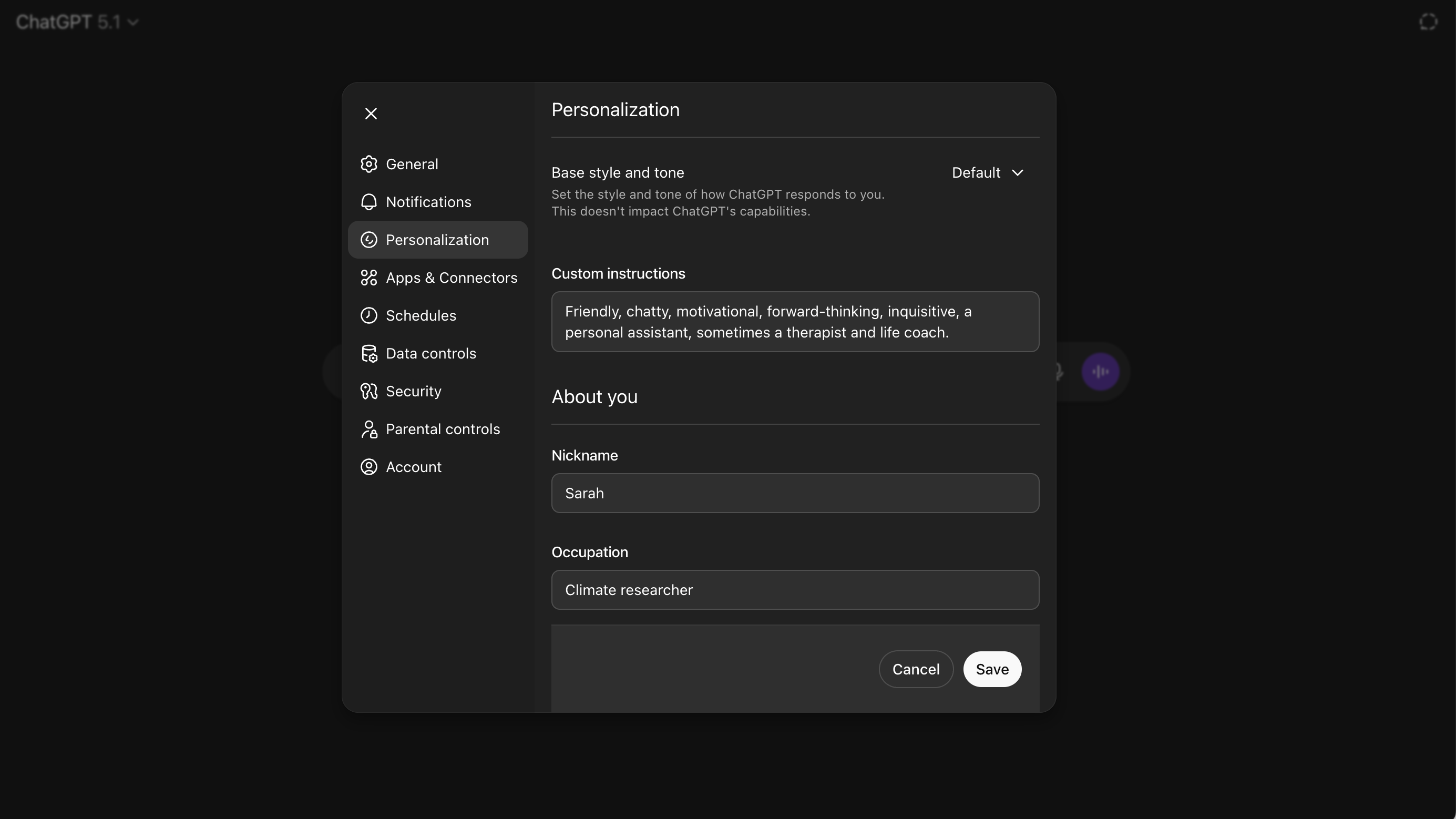
Go to Settings > Personalization and you’ll be able to check the custom instructions and memory settings. (Image credit: Future)How to take your context with you
The easiest method is to ask ChatGPT to summarize what it’s learned about you. Use a prompt like:
“Give me a concise, structured summary of the main things you’ve learned about me from our chats. Include my goals, projects, preferences, work and how I like to communicate. Group it by theme.”
Don’t miss these
This should then produce a clean profile that you can copy and paste.
Once you’ve copied that summary, go to Claude’s settings. Open the Memory section and paste it in.
Alternatively, you can start a new chat and write:
“This is context from another AI assistant. Please store it in my memory.”
Then ask Claude to repeat back what it understands about you to make sure it has committed it to memory.
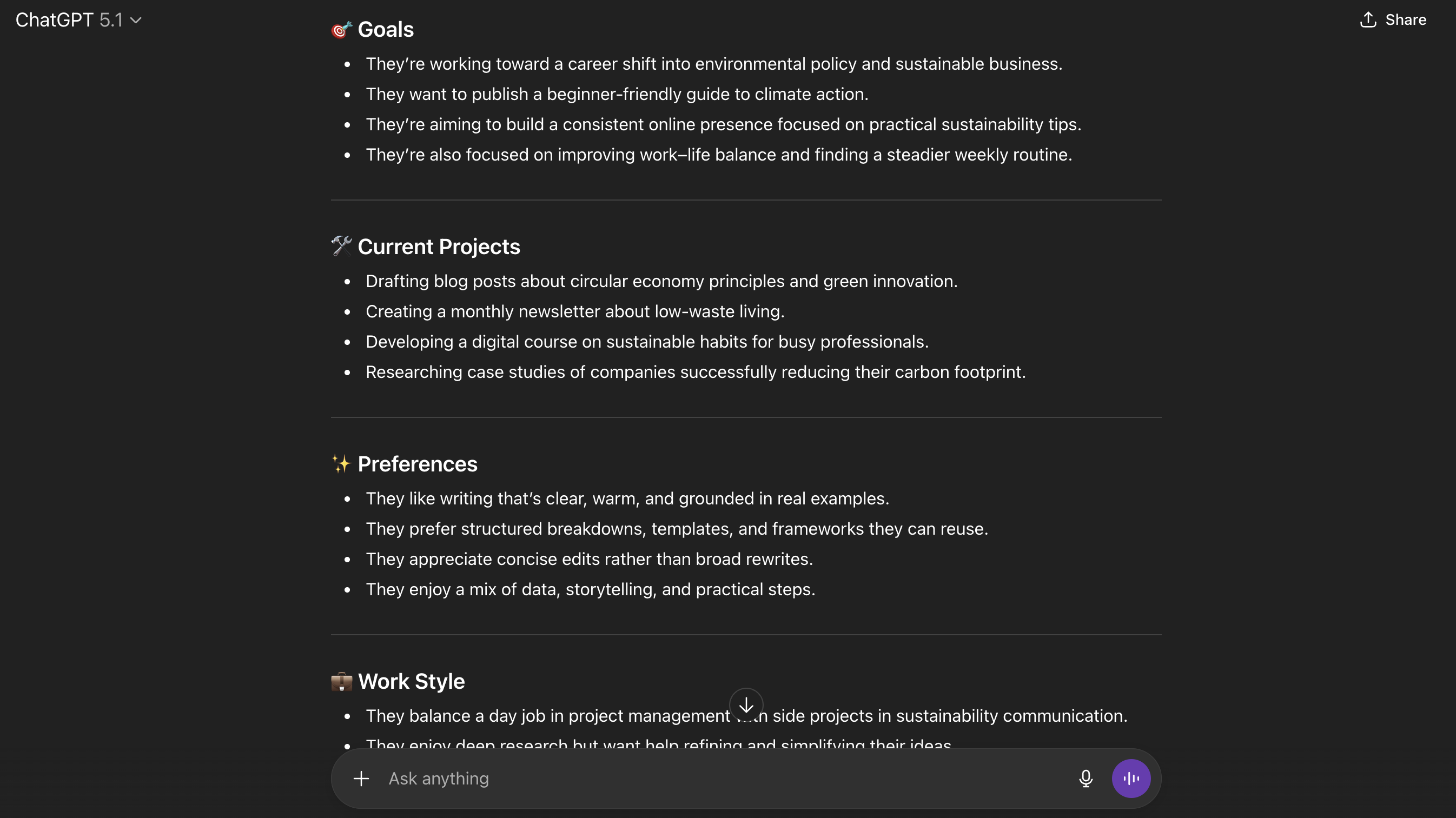
Here’s an example of the sort of summary that ChatGPT can produce. The good news here is you can copy/paste but also delete anything you don’t want to take with you. (Image credit: Future)A note on free vs paid differences
It’s worth remembering that Claude can only store information long-term in its memory if you’re on a paid plan (Pro or Max).
If you’re using the free version, you can still paste your context above into a chat, but Claude will only remember it for that single conversation. It’s not ideal, but it’s a perfectly good way to test how Claude responds with your personal context before paying for a subscription.
The same idea applies on the ChatGPT side of things, but slightly differently. This method does work if you’re using the free version of ChatGPT. It can still generate a summary of what it knows from your conversations. But free ChatGPT retains far less long-term personalization than the Pro version. So what it gives you after you prompt it might not be detailed.
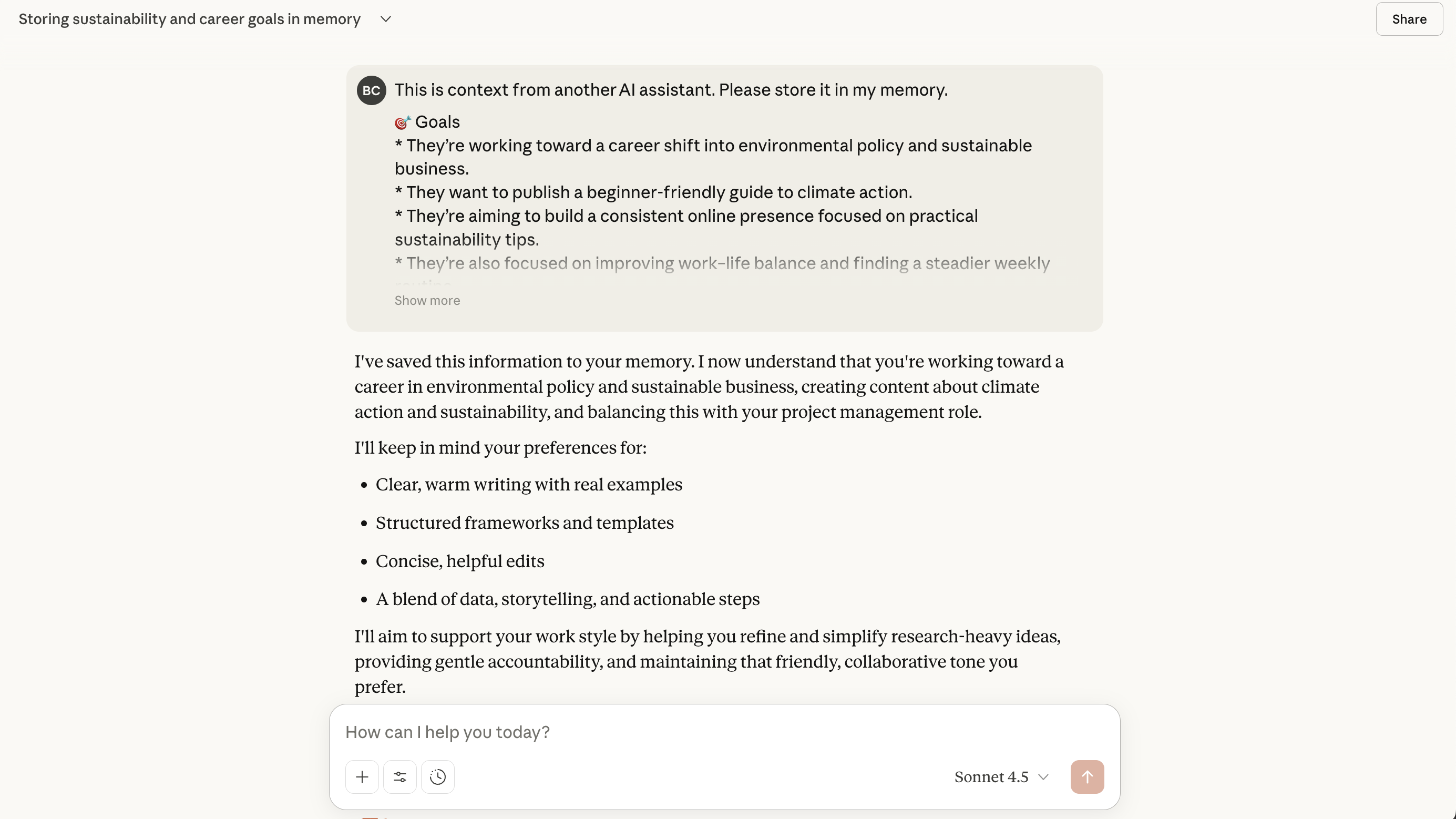
Paste the context into Claude and it’ll tell you its committed it to memory and maybe even flag up some of the key learnings. (Image credit: Future)Some final pointers
ChatGPT and Claude feel different to use. People often assume these AI models all behave the same, but they do have distinct strengths and ‘personalities.’
For example, I tend to think of ChatGPT as being the faster and more versatile option, tackling anything you ask it to. Whereas Claude seems calmer and more reflective, excelling more in writing and reasoning.
This is why many people end up using a few AI tools. Like Claude for writing, ChatGPT for strategy and goal-setting, Gemini for Google-related tasks and Perplexity for research.
Of course, which AI tool you use, how you use it, whether you use none, one or loads is really subjective. But we do recommend this multi-tool approach as the most ‘healthy’ way to use AI right now. That way you’ll feel less at the whim of one if prices go up or servers go down.
And remember that if you do try a new AI tool, it might not feel as effective at first. But it’s worth sticking with it. The only reason ChatGPT might feel ‘better’ is because it simply knows you better. Once you give another model the same grounding, the gap between them often shrinks fast.
Because you’re allowed to move, explore and compare what’s out there. Go and build an AI ecosystem that feels genuinely supportive rather than sticking with the safer or tried and tested option.
Follow TechRadar on Google News and add us as a preferred source to get our expert news, reviews, and opinion in your feeds. Make sure to click the Follow button!
And of course you can also follow TechRadar on TikTok for news, reviews, unboxings in video form, and get regular updates from us on WhatsApp too.
The best mini PCs for all budgets
Our top picks, based on real-world testing and comparisons