
If there’s one thing that’s annoying everyone about Windows 11 as of late, it’s forced AI integrations. Whether it’s the astoundingly dumb rebrand of Microsoft Office to Microsoft 365 Copilot, or the useless features in Microsoft Paint or Microsoft Photos — it seems virtually impossible to use Windows 11 right now without stumbling into some forced and unnecessary AI toolkit bursting its way in. But, what if there were actually some useful implementations within Windows?
One of the best Windows 10 innovations was the Clipboard, which I bet many of you aren’t even using. Hitting Windows Key + V opens up the Clipboard, showing you the last several items you copied. It allows you to copy multiple things at once and paste them at will, and it’s something I’ve come to use daily as part of my workflow.
You may like
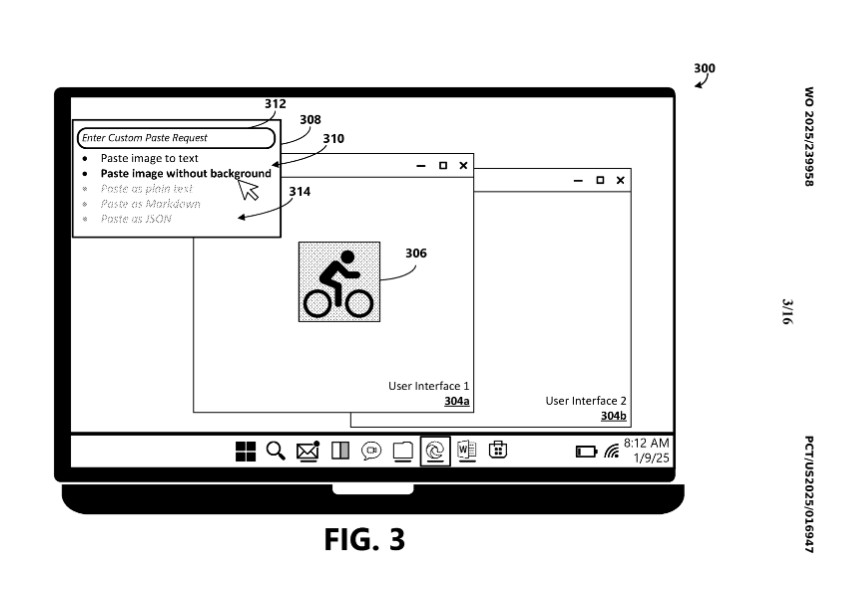
Immediately convert images, programming languages, and format text — if it actually ships, of course. (Image credit: Microsoft patent via US Patent Office)
While in the throes of insomnia, I discovered a new Microsoft patent on the US Patent Office website detailing Copilot integrations directly into the Windows Clipboard.
You can think of it as “Advanced Paste” in essence. The patent describes a system that will tap into a large language model, most likely Copilot, to help users version-shift and manipulate the copied data.
Some of the examples include the ability to instantly remove backgrounds from pictures, which might be a fun and easy way to make stickers in messaging apps or graphics for presentations, as a couple of examples. Others include converting data types, like shifting plain text data into table formats, and then converting table formats into HTML for pasting into web articles like this one. You will also be able to type in custom prompts, such as “make this bullet points,” without having to open Copilot proper.
RELATED: 20 features in Windows 11 you aren’t using (but definitely should)
The patent describes how the AI will store the information temporarily to figure out potential conversions, and then offer users a variety of options to choose from. It’ll even be able to convert programming languages to other formats, and let users preview the transformed data before pasting it on. It seems that you’ll also be able to convert and paste multiple items at once, too.
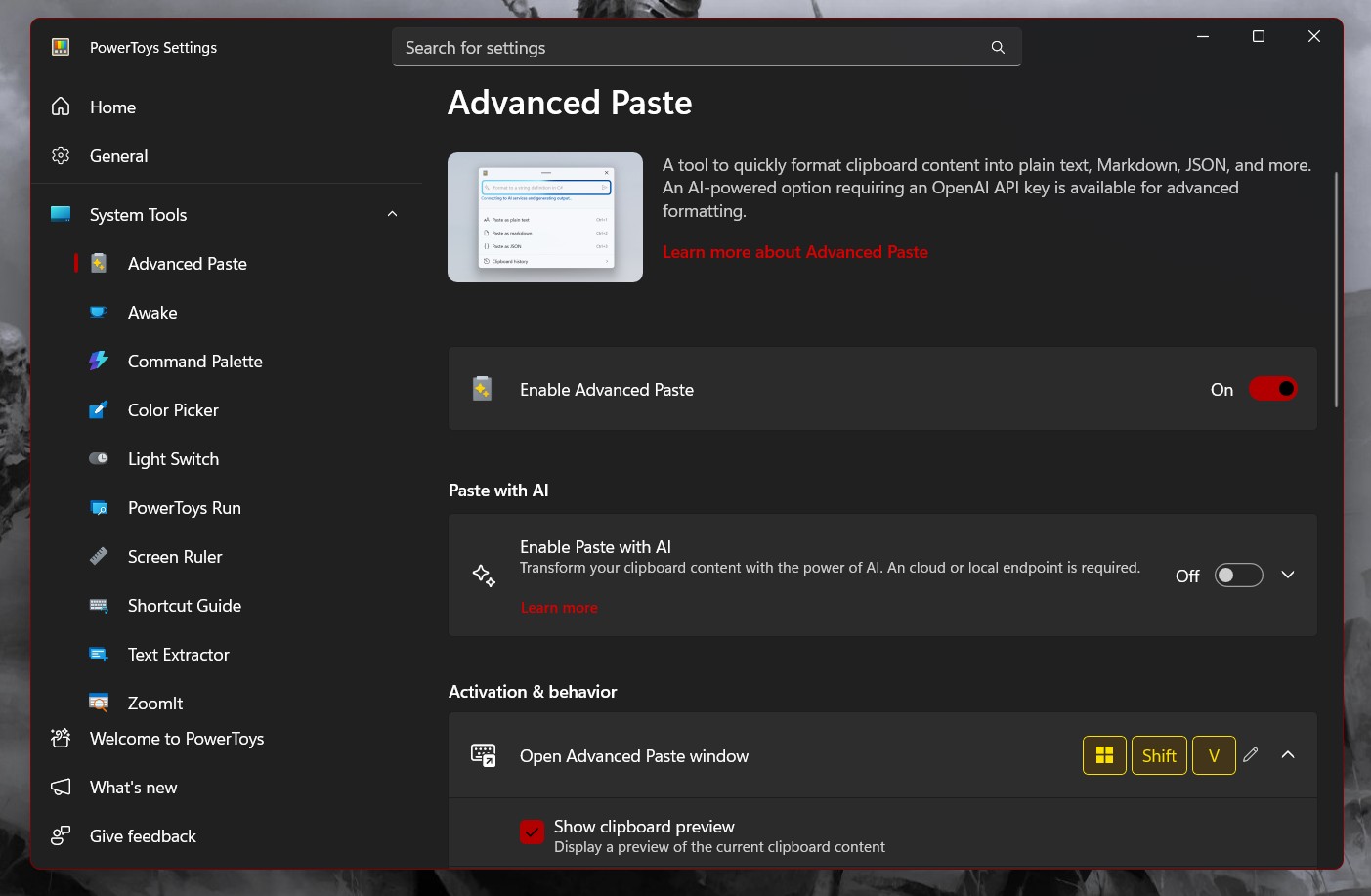
You can enable Advanced Paste today in Microsoft’s PowerToys. (Image credit: Windows Central | Jez Corden)
Microsoft has already been experiment with AI-powered copy and paste in products like Microsoft Word, but having it directly in the Windows Key + V Clipboard could eliminate an extra step that many are using Copilot for already today.
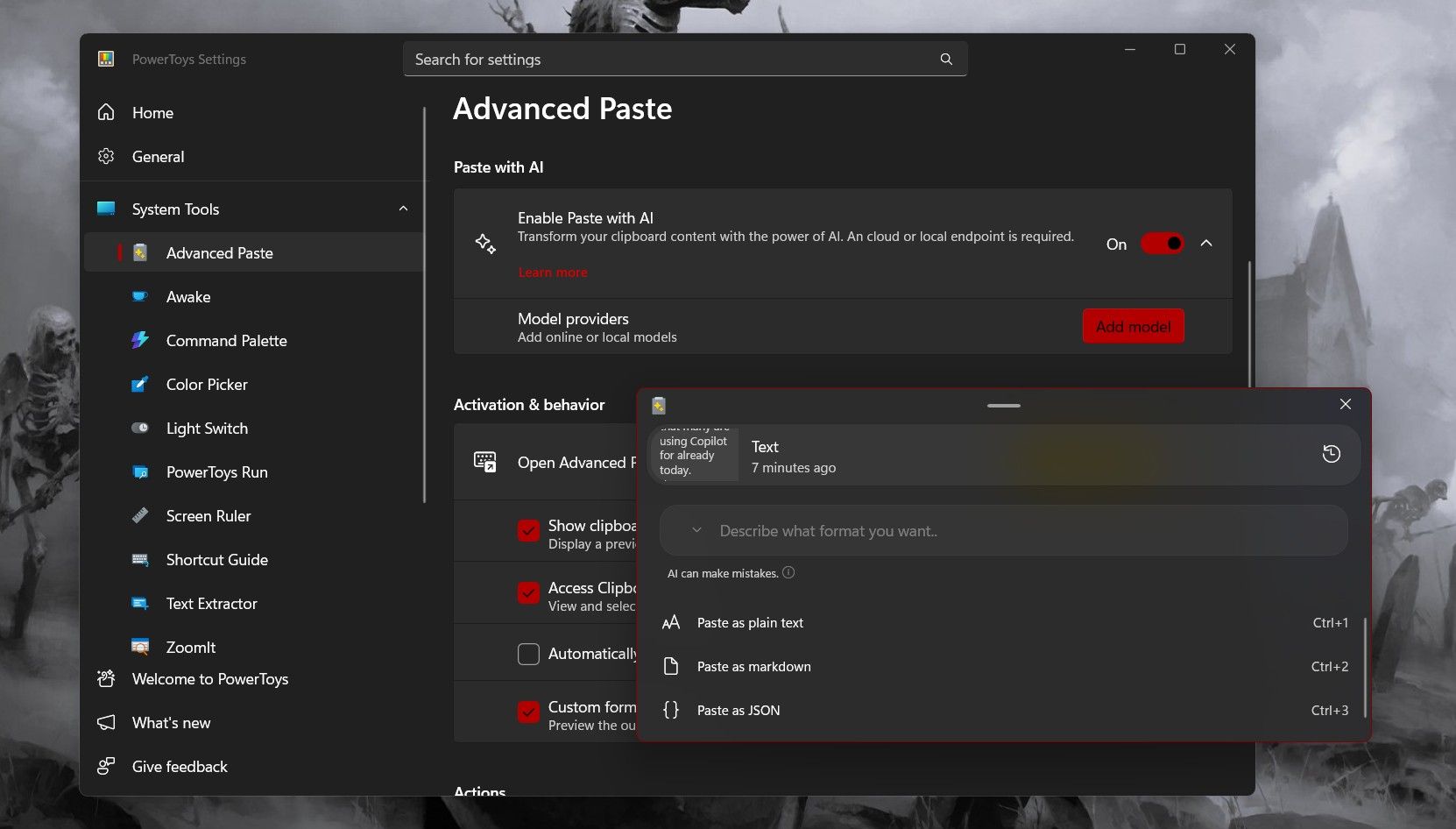
You can actually enable an in-development version of Advanced Paste today via Microsoft PowerToys, available for free on the Microsoft Store for Windows 11. It uses Windows Key + Shift + V to invoke. To use the more powerful AI features, however, you need to insert your own AI API key.
The tool was created by Craig Loewen and Clint Rutkas from the Windows team. Hopefully, we’ll see it emerge into the default UI with free Copilot integration in the future.
A useful Copilot integration?! In 2025 (or 2026?)
Microsoft has been under pressure to get users to actually use Copilot. (Image credit: Getty Images | Anadolu)
Patents don’t always mean products, of course. Sometimes Microsoft and other companies strategically patent workflows and features without any real intention of implementing them — but this one seems like a total no brainer to me. One of Copilot’s best and simplest functions revolves around formatting and organizing data that it’s fed directly, eliminating the risks of hallucinations.
The consumer-grade version of Copilot is likely not advanced enough to complete more complex tasks adequately well. Even if I wanted to use it write articles, it makes far too many mistakes to be viable for any serious outlet right now … but, having it create large spec tables for reviews from press releases, and then convert that data directly to HTML for pasting has saved me a ton of time. Being able to do that straight from the Clipboard would save me even more time.
It’s in features like this where I think Copilot will eventually shine the most. I’ve been using Google Gemini Pro in our work Gmail implementation to manage my calendar scheduling, and it has been a huge help. I think people will be far more receptive to AI features that actually help them at work — rather than fully replace them at work. It thoroughly remains to be seen if Microsoft and other technologists can actually deliver that scenario, though.
Microsoft has been under pressure to show real AI growth to investors. Microsoft’s share price has taken a hit over the past couple of weeks, as Google has surged ahead. Google’s position in AI seems stronger than Microsoft’s on the face of it, even if Microsoft had an early head start with its OpenAI partnership. As we’ve headed further into the cycle, Google has begun to pull ahead.
Microsoft’s partnership with OpenAI seems fractured, and is reminiscent of how Nokia and Microsoft, as separate entities, couldn’t work together effectively enough to implement a solid challenge against smartphone companies that owned the whole stack. There could be an even more dire situation presenting itself, though, suggesting that AI technologies are simply too expensive to justify. Could it be that the entire AI business model doesn’t actually work?
In any case, it’s unknown when (or even if) this new Clipboard feature will come to Windows 11 beyond PowerToys — but we’ll keep you abreast of any updates.
Desktop computing is the one area where Microsoft still maintains an advantage over Google, and it’s crucial that the firm doesn’t squander it.

Follow Windows Central on Google News to keep our latest news, insights, and features at the top of your feeds!