

Smartphone innovation has stalled, but for Android users like me, it’s hard to get bored with the phone because of some of the amazing things it can do that no one else can.
Even for something as common as NFC, supported Android devices have an edge over iPhone devices because of the former’s ease of use.
NFC is an interesting one because many people don’t use it regularly beyond making digital transactions. I have also met people in my life who didn’t even know NFC is the hardware that makes wireless payments possible.
I can’t recall when I started using it, but I never used NFC beyond digital payments until a few days ago. I recently started using NFC tags, and I have never been this dependent on the hardware in my entire life.
I’m using NFC tags to automate my life, and it works so well that it feels more like magic — and less like tech. Here is what I use it for.
Related
I created a personal command center with Android’s Quick Settings tiles
And now I barely open apps
Credit: Wikimedia Commons
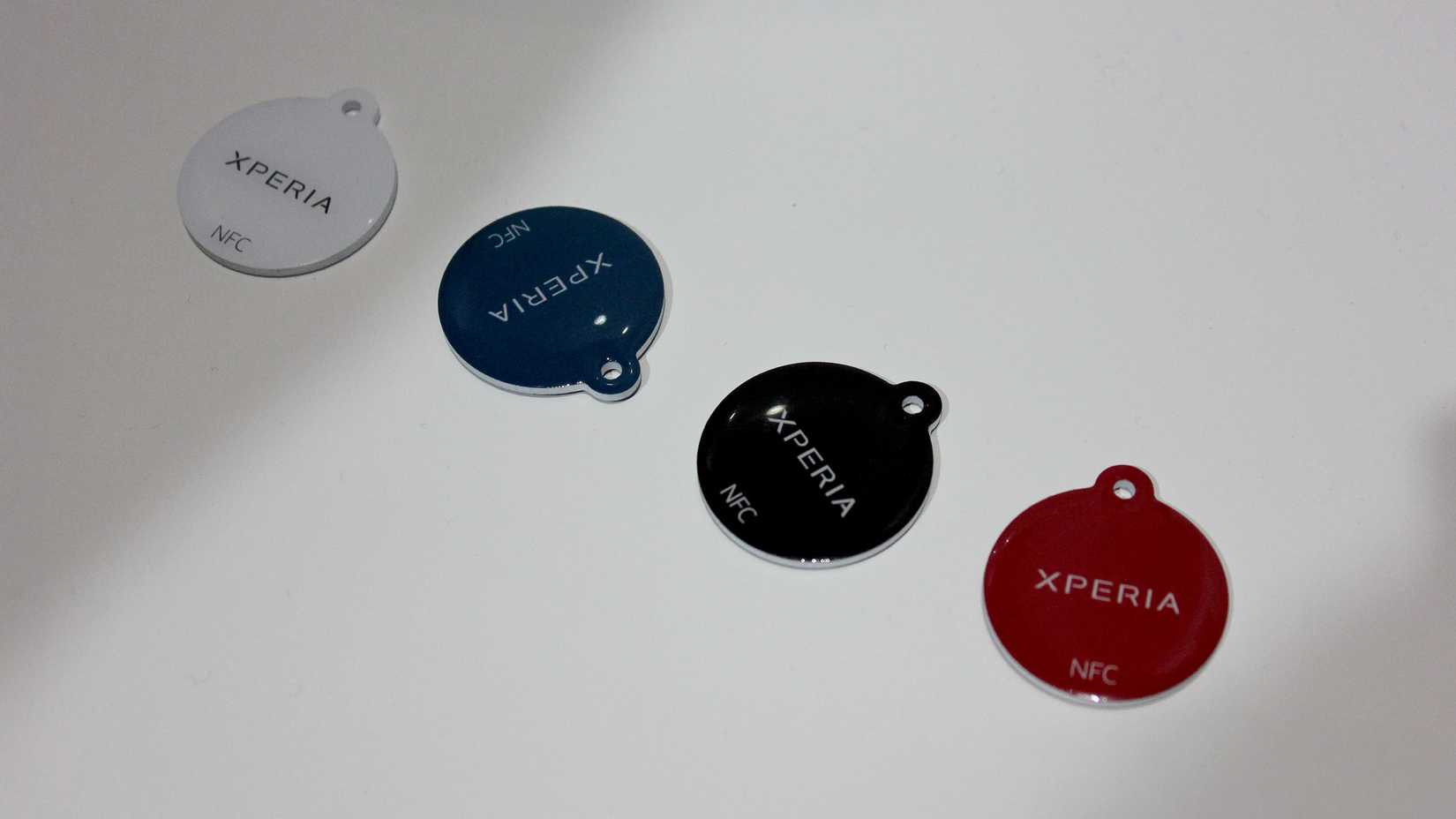
An NFC tag is a small wireless device that contains a microchip and an antenna that stores and transmits data to other NFC-enabled devices when they are in proximity. You can place it pretty much anywhere in your room, and it’s cheap.
I’ve placed them in my bedroom, at my work desk, on the study table, on my door, on the couch area, and on the car dashboard. Each is set to perform a different set of actions when it is triggered.
I put my phone close to the NFC tag on my bedside table, and it automatically turns on Do Not Disturb (DND) mode, sets the alarm to 7 AM, lowers the brightness level, and enables the Night light feature.
I use a morning routine on my Samsung Galaxy S21 that reverses all these actions after I wake up in the morning. It turns off DND, restores brightness, and turns off the Eye Comfort shield capability.
The NFC tag on my work desk automatically turns on Wi-Fi, opens work apps, and activates silent mode on my phone. This helps a lot with keeping my focus during work, but unlike previously, I don’t have to set any of these up manually.
I use a similar setup when I read a book on my study table. The NFC tag on the study table automatically opens my favorite note-taking app, puts my phone to silent, and turns on Wi-Fi.
The NFC tag near my door turns off Wi-Fi, and turns on data and Bluetooth on my phone. I place my phone near this NFC tag when I go out of my home, and it triggers all these actions.
I use the NFC tag in my couch area to open certain entertainment apps, like Spotify and YouTube. On the other hand, the one that I use on the car dashboard automatically opens Google Maps and starts playing music.
These are the instances where I use NFC tags the most, but you can assign a completely different set of actions depending on what you use them for.
I use a Samsung Galaxy S21 as my daily driver, and it’s the most NFC-friendly Android phone that I currently own. This is true for any NFC-enabled Galaxy handset and not just the S21.
I call it NFC-friendly because it makes using an NFC tag simple. You don’t need to write anything using apps like NFC Tools and program the NFC-enabled device.
This is possible because of the Modes and Routines app. You can set triggers on a blank NFC tag using the Modes and Routines app on a supported Galaxy handset. I follow the steps below:
Open the Modes and Routines app and tap Routines.
Select the plus icon.
Tap If and choose NFC tagged.
Follow the on-screen instructions.
Tap Then and select the actions.
I don’t use the NFC Tools app because I don’t need to. Another reason I prefer using it through Modes and Routines is that I don’t want my NFC tag to turn on or off certain features on another phone. This is why I use the NFC tag to run routines on my phone.
Many of my colleagues at Android Police use the NFC Tools app for advanced and custom scripting and to share the tag with other phones. This sounds cooler than doing it through Modes and Routines, but I don’t need any of that advanced scripting.
We are flooded with gadgets, making it hard for consumers to figure out which one is a better investment.
The answer depends on what the user wants to do with it, but for me, NFC tags were a great tech investment. Not only did they save my time, but they also freed me from mundane tasks when I needed to focus on something more important.
NFC tags changed how I use my phone for the better, so much so that I sometimes feel like I’m in a sci-fi movie.