
Android updates are not as exciting as before, as they rarely bring major user-facing changes.
But building on Android 16 QPR1’s Material 3 Expressive refresh, Google plans to introduce a bunch of new features in Android 17 that will address some longstanding, annoying issues with the platform.
Related
Google and Samsung are finally fixing Android’s most frustrating feature
I’m excited to share files again
Camera apps will finally get the quality they deserve
Third-party apps can tap into advanced camera features
For all the cutting-edge camera hardware that Android phones pack, you can only get the best quality images through the stock camera app.
More than third-party camera apps, this creates a problem when using social media apps like Instagram and Snapchat. Millions of people use the built-in camera in these apps to take pictures for posting on their profiles.
Unfortunately, those images rarely match the quality of shots captured through the main camera app. Besides limited API access, this is also due to OEM-specific camera optimizations not being available to third-party apps.
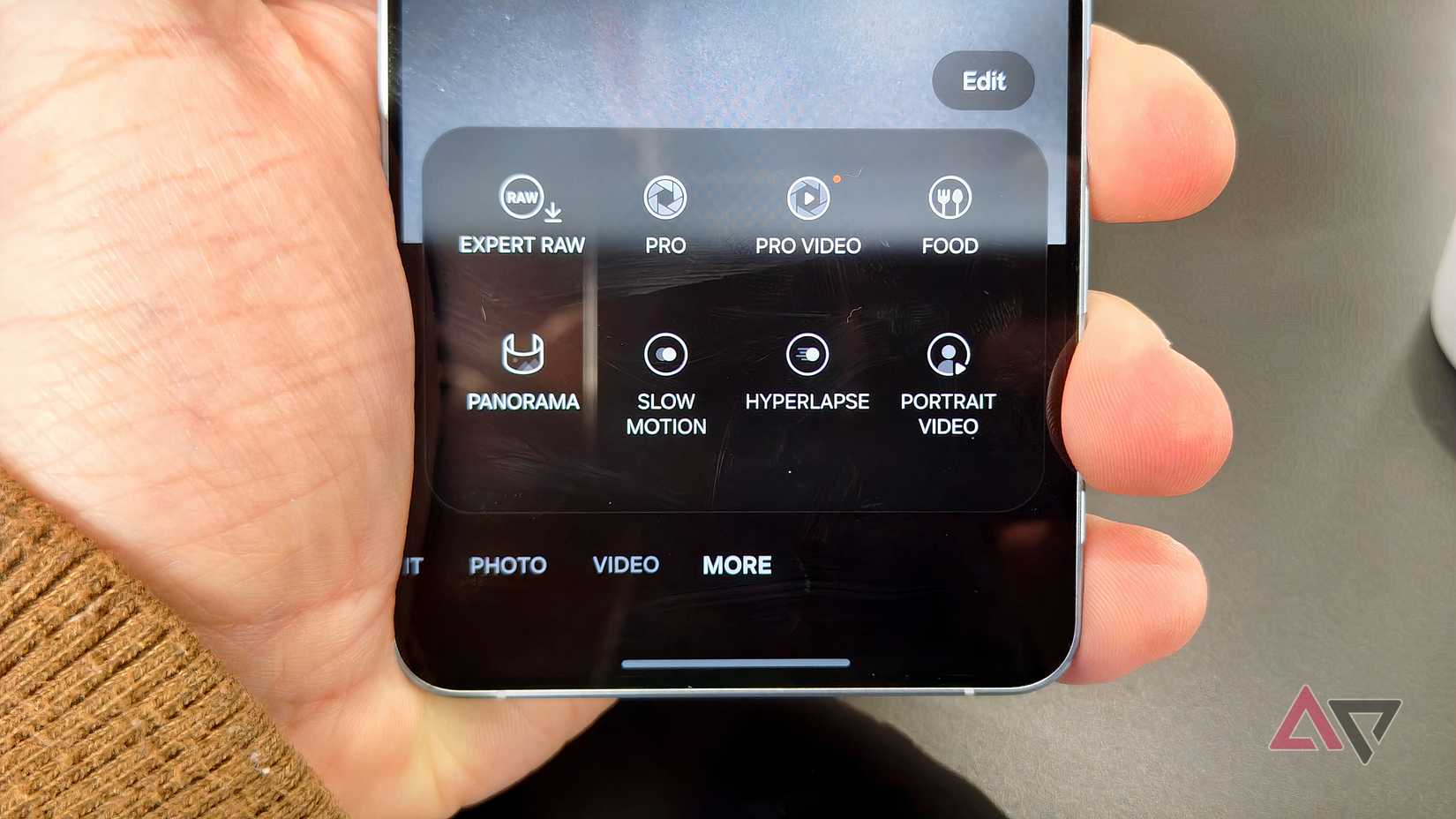
Android 17 will address this problem by adding support for vendor-defined camera extensions.
This will allow the likes of Samsung, OnePlus, Oppo, and others to offer extensions — think of them like plugins — that third-party camera apps tap into.
For example, Samsung can offer a 200MP or Super Night mode as extensions, enabling other apps to access the same advanced features.
A lot will depend on the device makers and whether they want to expose a key feature of their stock camera app to other apps.
But if they do, Android 17 could finally fix one of the biggest camera limitations on Android, which makes the iPhone’s camera look superior despite dated hardware.
Additionally, Android 17 will add support for the RAW14 image format — a 14-bit-per-pixel raw image format. It’s supported by most high-end professional cameras, as the additional data reduces color banding and provides additional flexibility in post-processing.
Bubbles will make multitasking feel effortless
Floating bubbles will keep apps within easy reach
One of the biggest user-facing changes in Android 17 for power users is the addition of Bubbles.
If you’ve used Paranoid Android custom ROM back in the day, this will feel familiar. Google is introducing a similar multitasking concept to the Google Pixel with Android 17.
You can run any app in a window mode and minimize it into a floating bubble. This makes managing multiple apps easier and will reduce constant back-and-forth switching.
On my Pixel 8 Pro, I have already started using Bubbles with Chrome, WhatsApp, and X, and it has changed how I multitask.
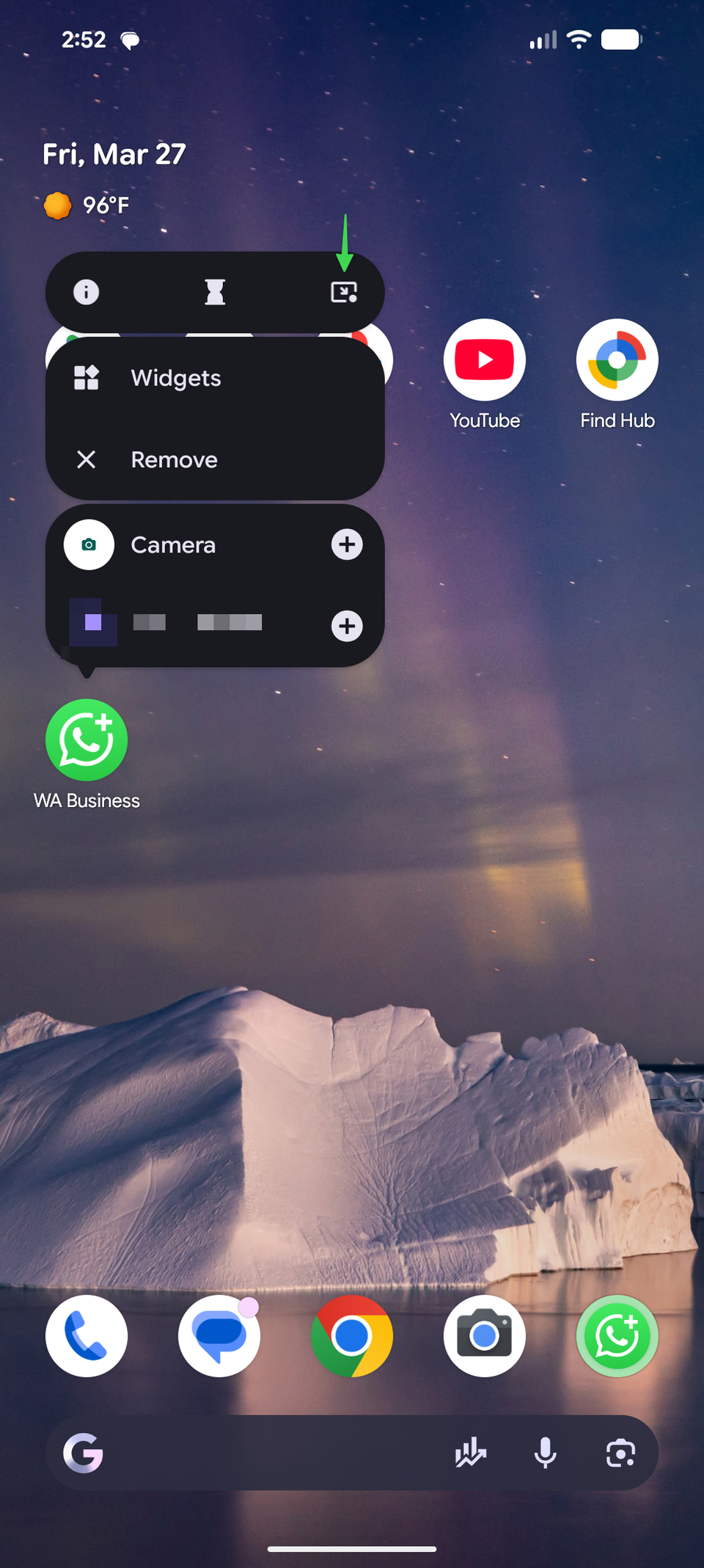
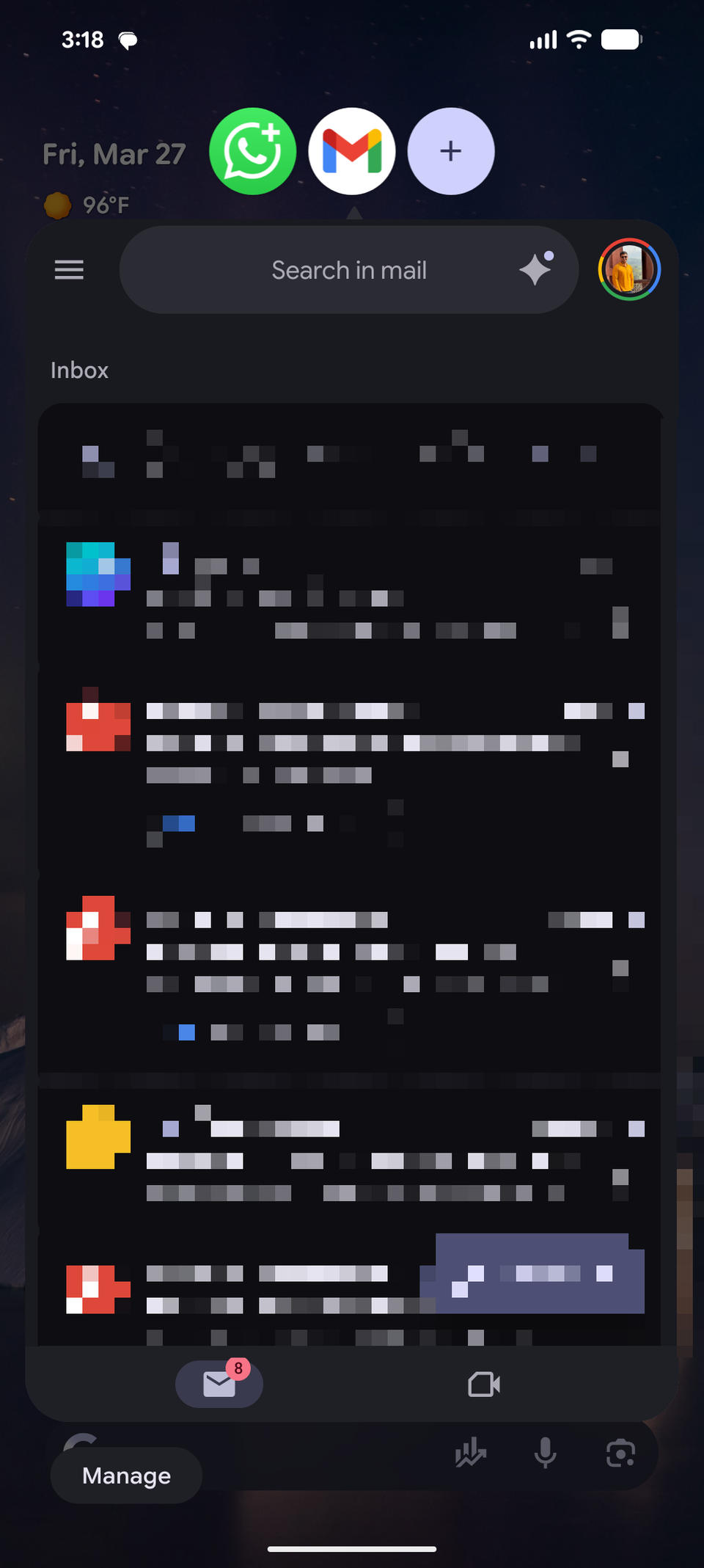
I keep a chat or web page within reach while scrolling through X. This way, I can quickly jump in to respond to an ongoing conversation or reference something and then share it in the chat.
If you are running Android 17 beta on your Pixel, you can put an app in floating bubble mode by long-pressing on its icon and tapping the third icon at the top of the pop-up menu.
The Bubbles multitasking feature is already available in several third-party Android skins, including Samsung, Vivo, OnePlus, and Oppo. So, only Pixel users stand to benefit the most from this addition.
With the release of Android 17 Beta 3, the OS has reached platform stability. That means the above features are mostly locked in for the final public release, with Google now focusing on squashing major bugs and adding the final touches.
Assistant volume finally gets its own control
No more clashes between voice responses and media
AI assistants are more conversational in nature than their predecessors.
By default, their output volume is linked to your phone’s media volume. This can get annoying, as the volume level that works for music or videos can feel too loud or soft for the assistant’s reply.
In Android 17, Google is building on Android’s already excellent volume control options and adding a separate volume slider for assistants. This means you can adjust how loud (or softly) Gemini will speak without affecting media playback.
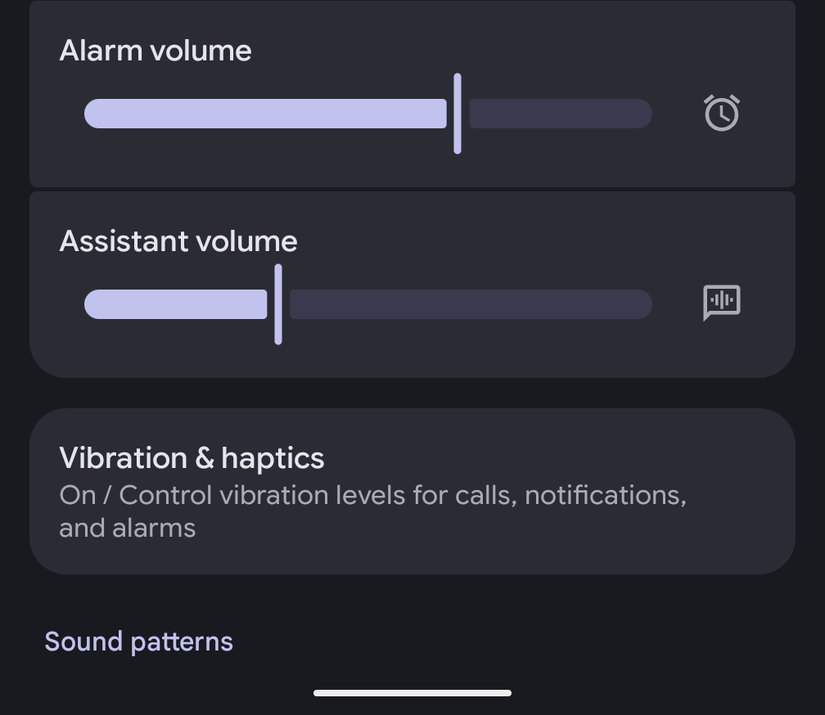
For example, when I’m listening to music on my headphones at full volume and trigger Gemini, I don’t want its responses to blast at the same level.
With a separate volume control, I can ensure that the assistant speaks at a comfortable level.
Since this is a system-level feature, it will work with any default assistant on your Android phone.
Pick exactly what apps can access
Google introduced a more privacy-friendly photo picker in Android 13. It even backported the picker to older Android 4.4+ devices through a Google Play system update.
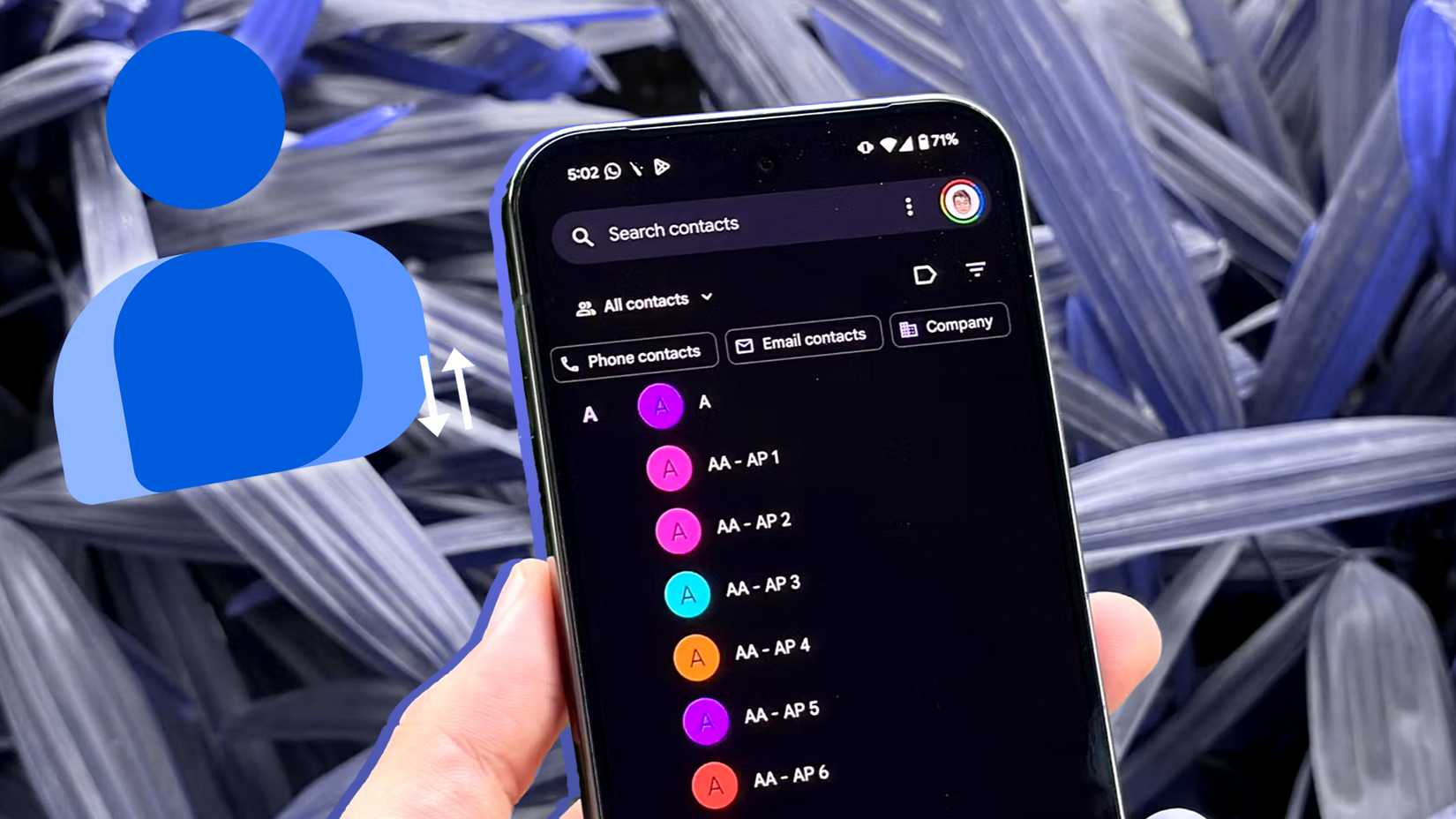
In Android 17, the company will introduce a similar privacy-focused contact picker. It will provide apps with a temporary “session-based read access to only the specific data fields requested by the user.”
Essentially, like the photo picker, you can choose specific contacts to share with an app instead of granting access to your entire phone book.
Even better, the OS automatically revokes that access after the action is complete.
Similarly, apps can request only the specific details they need, such as a phone number or email address, instead of accessing the entire contact data.
The kind of update you’ll actually notice
Unlike Android 16, Android 17 will not be a flashy upgrade. But the improvements it packs will improve how you use your Android phone and make you more productive on the go.
That’s thanks to a smarter multitasking system and underlying system changes. It will also address some longstanding privacy and functionality issues, bringing the platform on par with iOS.
These improvements are coming on top of other notable new features in Android 17 that I can’t wait to use.