
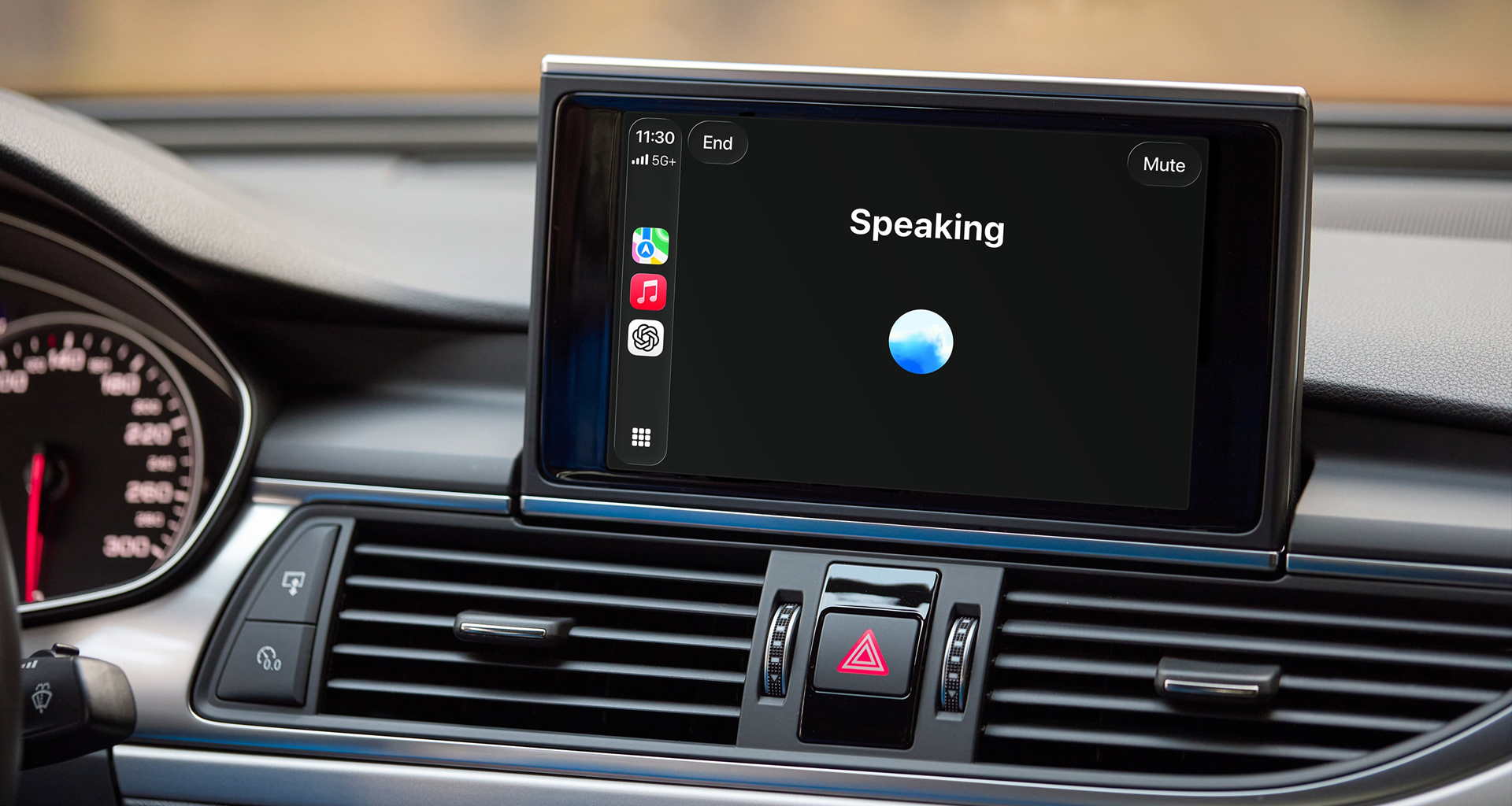
Apple has spent years turning CarPlay into a polished extension of the iPhone for when you’re on the road, but Siri isn’t much of a conversationalist. If you want to chat with an AI while driving, you can now talk to ChatGPT while using CarPlay.
All you need is iOS 26.4 and the ChatGPT app. Connect your iPhone to CarPlay as usual. From there, the ChatGPT icon appears alongside your other apps. Tap it, and the interface shifts into the same slightly mysterious orb that you see when talking to ChatGPT in its vocal conversation mode. Apple’s rules keep things voice-only, so everything happens through spoken prompts and spoken replies, with just a couple of buttons for muting or ending the session.
Article continues below
You may like
ChatGPT is now available in CarPlay.The voice mode you know, now available on-the-go.Rolling out to iPhone users running iOS 26.4+ where CarPlay is supported. https://t.co/aXQqH9MNuG pic.twitter.com/yk3qdLa99rApril 2, 2026
I first tried it while driving to pick up coffee. I figured something practical and location-based would make sense for the AI to help with, so I asked it, “What’s something interesting I could do nearby if I have 20 extra minutes?”
ChatGPT first wanted to clarify where I was, as it has no internal map, but once I told it where I was located, it suggested I “take a short walk by the river or look for a local bookstore or café with outdoor seating.”
The response did feel a little bit like a tour guide, and not too different from how Google Maps‘ new Ask Maps AI tool functions. That said, it was more casual in its recommendations and willing to be diffident about them, even saying, “You might not like that park after the rain since the benches will be wet.”
I then tried to think of other ways I might use ChatGPT while driving, where I wouldn’t just turn to a Map app, and figured I’d ask ChatGPT directly. The AI suggested it would be great for when I’m bored, or am struck by a question I can’t look up the answer to because I’m driving.
At that moment, I was stuck behind some slower-moving vehicles, so I just went with the first question in my head and asked ChatGPT to “Explain why traffic jams happen in simple terms.” Like a travel companion with access to the internet, ChatGPT pulled up a useful analogy about how one person slowing down in a line of people walking causes a domino effect of people moving slower and slower.
“Even though there’s no accident or obstacle, the slowdown spreads backward. That’s why traffic jams can seem to appear out of nowhere.”
What to read next
Car games
Happily, not all my trips in the car are alone. So, with a friend beside me on a slightly longer trip, I decided to see if ChatGPT could offer a fun game for the ride.
“All right. Here’s one called ‘Convince Me.’ I’ll give you two silly options, and one of you has to argue passionately for why one is clearly superior. No hedging, just commit to it. First round: Which is the better road trip snack, pretzels or gummy bears?”
After a pretzel-winning debate, ChatGPT came up with a more complex dilemma to contemplate: “Would you rather have a car that can only play one song forever, or one that changes the radio station every time you say the word ‘the’?”
A decent but far from perfect companion
It wasn’t a perfect experience; the lack of navigation data meant it took a while to get restaurant recommendations, for instance. And the lack of a wake word became a little annoying when I had to tap the screen each time for a conversation.
Of course, that friction is probably intentional, as Apple has been cautious about how much attention drivers should give to anything other than the road. Traditional voice assistants are built around commands. ChatGPT, even in this constrained form, leans toward conversation instead. It invites prompts that are open-ended and not about immediate needs.
It’s not as good as a real travel companion, but if you really want to simulate a conversation or just need a break from music, ChatGPT will at least provide a new car game or two.
Follow TechRadar on Google News and add us as a preferred source to get our expert news, reviews, and opinion in your feeds. Make sure to click the Follow button!
And of course you can also follow TechRadar on TikTok for news, reviews, unboxings in video form, and get regular updates from us on WhatsApp too.

The best business laptops for all budgets
Our top picks, based on real-world testing and comparisons